fuel LEXUS RX300H 2017 User Guide
[x] Cancel search | Manufacturer: LEXUS, Model Year: 2017, Model line: RX300H, Model: LEXUS RX300H 2017Pages: 640, PDF Size: 35.53 MB
Page 124 of 640
1242. Instrument cluster
RC300h_EE(OM24740E)
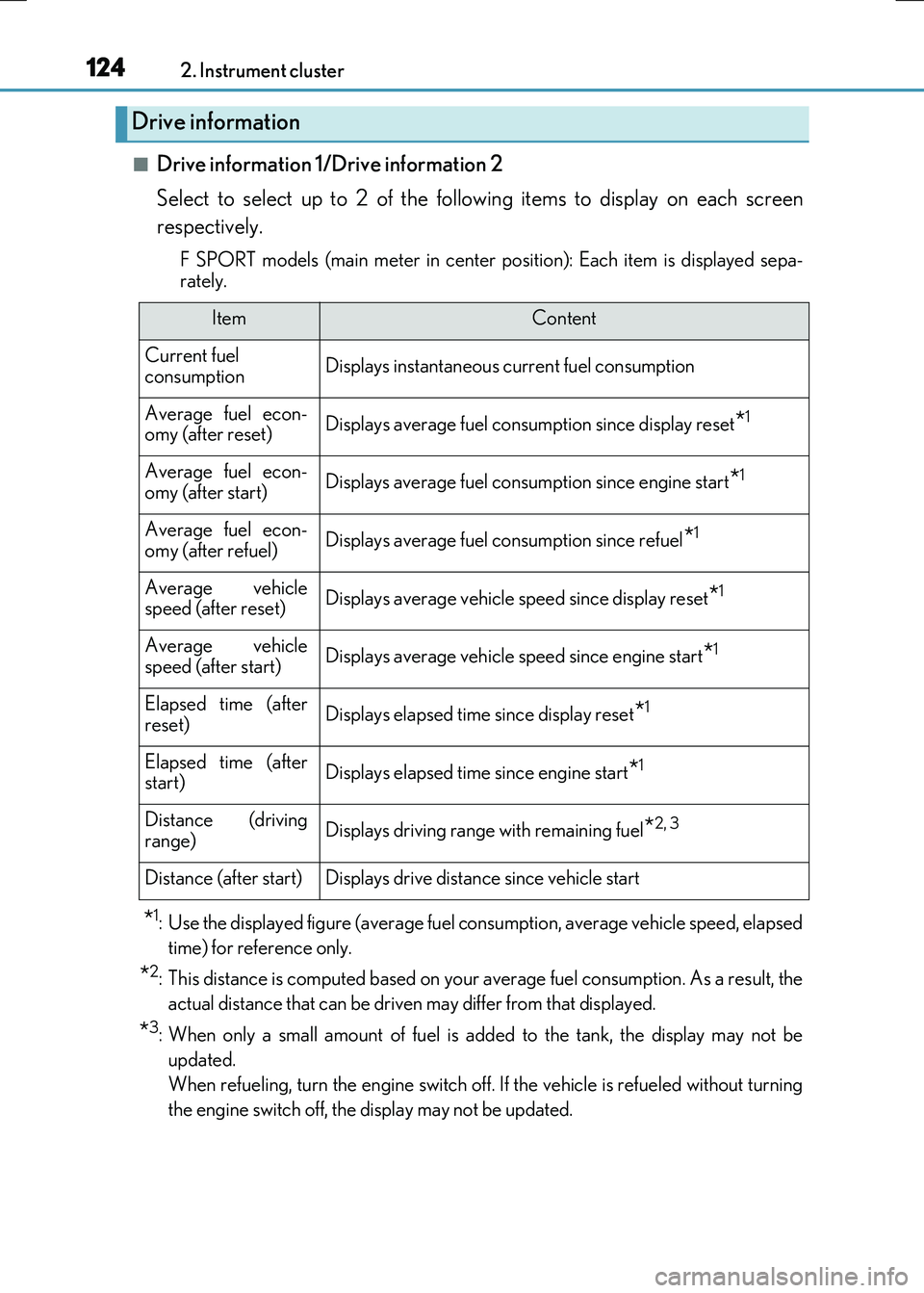
■Drive information 1/Drive information 2
Select to select up to 2 of the following items to display on each screen
respectively.
F SPORT models (main meter in center po sition): Each item is displayed sepa-
rately.
*1: Use the displayed figure (average fuel consumption, average vehicle speed, elapsed
time) for reference only.
*2: This distance is computed based on your average fuel consumption. As a result, the
actual distance that can be driven may differ from that displayed.
*3: When only a small amount of fuel is added to the tank, the display may not be
updated.
When refueling, turn the engine switch off. If the vehicle is refueled without turning
the engine switch off, the display may not be updated.
Drive information
ItemContent
Current fuel consumptionDisplays instantaneous current fuel consumption
Average fuel econ-omy (after reset)Displays average fuel consumption since display reset*1
Average fuel econ-
omy (after start)Displays average fuel cons umption since engine start*1
Average fuel econ- omy (after refuel)Displays average fuel consumption since refuel*1
Average vehiclespeed (after reset)Displays average vehicle speed since display reset*1
Average vehicle
speed (after start)Displays average vehicle speed since engine start*1
Elapsed time (after reset)Displays elapsed time since display reset*1
Elapsed time (afterstart)Displays elapsed time since engine start*1
Distance (driving
range)Displays driving range with remaining fuel*2, 3
Distance (after start)Displays drive distance since vehicle start
Page 125 of 640
1252. Instrument cluster
2
Instrument cluster
RC300h_EE(OM24740E)
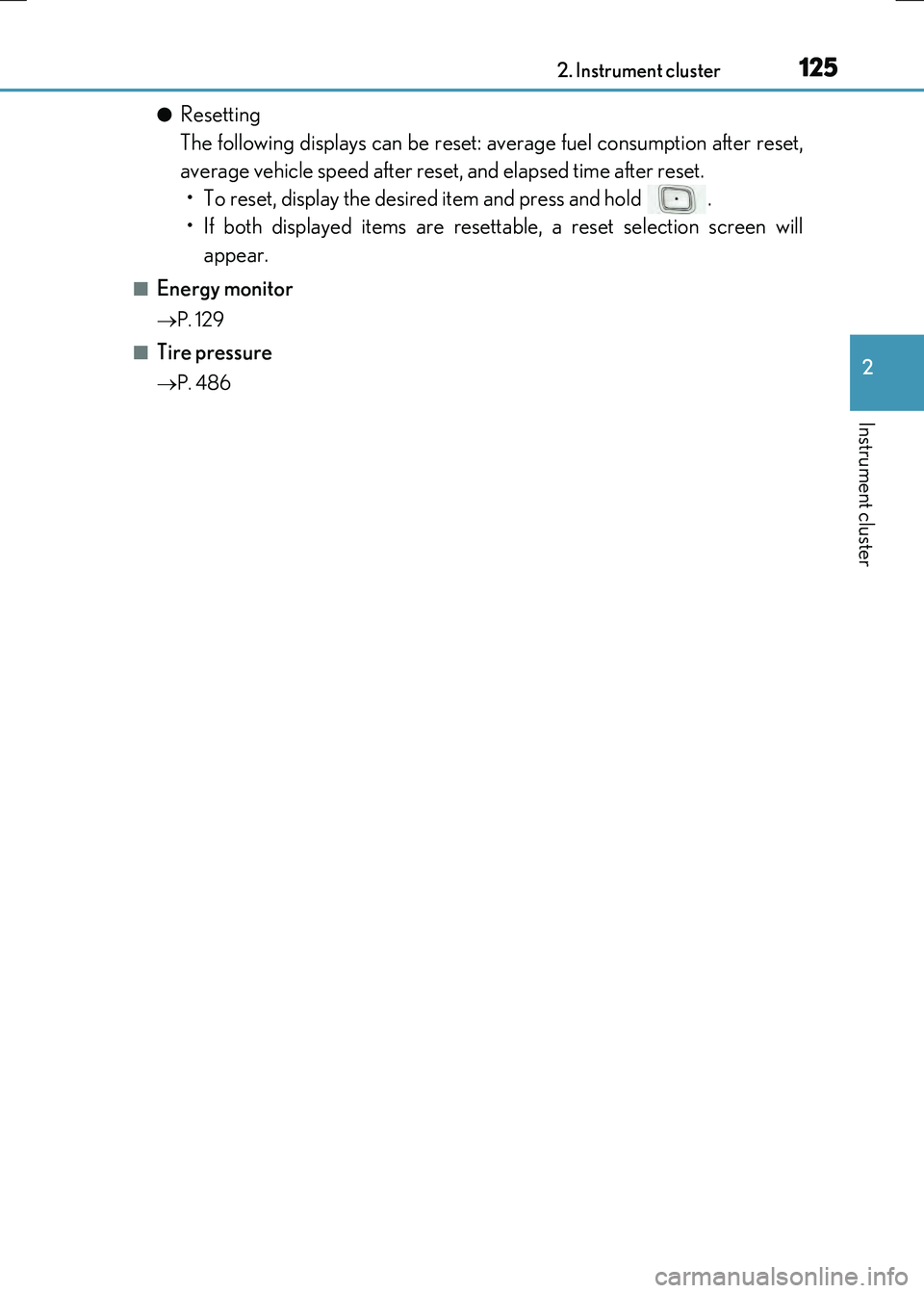
●Resetting
The following displays can be reset: average fuel consumption after reset,
average vehicle speed after reset, and elapsed time after reset.
• To reset, display the desired item and press and hold .
• If both displayed items are resettable, a reset selection screen will
appear.
■Energy monitor
P. 129
■Tire pressure
P. 486
Page 126 of 640
1262. Instrument cluster
RC300h_EE(OM24740E)
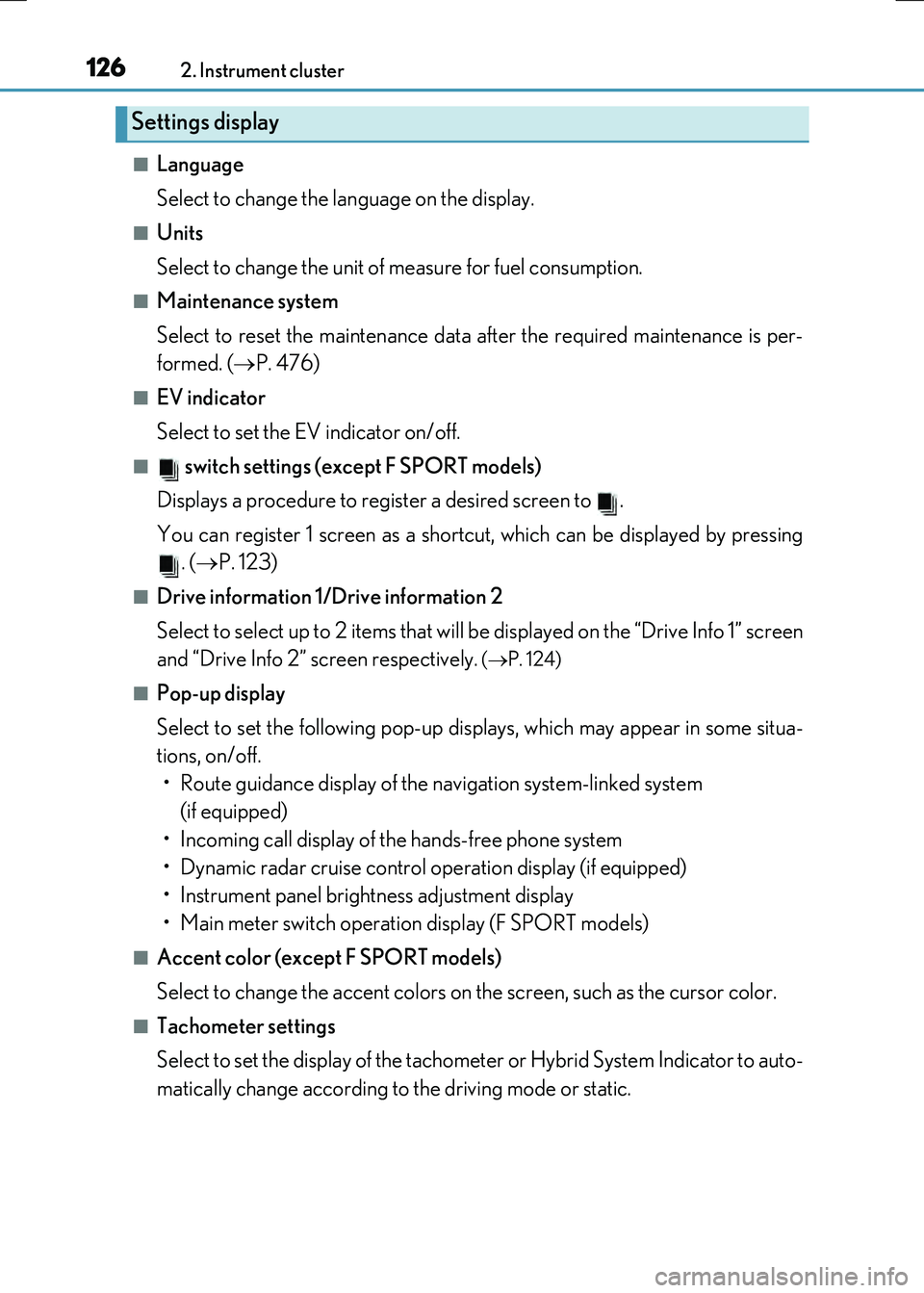
■Language
Select to change the language on the display.
■Units
Select to change the unit of measure for fuel consumption.
■Maintenance system
Select to reset the maintenance data after the required maintenance is per-
formed. ( P. 476)
■EV indicator
Select to set the EV indicator on/off.
■ switch settings (except F SPORT models)
Displays a procedure to register a desired screen to .
You can register 1 screen as a shortcut, which can be displayed by pressing . ( P. 123)
■Drive information 1/Drive information 2
Select to select up to 2 items that will be displayed on the “Drive Info 1” screen
and “Drive Info 2” screen respectively.
( P. 124)
■Pop-up display
Select to set the following pop-up displays, which may appear in some situa-
tions, on/off.
• Route guidance display of the navigation system-linked system (if equipped)
• Incoming call display of the hands-free phone system
• Dynamic radar cruise control operation display (if equipped)
• Instrument panel brightness adjustment display
• Main meter switch operation display (F SPORT models)
■Accent color (except F SPORT models)
Select to change the accent colors on the screen, such as the cursor color.
■Tachometer settings
Select to set the display of the tachomet er or Hybrid System Indicator to auto-
matically change according to the driving mode or static.
Settings display
Page 132 of 640
1322. Instrument cluster
RC300h_EE(OM24740E) These images are examples only.
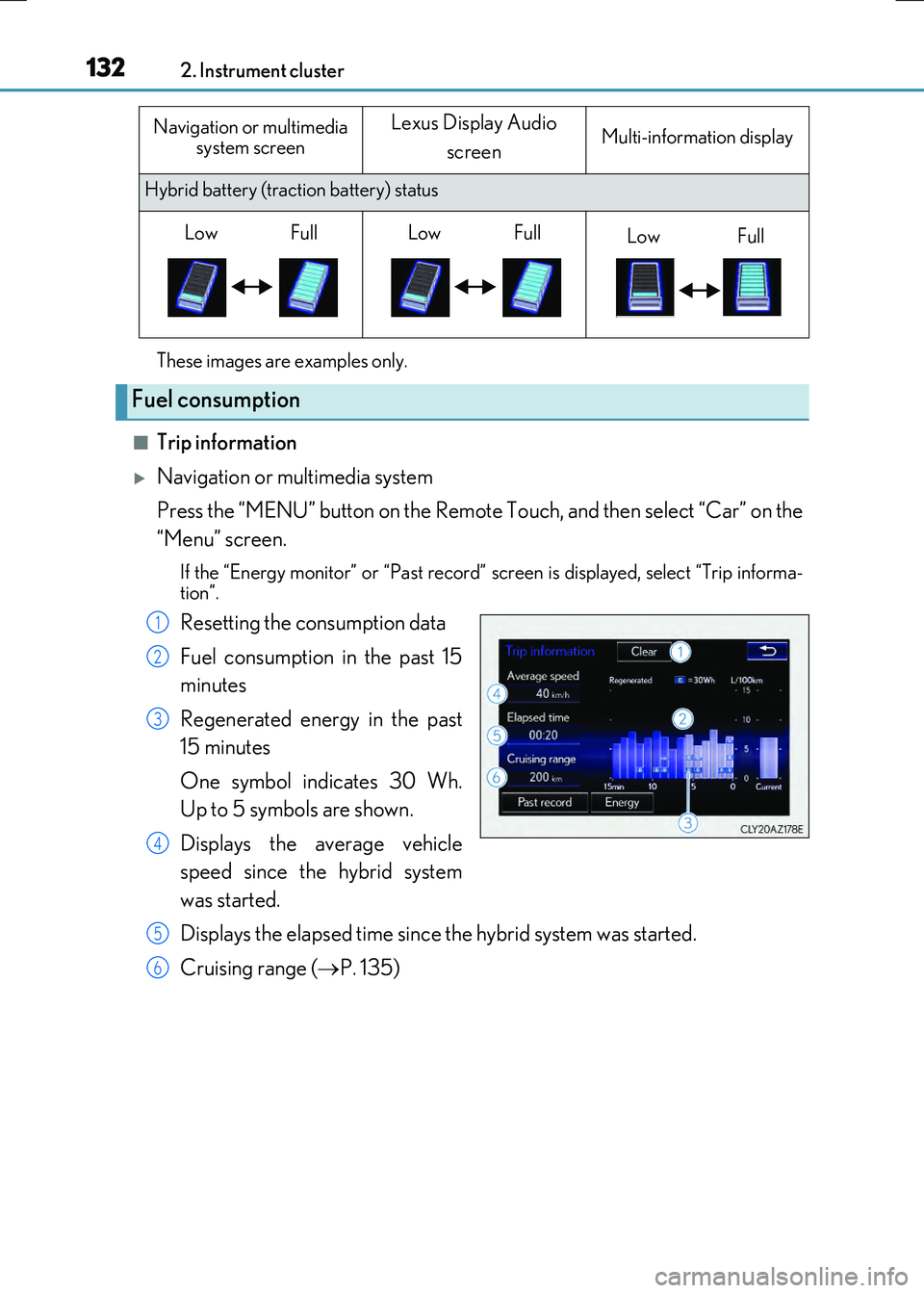
■Trip information
Navigation or multimedia system
Press the “MENU” button on the Remote Touch, and then select “Car” on the
“Menu” screen.
If the “Energy monitor” or “Past record” sc reen is displayed, select “Trip informa-
tion”.
Resetting the consumption data
Fuel consumption in the past 15
minutes
Regenerated energy in the past
15 minutes
One symbol indicates 30 Wh.
Up to 5 symbols are shown.
Displays the average vehicle
speed since the hybrid system
was started.
Displays the elapsed time since the hybrid system was started.
Cruising range ( P. 135)
Hybrid battery (traction battery) status
Fuel consumption
Navigation or multimedia
system screenLexus Display Audio
screenMulti-information display
LowFullLowFullLowFull
1
2
3
4
5
6
Page 133 of 640
1332. Instrument cluster
2
Instrument cluster
RC300h_EE(OM24740E)
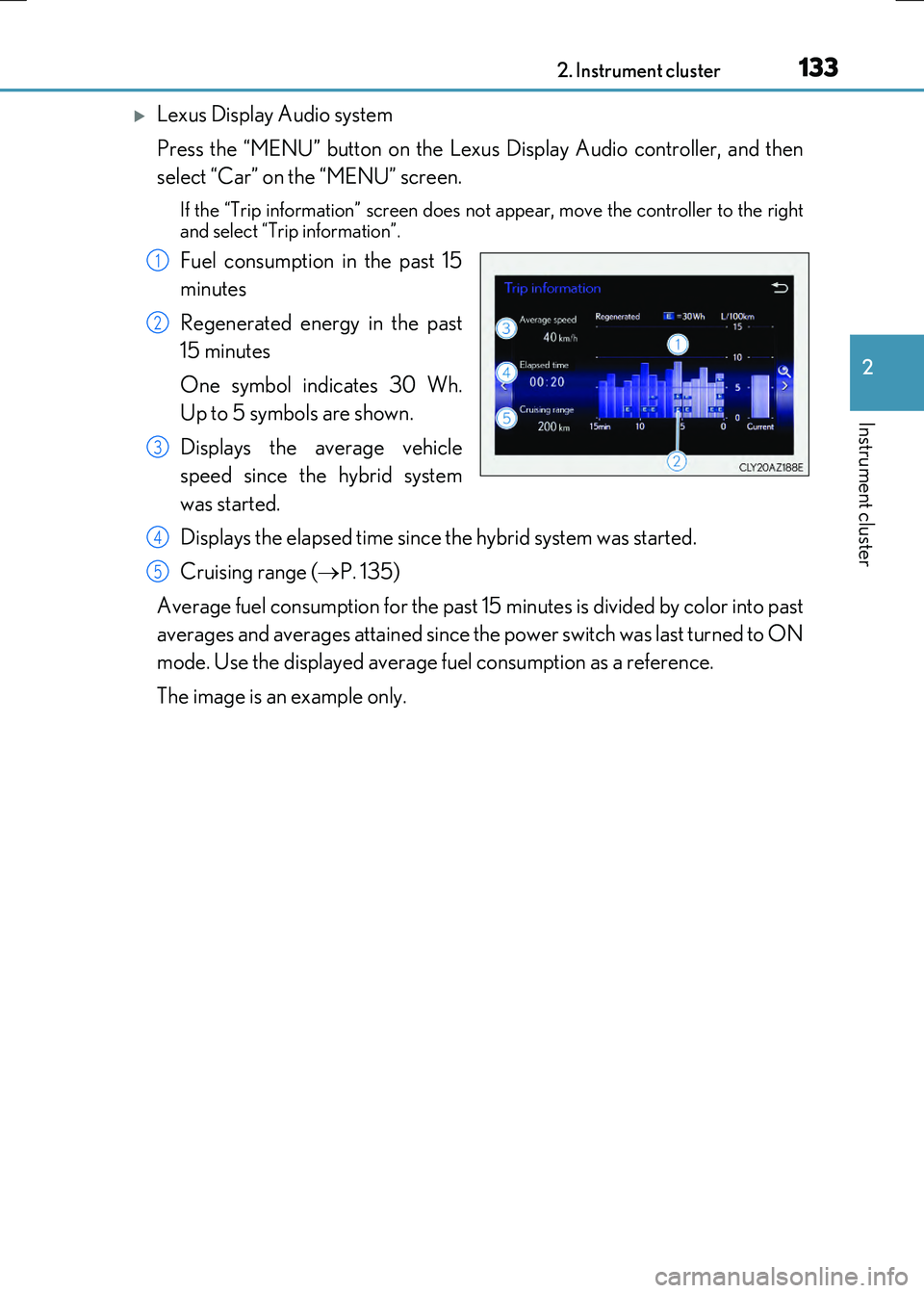
Lexus Display Audio system
Press the “MENU” button on the Lexus Display Audio controller, and then
select “Car” on the “MENU” screen.
If the “Trip information” screen does no t appear, move the controller to the right
and select “Trip information”.
Fuel consumption in the past 15
minutes
Regenerated energy in the past
15 minutes
One symbol indicates 30 Wh.
Up to 5 symbols are shown.
Displays the average vehicle
speed since the hybrid system
was started.
Displays the elapsed time since the hybrid system was started.
Cruising range ( P. 135)
Average fuel consumption for the past 15 minutes is divided by color into past
averages and averages attained since the power switch was last turned to ON
mode. Use the displayed average fuel consumption as a reference.
The image is an example only.
1
2
3
4
5
Page 134 of 640
1342. Instrument cluster
RC300h_EE(OM24740E)
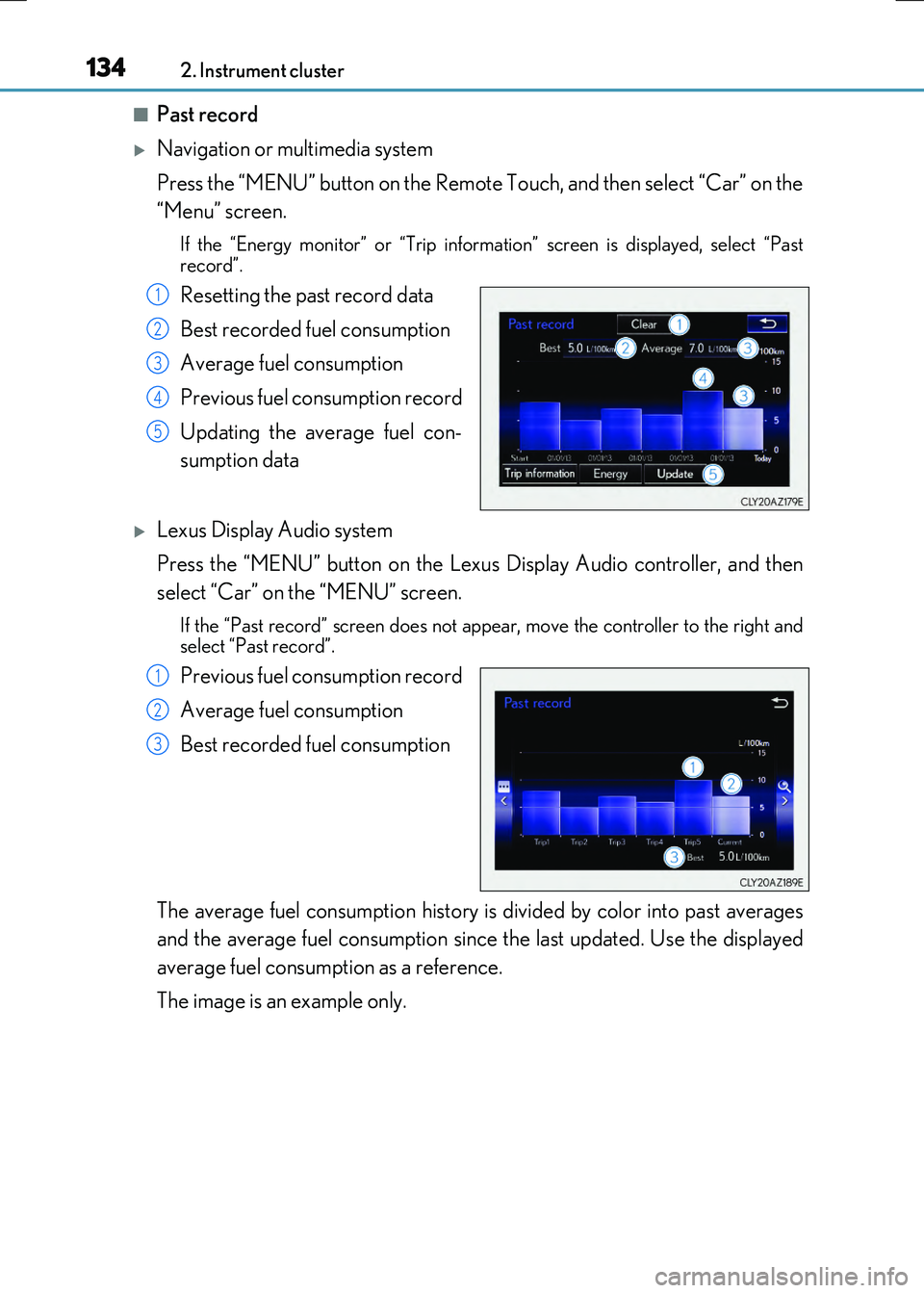
■Past record
Navigation or multimedia system
Press the “MENU” button on the Remote Touch, and then select “Car” on the
“Menu” screen.
If the “Energy monitor” or “Trip informatio n” screen is displayed, select “Past record”.
Resetting the past record data
Best recorded fuel consumption
Average fuel consumption
Previous fuel consumption record
Updating the average fuel con-
sumption data
Lexus Display Audio system
Press the “MENU” button on the Lexus Display Audio controller, and then
select “Car” on the “MENU” screen.
If the “Past record” screen does not appear, move the controller to the right and select “Past record”.
Previous fuel consumption record
Average fuel consumption
Best recorded fuel consumption
The average fuel consumption history is divided by color into past averages
and the average fuel consumption since the last updated. Use the displayed
average fuel consumption as a reference.
The image is an example only.
1
2
3
4
5
1
2
3
Page 135 of 640
1352. Instrument cluster
2
Instrument cluster
RC300h_EE(OM24740E)
■Updating the past record data
Navigation or multimedia system
Update the average fuel consumption by selecting “Update” to measure the current fuel consumption again.
Lexus Display Audio system
Update the average fuel consumption by moving the controller to the left and select “Update” to measure the current fuel consumption again.
■Resetting the data
Navigation or multimedia system
The fuel consumption data can be deleted by selecting “Clear”.
Lexus Display Audio system
The fuel consumption data can be deleted by moving the controller to the left and select “Clear”.
■Cruising range
Displays the estimated maximum distance that can be driven with the quantity of fuel remaining.
This distance is computed based on your average fuel consumption. As a result, the actual distance that can be driven may differ from that displayed.
Page 205 of 640
205
4Driving
RC300h_EE(OM24740E)
4-1. Before driving
Driving the vehicle.....................206
Cargo and luggage .................... 213
Trailer towing ................................ 214
4-2. Driving procedures
Power (ignition) switch ............. 215
EV drive mode ............................220
Hybrid transmission .................. 222
Turn signal lever ......................... 229
Parking brake ..............................230
ASC
(Active Sound Control)......... 231
4-3. Operating the lights and
wipers
Headlight switch ......................... 232
Automatic High Beam .............235
Fog light switch ...........................239
Windshield wipers and
washer .......................................... 241
4-4. Refueling
Opening the fuel tank cap...... 249
4-5. Using the driving support
systems
Cruise control ............................. 253
Dynamic radar cruise
control ......................................... 257
LDA
(Lane Departure Alert) ........ 273
Lexus parking
assist-sensor.............................. 279
Lexus parking
assist monitor............................286
Driving mode select
switch ............................................ 301
Driving assist systems ..............304
PCS (Pre-Crash Safety
system) ........................................... 311
BSM
(Blind Spot Monitor) .............. 319
• BSM function ......................... 325
• RCTA function...................... 329
4-6. Driving tips
Hybrid vehicle
driving tips.................................. 334
Winter driving tips ..................... 337
Page 207 of 640
2074-1. Before driving
4
Driving
RC300h_EE(OM24740E)
■When starting off on an uphill
The hill-start assist co ntrol will activate. (P. 304)
■For fuel-efficient driving
Keep in mind that hybrid vehicles are similar to conventional vehicles, and it is necessary
to refrain from activities such as sudden acceleration. ( P. 334)
■Driving in the rain
●Drive carefully when it is raining, because visibility will be reduced, the windows may
become fogged-up, and the road will be slippery.
●Drive carefully when it starts to rain, because the road surface will be especially slip- pery.
●Refrain from high speeds when driving on an expressway in the rain, because there maybe a layer of water between the tires and the road surface, preventing the steering andbrakes from operating properly.
■Restraining the hybrid system output (brake override system)
●When the accelerator and brake pedals are de pressed at the same time, the hybrid sys- tem output may be restrained.
●A warning message is displayed on the multi-information display while the system is operating. ( P. 552)
■Breaking in your new Lexus
To extend the life of the vehicle, observing the following precautions is recommended:
●For the first 300 km (186 miles): Avoid sudden stops.
●For the first 1000 km (621 miles):
• Do not drive at extremely high speeds. • Avoid sudden acceleration.
• Do not drive continuously in low gears. • Do not drive at a constant speed for extended periods.
■Drum-in-disc type parking brake system
Your vehicle has a drum-in-disc type parkin g brake system. This type of brake system needs bedding-down of the brake shoes periodically or whenever the parking brakeshoes and/or drum are replaced. Have any authorized Lexus dealer or repairer, or
another duly qualified and equipped professional, perform the bedding down operation.
■Operating your vehicle in a foreign country
Comply with the relevant vehicle registration laws and confirm the availability of the cor-
rect fuel. ( P. 598)
Page 221 of 640
2214-2. Driving procedures
4
Driving
RC300h_EE(OM24740E)
■Switching to EV drive mode when the gasoline engine is cold
If the hybrid system is started while the gaso line engine is cold, the gasoline engine will start automatically after a short period of time in order to warm up. In this case, you will
become unable to switch to EV drive mode. After the hybrid system has started and the “READY” indicator has illuminated, press the EV drive mode switch before the gasoline en gine starts to switch to EV drive mode.
■Automatic cancelation of EV drive mode
When driving in EV drive mode, the gasoline engine may automatically restart in the fol- lowing situations. When EV drive mode is can celed, a buzzer will sound and the EV drive
mode indicator will flash and go off.
●The hybrid battery (traction battery) becomes low. The remaining battery level indicated in the “Energy monitor” display is low.
( P. 129)
●Vehicle speed is high.
●The accelerator pedal is depressed firmly or the vehicle is on a hill, etc.
■Possible driving distance when driving in EV drive mode
EV drive mode’s possible driving distance ranges from a few hundred meters to approxi- mately 2 km (1.2 mile). Howe ver, depending on vehicle conditions, there are situations
when EV drive mode cannot be used. (The distance that is possible depends on the hybrid battery [traction battery] level and driving conditions.)
■Fuel economy
The hybrid system is designed to achieve the best possible fuel economy during normal driving (using the gasoline engine and elec tric motor [traction motor]). Driving in EV
drive mode more than necessary may lower fuel economy.
WARNING
■Caution while driving
When driving in EV drive mod e, pay special attention to the area around the vehicle. Because there is no engine noise, pedestrian s, people riding bicycles or other people
and vehicles in the area may not be aware of the vehicle starting off or approaching them, so take extr a care while driving.