mirror LEXUS RX300H 2017 Owner's Guide
[x] Cancel search | Manufacturer: LEXUS, Model Year: 2017, Model line: RX300H, Model: LEXUS RX300H 2017Pages: 640, PDF Size: 35.53 MB
Page 343 of 640
343
5
Lexus Display
Audio system
RC300h_EE(OM24740E)
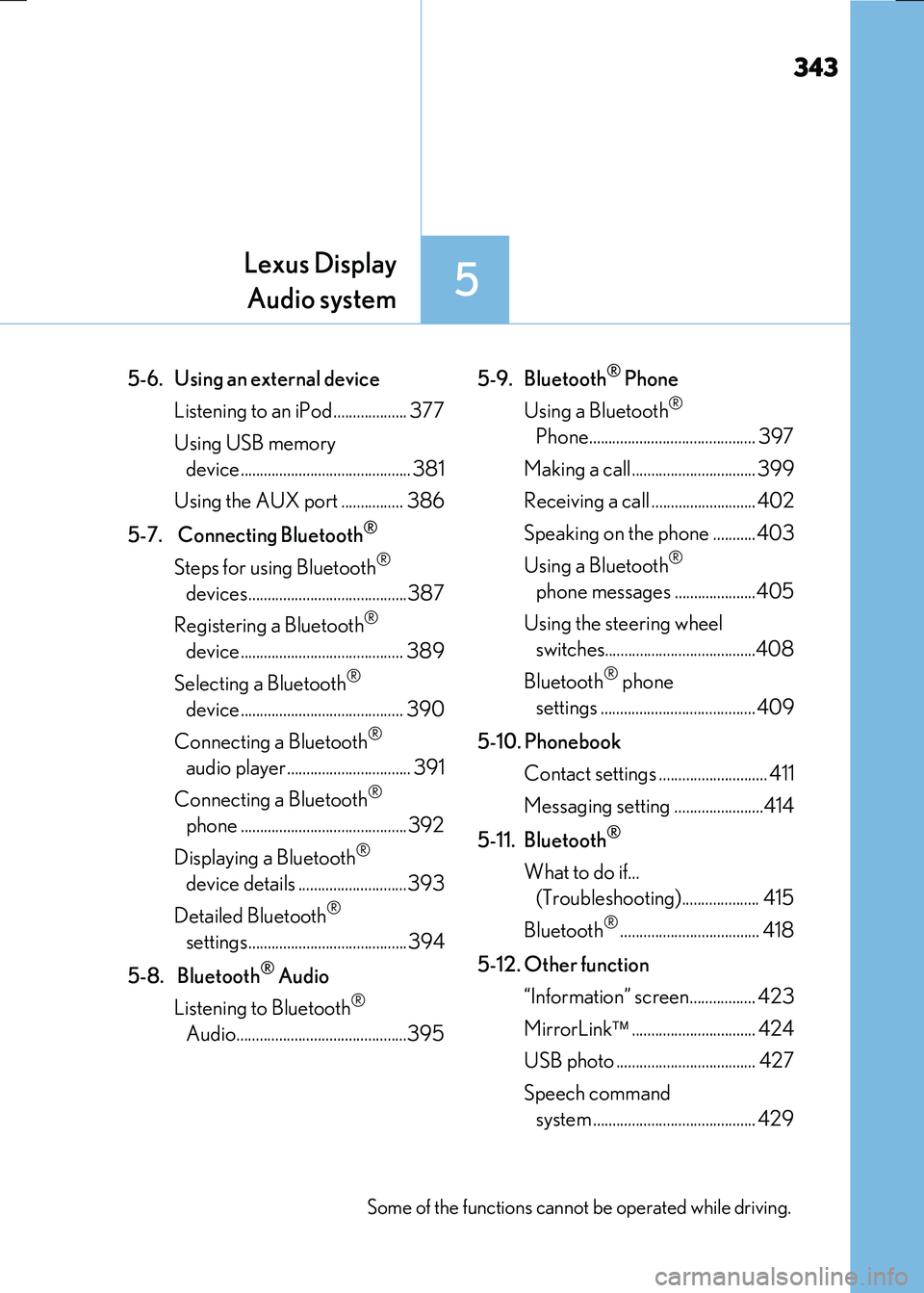
5-6. Using an external device
Listening to an iPod................... 377
Using USB memory
device............................................ 381
Using the AUX port ................ 386
5-7. Connecting Bluetooth®
Steps for using Bluetooth®
devices.........................................387
Registering a Bluetooth®
device.......................................... 389
Selecting a Bluetooth®
device.......................................... 390
Connecting a Bluetooth®
audio player ................................ 391
Connecting a Bluetooth®
phone ...........................................392
Displaying a Bluetooth®
device details ............................393
Detailed Bluetooth®
settings.........................................394
5-8. Bluetooth® Audio
Listening to Bluetooth®
Audio............................................395
5-9. Bluetooth® Phone
Using a Bluetooth®
Phone........................................... 397
Making a call................................ 399
Receiving a call ........................... 402
Speaking on the phone ...........403
Using a Bluetooth®
phone messages .....................405
Using the steering wheel
switches.......................................408
Bluetooth® phone
settings ........................................409
5-10. Phonebook
Contact settings ............................ 411
Messaging setting .......................414
5-11. Bluetooth®
What to do if...
(Troubleshooting).................... 415
Bluetooth®.................................... 418
5-12. Other function
“Information” screen................. 423
MirrorLink ................................ 424
USB photo .................................... 427
Speech command
system .......................................... 429
Some of the functions cannot be operated while driving.
Page 382 of 640
3825-6. Using an external device
RC300h_EE(OM24740E)
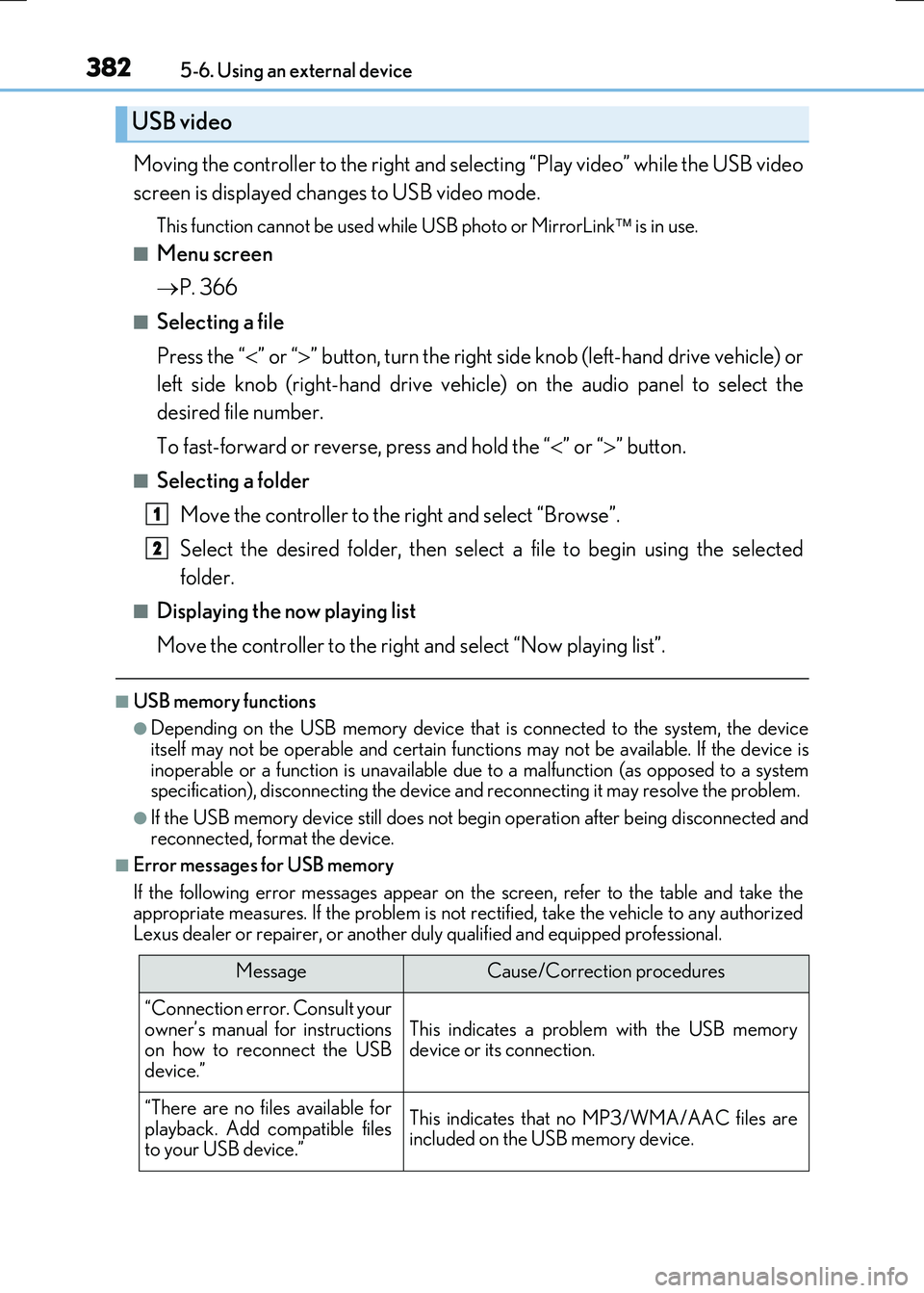
Moving the controller to the right and selecting “Play video” while the USB video
screen is displayed changes to USB video mode.
This function cannot be used while USB photo or MirrorLink is in use.
■Menu screen
P. 366
■Selecting a file
Press the “ ” or “” button, turn the right side knob (left-hand drive vehicle) or
left side knob (right-hand drive vehicle) on the audio panel to select the
desired file number.
To fast-forward or reverse, press and hold the “ ” or “” button.
■Selecting a folder
Move the controller to the right and select “Browse”.
Select the desired folder, then select a file to begin using the selected
folder.
■Displaying the now playing list
Move the controller to the right and select “Now playing list”.
■USB memory functions
●Depending on the USB memory device that is connected to the system, the device
itself may not be operable and certain functions may not be available. If the device is inoperable or a function is unavailable du e to a malfunction (as opposed to a system specification), disconnecting the device and reconnecting it may resolve the problem.
●If the USB memory device still does not begin operation after being disconnected and reconnected, format the device.
■Error messages for USB memory
If the following error messages appear on the screen, refer to the table and take the appropriate measures. If the problem is not rectified, take the vehicle to any authorizedLexus dealer or repairer, or another duly qualified and equipped professional.
USB video
MessageCause/Correction procedures
“Connection error. Consult your
owner’s manual for instructions on how to reconnect the USBdevice.”
This indicates a problem with the USB memorydevice or its connection.
“There are no files available for
playback. Add compatible files to your USB device.”
This indicates that no MP3/WMA/AAC files areincluded on the USB memory device.
1
2
Page 423 of 640
423
5
Lexus Display Audio system
RC300h_EE(OM24740E) 5-12. Other function
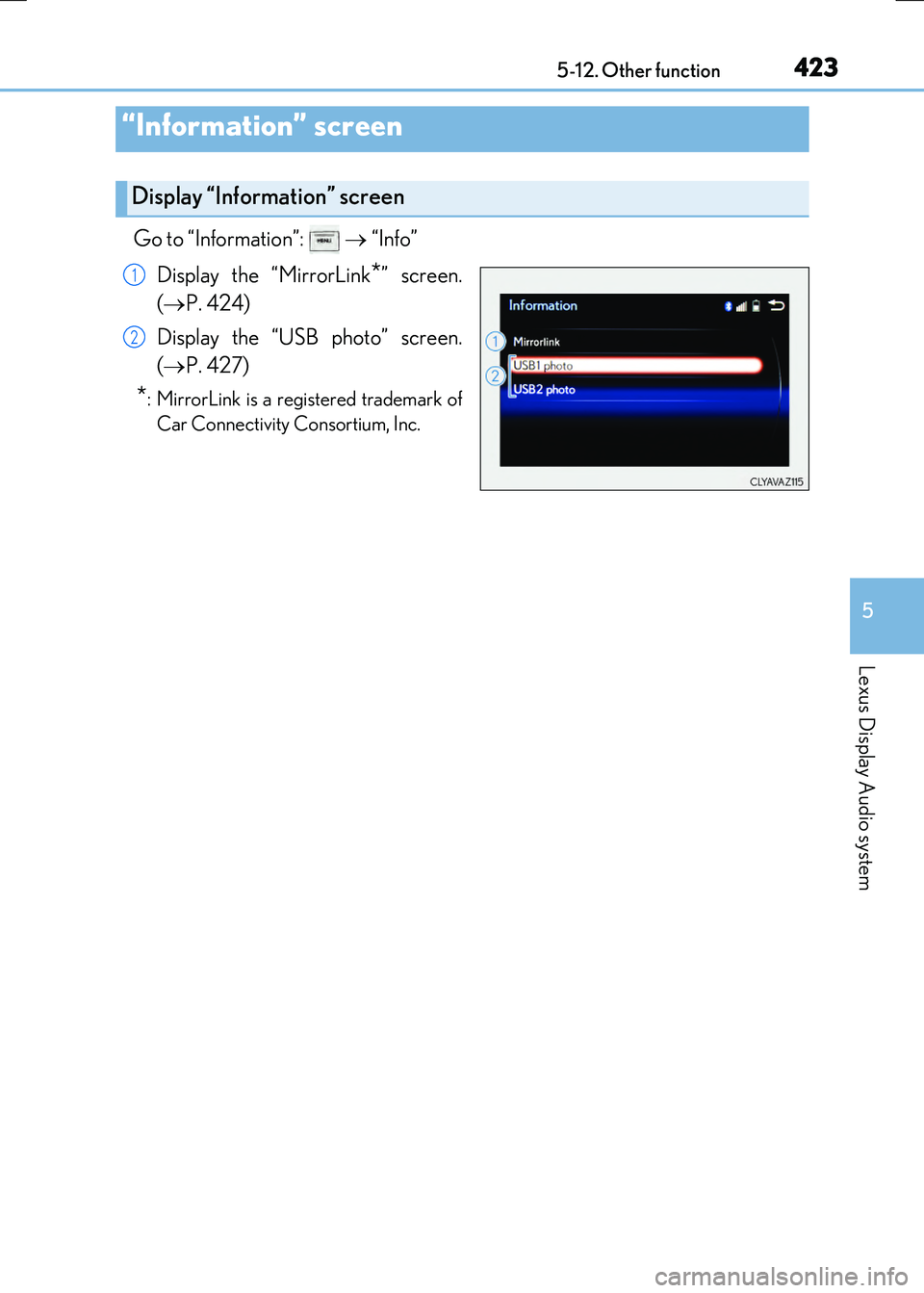
Go to “Information”:
“Info”
Display the “MirrorLink
*” screen.
( P. 424)
Display the “USB photo” screen.
( P. 427)
*: MirrorLink is a registered trademark of
Car Connectivity Consortium, Inc.
“Information” screen
Display “Information” screen
1
2
Page 424 of 640
4245-12. Other function
RC300h_EE(OM24740E)
P. 351
MirrorLink
The MirrorLink function enables to operate a smartphone contents via
Lexus Display Audio system.
Depending on differences between mode ls, target regions or software ver-
sions, etc., some models might be incompatible with this system.
Connect a smartphone to US B port using a USB cable.
For safety reasons, the safe driving screen is displayed while driving depend-
ing on the application.
Connecting a smartphone
Page 425 of 640
4255-12. Other function
5
Lexus Display Audio system
RC300h_EE(OM24740E)
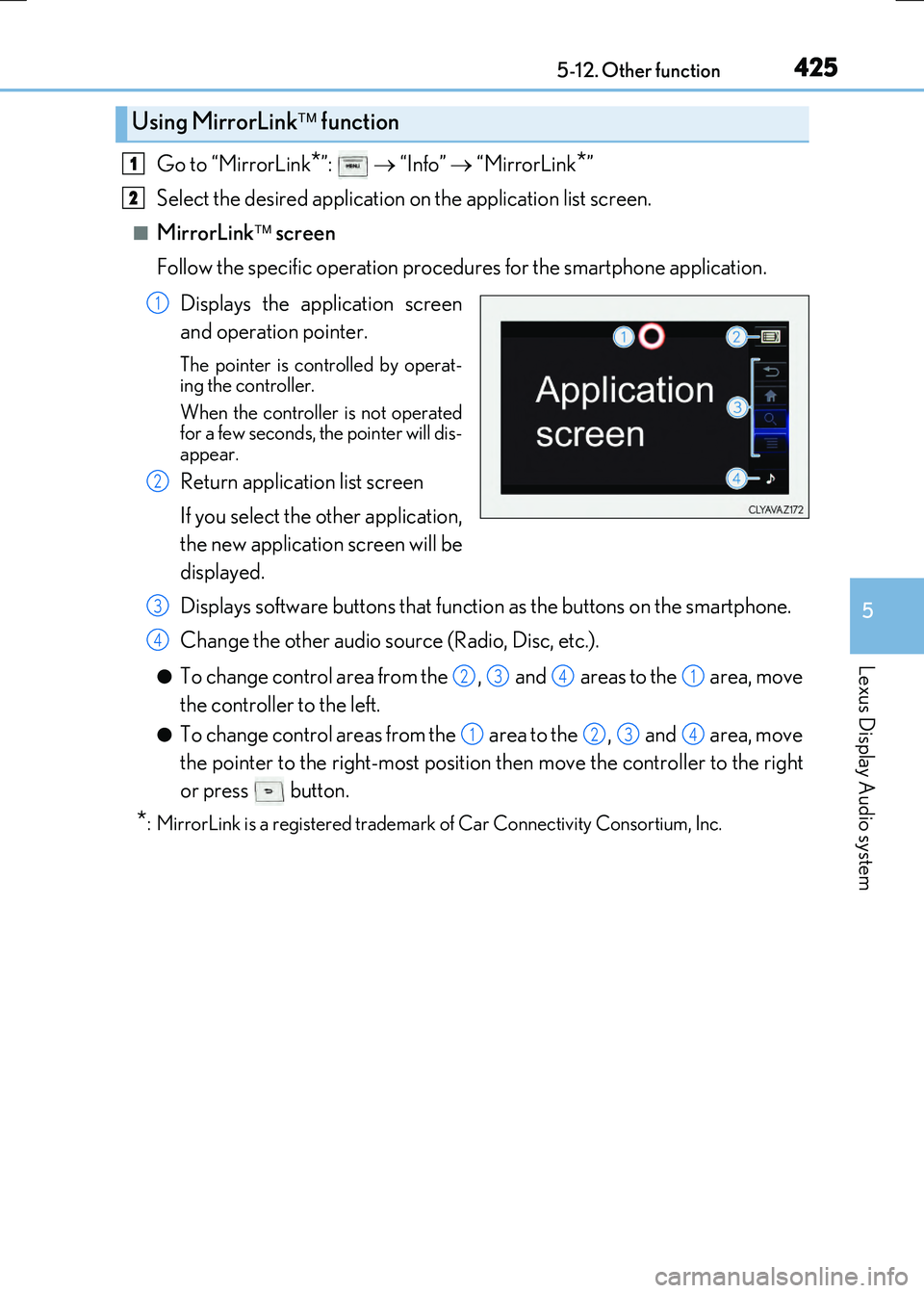
Go to “MirrorLink*”: “Info” “MirrorLink*”
Select the desired application on the application list screen.
■MirrorLink screen
Follow the specific operation procedures for the smartphone application.
Displays the application screen
and operation pointer.
The pointer is controlled by operat-
ing the controller.
When the controller is not operated
for a few seconds, the pointer will dis-
appear.
Return application list screen
If you select the other application,
the new application screen will be
displayed.
Displays software buttons that function as the buttons on the smartphone.
Change the other audio source (Radio, Disc, etc.).
●To change control area from the , and areas to the area, move
the controller to the left.
●To change control areas from the area to the , and area, move
the pointer to the right-most position then move the controller to the right
or press button.
*: MirrorLink is a registered trademark of Car Connectivity Consortium, Inc.
Using MirrorLink function
1
2
1
2
3
4
2341
1234
Page 426 of 640
4265-12. Other function
RC300h_EE(OM24740E)
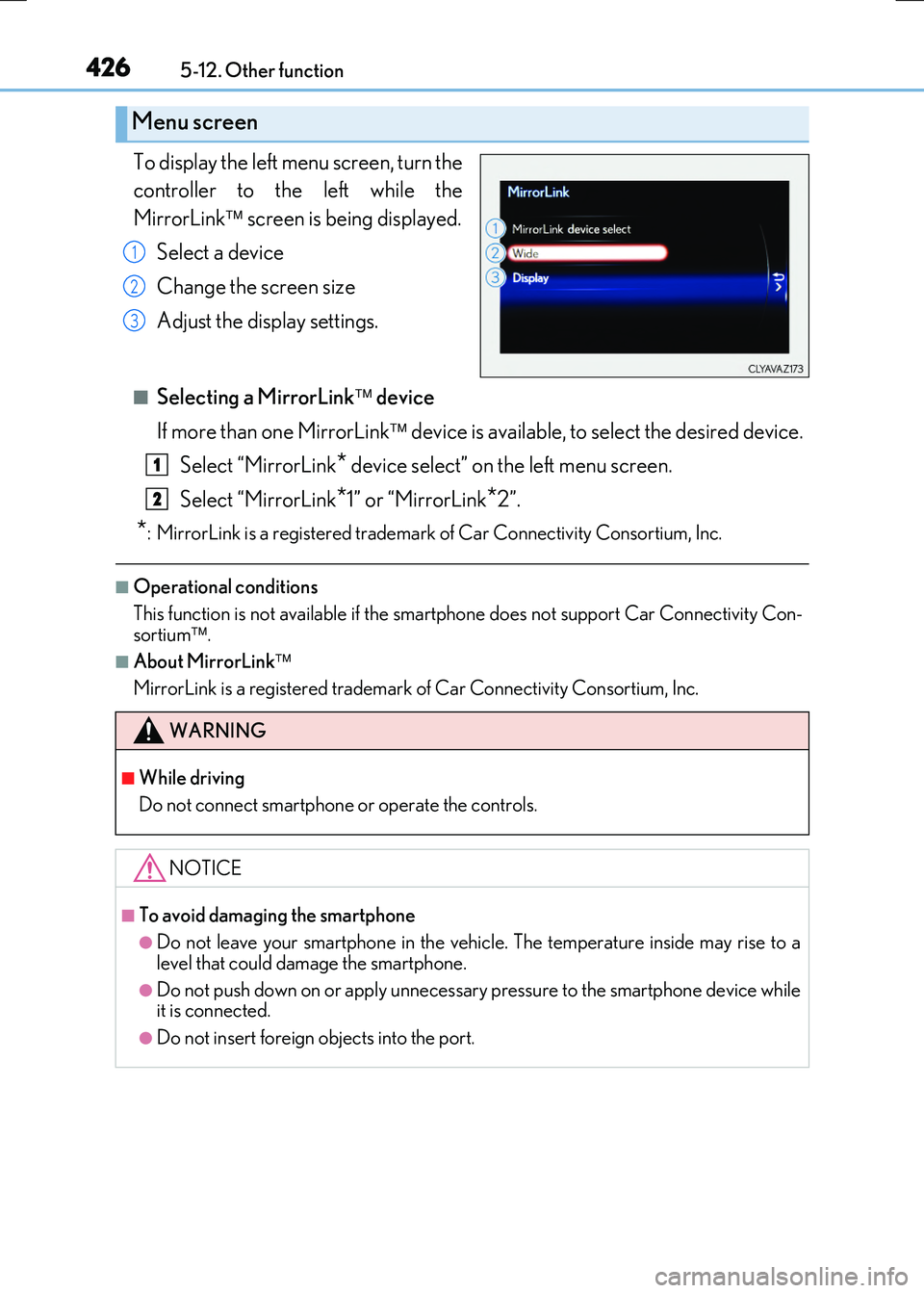
To display the left menu screen, turn the
controller to the left while the
MirrorLink screen is being displayed.
Select a device
Change the screen size
Adjust the display settings.
■Selecting a MirrorLink device
If more than one MirrorLink device is available, to select the desired device.
Select “MirrorLink* device select” on the left menu screen.
Select “MirrorLink*1” or “MirrorLink*2”.
*: MirrorLink is a registered trademark of Car Connectivity Consortium, Inc.
■Operational conditions
This function is not available if the smartp hone does not support Car Connectivity Con- sortium .
■About MirrorLink
MirrorLink is a registered trademark of Car Connectivity Consortium, Inc.
Menu screen
1
2
3
WARNING
■While driving
Do not connect smartphone or operate the controls.
NOTICE
■To avoid damaging the smartphone
●Do not leave your smartphone in the vehicle. The temperature inside may rise to a
level that could damage the smartphone.
●Do not push down on or apply unnecessary pressure to the smartphone device while it is connected.
●Do not insert foreign objects into the port.
1
2
Page 431 of 640
431
6Interior features
RC300h_EE(OM24740E)
6-1. Using the air conditioning
system
Automatic air conditioning
system .......................................... 432
Heated steering wheel/
seat heaters/
seat ventilators ......................... 444
6-2. Using the interior lights
Interior lights list ......................... 446
• Interior lights .......................... 447
• Personal lights .......................448
6-3. Using the storage features
List of storage features ............ 449
• Glove box ...............................450
• Console box ..........................450
• Cup holders ............................ 451
Trunk features ............................. 452
6-4. Using the other interior
features
Other interior features ............ 455
• Sun visors ................................455
• Vanity mirrors .......................455
• Clock ........................................ 456
• Power outlet........................... 456
• Assist grips ............................. 457
• Coat hooks .............................458
Page 435 of 640
4356-1. Using the air conditioning system
6
Interior features
RC300h_EE(OM24740E)
■Other functions
●Switching between outside air and recirculated air modes (P. 438)
●Defogging the windshield (P. 438)
●Defogging the rear window and outside rear view mirrors (P. 438)
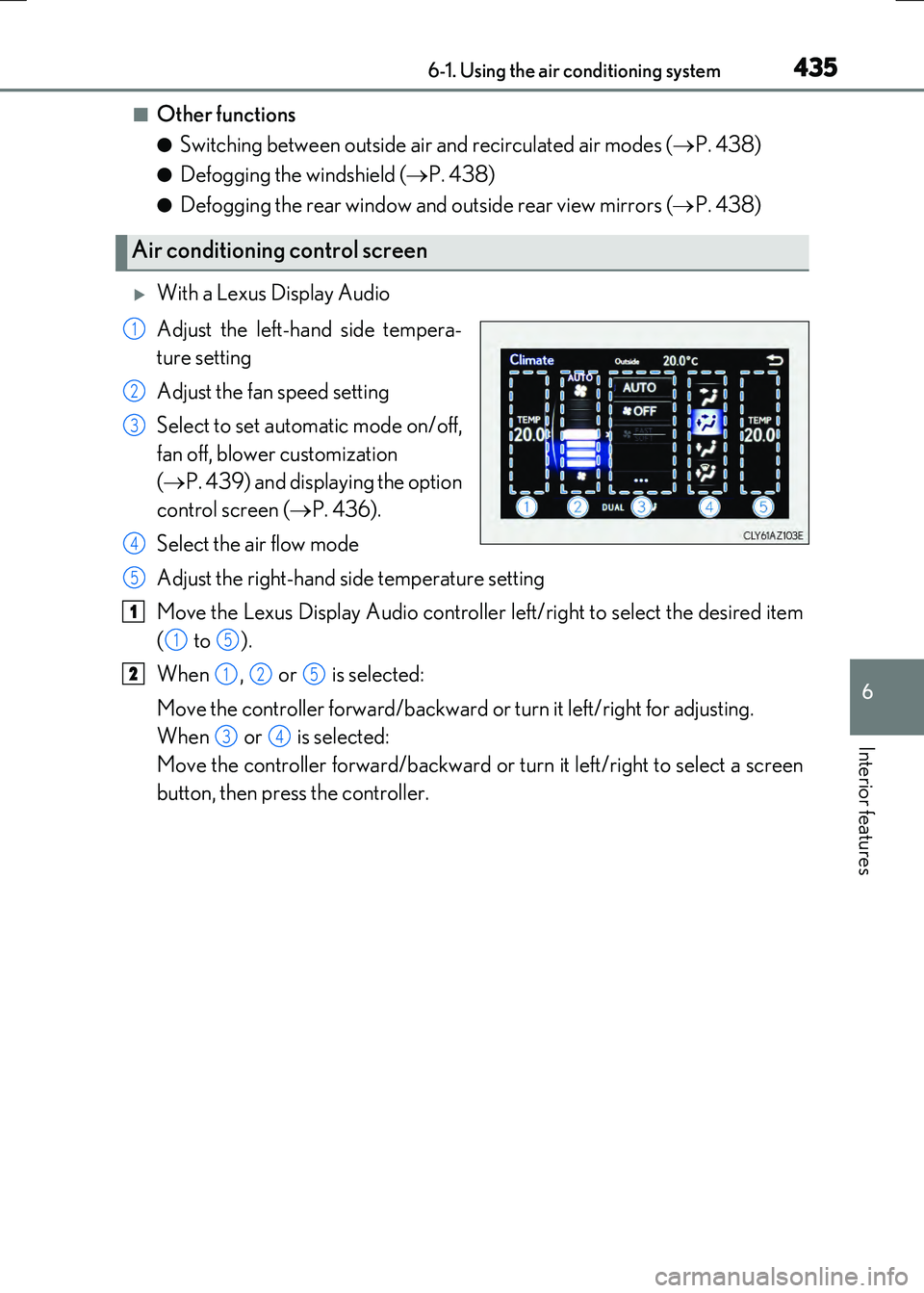
With a Lexus Display Audio
Adjust the left-hand side tempera-
ture setting
Adjust the fan speed setting
Select to set automatic mode on/off,
fan off, blower customization
( P. 439) and displaying the option
control screen ( P. 436).
Select the air flow mode
Adjust the right-hand side temperature setting
Move the Lexus Display Audio controller left/right to select the desired item
( to ).
When , or is selected:
Move the controller forward/backward or turn it left/right for adjusting.
When or is selected:
Move the controller forward/backward or turn it left/right to select a screen
button, then press the controller.
Air conditioning control screen
1
2
3
4
5
1
15
2125
34
Page 438 of 640
4386-1. Using the air conditioning system
RC300h_EE(OM24740E)
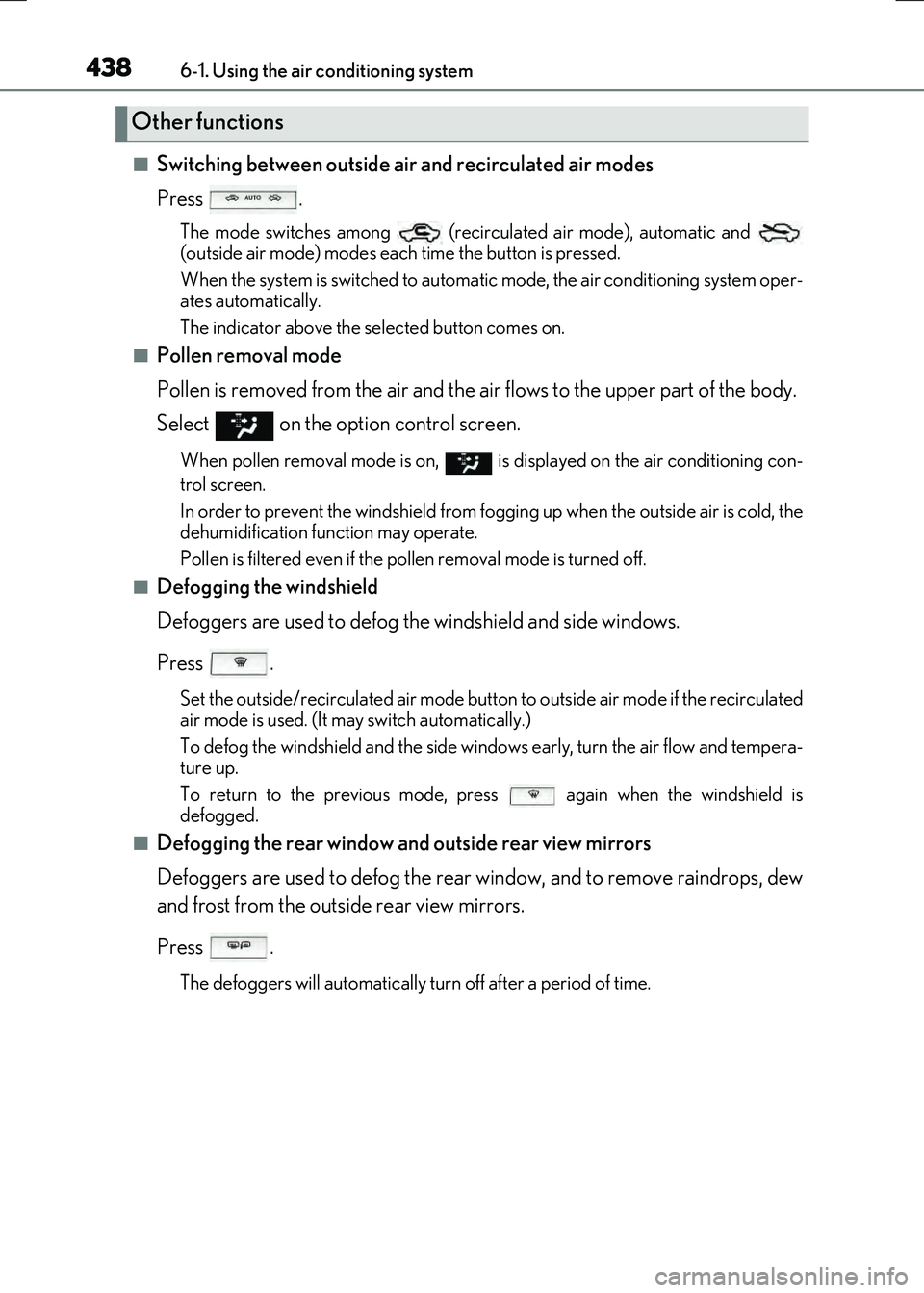
■Switching between outside air and recirculated air modes
Press .
The mode switches among (recir culated air mode), automatic and
(outside air mode) modes each time the button is pressed.
When the system is switched to automatic mode, the air conditioning system oper-
ates automatically.
The indicator above the selected button comes on.
■Pollen removal mode
Pollen is removed from the air and the ai r flows to the upper part of the body.
Select
on the option control screen.
When pollen removal mode is on, is di splayed on the air conditioning con-
trol screen.
In order to prevent the windshield from fogg ing up when the outside air is cold, the
dehumidification function may operate.
Pollen is filtered even if the pollen removal mode is turned off.
■Defogging the windshield
Defoggers are used to defog the windshield and side windows.
Press .
Set the outside/recirculated air mode button to outside air mode if the recirculated
air mode is used. (It may switch automatically.)
To defog the windshield and the side windows early, turn the air flow and tempera-
ture up.
To return to the previous mode, press again when the windshield is
defogged.
■Defogging the rear window and outside rear view mirrors
Defoggers are used to defog the rear window, and to remove raindrops, dew
and frost from the outside rear view mirrors.
Press .
The defoggers will automatically turn off after a period of time.
Other functions
Page 442 of 640
4426-1. Using the air conditioning system
RC300h_EE(OM24740E)
■When the outside temperature falls to nearly 0C (32F)
The dehumidification function may not operate even when is pressed or “A/C” is
selected.
■Ventilation and air conditioning odors
●To let fresh air in, set the air conditioning system to the outside air mode.
●During use, various odors from inside and outside the vehicle may enter into and accu- mulate in the air conditioning system. This may then cause odor to be emitted from the
vents.
●To reduce potential odors from occurring:
• It is recommended that the air conditioning system be set to outside air mode prior
to turning the vehicle off. • The start timing of the blower may be dela yed for a short period of time immediately after the air conditioning system is started in automatic mode.
■Air conditioning filter
P. 509
■Customization
Settings (e.g. A/C auto switch operation) can be changed. (Customizable features P. 614)
WARNING
■To prevent the windshield from fogging up
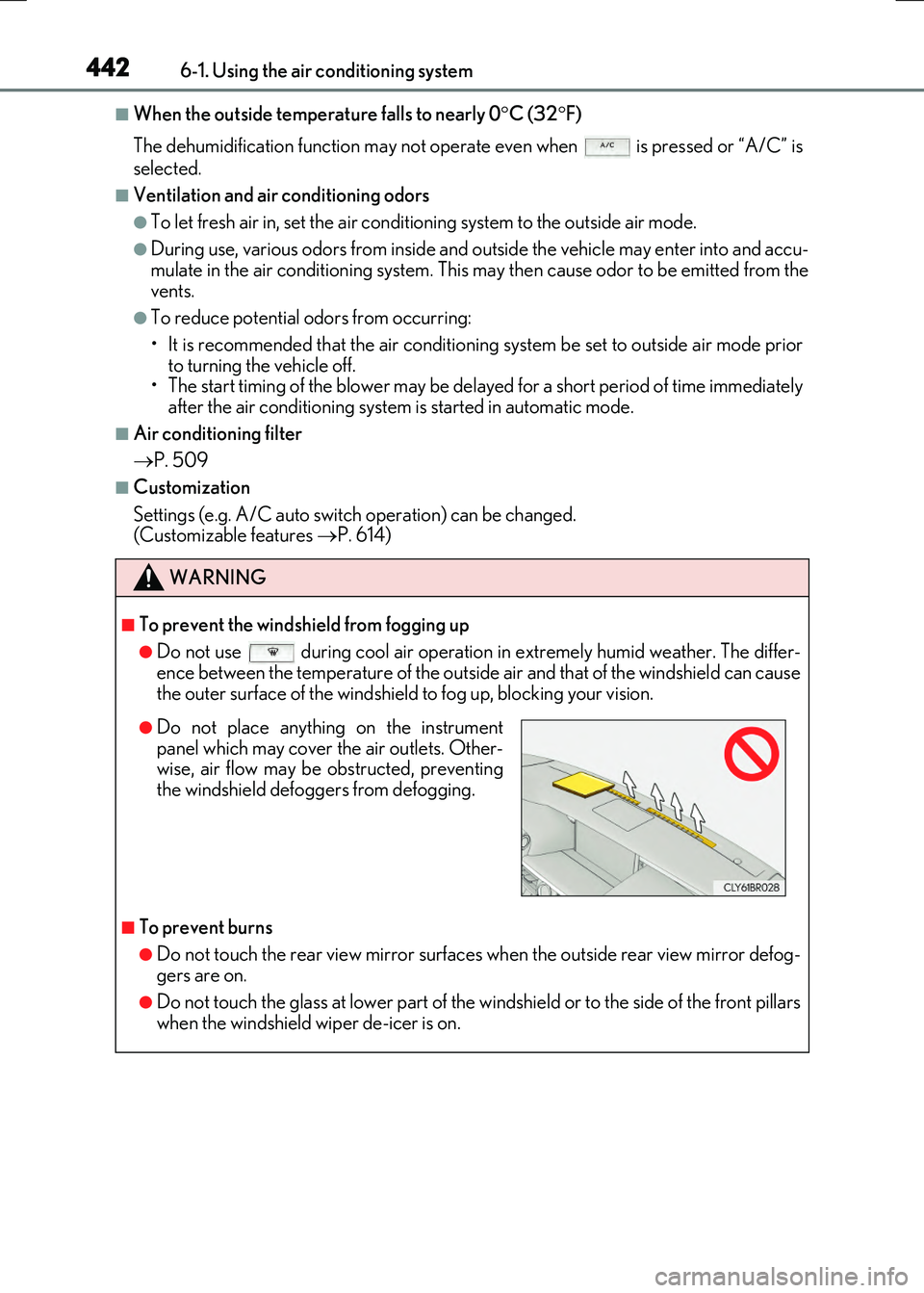
●Do not use during cool air operation in extremely humid weather. The differ-
ence between the temperature of the outside air and that of the windshield can cause the outer surface of the windshield to fog up, blocking your vision.
■To prevent burns
●Do not touch the rear view mirror surfaces when the outside rear view mirror defog-gers are on.
●Do not touch the glass at lower part of the windshield or to the side of the front pillarswhen the windshield wiper de-icer is on.
●Do not place anything on the instrumentpanel which may cover the air outlets. Other-wise, air flow may be obstructed, preventing
the windshield defoggers from defogging.