AUDIO
339
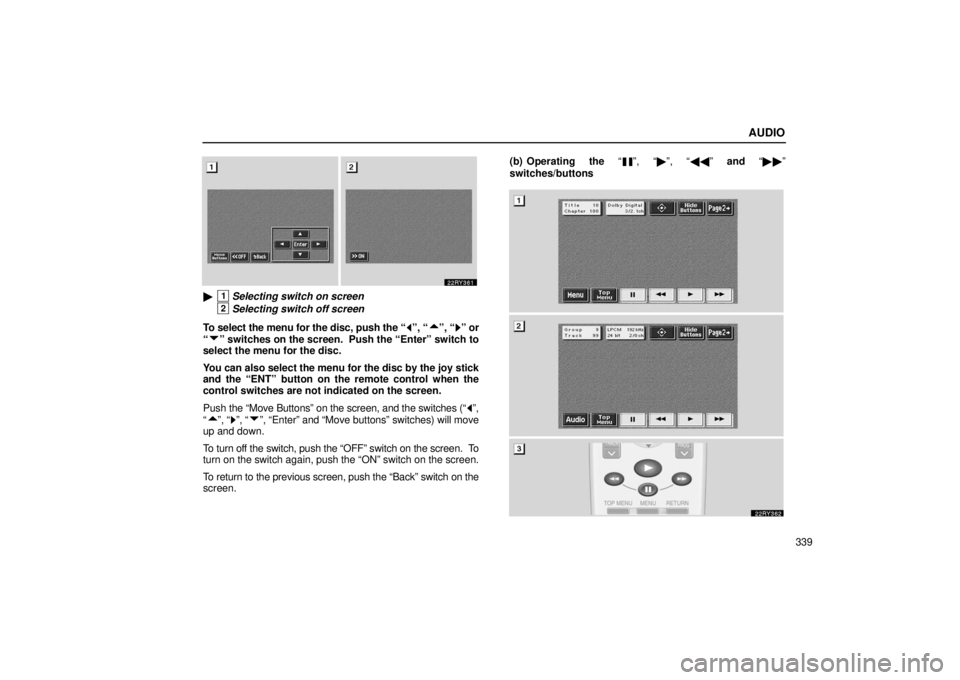
�1Selecting switch on screen
2Selecting switch off screen
To select the menu for the disc, push the “
”, “”, “” or
“
” switches on the screen. Push the “Enter” switch to
select the menu for the disc.
You can also select the menu for the disc by the joy stick
and the “ENT” button on the remote control when the
control switches are not indicated on the screen.
Push the “Move Buttons” on the screen, and the switches (“
”,
“
”, “”, “”, “Enter” and “Move buttons” switches) will move
up and down.
To turn off the switch, push the “OFF” switch on the screen. To
turn on the switch again, push the “ON” switch on the screen.
To return to the previous screen, push the “Back” switch on the
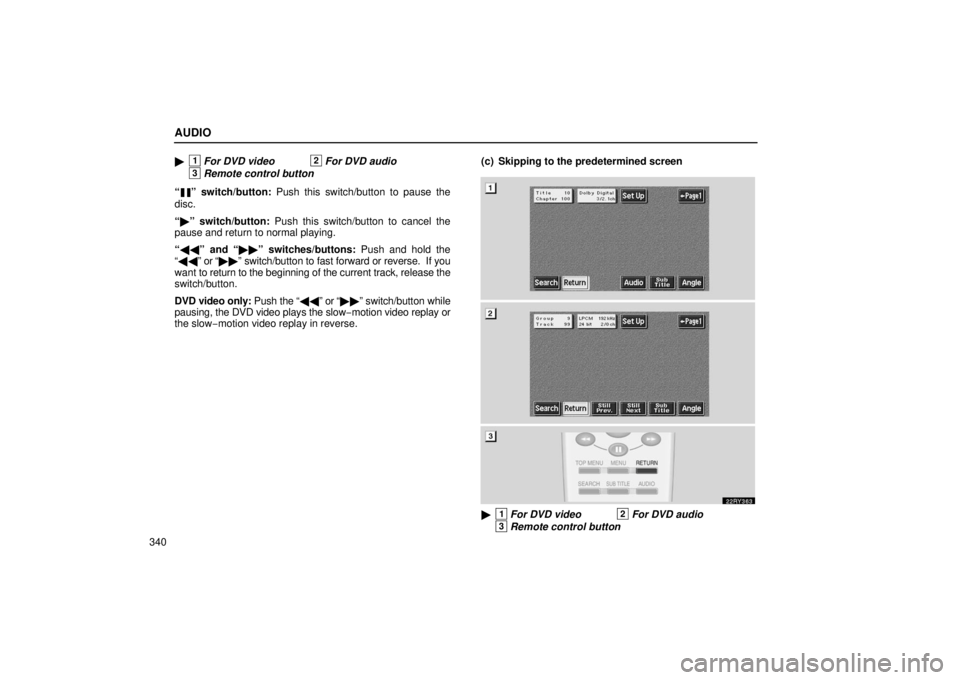
screen. (b) Operating the “
”, “�
”, “�� ” and “�� ”
switches/buttons
AUDIO
340�
1For DVD video2For DVD audio
3Remote control button
“
” switch/button: Push this switch/button to pause the
disc.
“ � ” switch/button: Push this switch/button to cancel the
pause and return to normal playing.
“ �� ” and “ ��” switches/buttons: Push and hold the
“ �� ” or “�� ” switch/button to fast forward or reverse. If you
want to return to the beginning of the current track, release the
switch/button.
DVD video only: Push the “�� ” or “��” switch/button while
pausing, the DVD video plays the slow −motion video replay or
the slow− motion video replay in reverse. (c) Skipping to the predetermined screen
�1For DVD video2For DVD audio
3Remote control button
AUDIO
360
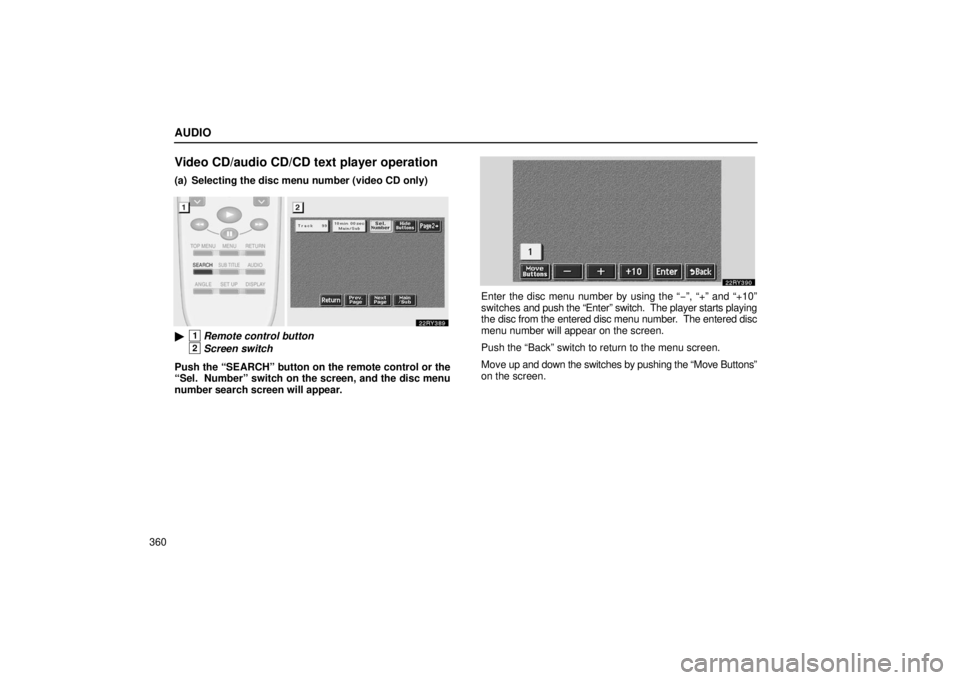
Video CD/audio CD/CD text player operation
(a) Selecting the disc menu number (video CD only)
�1Remote control button
2Screen switch
Push the “SEARCH” button on the remote control or the
“Sel. Number” switch on the screen, and the disc menu
number search screen will appear.
Enter the disc menu number by using the “ −”, “+” and “+10”
switches and push the “Enter” switch. The player starts playing
the disc from the entered disc menu number. The entered disc
menu number will appear on the screen.
Push the “Back” switch to return to the menu screen.
Move up and down the switches by pushing the “Move Buttons”
on the screen.