phone LEXUS RX350 2015 User Guide
[x] Cancel search | Manufacturer: LEXUS, Model Year: 2015, Model line: RX350, Model: LEXUS RX350 2015Pages: 886, PDF Size: 11 MB
Page 336 of 886
3363-1. Lexus Display Audio system
■ Delete personal data
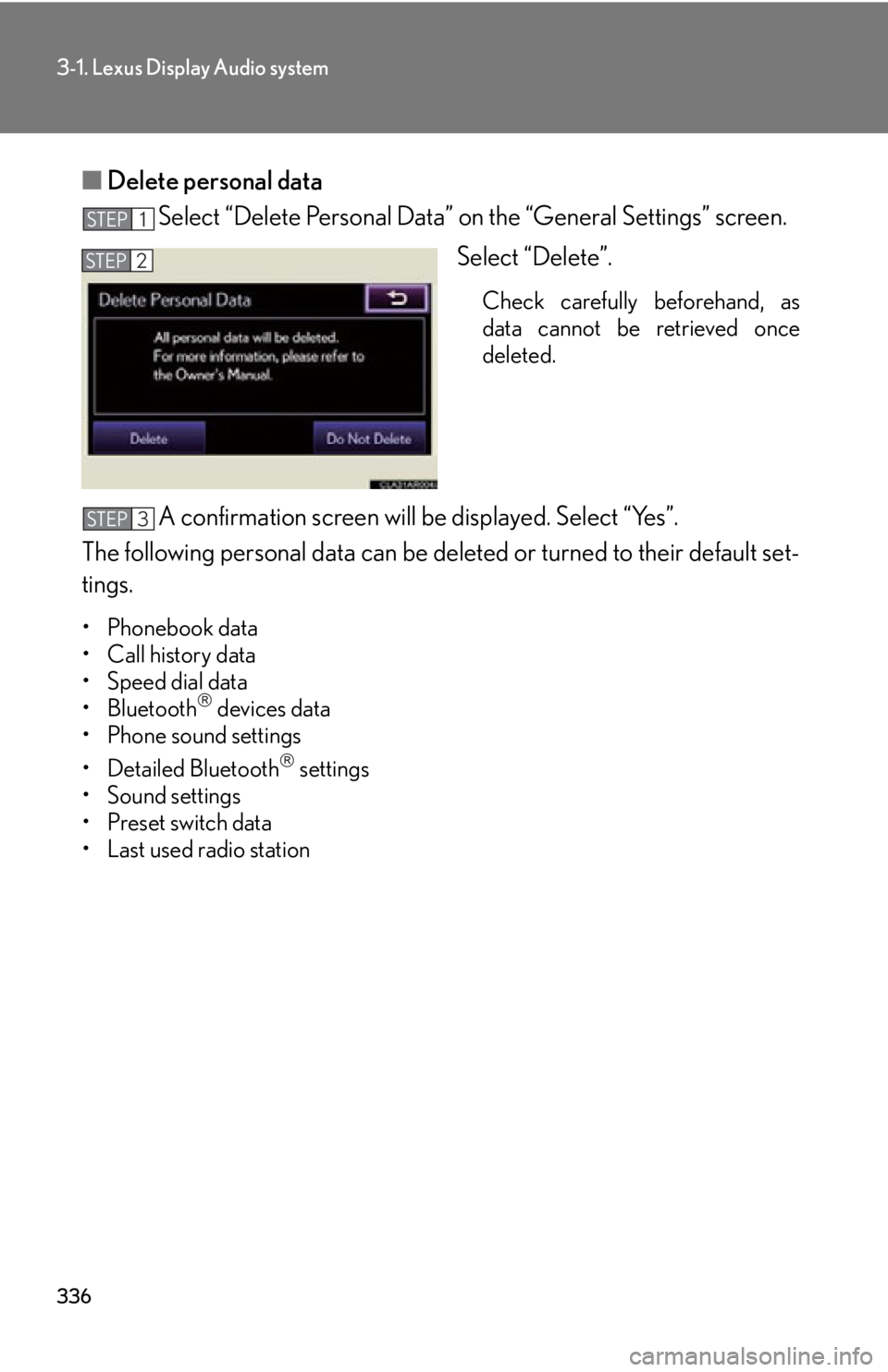
Select “Delete Personal Data” on the “General Settings” screen.
Select “Delete”. Check carefully beforehand, as
data cannot be retrieved once
deleted.
A confirmation screen will be displayed. Select “Yes”.
The following personal data can be deleted or turn ed to their default set-
tings. •Phonebook data
• Call history data
• Speed dial data
•Bluetooth
devices data
• Phone sound settings
• Detailed Bluetooth
settings
• Sound settings
• Preset switch data
• Last used radio station STEP 1
STEP 2
STEP 3
Page 343 of 886
3433-1. Lexus Display Audio system
3
Interior features Mobile Assistant The Mobile Assistant feature will activate Apple’s Siri
Eyes Free mode via
the steering wheel switches. To operat e the Mobile Assistant, a compatible
cellular phone must be registered and connected to this system via
Bluetooth
. (
P. 4 4 1 )
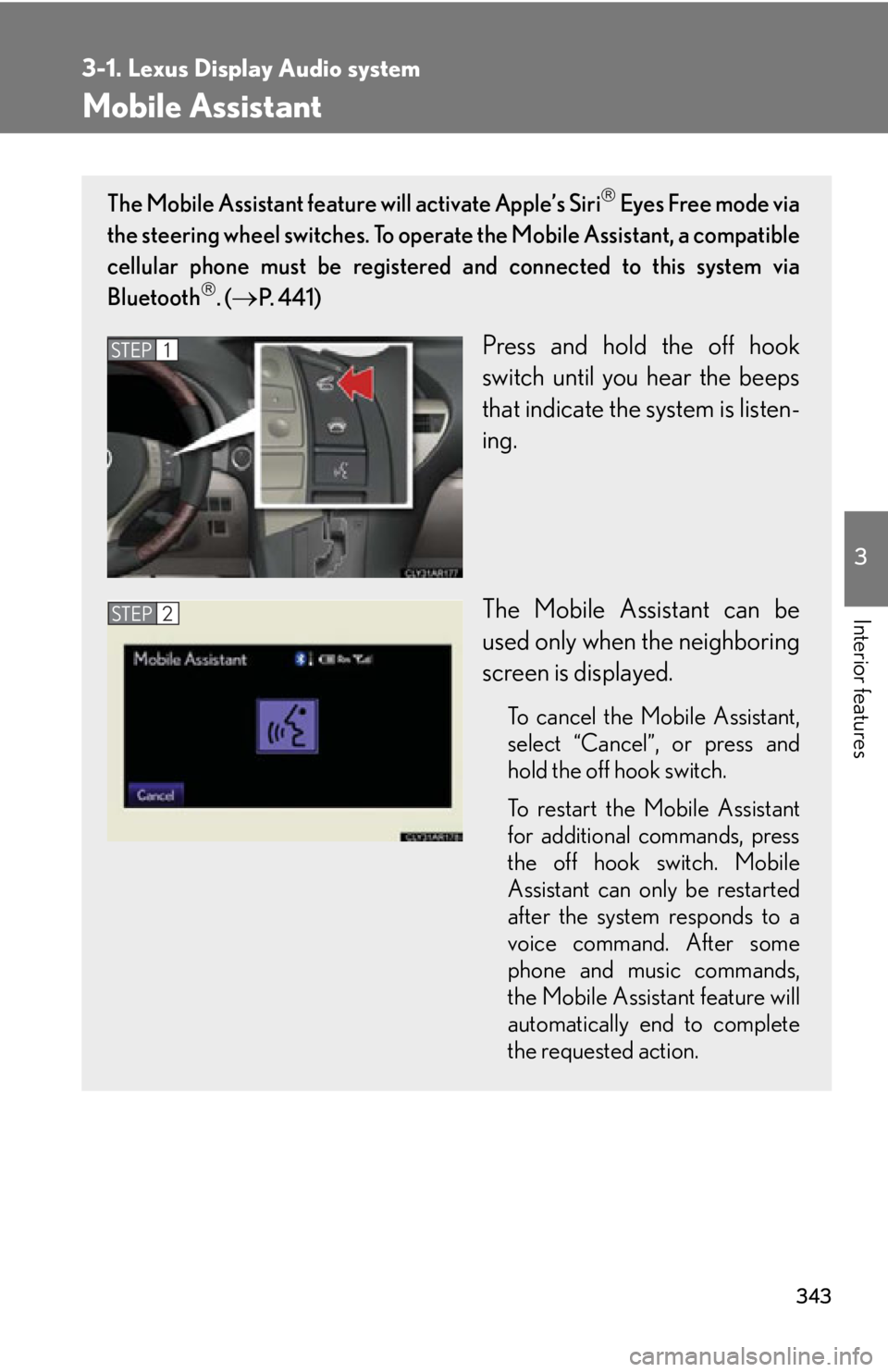
Press and hold the off hook
switch until you hear the beeps
that indicate the system is listen-
ing.
The Mobile Assistant can be
used only when the neighboring
screen is displayed. To cancel the Mobile Assistant,
select “
Cancel ”
, or press and
hold the off hook switch.
To restart the Mobile Assistant
for additional commands, press
the off hook switch. Mobile
Assistant can only be restarted
after the system responds to a
voice command. After some
phone and music commands,
the Mobile Assistant feature will
automatically end to complete
the requested action.STEP 1
STEP 2
Page 344 of 886
3443-1. Lexus Display Audio system
■
Adjusting the volume
The volume of the Mobile Assist ant can be adjusted using the
“ PWR·VOL
” knob or
steering wheel volume switches. The Mobile Assistant and phone call volumes are
synchronized.■
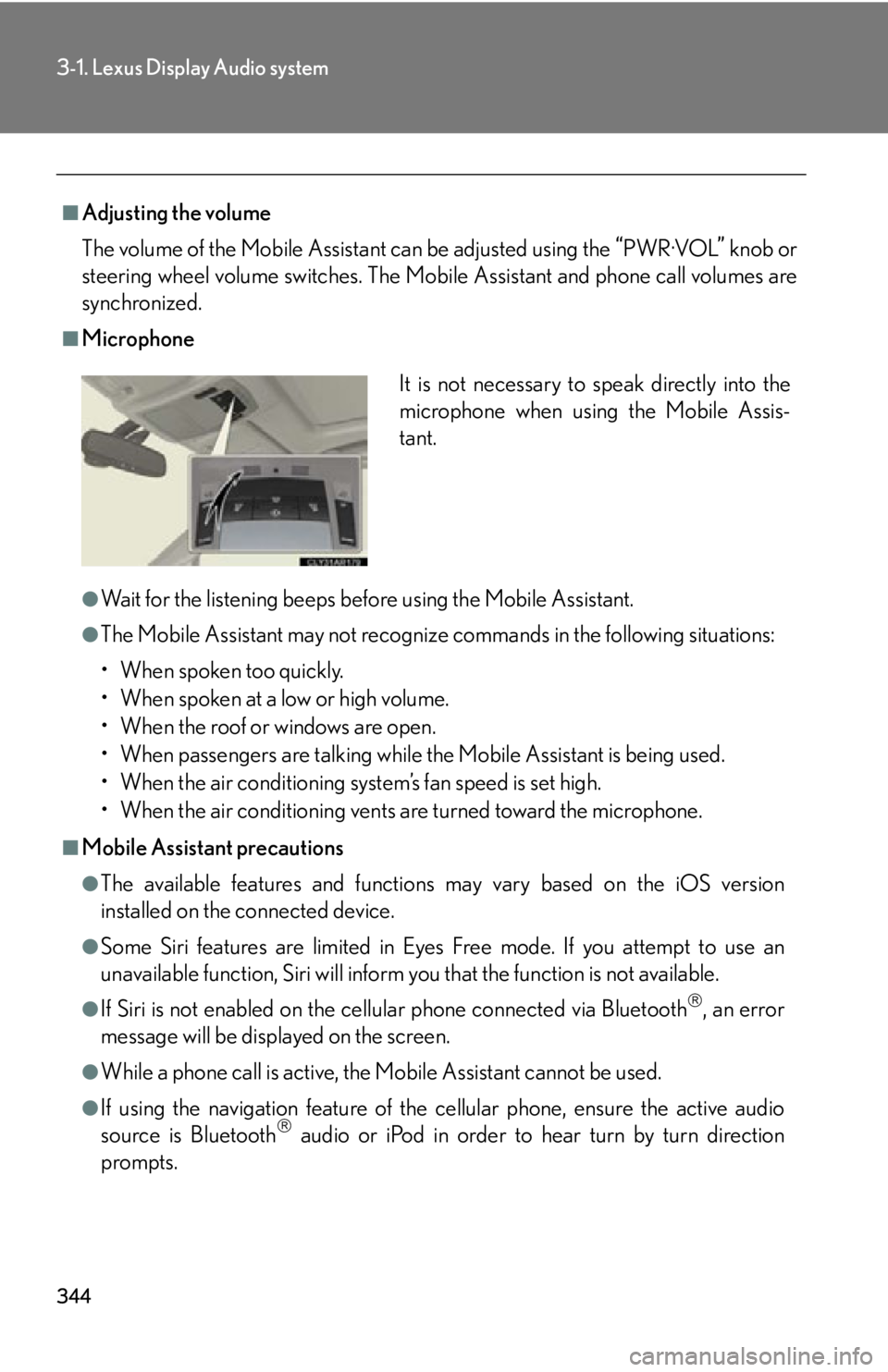
Microphone
●
Wait for the listening beeps befo re using the Mobile Assistant.●
The Mobile Assistant may not recognize commands in the following situations:
• When spoken too quickly.
• When spoken at a low or high volume.
• When the roof or windows are open.
• When passengers are talking while the Mobile Assistant is being used.
• When the air conditioning system’s fan speed is set high.
• When the air conditioning vents are turned toward the microphone.■
Mobile Assistant precautions ●
The available features and functions may vary based on the iOS version
installed on the connected device.●
Some Siri features are limited in Eyes Free mode. If you attempt to use an
unavailable function, Siri will inform you that the function is not available.●
If Siri is not enabled on the cell ular phone connected via Bluetooth
, an error
message will be displayed on the screen.
●
While a phone call is active, the Mo bile Assistant cannot be used.
●
If using the navigation feature of the cellular phone, ensure the active audio
source is Bluetooth
audio or iPod in order to hear turn by turn direction
prompts. It is not necessary to speak directly into the
microphone when using the Mobile Assis-
tant.
Page 367 of 886
3673-3. Using the Lexus Display Audio system
3
Interior features ■
Using mobile phones
Interference may be heard through the audio system’s speakers if a mobile phone is
being used inside or close to the vehicl e while the audio system is operating.
CAUTION■
Certification
Part 15 of the FCC Rules
FCC Warning:
Any unauthorized changes or modifications to this equipment will void the user’s
authority to operate this device.
NOTICE■
To prevent battery discharge
Do not leave the audio system on longer than necessary when the engine is off.■
To avoid damaging the audio system
Take care not to spill drinks or other fluids on the audio system.
Page 399 of 886
3993-3. Using the Lexus Display Audio system
3
Interior features ■
About iPod
●
“Made for iPod” and “Made for iPhone” mean that an electronic accessory has
been designed to connect specifically to iPod, or iPhone, respectively, and has
been certified by the developer to meet Apple performance standards.●
Apple is not responsible for the operation of this device or its compliance with
safety and regulatory standards. Please note that the use of this accessory with
iPod or iPhone may affect wireless performance.●
iPhone, iPod, iPod classic, iPod nano and iPod touch are trademarks of Apple
Inc., registered in the U.S. and other countries.■
iPod cover art ●
Depending on the iPod and songs in the iPod, iPod cover art may be displayed.●
This function can be changed to “On” or “Off”. ( P. 3 3 8 )●
It may take time to disp lay iPod cover art, and the iPod may not be operated
while the cover art display is in process.●
Only iPod cover art that is saved in a JPEG format can be displayed.■
iPod functions ●
When an iPod is connected and the audio source is changed to iPod mode, the
iPod will resume play from the same point in which it was last used.●
Depending on the iPod that is connecte d to the system, certain functions may
not be available. If a function is unavailable due to a malfunction (as opposed to
a system specification), disconnecting the device and reconnecting it once
again may resolve the problem.
●
While connected to the system, the iPod cannot be operated with its own con-
trols. It is necessary to use the controls of the vehicle’s audio system instead.
●
When the battery level of an iPod is very low, the iPod may not operate. If so,
charge the iPod before use.
●
Supported models ( P. 4 0 0 )
Page 400 of 886

4003-3. Using the Lexus Display Audio system
■
iPod problems
To resolve most problems encountered when using your iPod, disconnect your iPod
from the vehicle iPod connection and reset it. For instructions on how to reset your
iPod, refer to your iPod Owner’s Manual.■
Error messages
“Connection error. Please consult your Ow ner’s Manual for instructions on how to
connect the iPod.”:
This indicates a problem in the iPod or its connection.
“There are no songs available for playback . Please load compatible media to your
iPod.”:
This indicates that there is no music data in the iPod.■
Compatible models
The following iPod
, iPod nano
, iPod classic
, iPod touch
and iPhone
devices
can be used with this system. ●
Made for
• iPod touch (4th generation)
• iPod touch (3rd generation)
• iPod touch (2nd generation)
• iPod touch (1st generation)
•iPod classic
•iPod with video
• iPod nano (6th generation)
• iPod nano (5th generation)
• iPod nano (4th generation)
• iPod nano (3rd generation)
• iPod nano (2nd generation)
• iPod nano (1st generation)
•iPhone 4
•iPhone 3GS
•iPhone 3G
•iPhone
Depending on differences between models or software versions etc., some models
might be incompatible with this system.
Page 423 of 886
4233-3. Using the Lexus Display Audio system
3
Interior features Repeat play
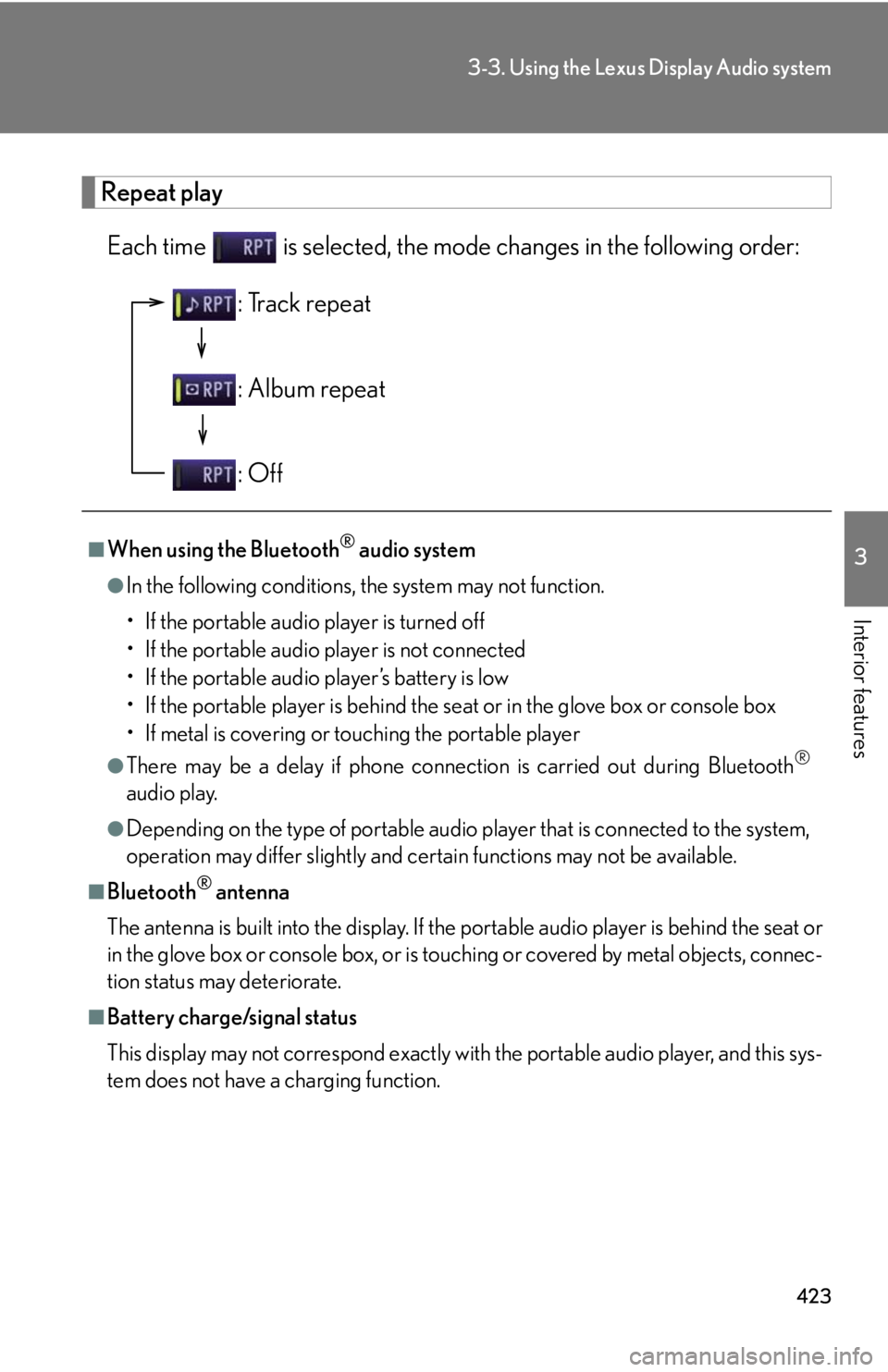
Each time is selected, the mode changes in the following order:
■
When using the Bluetooth ®
audio system●
In the following conditions, the system may not function.
• If the portable audio player is turned off
• If the portable audio player is not connected
• If the portable audio player’s battery is low
• If the portable player is behind the se at or in the glove box or console box
• If metal is covering or touching the portable player●
There may be a delay if phone connecti on is carried out during Bluetooth ®
audio play.●
Depending on the type of portable audio player that is connected to the system,
operation may differ slightly and ce rtain functions may not be available.■
Bluetooth ®
antenna
The antenna is built into the display. If the portable audio player is behind the seat or
in the glove box or console box, or is touching or covered by metal objects, connec-
tion status may deteriorate.■
Battery charge/signal status
This display may not correspond exactly with the portable audio player, and this sys-
tem does not have a charging function. : Track repeat
: Album repeat
: Off
Page 424 of 886

4243-3. Using the Lexus Display Audio system
■
About Bluetooth ®
■
Compatible models
Portable audio players must correspond to the specifications. ●
Bluetooth ®
specifications:
Ver. 1.1, or higher (Recommended: Ver. 2.1 + EDR or higher)●
Profiles:
• A2DP (Advanced Audio Distribution Profile) Ver. 1.0, or higher
(Recommended: Ver. 1.2 or higher)
This is a profile to transmit stereo audio or high quality sounds to the head-
phone.
• AVRCP (Audio/Video Remote Control Profile) Ver. 1.0 or higher
(Recommended: Ver. 1.4 or higher)
This is a profile to remote control the A/V equipment.
However, please note that some function s may be limited depending on the type of
portable audio player. Bluetooth is a registered trademark of
Bluetooth SIG. Inc.
Page 433 of 886
4333-3. Using the Lexus Display Audio system
3
Interior features Hands-free system (for mobile phone) The hands-free system is a function that allows you to use your mobile
phone without touching it.
This system supports Bluetooth ®
. Bluetooth ®
is a wireless data system that
allows the mobile phone to wirelessly connect to the hands-free system and
make/receive calls.
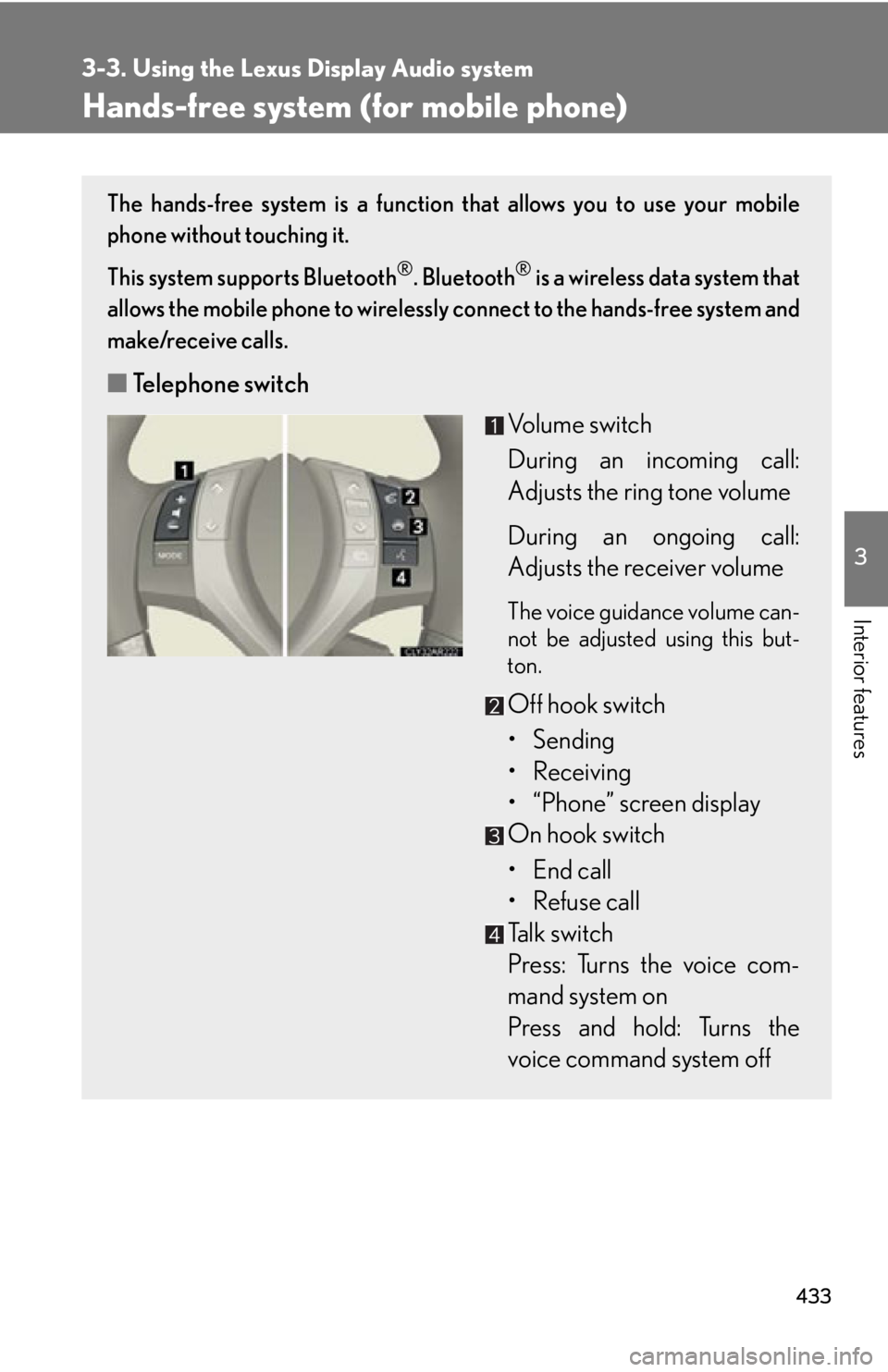
■ Telephone switch
Volume switch
During an incoming call:
Adjusts the ring tone volume
During an ongoing call:
Adjusts the receiver volume The voice guidance volume can-
not be adjusted using this but-
ton.
Off hook switch
• Sending
• Receiving
• “Phone” screen display
On hook switch
• End call
• Refuse call
Talk switch
Press: Turns the voice com-
mand system on
Press and hold: Turns the
voice command system off
Page 434 of 886
4343-3. Using the Lexus Display Audio system
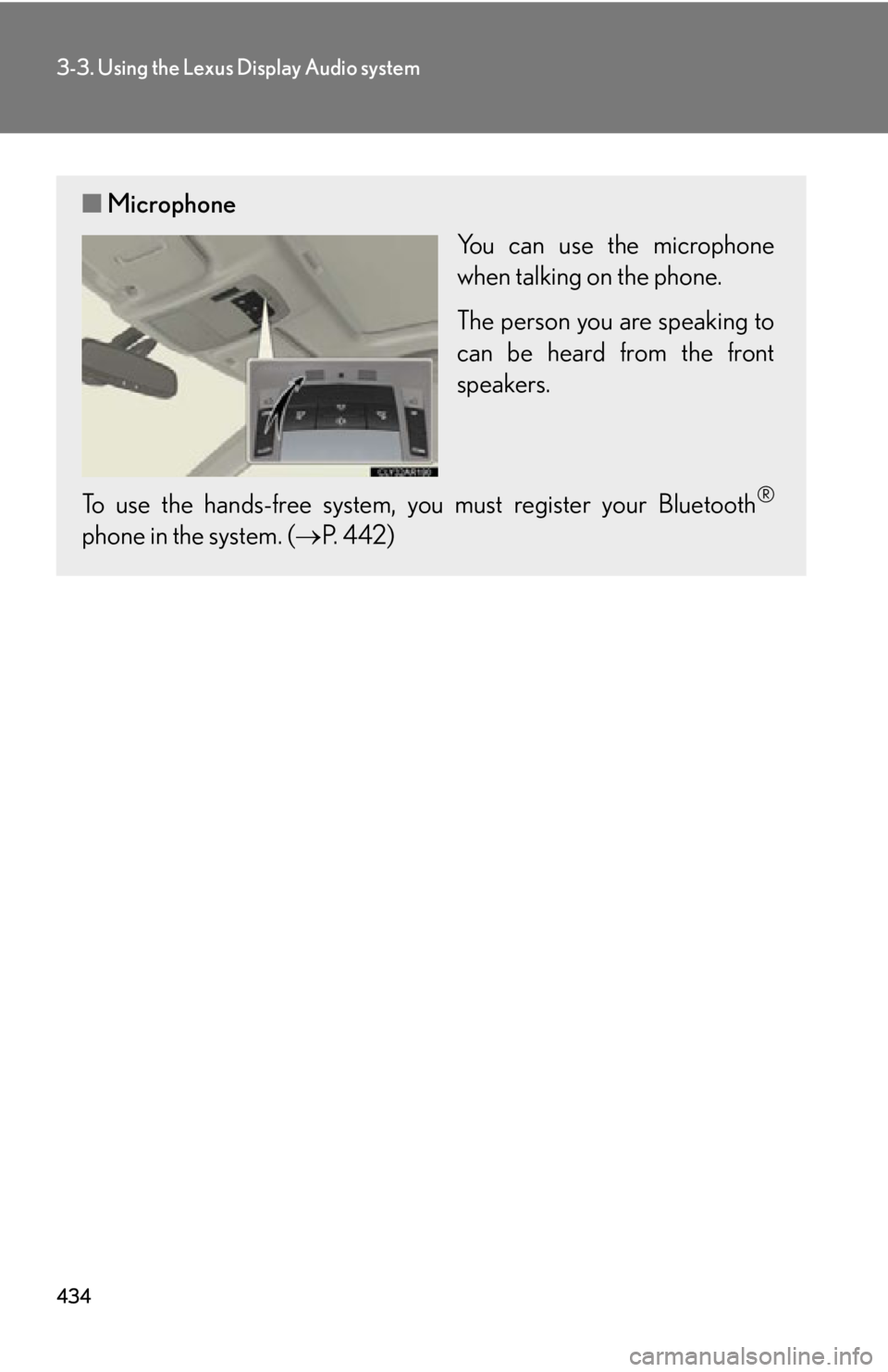
■ Microphone
You can use the microphone
when talking on the phone.
The person you are speaking to
can be heard from the front
speakers.
To use the hands-free system, you must register your Bluetooth ®
phone in the system. ( P. 4 4 2 )