audio LEXUS RX350 2015 Owners Manual
[x] Cancel search | Manufacturer: LEXUS, Model Year: 2015, Model line: RX350, Model: LEXUS RX350 2015Pages: 886, PDF Size: 11 MB
Page 567 of 886
5673-4. Using the audio system
3
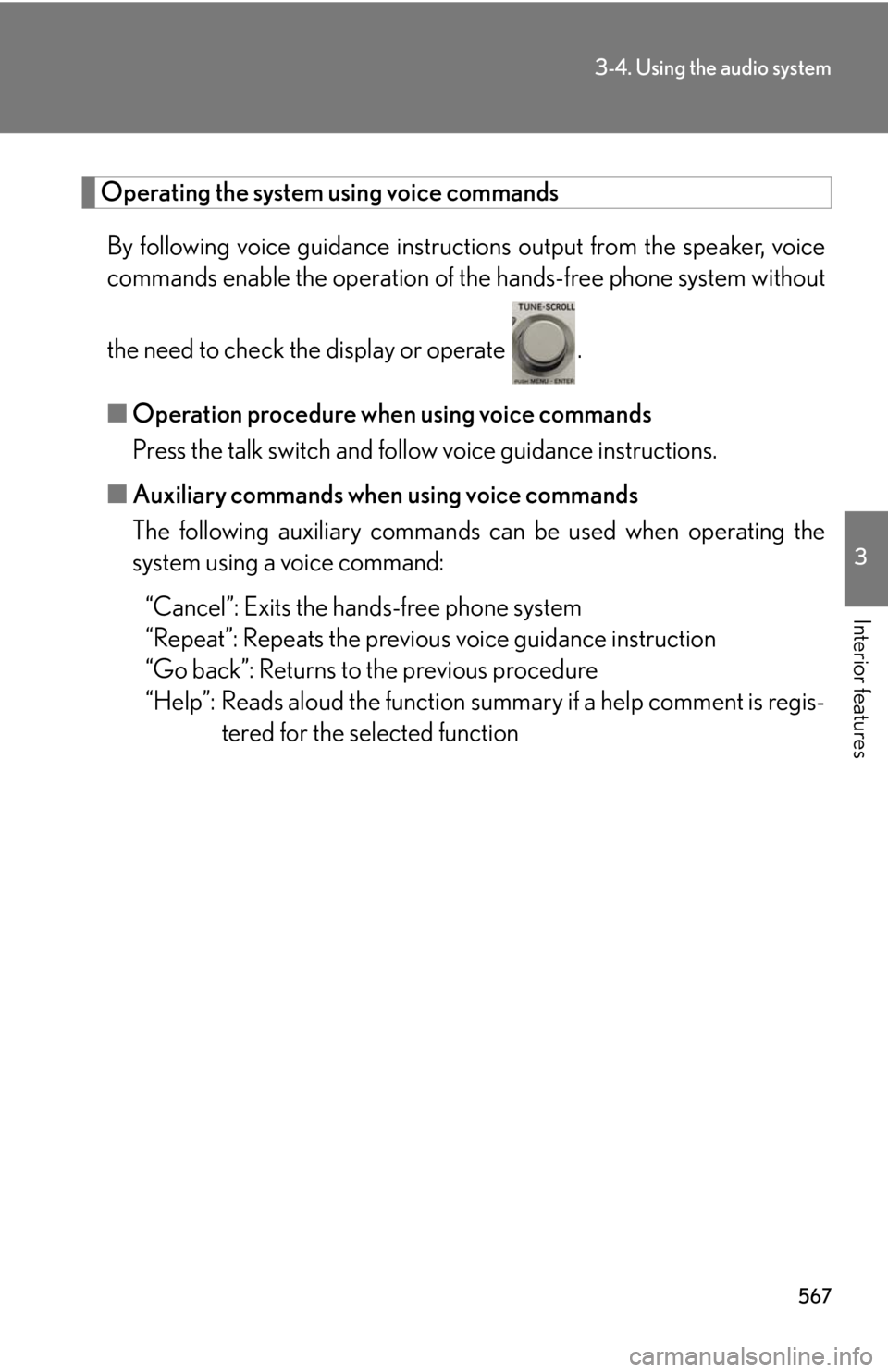
Interior features Operating the system using voice commands
By following voice guidance instructio ns output from the speaker, voice
commands enable the operation of the hands-free phone system without
the need to check the display or operate .
■ Operation procedure when using voice commands
Press the talk switch and fo llow voice guidance instructions.
■ Auxiliary commands when using voice commands
The following auxiliary commands ca n be used when operating the
system using a voice command:
“Cancel”: Exits the hands-free phone system
“Repeat”: Repeats the previous voice guidance instruction
“Go back”: Returns to the previous procedure
“Help”: Reads aloud the function summary if a help comment is regis-
tered for the selected function
Page 568 of 886
5683-4. Using the audio system
Using the hands-free phone system for the first time
Before using the hands-free phone sy stem, it is necessary to register a
mobile phone in the system. The sy stem will enter phone registration
mode automatically when starting th e system with no mobile phone reg-
istered. Follow the procedure below to register (pair) a mobile phone:
Press the off-hook switch or the talk switch.
The introductory guidance and phone name registration instructions are
heard.
Select “Pair Phone” using a voice command or .
Register a phone name by either of the following methods:
a. Select “Record Name” using , and say the name to be
registered.
b. Press the talk switch and say the name to be registered.
A voice guidance instruction to confirm the input is heard.
Select “Confirm” using a voice command or .
A passkey is displayed and heard, an d a voice guidance instruction for
inputting the passkey into the mobile phone is heard.
Input the passkey into the mobile phone.
Refer to the manual that comes with the mobile phone for the operation
of the phone.
Guidance for registration completion is heard.
If the mobile phone has a Bluetooth ®
audio player, th e audio player can
be registered at the same time. A vo ice guidance instruction to register a
Bluetooth ®
audio player is heard.STEP 1
STEP 2
STEP 3
STEP 4
STEP 5
Page 569 of 886
5693-4. Using the audio system
3
Interior features Select “Yes” or “No” using a voice command or .
(Bluetooth ®
audio player P. 5 3 1 )
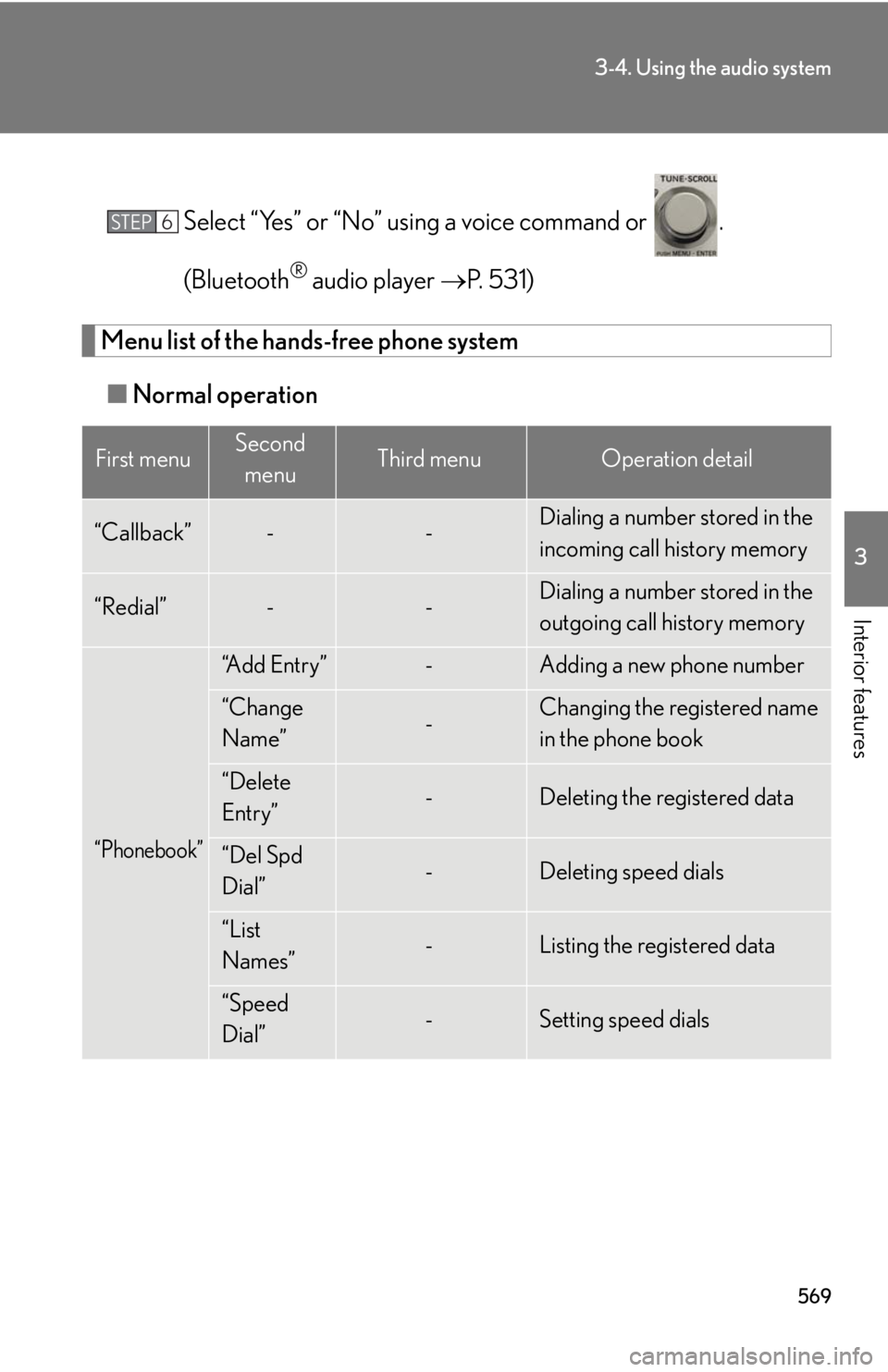
Menu list of the hands-free phone system
■ Normal operationFirst menu Second
menu Third menu Operation detail
“Callback” - - Dialing a number stored in the
incoming call history memory
“Redial” - - Dialing a number stored in the
outgoing call history memory
“Phonebook” “A d d E n t r y ” - Adding a new phone number
“Change
Name” - Changing the registered name
in the phone book
“Delete
Entry” - Deleting the registered data
“Del Spd
Dial” - Deleting speed dials
“List
Names” - Listing the registered data
“Speed
Dial” - Setting speed dialsSTEP 6
Page 570 of 886
5703-4. Using the audio system
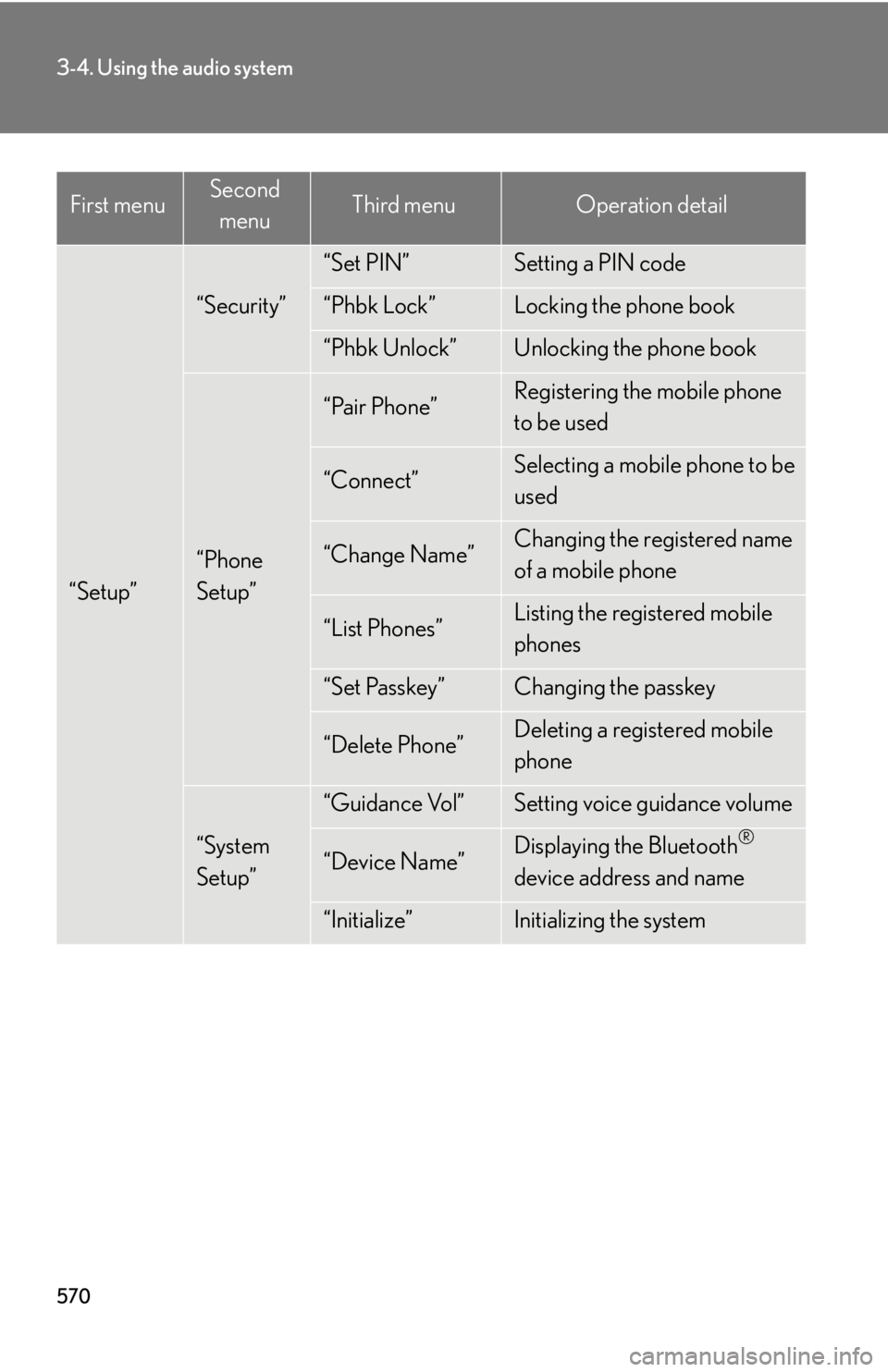
“Setup” “Security” “Set PIN” Setting a PIN code
“Phbk Lock” Locking the phone book
“Phbk Unlock” Unlocking the phone book
“Phone
Setup” “Pair Phone” Registering the mobile phone
to be used
“Connect” Selecting a mobile phone to be
used
“Change Name” Changing the registered name
of a mobile phone
“List Phones” Listing the registered mobile
phones
“Set Passkey” Changing the passkey
“Delete Phone” Deleting a registered mobile
phone
“System
Setup” “Guidance Vol” Setting voice guidance volume
“Device Name” Displaying the Bluetooth ®
device address and name
“Initialize” Initializing the systemFirst menu Second
menu Third menu Operation detail
Page 571 of 886
5713-4. Using the audio system
3
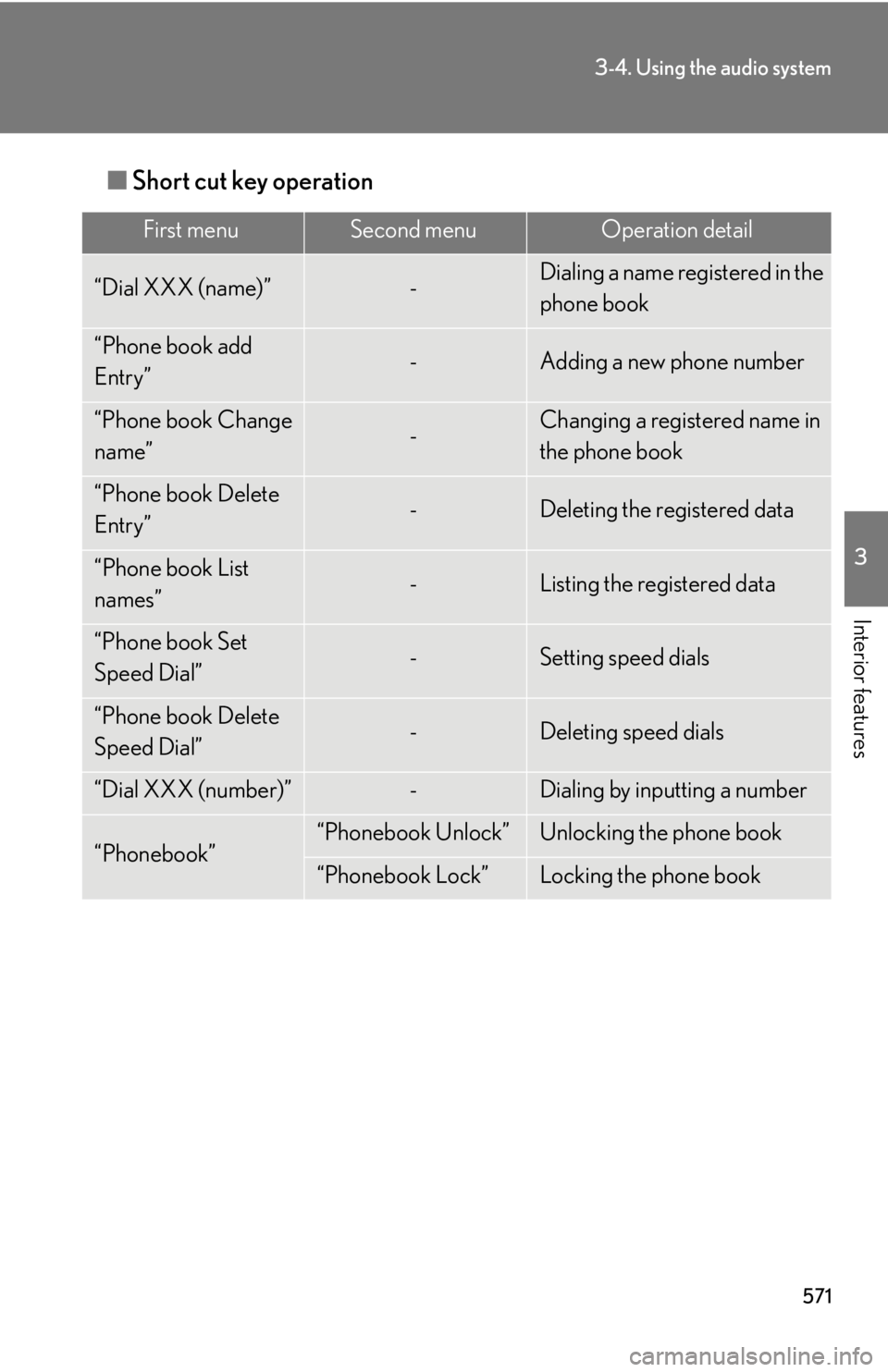
Interior features ■ Short cut key operation First menu Second menu Operation detail
“Dial XXX (name)” - Dialing a name registered in the
phone book
“Phone book add
Entry” - Adding a new phone number
“Phone book Change
name” - Changing a registered name in
the phone book
“Phone book Delete
Entry” - Deleting the registered data
“Phone book List
names” - Listing the registered data
“Phone book Set
Speed Dial” - Setting speed dials
“Phone book Delete
Speed Dial” - Deleting speed dials
“Dial XXX (number)” - Dialing by inputting a number
“Phonebook” “Phonebook Unlock” Unlocking the phone book
“Phonebook Lock” Locking the phone book
Page 572 of 886
5723-4. Using the audio system
■
Automatic volume adjustment
When vehicle speed reaches 50 mph (80 km/h) or more, the volume automati-
cally increases. The volume returns to the previous volume setting when vehicle
speed drops to 43 mph (70 km/h) or less.■
When using a voice command
For numbers, say a combinatio n of single digits from zero to nine, # (pound),
(star), and + (plus).
Say the command correctly and clearly.■
Situations in which the system may not recognize your voice ●
When driving on rough roads●
When driving at high speeds●
When air is blowing out of the vents onto the microphone●
When the air conditioning fan emits a loud noise■
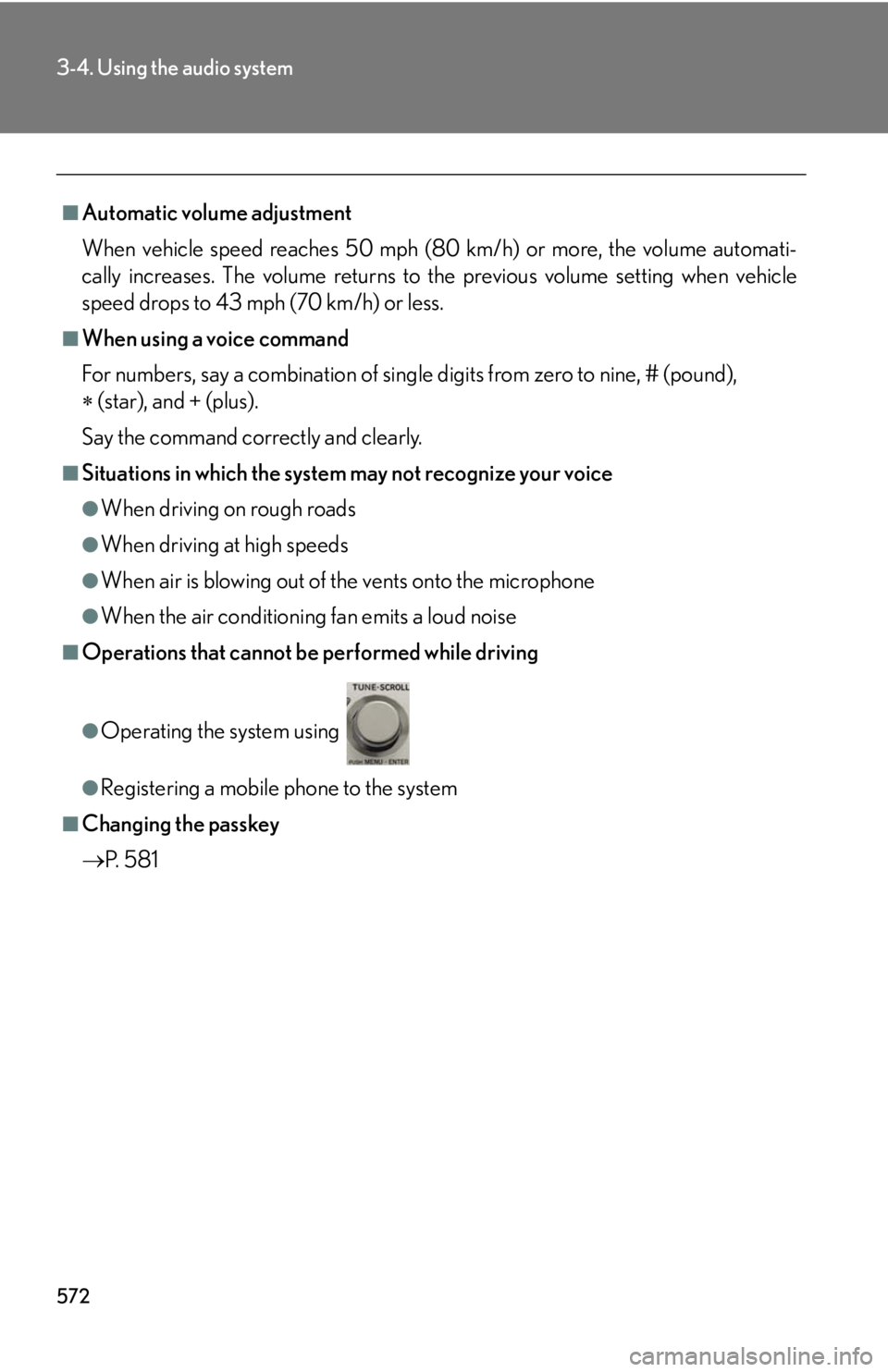
Operations that cannot be performed while driving
●
Operating the system using ●
Registering a mobile phone to the system■
Changing the passkey
P. 5 8 1
Page 573 of 886
5733-4. Using the audio system
3
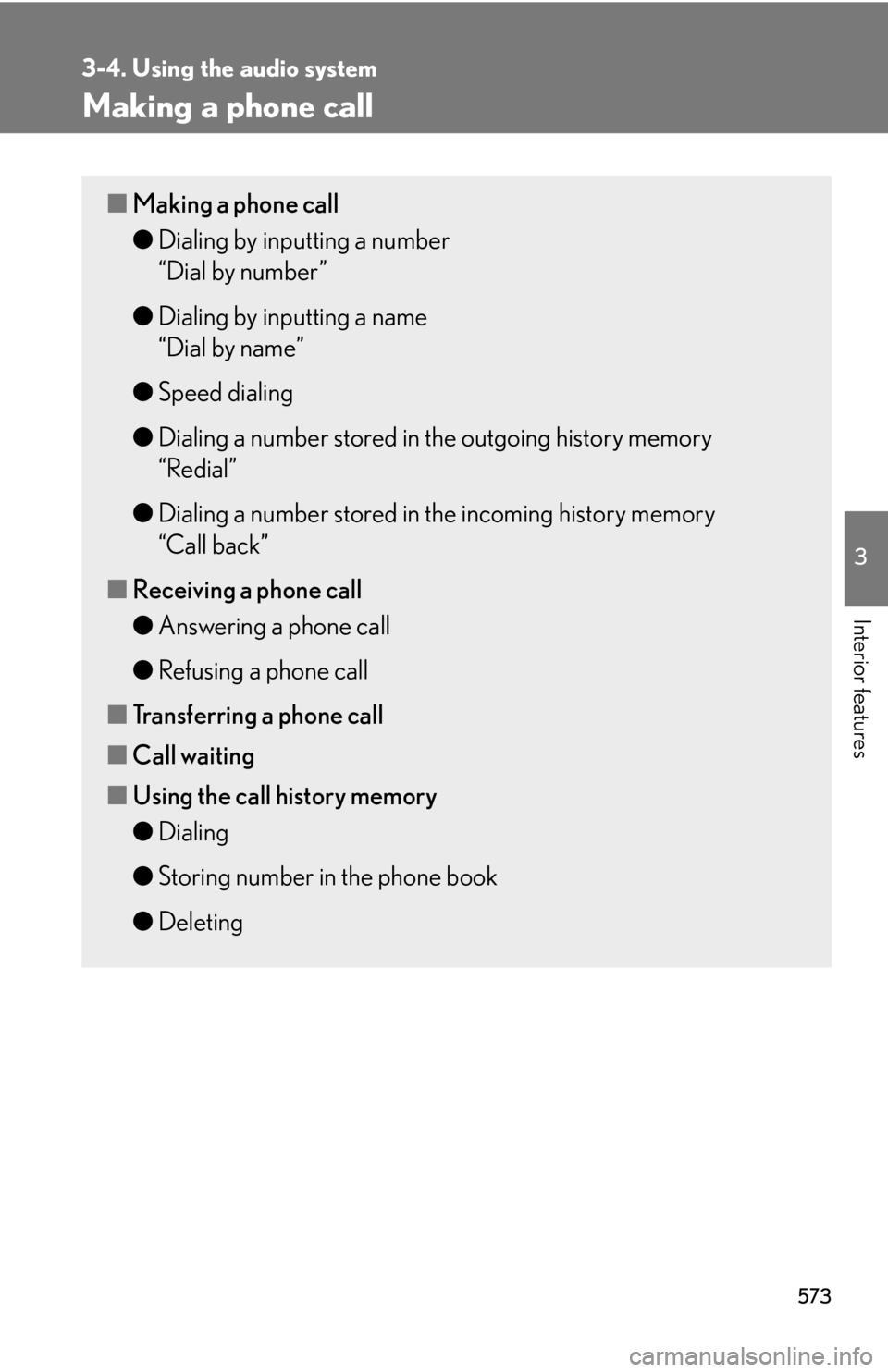
Interior features Making a phone call ■ Making a phone call
● Dialing by inputting a number
“Dial by number”
● Dialing by inputting a name
“Dial by name”
● Speed dialing
● Dialing a number stored in the outgoing history memory
“Redial”
● Dialing a number stored in the incoming history memory
“Call back”
■ Receiving a phone call
● Answering a phone call
● Refusing a phone call
■ Transferring a phone call
■ Call waiting
■ Using the call history memory
● Dialing
● Storing number in the phone book
● Deleting
Page 574 of 886
5743-4. Using the audio system
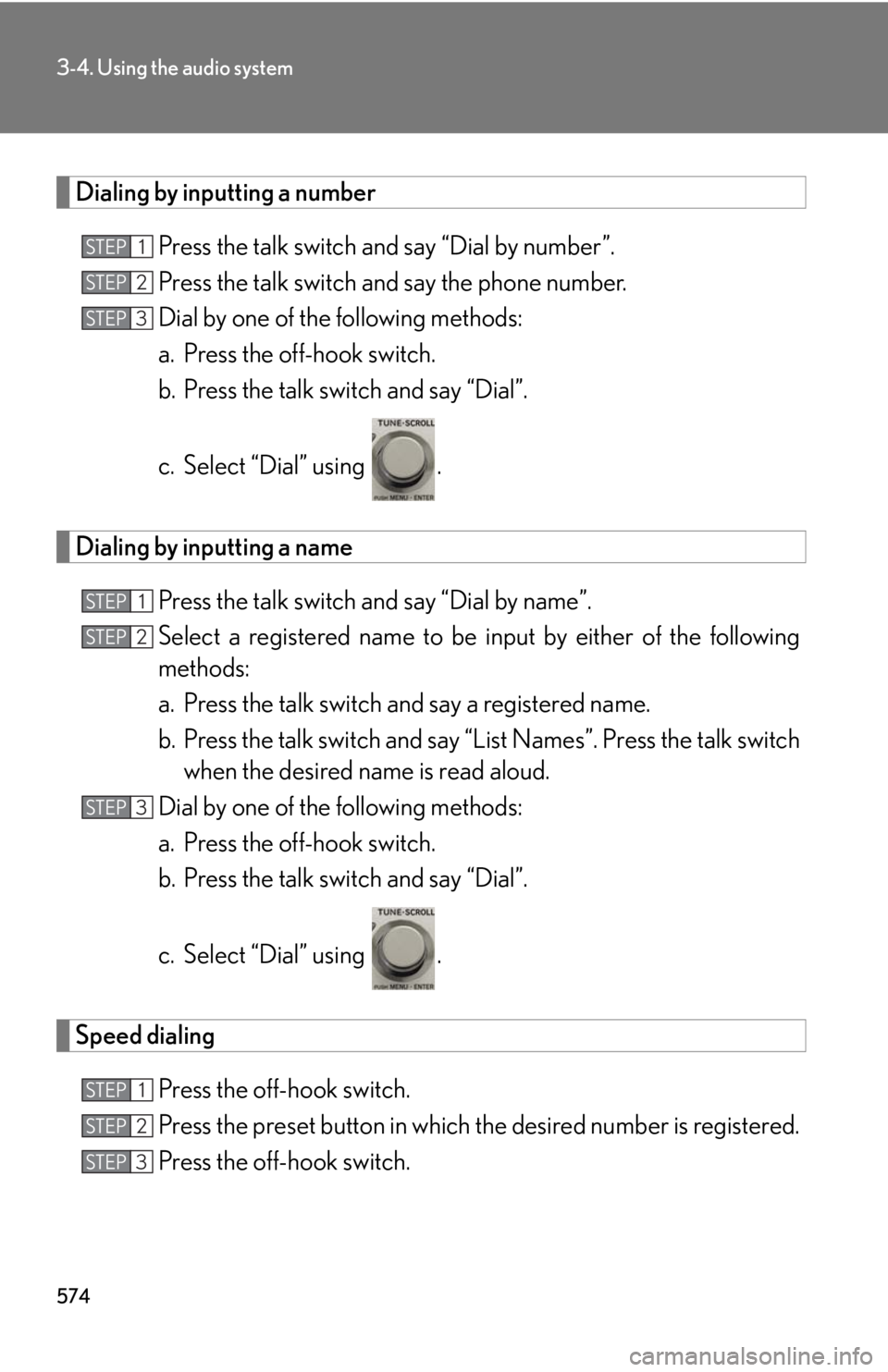
Dialing by inputting a number
Press the talk switch and say “Dial by number”.
Press the talk switch and say the phone number.
Dial by one of the following methods:
a. Press the off-hook switch.
b. Press the talk switch and say “Dial”.
c. Select “Dial” using .
Dialing by inputting a name
Press the talk switch and say “Dial by name”.
Select a registered name to be input by either of the following
methods:
a. Press the talk switch and say a registered name.
b. Press the talk switch and say “L ist Names”. Press the talk switch
when the desired name is read aloud.
Dial by one of the following methods:
a. Press the off-hook switch.
b. Press the talk switch and say “Dial”.
c. Select “Dial” using .
Speed dialing
Press the off-hook switch.
Press the preset button in which th e desired number is registered.
Press the off-hook switch.STEP 1
STEP 2
STEP 3
STEP 1
STEP 2
STEP 3
STEP 1
STEP 2
STEP 3
Page 575 of 886
5753-4. Using the audio system
3
Interior features When receiving a phone call
■ Answering a phone call
Press the off-hook switch.
■ Refusing a phone call
Press the on-hook switch.
Transferring a phone call
A call can be transferred between the mobile phone and system while
dialing, receiving a call, or during a call. Use one of the following meth-
ods:
a. Operate the mobile phone. Refer to the manual that comes with the mobile phone for the operation
of the phone.
b. Press the off-hook switch *1
.
c. Press the talk switch and say “Call Transfer” *2
.*1
: This operation can be performed only when transferring a call
from the mobile phone to the system during a call.*2
: While the vehicle is in motion, calls cannot be transferred from
the system to the mobile phone.
Call waiting
When a call is interrupted by an incoming call from a third party, the fol-
lowing options will become available:
● Answer the incoming call: Press the off-hook switch. (Press the off-
hook switch again as necessary to switch back and forth between
calls.)
● Refuse the incoming call: Press the on-hook switch.
Page 576 of 886
5763-4. Using the audio system
Using the call history memory
Follow the procedure below to use a number stored in the call history
memory:
Press the talk switch and say “Redial” (when using a number
stored in the outgoing call hi story memory) or “Call back” (when
using a number stored in the incoming call history memory).
Select the number by eith er of the following methods:
a. Say “Previous” or “Go back” until the desired number is dis-
played.
b. Select the desired number using .
The following operations can be performed:
Dialing: Press the off-hook switch or select “Dial” using a voice com-
mand or .
Storing the number in the phone book: Select “Store” and then
“Confirm” using a voice command or .
Deleting: Select “Dele te” and then “Confirm” using a voice command
or . STEP 1
STEP 2
STEP 3