radio LEXUS RX350 2016 Owner's Manual
[x] Cancel search | Manufacturer: LEXUS, Model Year: 2016, Model line: RX350, Model: LEXUS RX350 2016Pages: 748, PDF Size: 12.36 MB
Page 416 of 748
416
RX350_U_OM48E90U 5-4. Using the radio
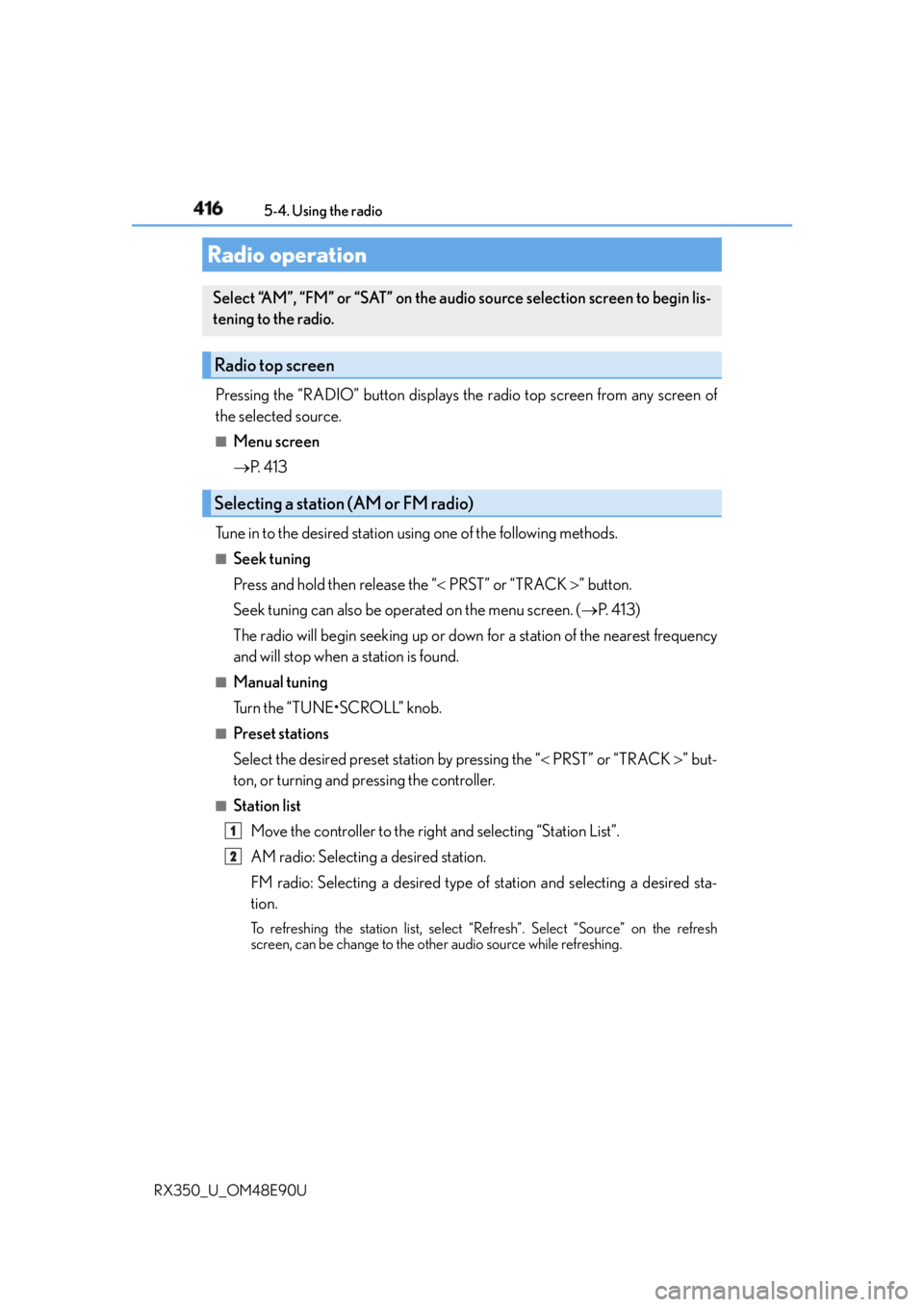
Pressing the “RADIO” button displays the radio top screen from any screen of
the selected source. ■
Menu screen
P. 4 1 3
Tune in to the desired station us ing one of the following methods.■
Seek tuning
Press and hold then release the “ PRST” or “TRACK ” button.
Seek tuning can also be operated on the menu screen. ( P. 4 1 3 )
The radio will begin seeking up or down for a station of the nearest frequency
and will stop when a station is found. ■
Manual tuning
Turn the “TUNE•SCROLL” knob. ■
Preset stations
Select the desired preset station by pressing the “ PRST” or “TRACK ” but-
ton, or turning and pressing the controller. ■
Station list
Move the controller to the right and selecting “Station List”.
AM radio: Selecting a desired station.
FM radio: Selecting a desired type of station and selecting a desired sta-
tion. To refreshing the station list, select “R efresh”. Select “Source” on the refresh
screen, can be change to the other audio source while refreshing.Radio operation Select “AM”, “FM” or “SAT” on the audio source selection screen to begin lis-
tening to the radio.
Radio top screen
Selecting a station (AM or FM radio)
1
2
Page 417 of 748
4175-4. Using the radio
5
Lexus Display Audio system
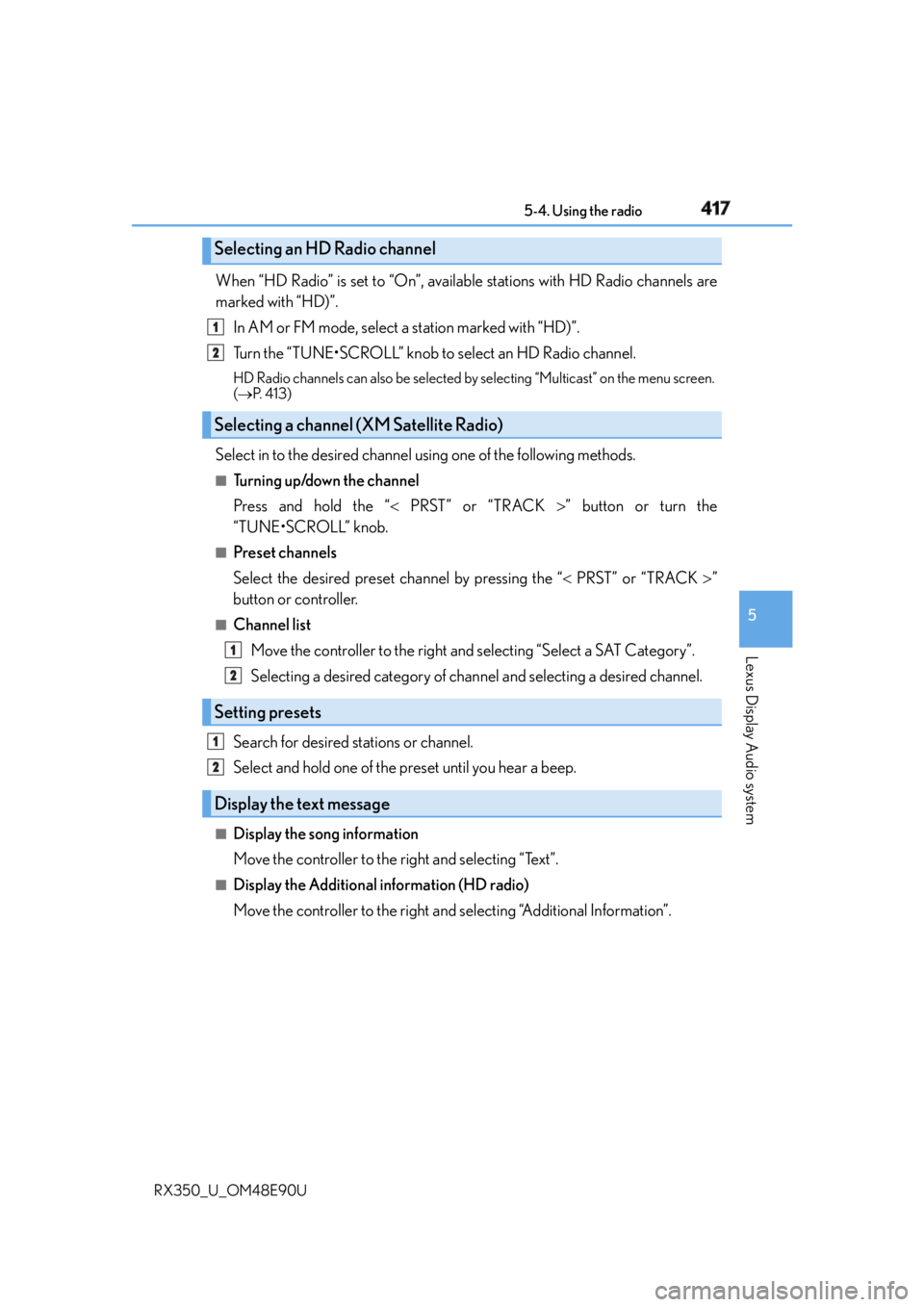
RX350_U_OM48E90U When “HD Radio” is set to “On”, available stations with HD Radio channels are
marked with “HD)”.
In AM or FM mode, select a station marked with “HD)”.
Turn the “TUNE•SCROLL” knob to select an HD Radio channel. HD Radio channels can also be selected by selecting “Multicast” on the menu screen.
( P. 4 1 3 )
Select in to the desired channel using one of the following methods.■
Tu r n i n g u p /d o w n t h e c h a n n e l
Press and hold the “ PRST” or “TRACK ” button or turn the
“TUNE•SCROLL” knob. ■
Preset channels
Select the desired preset channel by pressing the “ PRST” or “TRACK ”
button or controller. ■
Channel list
Move the controller to the right and selecting “Select a SAT Category”.
Selecting a desired category of chan nel and selecting a desired channel.
Search for desired stations or channel.
Select and hold one of the preset until you hear a beep. ■
Display the song information
Move the controller to the right and selecting “Text”. ■
Display the Additional information (HD radio)
Move the controller to the right and selecting “Additional Information”.Selecting an HD Radio channel
Selecting a channel (XM Satellite Radio)
Setting presets
Display the text message 1
2
1
2
1
2
Page 418 of 748
418 5-4. Using the radio
RX350_U_OM48E90U HD Radio™ Technology is the digital evolution of analog AM/FM radio. Your
radio product has a special receiver which allows it to receive digital broadcasts
(where available) in addition to the analog broadcasts it already receives.
Digital broadcasts have better sound qua lity than analog broadcasts as digital
broadcasts provide free, crystal clear audio with no static or distortion. For more
information, and a guide to available radio stations and programming, refer to
www.hdradio.com
.
“HD Radio features included in Lexus radios:
Digital Sound - HD Radio broadcasts deliver crystal-clear, digital audio quality to
listeners.
HD2 /HD3 Channels - FM stations can provide additional digital only audio pro-
gramming with expanded content and format choices on HD2 /HD3 channels.
PSD - Program Service Data (PSD) gives you on-screen information such as art-
ist name and song title.
iTunes Tagging - Listeners can tag (store) songs they like for later review and pur-
chase through iTunes.
Artist Experience - Images related to the broadcast are displayed on the radio
screen, such as album cover art and station logos.”HD Radio™ Technology
HD Radio Technology manufactured under license from iBiquity Digital Corpora-
tion. U.S. and Foreign Patents. HD Radio™ and the HD, HD Radio, and “Arc” logos
are proprietary trademarks of iBiquity Digital Corp.
Page 419 of 748
4195-4. Using the radio
5
Lexus Display Audio system
RX350_U_OM48E90U ■
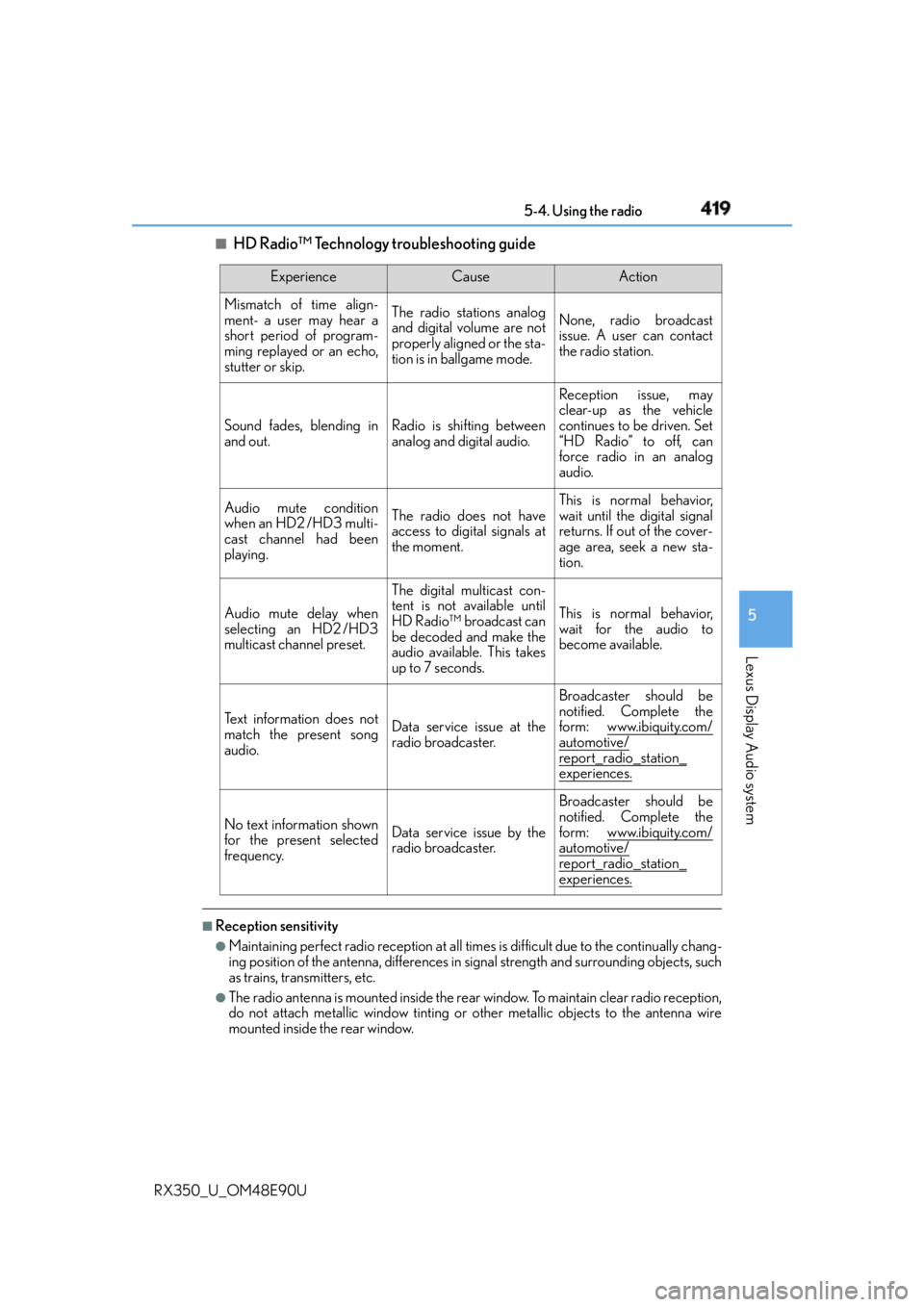
HD Radio™ Technology troubleshooting guide
■
Reception sensitivity ●
Maintaining perfect radio recept ion at all times is difficult due to the continually chang-
ing position of the antenna, differences in signal strength and surrounding objects, such
as trains, transmitters, etc. ●
The radio antenna is mounted inside the rear window. To maintain clear radio reception,
do not attach metallic window tinting or other metallic objects to the antenna wire
mounted inside the rear window. Experience Cause Action
Mismatch of time align-
ment- a user may hear a
short period of program-
ming replayed or an echo,
stutter or skip. The radio stations analog
and digital volume are not
properly aligned or the sta-
tion is in ballgame mode. None, radio broadcast
issue. A user can contact
the radio station.
Sound fades, blending in
and out. Radio is shifting between
analog and digital audio. Reception issue, may
clear-up as the vehicle
continues to be driven. Set
“HD Radio” to off, can
force radio in an analog
audio.
Audio mute condition
when an HD2 /HD3 multi-
cast channel had been
playing. The radio does not have
access to digital signals at
the moment. This is normal behavior,
wait until the digital signal
returns. If out of the cover-
age area, seek a new sta-
tion.
Audio mute delay when
selecting an HD2 /HD3
multicast channel preset. The digital multicast con-
tent is not available until
HD Radio™ broadcast can
be decoded and make the
audio available. This takes
up to 7 seconds. This is normal behavior,
wait for the audio to
become available.
Te x t i n f o r m a t i o n d o e s n o t
match the present song
audio. Data service issue at the
radio broadcaster. Broadcaster should be
notified. Complete the
form: www.ibiquity.com/
automotive/
report_radio_station_
experiences.
No text information shown
for the present selected
frequency. Data service issue by the
radio broadcaster. Broadcaster should be
notified. Complete the
form: www.ibiquity.com/
automotive/
report_radio_station_
experiences.
Page 420 of 748

420 5-4. Using the radio
RX350_U_OM48E90U ■
XM Radio Services — Descriptions ●
Radio and Entertainment
XM offers more than 170 satellite radio channels of commercial-free music and pre-
mier sports, news, talk, and entertainment. XM is broadcast via satellites to millions of
listeners across the continental United States . XM subscribers listen to XM on satellite
radio receivers for the car, home, and port able use. More information about XM is
available online at www.siriusxm.com
(U.S.A.) or www.siriusxm.ca (Canada).●
Satellite tuner
The tuner supports only Audio Services (M usic and Talk) and the accompanying Text
Information of XM ®
Satellite Radio.■
XM Radio Services — Subscription Instructions
For XM Services requiring a subscription (s uch as XM Radio), the following paragraph
shall be included.
Required XM Radio monthly subscriptions sold separately after tr ial period. Subscrip-
tion fee is consumer only. All fees and prog ramming subject to change. Subscriptions are
subject to the Customer Agreement available at www.siriusxm.com
(U.S.A.) or
www.siriusxm.ca (Canada) XM service only availa ble in the 48 contiguous United
States and 10 Canadian provinces. © 2011 Sirius XM Radio Inc. Sirius, XM and all
related marks and logos are trademarks of Sirius XM Radio Inc. All other marks, channel
names and logos are the property of their respective owners.
For more information, program schedules, and to subscribe or extend subscription after
complimentary trial period; more information is available at:
U.S.A. Customers:
Visit w w w.siriusxm.com or call 1-877-447-0011
Canadian Customers:
Visit w w w.siriusxm.ca or call 1-877-438-9677●
Radio ID
You will need the radio ID when activating XM service or reporting a problem. If
“Ch000” is selected using the “TUNE•SCRO LL” knob, the ID code, which is 8 alpha-
numeric characters, will be displayed. If anot her channel is selected , the ID code will no
longer be displayed. The channel (000) alte rnates between displaying the radio ID and
the specific radio code. ■
XM Radio Services — Legal Disclaimers and Warnings ●
Fees and Taxes — Subscription fee, taxes, on e time activation fee, and other fees may
apply. Subscription fee is consumer only. All fees and programming subject to change.
Subscriptions subject to Customer Agreement available at www.siriusxm.com (U.S.A.)
or www.siriusxm.ca (Canada) XM service only available in the 48 contiguous United
States and Canada
* .
* : Canada — some deterioration of service may occur in extreme northern latitudes.
This is beyond the control of XM Satellite Radio.
Explicit Language Notice — Channels with frequent explicit la nguage are indicated
with an “XL” preceding the channel name. Channel blocking is available for XM Satel-
lite Radio receivers by notifying XM at;
U.S.A. Customers:
Visit www.siriusxm.com or calling 1-877-447-0011
Canadian Customers:
Visit www.siriusxm.ca or calling 1-877-438-9677
Page 421 of 748
4215-4. Using the radio
5
Lexus Display Audio system
RX350_U_OM48E90U It is prohibited to copy, decompile, disassemble, reverse engineer, hack, manipulate, or
otherwise make available any technology or software incorporated in receivers compat-
ible with the XM Satellite Ra dio System or that support the XM website, the Online Ser-
vice or any of its content. Furthermore, the AMBE ®
voice compression software
included in this product is protected by intellectual property rights including patent
rights, copyrights, and trade secrets of Digital Voice Systems, Inc.
Note: this applies to XM receivers only and not XM Ready devices. ■
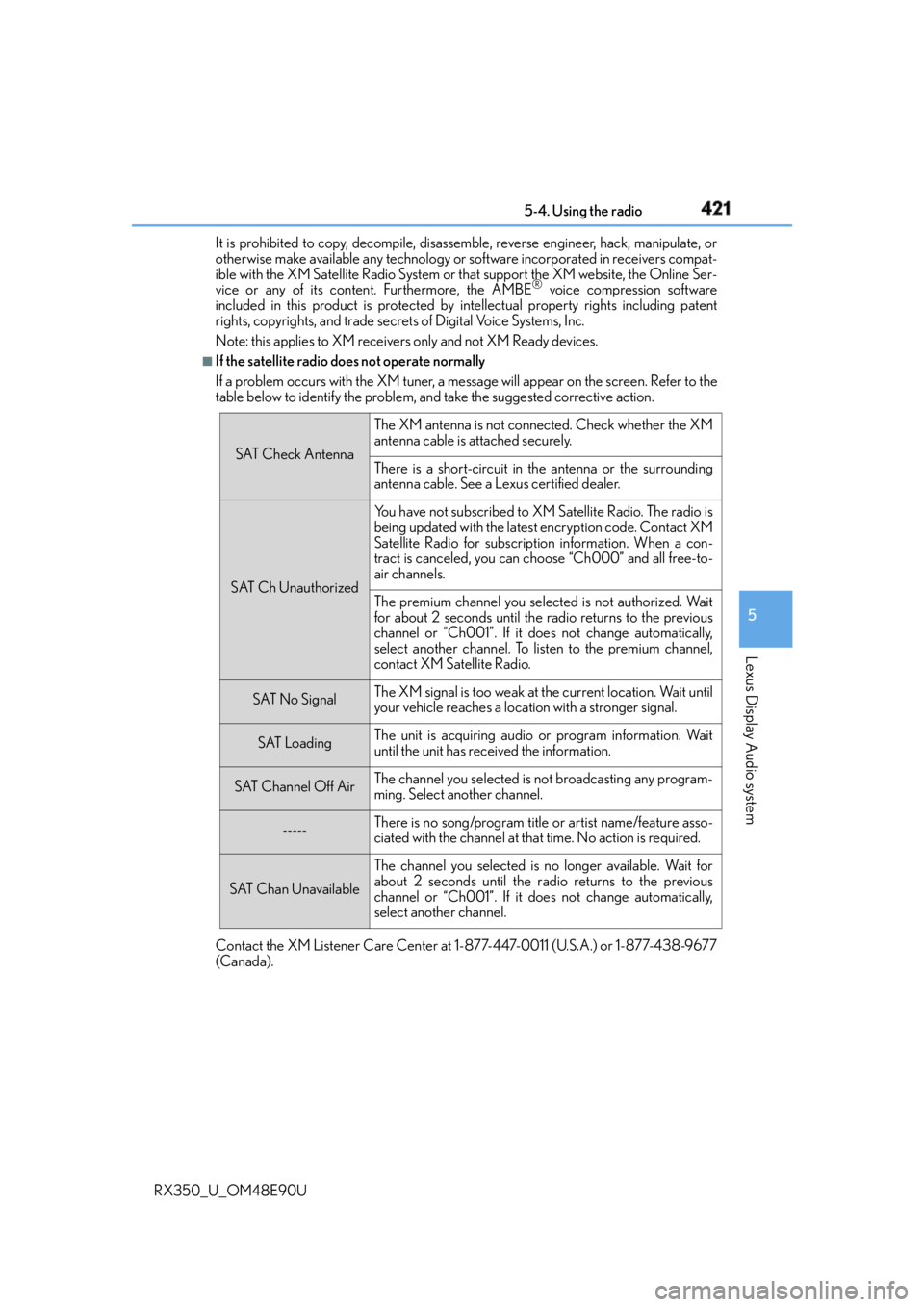
If the satellite radio does not operate normally
If a problem occurs with the XM tuner, a me ssage will appear on the screen. Refer to the
table below to identify the problem, and take the suggested corrective action.
Contact the XM Listener Care Center at 1-877-447-0011 (U.S.A.) or 1-877-438-9677
(Canada). SAT Check Antenna The XM antenna is not connected. Check whether the XM
antenna cable is attached securely.
There is a short-circuit in the antenna or the surrounding
antenna cable. See a Lexus certified dealer.
SAT Ch Unauthorized Yo u h a v e n o t s u b s c r i b e d t o X M Satellite Radio. The radio is
being updated with the latest encryption code. Contact XM
Satellite Radio for subscription information. When a con-
tract is canceled, you can choose “Ch000” and all free-to-
air channels.
The premium channel you select ed is not authorized. Wait
for about 2 seconds until the radio returns to the previous
channel or “Ch001”. If it does not change automatically,
select another channel. To listen to the premium channel,
contact XM Satellite Radio.
SAT No Signal The XM signal is too weak at the current location. Wait until
your vehicle reaches a location with a stronger signal.
SAT Loading The unit is acquiring audio or program information. Wait
until the unit has received the information.
SAT Channel Off Air The channel you selected is not broadcasting any program-
ming. Select another channel.
----- There is no song/program title or artist name/feature asso-
ciated with the channel at that time. No action is required.
SAT Chan Unavailable The channel you selected is no longer available. Wait for
about 2 seconds until the radio returns to the previous
channel or “Ch001”. If it does not change automatically,
select another channel.
Page 474 of 748

474 5-11. Bluetooth ®
RX350_U_OM48E90U ■
Certification
FCC ID:AJDK066
IC:775E-K066
NOTE:
This device complies with part 15 of the FC C Rules. Operation is subject to the following
two conditions: (1) This device may not caus e harmful interference, and (2) this device
must accept any interference received, incl uding interference that may cause undesired
operation.
This device complies with Industry Canada licence-exempt RSS st andard(s). Operation
is subject to the following two conditions: (1) this device may not cause interference, and
(2) this device must accept any interference, including interference that may cause
undesired operation of the device.
Le présent appareil est conforme aux CNR d'Industrie Canada applicables aux
appareils radio exempts de licence. L'exploitation est autorisée aux deux conditions
suivantes : (1) l'appareil ne doit pas produire de brouillage, et (2) l'utilisateur de l'appareil
doit accepter tout brouillage radioélectrique subi, même si le brouillage est susceptible
d'en compromettre le fonctionnement.
FCC WARNING:
Changes or modifications not expressly approved by the party responsible for compli-
ance could void the user’s authority to operate the equipment.
CAUTION:
This equipment complies with FCC radiation exposure limits set forth for an uncontrolled
environment and meets the FCC radio frequency (RF) Exposure Guidelines. This equip-
ment should be installed and operated keepin g the radiator at least 20cm or more away
from person’s body.
This equipment complies with IC radiation exposure limits set forth for an uncontrolled
environment and meets RSS-102 of the IC radio frequency (RF) Exposure rules. This
equipment should be installed and operated keeping the radiator at least 20cm or more
away from person’s body.
Cet équipement est conforme aux limites d’exposition aux rayonnements énoncées
pour un environnement non contrôlé et resp ecte les règles d’exposition aux fréquences
radioélectriques (RF) CNR-102 de l’IC. Cet éq uipement doit être installé et utilisé en
gardant une distance de 20 cm ou plus en tre le dispositif rayonnant et le corps.
Co-Location:
This transmitter must not be co-located or operated in conjunction with any other
antenna or transmitter.
Under Industry Canada regulations, this radio transmitter may only operate using an
antenna of a type and maximum (or lesser) gain approved for the transmitter by Industry
Canada. To reduce potential radio interference to other users, the antenna type and its
gain should be so chosen that the equivalent isotropically radiated power (e.i.r.p.) is not
more than that necessary for successful communication.
Conformément à la réglementation d’Indust rie Canada, le présent émetteur radio peut
fonctionner avec une antenne d’un type et d’un gain maximal (ou inférieur) approuvé
pour l’émetteur par Industrie Canada. Dans le but de réduire les risques de brouillage
radioélectrique à l’intention des autres utilisateurs, il faut choi sir le type d’antenne et son
gain de sorte que la puissance isotrope rayonnée équivalente (p.i.r.e.) ne dépasse pas
l’intensité nécessaire à l’établisseme nt d’une communicati on satisfaisante.
Page 475 of 748
4755-11. Bluetooth ®
5
Lexus Display Audio system
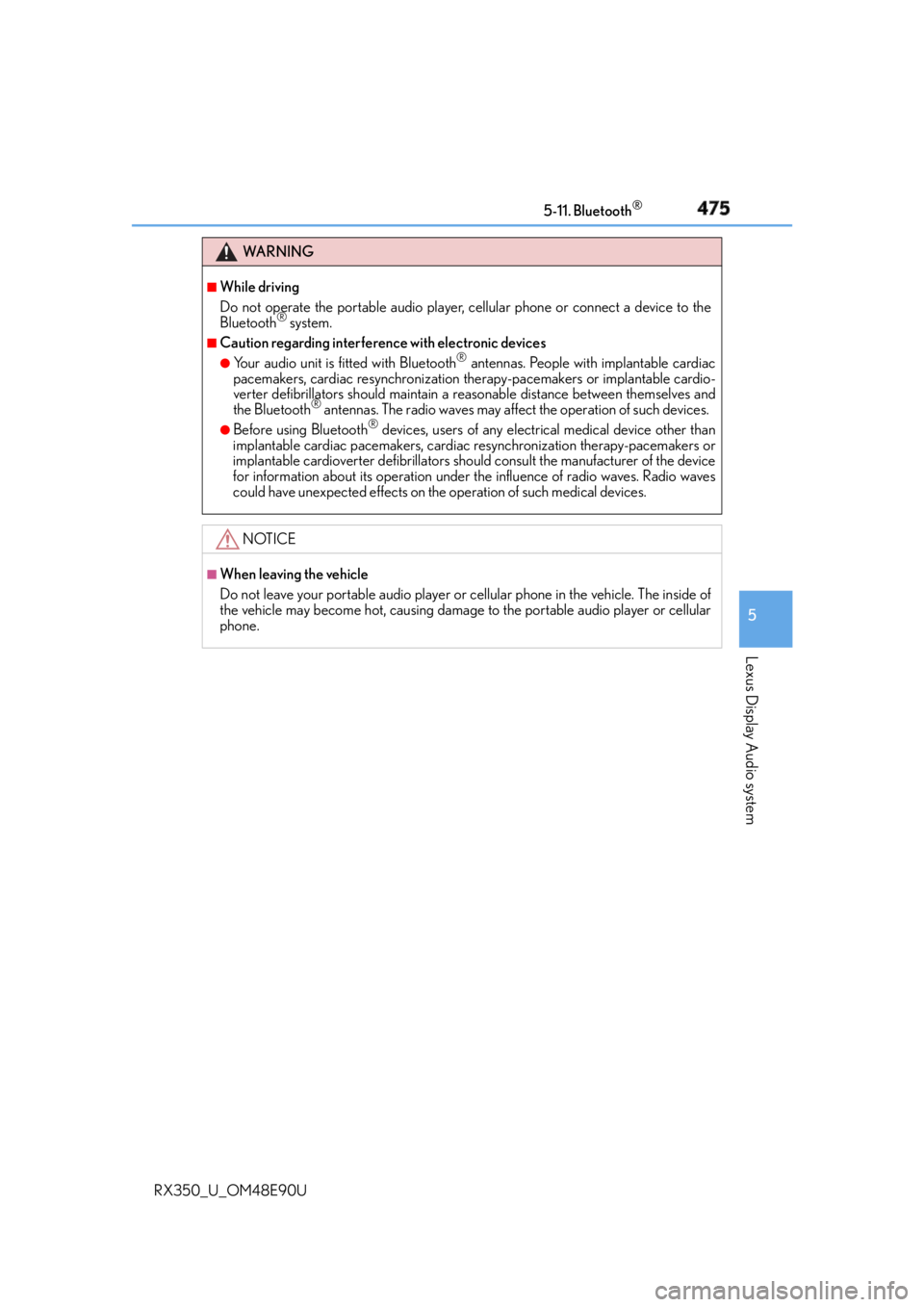
RX350_U_OM48E90U WA R N I N G ■
While driving
Do not operate the portable audio player, cellular phone or connect a device to the
Bluetooth ®
system.■
Caution regarding interference with electronic devices ●
Your audio unit is fitted with Bluetooth ®
antennas. People with implantable cardiac
pacemakers, cardiac resynchronization ther apy-pacemakers or implantable cardio-
verter defibrillators should maintain a re asonable distance between themselves and
the Bluetooth ®
antennas. The radio waves may affect the operation of such devices.●
Before using Bluetooth ®
devices, users of any electrical medical device other than
implantable cardiac pacemakers, cardiac resynchronization therapy-pacemakers or
implantable cardioverter defibrillators shou ld consult the manufacturer of the device
for information about its operation under th e influence of radio waves. Radio waves
could have unexpected effects on th e operation of such medical devices.
NOTICE ■
When leaving the vehicle
Do not leave your portable audio player or cellular phone in the vehicle. The inside of
the vehicle may become hot, causing damage to the portable audio player or cellular
phone.
Page 476 of 748
476
RX350_U_OM48E90U 5-12. Other function
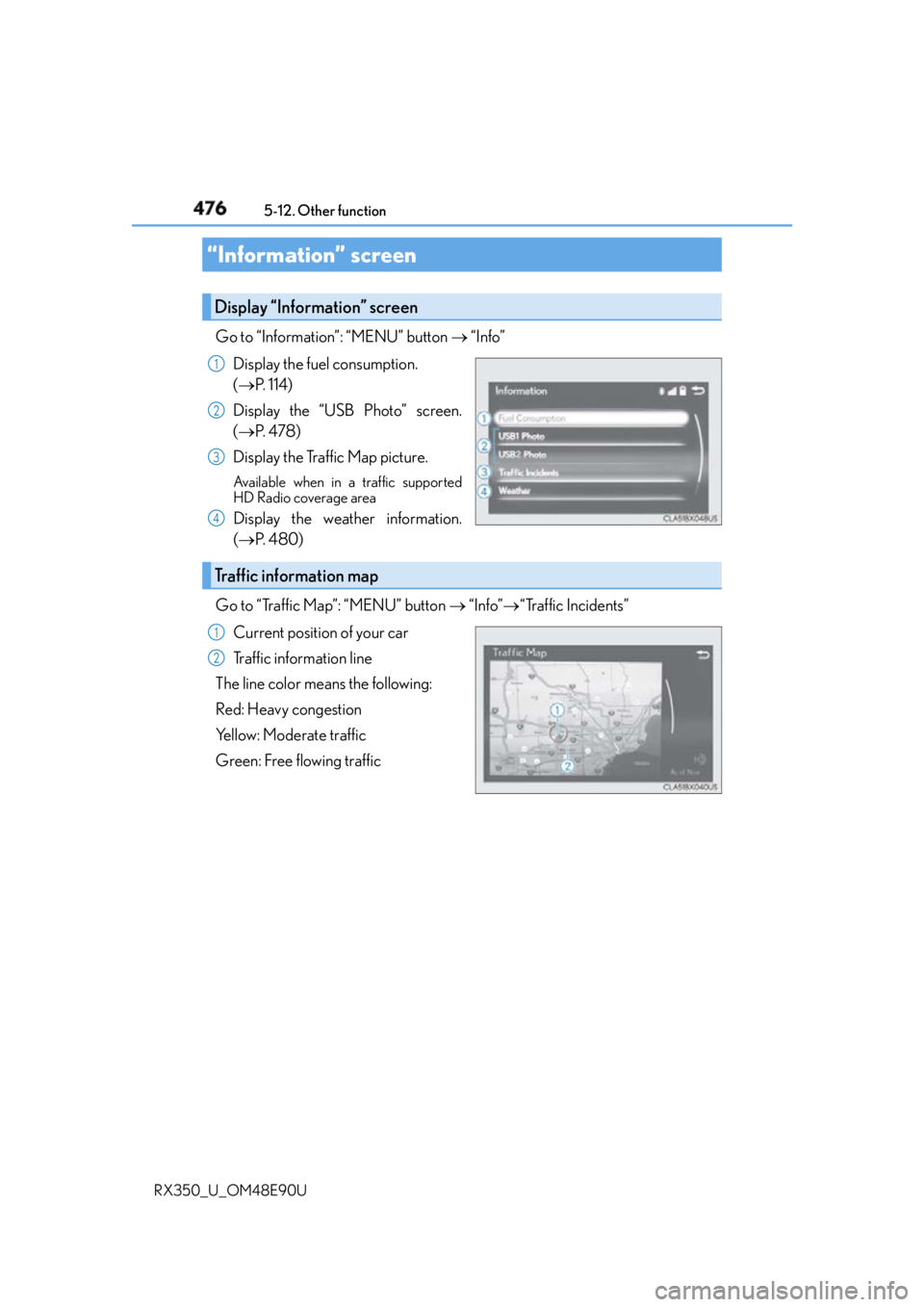
Go to “Information”: “MENU” button “Info”
Display the fuel consumption.
( P. 1 1 4 )
Display the “USB Photo” screen.
( P. 4 7 8 )
Display the Traffic Map picture. Available when in a traffic supported
HD Radio coverage area
Display the weather information.
( P. 4 8 0 )
Go to “Traffic Map”: “MENU” button “Info” “Traffic Incidents”
Current position of your car
Traffic information line
The line color means the following:
Red: Heavy congestion
Yellow: Moderate traffic
Green: Free flowing traffic“Information” screen Display “Information” screen 1
2
3
4
Traffic information map 1
2
Page 480 of 748
480 5-12. Other function
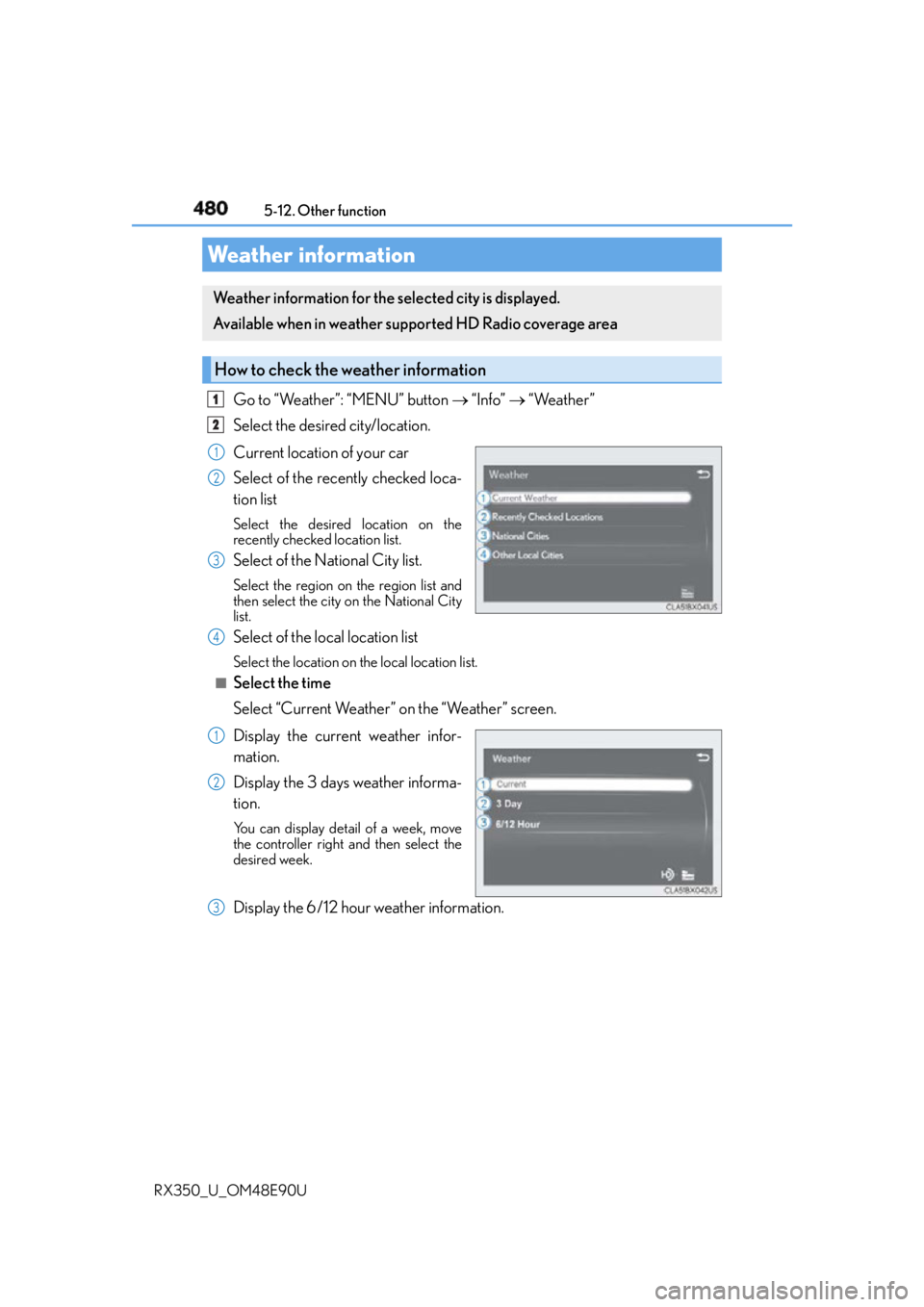
RX350_U_OM48E90U Go to “Weather”: “MENU” button “Info” “Weather”
Select the desired city/location.
Current location of your car
Select of the recently checked loca-
tion list Select the desired location on the
recently checked location list.
Select of the National City list. Select the region on the region list and
then select the city on the National City
list.
Select of the local location list Select the location on th e local location list.■
Select the time
Select “Current Weather” on the “Weather” screen.
Display the current weather infor-
mation.
Display the 3 days weather informa-
tion. You can display detail of a week, move
the controller right and then select the
desired week.
Display the 6/12 hour weather information.Weather information Weather information for the selected city is displayed.
Available when in weather supported HD Radio coverage area
How to check the weather information 1
2
1
2
3
4
1
2
3