audio display LEXUS RX350 2019 Owners Manual
[x] Cancel search | Manufacturer: LEXUS, Model Year: 2019, Model line: RX350, Model: LEXUS RX350 2019Pages: 777, PDF Size: 12.44 MB
Page 476 of 777
4755-11. Bluetooth ®
5
Lexus Display Audio system
RX350/RX350L_U
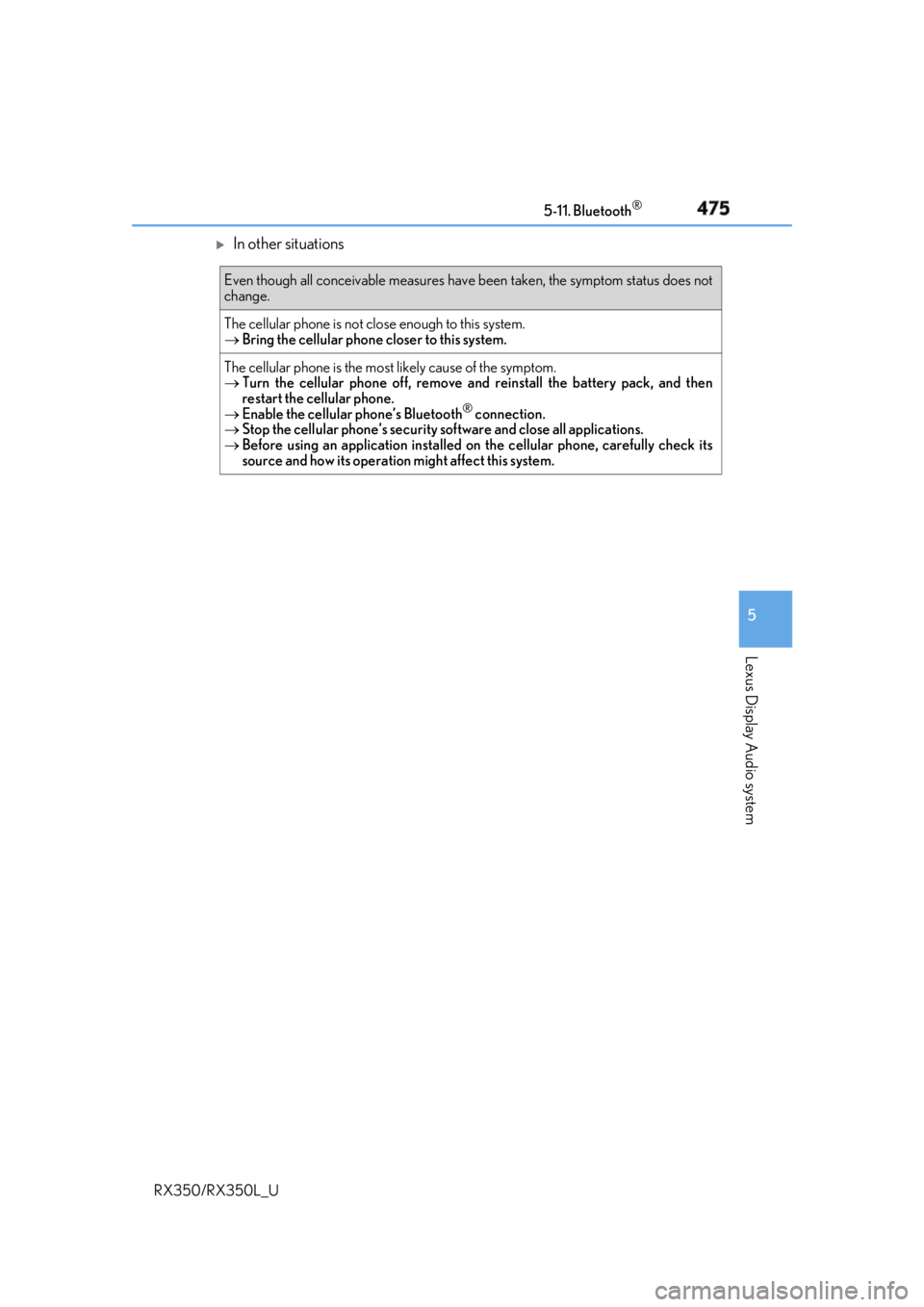
In other situations Even though all conceivable measures have been taken, the symptom status does not
change.
The cellular phone is not clos e enough to this system.
Bring the cellular phone closer to this system.
The cellular phone is the most likely cause of the symptom.
Turn the cellular phone off, remove and reinstall the battery pack, and then
restart the cellular phone.
Enable the cellular phone’s Bluetooth ®
connection.
Stop the cellular phone’s security software and close all applications.
Before using an application installed on the cellular phone, carefully check its
source and how its operation might affect this system.
Page 478 of 777
4775-11. Bluetooth ®
5
Lexus Display Audio system
RX350/RX350L_U ■
Bluetooth ®
antenna
The antenna is built into the display.
If the portable audio player is behind the se at or in the glove box or console box, or is
touching or covered by metal objects, the connection status may deteriorate.
If the cellular phone is behind the seat or in the console box, or touching or covered by
metal objects, the connection status may deteriorate. ■
Battery charge/signal status ●
This display may not correspond exactly wi th the portable audio player or cellular
phone itself. ●
This system does not have a charging function. ●
The portable audio player or cellular phone battery will be deplet ed quickly when the
device is connected to Bluetooth ®
.■
When using the Bluetooth ®
audio and hands-free system at the same time
The following problems may occur. ●
The Bluetooth ®
audio connection may be interrupted.●
Noise may be heard during Bluetooth ®
audio playback.■
About the contact in this system
The following data is stored for every registered cellular phone. When another phone is
connecting, you cannot read the registered data. ●
Contact data ●
Call history ●
Favorite ●
Message
When removing a Bluetooth ®
phone from the system, the above-mentioned data is also
deleted. ■
About Bluetooth ®
Page 480 of 777
4795-11. Bluetooth ®
5
Lexus Display Audio system
RX350/RX350L_U ■
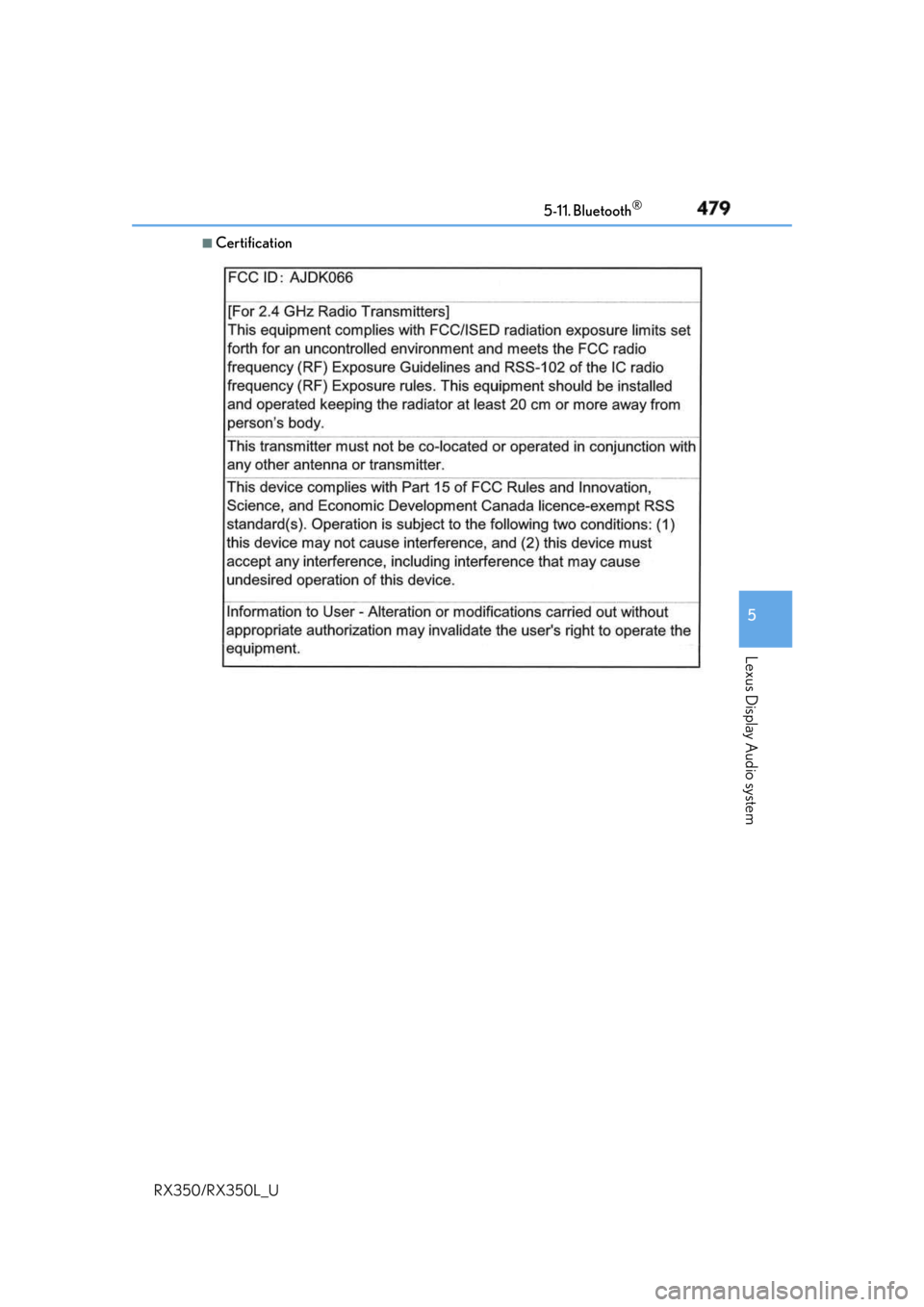
Certification
Page 482 of 777
4815-11. Bluetooth ®
5
Lexus Display Audio system
RX350/RX350L_U WARNING ■
While driving
Do not operate the portable audio player, ce llular phone or connect a device to the
Bluetooth ®
system.■
Caution regarding interference with electronic devices●
Your audio unit is fitted with Bluetooth ®
antennas. People with implantable cardiac
pacemakers, cardiac resynchronization ther apy-pacemakers or implantable cardio-
verter defibrillators should maintain a re asonable distance between themselves and
the Bluetooth ®
antennas. The radio waves may affe ct the operation of such devices.●
Before using Bluetooth ®
devices, users of any electrical medical device other than
implantable cardiac pacemakers, cardiac resynchronization therapy-pacemakers or
implantable cardioverter defi brillators should consult the manufacturer of the device
for information about its operation under th e influence of radio waves. Radio waves
could have unexpected effects on the operation of such medical devices.
NOTICE ■
When leaving the vehicle
Do not leave your portable au dio player or cellular phone in the vehicle. The inside of
the vehicle may become hot, causing damage to the portable audio player or cellular
phone.
Page 484 of 777
4835-12. Other function
5
Lexus Display Audio system
RX350/RX350L_U ■
Certification for U.S. owners
Page 485 of 777
484 5-12. Other function
RX350/RX350L_U Go to “USB Photo”: “MENU” button “Info” “USB1 Photo” or “USB2
Photo”
P. 403
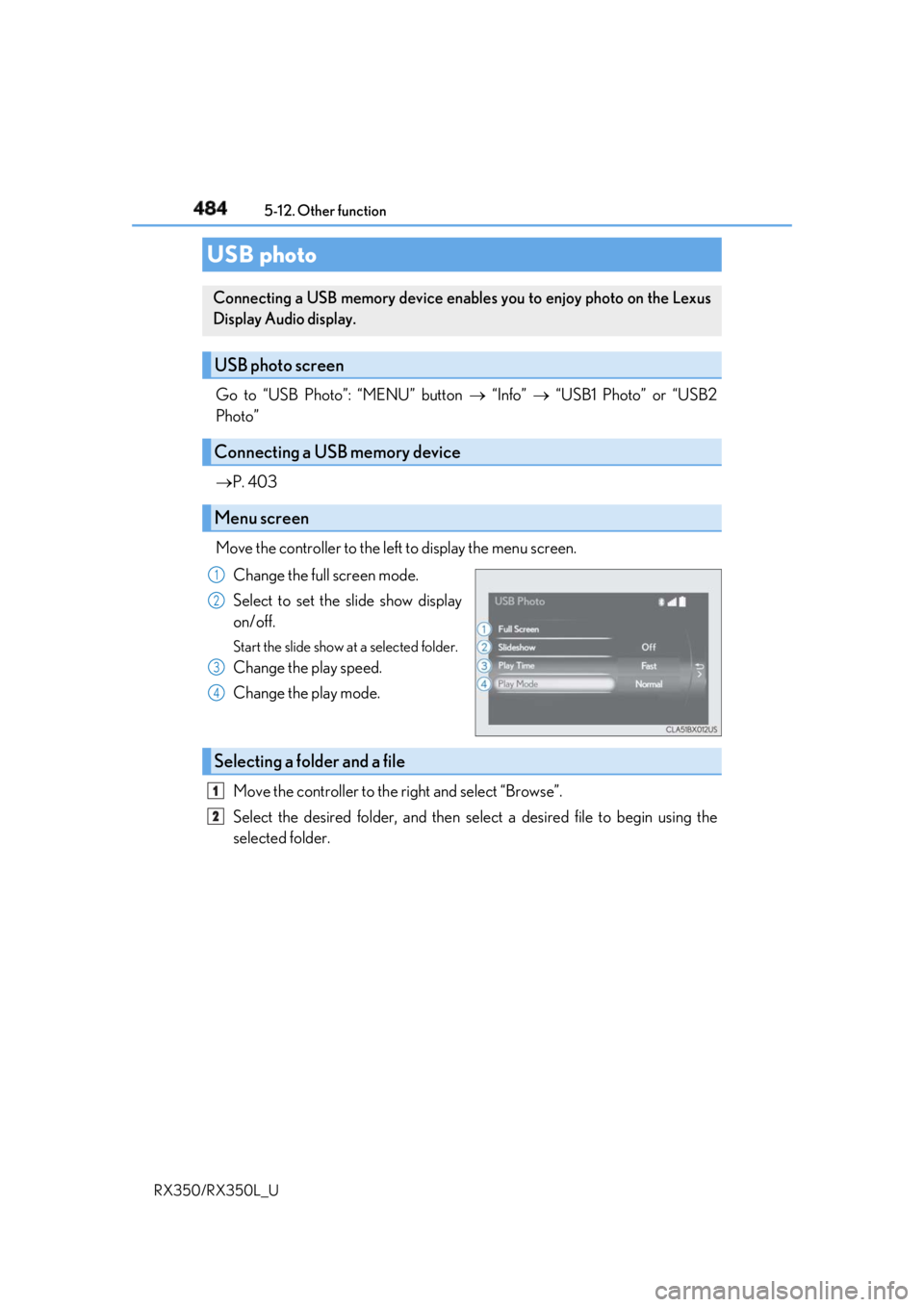
Move the controller to the left to display the menu screen.
Change the full screen mode.
Select to set the slide show display
on/off. Start the slide show at a selected folder.
Change the play speed.
Change the play mode.
Move the controller to the right and select “Browse”.
Select the desired folder, and then sele ct a desired file to begin using the
selected folder.USB photo Connecting a USB memory device enables you to enjoy photo on the Lexus
Display Audio display.
USB photo screen
Connecting a USB memory device
Menu screen 1
2
3
4
Selecting a folder and a file 1
2
Page 486 of 777
4855-12. Other function
5
Lexus Display Audio system
RX350/RX350L_U ■
USB memory functions
P. 439 ■
USB memory ●
Compatible devices
USB memory device that can be used for JPEG display.●
Compatible device formats
The following device format can be used:
• USB communication format: USB2.0 FS (480 Mbps)
• File system format: FAT16/32 (Windows)
• Correspondence class: Mass storage class●
JPEG file compatibility
• Compatible image size: Maximum 10MB
• Compatible pixel size: Maximum 10,000,000 pixels
NOTICE ■
To prevent damage to the USB me mory device or its terminals
P. 441
Page 488 of 777
4875-12. Other function
5
Lexus Display Audio system
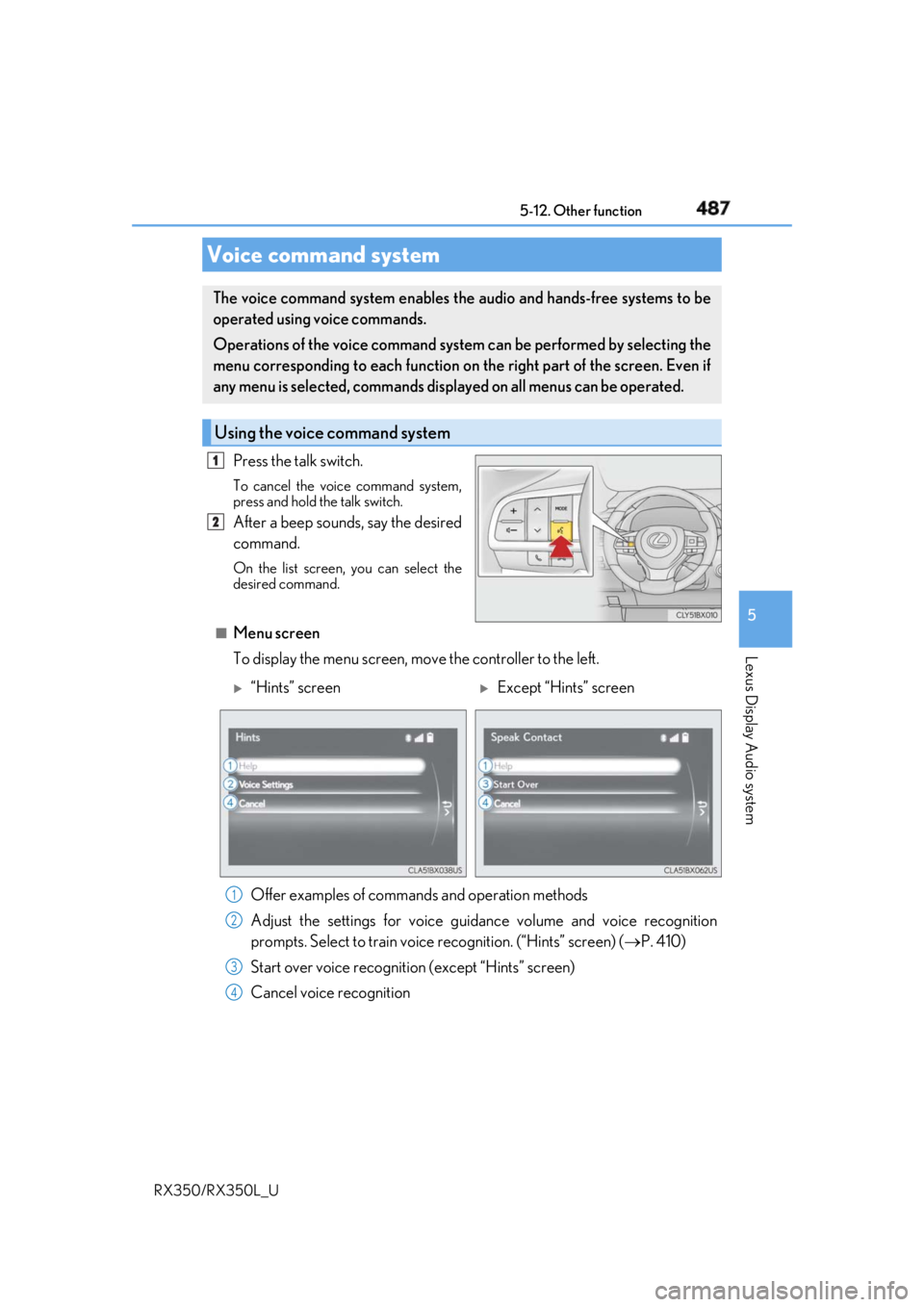
RX350/RX350L_U Press the talk switch. To cancel the voice command system,
press and hold the talk switch.
After a beep sounds, say the desired
command. On the list screen, you can select the
desired command.
■
Menu screen
To display the menu screen, m ove the controller to the left.Voice command system The voice command system enables the audio and hands-free systems to be
operated using voice commands.
Operations of the voice command system can be performed by selecting the
menu corresponding to each function on the right part of the screen. Even if
any menu is selected, commands displayed on all menus can be operated.
Using the voice command system 1
2
“Hints” screen
Except “Hints” screen
Offer examples of commands and operation methods
Adjust the settings for voice guidance volume and voice recognition
prompts. Select to train voice recognition. (“Hints” screen) ( P. 410)
Start over voice recognition (except “Hints” screen)
Cancel voice recognition 1
2
3
4
Page 490 of 777
4895-12. Other function
5
Lexus Display Audio system
RX350/RX350L_U
Page 492 of 777
4915-12. Other function
5
Lexus Display Audio system
RX350/RX350L_U
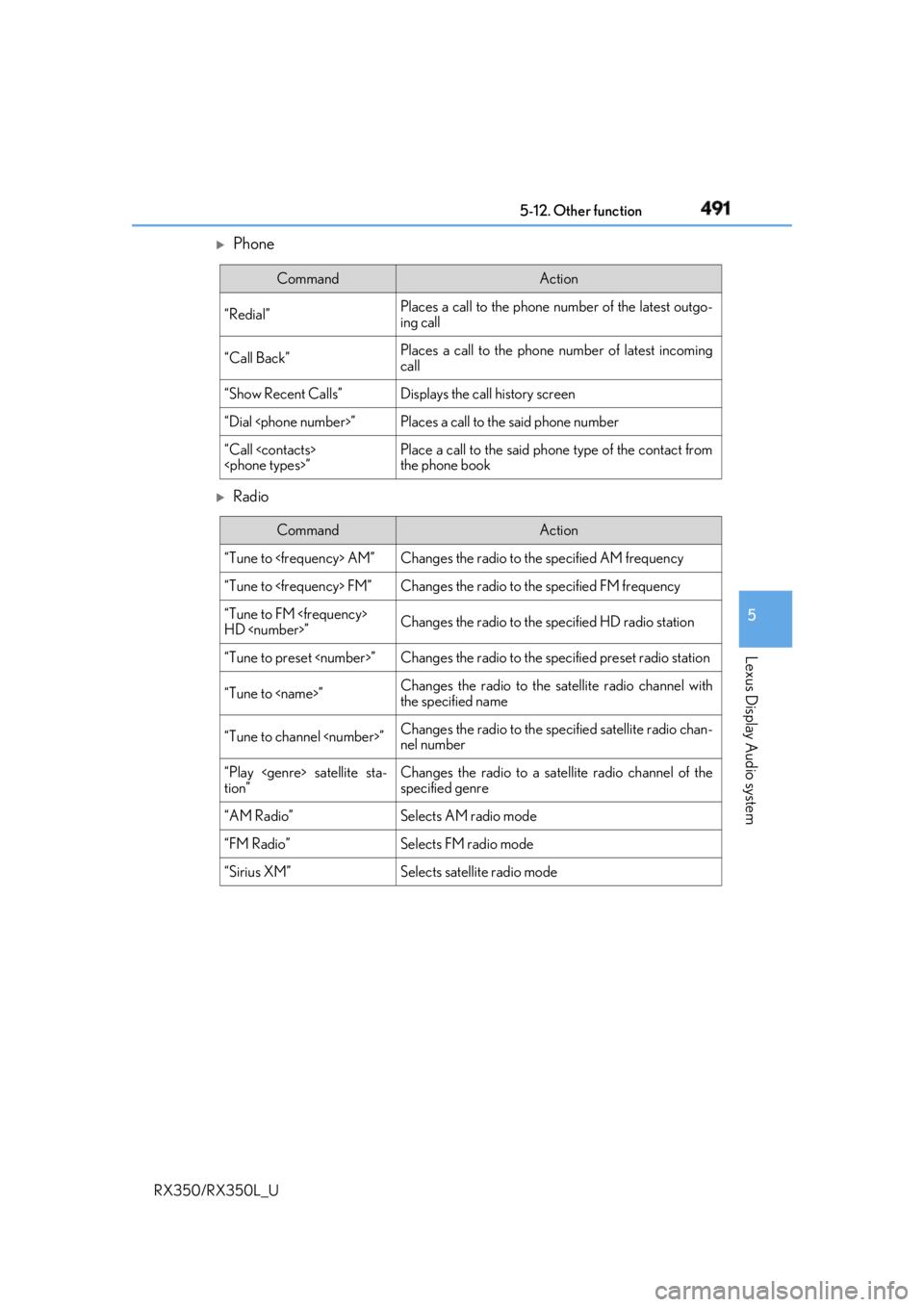
Phone
Radio Command Action
“Redial” Places a call to the phone number of the latest outgo-
ing call
“Call Back” Places a call to the phone number of latest incoming
call
“Show Recent Calls” Displays the call history screen
“Dial
“Call
the phone book
Command Action
“Tune to
“Tune to
“Tune to FM
HD
“Tune to preset
“Tune to
the specified name
“Tune to channel
nel number
“Play
tion” Changes the radio to a satellite radio channel of the
specified genre
“AM Radio” Selects AM radio mode
“FM Radio” Selects FM radio mode
“Sirius XM” Selects satellit e radio mode