audio display LEXUS RX350 2019 Manual Online
[x] Cancel search | Manufacturer: LEXUS, Model Year: 2019, Model line: RX350, Model: LEXUS RX350 2019Pages: 777, PDF Size: 12.44 MB
Page 456 of 777
455
5
Lexus Display Audio system
RX350/RX350L_U 5-9. Bluetooth ®
Phone
Before making a phone call, check the connection status, battery charge, call
area and signal strength. (
P. 456)
If a Bluetooth ®
device cannot be connected, chec k the connection status. If the
device is not connected, either register or reconnect it. (
P. 445, 448)
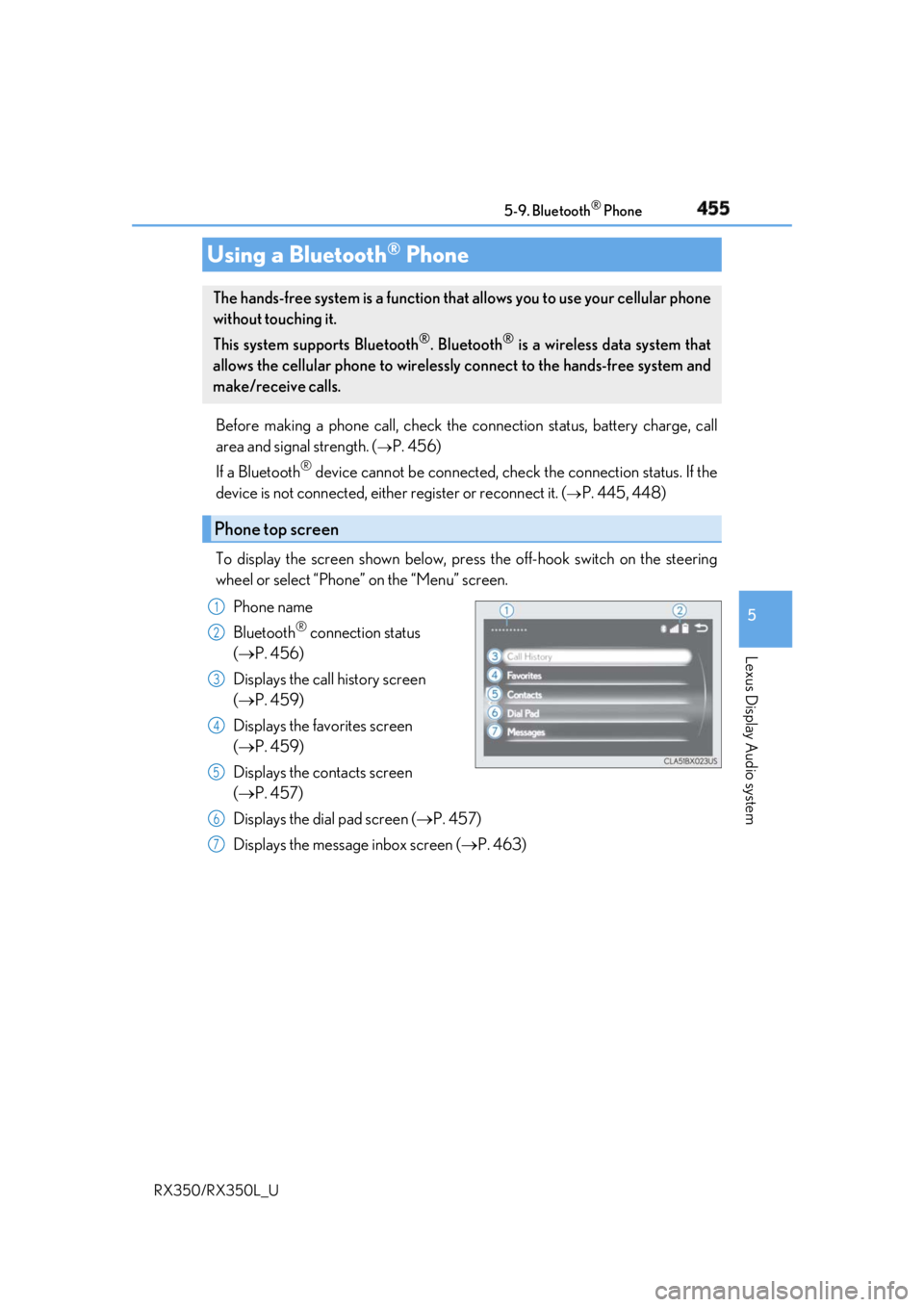
To display the screen shown below, press the off-hook switch on the steering
wheel or select “Phone” on the “Menu” screen.
Phone name
Bluetooth ®
connection status
( P. 456)
Displays the call history screen
( P. 459)
Displays the favorites screen
( P. 459)
Displays the contacts screen
( P. 457)
Displays the dial pad screen ( P. 457)
Displays the message inbox screen ( P. 463)Using a Bluetooth ®
PhoneThe hands-free system is a function that allows you to use your cellular phone
without touching it.
This system supports Bluetooth ®
. Bluetooth ®
is a wireless data system that
allows the cellular phone to wirelessly connect to the hands-free system and
make/receive calls.
Phone top screen 1
2
3
4
5
6
7
Page 458 of 777
4575-9. Bluetooth ®
Phone
5
Lexus Display Audio system
RX350/RX350L_U Go to “Dial Pad”: “MENU” button “Phone” “Dial Pad”
Input a phone number. ( P. 398)
Press the off-hook switch on the steering wheel or select .
You can dial a number from the phoneb ook data imported from your cellular
phone. The system has one phonebook fo r each registered phone. Up to 2500
contacts may be stored in each phonebook. ( P. 458)
Go to “Contacts”: “MENU” button “Phone” “Contacts”
Choose the desired contact to call from the list.
Choose the number and then press the off-hook switch on the steering wheel
or press the controller.Making a call Once a Bluetooth ®
phone is registered, you can make a call using the follow-
ing procedure:
Dialing
Dialing from the phonebook 1
2
3
1
2
3
Page 460 of 777
4595-9. Bluetooth ®
Phone
5
Lexus Display Audio system
RX350/RX350L_U You can make a call using numbers registered in the favorites.
Go to “Favorites”: “MENU” button “Phone” “Favorites”
Choose the desired contact to call from the list.
Choose the number and then press the off-hook switch on the steering wheel
or press the controller.
You can make a call using the call history.
Go to “Call History”: “MENU” button “Phone” “Call History”
Select the desired entry from the list.
Press the off-hook switch on the steering wheel or select . ■
Call history list ●
If you make a call to or receive a call from a number registered in the phonebook, the
name is displayed in the call history. ●
If you make multiple calls to the same number , only the last call made is displayed in the
call history. ■
International calls
Depending on the mobile phone in use, you ma y not be able to make international calls.■
Calling by using the latest call history entry
Press the
off-hook switch on the steering wheel to display the phone top screen.
Press the
switch again to display the “Call History” screen.
Press the
switch again to select the latest call history entry.Dialing from favorites
Dialing from history 1
2
3
1
2
3
1
2
3
Page 462 of 777
4615-9. Bluetooth ®
Phone
5
Lexus Display Audio system
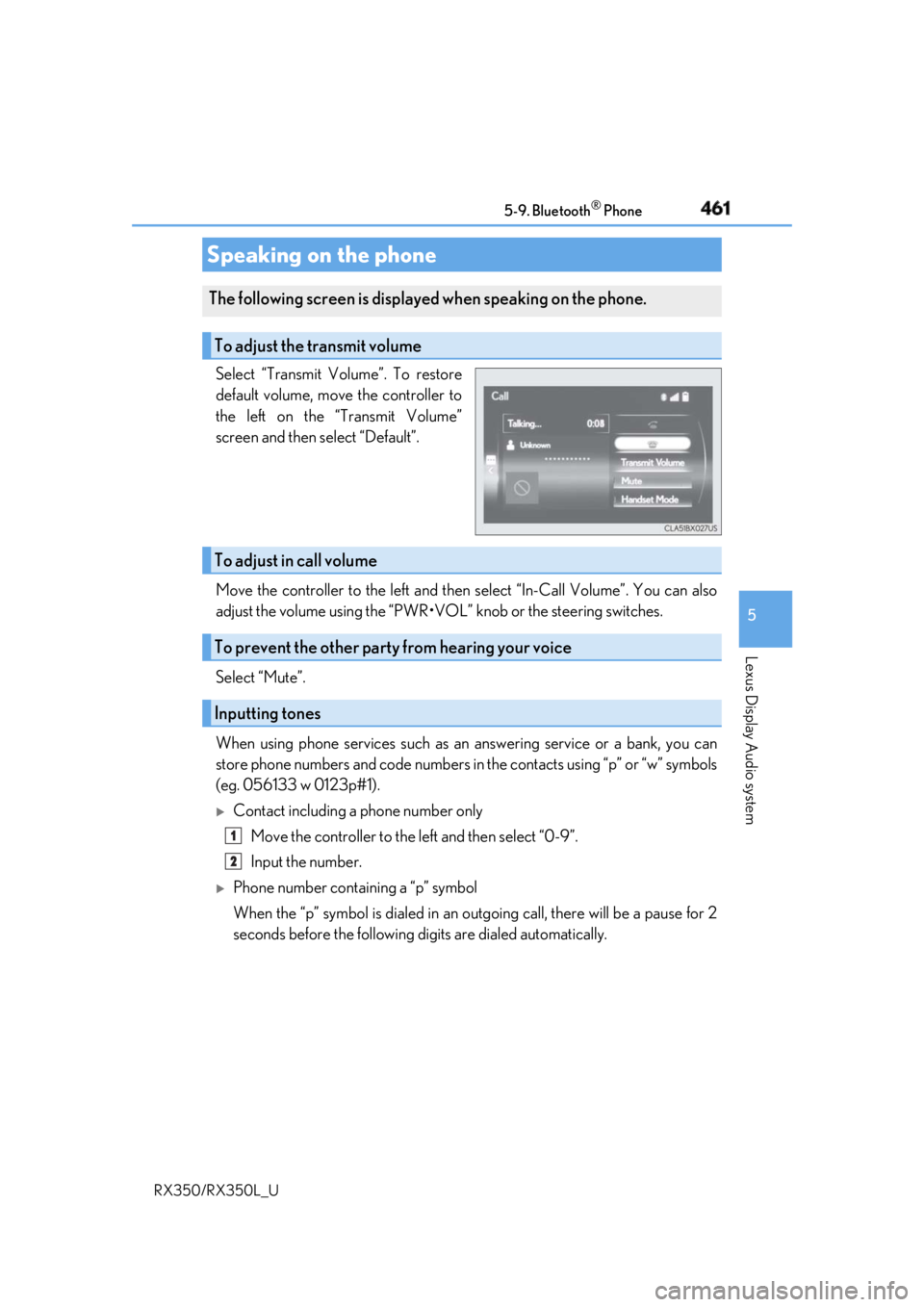
RX350/RX350L_U Select “Transmit Volume”. To restore
default volume, move the controller to
the left on the “Transmit Volume”
screen and then select “Default”.
Move the controller to the left and then select “In-Call Volume”. You can also
adjust the volume using the “PWR•VOL ” knob or the steering switches.
Select “Mute”.
When using phone services such as an answering service or a bank, you can
store phone numbers and code numbers in the contacts using “p” or “w” symbols
(eg. 056133 w 0123p#1).
Contact including a phone number only
Move the controller to the left and then select “0-9”.
Input the number.
Phone number containing a “p” symbol
When the “p” symbol is dialed in an ou tgoing call, there will be a pause for 2
seconds before the following di gits are dialed automatically.Speaking on the phone The following screen is displayed when speaking on the phone.
To adjust the transmit volume
To adjust in call volume
To prevent the other party from hearing your voice
Inputting tones 1
2
Page 464 of 777
4635-9. Bluetooth ®
Phone
5
Lexus Display Audio system
RX350/RX350L_U Go to message screen: “MENU” button “Phone” “Messages”
Select a message. Moving the controller to the left while on the message list screen displays the setting
screen. ( P. 471)
Move the controller to the right while on the message screen and then select an
account to display a message list for the selected account.
Selecting “Next” or “Previous” disp lays the next or previous message.
If a message is too long, select “R ead More” to display the full text.■
Option menu
Move the controller to the left while on the message screen.
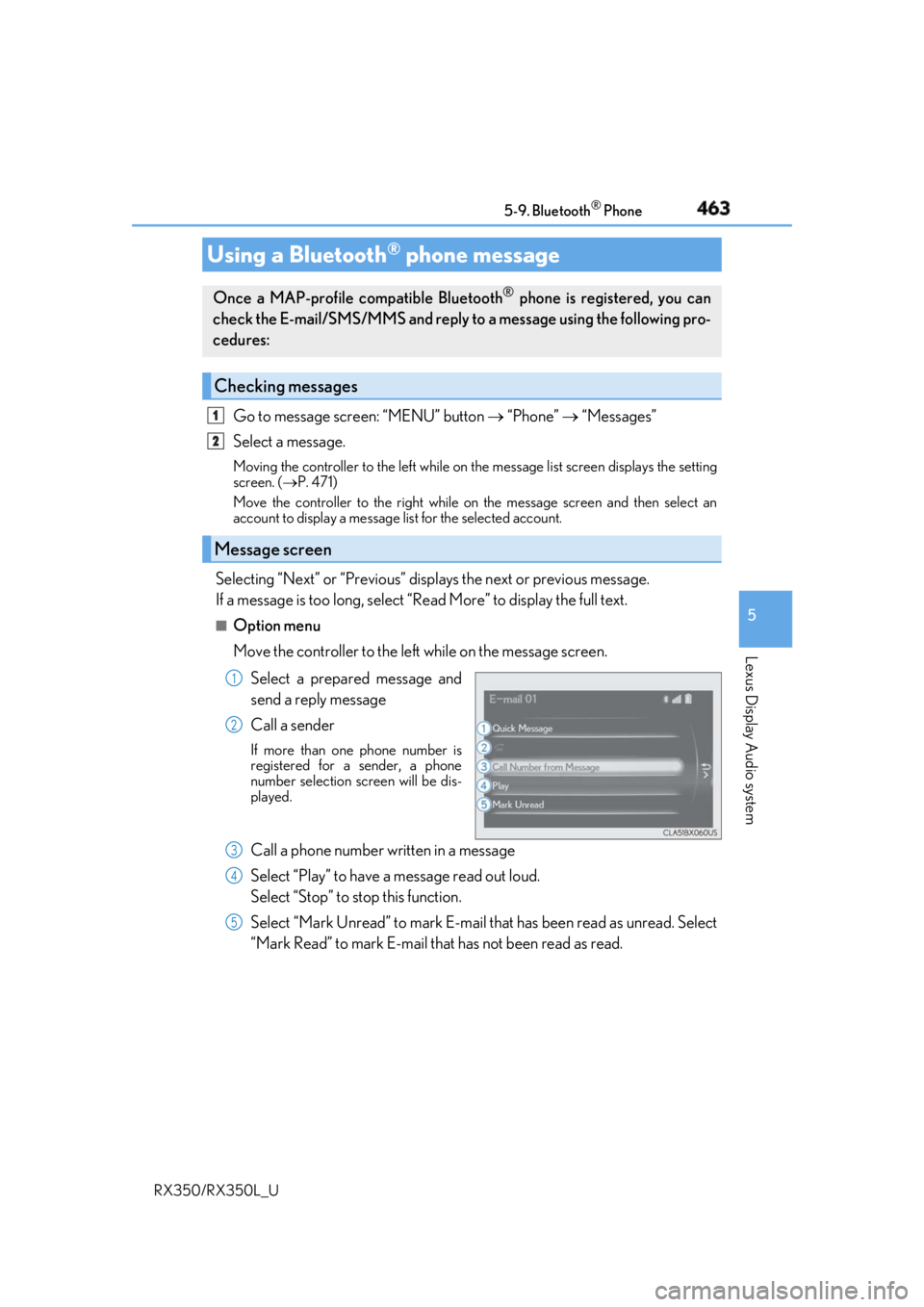
Select a prepared message and
send a reply message
Call a sender If more than one phone number is
registered for a sender, a phone
number selection screen will be dis-
played.
Call a phone number written in a message
Select “Play” to have a message read out loud.
Select “Stop” to stop this function.
Select “Mark Unread” to mark E-mail th at has been read as unread. Select
“Mark Read” to mark E-mail that has not been read as read.Using a Bluetooth ®
phone messageOnce a MAP-profile compatible Bluetooth ®
phone is registered, you can
check the E-mail/SMS/MMS and reply to a message using the following pro-
cedures:
Checking messages
Message screen 1
2
1
2
3
4
5
Page 466 of 777
4655-9. Bluetooth ®
Phone
5
Lexus Display Audio system
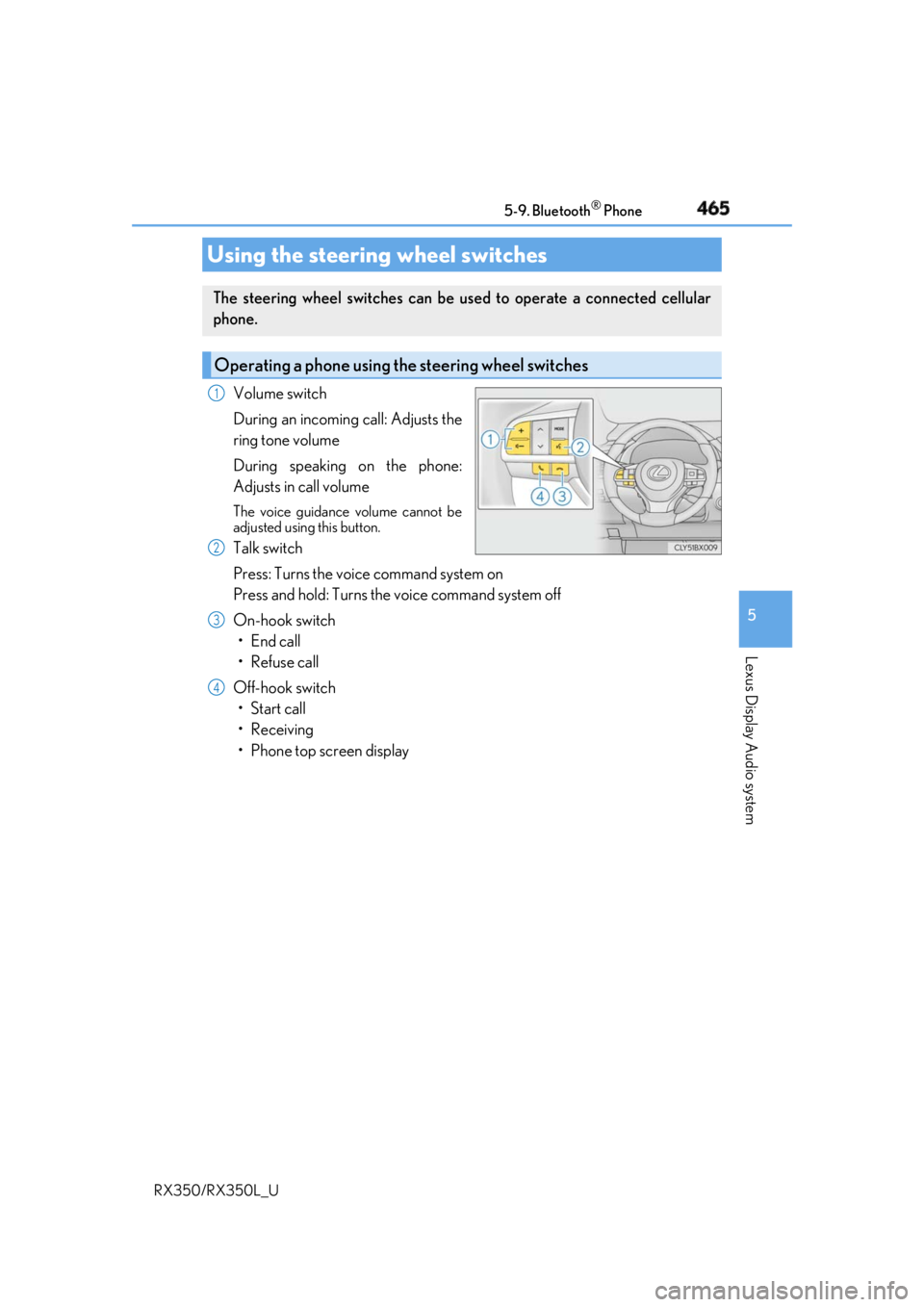
RX350/RX350L_U Volume switch
During an incoming call: Adjusts the
ring tone volume
During speaking on the phone:
Adjusts in call volume The voice guidance volume cannot be
adjusted using this button.
Talk switch
Press: Turns the voice command system on
Press and hold: Turns the voice command system off
On-hook switch
• End call
•Refuse call
Off-hook switch
• Start call
• Receiving
• Phone top screen displayUsing the steering wheel switches The steering wheel switches can be used to operate a connected cellular
phone.
Operating a phone using the steering wheel switches 1
2
3
4
Page 468 of 777
4675-9. Bluetooth ®
Phone
5
Lexus Display Audio system
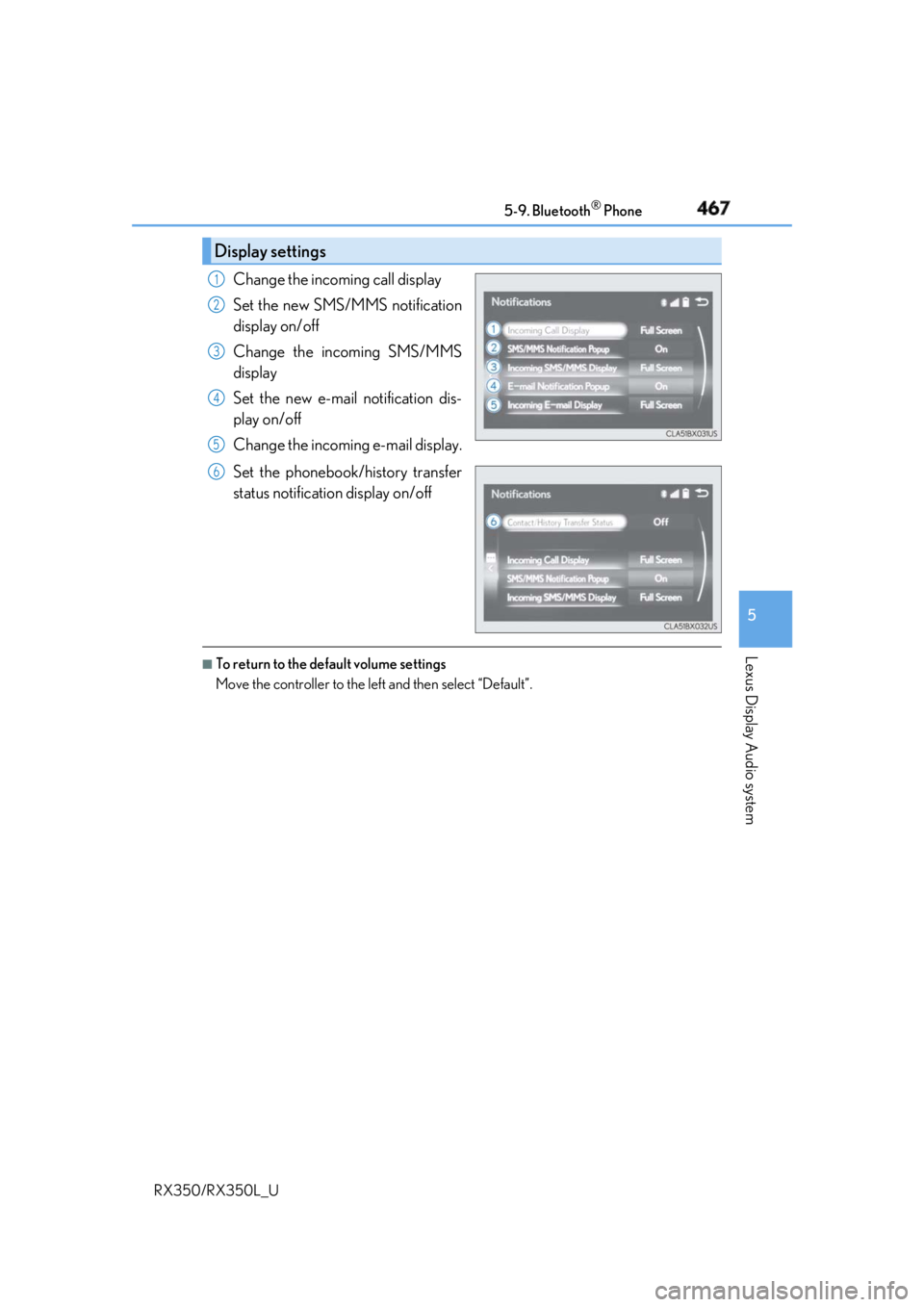
RX350/RX350L_U Change the incoming call display
Set the new SMS/MMS notification
display on/off
Change the incoming SMS/MMS
display
Set the new e-mail notification dis-
play on/off
Change the incoming e-mail display.
Set the phonebook/history transfer
status notification display on/off ■
To return to the default volume settings
Move the controller to the left and then select “Default”.Display settings 1
2
3
4
5
6
Page 470 of 777
4695-10. Phonebook
5
Lexus Display Audio system
RX350/RX350L_U ■
Return to the default settings
Move the controller to the left and select “Default”.
You can transfer the phone numbers in your Bluetooth ®
phone to the system.
Operation methods differ between PBAP compatible and PBAP incompatible
Bluetooth ®
phones. If your cellular phone does not support either PBAP or
OPP services, you canno t transfer contacts.
For PBAP compatible Bluetooth ®
phones
Go to “Automatic Transfer”: “MENU” button “Setup” “Phone” “Con-
tacts/Call History” “Automatic Transfer”
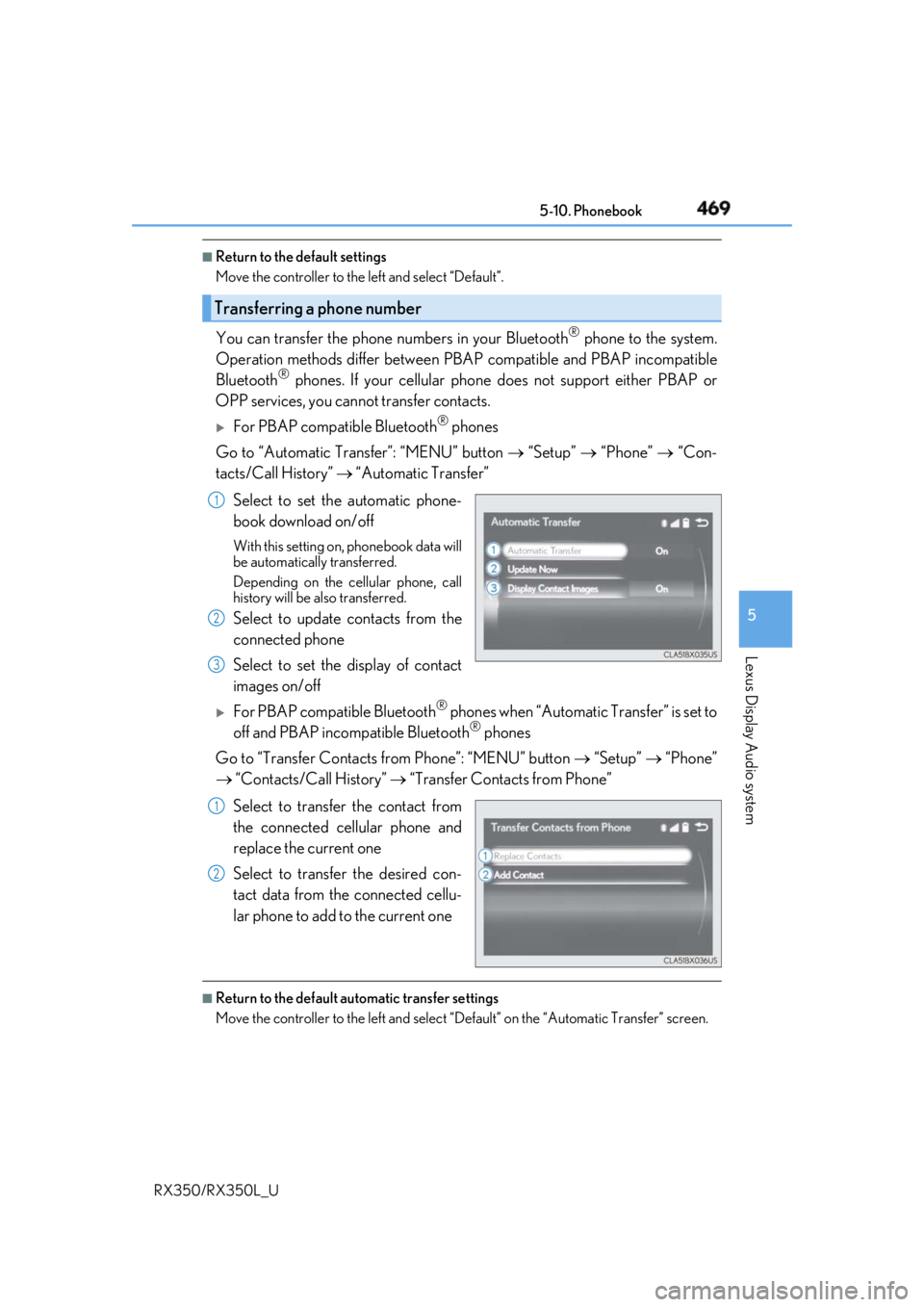
Select to set the automatic phone-
book download on/off With this setting on, phonebook data will
be automatically transferred.
Depending on the cellular phone, call
history will be also transferred.
Select to update contacts from the
connected phone
Select to set the display of contact
images on/off
For PBAP compatible Bluetooth ®
phones when “Automatic Transfer” is set to
off and PBAP incompatible Bluetooth ®
phones
Go to “Transfer Contacts from Phone”: “MENU” button “Setup” “Phone”
“Contacts/Call History” “Transfer Contacts from Phone”
Select to transfer the contact from
the connected cellular phone and
replace the current one
Select to transfer the desired con-
tact data from the connected cellu-
lar phone to add to the current one ■
Return to the default automatic transfer settings
Move the controller to the left and select “D efault” on the “Automatic Transfer” screen.Transferring a phone number 1
2
3
1
2
Page 472 of 777
4715-10. Phonebook
5
Lexus Display Audio system
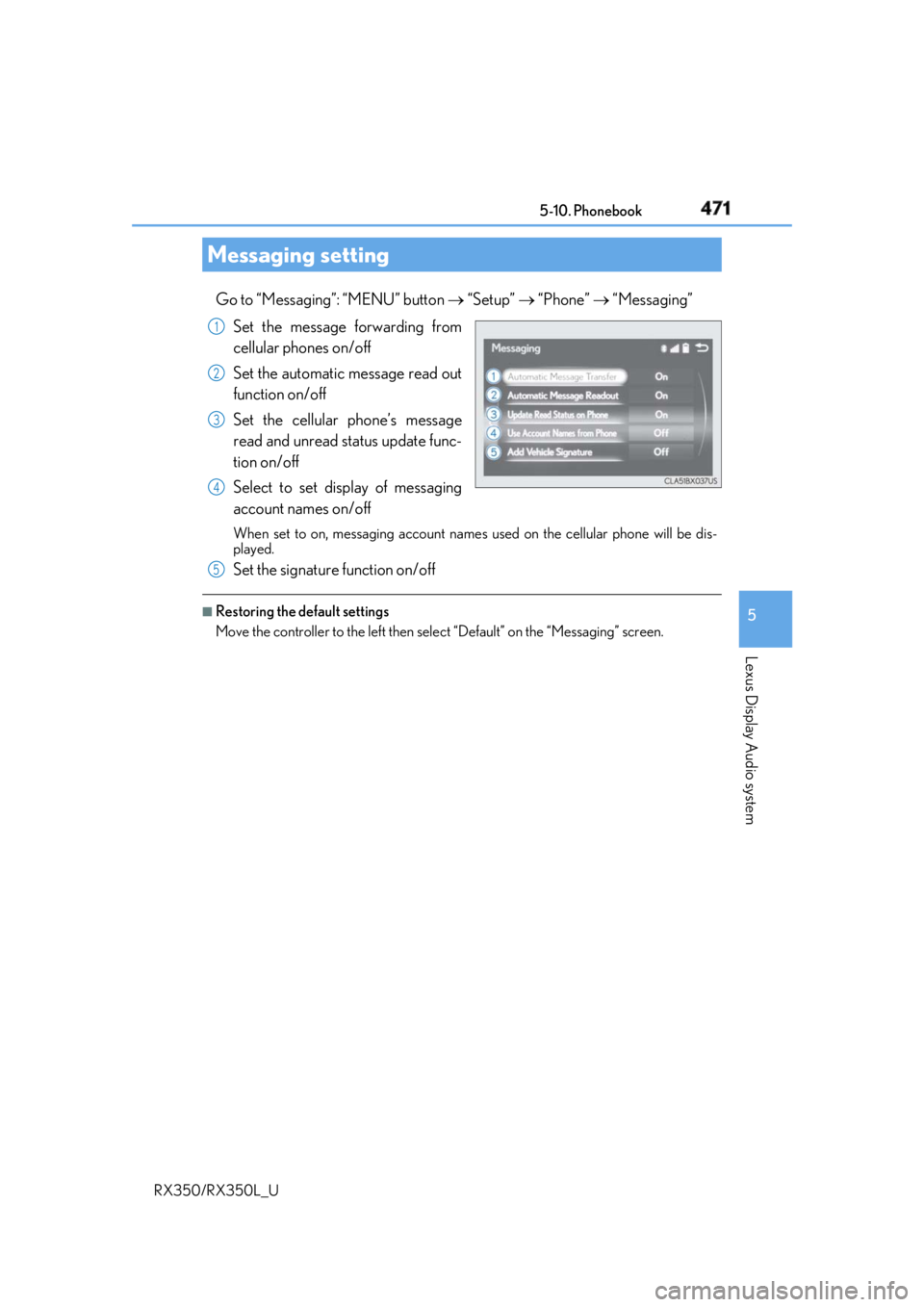
RX350/RX350L_U Go to “Messaging”: “MENU” button “Setup” “Phone” “Messaging”
Set the message forwarding from
cellular phones on/off
Set the automatic message read out
function on/off
Set the cellular phone’s message
read and unread st atus update func-
tion on/off
Select to set display of messaging
account names on/off When set to on, messaging account names used on the cellular phone will be dis-
played.
Set the signature function on/off ■
Restoring the default settings
Move the controller to the left then select “Default” on the “Messaging” screen.Messaging setting 1
2
3
4
5
Page 474 of 777
4735-11. Bluetooth ®
5
Lexus Display Audio system
RX350/RX350L_U
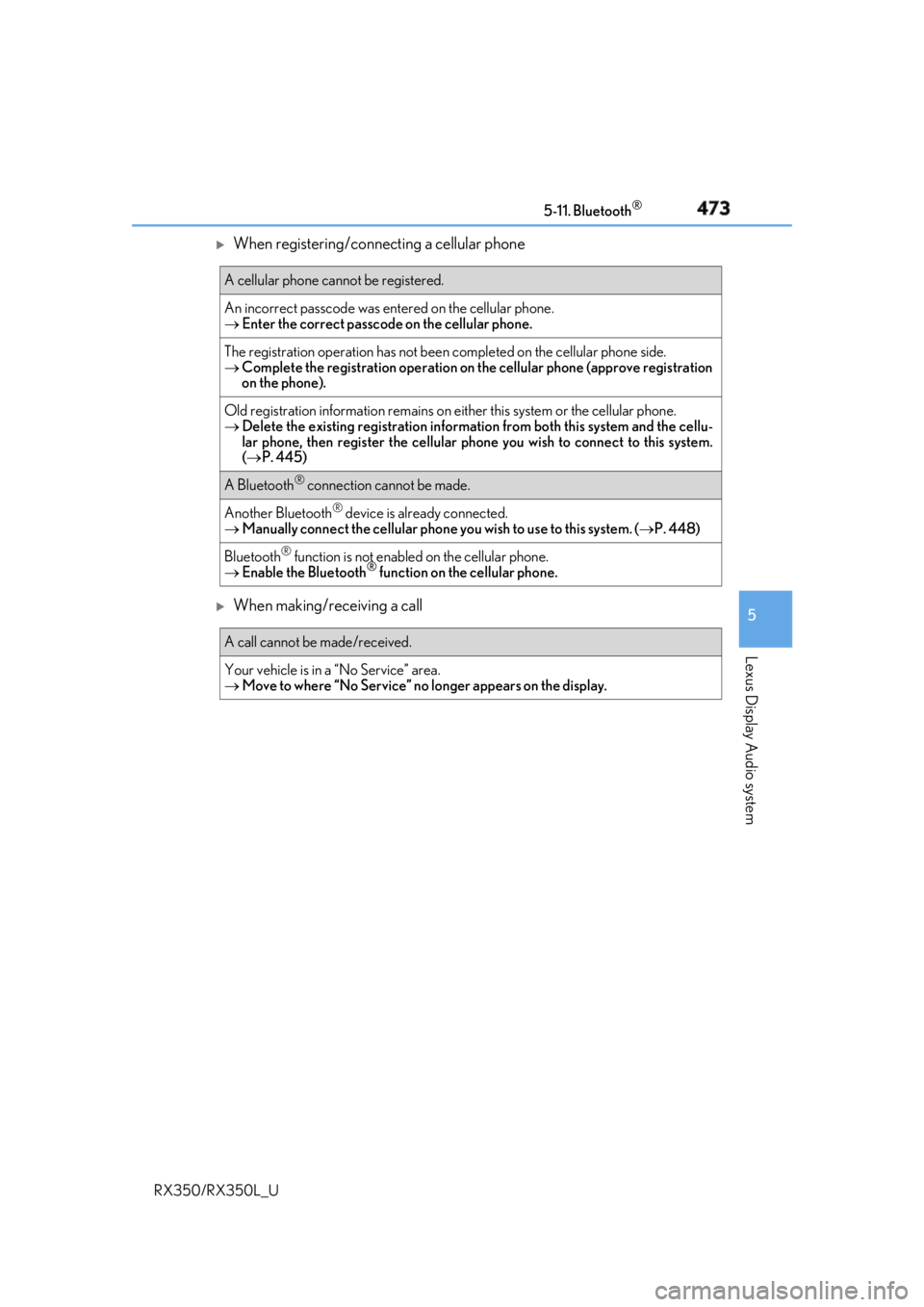
When registering/connecting a cellular phone
When making/receiving a call A cellular phone cannot be registered.
An incorrect passcod e was entered on the cellular phone.
Enter the correct passcode on the cellular phone.
The registration operation has not been completed on the cellular phone side.
Complete the registration operation on the cellular phone (approve registration
on the phone).
Old registration information remains on either this system or the cellular phone.
Delete the existing registration informat ion from both this system and the cellu-
lar phone, then register the cellular phone you wish to connect to this system.
( P. 445)
A Bluetooth ®
connection cannot be made.
Another Bluetooth ®
device is already connected.
Manually connect the cellular phone you wish to use to this system. ( P. 448)
Bluetooth ®
function is not enabled on the cellular phone.
Enable the Bluetooth ®
function on the cellular phone.
A call cannot be made/received.
Your vehicle is in a “No Service” area.
Move to where “No Service” no longer appears on the display.