Camera LEXUS RX350 2020 User Guide
[x] Cancel search | Manufacturer: LEXUS, Model Year: 2020, Model line: RX350, Model: LEXUS RX350 2020Pages: 516, PDF Size: 17.3 MB
Page 216 of 516
2164-5. Using the driving support systems
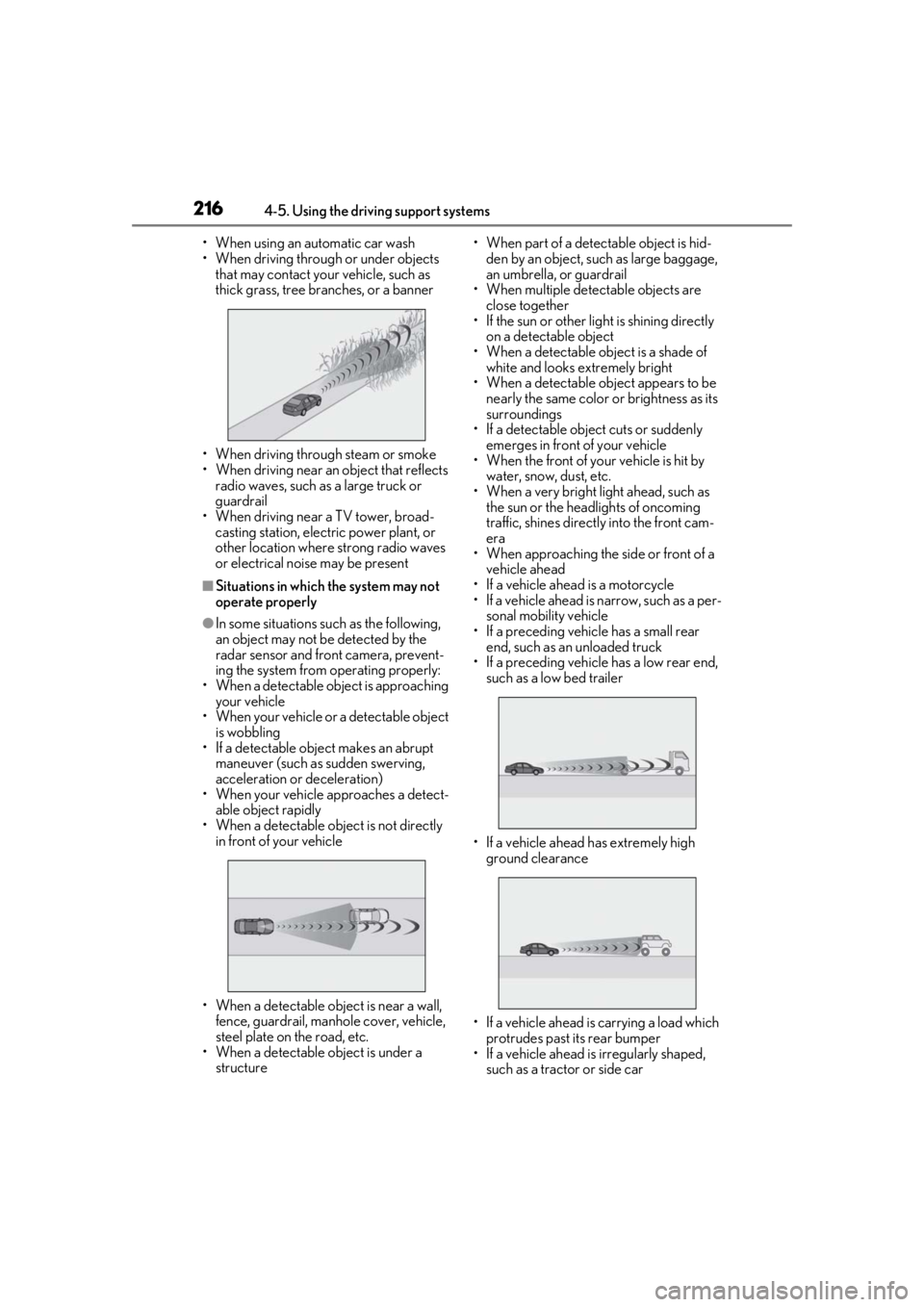
• When using an automatic car wash
• When driving through or under objects that may contact your vehicle, such as
thick grass, tree branches, or a banner
• When driving through steam or smoke
• When driving near an object that reflects
radio waves, such as a large truck or
guardrail
• When driving near a TV tower, broad- casting station, electric power plant, or
other location where strong radio waves
or electrical noise may be present
■Situations in which the system may not
operate properly
●In some situations such as the following,
an object may not be detected by the
radar sensor and front camera, prevent-
ing the system from operating properly:
• When a detectable object is approaching your vehicle
• When your vehicle or a detectable object
is wobbling
• If a detectable object makes an abrupt
maneuver (such as sudden swerving,
acceleration or deceleration)
• When your vehicle approaches a detect-
able object rapidly
• When a detectable object is not directly in front of your vehicle
• When a detectable object is near a wall, fence, guardrail, manhole cover, vehicle,
steel plate on the road, etc.
• When a detectable object is under a structure • When part of a detect
able object is hid-
den by an object, such as large baggage,
an umbrella, or guardrail
• When multiple dete ctable objects are
close together
• If the sun or other light is shining directly
on a detectable object
• When a detectable object is a shade of white and looks extremely bright
• When a detectable ob ject appears to be
nearly the same color or brightness as its
surroundings
• If a detectable object cuts or suddenly emerges in front of your vehicle
• When the front of your vehicle is hit by
water, snow, dust, etc.
• When a very bright light ahead, such as the sun or the head lights of oncoming
traffic, shines direct ly into the front cam-
era
• When approaching the side or front of a
vehicle ahead
• If a vehicle ahead is a motorcycle
• If a vehicle ahead is narrow, such as a per- sonal mobility vehicle
• If a preceding vehicle has a small rear end, such as an unloaded truck
• If a preceding vehicle has a low rear end, such as a low bed trailer
• If a vehicle ahead has extremely high ground clearance
• If a vehicle ahead is carrying a load which protrudes past its rear bumper
• If a vehicle ahead is irregularly shaped, such as a tractor or side car
Page 217 of 516
2174-5. Using the driving support systems
4
Driving
• If a vehicle ahead is a child sized bicycle, a bicycle that is carrying a large load, a
bicycle ridden by more than one person,
or a uniquely shaped bicycle (bicycle with
a child seat, tandem bicycle, etc.)
• If a pedestrian/or the riding height of a
bicyclist ahead is shorter than approxi-
mately 3.2 ft. (1 m) or taller than approxi-
mately 6.5 ft. (2 m)
• If a pedestrian/bicyclist is wearing over- sized clothing (a rain coat, long skirt,
etc.), making their silhouette obscure
• If a pedestrian is bending forward or squatting or bicyclist is bending forward
• If a pedestrian/bicyclist is moving fast
• If a pedestrian is pushing a stroller, wheel-
chair, bicycle or other vehicle
• When driving in incl ement weather such
as heavy rain, fog, snow or a sandstorm
• When driving through steam or smoke
• When the surrounding area is dim, such as at dawn or dusk, or while at night or in
a tunnel, making a detectable object
appear to be nearly the same color as its
surroundings
• When driving in a place where the sur- rounding brightness changes suddenly,
such as at the entrance or exit of a tunnel
• After the engine has started the vehicle has not been driven for a certain amount
of time
• While making a left/right turn and for a few seconds after makin g a left/right turn
• While driving on a curve and for a few seconds after driving on a curve
• If your vehicle is skidding
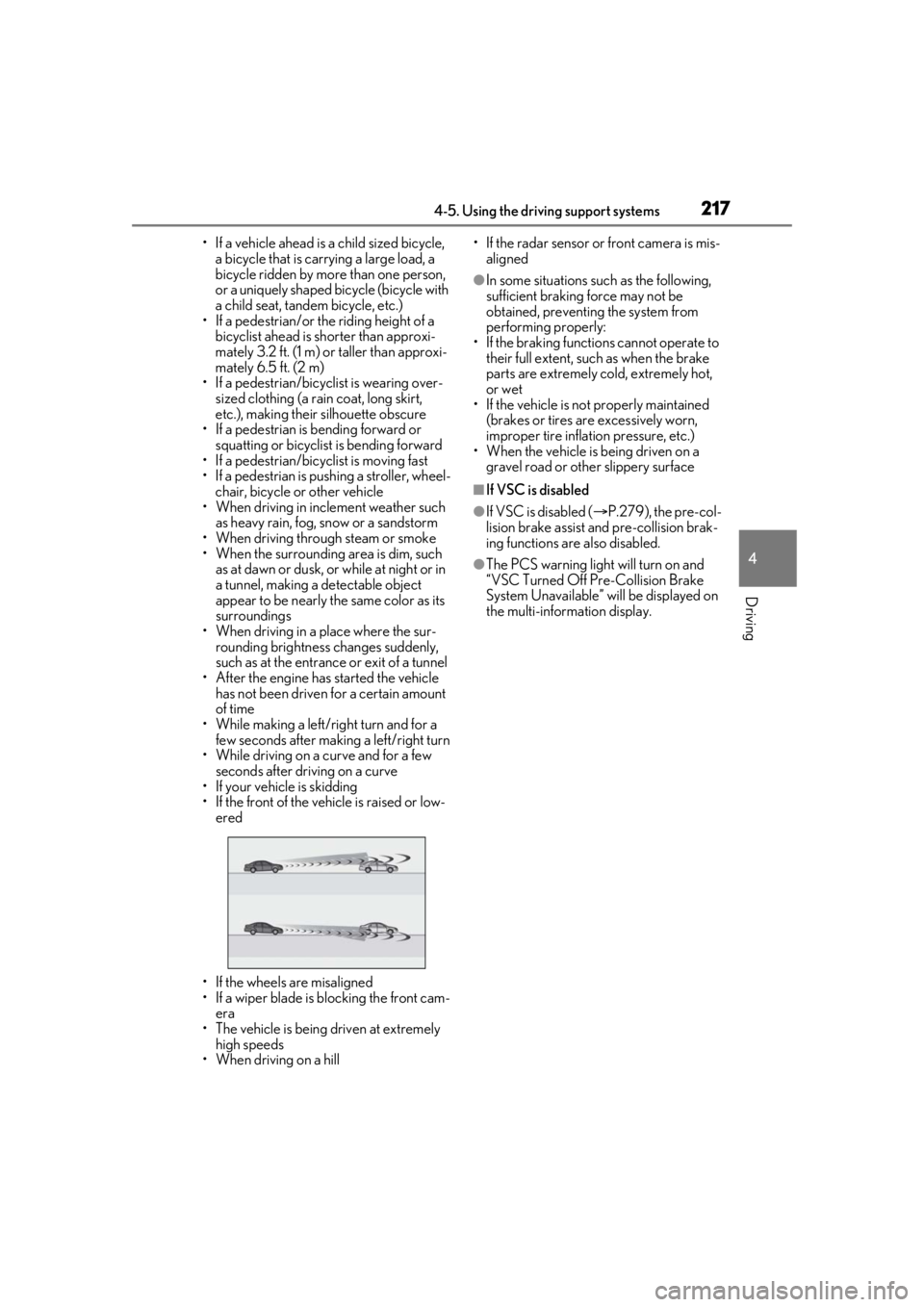
• If the front of the vehicle is raised or low-
ered
• If the wheels are misaligned
• If a wiper blade is blocking the front cam- era
• The vehicle is being driven at extremely
high speeds
• When driving on a hill • If the radar sensor or front camera is mis-
aligned
●In some situations su ch as the following,
sufficient braking force may not be
obtained, preventing the system from
performing properly:
• If the braking functions cannot operate to their full extent, such as when the brake
parts are extremely cold, extremely hot,
or wet
• If the vehicle is not properly maintained
(brakes or tires are excessively worn,
improper tire inflation pressure, etc.)
• When the vehicle is being driven on a
gravel road or other slippery surface
■If VSC is disabled
●If VSC is disabled ( P.279), the pre-col-
lision brake assist and pre-collision brak-
ing functions are also disabled.
●The PCS warning light will turn on and
“VSC Turned Off Pre-Collision Brake
System Unavailable” will be displayed on
the multi-information display.
Page 218 of 516
2184-5. Using the driving support systems
LTA (Lane Tracing Assist)
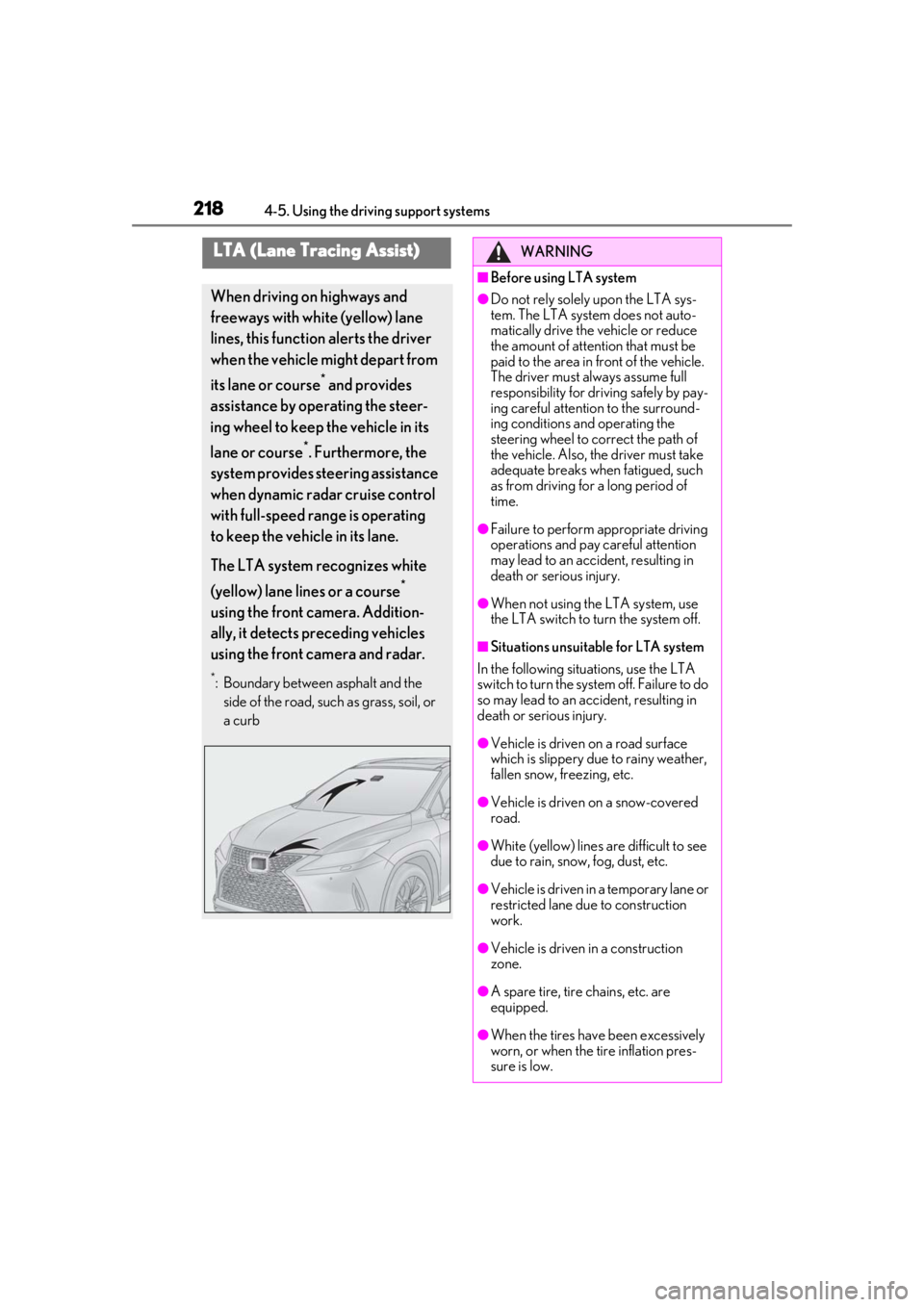
When driving on highways and
freeways with white (yellow) lane
lines, this function alerts the driver
when the vehicle might depart from
its lane or course
* and provides
assistance by operating the steer-
ing wheel to keep the vehicle in its
lane or course
*. Furthermore, the
system provides steering assistance
when dynamic radar cruise control
with full-speed range is operating
to keep the vehicle in its lane.
The LTA system recognizes white
(yellow) lane lines or a course
*
using the front camera. Addition-
ally, it detects preceding vehicles
using the front camera and radar.
*: Boundary between asphalt and the side of the road, such as grass, soil, or
a curb
WARNING
■Before using LTA system
●Do not rely solely upon the LTA sys-
tem. The LTA system does not auto-
matically drive the vehicle or reduce
the amount of attention that must be
paid to the area in front of the vehicle.
The driver must always assume full
responsibility for driving safely by pay-
ing careful attention to the surround-
ing conditions and operating the
steering wheel to correct the path of
the vehicle. Also, the driver must take
adequate breaks when fatigued, such
as from driving for a long period of
time.
●Failure to perform appropriate driving
operations and pay careful attention
may lead to an accident, resulting in
death or serious injury.
●When not using the LTA system, use
the LTA switch to turn the system off.
■Situations unsuitable for LTA system
In the following situations, use the LTA
switch to turn the system off. Failure to do
so may lead to an accident, resulting in
death or serious injury.
●Vehicle is driven on a road surface
which is slippery due to rainy weather,
fallen snow, freezing, etc.
●Vehicle is driven on a snow-covered
road.
●White (yellow) lines are difficult to see
due to rain, snow, fog, dust, etc.
●Vehicle is driven in a temporary lane or
restricted lane due to construction
work.
●Vehicle is driven in a construction
zone.
●A spare tire, tire chains, etc. are
equipped.
●When the tires have been excessively
worn, or when the tire inflation pres-
sure is low.
Page 220 of 516
2204-5. Using the driving support systems
WARNING
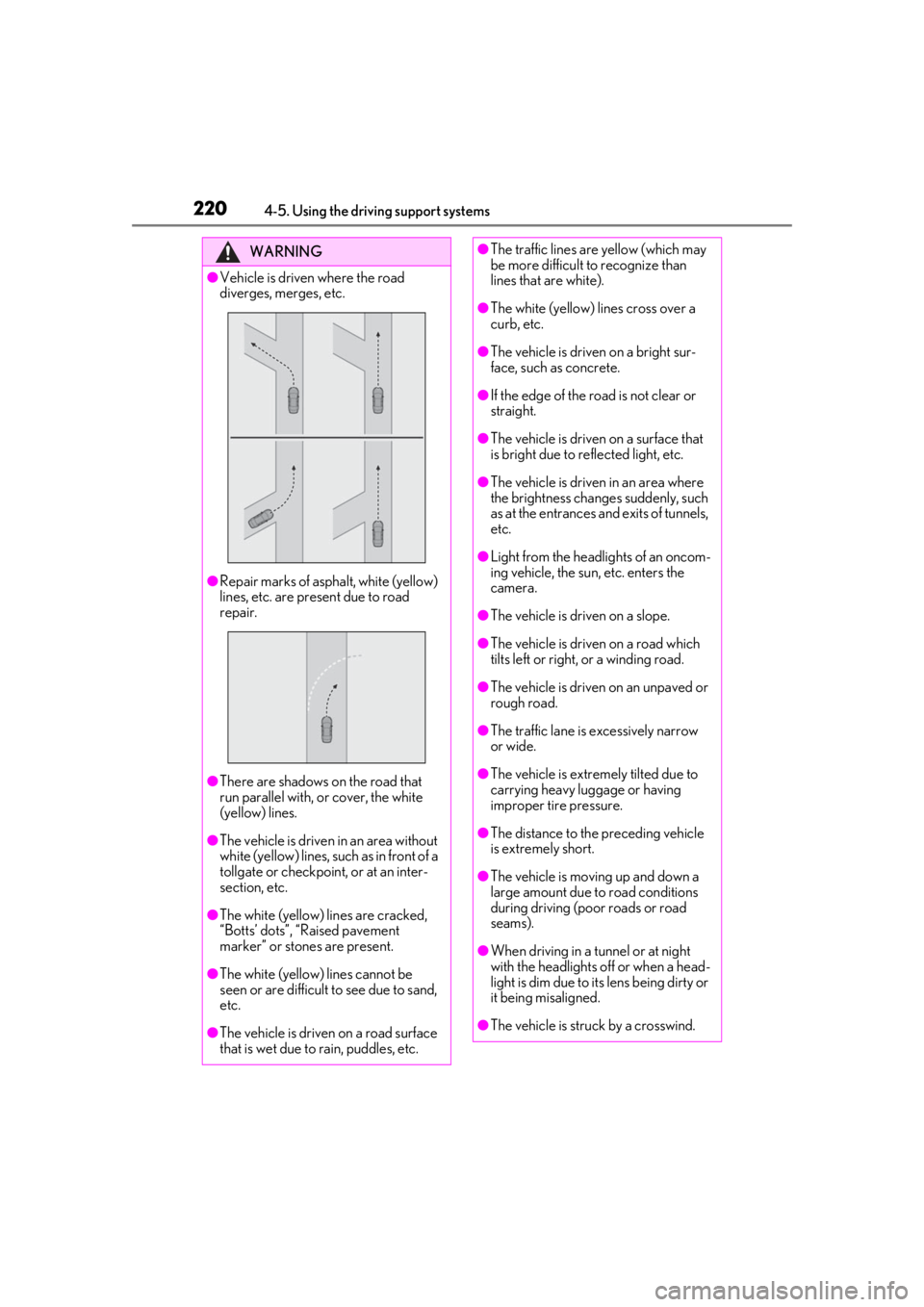
●Vehicle is driven where the road
diverges, merges, etc.
●Repair marks of asphalt, white (yellow)
lines, etc. are present due to road
repair.
●There are shadows on the road that
run parallel with, or cover, the white
(yellow) lines.
●The vehicle is driven in an area without
white (yellow) lines, su ch as in front of a
tollgate or checkpoint, or at an inter-
section, etc.
●The white (yellow) lines are cracked,
“Botts’ dots”, “Raised pavement
marker” or stones are present.
●The white (yellow) lines cannot be
seen or are difficult to see due to sand,
etc.
●The vehicle is driven on a road surface
that is wet due to rain, puddles, etc.
●The traffic lines are yellow (which may
be more difficult to recognize than
lines that are white).
●The white (yellow) lines cross over a
curb, etc.
●The vehicle is driven on a bright sur-
face, such as concrete.
●If the edge of the road is not clear or
straight.
●The vehicle is driven on a surface that
is bright due to reflected light, etc.
●The vehicle is driven in an area where
the brightness change s suddenly, such
as at the entrances and exits of tunnels,
etc.
●Light from the headlights of an oncom-
ing vehicle, the sun, etc. enters the
camera.
●The vehicle is driven on a slope.
●The vehicle is driven on a road which
tilts left or right, or a winding road.
●The vehicle is driven on an unpaved or
rough road.
●The traffic lane is excessively narrow
or wide.
●The vehicle is extremely tilted due to
carrying heavy luggage or having
improper tire pressure.
●The distance to the preceding vehicle
is extremely short.
●The vehicle is moving up and down a
large amount due to road conditions
during driving (poor roads or road
seams).
●When driving in a tunnel or at night
with the headlights off or when a head-
light is dim due to its lens being dirty or
it being misaligned.
●The vehicle is struck by a crosswind.
Page 226 of 516
2264-5. Using the driving support systems
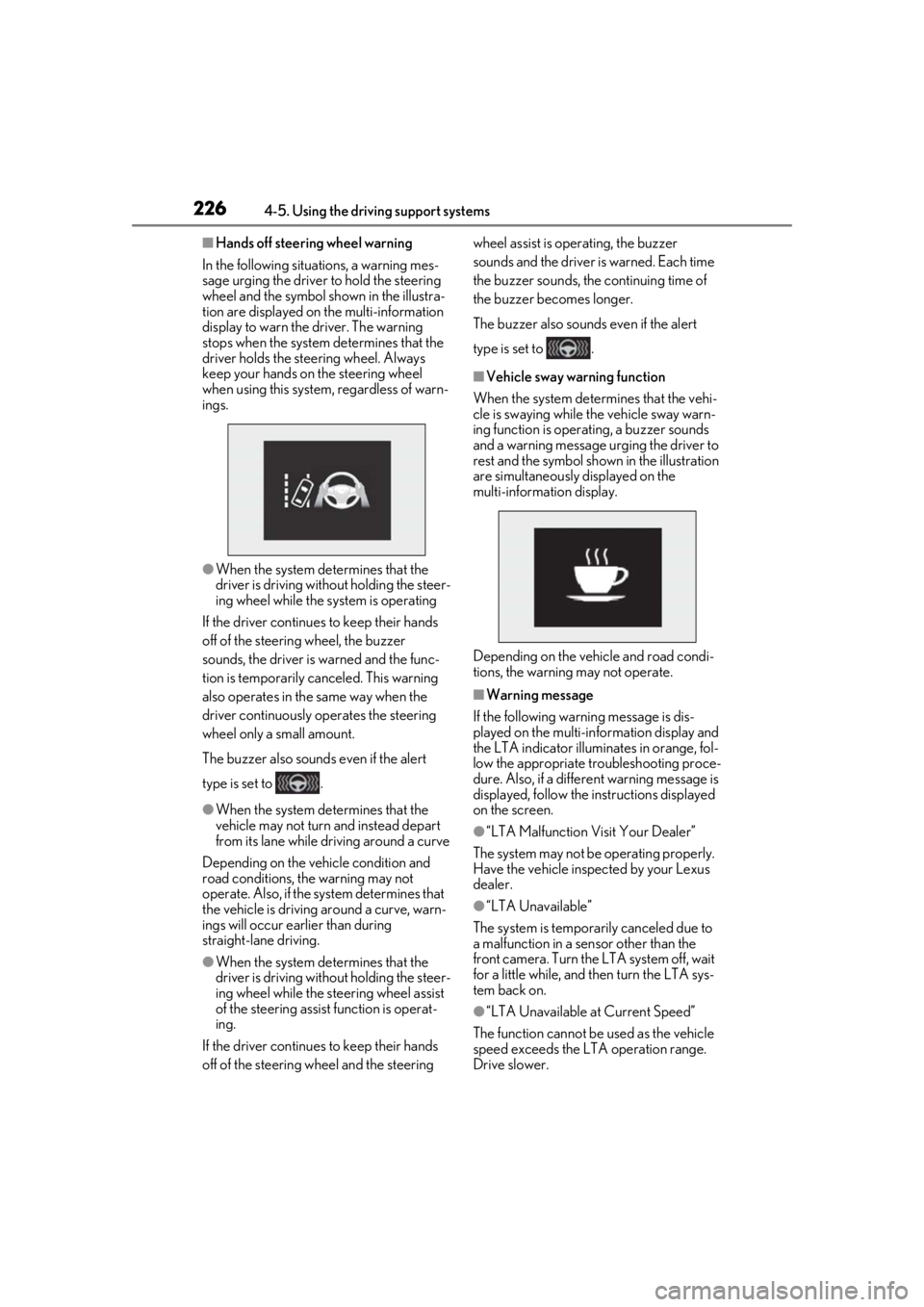
■Hands off steering wheel warning
In the following situations, a warning mes-
sage urging the driver to hold the steering
wheel and the symbol shown in the illustra-
tion are displayed on the multi-information
display to warn the driver. The warning
stops when the system determines that the
driver holds the steering wheel. Always
keep your hands on the steering wheel
when using this system, regardless of warn-
ings.
●When the system determines that the
driver is driving without holding the steer-
ing wheel while the sy stem is operating
If the driver continue s to keep their hands
off of the steering wheel, the buzzer
sounds, the driver is warned and the func-
tion is temporarily ca nceled. This warning
also operates in the same way when the
driver continuously operates the steering
wheel only a small amount.
The buzzer also sounds even if the alert
type is set to .
●When the system determines that the
vehicle may not turn and instead depart
from its lane while driving around a curve
Depending on the vehicle condition and
road conditions, the warning may not
operate. Also, if the system determines that
the vehicle is driving around a curve, warn-
ings will occur earlier than during
straight-lane driving.
●When the system determines that the
driver is driving without holding the steer-
ing wheel while the st eering wheel assist
of the steering assist function is operat-
ing.
If the driver continue s to keep their hands
off of the steering wheel and the steering wheel assist is operating, the buzzer
sounds and the driver is warned. Each time
the buzzer sounds, the continuing time of
the buzzer becomes longer.
The buzzer also sounds even if the alert
type is set to .
■Vehicle sway warning function
When the system determines that the vehi-
cle is swaying while the vehicle sway warn-
ing function is operating, a buzzer sounds
and a warning message urging the driver to
rest and the symbol sh own in the illustration
are simultaneously displayed on the
multi-information display.
Depending on the vehicle and road condi-
tions, the warning may not operate.
■Warning message
If the following warning message is dis-
played on the multi-in formation display and
the LTA indicator illuminates in orange, fol-
low the appropriate troubleshooting proce-
dure. Also, if a different warning message is
displayed, follow the instructions displayed
on the screen.
●“LTA Malfunction Visit Your Dealer”
The system may not be operating properly.
Have the vehicle inspected by your Lexus
dealer.
●“LTA Unavailable”
The system is temporarily canceled due to
a malfunction in a sensor other than the
front camera. Turn the LTA system off, wait
for a little while, and then turn the LTA sys-
tem back on.
●“LTA Unavailable at Current Speed”
The function cannot be used as the vehicle
speed exceeds the LTA operation range.
Drive slower.
Page 227 of 516
2274-5. Using the driving support systems
4
Driving
■Customization
Function settings can be changed. (Cus-
tomizable features: P.470)
*: If equipped
When the front camera recognizes a
sign and/or information of a sign is
RSA (Road Sign Assist)*
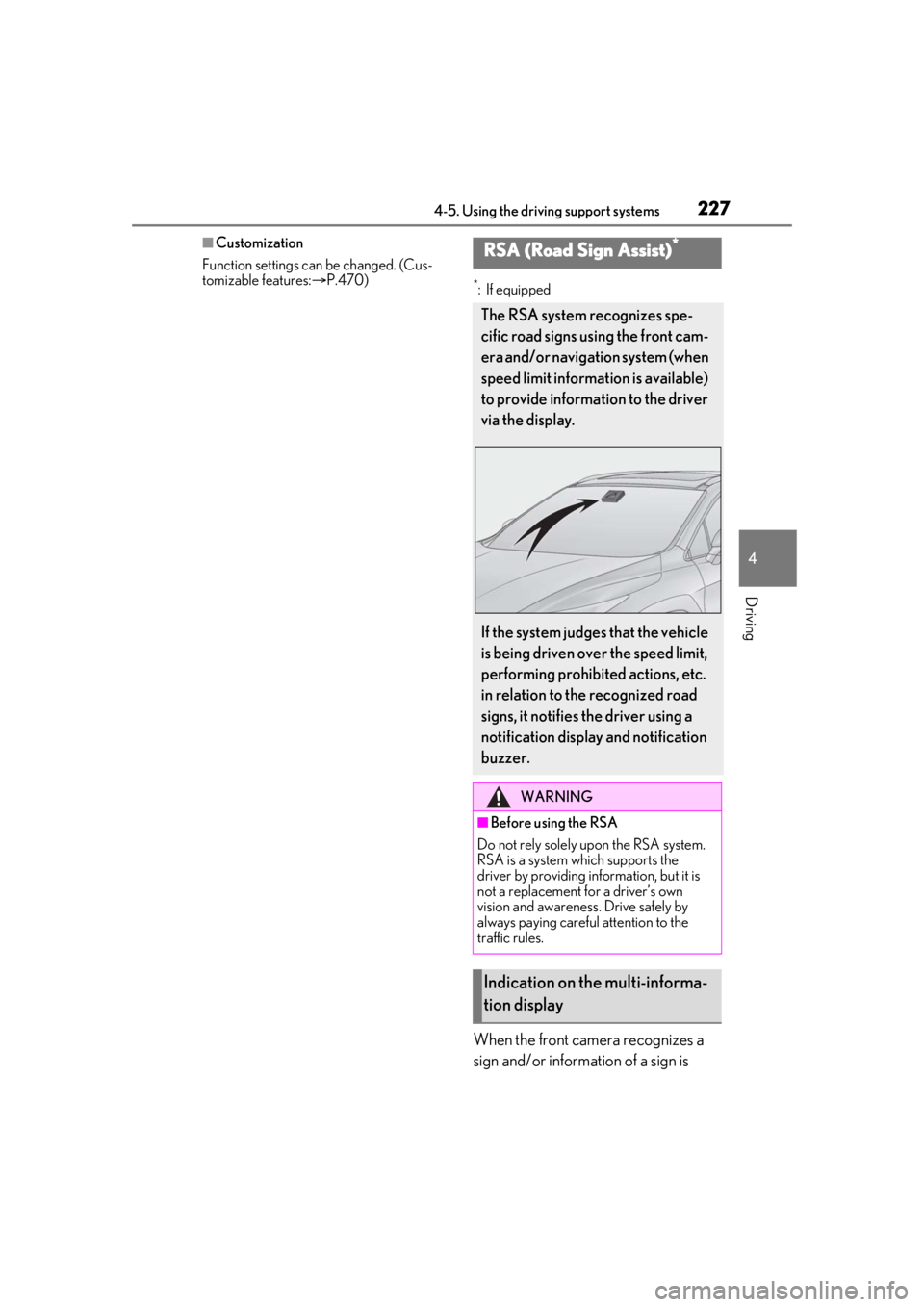
The RSA system recognizes spe-
cific road signs using the front cam-
era and/or navigation system (when
speed limit information is available)
to provide information to the driver
via the display.
If the system judges that the vehicle
is being driven over the speed limit,
performing prohibited actions, etc.
in relation to the recognized road
signs, it notifies the driver using a
notification display and notification
buzzer.
WARNING
■Before using the RSA
Do not rely solely upon the RSA system.
RSA is a system which supports the
driver by providing information, but it is
not a replacement for a driver’s own
vision and awareness. Drive safely by
always paying careful attention to the
traffic rules.
Indication on the multi-informa-
tion display
Page 229 of 516
2294-5. Using the driving support systems
4
Driving
2Press or of the meter control
switches and select , then press
.
3 Press or of the meter control
switches and select “RSA”, then press
.
■Automatic turn-off of RSA sign display
In the following situations, a displayed
speed limit, do not enter signs will stop
being displayed automatically:
●A new sign is not recognized for a certain
distance.
●The road changes due to a left or right
turn, etc.
In the following situations, stop and yield
signs will stop being displayed automati-
cally:
●The system determines that your vehicle
has passed the sign.
●The road changes due to a left or right
turn, etc.
■Conditions in whic h the function may
not operate or detect correctly
In the following situations, RSA does not
operate normally and may not recognize
signs, display the incorrect sign, etc. How-
ever, this does not indicate a malfunction.
●The front camera is misaligned due to a
strong impact being applied to the sen-
sor, etc.
●Dirt, snow, stickers, etc. are on the wind-
shield near the front camera.
●In inclement weather such as heavy rain,
fog, snow or sand storms
●Light from an oncoming vehicle, the sun,
etc. enters the front camera.
●The sign is dirty, faded, tilted or bent.
●All or part of the sign is hidden by the
leaves of a tree, a pole, etc.
●The sign is only visible to the front camera
for a short amount of time.
●The driving scene (turning, lane change,
etc.) is judged incorrectly.
●Even if it is a sign not appropriate for the currently traveled lane, such a sign exists
directly after a freeway branches, or in an
adjacent lane just before merging.
●Stickers are attached to the rear of the
preceding vehicle.
●A sign resembling a system compatible
sign is recognized.
●Side road speed signs may be detected
and displayed (if positioned in sight of the
front camera) while the vehicle is travel-
ing on the main road.
●Roundabout exit road speed signs may
be detected and displayed (if positioned
in sight of the front camera) while travel-
ing on a roundabout.
●The front of the vehicle is raised or low-
ered due to the carried load
●The surrounding brightness is not suffi-
cient or changes suddenly.
●When a sign intended for trucks, etc. is
recognized.
●The speed information displayed on the
meter and that displayed on the naviga-
tion system may be different due to the
navigation system using map data.
■Speed limit sign display
If the engine switch wa s last turned off while
a speed limit sign was displayed on the
multi-information display, the same sign dis-
plays again when the engine switch is
turned to IGNITION ON mode.
■Customization
Some functions can be customized. (Cus-
tomizable features: P.470)
Page 352 of 516
3526-1. Maintenance and care
WARNING
●Lexus Safety System + 2.0
●BSM (if equipped)
●RCTA (if equipped)
●PKSB (if equipped)
NOTICE
■To prevent paint deterioration and
corrosion on the body and compo-
nents (aluminum wheels, etc.)
●Wash the vehicle immediately in the
following cases:
• After driving near the sea coast
• After driving on salted roads
• If coal tar or tree sap is present on the paint surface
• If dead insects, in sect droppings or
bird droppings are present on the
paint surface
• After driving in an area contaminated with soot, oily smoke, mine dust, iron
powder or chemical substances
• If the vehicle becomes heavily soiled with dust or mud
• If liquids such as benzene and gasoline are spilled on the paint surface
●If the paint is chip ped or scratched,
have it repaired immediately.
●To prevent the wheels from corroding,
remove any dirt and store in a place
with low humidity when storing the
wheels.
■Cleaning the exterior lights
●Wash carefully. Do not use organic
substances or scrub with a hard brush.
This may damage the surfaces of the
lights.
●Do not apply wax to the surfaces of the
lights.
Wax may cause damage to the lenses.
■When using an automatic car wash
(vehicles with rain-sensing windshield
wipers)
Set the wiper switch to the off position.
If the wiper switch is in “AUTO”, the wip-
ers may operate and the wiper blades
may be damaged.
■When using a high pressure car wash
●When washing the vehicle, do not let
water of the high pressure washer hit
directly or the vicinity of the camera.
Due to the shock from the high pres-
sure water, it is possible the device may
not operate as normal.
●Do not bring the nozzle tip close to
boots (rubber or resin manufactured
cover), connectors or the following
parts. The parts may be damaged if
they come into contact with high-pres-
sure water.
• Traction related parts
•Steering parts
• Suspension parts
• Brake parts
●Keep the cleaning nozzle at least 11.9
in. (30 cm) away from the vehicle
body. Otherwise resin section, such as
moldings and bumpers, may be
deformed and damaged.
Also, do not continuously hold the nozzle
in the same place.
●Do not spray the lower part of the
windshield continuously.
If water enters the air conditioning sys-
tem intake located near the lower part of
the windshield, the air conditioning sys-
tem may not operate correctly.
Page 389 of 516
3896-3. Do-it-yourself maintenance
6
Maintenance and care
■Replacing the rear wiper insert
Have the rear wiper inse rt replaced by your
Lexus dealer.
■Handling of the windshield wiper blades
and inserts
Improper handling of the windshield wiper
blades and inserts may cause them to be
damaged. If it is difficult to follow the wiper
blade and insert replacement procedure
precisely, contact your Lexus dealer.
■If the electronic key battery is depleted
The following symptoms may occur:
●The smart access system with push-but-
ton start and wireless remote control will
not function properly.
●The operationa l range will be reduced.
Flathead screwdriver
Lithium battery CR2032
■Use a CR2032 lithium battery
●Batteries can be purchased at your Lexus
dealer, local electrical appliance shops or
camera stores.
●Replace only with the same or equivalent
type recommended by the manufacturer.
●Dispose of used batteries according to
the local laws.
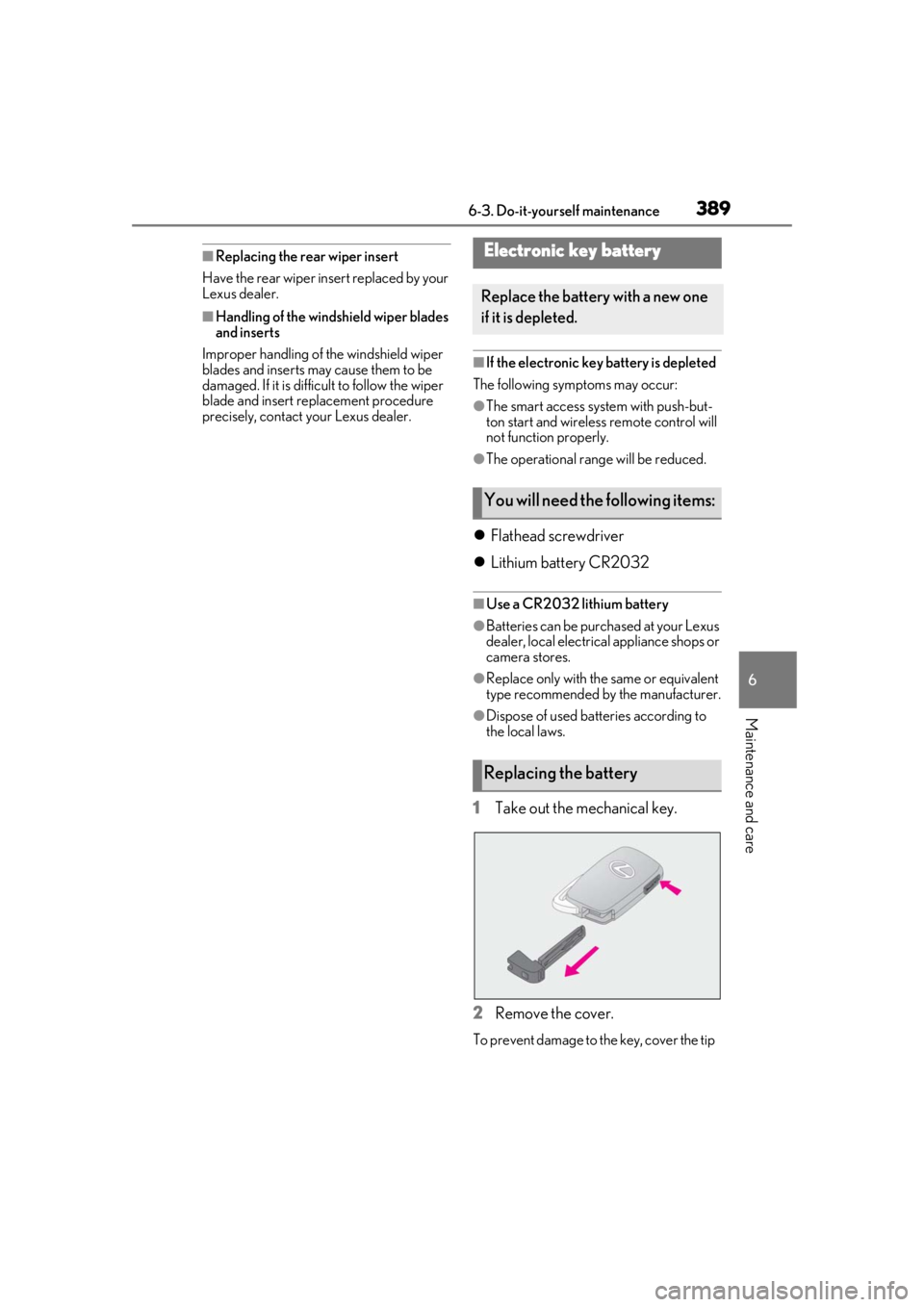
1Take out the mechanical key.
2 Remove the cover.
To prevent damage to the key, cover the tip
Electronic key battery
Replace the battery with a new one
if it is depleted.
You will need the following items:
Replacing the battery
Page 425 of 516
4257-2. Steps to take in an emergency
7
When trouble arises
■If “Radar Cruise Control Unavailable” is
displayed
The dynamic radar cruise control with
full-speed range system cannot be used
temporarily. Use the system when it
becomes available again.
■If “Front Camera Unavailable” or “Front
Camera Unavailable See Owner's
Manual” is displayed
The following systems may be suspended
until the problem shown in the message is
resolved. ( P.209, 418)
●PCS (Pre-Collision system)
●LTA (Lane Tracing Assist)
●Automatic High Beam
●RSA (Road Sign Assist) (if equipped)
●Dynamic radar cruise control with
full-speed range
■If “Check Fuel Cap” is displayed (if
equipped)
The fuel tank cap is no t properly installed.
Correctly install the fuel tank cap.
■If “Maintenance Required Soon” is dis-
played (U.S.A. only)
Indicates that all maintenance according to
the driven distance on the maintenance
schedule
* should be performed soon.
Comes on approximately 4500 miles
(7200 km) after the message has been
reset. If necessary, perform maintenance.
Please reset the message after the mainte-
nance is performed. ( P.356)
*: Refer to the separa te “Scheduled Main-
tenance” or “Owner’s Manual Supple-
ment” for the maintenance interval
applicable to your vehicle.
■If “Maintenance Required Visit Your
Dealer” is displayed (U.S.A. only)
Indicates that all maintenance is required to
correspond to the driven distance on the
maintenance schedule
*.
Comes on approximately 5000 miles
(8000 km) after the message has been
reset. (The indicator will not work properly
unless the message ha s been reset.) Per- form the necessary maintenance. Please
reset the message after the maintenance is
performed. (
P.356)
*: Refer to the separate “Scheduled Main-
tenance” or “Owner’s Manual Supple-
ment” for the main tenance interval
applicable to your vehicle.
■If “Oil Maintenance Required Soon” is
displayed
Indicates that the engine oil should be
scheduled to be changed.
Check the engine oil an d change it if neces-
sary. After changing th e engine oil, make
sure to reset the message. ( P.367)
■If “Oil Maintenance Required” is dis-
played
Indicates that the engine oil should be
changed.
Check and change the en gine oil, and oil fil-
ter by your Lexus dealer. After changing the
engine oil, make sure to reset the message.
( P.367)
■If a message that indicates the need for
visiting your Lexus dealer is displayed
The system or part shown on the
multi-information display is malfunctioning.
Have the vehicle inspected by your Lexus
dealer immediately.
■If a message that indicates the need for
referring to Owner’ s Manual is dis-
played
●“Engine Coolant Temp High” is shown on
the multi-information display, follow the
instructions. ( P.447)
●“Transmission Fluid Temp High” is shown
on the multi-informatio n display, the auto-
matic transmission fluid temperature may
be too high. Immediately stop the vehicle
in a safe place, shif t the shift lever to P
with the engine running and wait until the
message is cleared. If the message is not
cleared, contact your Lexus dealer.
●If the following mess age is shown on the
multi-information display, it may indicate
a malfunction. Have the vehicle inspected
by your Lexus dealer immediately.
• “Access System with Elec. Key Malfunc- tion”