equipped LEXUS RX350 2021 Workshop Manual
[x] Cancel search | Manufacturer: LEXUS, Model Year: 2021, Model line: RX350, Model: LEXUS RX350 2021Pages: 508, PDF Size: 10.33 MB
Page 189 of 508

1894-3. Operating the lights and wipers
4
Driving
Doing so interferes with the sensor detect-
ing the level of ambient light and may cause
the automatic headlight system to malfunc-
tion.
■Automatic light off system
●When the headlights come on: The head-
lights and tail lights turn off 30 seconds
after a door is opened and closed if the
engine switch is turned to ACCESSORY
mode or turned off. (The lights turn off
immediately if on the key is pressed
after all the doors are locked.)
●When only the tail lights are on: The tail
lights turn off automatically if the engine
switch is turned to ACCESSORY mode
or turned off and the driver’s door is
opened.
To turn the lights on again, turn the engine
switch to IGNITION ON mode, or turn the
light switch off once and then back to
or .
■Automatic headlight leveling system (if
equipped)
The level of the headlights is automatically
adjusted according to the number of pas-
sengers and the loading condition of the
vehicle to ensure that the headlights do not
interfere with other road users.
■Light reminder buzzer
A buzzer sounds when the engine switch is
turned off or turned to ACCESSORY
mode and the driver’s door is opened while
the lights are turned on.
■Welcome lighting
If the headlight switch is turned to and
the surrounding area is dark, unlocking the
doors using the smart access system with
push-button start or wireless remote con-
trol will turn the parking lights and tail lights
on automatically.
■Windshield wiper linked headlight illu-
mination
When driving during daytime with the
headlight switch turned to , if the wind-
shield wipers are used, the headlights will turn on automatically after several seconds
to help enhance the visibility of your vehicle.
■Battery-saving function
In order to prevent the battery of the vehicle
from discharging, if the headlights and/or
tail lights are on when the engine switch is
turned off the battery saving function will
operate and automatically turn off all the
lights after approximately 20 minutes.
When the engine switch is turned to IGNI-
TION ON mode, the battery-saving func-
tion will be disabled.
When any of the following are performed,
the battery-saving function is canceled
once and then reactivated. All the lights will
turn off automatically 20 minutes after the
battery- saving function has been reacti-
vated:
●When the headlight switch is operated
●When a door is opened or closed
■Customization
Some functions can be customized.
( P.461)
1 With the headlights on, push the
lever away from you to turn on the
high beams.
NOTICE
■To prevent battery discharge
Do not leave the lights on longer than
necessary when the engine is off.
Turning on the high beam head-
lights
Page 190 of 508
1904-3. Operating the lights and wipers
Pull the lever toward you to the center
position to turn the high beams off.
2Pull the lever toward you and
release it to flash the high beams
once.
You can flash the high beams with the
headlights on or off.
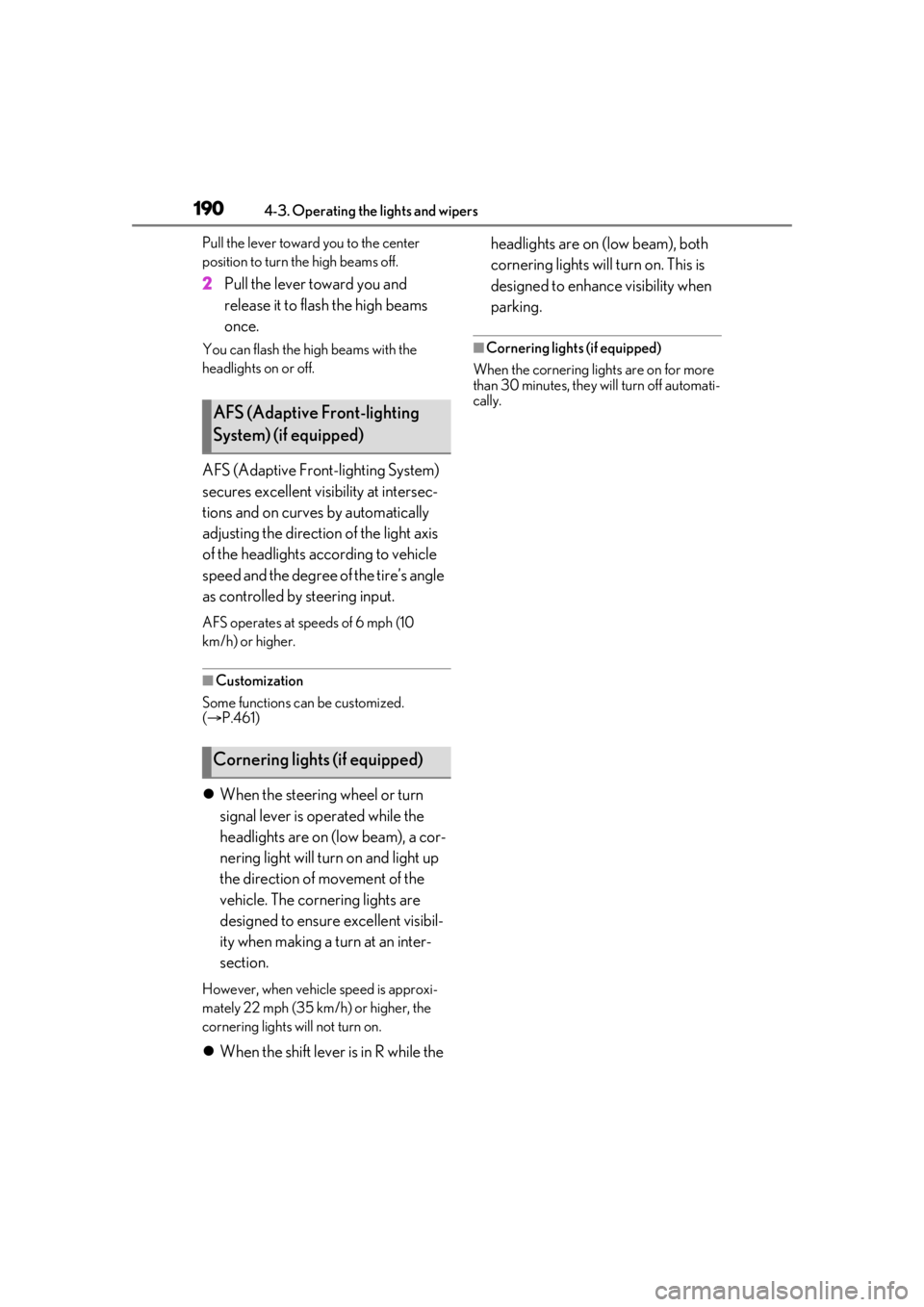
AFS (Adaptive Front-lighting System)
secures excellent visibility at intersec-
tions and on curves by automatically
adjusting the direction of the light axis
of the headlights according to vehicle
speed and the degree of the tire’s angle
as controlled by steering input.
AFS operates at sp eeds of 6 mph (10
km/h) or higher.
■Customization
Some functions can be customized.
( P.461)
When the steering wheel or turn
signal lever is operated while the
headlights are on (low beam), a cor-
nering light will turn on and light up
the direction of movement of the
vehicle. The cornering lights are
designed to ensure excellent visibil-
ity when making a turn at an inter-
section.
However, when vehicle speed is approxi-
mately 22 mph (35 km/h) or higher, the
cornering lights will not turn on.
When the shift lever is in R while the headlights are on (low beam), both
cornering lights will turn on. This is
designed to enhance visibility when
parking.
■Cornering lights (if equipped)
When the cornering lights are on for more
than 30 minutes, they will turn off automati-
cally.
AFS (Adaptive Front-lighting
System) (if equipped)
Cornering lights (if equipped)
Page 194 of 508
1944-3. Operating the lights and wipers
*:If equipped
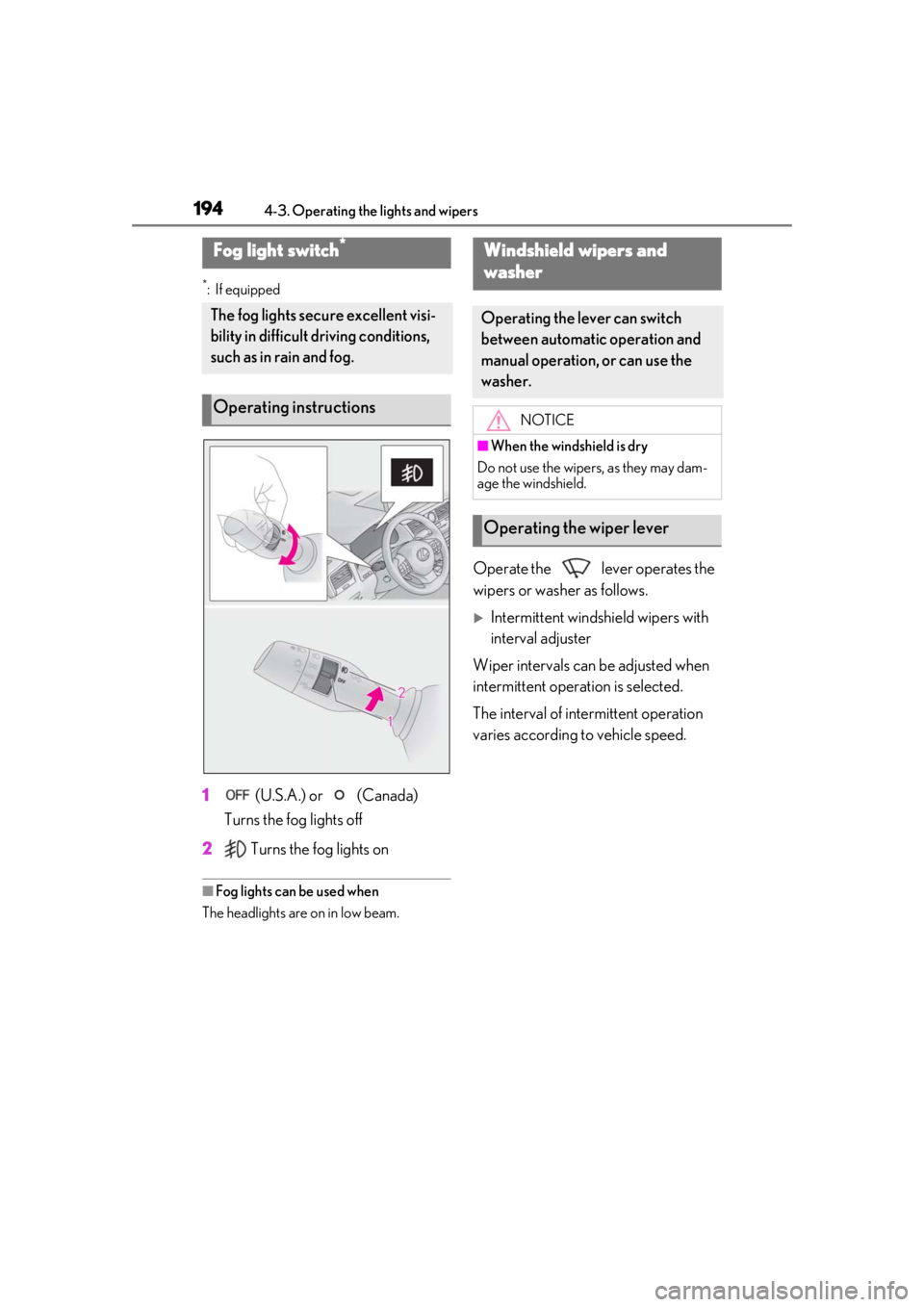
1 (U.S.A.) or (Canada)
Turns the fog lights off
2 Turns the fog lights on
■Fog lights can be used when
The headlights are on in low beam.
Operate the lever operates the
wipers or washer as follows.
Intermittent windsh ield wipers with
interval adjuster
Wiper intervals can be adjusted when
intermittent operation is selected.
The interval of intermittent operation
varies according to vehicle speed.
Fog light switch*
The fog lights secu re excellent visi-
bility in difficult driving conditions,
such as in rain and fog.
Operating instructions
Windshield wipers and
washer
Operating the lever can switch
between automatic operation and
manual operation, or can use the
washer.
NOTICE
■When the windshield is dry
Do not use the wipers, as they may dam-
age the windshield.
Operating the wiper lever
Page 203 of 508

2034-5. Using the driving support systems
4
Driving
4-5.Using the driving support systems
■PCS (Pre-Collision System)
P.209
■LTA (Lane Tracing Assist)
P.216
■AHB (Automatic High Beam)
P.191
■RSA (Road Sign Assist)*
P.225
*:If equipped
■Dynamic radar cruise control with
full-speed range
P.227 Two types of sensors, located behind
the front grille and windshield, detect
information necessary to operate the
drive assist systems.
Radar sensor
Front camera
Lexus Safety System + 2.0
The Lexus Safety System + 2.0 con-
sists of the following drive assist sys-
tems and contributes to a safe and
comfortable driving experience:
Driving assist system
WARNING
■Lexus Safety System + 2.0
The Lexus Safety System + 2.0 is
designed to operate under the assump-
tion that the driver wi ll drive safely, and is
designed to help reduce the impact to
the occupants and the vehicle in the case
of a collision or assist the driver in normal
driving conditions.
As there is a limit to the degree of recog-
nition accuracy and control performance
that this system can provide, do not
overly rely on this system. The driver is
always responsible for paying attention
to the vehicle’s surro undings and driving
safely.
Sensors
WARNING
■To avoid malfunction of the radar sen-
sor
Observe the following precautions.
Otherwise, the radar sensor may not
operate properly, possibly leading to an
accident resulting in death or serious
injury.
A
B
Page 209 of 508

2094-5. Using the driving support systems
4
Driving
The system can detect the following:
Vehicles
Bicyclists
Pedestrians
■Pre-collision warning
When the system determines that the
possibility of a frontal collision is high, a
buzzer will sound and a warning mes-
sage will be displayed on the
multi-information display to urge the driver to take evasive action.
■Pre-collision brake assist
When the system determines that the
possibility of a frontal collision is high,
the system applies greater braking
force in relation to how strongly the
brake pedal is depressed.
■Pre-collision braking
If the system determines that the possi-
bility of a frontal collision is extremely
high, the brakes are automatically
applied to help avoid the collision or
reduce the impact of the collision.
■Suspension control (if equipped)
When the system determines that the
possibility of a frontal collision is high,
the Adaptive Variable Suspension Sys-
tem ( P.275) will control the damping
force of the shock absorbers to help
maintain an appropriate vehicle pos-
ture.
PCS (Pre-Collision System)
The pre-collision system uses a
radar sensor and front camera to
detect objects ( P.209) in front of
the vehicle. When the system
determines that the possibility of a
frontal collision with an object is
high, a warning operates to urge
the driver to take evasive action
and the potential brake pressure is
increased to help the driver avoid
the collision. If the system deter-
mines that the possibility of a frontal
collision with an object is extremely
high, the brakes are automatically
applied to help avoid the collision or
help reduce the impact of the colli-
sion.
The pre-collision system can be dis-
abled/enabled and the warning tim-
ing can be changed. ( P.211)
Detectable objects
System functions
Page 216 of 508
2164-5. Using the driving support systems
LTA (Lane Tracing Assist)
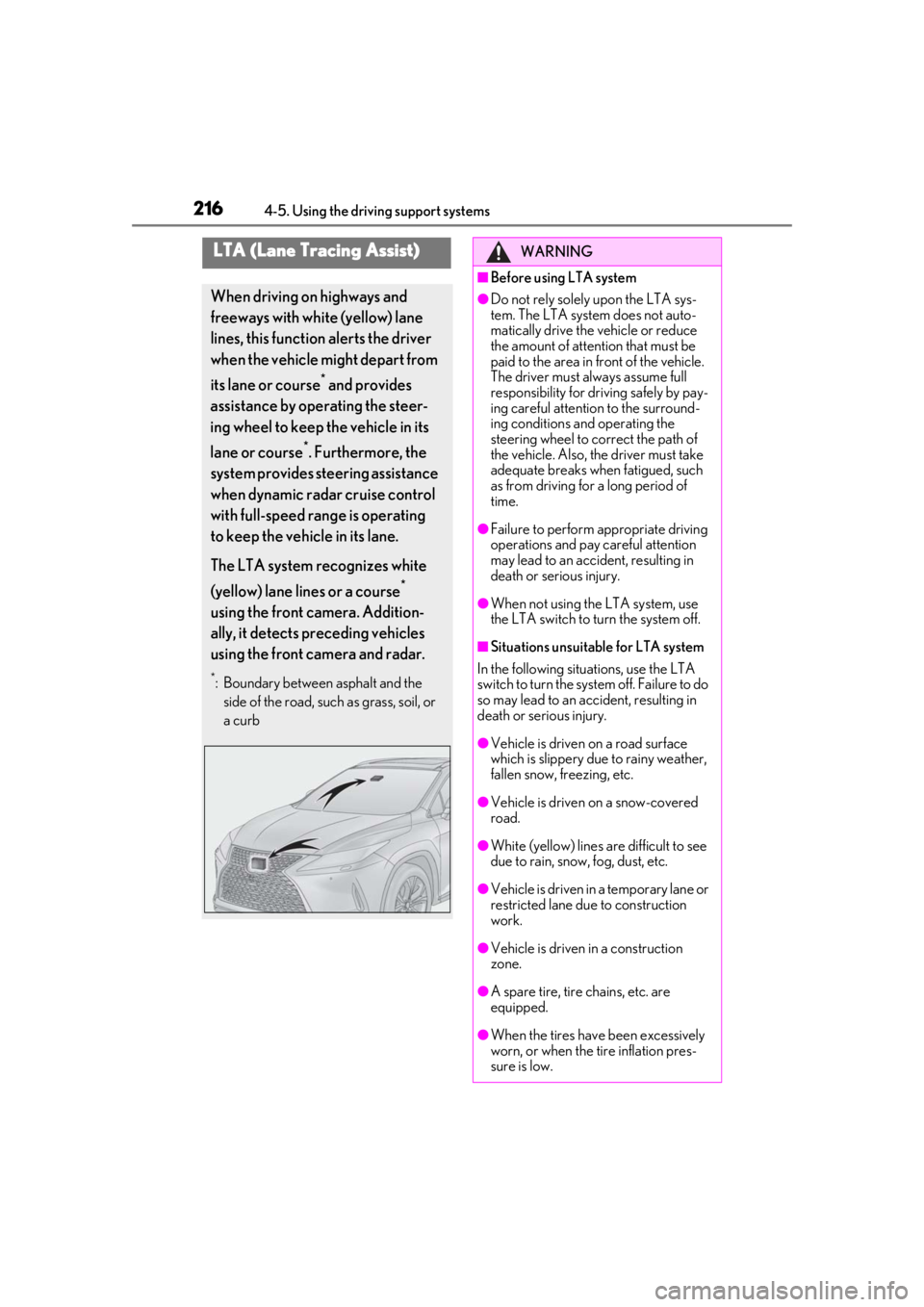
When driving on highways and
freeways with white (yellow) lane
lines, this function alerts the driver
when the vehicle might depart from
its lane or course
* and provides
assistance by operating the steer-
ing wheel to keep the vehicle in its
lane or course
*. Furthermore, the
system provides steering assistance
when dynamic radar cruise control
with full-speed range is operating
to keep the vehicle in its lane.
The LTA system recognizes white
(yellow) lane lines or a course
*
using the front camera. Addition-
ally, it detects preceding vehicles
using the front camera and radar.
*: Boundary between asphalt and the side of the road, such as grass, soil, or
a curb
WARNING
■Before using LTA system
●Do not rely solely upon the LTA sys-
tem. The LTA system does not auto-
matically drive the vehicle or reduce
the amount of attention that must be
paid to the area in front of the vehicle.
The driver must always assume full
responsibility for driving safely by pay-
ing careful attention to the surround-
ing conditions and operating the
steering wheel to correct the path of
the vehicle. Also, the driver must take
adequate breaks when fatigued, such
as from driving for a long period of
time.
●Failure to perform appropriate driving
operations and pay careful attention
may lead to an accident, resulting in
death or serious injury.
●When not using the LTA system, use
the LTA switch to turn the system off.
■Situations unsuitable for LTA system
In the following situations, use the LTA
switch to turn the system off. Failure to do
so may lead to an accident, resulting in
death or serious injury.
●Vehicle is driven on a road surface
which is slippery due to rainy weather,
fallen snow, freezing, etc.
●Vehicle is driven on a snow-covered
road.
●White (yellow) lines are difficult to see
due to rain, snow, fog, dust, etc.
●Vehicle is driven in a temporary lane or
restricted lane due to construction
work.
●Vehicle is driven in a construction
zone.
●A spare tire, tire chains, etc. are
equipped.
●When the tires have been excessively
worn, or when the tire inflation pres-
sure is low.
Page 218 of 508

2184-5. Using the driving support systems
WARNING
●Repair marks of asphalt, white (yellow)
lines, etc. are present due to road
repair.
●There are shadows on the road that
run parallel with, or cover, the white
(yellow) lines.
●The vehicle is driven in an area without
white (yellow) lines, su ch as in front of a
tollgate or checkpoint, or at an inter-
section, etc.
●The white (yellow) lines are cracked,
“Botts’ dots”, “Raised pavement
marker” or stones are present.
●The white (yellow) lines cannot be
seen or are difficult to see due to sand,
etc.
●The vehicle is driven on a road surface
that is wet due to rain, puddles, etc.
●The traffic lines are yellow (which may
be more difficult to recognize than
lines that are white).
●The white (yellow) lines cross over a
curb, etc.
●The vehicle is driven on a bright sur-
face, such as concrete.
●If the edge of the road is not clear or
straight.
●The vehicle is driven on a surface that
is bright due to reflected light, etc.
●The vehicle is driven in an area where
the brightness changes suddenly, such
as at the entrances and exits of tunnels,
etc.
●Light from the headlights of an oncom-
ing vehicle, the sun, etc. enters the
camera.
●The vehicle is driven on a slope.
●The vehicle is driven on a road which
tilts left or right, or a winding road.
●The vehicle is driven on an unpaved or
rough road.
●The traffic lane is excessively narrow
or wide.
●The vehicle is extremely tilted due to
carrying heavy luggage or having
improper tire pressure.
●The distance to the preceding vehicle
is extremely short.
●The vehicle is moving up and down a
large amount due to road conditions
during driving (poor roads or road
seams).
●When driving in a tunnel or at night
with the headlights off or when a head-
light is dim due to its lens being dirty or
it being misaligned.
●The vehicle is struck by a crosswind.
●The vehicle is affected by wind from a
vehicle driven in a nearby lane.
●The vehicle has just changed lanes or
crossed an intersection.
●Tires which differ by structure, manu-
facturer, brand or tread pattern are
used.
●When tires of a size other than speci-
fied are installed.
●Snow tires, etc. are equipped.
●The vehicle is being driven at
extremely high speeds.
Page 225 of 508
2254-5. Using the driving support systems
4
Driving
*:If equipped
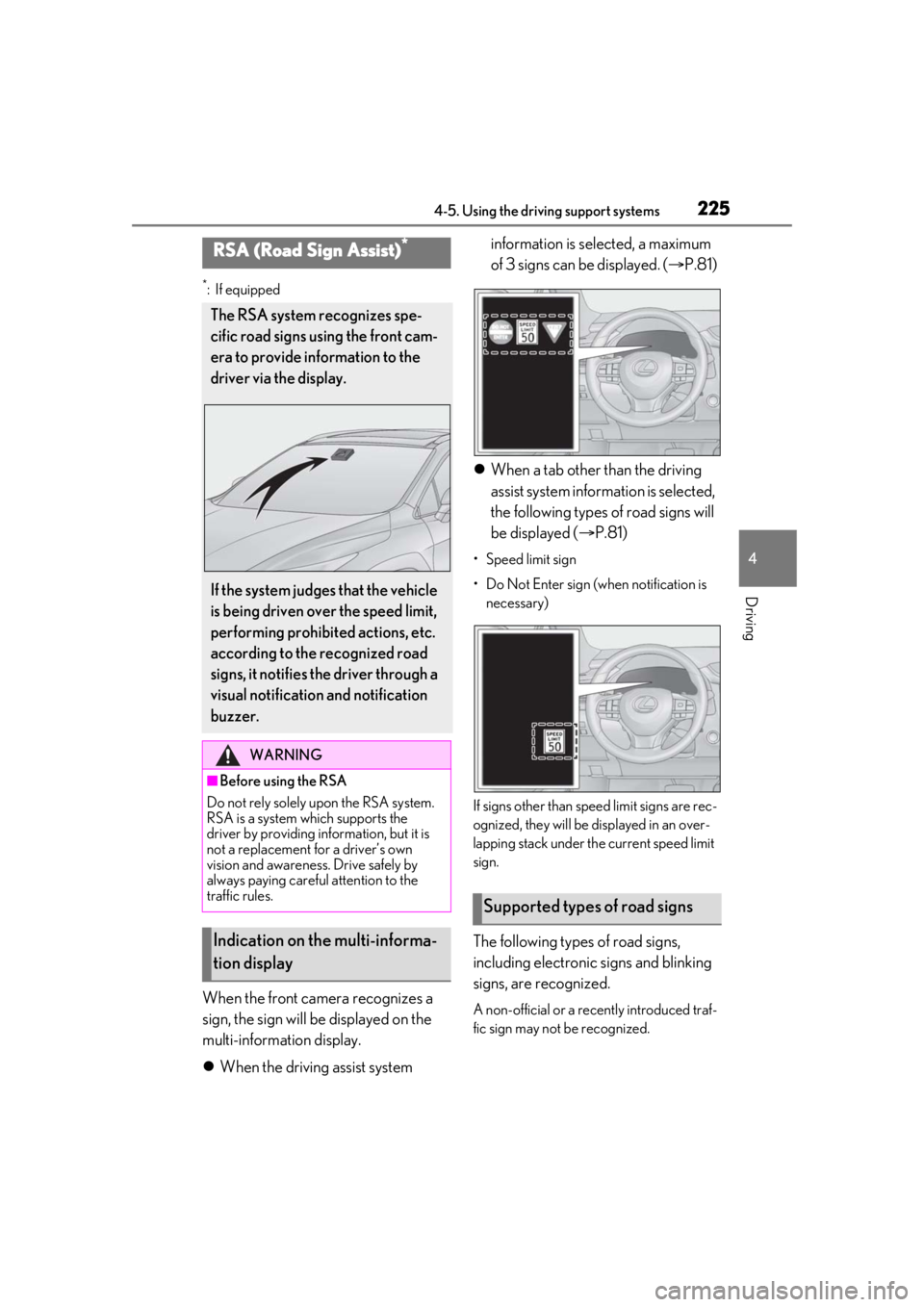
When the front camera recognizes a
sign, the sign will be displayed on the
multi-information display.
When the driving assist system information is selected, a maximum
of 3 signs can be displayed. (
P.81)
When a tab other than the driving
assist system information is selected,
the following types of road signs will
be displayed ( P.81)
• Speed limit sign
• Do Not Enter sign (when notification is
necessary)
If signs other than speed limit signs are rec-
ognized, they will be displayed in an over-
lapping stack under th e current speed limit
sign.
The following types of road signs,
including electronic signs and blinking
signs, are recognized.
A non-official or a recently introduced traf-
fic sign may not be recognized.
RSA (Road Sign Assist)*
The RSA system recognizes spe-
cific road signs using the front cam-
era to provide information to the
driver via the display.
If the system judges that the vehicle
is being driven over the speed limit,
performing prohibited actions, etc.
according to the recognized road
signs, it notifies the driver through a
visual notification and notification
buzzer.
WARNING
■Before using the RSA
Do not rely solely upon the RSA system.
RSA is a system which supports the
driver by providing information, but it is
not a replacement for a driver’s own
vision and awareness. Drive safely by
always paying careful attention to the
traffic rules.
Indication on the multi-informa-
tion display
Supported types of road signs
Page 236 of 508
2364-5. Using the driving support systems
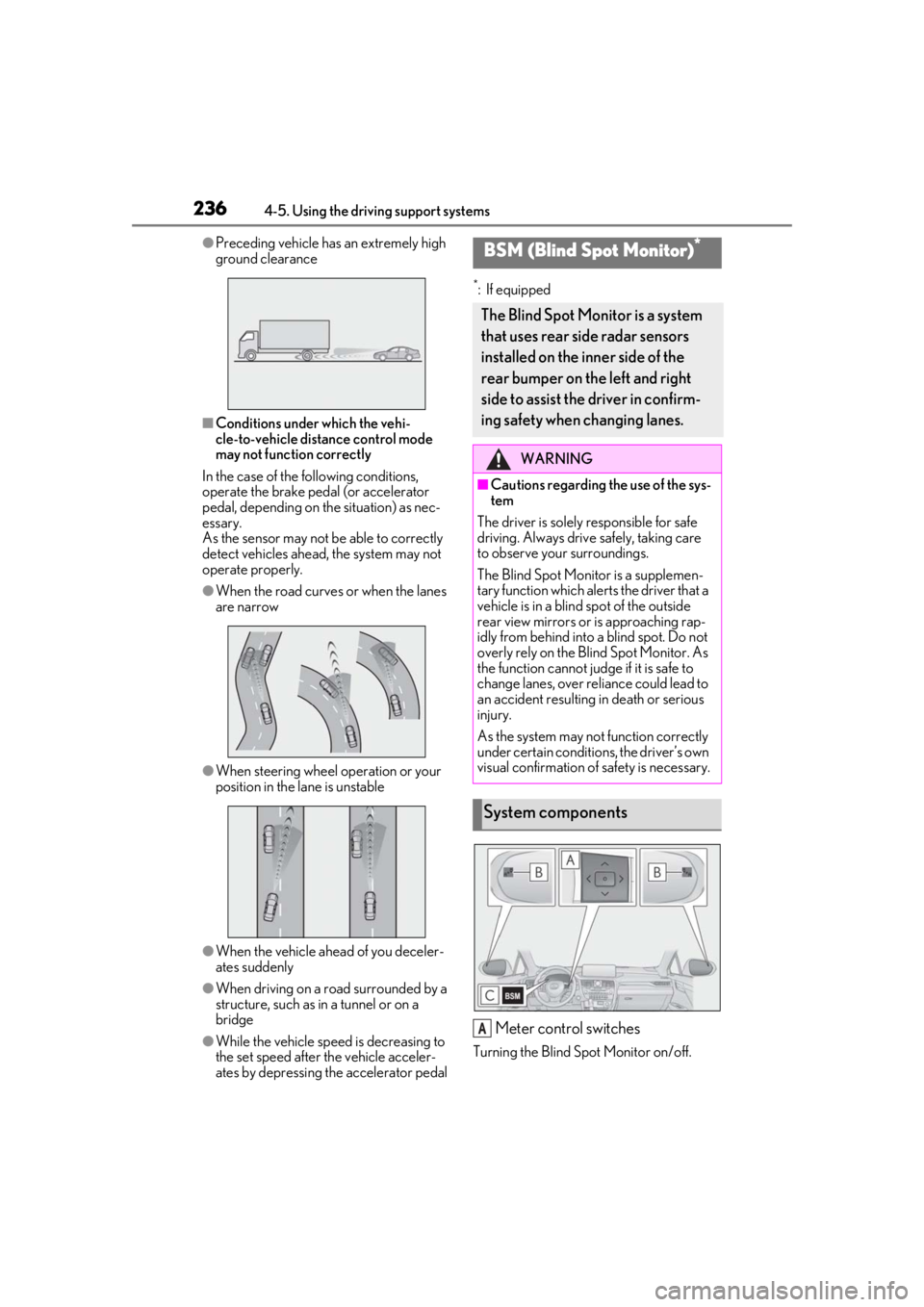
●Preceding vehicle has an extremely high
ground clearance
■Conditions under which the vehi-
cle-to-vehicle distance control mode
may not function correctly
In the case of the following conditions,
operate the brake pedal (or accelerator
pedal, depending on the situation) as nec-
essary.
As the sensor may not be able to correctly
detect vehicles ahead, the system may not
operate properly.
●When the road curves or when the lanes
are narrow
●When steering wheel operation or your
position in the lane is unstable
●When the vehicle ahead of you deceler-
ates suddenly
●When driving on a road surrounded by a
structure, such as in a tunnel or on a
bridge
●While the vehicle speed is decreasing to
the set speed after the vehicle acceler-
ates by depressing the accelerator pedal
*: If equipped
Meter control switches
Turning the Blind Spot Monitor on/off.
BSM (Blind Spot Monitor)*
The Blind Spot Monitor is a system
that uses rear side radar sensors
installed on the inner side of the
rear bumper on the left and right
side to assist the driver in confirm-
ing safety when changing lanes.
WARNING
■Cautions regarding the use of the sys-
tem
The driver is solely responsible for safe
driving. Always drive safely, taking care
to observe your surroundings.
The Blind Spot Monitor is a supplemen-
tary function which alerts the driver that a
vehicle is in a blind spot of the outside
rear view mirrors or is approaching rap-
idly from behind into a blind spot. Do not
overly rely on the Blind Spot Monitor. As
the function cannot judge if it is safe to
change lanes, over re liance could lead to
an accident resulting in death or serious
injury.
As the system may not function correctly
under certain conditio ns, the driver’s own
visual confirmation of safety is necessary.
System components
A
Page 242 of 508
2424-5. Using the driving support systems
ations:
• When the sensor is misaligned due to a strong impact to the sensor or its sur-
rounding area
• When the distance between your vehicle and a guardrail, wall, etc. that enters the
detection area is short
• When driving up an d down consecutive
steep inclines, such as hills, dips in the
road, etc.
• When vehicle lanes are narrow, or when driving on the edge of a lane, and a vehi-
cle traveling in a lane other than the adja-
cent lanes enters the detection area
• When driving on roads with sharp bends,
consecutive curves, or uneven surfaces
• When the tires are slipping or spinning
• When the distance between your vehicle and a following vehicle is short
• When an accessory (such as a bicycle carrier) is installed to the rear of the vehi-
cle
*: If equipped
■Intuitive parking assist (if
equipped)
Ultrasonic sensors are used to detect
static objects in the detection area
when driving at a low speed or backing
up. ( P.244)
■RCTA (Rear Cross Traffic Alert)
function (if equipped)
Rear side radar sensors are used to
detect approaching vehicles in the
detection areas behind the vehicle
when backing up. ( P.250)
■Adjusting the buzzer volume
The buzzer volume can be adjusted on
the multi-information display. The vol-
ume of buzzers for the intuitive parking
assist and RCTA function will be
PKSA (Parking Support
Alert)*
The Parking Support Alert system
consists of the following functions
that operate when driving at a low
speed or backing up, such as when
parking. When the system deter-
mines that the possibility of a colli-
sion with a detected object or such
as a wall is high, a warning operates
to urge the driver to take evasive
action.
PKSA (Parking Support Alert)
system
Setting the buzzer volume