head up display LEXUS RX350 2021 Owners Manual
[x] Cancel search | Manufacturer: LEXUS, Model Year: 2021, Model line: RX350, Model: LEXUS RX350 2021Pages: 508, PDF Size: 10.33 MB
Page 1 of 508
RX350L-RX350_U
1
2
3
4
5
6
7
8
9
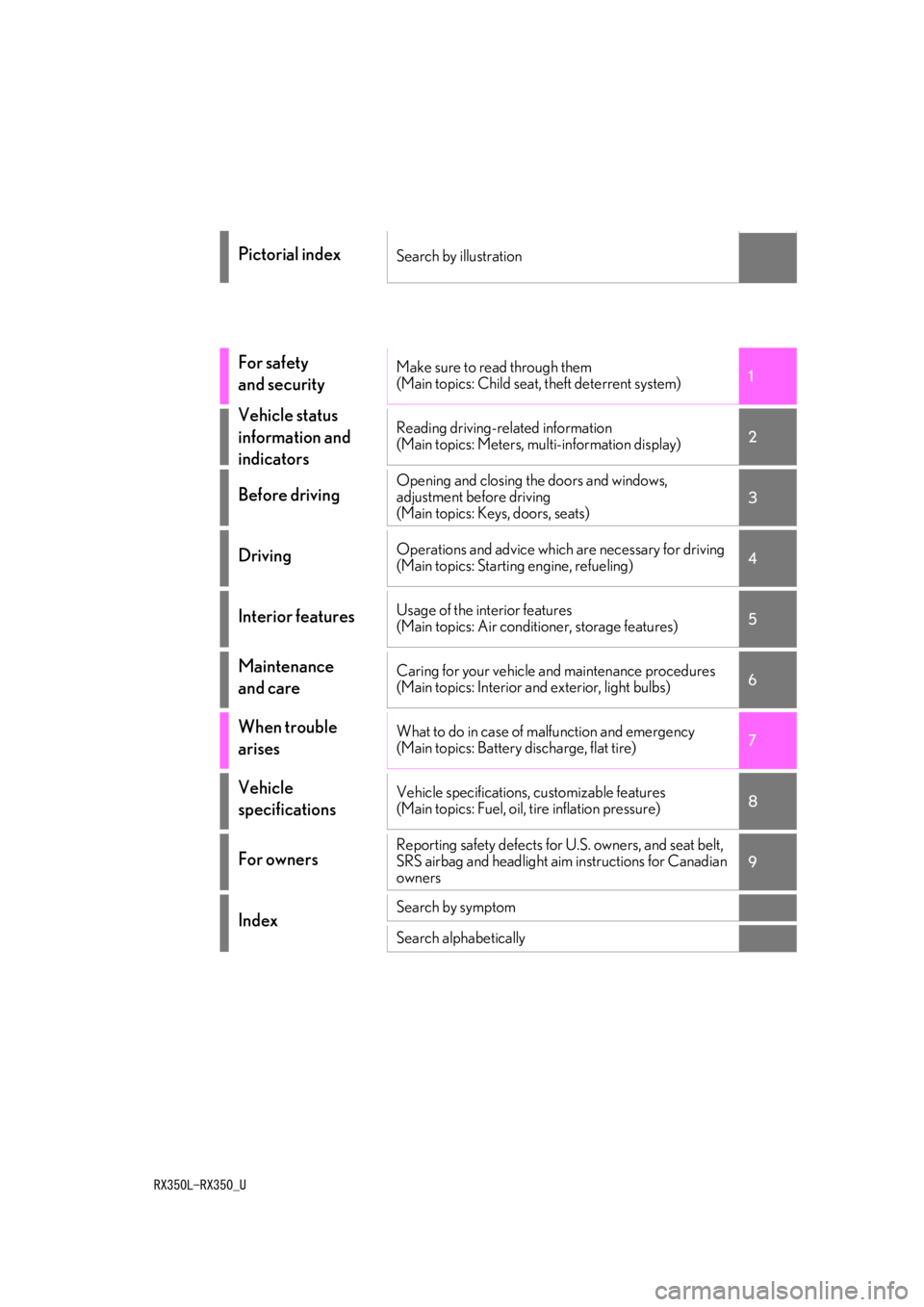
Pictorial indexSearch by illustration
For safety
and securityMake sure to read through them
(Main topics: Child seat, theft deterrent system)
Vehicle status
information and
indicatorsReading driving-related information
(Main topics: Meters, multi-information display)
Before drivingOpening and closing the doors and windows,
adjustment before driving
(Main topics: Keys, doors, seats)
DrivingOperations and advice which are necessary for driving
(Main topics: Starting engine, refueling)
Interior featuresUsage of the interior features
(Main topics: Air conditioner, storage features)
Maintenance
and careCaring for your vehicle and maintenance procedures
(Main topics: Interior and exterior, light bulbs)
When trouble
arisesWhat to do in case of malfunction and emergency
(Main topics: Battery discharge, flat tire)
Vehicle
specificationsVehicle specifications, customizable features
(Main topics: Fuel, oil, tire inflation pressure)
For ownersReporting safety defects for U.S. owners, and seat belt,
SRS airbag and headlight aim instructions for Canadian
owners
IndexSearch by symptom
Search alphabetically
Page 2 of 508
2TABLE OF CONTENTS
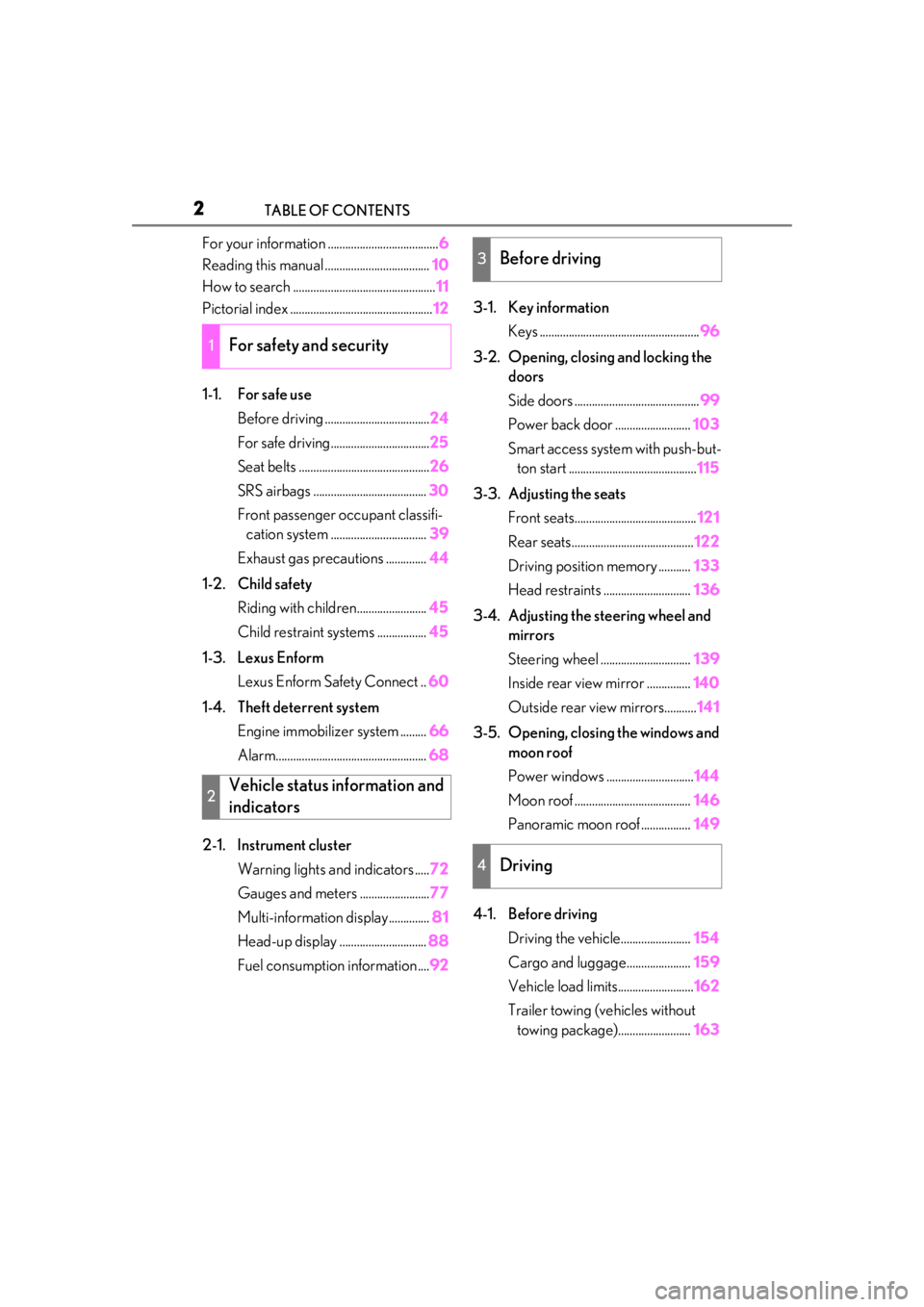
For your information ......................................6
Reading this manual .................................... 10
How to search ................................................. 11
Pictorial index ................................................. 12
1-1. For safe use Before driving .................................... 24
For safe driving.................................. 25
Seat belts ............................................. 26
SRS airbags ....................................... 30
Front passenger occupant classifi- cation system ................................. 39
Exhaust gas precautions .............. 44
1-2. Child safety Riding with children........................ 45
Child restraint systems ................. 45
1-3. Lexus Enform Lexus Enform Safety Connect .. 60
1-4. Theft deterrent system Engine immobilizer system ......... 66
Alarm.................................................... 68
2-1. Instrument cluster Warning lights and indicators ..... 72
Gauges and meters ........................ 77
Multi-information display.............. 81
Head-up display .............................. 88
Fuel consumption information .... 923-1. Key information
Keys ....................................................... 96
3-2. Opening, closing and locking the doors
Side doors ........................................... 99
Power back door .......................... 103
Smart access system with push-but- ton start ............................................ 115
3-3. Adjusting the seats Front seats.......................................... 121
Rear seats.......................................... 122
Driving position memory ........... 133
Head restraints .............................. 136
3-4. Adjusting the steering wheel and mirrors
Steering wheel ............................... 139
Inside rear view mirror ............... 140
Outside rear view mirrors........... 141
3-5. Opening, closing the windows and moon roof
Power windows .............................. 144
Moon roof ........................................ 146
Panoramic moon roof ................. 149
4-1. Before driving Driving the vehicle........................ 154
Cargo and luggage...................... 159
Vehicle load limits.......................... 162
Trailer towing (vehicles without towing package)......................... 163
1For safety and security
2Vehicle status information and
indicators
3Before driving
4Driving
Page 3 of 508
3TABLE OF CONTENTS
1
2
3
4
5
6
7
8
9
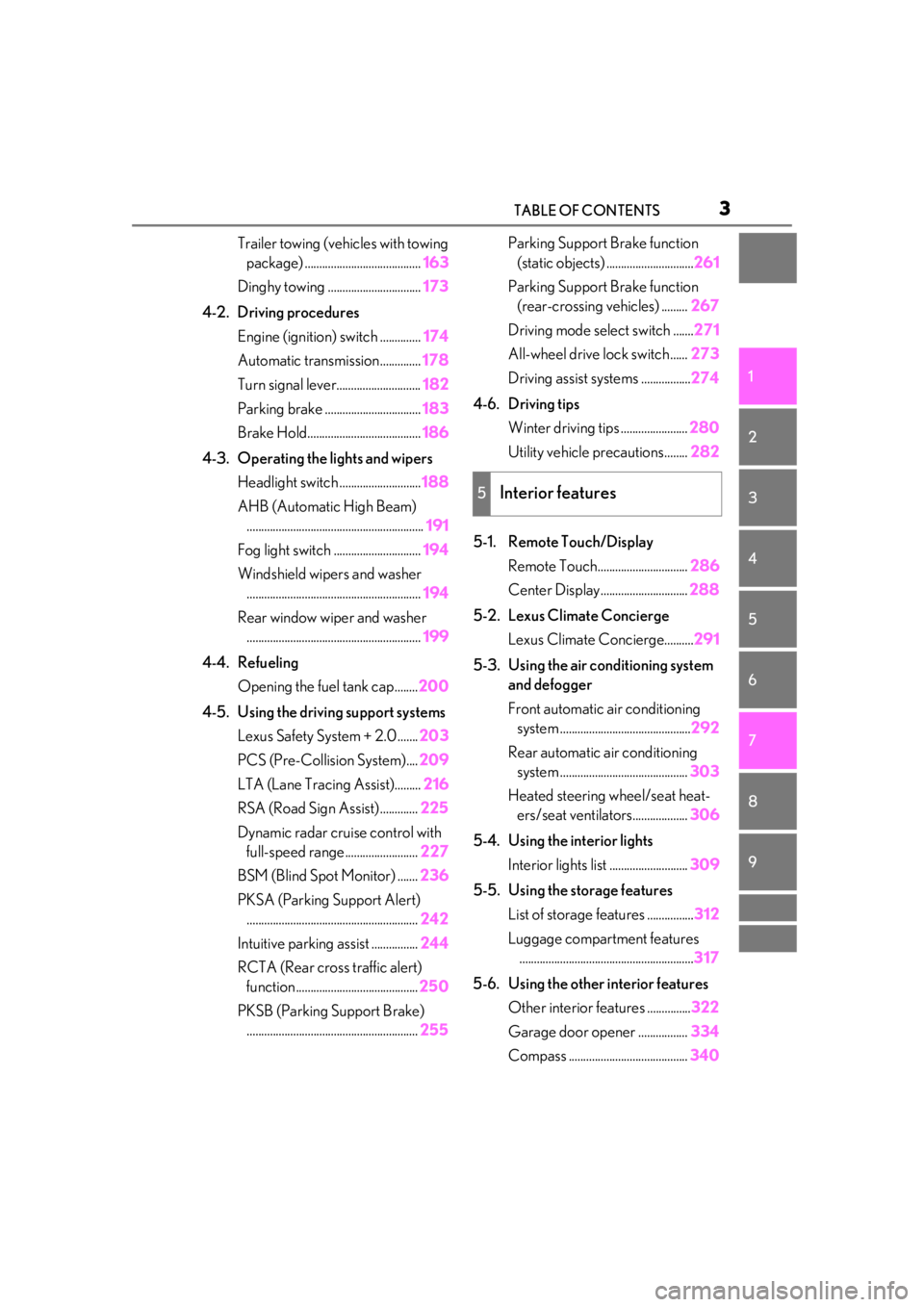
Trailer towing (vehicles with towing package) ........................................ 163
Dinghy towing ................................ 173
4-2. Driving procedures Engine (ignition) switch .............. 174
Automatic transmission.............. 178
Turn signal lever............................. 182
Parking brake ................................. 183
Brake Hold....................................... 186
4-3. Operating the lights and wipers Headlight switch ............................ 188
AHB (Automatic High Beam) ............................................................. 191
Fog light switch .............................. 194
Windshield wipers and washer ............................................................ 194
Rear window wiper and washer ............................................................ 199
4-4. Refueling Opening the fuel tank cap........ 200
4-5. Using the driving support systems Lexus Safety System + 2.0 ....... 203
PCS (Pre-Collision System).... 209
LTA (Lane Tracing Assist)......... 216
RSA (Road Sign Assist) ............. 225
Dynamic radar crui se control with
full-speed range......................... 227
BSM (Blind Spot Monitor) ....... 236
PKSA (Parking Support Alert) ........................................................... 242
Intuitive parking assist ................ 244
RCTA (Rear cross traffic alert) function .......................................... 250
PKSB (Parking Support Brake) ........................................................... 255Parking Support Brake function
(static objects) .............................. 261
Parking Support Brake function (rear-crossing vehicles) ......... 267
Driving mode select switch ....... 271
All-wheel drive lock switch...... 273
Driving assist systems ................. 274
4-6. Driving tips Winter driving tips ....................... 280
Utility vehicle precautions........ 282
5-1. Remote Touch/Display Remote Touch............................... 286
Center Display.............................. 288
5-2. Lexus Climate Concierge Lexus Climate Concierge.......... 291
5-3. Using the air conditioning system and defogger
Front automatic air conditioning system ............................................. 292
Rear automatic air conditioning system ............................................ 303
Heated steering wheel/seat heat- ers/seat ventilators................... 306
5-4. Using the interior lights Interior lights list ........................... 309
5-5. Using the storage features List of storage features ................ 312
Luggage c
ompartment features
............................................................ 317
5-6. Using the other interior features Other interior features ............... 322
Garage door opener ................. 334
Compass ......................................... 340
5Interior features
Page 4 of 508
4TABLE OF CONTENTS
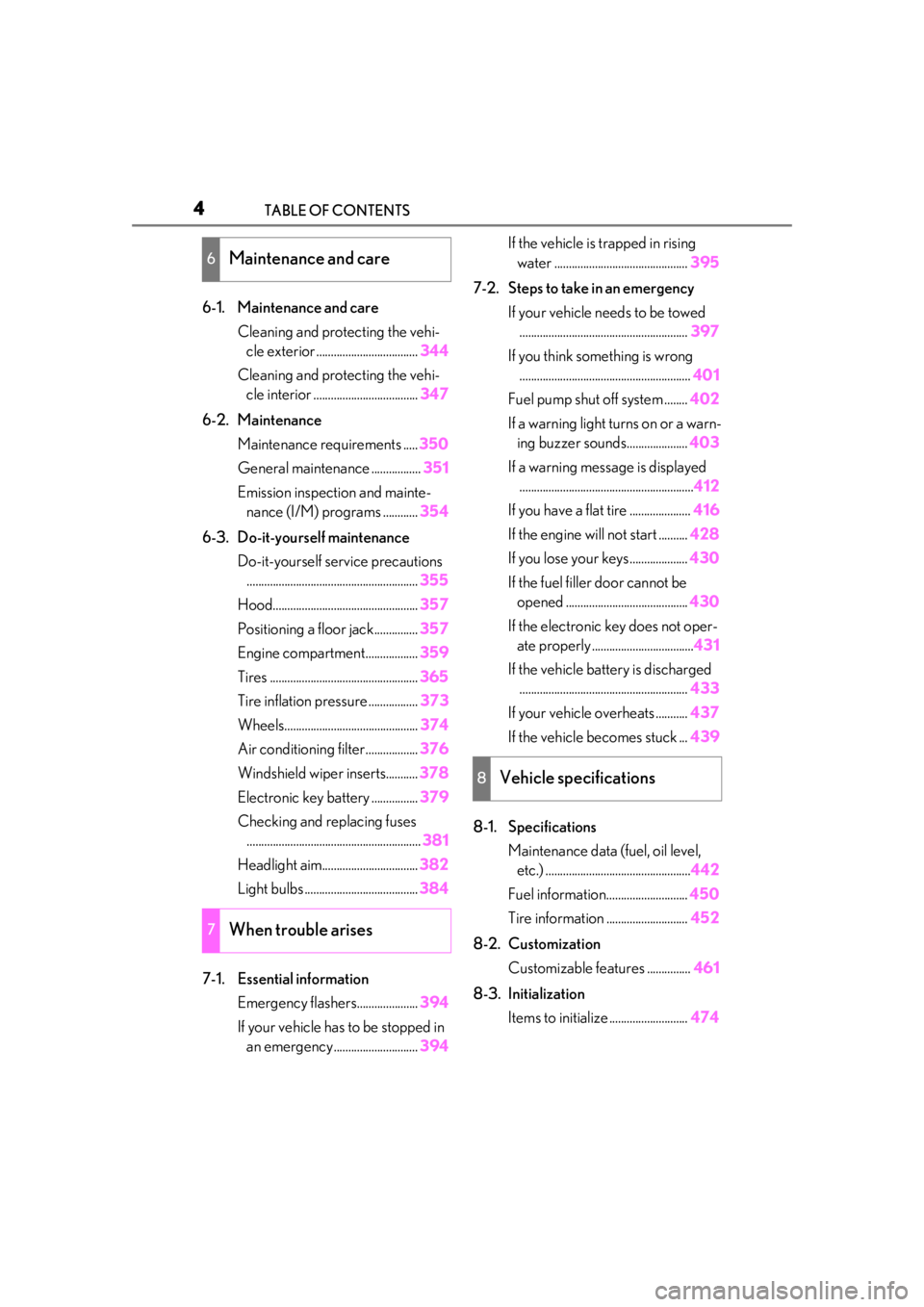
6-1. Maintenance and careCleaning and protecting the vehi-cle exterior ................................... 344
Cleaning and protecting the vehi- cle interior .................................... 347
6-2. Maintenance Maintenance requirements ..... 350
General maintenance ................. 351
Emission inspection and mainte- nance (I/M) programs ............ 354
6-3. Do-it-yourself maintenance Do-it-yourself service precautions........................................................... 355
Hood.................................................. 357
Positioning a floor jack............... 357
Engine compartment.................. 359
Tires ................................................... 365
Tire inflation pressure ................. 373
Wheels.............................................. 374
Air conditioning filter..................376
Windshield wiper inserts........... 378
Electronic key battery ................ 379
Checking and replacing fuses ............................................................ 381
Headlight aim................................. 382
Light bulbs ....................................... 384
7-1. Essential information Emergency flashers..................... 394
If your vehicle has to be stopped in an emergency ............................. 394If the vehicle is trapped in rising
water .............................................. 395
7-2. Steps to take in an emergency If your vehicle needs to be towed.......................................................... 397
If you think something is wrong ........................................................... 401
Fuel pump shut off system ........ 402
If a warning light turns on or a warn- ing buzzer sounds..................... 403
If a warning messa ge is displayed
............................................................ 412
If you have a flat tire ..................... 416
If the engine will not start .......... 428
If you lose your keys.................... 430
If the fuel filler door cannot be opened .......................................... 430
If the electronic key does not oper- ate properly ................................... 431
If the vehicle battery is discharged .......................................................... 433
If your vehicle overheats ........... 437
If the vehicle becomes stuck ... 439
8-1. Specifications Maintenance data (fuel, oil level, etc.) .................................................. 442
Fuel information............................ 450
Tire information ............................ 452
8-2. Customization Customizable features ............... 461
8-3. Initialization Items to initialize ........................... 474
6Maintenance and care
7When trouble arises
8Vehicle specifications
Page 16 of 508
16Pictorial index
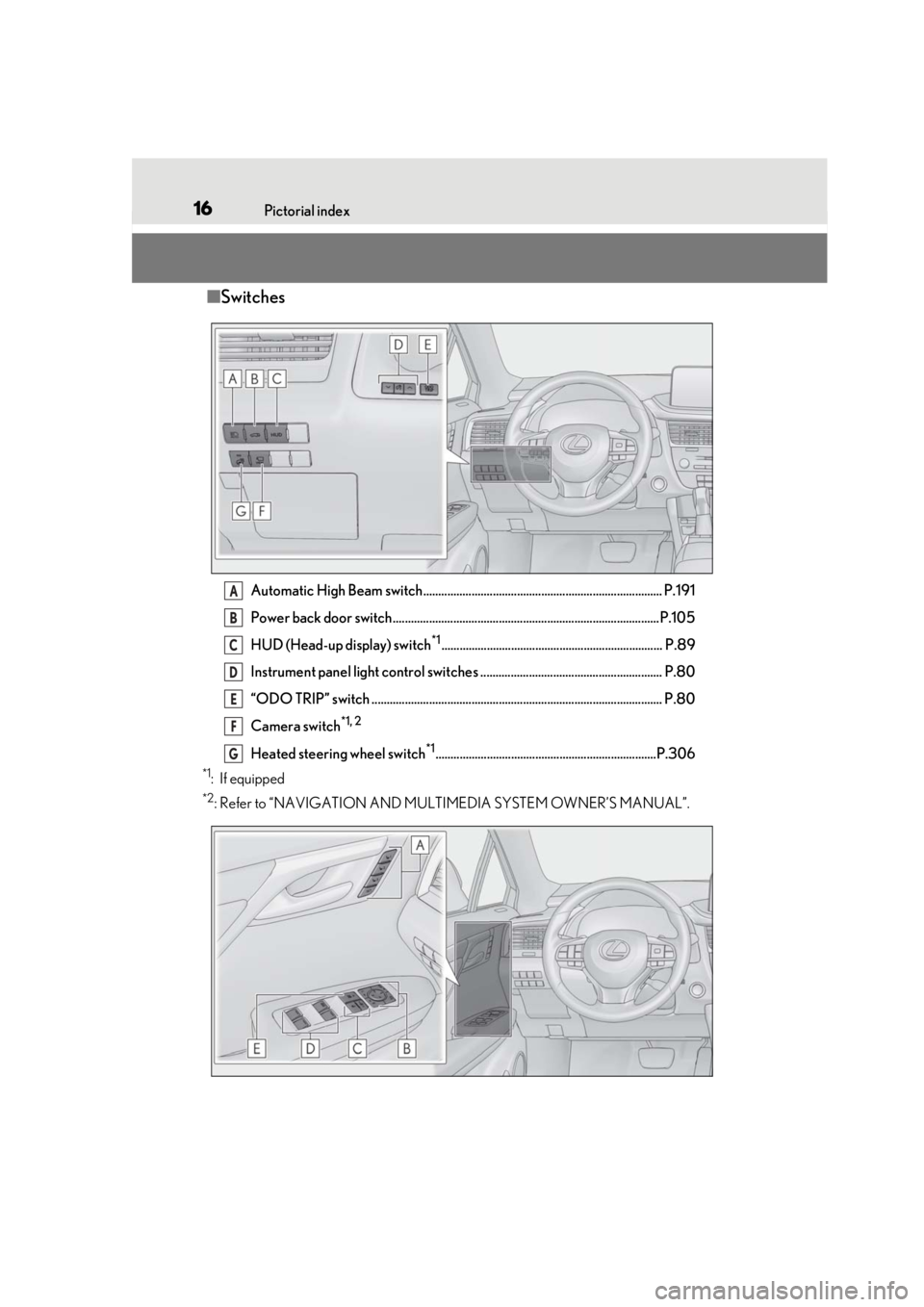
■Switches
Automatic High Beam switch............................................................................... P.191
Power back door switch........................................................................................P.105
HUD (Head-up display) switch
*1......................................................................... P.89
Instrument panel light control switches ............................................................ P.80
“ODO TRIP” switch ................................................................................................ P.80
Camera switch
*1, 2
Heated steering wheel switch*1.........................................................................P.306
*1: If equipped
*2: Refer to “NAVIGATION AND MULTIMEDIA SYSTEM OWNER’S MANUAL”.
A
B
C
D
E
F
G
Page 71 of 508
71
2
2
Vehicle status information and indicators
Vehicle status informationand indicators
.2-1. Instrument cluster
Warning lights and indicators............................................................ 72
Gauges and meters .................... 77
Multi-information display........... 81
Head-up display ........................... 88
Fuel consumption information ........................................................... 92
Page 74 of 508
742-1. Instrument cluster
*1: These lights turn on when the engine switch is turned to IGNITION ON
mode to indicate that a system check is
being performed. They will turn off after
the engine is started, or after a few sec-
onds. There may be a malfunction in a
system if a light does not come on, or
turn off. Have the vehicle inspected by
your Lexus dealer.
*2: This light illuminates on the multi-infor-mation display.
*3: Except F SPORT models: This light illu-minates on the multi-information dis-
play.
F SPORT models: This light illuminates
on the meter.
*4: This light illuminates on the center panel.
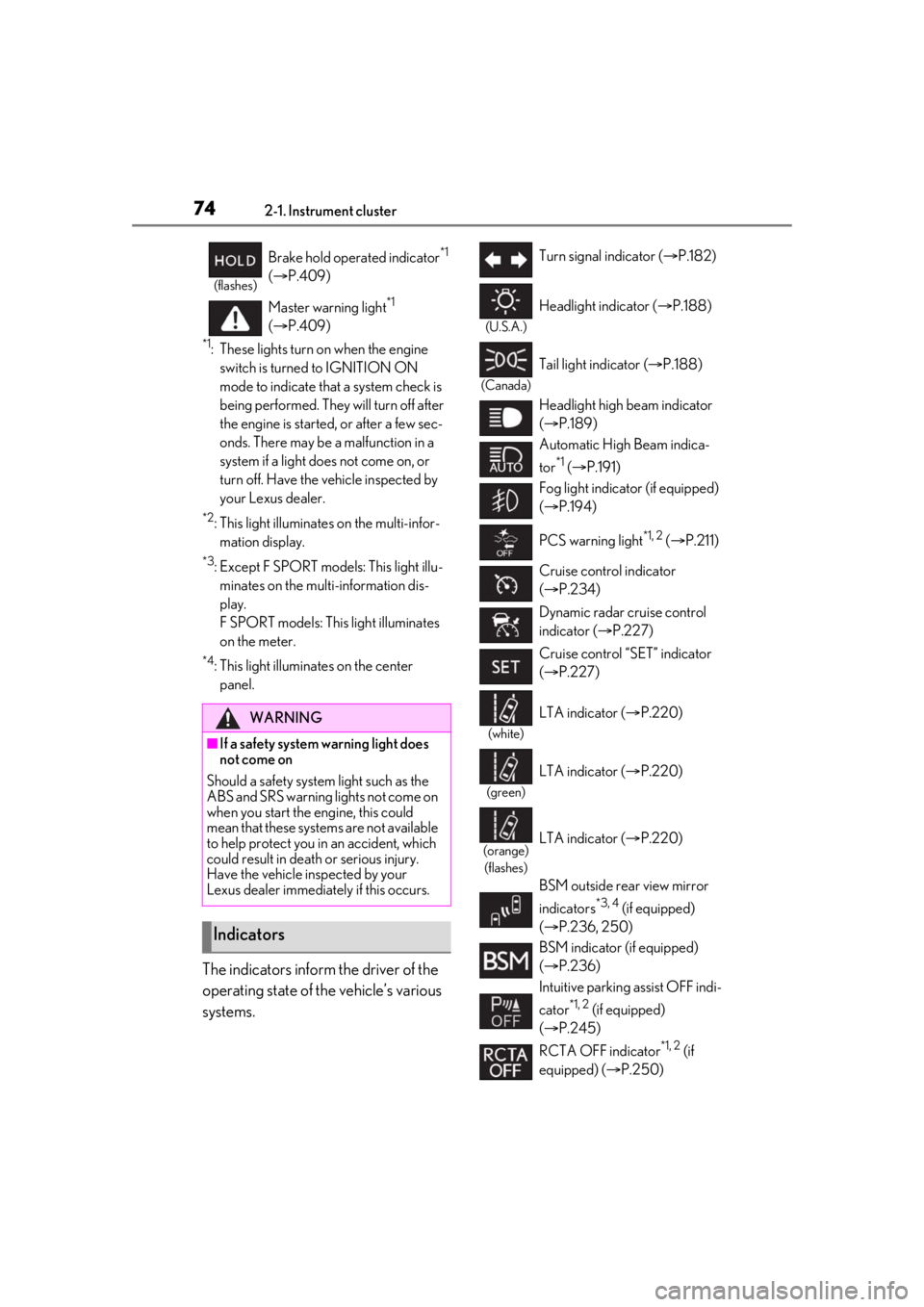
The indicators inform the driver of the
operating state of the vehicle’s various
systems.
(flashes)
Brake hold operated indicator*1
( P.409)
Master warning light
*1
( P.409)
WARNING
■If a safety system warning light does
not come on
Should a safety system light such as the
ABS and SRS warning lights not come on
when you start the engine, this could
mean that these systems are not available
to help protect you in an accident, which
could result in death or serious injury.
Have the vehicle inspected by your
Lexus dealer immediately if this occurs.
Indicators
Turn signal indicator ( P.182)
(U.S.A.)
Headlight indicator ( P.188)
(Canada)
Tail light indicator ( P.188)
Headlight high beam indicator
( P.189)
Automatic High Beam indica-
tor
*1 ( P.191)
Fog light indicator (if equipped)
( P.194)
PCS warning light
*1, 2 ( P.211)
Cruise control indicator
( P.234)
Dynamic radar cruise control
indicator ( P.227)
Cruise control “SET” indicator
( P.227)
(white)
LTA indicator ( P.220)
(green)
LTA indicator ( P.220)
(orange)
(flashes)LTA indicator ( P.220)
BSM outside rear view mirror
indicators
*3, 4 (if equipped)
( P.236, 250)
BSM indicator (if equipped)
( P.236)
Intuitive parking assist OFF indi-
cator
*1, 2 (if equipped)
( P.245)
RCTA OFF indicator
*1, 2 (if
equipped) ( P.250)
Page 81 of 508
812-1. Instrument cluster
2
Vehicle status information and indicators
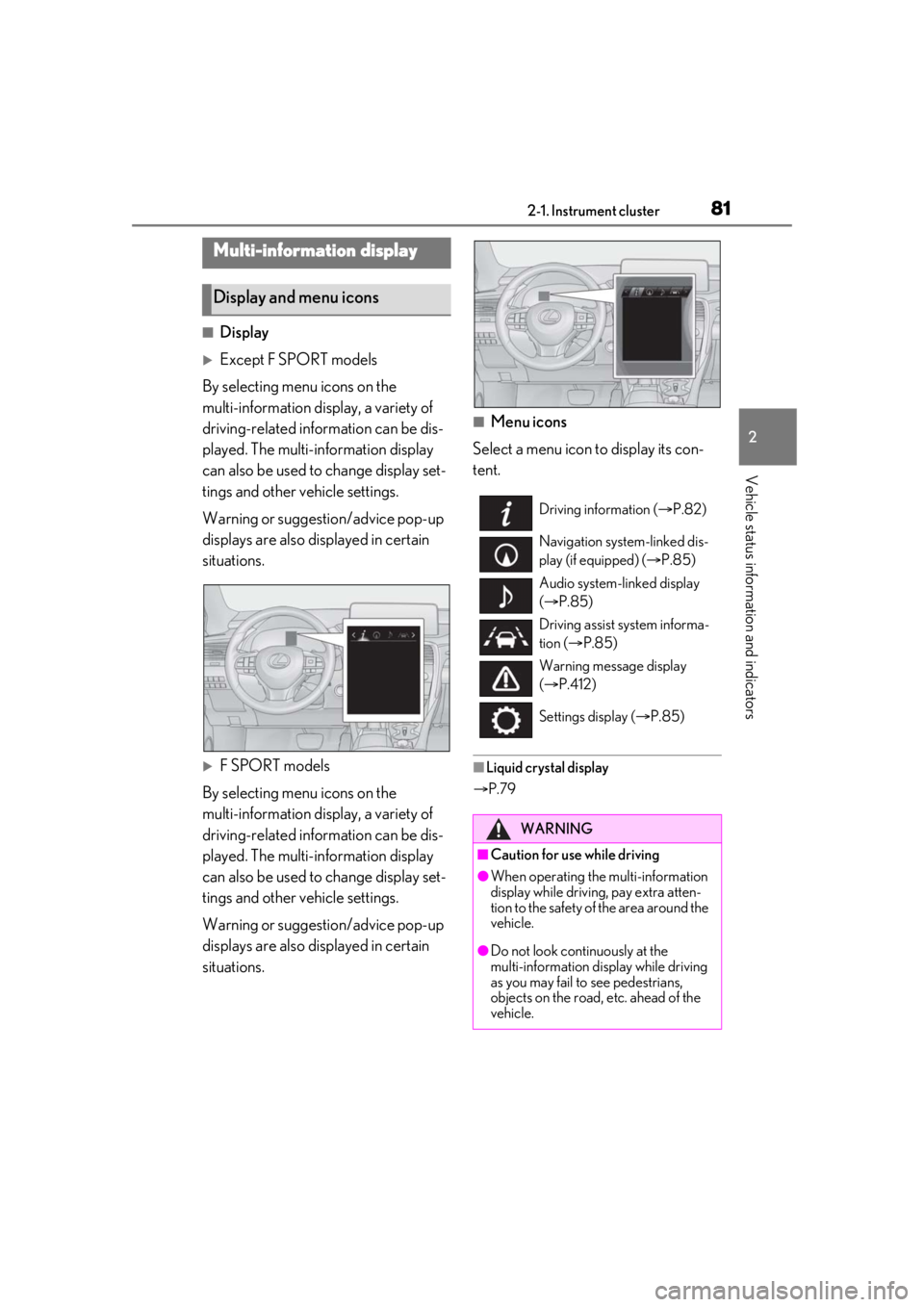
■Display
Except F SPORT models
By selecting menu icons on the
multi-information display, a variety of
driving-related information can be dis-
played. The multi-information display
can also be used to change display set-
tings and other vehicle settings.
Warning or suggestion/advice pop-up
displays are also displayed in certain
situations.
F SPORT models
By selecting menu icons on the
multi-information display, a variety of
driving-related information can be dis-
played. The multi-information display
can also be used to change display set-
tings and other vehicle settings.
Warning or suggestion/advice pop-up
displays are also displayed in certain
situations.
■Menu icons
Select a menu icon to display its con-
tent.
■Liquid crystal display
P.79
Multi-information display
Display and menu icons
Driving information ( P.82)
Navigation system-linked dis-
play (if equipped) ( P.85)
Audio system-linked display
( P.85)
Driving assist system informa-
tion ( P.85)
Warning message display
( P.412)
Settings display ( P.85)
WARNING
■Caution for use while driving
●When operating the multi-information
display while driving, pay extra atten-
tion to the safety of the area around the
vehicle.
●Do not look continuously at the
multi-information display while driving
as you may fail to see pedestrians,
objects on the road, etc. ahead of the
vehicle.
Page 85 of 508
852-1. Instrument cluster
2
Vehicle status information and indicators
tire inflation pressure after the engine
switch is turned to IGNITION ON mode.
It may also take a few minutes to display
the tire inflation pressure after inflation
pressure has been adjusted.
• “---” may be displayed if the tire position information cannot be determined due to
unfavorable radio wave conditions.
• Tire inflation pressure changes with tem- perature. The displayed values may also
be different from the values measured
using a tire pressure gauge.
Select to display the following naviga-
tion system-linked information.
Route guidance
Compass display (heading-up dis-
play)
Select to enable selection of an audio
source or track on the meter using the
meter control switches.
Select to display the operational status
of the following systems:
LTA (Lane Tracing Assist) ( P.216)
RSA (Road Sign Assist) (if
equipped) ( P.225)
Dynamic radar cruise control with
full-speed range ( P.227)
■Meter display settings that can be
changed
Clock
Select to switch between 12-hour display
and 24-hour display.
Language
Select to change the language displayed.
Units
Select to change the units of measure dis-
played.
Eco Driving Indicator Light
( P.83)
Select to enable/disable the Eco Driving
Indicator Light.
Switch settings
Select to display how to change the top
screen.
Drive information 1/Drive informa-
tion 2/Drive information 3
Select to select up to 2 items ( P.82) that
will be displayed on each Drive information
screen (Drive information 1 screen, Drive
information 2 screen, and Drive informa-
tion 3 screen) respectively.
Pop-up display
Select to enable/disable the pop-up dis-
play.
• Intersection guidance (if equipped)
• Incoming calls
• Brightness adjustment
Color (except F SPORT models)
Select to set the color of the cursor on the
multi-information display.
Needle (F SPORT models)
Navigation system-linked dis-
play (if equipped)
Audio system-linked display
Driving assist system information
Settings display
Page 87 of 508

872-1. Instrument cluster
2
Vehicle status information and indicators
■Suggestion to turn off the head-
lights
If the headlights are left on for a certain
amount of time after the engine switch
has been turned off, a suggestion mes-
sage will be displayed asking if you
wish to turn the headlights off.
To turn the headlights off, select “Yes”.
If a front door is op ened after the engine
switch is turned off, this suggestion mes-
sage will not be displayed.
■Customization
Some functions can be customized.
( P.461)