ECU LEXUS RX350 2022 Workshop Manual
[x] Cancel search | Manufacturer: LEXUS, Model Year: 2022, Model line: RX350, Model: LEXUS RX350 2022Pages: 508, PDF Size: 26.2 MB
Page 164 of 508

1624-1. Before driving
■GCWR (Gross Combination
Weight Rating)
The maximum allowable gross combi-
nation weight. The gross combination
weight is the sum of the total vehicle
weight (including the occupants, cargo
and any optional equipment installed
on the vehicle) and the weight of the
trailer being towed (including the
cargo in the trailer).
■GVWR (Gross Vehicle Weight
Rating)
The maximum allowable gross vehicle
weight. The gross vehicle weight is the
total weight of the vehicle. When tow-
ing a trailer, it is the sum of the vehicle
weight (including the occupants, cargo
and any optional equipment installed
on the vehicle) and the tongue weight.
WARNING
●Vehicle-trailer instabil ity is more likely
on steep long downhills. Before
descending steep or long downhill
grades, slow down and downshift. Do
not make sudden downshifts when
descending steep or long downhill
grades. Avoid holding the brake pedal
down too long or applying the brakes
too frequently. This could cause the
brakes to overheat and result in
reduced braking efficiency.
●Do not tow a trailer when the compact
spare tire is installed on your vehicle.
■When towing a trailer
Lexus recommends trailers with brakes
that conform to any applicable federal
and state/provincial regulations.
●If the gross trailer weight exceeds
unbraked TWR, trailer brakes are
required. Lexus recommends trailers
with brakes that conform to all applica-
ble federal and state/provincial regula-
tions.
●Never tap into your vehicle’s hydraulic
system, as this will lower the vehicle’s
braking effectiveness.
●Never tow a trailer without using a
safety chain securely attached to both
the trailer and the vehicle. If damage
occurs to the coupling unit or hitch
ball, there is danger of the trailer wan-
dering into another lane.
NOTICE
■When installing a trailer hitch
Use only the position recommended by
your Lexus dealer. Do not install the
trailer hitch on the bumper; this may
cause body damage.
■Do not directly splice trailer lights
Do not directly splice trailer lights.
Directly splicing trailer lights may dam-
age your vehicle’s electrical system and
cause a malfunction.
Towing related terms
Page 172 of 508

1704-2. Driving procedures
4-2.Driving procedures
1Check that the parking brake is set.
2 Check that the shift lever is in P.
3 Firmly depress the brake pedal.
and a message will be displayed on
the multi-information display.
If it is not displayed, the engine cannot be
started.
4 Press the engine switch shortly and
firmly.
When operating the engine switch, one
short, firm press is enough. It is not neces-
sary to press and hold the switch.
The engine will crank until it starts or for up
to 30 seconds, whichever is less.
Continue depressing the brake pedal until
the engine is completely started.
The engine can be started from any engine switch mode.
■Engine switch illumination
According to the situation, the engine
switch illumination operates as follows.
●When a door is open ed, or the engine
switch mode is changed from ACCES-
SORY or IGNITION ON mode to off,
the engine switch illumination slowly
blinks.
●When depressing the brake pedal with
carrying the electronic key on your per-
son, the engine switch illumination rapidly
blinks.
●When the engine switch is in ACCES-
SORY or IGNITION ON mode, the
engine switch illumination illuminates.
■If the engine does not start
●The engine immobilizer system may not
have been deactivated. ( P.66)
Contact your Lexus dealer.
●Check that the shift lever is securely set in
P. The engine may no t start if the shift
lever is displaced out of P. “To Start Vehi-
cle, Put Shift Lever into P” will be dis-
played on the multi- information display.
●If the door is unlocked with the mechani-
cal key, the engine cannot be started
using the smart access system with
push-button start. Refer to P.422to start
the engine. However, if the electronic key
is carried inside the vehicle and the doors
are locked (P.99), the engine can be
started.
Engine (ignition) switch
Performing the following opera-
tions when carryin g the electronic
key on your person starts the
engine or changes engine switch
modes.
Starting the engine
Page 188 of 508
1864-3. Operating the lights and wipers
Pull the lever toward you to the center
position to turn the high beams off.
2Pull the lever toward you and
release it to flash the high beams
once.
You can flash the high beams with the
headlights on or off.
AFS (Adaptive Front-lighting System)
secures excellent visibility at intersec-
tions and on curves by automatically
adjusting the direction of the light axis
of the headlights according to vehicle
speed and the degree of the tire’s angle
as controlled by steering input.
AFS operates at sp eeds of 6 mph (10
km/h) or higher.
■Customization
Some functions can be customized.
( P.449)
When the steering wheel or turn
signal lever is operated while the
headlights are on (low beam), a cor-
nering light will turn on and light up
the direction of movement of the
vehicle. The cornering lights are
designed to ensure excellent visibil-
ity when making a turn at an inter-
section.
However, when vehicle speed is approxi-
mately 22 mph (35 km/h) or higher, the
cornering lights will not turn on.
When the shift lever is in R while the headlights are on (low beam), both
cornering lights will turn on. This is
designed to enhance visibility when
parking.
■Cornering lights (if equipped)
When the cornering lights are on for more
than 30 minutes, they will turn off automati-
cally.
AFS (Adaptive Front-lighting
System) (if equipped)
Cornering lights (if equipped)
Page 192 of 508

1904-3. Operating the lights and wipers
*:If equipped
1 (U.S.A.) or (Canada)
Turns the fog lights off
2 Turns the fog lights on
■Fog lights can be used when
The headlights are on in low beam.
Operate the lever operates the
wipers or washer as follows.
When “AUTO” is selected, the wipers
will operate automatically when the
sensor detects falling rain. The system
automatically adjusts wiper timing in
accordance with rain volume and vehi-
cle speed.
The sensor sensitivity can be adjusted
when “AUTO” is selected.
Fog light switch*
The fog lights secure excellent visi-
bility in difficult driving conditions,
such as in rain and fog.
Operating instructions
Windshield wipers and
washer
Operating the lever can switch
between automatic operation and
manual operation, or can use the
washer.
NOTICE
■When the windshield is dry
Do not use the wipers, as they may dam-
age the windshield.
Operating the wiper lever
Page 197 of 508

1954-4. Refueling
4
Driving
4-4.Refueling
Close all the doors and windows,
and turn the engine switch off.
Confirm the type of fuel.
■Fuel types
P.438
■Fuel tank opening for unleaded gasoline
To help prevent incorrect fueling, your vehi-
cle has a fuel tank opening that only accom-
modates the special nozzle on unleaded
fuel pumps.
■If the malfunction indicator lamp illumi-
nates
The malfunction indicator lamp may illumi-
nate erroneously if refueling is performed
repeatedly when the fuel tank is nearly full.
Opening the fuel tank cap
Perform the following steps to open
the fuel tank cap:
Before refueling the vehicle
WARNING
■When refueling the vehicle
Observe the following precautions while
refueling the vehicle. Failure to do so may
result in death or serious injury.
●After exiting the ve hicle and before
opening the fuel door, touch an
unpainted metal surface to discharge
any static electricity. It is important to
discharge static electricity before
refueling because sparks resulting
from static electricity can cause fuel
vapors to ignite while refueling.
●Always hold the grips on the fuel tank
cap and turn it slowly to remove it.
A whooshing sound may be heard
when the fuel tank cap is loosened.
Wait until the sound cannot be heard
before fully removing the cap. In hot
weather, pressurized fuel may spray
out of the filler neck and cause injury.
●Do not allow anyone that has not dis-
charged static electricity from their
body to come close to an open fuel
tank.
●Do not inhale vaporized fuel.
Fuel contains substances that are
harmful if inhaled.
●Do not smoke while refueling the vehi-
cle.
Doing so may cause the fuel to ignite
and cause a fire.
●Do not return to the vehicle or touch
any person or object that is statically
charged.
This may cause static electricity to
build up, resulting in a possible ignition
hazard.
■When refueling
Observe the following precautions to
prevent fuel overflowing from the fuel
tank:
●Securely insert the fuel nozzle into the
fuel filler neck.
●Stop filling the tank after the fuel noz-
zle automatically clicks off.
●Do not top off the fuel tank.
NOTICE
■Refueling
Do not spill fuel during refueling.
Doing so may damage the vehicle, such
as causing the emission control system to
operate abnormally or damaging fuel
system components or the vehicle’s
painted surface.
Page 198 of 508

1964-4. Refueling
1With the doors unlocked, press the
center of the rear edge of the fuel
filler door.
Push inward and take your hand away to
slightly open the fuel filler door. Then open
the door fully by hand.
2Open the fuel filler door until it is
securely locked.
3 Turn the fuel tank cap slowly and
remove it, then put it into the holder
on the fuel filler door.
■If the fuel filler door cannot be opened
P.420
1 After refueling, turn the fuel tank
cap until you hear a click. Once the cap is released, it will turn slightly in
the opposite direction.
2 Close the fuel filler door, and press
the center of the rear edge of the
fuel filler door.
When you lock the do ors, the fuel filler
door will lock also.
■Fuel filler door lock condition
The fuel filler door may not be locked even
when the vehicle’s doors are locked in the
following conditions:
●When operating the door lock button
inside the vehicle
●When the automatic door locking system
is operated ( P.100)
●When the fuel filler door is closed after
the vehicle’s doors are locked
Opening the fuel tank cap
Closing the fuel tank cap
Page 237 of 508
2354-5. Using the driving support systems
4
Driving
the farther away the vehicle will be detected, causing the outside rear view mirror indi-
cator to illuminate or flash.
■The Blind Spot Monitor is operational
when
The Blind Spot Monitor is operational when
all of the following conditions are met:
●The Blind Spot Monitor is on.
●The shift lever is in a position other than R.
●The vehicle speed is greater than approx-
imately 10 mph (16 km/h).
■The Blind Spot Monitor will detect a
vehicle when
The Blind Spot Monitor will detect a vehicle
present in the detection area in the follow-
ing situations:
●A vehicle in an adj acent lane overtakes
your vehicle.
●You overtake a vehicle in an adjacent lane
slowly.
●Another vehicle enters the detection
area when it changes lanes.
■Conditions under which the system will
not detect a vehicle
The Blind Spot Monitor is not designed to
detect the following types of vehicles and/or
objects:
●Small motorcycles, bicycles, pedestrians,
etc.*
●Vehicles traveling in the opposite direc-
tion
●Guardrails, walls, signs, parked vehicles
and similar stationary objects*
●Following vehicles th at are in the same
lane*
●Vehicles traveling 2 lanes away from your
vehicle*
●Vehicles which are being overtaken rap-
idly by your vehicle*
*
: Depending on the conditions, detection of a vehicle and/or object may occur.
■Conditions under which the system may
not function correctly
●The Blind Spot Monitor may not detect
vehicles correctly in the following situa-
tions:
• When the sensor is misaligned due to a
strong impact to the sensor or its sur-
rounding area
• When mud, snow, ice, a sticker, etc. is
covering the sensor or surrounding area
on the rear bumper
• When driving on a road surface that is
wet with standing water during bad
weather, such as heavy rain, snow, or fog
• When multiple vehicles are approaching
with only a small gap between each vehi-
cle
• When the distance between your vehicle
and a following vehicle is short
• When there is a significant difference in speed between your vehicle and the vehi-
cle that enters the detection area
• When the difference in speed between your vehicle and another vehicle is
changing
• When a vehicle enters a detection area traveling at about the same speed as your
vehicle
• As your vehicle starts from a stop, a vehi- cle remains in the detection area
• When driving up and down consecutive steep inclines, such as hills, dips in the
road, etc.
• When driving on roads with sharp bends, consecutive curves, or uneven surfaces
• When vehicle lanes are wide, or when
driving on the edge of a lane, and the
vehicle in an adjacent lane is far away
from your vehicle
• When an accessory (such as a bicycle carrier) is installed to the rear of the vehi-
cle
• When there is a significant difference in height between your vehicle and the
vehicle that enters the detection area
• Immediately after the Blind Spot Monitor
is turned on
●Instances of the Blind Spot Monitor
unnecessarily detecting a vehicle and/or
object may increase in the following situ-
Page 238 of 508

2364-5. Using the driving support systems
ations:
• When the sensor is misaligned due to a strong impact to the sensor or its sur-
rounding area
• When the distance between your vehicle and a guardrail, wall, etc. that enters the
detection area is short
• When driving up and down consecutive steep inclines, such as hills, dips in the
road, etc.
• When vehicle lanes are narrow, or when driving on the edge of a lane, and a vehi-
cle traveling in a lane other than the adja-
cent lanes enters the detection area
• When driving on roads with sharp bends,
consecutive curves, or uneven surfaces
• When the tires are slipping or spinning
• When the distance between your vehicle and a following vehicle is short
• When an accessory (such as a bicycle carrier) is installed to the rear of the vehi-
cle
*: If equipped
■Intuitive parking assist (if
equipped)
Ultrasonic sensors are used to detect
static objects in the detection area
when driving at a low speed or backing
up. ( P.238)
■RCTA (Rear Cross Traffic Alert)
function (if equipped)
Rear side radar sensors are used to
detect approaching vehicles in the
detection areas behind the vehicle
when backing up. ( P.245)
■Adjusting the buzzer volume
The buzzer volume can be adjusted on
the multi-information display. The vol-
ume of buzzers for the intuitive parking
assist and RCTA function will be
PKSA (Parking Support
Alert)
*
The Parking Support Alert system
consists of the following functions
that operate when driving at a low
speed or backing up, such as when
parking. When the system deter-
mines that the possibility of a colli-
sion with a detected object or such
as a wall is high, a warning operates
to urge the driver to take evasive
action.
PKSA (Parking Support Alert)
system
Setting the buzzer volume
Page 311 of 508
3095-5. Using the storage features
5
Interior features
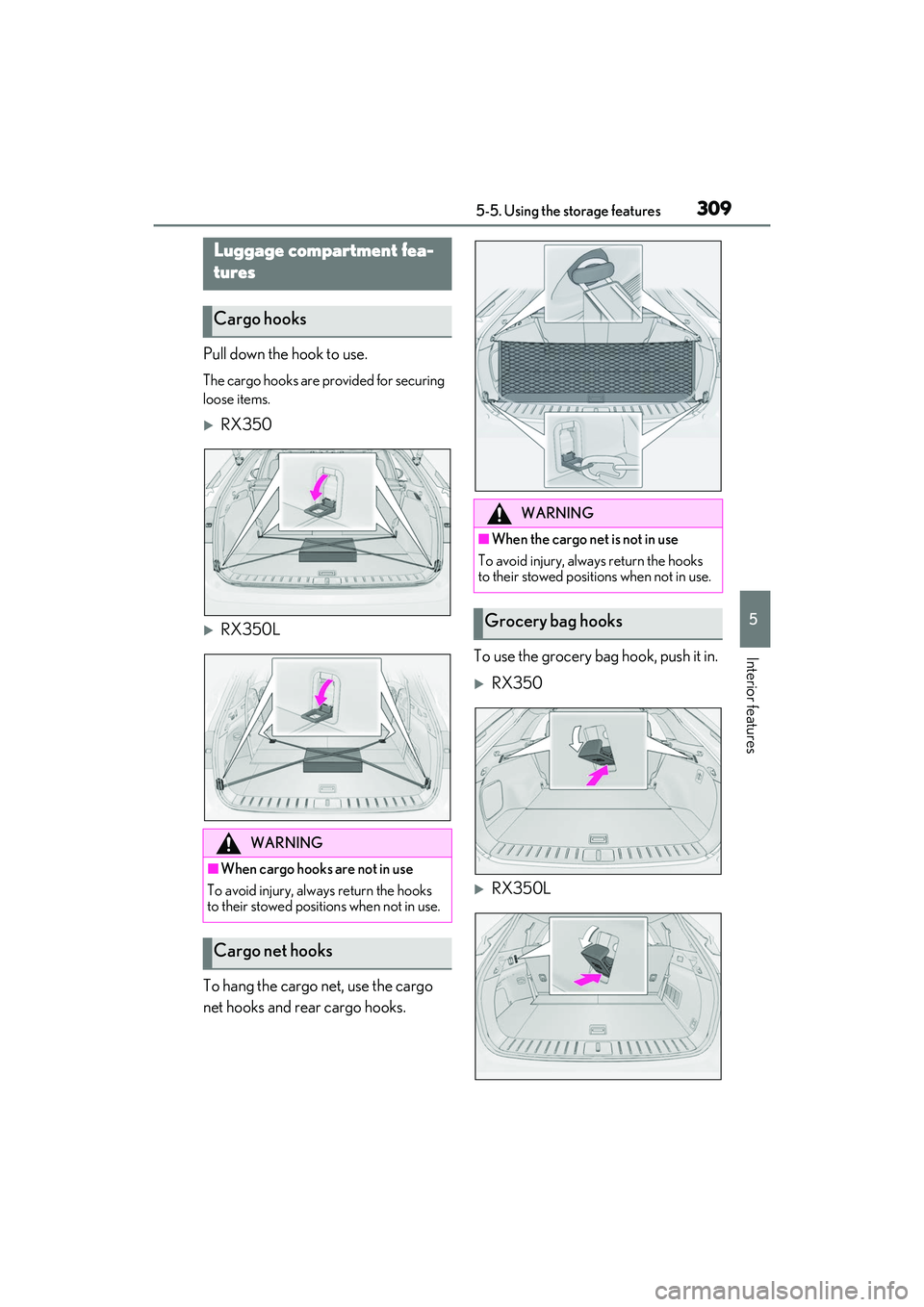
Pull down the hook to use.
The cargo hooks are provided for securing
loose items.
RX350
RX350L
To hang the cargo net, use the cargo
net hooks and rear cargo hooks. To use the grocery bag hook, push it in.
RX350
RX350L
Luggage compartment fea-
tures
Cargo hooks
WARNING
■When cargo hooks are not in use
To avoid injury, always return the hooks
to their stowed positions when not in use.
Cargo net hooks
WARNING
■When the cargo net is not in use
To avoid injury, always return the hooks
to their stowed positions when not in use.
Grocery bag hooks
Page 328 of 508
3265-6. Using the other interior features
■HomeLink® programming procedure
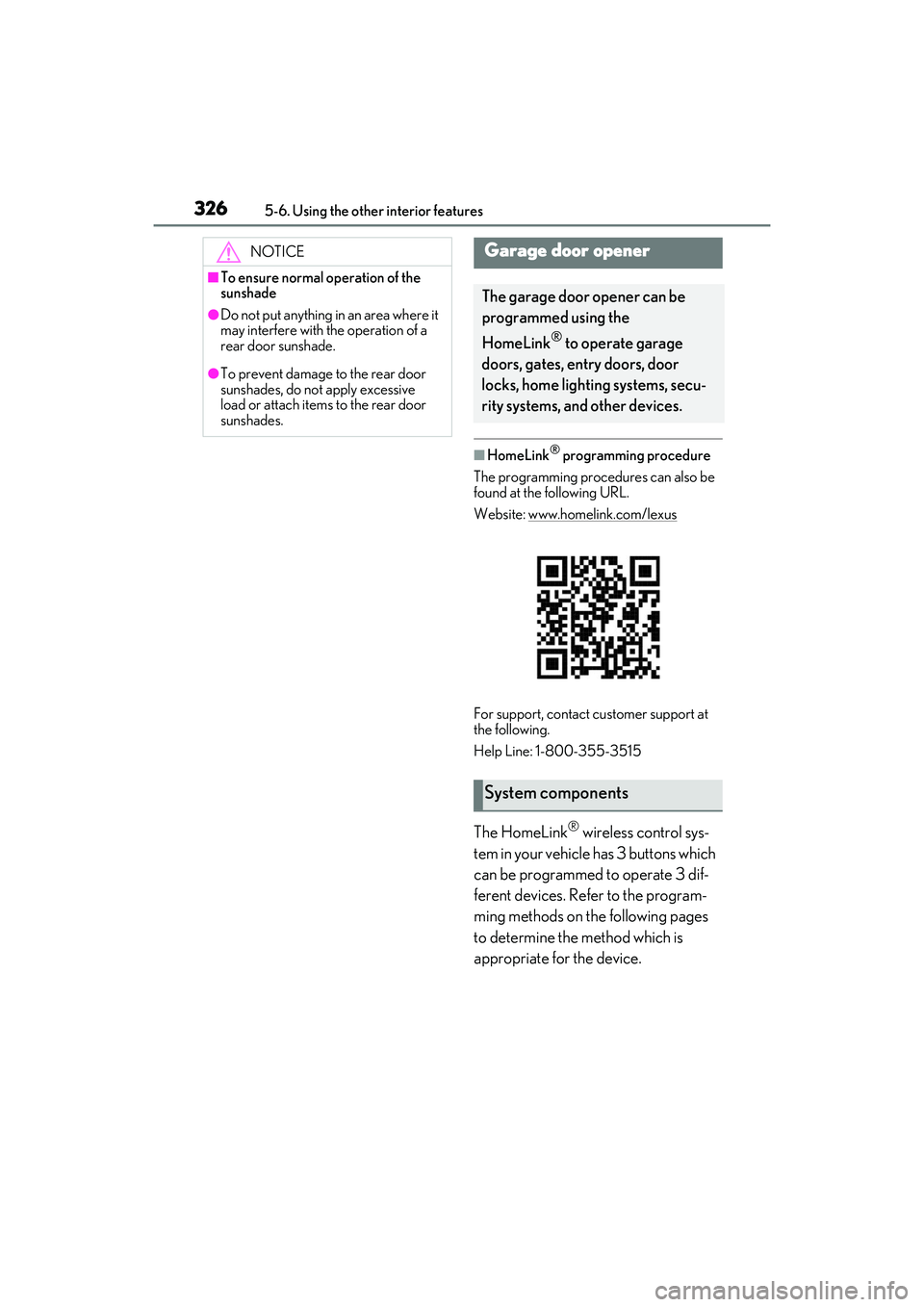
The programming procedures can also be
found at the following URL.
Website: www.homelink.com/lexus
For support, contact customer support at
the following.
Help Line: 1-800-355-3515
The HomeLink® wireless control sys-
tem in your vehicle has 3 buttons which
can be programmed to operate 3 dif-
ferent devices. Refer to the program-
ming methods on the following pages
to determine the method which is
appropriate for the device.
NOTICE
■To ensure normal operation of the
sunshade
●Do not put anything in an area where it
may interfere with the operation of a
rear door sunshade.
●To prevent damage to the rear door
sunshades, do no t apply excessive
load or attach items to the rear door
sunshades.
Garage door opener
The garage door opener can be
programmed using the
HomeLink
® to operate garage
doors, gates, entry doors, door
locks, home lighting systems, secu-
rity systems, and other devices.
System components