wheel LEXUS RX400H 2008 Workshop Manual
[x] Cancel search | Manufacturer: LEXUS, Model Year: 2008, Model line: RX400H, Model: LEXUS RX400H 2008Pages: 487, PDF Size: 6.96 MB
Page 197 of 487
195
2-5. Driving information
2
When driving
RX400h_U●
Always place wheel blocks under both the vehicle and the trailer
wheels when parking. Apply the parking brake firmly, and put the
transmission in P. Avoid parking on a slope, but if unavoidable, do so
only after performing the following:
Apply the brakes and keep them applied.
Have someone place wheel blocks under both the vehicle and
trailer wheels.
When the wheel blocks are in place, release the brakes slowly
until the blocks absorb the load.
Apply the parking brake firmly.
Shift into P and turn off the hybrid system.
● When restarting after parking on a slope:
With the transmission in the P position, start the hybrid system. Be
sure to keep the brake pedal pressed.
Shift into D or the R position (if reversing).
Release the parking brake and brake pedal, and slowly pull or
back away from the wheel blocks. Stop and apply the brakes.
Have someone retrieve the blocks.
CAUTION
■To avoid an accident
●Do not exceed 45 mph (72 km/h) or the posted towing speed limit, whichever is
lower. As instability (swaying) of the towing vehicle-trailer combination increases
as speed increases, exceeding 45 mph (72 km/h) may cause loss of control.
●Slow down and downshift before descending steep or long downhill grades. Do
not make sudden downshifts.
●Avoid holding the brake pedal down too long or applying the brakes too fre-
quently.
This could cause the brakes to overheat and result in reduced braking efficiency.
STEP1
STEP2
STEP3
STEP4
STEP5
STEP1
STEP2
STEP3
STEP4
Page 198 of 487
196
2-5. Driving information
RX400h_U
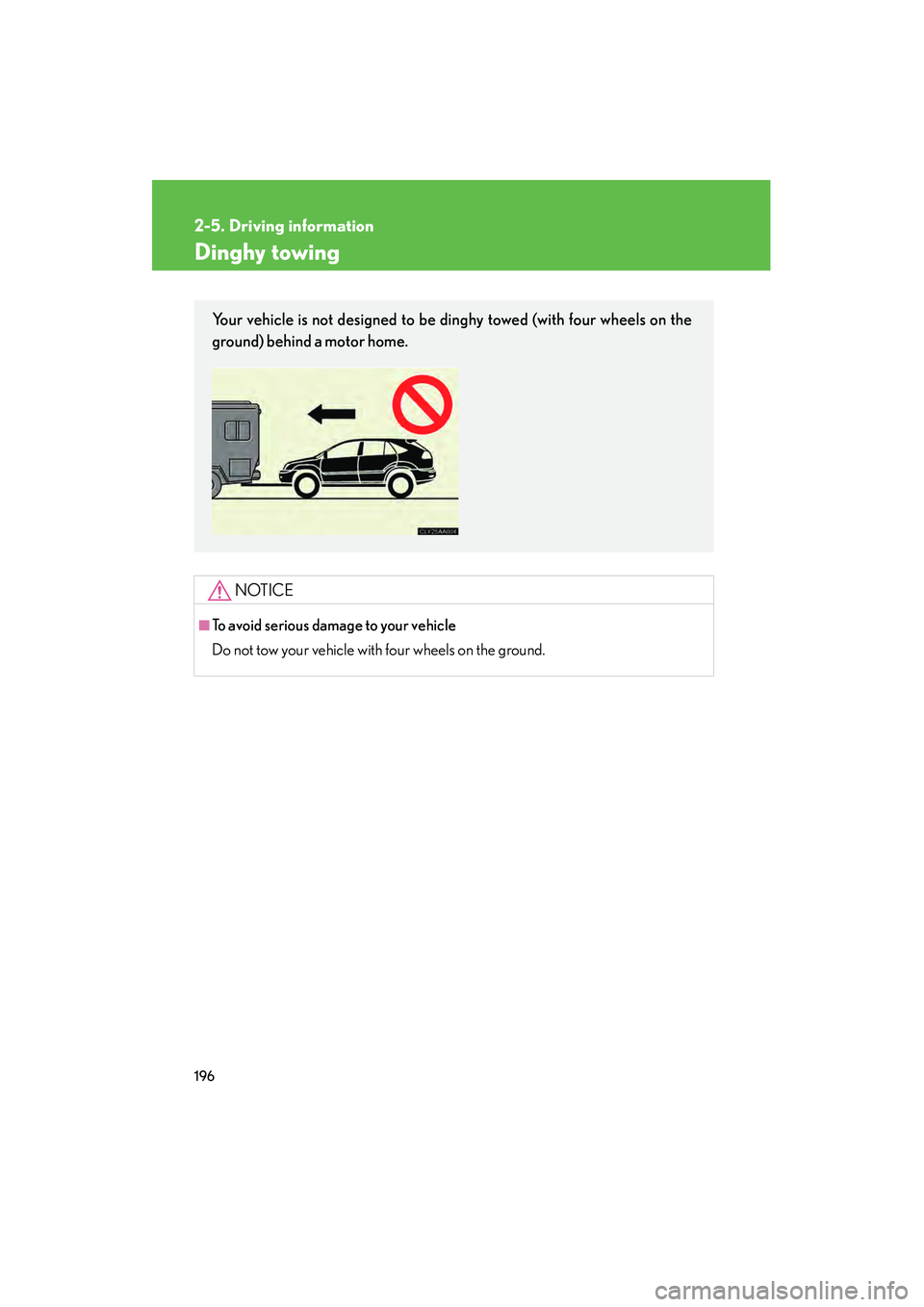
Dinghy towing
NOTICE
■To avoid serious damage to your vehicle
Do not tow your vehicle with four wheels on the ground.
Your vehicle is not designed to be dinghy towed (with four wheels on the
ground) behind a motor home.
Page 199 of 487
Interior features3
197
RX400h_U
3-1. Using the air conditioning system and defogger ... 198
Automatic air conditioning system............. 198
Rear window and outside rear view mirror defoggers,
and windshield wiper
de-icer ................................... 204
3-2. Using the front audio system ........................... 205
Audio system type................. 205
Using the radio........................ 207
Using the CD player .............. 214
Playing back MP3 and
WMA discs........................... 220
Optimal use of the audio system .................................... 228
Using the steering wheel audio switches ....................... 231
3-3. Using the rear audio system ........................... 233
Rear seat entertainment system features ................... 233
Using the DVD player
(DVD video) .......................... 239
Using the DVD player (video CD) ............................. 246
Using the DVD player (audio CD/ CD text) .......... 248
Using the DVD player
(MP3 discs) ........................... 249
Using the video mode ............ 251 Changing the initial
setting ..................................... 253
3-4. Using the interior lights ............................. 260
Interior lights list .................... 260
• Interior lights ........................ 263
• Personal lights ..................... 264
3-5. Using the storage features ........................ 265
List of storage features......... 265
• Glove box .............................. 265
• Console boxes ..................... 266
• Coin holder........................... 268
• Overhead console.............. 269
• Cup holders .......................... 269
• Door pockets ........................ 271
3-6. Other interior features ........................ 272
Sun visors ................................. 272
Vanity mirror ........................... 273
Clock .......................................... 274
Outside temperature display...................................... 275
Multi-display light control .... 276
Power outlets ........................... 277
Seat heaters ............................ 280
Armrest .................................... 282
Floor mat .................................. 283
Luggage compartment features .................................. 284
Garage door opener ............ 287
Compass .................................. 292
Page 207 of 487
205
3
Interior features
RX400h_U
3-2. Using the front audio system
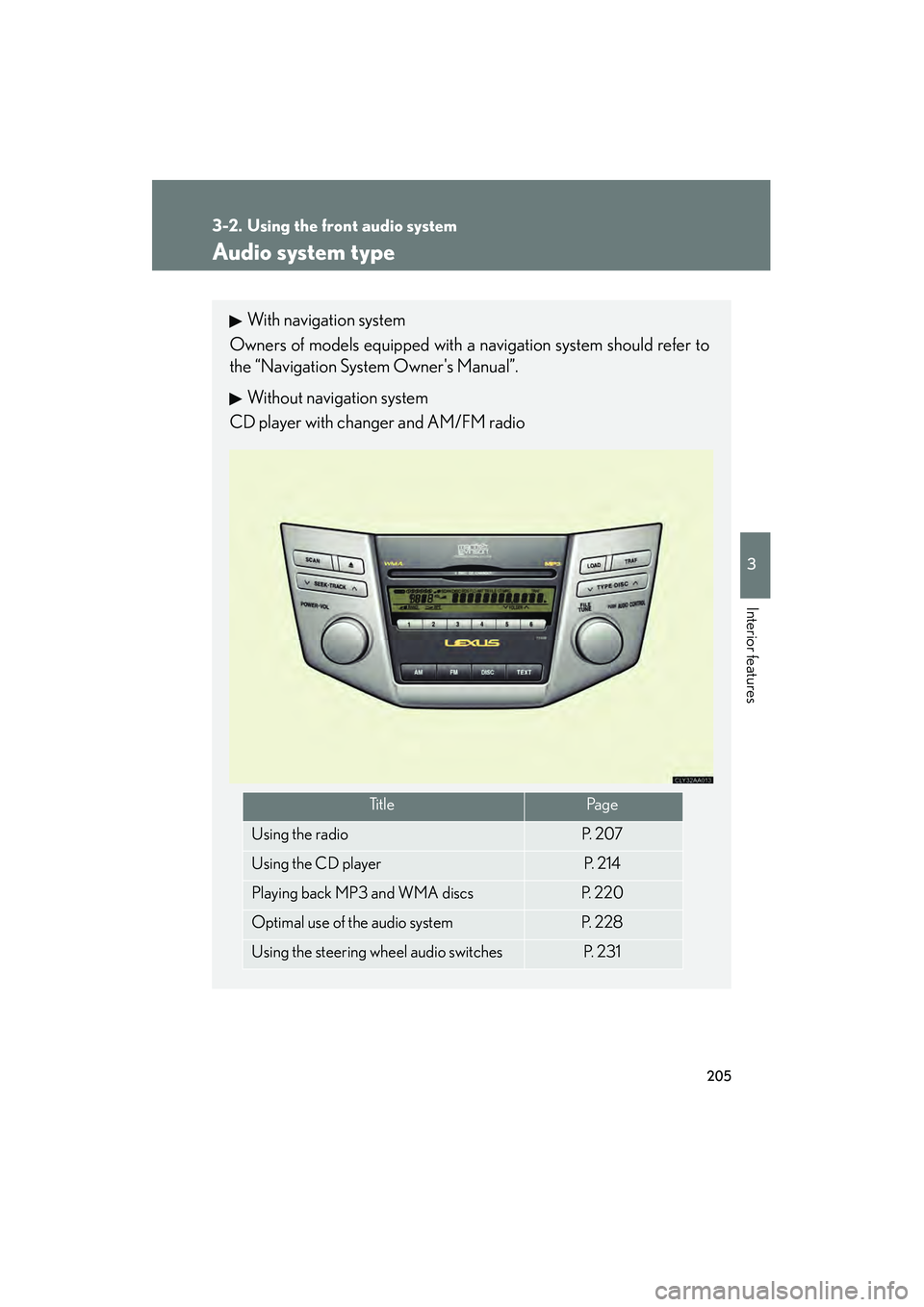
Audio system type
With navigation system
Owners of models equipped with a navigation system should refer to
the “Navigation System Owner's Manual”.
Without navigation system
CD player with changer and AM/FM radio
Ti t l ePa g e
Using the radioP. 2 0 7
Using the CD playerP. 2 1 4
Playing back MP3 and WMA discsP. 220
Optimal use of the audio systemP. 2 2 8
Using the steering wheel audio switchesP. 2 3 1
Page 233 of 487
231
3-2. Using the front audio system
3
Interior features
RX400h_U
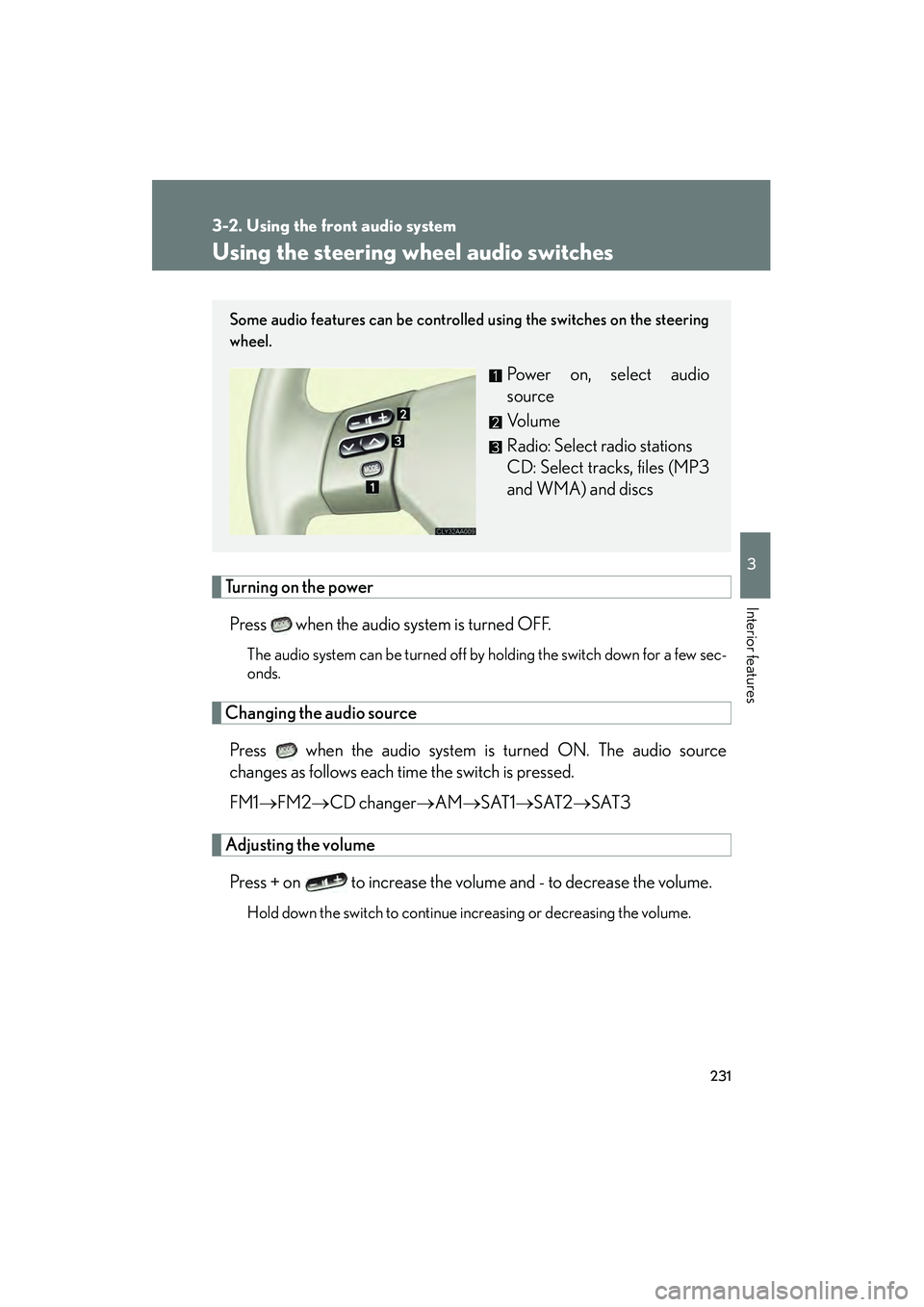
Using the steering wheel audio switches
Turning on the powerPress when the audio system is turned OFF.
The audio system can be turned off by holding the switch down for a few sec-
onds.
Changing the audio sourcePress when the audio system is turned ON. The audio source
changes as follows each time the switch is pressed.
FM1 →FM2 →CD changer →AM→ SAT1→SAT2 →SAT3
Adjusting the volume
Press + on to increase the volume and - to decrease the volume.
Hold down the switch to continue increasing or decreasing the volume.
Some audio features can be controlled using the switches on the steering
wheel.
Power on, select audio
source
Vo l u m e
Radio: Select radio stations
CD: Select tracks, files (MP3
and WMA) and discs
Page 234 of 487
232
3-2. Using the front audio system
RX400h_U
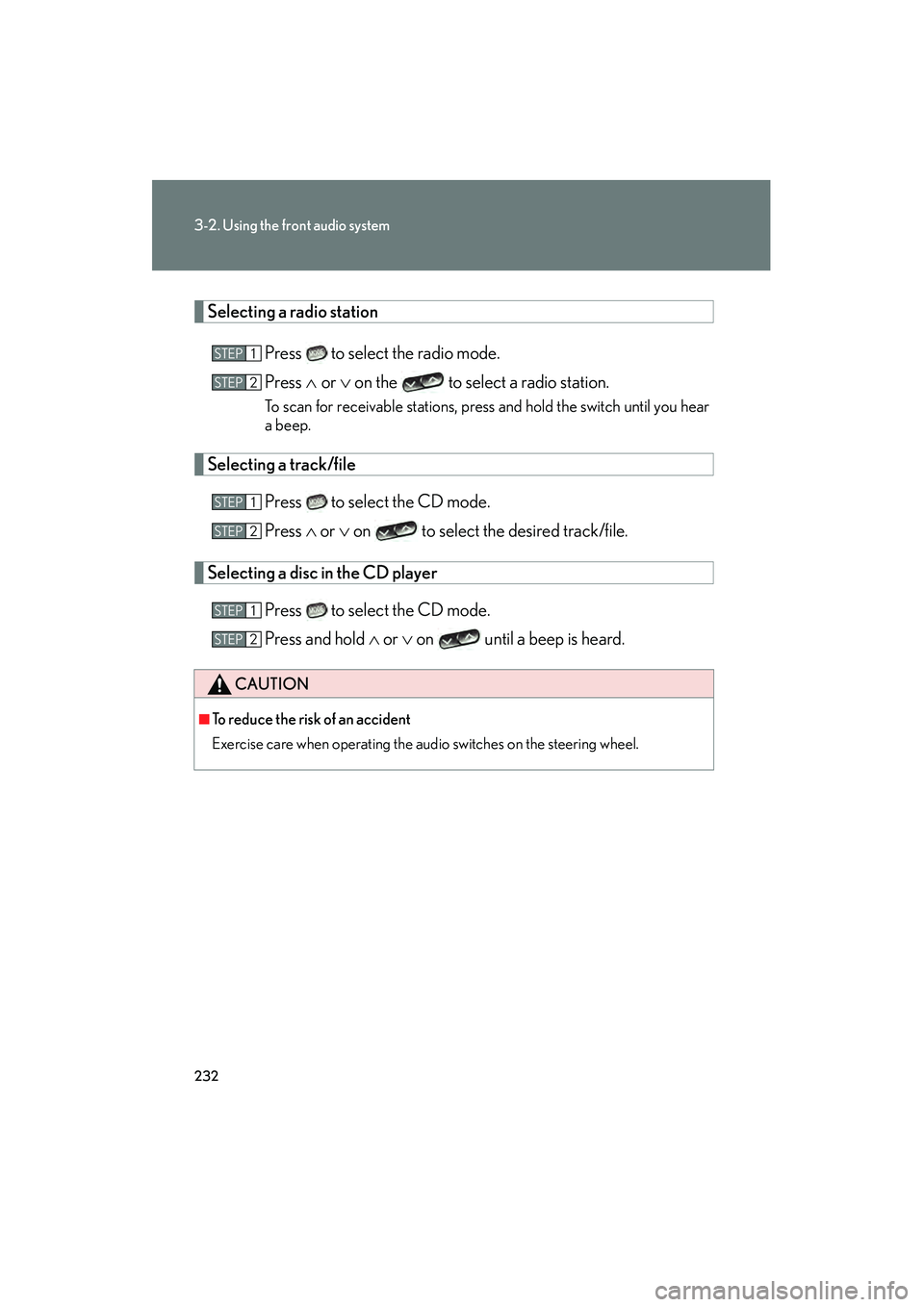
Selecting a radio stationPress to select the radio mode.
Press ∧ or ∨ on the to select a radio station.
To scan for receivable stations, press and hold the switch until you hear
a beep.
Selecting a track/file
Press to select the CD mode.
Press ∧ or ∨ on to select the desired track/file.
Selecting a disc in the CD player
Press to select the CD mode.
Press and hold ∧ or ∨ on until a beep is heard.
CAUTION
■To reduce the risk of an accident
Exercise care when operating the audio switches on the steering wheel.
STEP1
STEP2
STEP1
STEP2
STEP1
STEP2
Page 299 of 487
Maintenance and care4
297
RX400h_U
4-1. Maintenance and care ............................... 298
Cleaning and protecting the vehicle exterior............ 298
Cleaning and protecting the vehicle interior ............... 301
4-2. Maintenance .................. 304 Maintenance requirements ....................... 304
General maintenance .......... 306
Emission inspection and maintenance (I/M)
programs............................... 309 4-3. Do-it-yourself
maintenance ................. 310
Do-it-yourself service precautions ............................ 310
Hood ........................................... 313
Positioning a floor jack .......... 314
Engine compartment ............ 316
Tires............................................. 331
Tire inflation pressure........... 340
Wheels ...................................... 344
Air conditioning filter ........... 346
Wireless remote control battery .................................... 348
Rear seat entertainment system controller ................ 350
Checking and replacing fuses ........................................ 352
Headlight aim (vehicles with discharge
headlights) ............................ 364
Light bulbs................................ 365
Page 300 of 487
298
RX400h_U
4-1. Maintenance and care
Cleaning and protecting the vehicle exterior
■Automatic car washes
●Before washing the vehicle:
• Fold the mirrors back.
• Remove the antenna.
• Turn the power back door system off.
●Brushes used in automatic car washes may scratch the vehicle surface and harm
your vehicle’s paint.
■High pressure car washes
●Do not allow the nozzles of the car wash to come within close proximity of the
windows.
●Before car wash, check that the fuel filler door on your vehicle is closed properly.
Perform the following to protect the vehicle and maintain it in prime condi-
tion.
●Working from top to bottom, liberally apply water to the vehicle
body, wheel wells and underside of the vehicle to remove any dirt
and dust.
Wash the vehicle body using a sponge or soft cloth, such as a
chamois.
● For hard-to-remove marks, use car wash soap and rinse thor-
oughly with water.
● Wipe away any water.
● Wax the vehicle when the waterproof coating deteriorates.
If water does not bead on a clean surface, apply wax when the vehicle
body is cool.
Page 301 of 487
299
4-1. Maintenance and care
4
Maintenance and care
RX400h_U
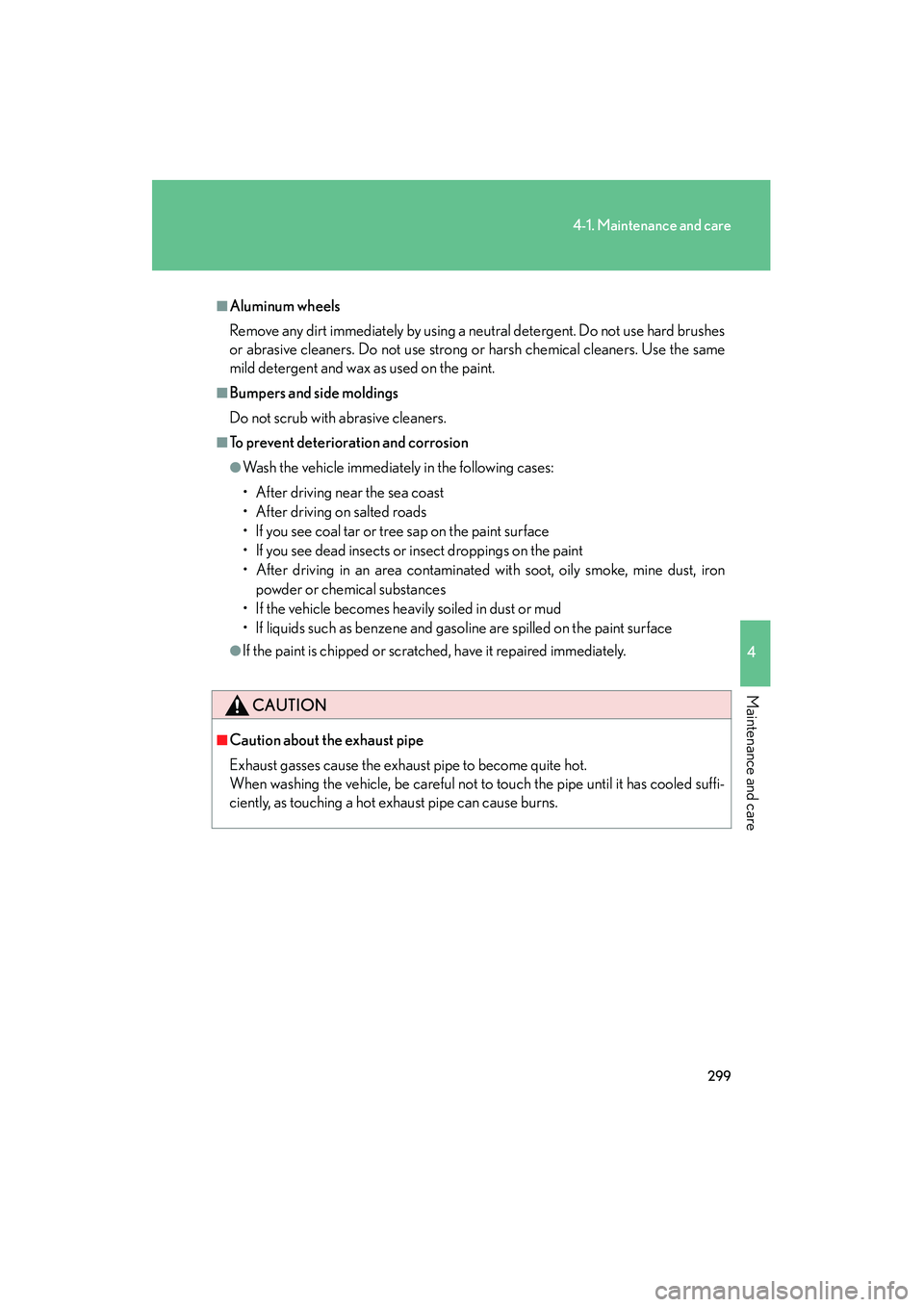
■Aluminum wheels
Remove any dirt immediately by using a neutral detergent. Do not use hard brushes
or abrasive cleaners. Do not use strong or harsh chemical cleaners. Use the same
mild detergent and wax as used on the paint.
■Bumpers and side moldings
Do not scrub with abrasive cleaners.
■To prevent deterioration and corrosion
●Wash the vehicle immediately in the following cases:
• After driving near the sea coast
• After driving on salted roads
• If you see coal tar or tree sap on the paint surface
• If you see dead insects or insect droppings on the paint
• After driving in an area contaminated with soot, oily smoke, mine dust, ironpowder or chemical substances
• If the vehicle becomes heavily soiled in dust or mud
• If liquids such as benzene and gasoline are spilled on the paint surface
●If the paint is chipped or scratched, have it repaired immediately.
CAUTION
■Caution about the exhaust pipe
Exhaust gasses cause the exhaust pipe to become quite hot.
When washing the vehicle, be careful not to touch the pipe until it has cooled suffi-
ciently, as touching a hot exhaust pipe can cause burns.
Page 310 of 487
308
4-2. Maintenance
RX400h_U
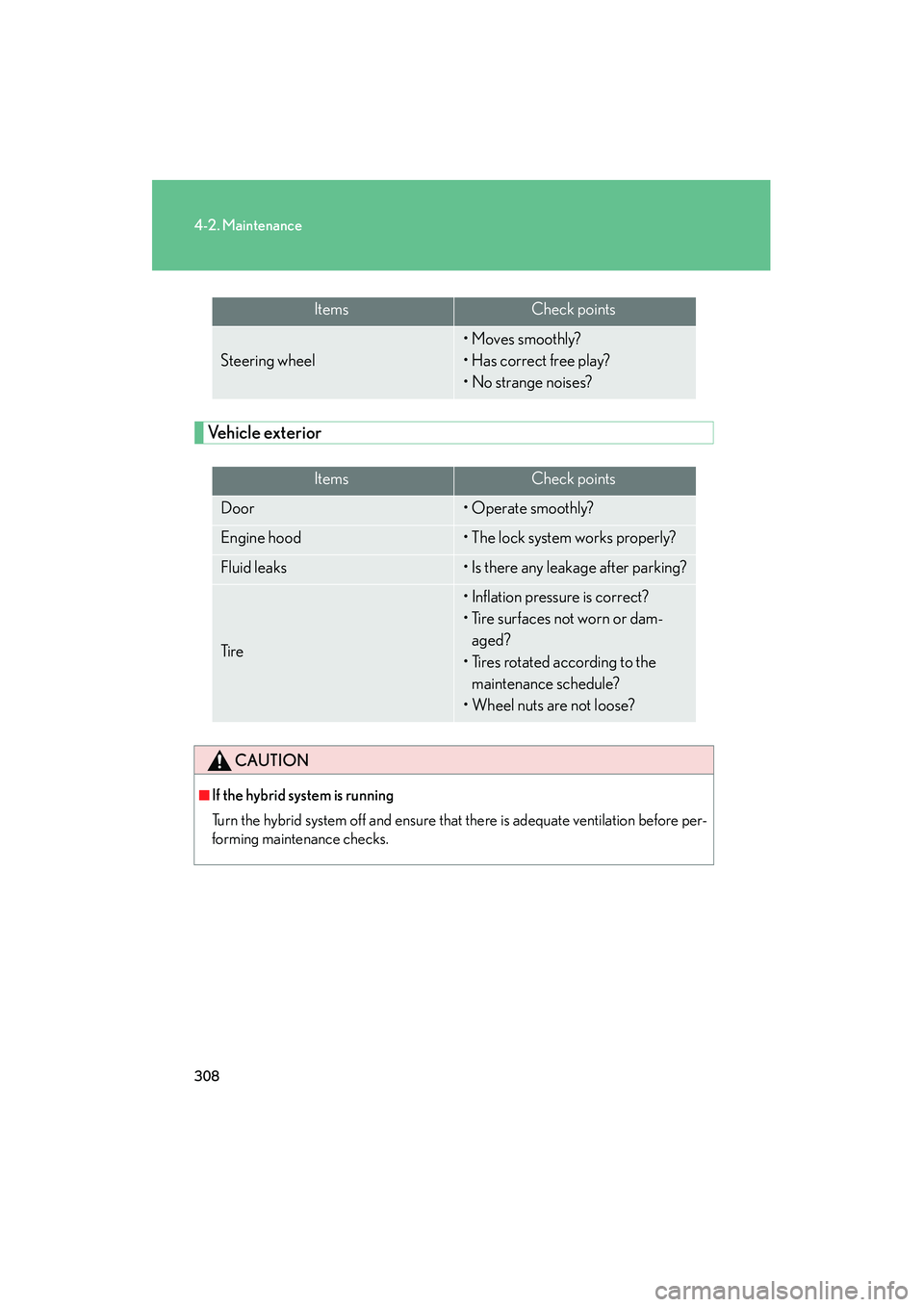
Vehicle exterior
ItemsCheck points
Steering wheel
• Moves smoothly?
• Has correct free play?
• No strange noises?
ItemsCheck points
Door• Operate smoothly?
Engine hood• The lock system works properly?
Fluid leaks• Is there any leakage after parking?
Ti r e
• Inflation pressure is correct?
• Tire surfaces not worn or dam-aged?
• Tires rotated according to the maintenance schedule?
• Wheel nuts are not loose?
CAUTION
■If the hybrid system is running
Turn the hybrid system off and ensure that there is adequate ventilation before per-
forming maintenance checks.