cruise control LEXUS RX400H 2008 Owners Manual
[x] Cancel search | Manufacturer: LEXUS, Model Year: 2008, Model line: RX400H, Model: LEXUS RX400H 2008Pages: 487, PDF Size: 6.96 MB
Page 5 of 487
1
2
3
4
5
6
7
RX400h_U
3
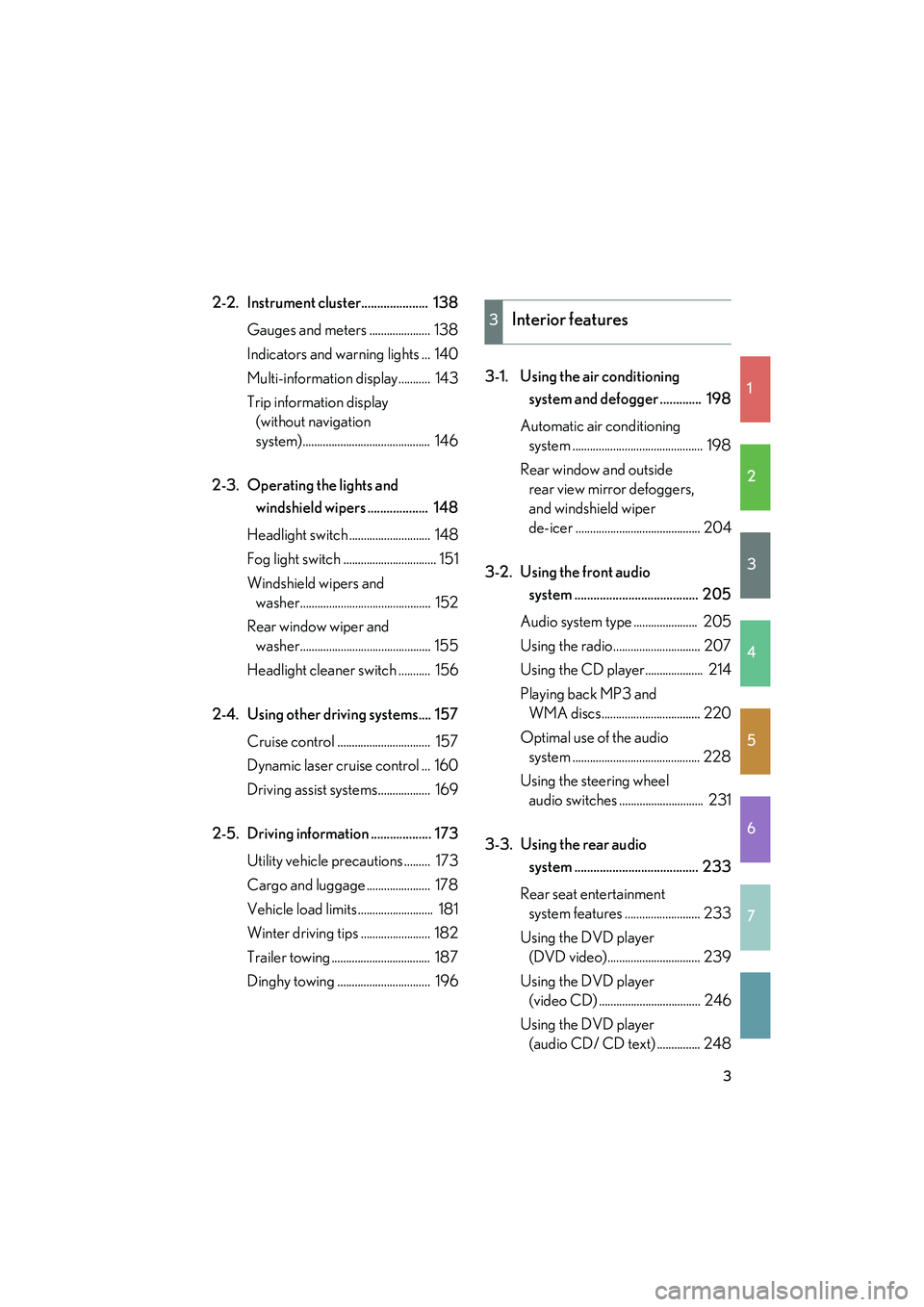
2-2. Instrument cluster..................... 138Gauges and meters ..................... 138
Indicators and warning lights ... 140
Multi-information display........... 143
Trip information display (without navigation
system)............................................ 146
2-3. Operating the lights and windshield wipers ................... 148
Headlight switch ............................ 148
Fog light switch ................................ 151
Windshield wipers and washer............................................. 152
Rear window wiper and washer............................................. 155
Headlight cleaner switch ........... 156
2-4. Using other driving systems.... 157 Cruise control ................................ 157
Dynamic laser cruise control ... 160
Driving assist systems.................. 169
2-5. Driving information ................... 173 Utility vehicle precautions ......... 173
Cargo and luggage ...................... 178
Vehicle load limits .......................... 181
Winter driving tips ........................ 182
Trailer towing .................................. 187
Dinghy towing ................................ 196 3-1. Using the air conditioning
system and defogger ............. 198
Automatic air conditioning system ............................................. 198
Rear window and outside rear view mirror defoggers,
and windshield wiper
de-icer ........................................... 204
3-2. Using the front audio system ....................................... 205
Audio system type ...................... 205
Using the radio.............................. 207
Using the CD player.................... 214
Playing back MP3 and WMA discs.................................. 220
Optimal use of the audio system ............................................ 228
Using the steering wheel audio switches ............................. 231
3-3. Using the rear audio system ....................................... 233
Rear seat entertainment system features .......................... 233
Using the DVD player (DVD video)................................ 239
Using the DVD player (video CD) ................................... 246
Using the DVD player (audio CD/ CD text) ............... 248
3Interior features
Page 18 of 487
16
Pictorial indexInstrument panel
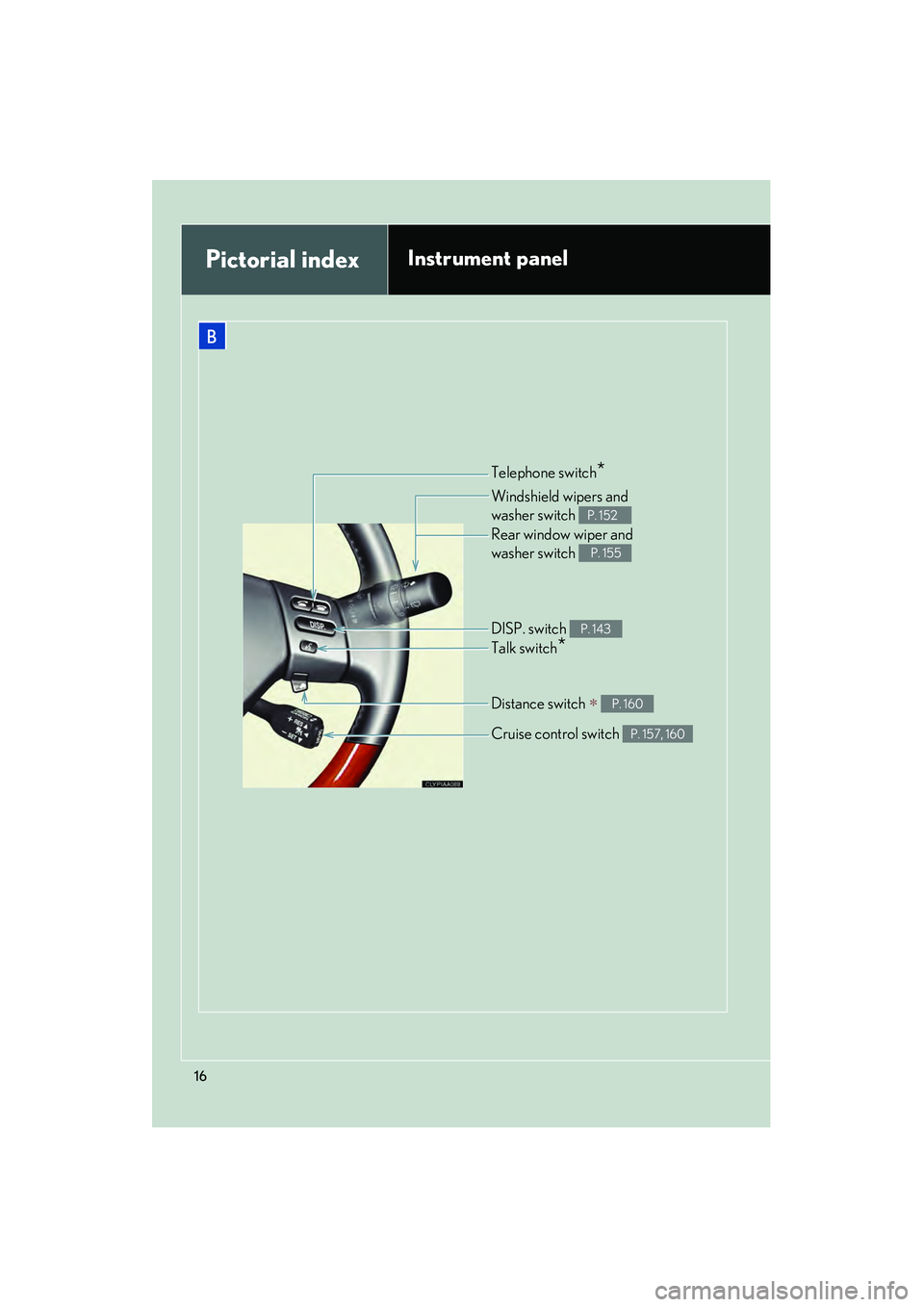
Telephone switch*
Cruise control switch P. 157, 160
Talk switch*
Distance switch ∗ P. 160
DISP. switch P. 143
Windshield wipers and
washer switch
P. 152
Rear window wiper and
washer switch
P. 155
B
Page 20 of 487
RX400h_U
18
For your information
Main Owner’s Manual
Please note that this manual applies to all models and explains all equipment, includ-
ing options. Therefore, you may find some explanations for equipment not installed
on your vehicle.
All specifications provided in this manual are current at the time of printing. How-
ever, because of the Lexus policy of continual product improvement, we reserve the
right to make changes at any time without notice.
Depending on specifications, the vehicle shown in the illustration may differ from
your vehicle in terms of color and equipment.
Accessories, spare parts and modification of your Lexus
A wide variety of non-genuine spare parts and accessories for Lexus vehicles are
currently available in the market. You should know that Toyota does not warrant
these products and is not responsible for their performance, repair, or replacement,
or for any damage they may cause to, or adverse effect they may have on, your
Lexus vehicle.
This vehicle should not be modified with non-genuine Lexus products. Modification
with non-genuine Lexus products could affect its performance, safety or durability,
and may even violate governmental regulations. In addition, damage or perfor-
mance problems resulting from the modification may not be covered under war-
ranty.
Installation of a mobile two-way radio system
As the installation of a mobile two-way radio system in your vehicle may affect elec-
tronic systems such as the hybrid system, multiport fuel injection system/sequential
multiport fuel injection system, cruise control system, vehicle dynamics integrated
management, anti-lock brake system, SRS airbag system and seat belt pretensioner
system, be sure to check with your Lexus dealer for precautionary measures or spe-
cial instructions regarding installation.
High voltage parts and cables on the hybrid vehicles emit approximately the same
amount of electromagnetic waves as the conventional gasoline powered vehicles or
home electronic appliances despite of their electromagnetic shielding.
Page 123 of 487
When driving2
121
RX400h_U
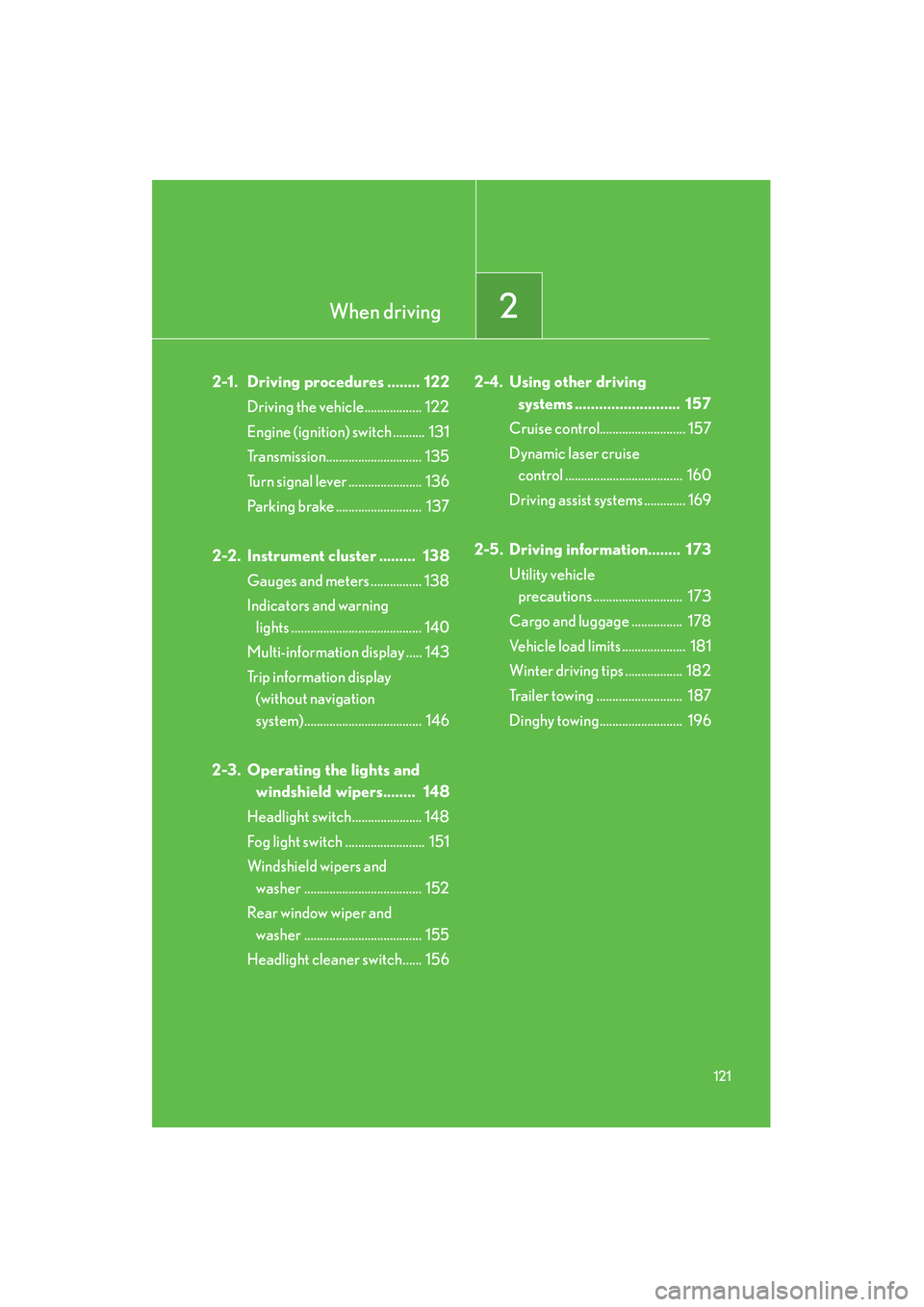
2-1. Driving procedures ........ 122Driving the vehicle.................. 122
Engine (ignition) switch .......... 131
Transmission.............................. 135
Turn signal lever ....................... 136
Parking brake ........................... 137
2-2. Instrument cluster ......... 138 Gauges and meters ................ 138
Indicators and warning lights ......................................... 140
Multi-information display ..... 143
Trip information display (without navigation
system)..................................... 146
2-3. Operating the lights and windshield wipers........ 148
Headlight switch...................... 148
Fog light switch ......................... 151
Windshield wipers and washer ..................................... 152
Rear window wiper and washer ..................................... 155
Headlight cleaner switch...... 156 2-4. Using other driving
systems .......................... 157
Cruise control........................... 157
Dynamic laser cruise control ..................................... 160
Driving assist systems ............. 169
2-5. Driving information........ 173 Utility vehicle precautions ............................ 173
Cargo and luggage ................ 178
Vehicle load limits .................... 181
Winter driving tips .................. 182
Trailer towing ........................... 187
Dinghy towing.......................... 196
Page 143 of 487
141
2-2. Instrument cluster
2
When driving
RX400h_U
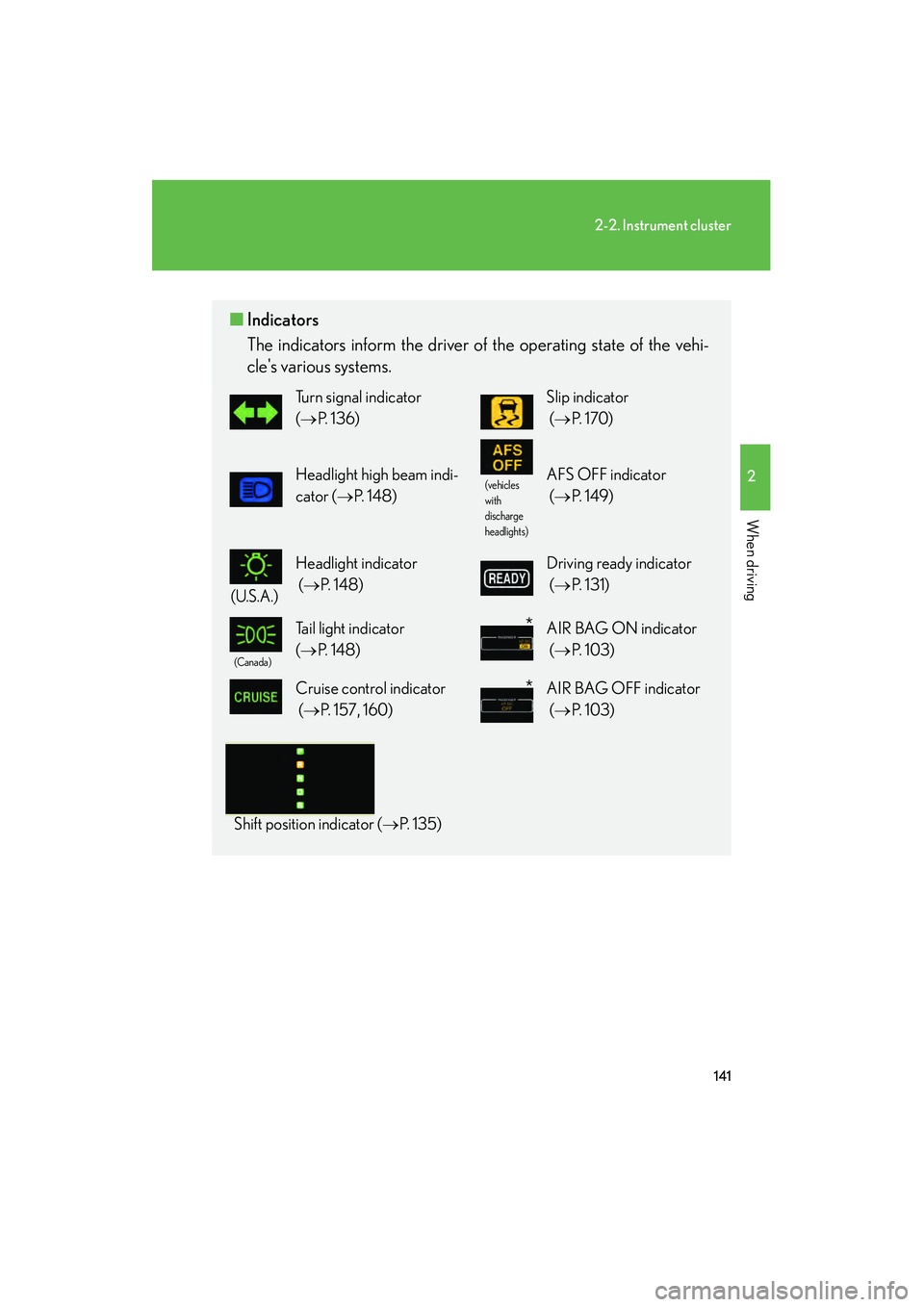
■Indicators
The indicators inform the driver of the operating state of the vehi-
cle's various systems.
Turn signal indicator
(→ P. 136)Slip indicator
(→ P. 1 7 0 )
Headlight high beam indi-
cator ( →P. 1 4 8 )(vehicles
with
discharge
headlights)AFS OFF indicator
(→ P. 1 4 9 )
(U.S.A.)
Headlight indicator
(→ P. 1 4 8 )Driving ready indicator
(→ P. 131)
(Canada)
Tail light indicator
(→ P. 1 4 8 )AIR BAG ON indicator
(→ P. 1 0 3 )
Cruise control indicator
(→ P. 157, 160) AIR BAG OFF indicator
(→ P. 1 0 3 )
Shift position indicator ( →P. 1 3 5 )
*
*
Page 145 of 487
143
2-2. Instrument cluster
2
When driving
RX400h_U
Multi-information display
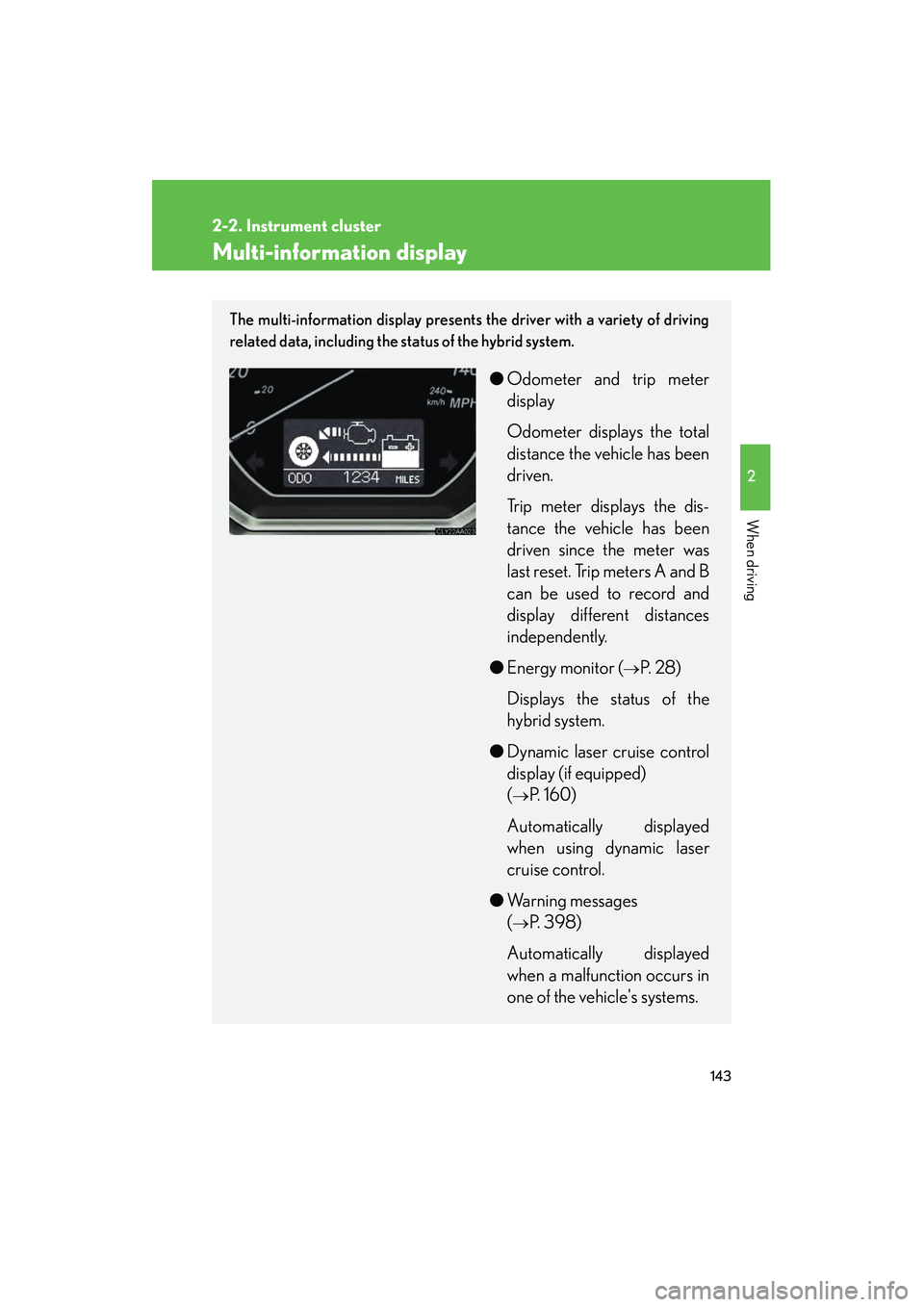
The multi-information display presents the driver with a variety of driving
related data, including the status of the hybrid system.
●Odometer and trip meter
display
Odometer displays the total
distance the vehicle has been
driven.
Trip meter displays the dis-
tance the vehicle has been
driven since the meter was
last reset. Trip meters A and B
can be used to record and
display different distances
independently.
● Energy monitor (
→P. 2 8 )
Displays the status of the
hybrid system.
● Dynamic laser cruise control
display (if equipped)
(
→P. 1 6 0 )
Automatically displayed
when using dynamic laser
cruise control.
● Warning messages
(
→P. 398)
Automatically displayed
when a malfunction occurs in
one of the vehicle's systems.
Page 159 of 487
157
2
When driving
RX400h_U
2-4. Using other driving systems
Cruise control (if equipped)
Use the cruise control to maintain a set speed without using the accelera-
tor.
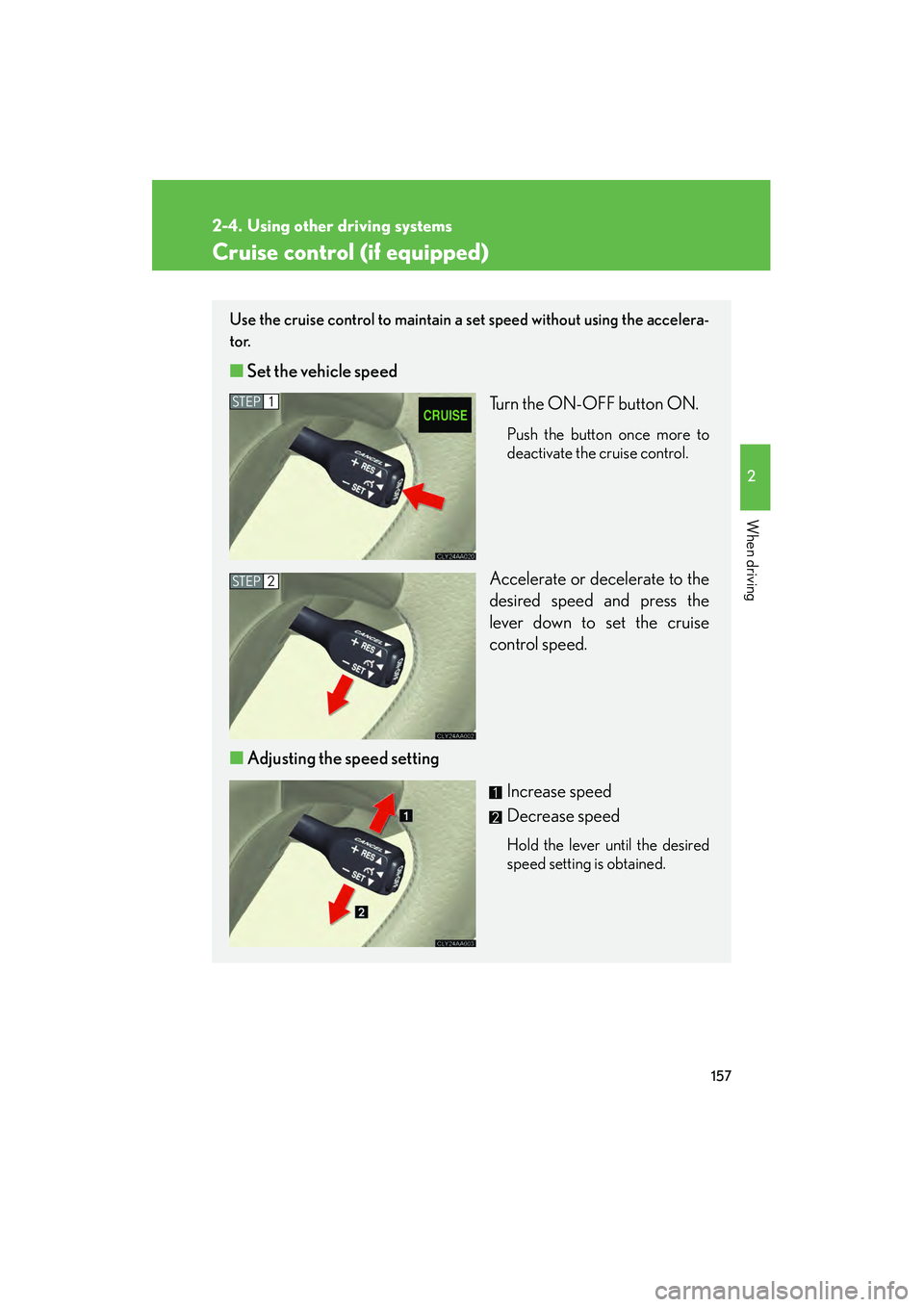
■ Set the vehicle speed
Turn the ON-OFF button ON.
Push the button once more to
deactivate the cruise control.
Accelerate or decelerate to the
desired speed and press the
lever down to set the cruise
control speed.
■ Adjusting the speed setting
Increase speed
Decrease speed
Hold the lever until the desired
speed setting is obtained.
STEP1
STEP2
Page 160 of 487
158
2-4. Using other driving systems
RX400h_U
■Fine adjustment of the set speed
Adjustment of the set speed by approximately 1.0 mph (1.6 km/h) cab be made by
lightly pressing the lever up or down and releasing it.
■Cruise control can be set when
●The shift lever is in the D.
●Vehicle speed is between approximately 25 mph (40 km/h) and 125 mph (200
km/h).
■Accelerating
The vehicle can be accelerated normally.
■Automatic cruise control cancellation
The set speed is automatically cancelled in any of the following situations.
●Actual vehicle speed falls more than 10 mph (16 km/h) below the preset vehicle
speed.
At this time, the memorized set speed is not retained.
●Actual vehicle speed is below 25 mph (40km/h).
●VSC is activated.
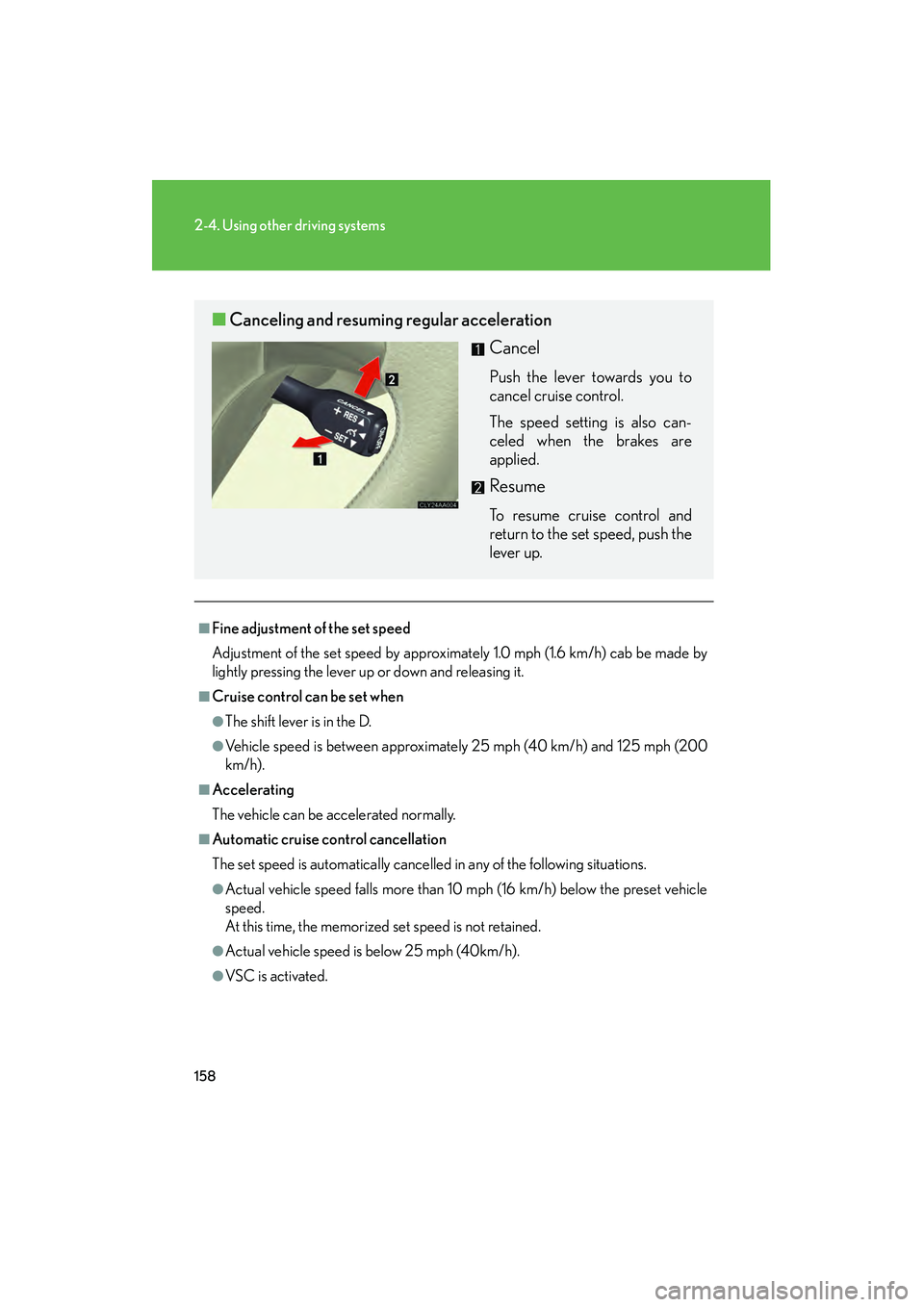
■Canceling and resuming regular acceleration
Cancel
Push the lever towards you to
cancel cruise control.
The speed setting is also can-
celed when the brakes are
applied.
Resume
To resume cruise control and
return to the set speed, push the
lever up.
Page 161 of 487
159
2-4. Using other driving systems
2
When driving
RX400h_U
■If the cruise control indicator light flashes
Turn the ON-OFF button off once, and then reactivate the system.
If the cruise control speed cannot be set or if the cruise control cancels immediately
after being activated, there may be a malfunction in the cruise control system. Have
the vehicle inspected by your Lexus dealer.
CAUTION
■To avoid operating the cruise control by mistake
Keep the ON-OFF button off when not in use.
■Situations unsuitable for cruise control
Do not use cruise control in any of the following situations.
Doing so may result in control of the vehicle being lost and could cause serious or
fatal accident.
●In heavy traffic
●On roads with sharp bends
●On slippery roads, such as those covered with rain, ice or snow
●On steep hills
●On winding roads
Page 162 of 487
160
2-4. Using other driving systems
RX400h_U
Dynamic laser cruise control (if equipped)
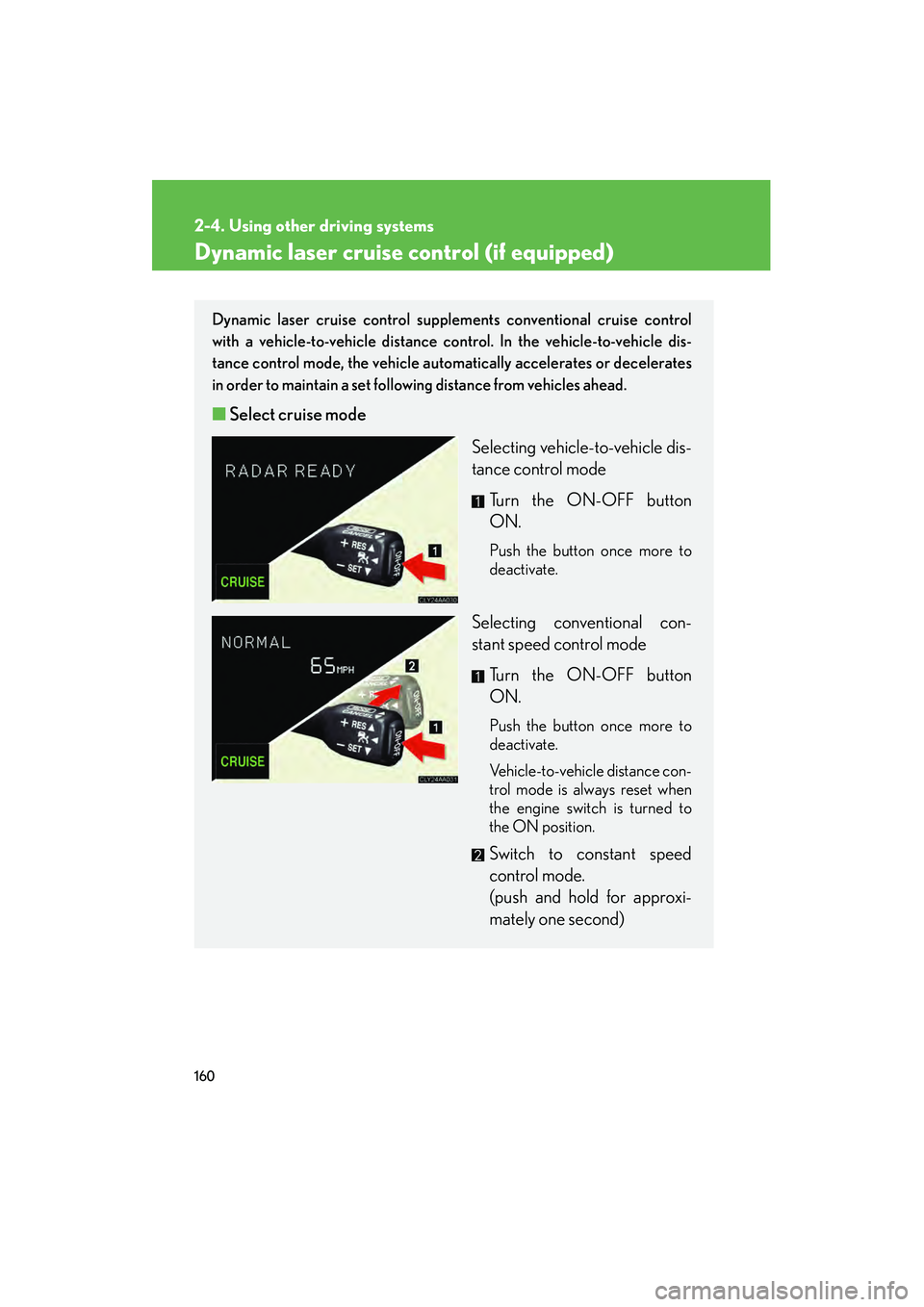
Dynamic laser cruise control supplements conventional cruise control
with a vehicle-to-vehicle distance co ntrol. In the vehicle-to-vehicle dis-
tance control mode, the vehicle automatically accelerates or decelerates
in order to maintain a set following distance from vehicles ahead.
■ Select cruise mode
Selecting vehicle-to-vehicle dis-
tance control modeTurn the ON-OFF button
ON.
Push the button once more to
deactivate.
Selecting conventional con-
stant speed control mode Turn the ON-OFF button
ON.
Push the button once more to
deactivate.
Vehicle-to-vehicle distance con-
trol mode is always reset when
the engine switch is turned to
the ON position.
Switch to constant speed
control mode.
(push and hold for approxi-
mately one second)