light LEXUS RX450h 2015 User Guide
[x] Cancel search | Manufacturer: LEXUS, Model Year: 2015, Model line: RX450h, Model: LEXUS RX450h 2015Pages: 878, PDF Size: 11.62 MB
Page 19 of 878
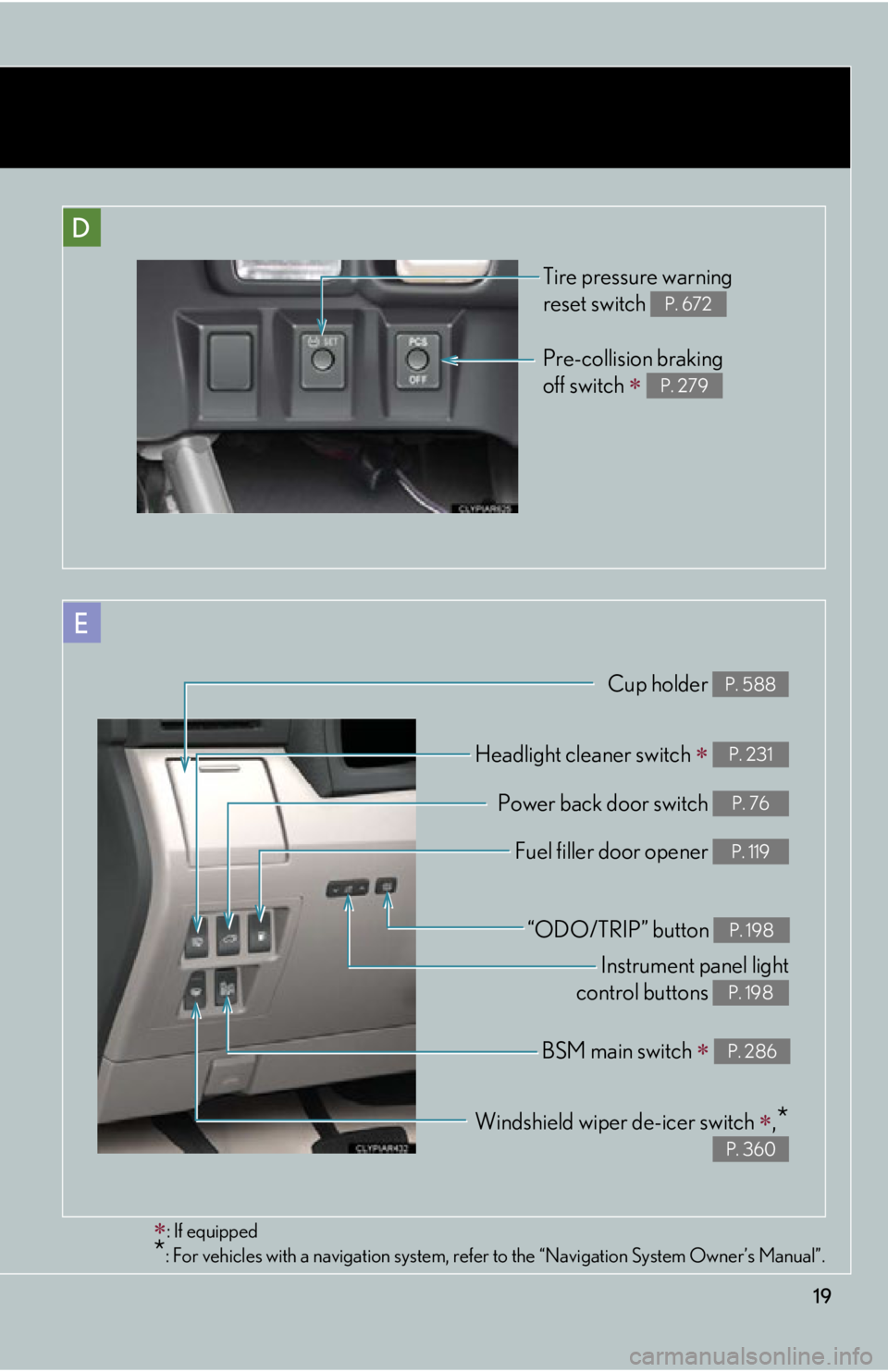
19D Pre-collision braking
off switch
P. 279
: If equipped
* : For vehicles with a navigation system, refe r to the “Navigation System Owner’s Manual”.E Cup holder P. 588
Headlight cleaner switch
P. 231
Power back door switch P. 76
Fuel filler door opener P. 119
Instrument panel light
control buttons P. 198
“ODO/TRIP” button P. 198
Windshield wiper de-icer switch
,
* P. 360BSM main switch
P. 286Tire pressure warning
reset switch P. 672
Page 21 of 878
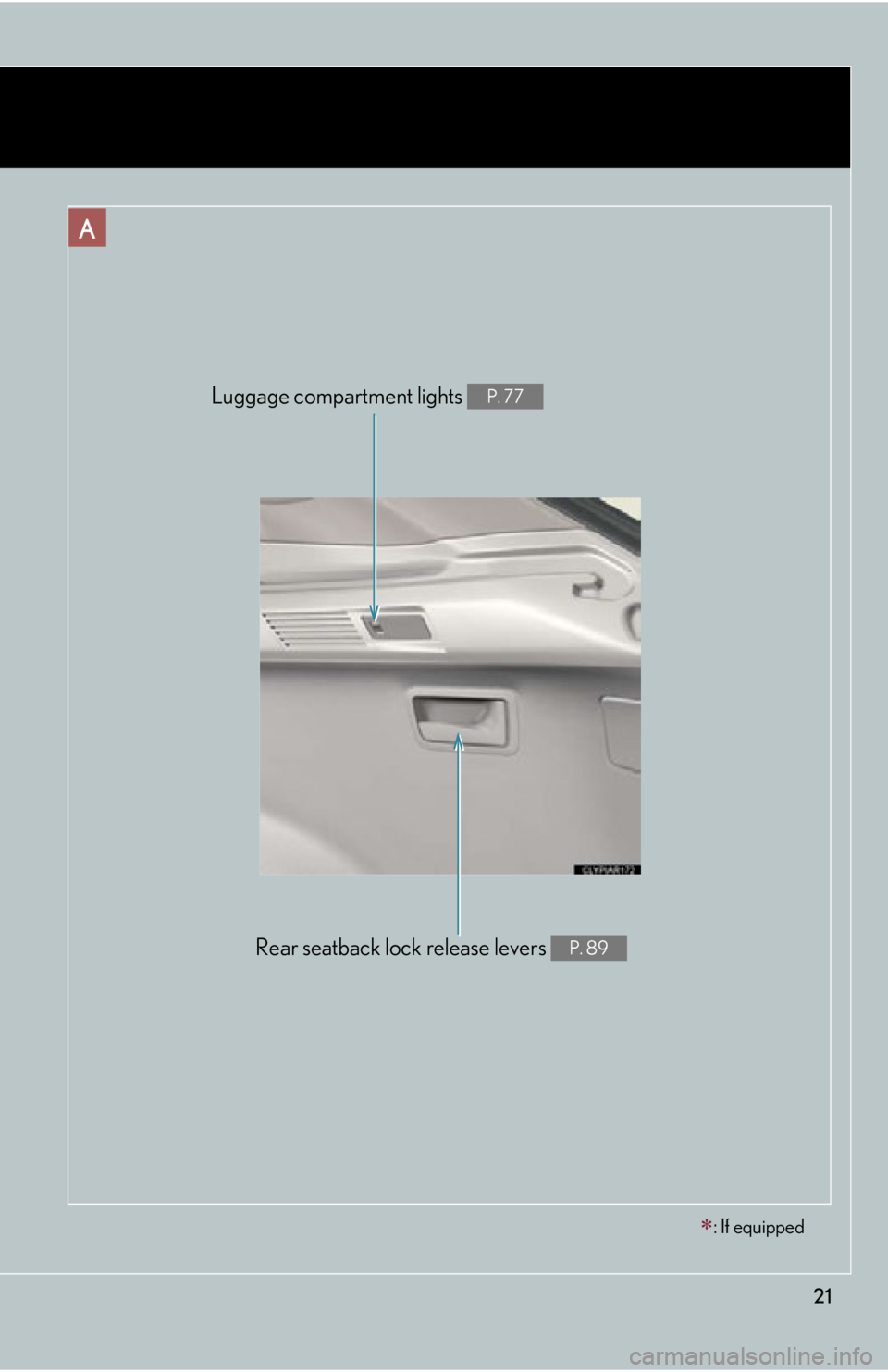
21A
Rear seatback lock release levers P. 89Luggage compartment lights P. 77
: If equipped
Page 36 of 878

361-1. Hybrid system
■
If a warning light comes on or a warning message is displayed, or the 12-volt bat-
tery is disconnected
The hybrid system may not start. In that ca se, try to start the system again. If the
“READY” indicator does not come on, contact your Lexus dealer.■
When refueling, the fuel filler door may take a few moments to open
As part of emission system operation, it ma y take up to 10 seconds for the fuel filler
door to automatically release after the opener switch is pressed. Before refueling is
possible, a message will be shown on the multi-information display. ( P. 119, 755)■
Electromagnetic waves ●
High voltage parts and cables on the hybrid vehicles incorporate electromag-
netic shielding, and theref ore emit approximately the same amount of electro-
magnetic waves as conventional gasoline powered vehicles or home electronic
appliances.●
Your vehicle may cause sound interference in some third party-produced radio
parts.■
Running out of fuel
When the vehicle has run out of fuel and th e hybrid system cannot be started, refuel
the vehicle with at least enough gasoline to make the low fuel level warning light
( P. 733) go off. If there is only a small amount of fuel, the hybrid system may not
be able to start. (The minimum amount of fuel to add to make the low fuel level
warning light go out is about 2.7 gal. [10.1 L, 2.2 Imp. gal.] when the vehicle is on a
level surface. This value may vary when the vehicle is on a slope.)■
Hybrid battery (traction battery)
The hybrid battery (traction battery) has a limited service life. The lifespan of the
hybrid battery (traction battery) can chan ge in accordance with driving style and
driving conditions.
Page 44 of 878
441-1. Hybrid system
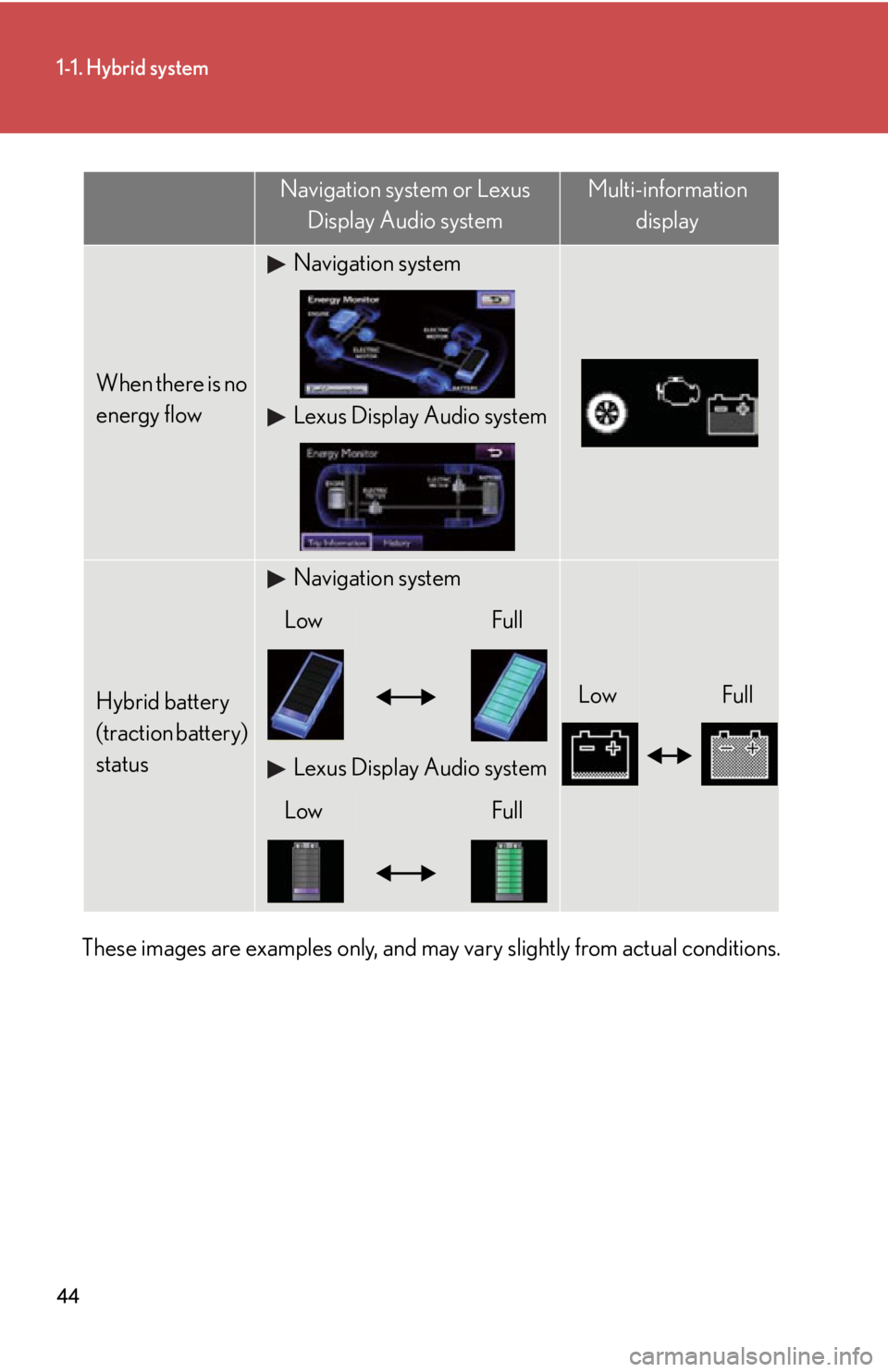
These images are examples only, and may vary slightly from actual conditions. When there is no
energy flow Navigation system
Lexus Display Audio system
Hybrid battery
(traction battery)
status Navigation system
Low FullLow Full
Lexus Display Audio system
Low FullNavigation system or Lexus
Display Audio system Multi-information
display
Page 45 of 878
451-1. Hybrid system
1
Before driving Consumption
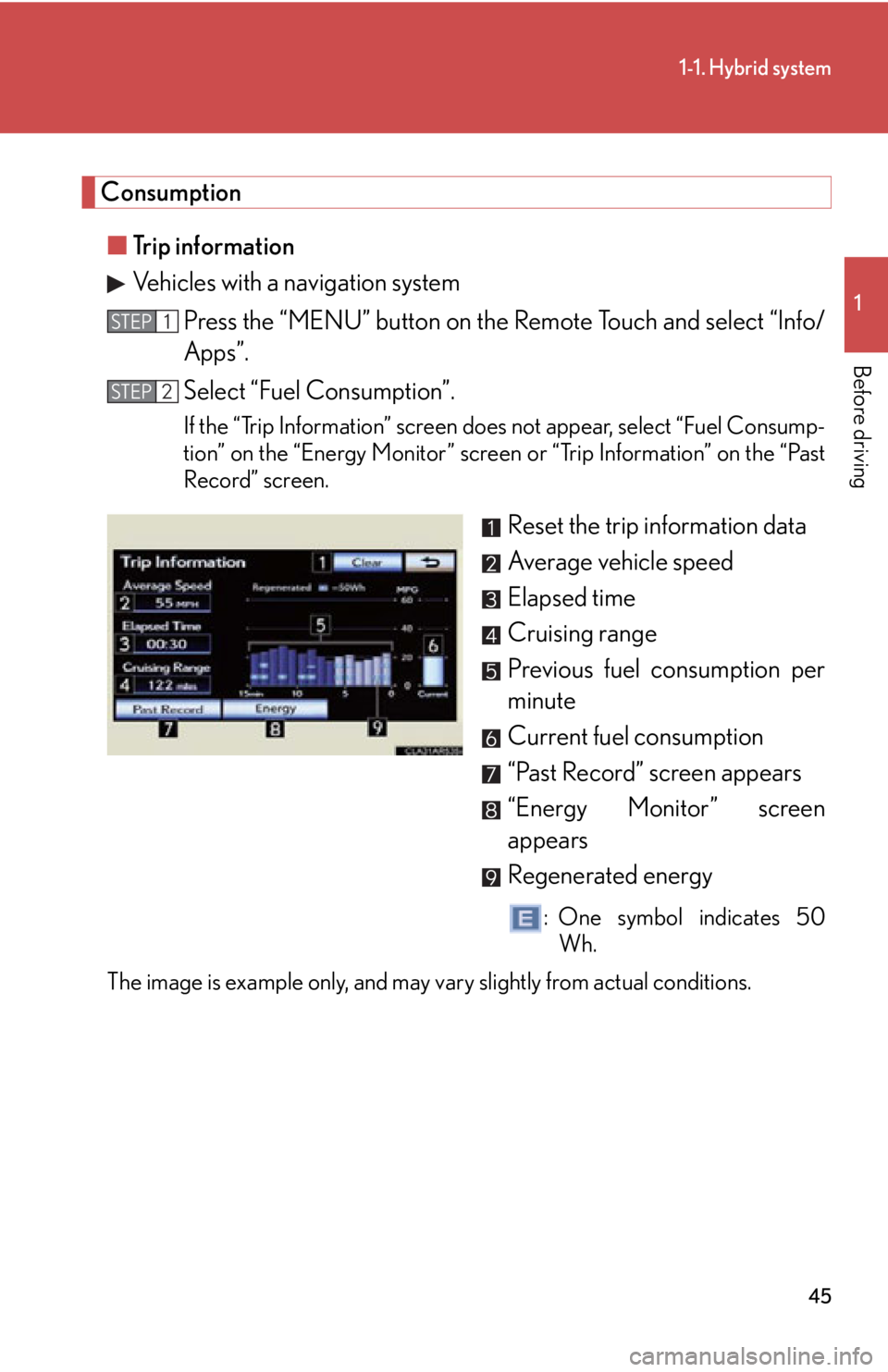
■ Trip information
Vehicles with a navigation system
Press the “MENU” button on the Remote Touch and select “Info/
Apps”.
Select “Fuel Consumption”. If the “Trip Information” screen does not appear, select “Fuel Consump-
tion” on the “Energy Monitor” screen or “Trip Information” on the “Past
Record” screen.
Reset the trip information data
Average vehicle speed
Elapsed time
Cruising range
Previous fuel consumption per
minute
Current fuel consumption
“Past Record” screen appears
“Energy Monitor” screen
appears
Regenerated energy : One symbol indicates 50
Wh.
The image is example only, and may vary slightly from actual conditions. STEP 1
STEP 2
Page 46 of 878
461-1. Hybrid system
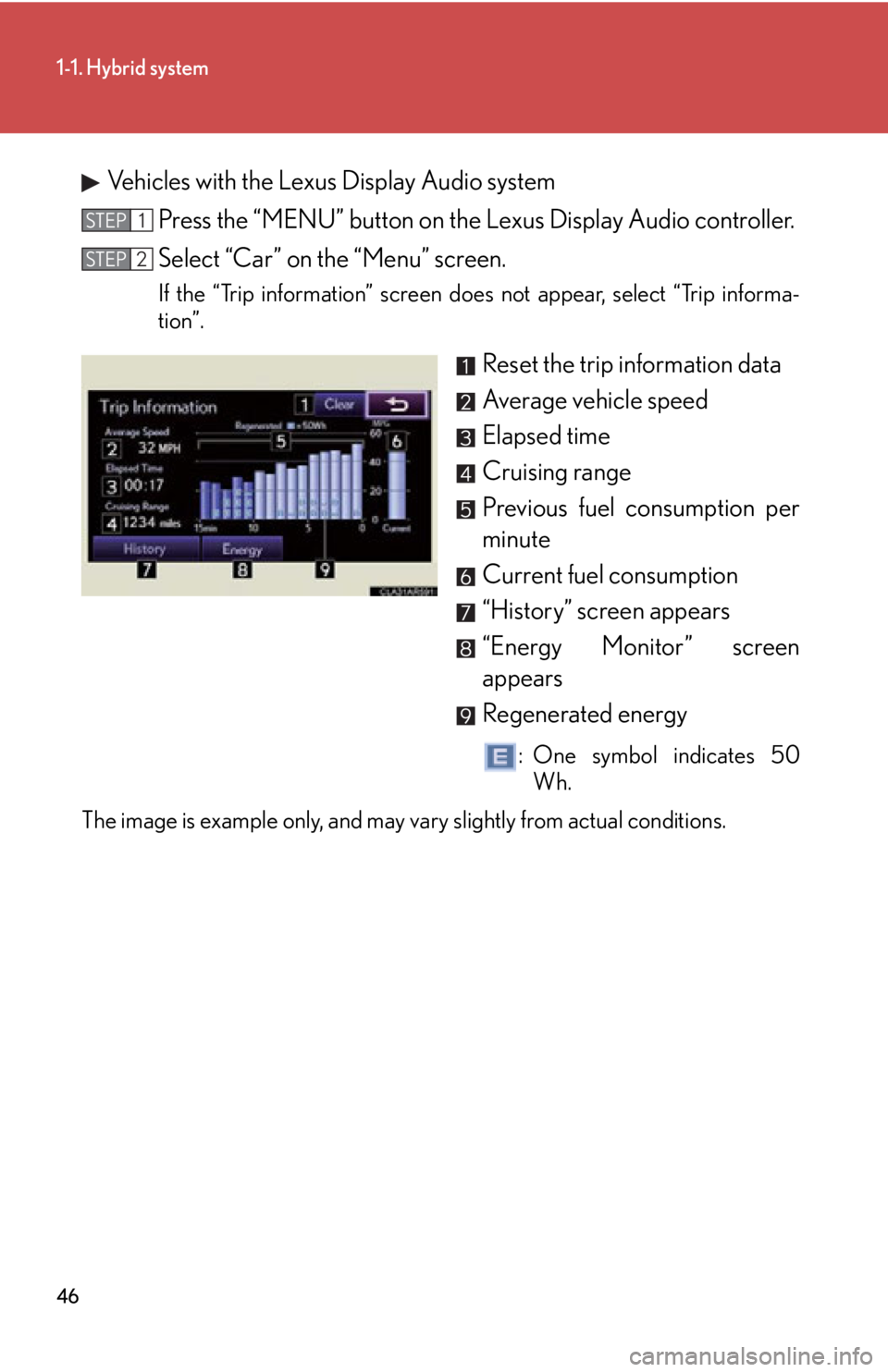
Vehicles with the Lexus Display Audio system
Press the “MENU” button on the Lexus Display Audio controller.
Select “Car” on the “Menu” screen. If the “Trip information” screen does not appear, select “Trip informa-
tion”.
Reset the trip information data
Average vehicle speed
Elapsed time
Cruising range
Previous fuel consumption per
minute
Current fuel consumption
“History” screen appears
“Energy Monitor” screen
appears
Regenerated energy : One symbol indicates 50
Wh.
The image is example only, and may vary slightly from actual conditions. STEP 1
STEP 2
Page 47 of 878
471-1. Hybrid system
1
Before driving ■ Past record
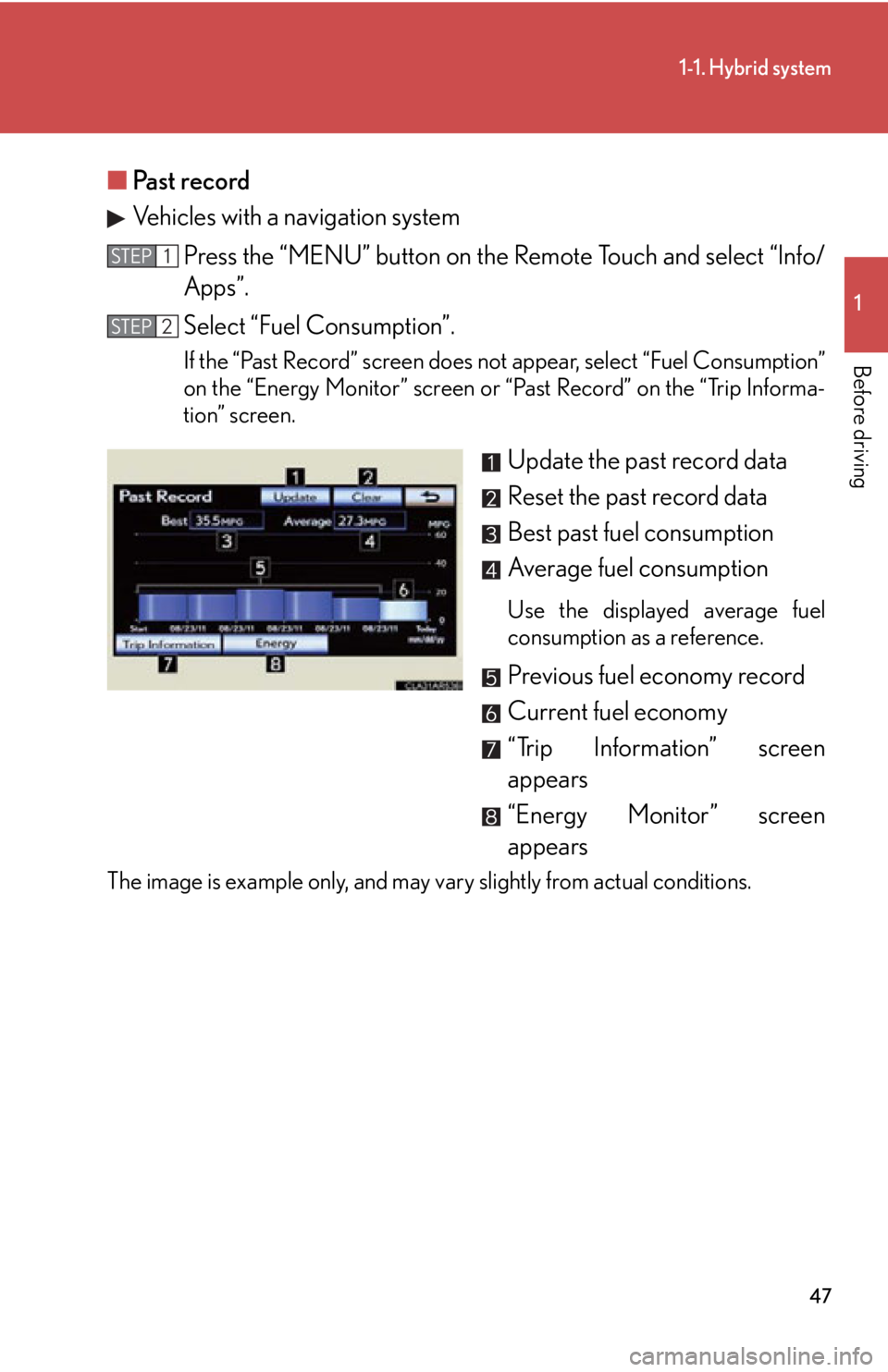
Vehicles with a navigation system
Press the “MENU” button on the Remote Touch and select “Info/
Apps”.
Select “Fuel Consumption”. If the “Past Record” screen does not appear, select “Fuel Consumption”
on the “Energy Monitor” screen or “Past Record” on the “Trip Informa-
tion” screen.
Update the past record data
Reset the past record data
Best past fuel consumption
Average fuel consumption Use the displayed average fuel
consumption as a reference.
Previous fuel economy record
Current fuel economy
“Trip Information” screen
appears
“Energy Monitor” screen
appearsThe image is example only, and may vary slightly from actual conditions. STEP 1
STEP 2
Page 48 of 878
481-1. Hybrid system
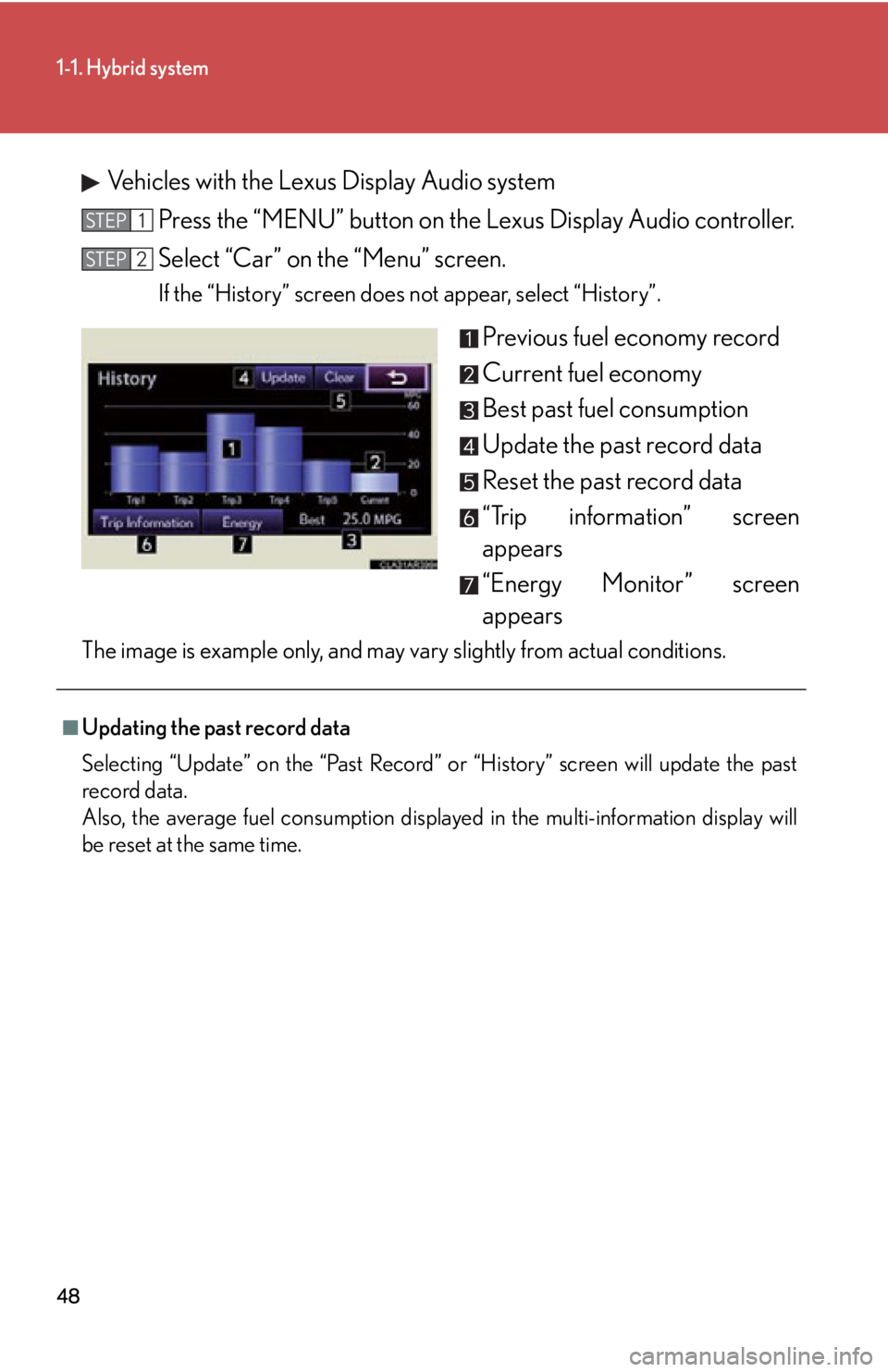
Vehicles with the Lexus Display Audio system
Press the “MENU” button on the Lexus Display Audio controller.
Select “Car” on the “Menu” screen. If the “History” screen does not appear, select “History”.
Previous fuel economy record
Current fuel economy
Best past fuel consumption
Update the past record data
Reset the past record data
“Trip information” screen
appears
“Energy Monitor” screen
appearsThe image is example only, and may vary slightly from actual conditions. STEP 1
STEP 2
■
Updating the past record data
Selecting “Update” on the “Past Record” or “History” screen will update the past
record data.
Also, the average fuel consumption displayed in the multi-information display will
be reset at the same time.
Page 49 of 878
4911-1. Hybrid system
Before driving Hybrid vehicle driving tips For economical and ecological driving, pay attention to the following
points:
■ Use of Hybrid System Indicator More Eco-friendly driving is possib le by keeping the indicate of Hybrid
System Indicator within Eco area.
■ When braking the vehicle Make sure to operate the brakes ge ntly and in good time. A greater
amount of electrical energy can be retained when slowing down.
■ Delays Repeated acceleration and deceleration, as well as long waits at traffic
lights, will lead to bad fu el consumption. Check traffic reports before leav-
ing and avoid delays as much as possible. When encountering a delay,
gently release the brake pedal to allow the vehicle to move forward slightly
while avoiding overuse of the accelerato r pedal. Doing so can help control
excessive gasoline consumption.
■ Highway driving Control your speed and keep at a constant speed. Also, before stopping at
a toll booth or similar, allow plenty of time to release the accelerator and
gently apply the brakes. A greater amount of electrical energy can be
retained when slowing down.
■ Air conditioning Use the air conditioning only when necessary. Doing so can help control
excessive gasoline consumption.
In summer: In high temperatures, use the recirculated air mode. Doing so
will help to reduce the burden on the air conditioning and reduce fuel con-
sumption as well.
In winter: Because the gasoline engine will not automatically cut out until
the gasoline engine and the interior of the vehicle are warm, it will con-
sume fuel. Also, fuel consumption can be improved by avoiding overuse of
the heater.
Page 55 of 878

551-2. Key information
1
Before driving NOTICE■
Precautions for handling the card key ●
Do not apply excess force when inserting the mechanical key into the card key.
Doing so may damage the card key.●
If the battery or card key terminals get wet, the battery may corrode and the card
key may stop working.
If the key is dropped into water, or if drinking water etc. is spilled on the key,
immediately remove the battery cover and wipe the battery and terminals. (To
remove the battery cover, lightly grasp and pull it.) If the battery is corroded, have
your Lexus dealer replace the battery.●
Do not crush the battery cover or use a screwdriver to remove the battery cover.
Forcibly removing the battery co ver may bend or damage the key.●
If the battery cover is frequently removed, the battery cover may become loose.●
When installing the battery, make sure to check the direct ion of the battery.
Installing the battery in the wrong direct ion may cause the battery to deplete rap-
idly.●
The surface of the card key may be damage d, or its coating may peel off in the
following situations:
• The card key is carried together with hard objects, such as coins and keys.
• The card key is scraped with a sharp object, such as the tip of a mechanical
pencil.
• The surface of the card key is wiped with thinner or benzene.