key LEXUS RX450h 2015 Owner's Manual
[x] Cancel search | Manufacturer: LEXUS, Model Year: 2015, Model line: RX450h, Model: LEXUS RX450h 2015Pages: 878, PDF Size: 11.62 MB
Page 74 of 878

741-3. Opening, closing and locking the doors
■
Impact detection door lock release system
In the event that the vehicle is subject to a strong impact, all the doors are unlocked.
Depending on the force of the impact or the type of accident, however, the system
may not operate.■
Using the mechanical key
The doors can also be locked and unlocked with the mechanical key. ( P. 7 8 1 )■
If a wrong key is used
The key cylinder rotates freely to protect the inside mechanism.■
Customization
Settings (e.g. unlocking function using a key) can be changed.
(Customizable features P. 825)
CAUTION■
To prevent an accident
Observe the following precautions while driving the vehicle.
Failure to do so may result in a door opening and an occupant falling out, resulting
in death or serious injury. ●
Always use a seat belt.●
Always lock all the doors.●
Ensure that all the doors are properly closed.●
Do not pull the inside handle of the doors while driving.
The doors may be opened and the passengers are thrown out of the vehicle and it
may result in serious injury or death.
Be especially careful with the front doors, as the doors may be opened even if the
inside lock buttons are in the locked position.
●
Set the rear door child-protector locks when children are seated in the rear seats.
■
When opening or closing a door
Check the surroundings of the vehicle such as whether the vehicle is on an incline,
whether there is enough space for a door to open and whether a strong wind is
blowing. When opening or closing the door, hold the door handle tightly to prepare
for any unpredictable movement.
Page 94 of 878
941-4. Adjustable components (s eats, mirrors, steering wheel)
Linking driving position memory with door unlock operation
Record your driving position to butto n “1”, “2” or “3” before performing
the following:
Carry only the key (including the card key) to which you want to link the
driving position. If 2 or more keys ar e in the vehicle, the driving position
cannot be linked properly.
Shift the shift lever to P and cl ose the driver's door. Turn the
“POWER” switch to ON mode.
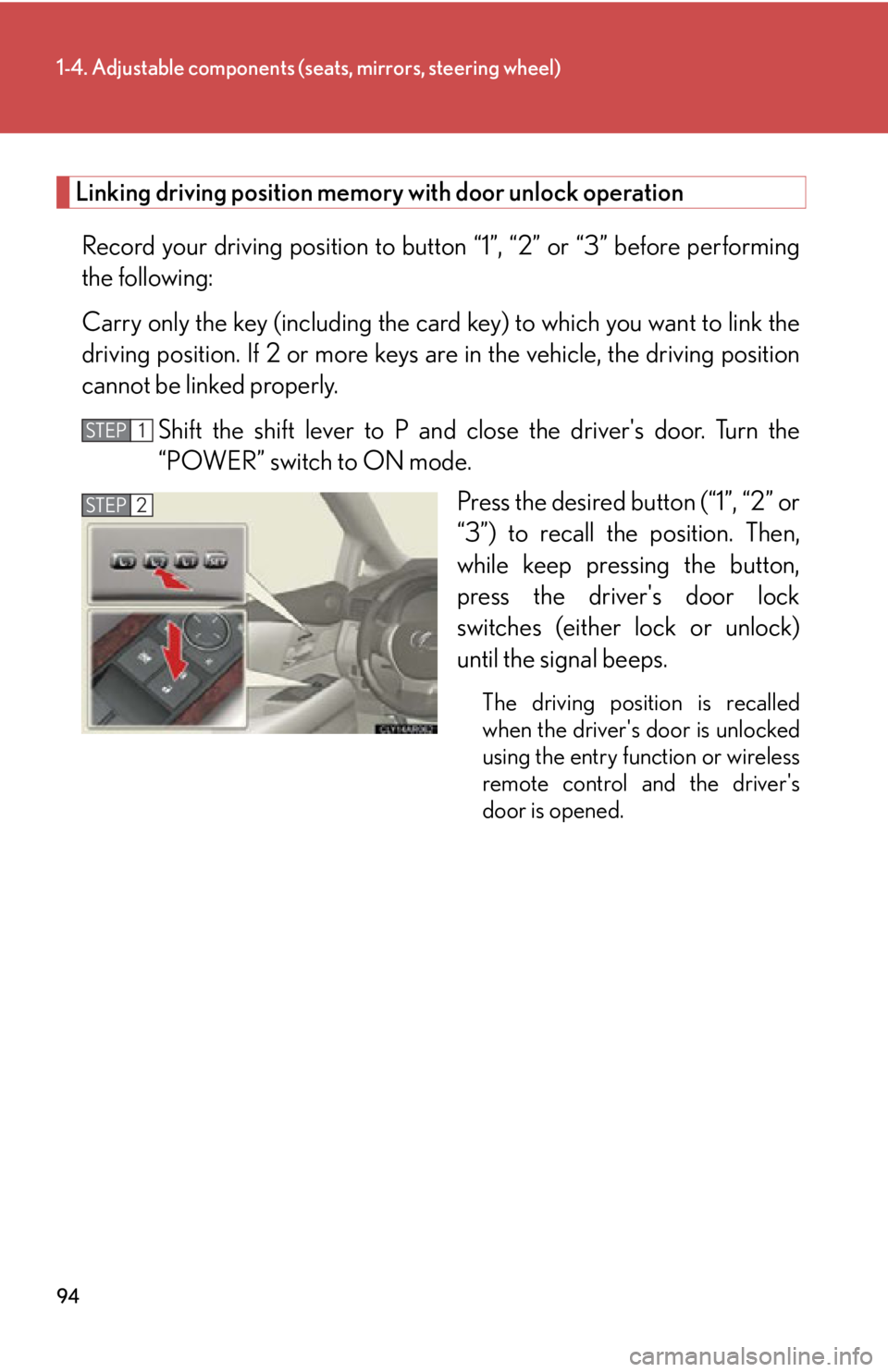
Press the desired button (“1”, “2” or
“3”) to recall the position. Then,
while keep pressing the button,
press the driver's door lock
switches (either lock or unlock)
until the signal beeps. The driving position is recalled
when the driver's door is unlocked
using the entry function or wireless
remote control and the driver's
door is opened. STEP 1
STEP 2
Page 114 of 878
1141-5. Opening and closing the windows and moon roof
■
Door lock linked window operation ●
The power windows can be opened and closed using the mechanical key.
( P. 7 8 1 )●
The power windows can be opened using the wireless remote control.
( P. 6 9 )■
When the 12-volt battery is disconnected
The window lock switch is disabled. If necessary, press the window lock switch after
reconnecting the battery.■
Customization
Settings (e.g. linked door lock operation) can be changed.
(Customizable features P. 825)
CAUTION■
Closing the windows
Observe the following precautions.
Failing to do so may result in death or serious injury. ●
Check to make sure that all passengers do not have any part of their body in a
position where it could be caught when a window is being operated.●
Do not allow children to operate the power windows.
Closing a power window on someone can cause death or serious injury.
The driver is responsible for instructin g children not to operate the power win-
dows.■
Jam protection function ●
Never use any part of your body to intent ionally activate the jam protection func-
tion.●
The jam protection function may not work if something gets caught just before
the window fully closes. Also, the jam protection does not operate when the
power window switch is pulled up continually to close the windows.
Page 116 of 878

1161-5. Opening and closing the windows and moon roof
■
The moon roof can be operated when
The “POWER” switch is in ON mode. ■
Operating the moon roof after turning the hybrid system off
The moon roof can be operated for ap proximately 45 seconds even after the
“POWER” switch is turned to ACCESSORY mode or turned off. It cannot, how-
ever, be operated once either front door is opened. ■
Jam protection function
If an object is detected between the moon roof and the frame while the moon roof is
closing or tilting down, travel is stopped and the moon roof opens slightly.■
Sunshade
The sunshade can be opened and closed manually. However, the sunshade will
open automatically when the moon roof is opened. ■
Door lock linked moon roof operation ●
The moon roof can be opened and closed using the mechanical key. ( P. 7 8 1 )●
The moon roof can be opened using the wireless remote control. ( P. 6 9 )
Page 124 of 878
1241-7. Theft deterrent system
Immobilizer system The vehicle's keys have built-in tran sponder chips that prevent the hybrid
system from starting if the key has not been previously registered in the
vehicle's on-board computer.
Never leave the keys inside the vehicle when you leave the vehicle.
This system is designed to help prev ent vehicle theft but does not guaran-
tee absolute security ag ainst all vehicle thefts.
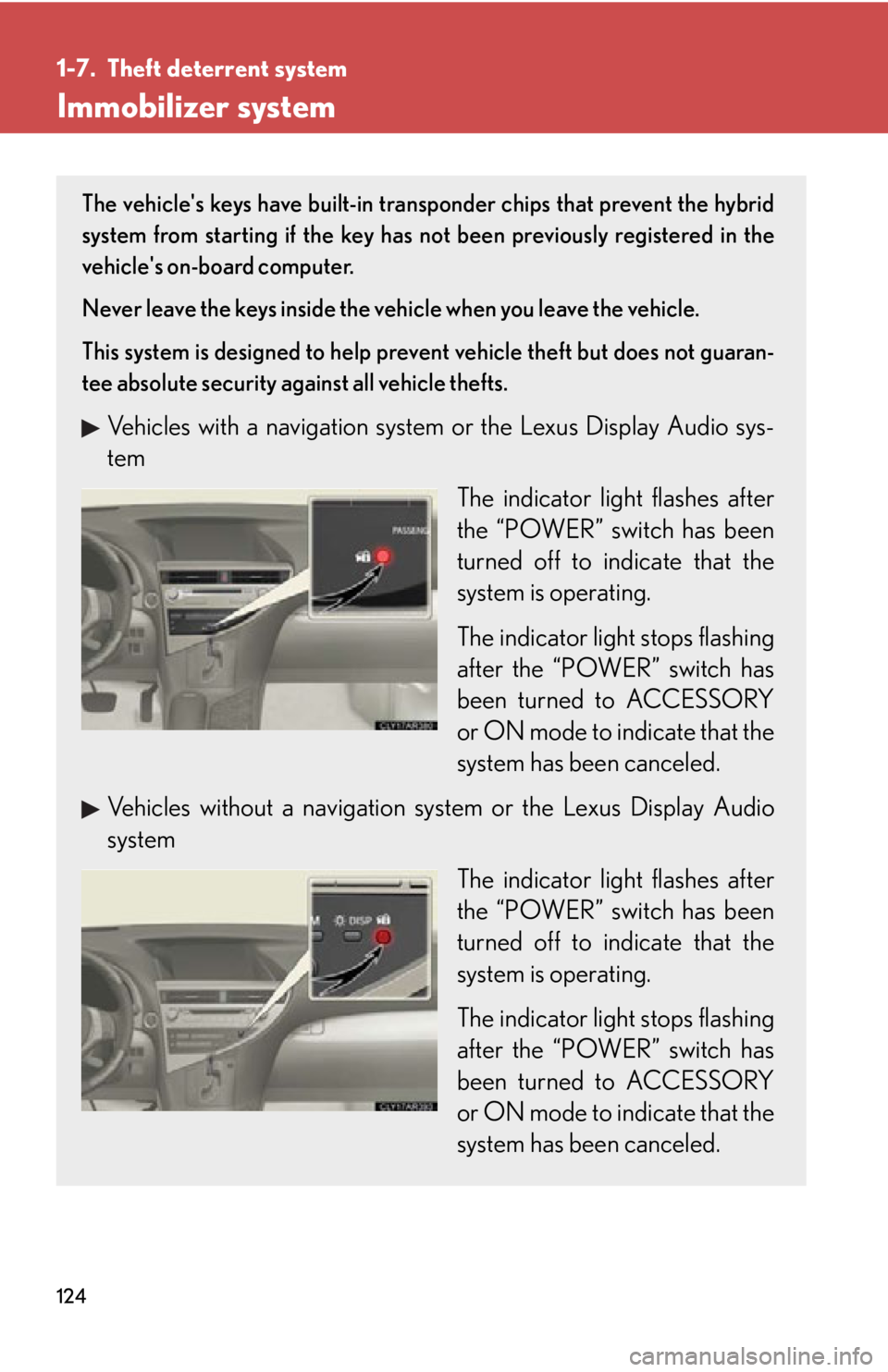
Vehicles with a navigation system or the Lexus Display Audio sys-
tem
The indicator light flashes after
the “POWER” switch has been
turned off to indicate that the
system is operating.
The indicator light stops flashing
after the “POWER” switch has
been turned to ACCESSORY
or ON mode to indicate that the
system has been canceled.
Vehicles without a navigation sy stem or the Lexus Display Audio
system
The indicator light flashes after
the “POWER” switch has been
turned off to indicate that the
system is operating.
The indicator light stops flashing
after the “POWER” switch has
been turned to ACCESSORY
or ON mode to indicate that the
system has been canceled.
Page 126 of 878

1261-7. Theft deterrent system
Alarm The system sounds the alarm and flashe s the lights when forcible entry is
detected.
■ Triggering of the alarm
The alarm is triggered in the follow ing situations when the alarm is
set:
● A locked door is unlocked or open ed in any way other than using
the entry function, wireless r emote control or mechanical key.
(The doors will lock again automatically.)
● The hood is opened.
■ Setting the alarm system
Vehicles with a navigation system or the Lexus Display Audio sys-
tem Close the doors and hood, and
lock all the doors.
The system will be set automati-
cally after 30 seconds.
The indicator light changes from
being on to flashing when the
system is set.
Vehicles without a navigation sy stem or the Lexus Display Audio
system
Close the doors and hood, and
lock all the doors.
The system will be set automati-
cally after 30 seconds.
The indicator light changes from
being on to flashing when the
system is set.
Page 128 of 878
1281-7. Theft deterrent system
■
Tr i g g e r i n g o f t h e a l a r m
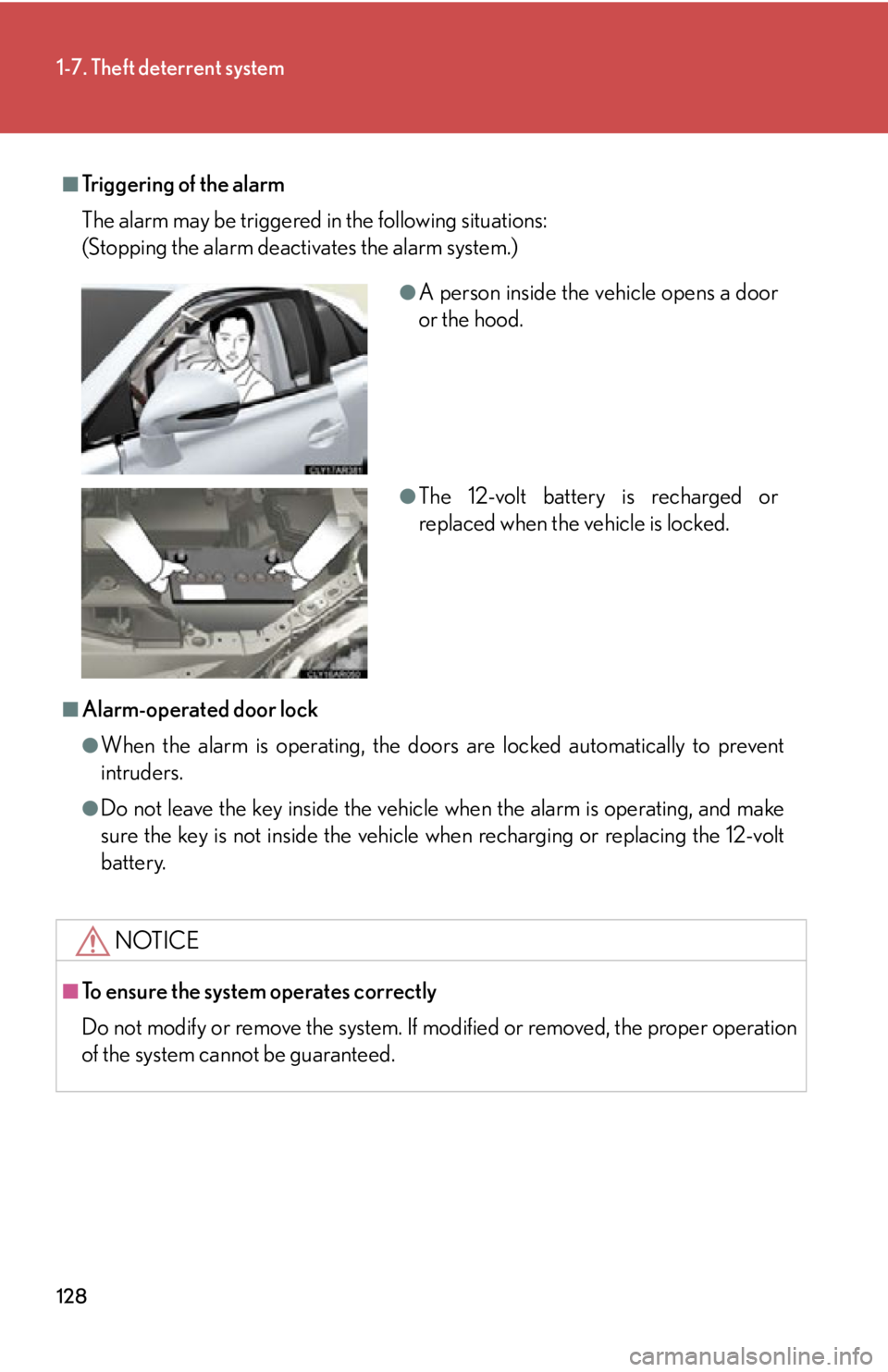
The alarm may be triggered in the following situations:
(Stopping the alarm deactivates the alarm system.)
■
Alarm-operated door lock ●
When the alarm is operating, the door s are locked automatically to prevent
intruders.●
Do not leave the key inside the vehicle when the alarm is operating, and make
sure the key is not inside the vehicle when recharging or replacing the 12-volt
battery.
NOTICE■
To ensure the system operates correctly
Do not modify or remove the system. If mo dified or removed, the proper operation
of the system cannot be guaranteed. ●
A person inside the vehicle opens a door
or the hood.
●
The 12-volt battery is recharged or
replaced when the vehicle is locked.
Page 166 of 878
1662-1. Driving procedures
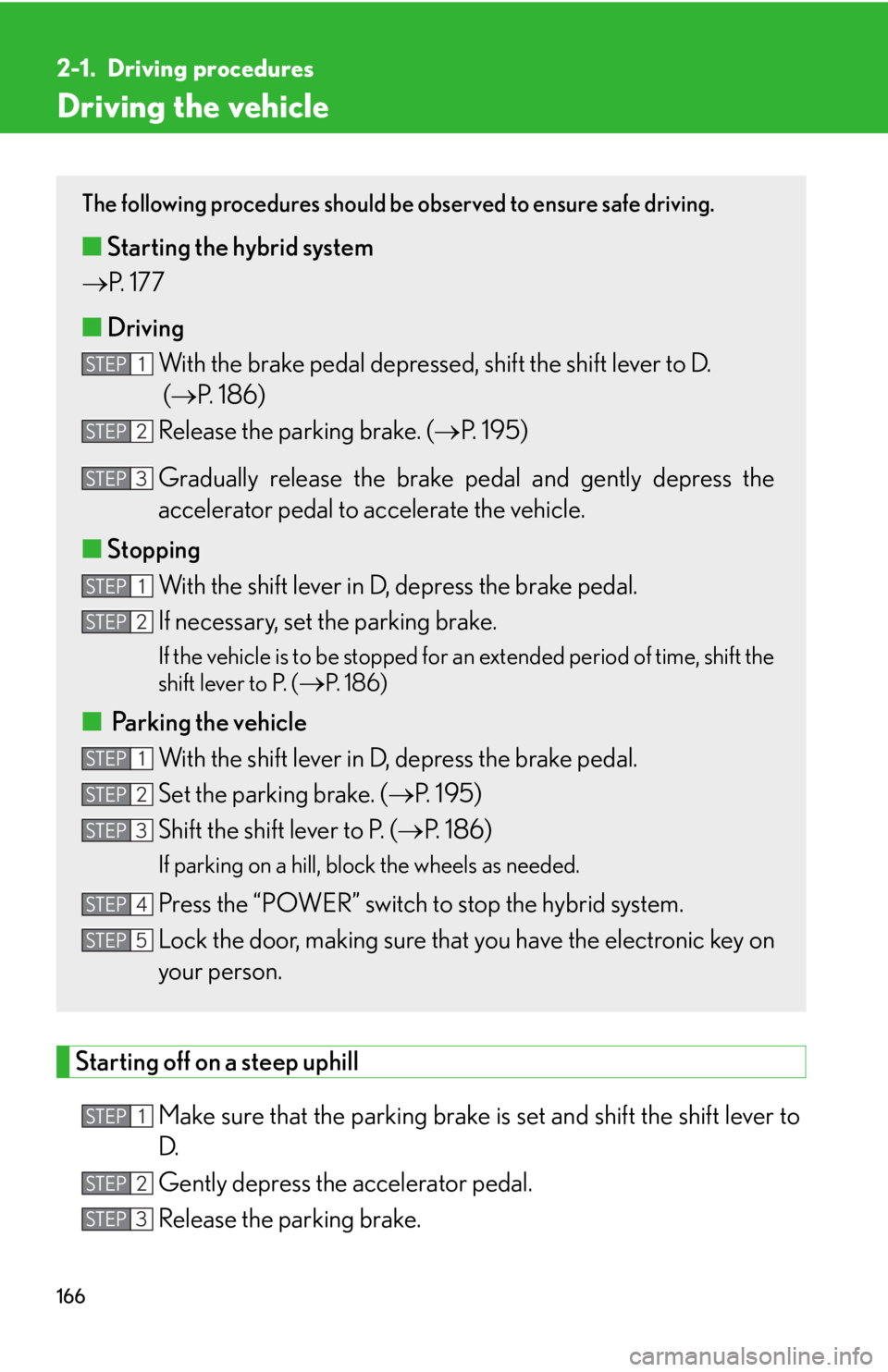
Driving the vehicle
Starting off on a steep uphill
Make sure that the pa rking brake is set and shift the shift lever to
D.
Gently depress the accelerator pedal.
Release the parking brake. The following procedures should be observed to ensure safe driving.
■ Starting the hybrid system
P. 177
■ Driving
With the brake pedal depressed, shift the shift lever to D.
( P. 1 8 6 )
Release the parking brake. ( P. 195)
Gradually release the brake pedal and gently depress the
accelerator pedal to accelerate the vehicle.
■ Stopping
With the shift lever in D, depress the brake pedal.
If necessary, set the parking brake. If the vehicle is to be stopped for an extended period of time, shift the
shift lever to P. (
P. 1 8 6 )
■
Parking the vehicle
With the shift lever in D, depress the brake pedal.
Set the parking brake. ( P. 1 9 5 )
Shift the shift lever to P. ( P. 1 8 6 )If parking on a hill, block the wheels as needed.
Press the “POWER” switch to stop the hybrid system.
Lock the door, making sure that you have the electronic key on
your person.STEP 1
STEP 2
STEP 3
STEP 1
STEP 2
STEP 1
STEP 2
STEP 3
STEP 4
STEP 5
STEP 1
STEP 2
STEP 3
Page 177 of 878
1772-1. Driving procedures
2
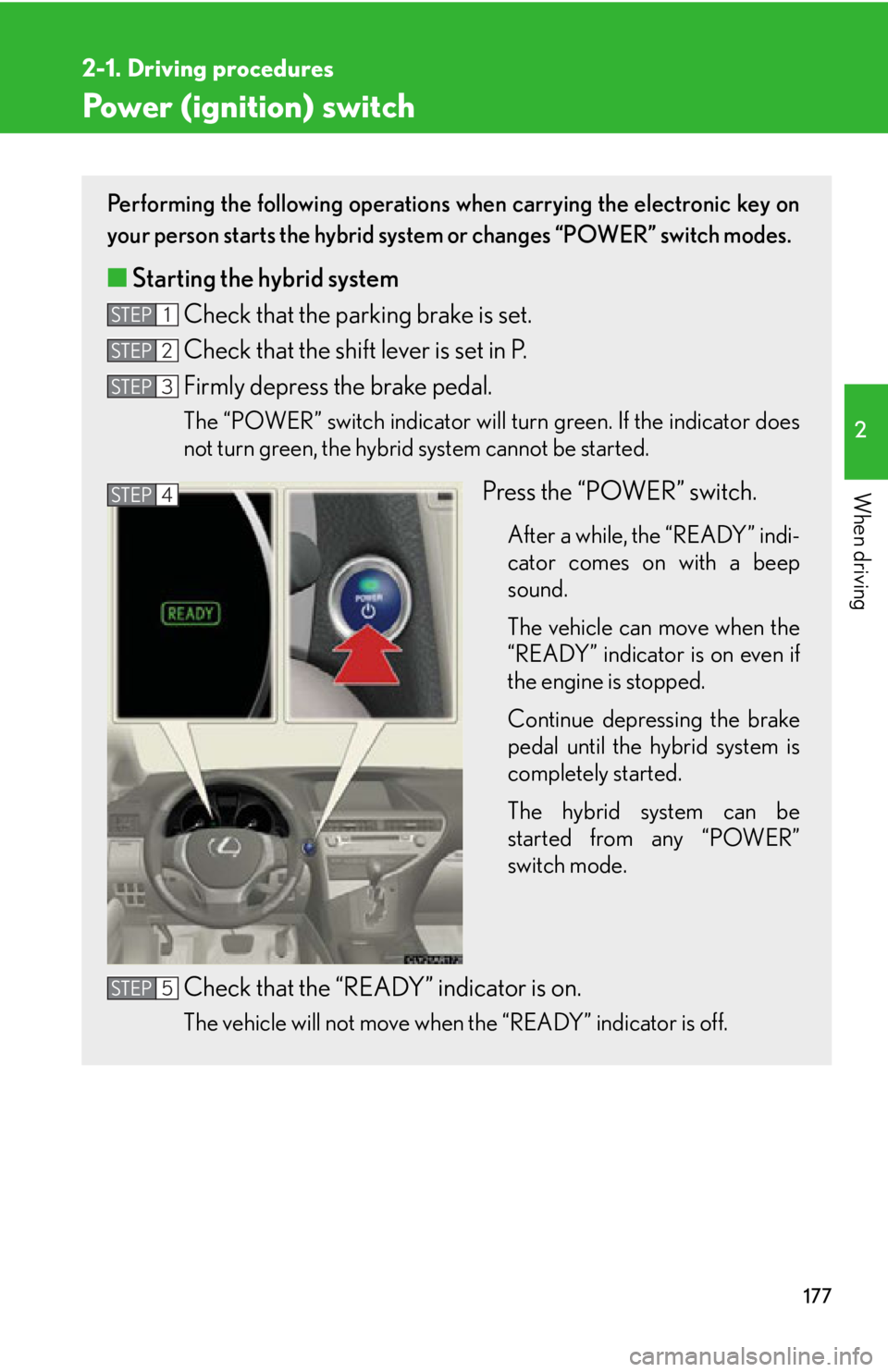
When driving Power (ignition) switch Performing the following operations when carrying the electronic key on
your person starts the hybrid system or changes “POWER” switch modes.
■ Starting the hybrid system
Check that the parking brake is set.
Check that the shift lever is set in P.
Firmly depress the brake pedal. The “POWER” switch indicator will turn green. If the indicator does
not turn green, the hybrid system cannot be started.
Press the “POWER” switch. After a while, the “READY” indi-
cator comes on with a beep
sound.
The vehicle can move when the
“READY” indicator is on even if
the engine is stopped.
Continue depressing the brake
pedal until the hybrid system is
completely started.
The hybrid system can be
started from any “POWER”
switch mode.
Check that the “READY” indicator is on.
The vehicle will not move when the “READY” indicator is off.STEP 1
STEP 2
STEP 3
STEP 4
STEP 5
Page 179 of 878

1792-1. Driving procedures
2
When driving When stopping the hybrid system with the shift lever in a position other than P
If the hybrid system is stopped with the shift lever in a position other than
P, the “POWER” switch will not be turned off but instead be turned to
ACCESSORY mode. Perform the following procedure to turn the switch
off:
Check that the parking brake is set.
Shift the shift lever to P.
Check that the indicator on the “POWER” switch is illuminated in
amber and then press the “POWER” switch once.
Check that the indicator on the “POWER” switch is off.■
Auto power off function
When the shift lever is in P, if the vehicle is left in ACCESSORY or ON mode with
the hybrid system not operating for more than 20 minutes (ACCESSORY mode)
or one hour (ON mode), the “POWER” switch will automatically turn off. However,
this function cannot entirely prevent 12-v olt battery discharge. Do not leave the
vehicle with the “POWER” switch in ACCESSORY or ON mode for long periods
of time when the hybrid system is not operating.■
Operation of the “POWER” switch
When operating the “POWER” switch, one short, firm press is enough. If the switch
is pressed improperly, the hybrid system may not start or the “POWER” switch
mode may not change. It is not necessary to press and hold the switch.■
Sounds and vibrations specific to a hybrid vehicle
P. 3 3■
Electronic key battery depletion
P. 6 5
■
When the ambient temperature is low, such as during winter driving conditions
It may take time until the “READY” indicator comes on.
■
Conditions affecting operation
P. 6 2STEP 1
STEP 2
STEP 3
STEP 4