key LEXUS RX450h 2015 Owner's Guide
[x] Cancel search | Manufacturer: LEXUS, Model Year: 2015, Model line: RX450h, Model: LEXUS RX450h 2015Pages: 878, PDF Size: 11.62 MB
Page 180 of 878
1802-1. Driving procedures
■
Note for the entry function
P. 6 3■
If the hybrid system does not start
The immobilizer system may not have been deactivated. ( P. 1 2 4 )
Contact your Lexus dealer.■
Steering lock
After turning the “POWER” switch off and opening and closing the doors, the
steering wheel will be locked due to th e steering lock function. Operating the
“POWER” switch again automatically cancels the steering lock.■
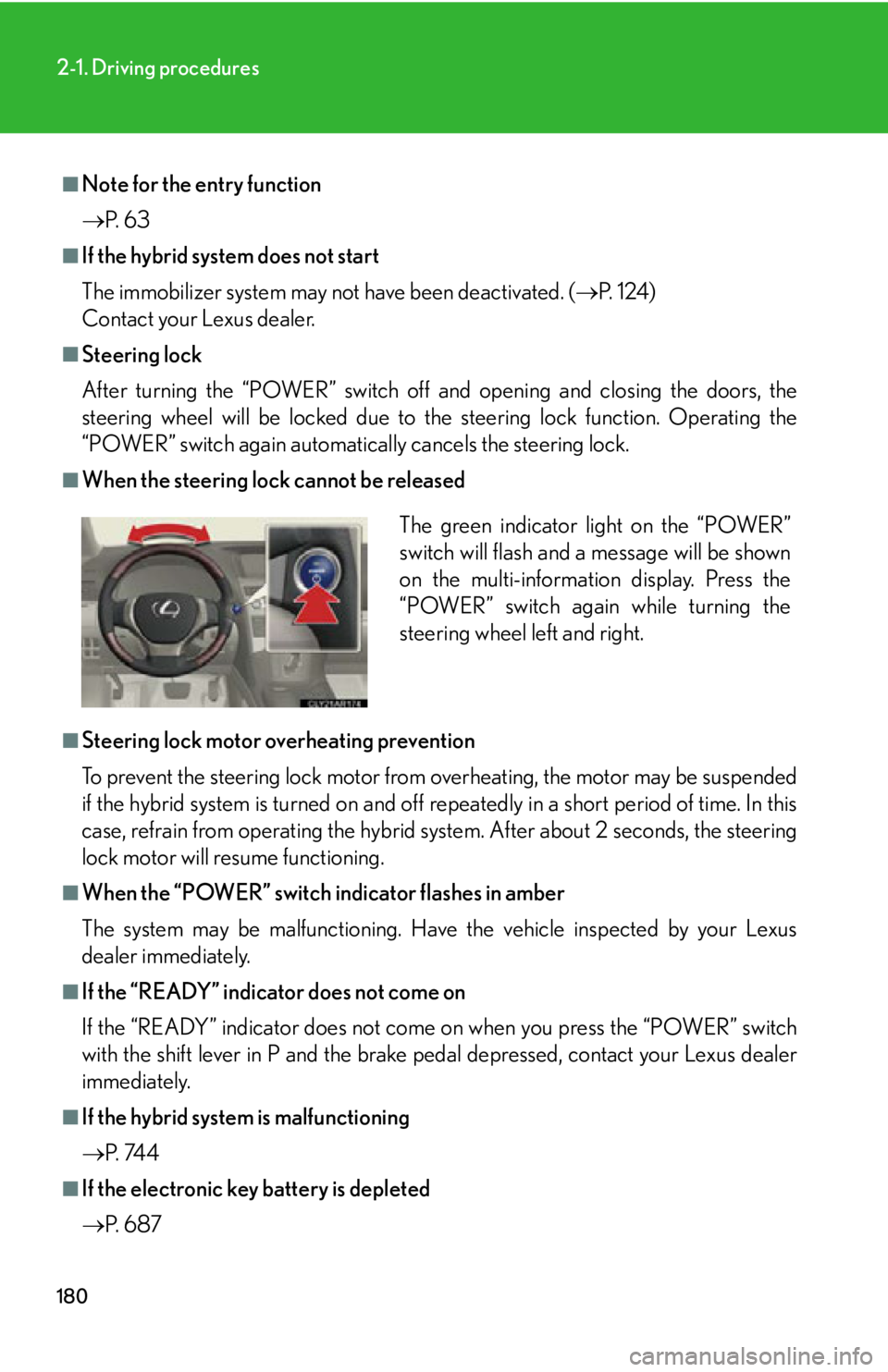
When the steering lock cannot be released
■
Steering lock motor overheating prevention
To prevent the steering lock motor from overheating, the motor may be suspended
if the hybrid system is turned on and off re peatedly in a short period of time. In this
case, refrain from operating the hybrid sy stem. After about 2 seconds, the steering
lock motor will resume functioning.■
When the “POWER” switch indicator flashes in amber
The system may be malfunctioning. Have the vehicle inspected by your Lexus
dealer immediately.■
If the “READY” indicator does not come on
If the “READY” indicator does not come on when you press the “POWER” switch
with the shift lever in P and the brake pe dal depressed, contact your Lexus dealer
immediately.
■
If the hybrid system is malfunctioning
P. 74 4
■
If the electronic key battery is depleted
P. 6 8 7 The green indicator light on the “POWER”
switch will flash and a message will be shown
on the multi-information display. Press the
“POWER” switch again while turning the
steering wheel left and right.
Page 220 of 878
2202-3. Operating the lights and windshield wipers
■
Automatic light off system ●
When the headlights are on: The headlights and tail lights turn off 30 seconds
after a door is opened and closed if the “POWER” switch is turned to ACCES-
SORY mode or turned off. (The lights turn off immediately if on the key is
pressed after all the doors are locked.)●
When only the tail lights ar e on: The tail lights turn off automatically if the
“POWER” switch is turned to ACCESSORY mode or turned off and the
driver’s door is opened.
To turn the lights on again, turn the “POWER” switch to ON mode, or turn the light
switch off once and then back to or .
If any of the doors is kept open, the ligh ts automatically turn off after 20 minutes.■
Automatic headlight leveling system (if equipped)
The level of the headlights is automatica lly adjusted according to the number of
passengers and the loading condition of the vehicle to ensure that the headlights do
not interfere with other road users. ■
Light reminder buzzer (headlights)
A buzzer sounds when the “POWER” switch is turned off or turned to ACCES-
SORY mode and the driver's door is open ed while the headlights are turned on.■
Illuminated entry system
If the wireless remote control switch is used to unlock the vehicle when the light
switch is in and the surrounding area is dark, the parking light turns on.■
Customization
Settings (e.g. light sensor sensitivity) can be changed.
(Customizable features P. 825)
NOTICE■
To prevent 12-volt battery discharge
Do not leave the lights on longer than necessary when the hybrid system is off.
Page 348 of 878
3483-2. Using the air conditio ning system and defogger
■
Air conditioning system settings ●
When the “POWER” switch is turned on , the air conditioning system settings
will be set to those that were in us e the last time the “POWER” switch was
turned off.●
Air conditioning system settings are memorized individually on each electronic
key, so the settings repr oduced will be specific to the key that is used.●
This feature is customizable at your Lexus dealer.■
Using automatic mode
Fan speed is adjusted automatically accord ing to the temperature setting and ambi-
ent conditions. As a result, the following may occur:
Immediately after the button is pressed, the fan may stop for a while until warm or
cool air is ready to flow.■
Using the system in recirculated air mode
The windows will fog up more easily if recirculated air mode is used for an extended
period.■
Switching between outside air and recirculated air modes
Recirculated air mode or outside air mode may be automatically switched in accor-
dance with the temperature setting and the inside temperature.■
When the outside temperature exceeds 75°F (24°C) and the air conditioning
system is on ●
In order to reduce the air conditioning power consumption, the air conditioning
system may switch to recirculated air mode automatically. This may also reduce
fuel consumption.●
Recirculated air mode is selected as a default mode when the “POWER” switch
is turned to ON mode.●
It is possible to switch to outside air mode at any time by pressing .
■
Window defogger feature
Recirculated air mode may automatically switch to outside air mode in situations
where the windows need to be defogged.
Page 355 of 878

3553-2. Using the air conditio ning system and defogger
3
Interior features ■
Operation of the air conditioning system in Eco drive mode
In Eco drive mode, the air conditioning syst em is controlled as follows to prioritize
fuel efficiency: ●
Engine speed and compressor operation controlled to restrict heating/cooling
capacity●
Fan speed restricted when automatic mode is selected
To improve air conditioning performanc e, perform the following operations:●
Adjust the fan speed●
Turn off Eco drive mode■
Customization
The air conditioning control of Eco drive mode can be changed to the same setting
as that used in normal drive mode.
(Customizable features P. 825)■
Air conditioning system settings ●
When the “POWER” switch is turned on, the air conditioning system settings
will be set to those that were in use the last time the “POWER” switch was
turned off.●
Air conditioning system settings are memorized individually on each electronic
key, so the settings repr oduced will be specific to the key that is used.●
This feature is customizable at your Lexus dealer.■
Using automatic mode
Fan speed is adjusted automatically accord ing to the temperature setting and ambi-
ent conditions. As a result, the following may occur:
Immediately after the button is pressed, the fan may stop for a while until warm or
cool air is ready to flow.■
Using the system in recirculated air mode
The windows will fog up more easily if recirculated air mode is used for an extended
period.
■
Switching between outside air and recirculated air modes
Recirculated air mode or outside air mode may be automatically switched in accor-
dance with the temperature setting and the inside temperature.
Page 525 of 878
5253-4. Using the audio system
3
Interior features Using the Bluetooth ®
audio system for the first time
Before using the Bluetooth ®
audio system, it is necessary to register a
Bluetooth ®
enabled portable player in th e system. Follow the procedure
below to register (pair) a portable player:
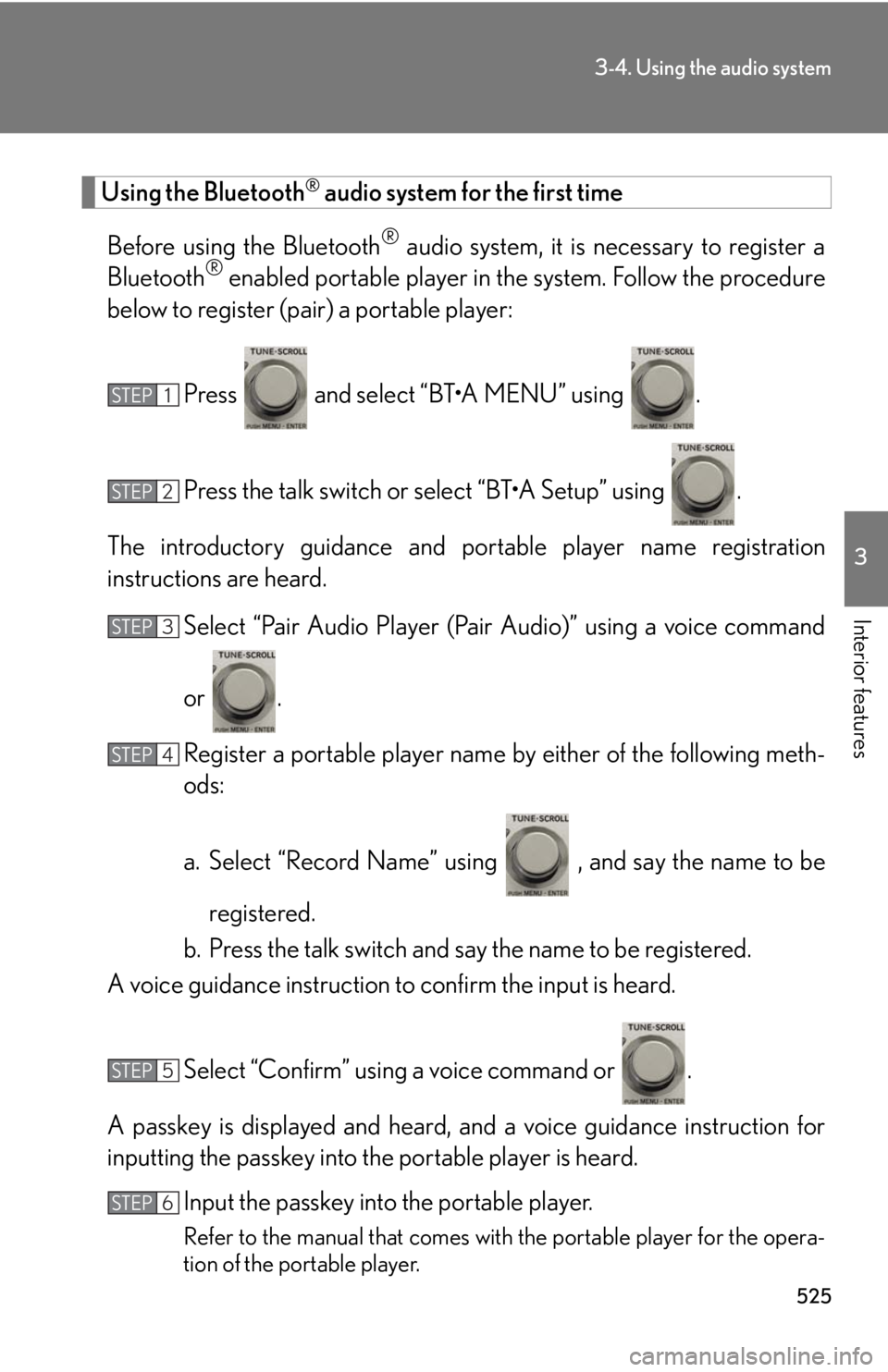
Press and select “BT•A MENU” using .
Press the talk switch or select “BT•A Setup” using .
The introductory guidance and portable player name registration
instructions are heard.
Select “Pair Audio Player (Pair Audio)” using a voice command
or .
Register a portable player name by either of the following meth-
ods:
a. Select “Record Name” using , and say the name to be
registered.
b. Press the talk switch and say the name to be registered.
A voice guidance instruction to confirm the input is heard.
Select “Confirm” using a voice command or .
A passkey is displayed and heard, an d a voice guidance instruction for
inputting the passkey into the portable player is heard.
Input the passkey into the portable player.
Refer to the manual that comes with the portable player for the opera-
tion of the portable player.STEP 1
STEP 2
STEP 3
STEP 4
STEP 5
STEP 6
Page 526 of 878
5263-4. Using the audio system
Guidance for registration completion is heard.
If the portable pl ayer has a Bluetooth ®
phone, the phone can be regis-
tered at the same time. A voice guidance instruction to register a
Bluetooth ®
phone is heard.
Select “Yes” or “No” using a voice command or .
(Bluetooth ®
phone P. 549)
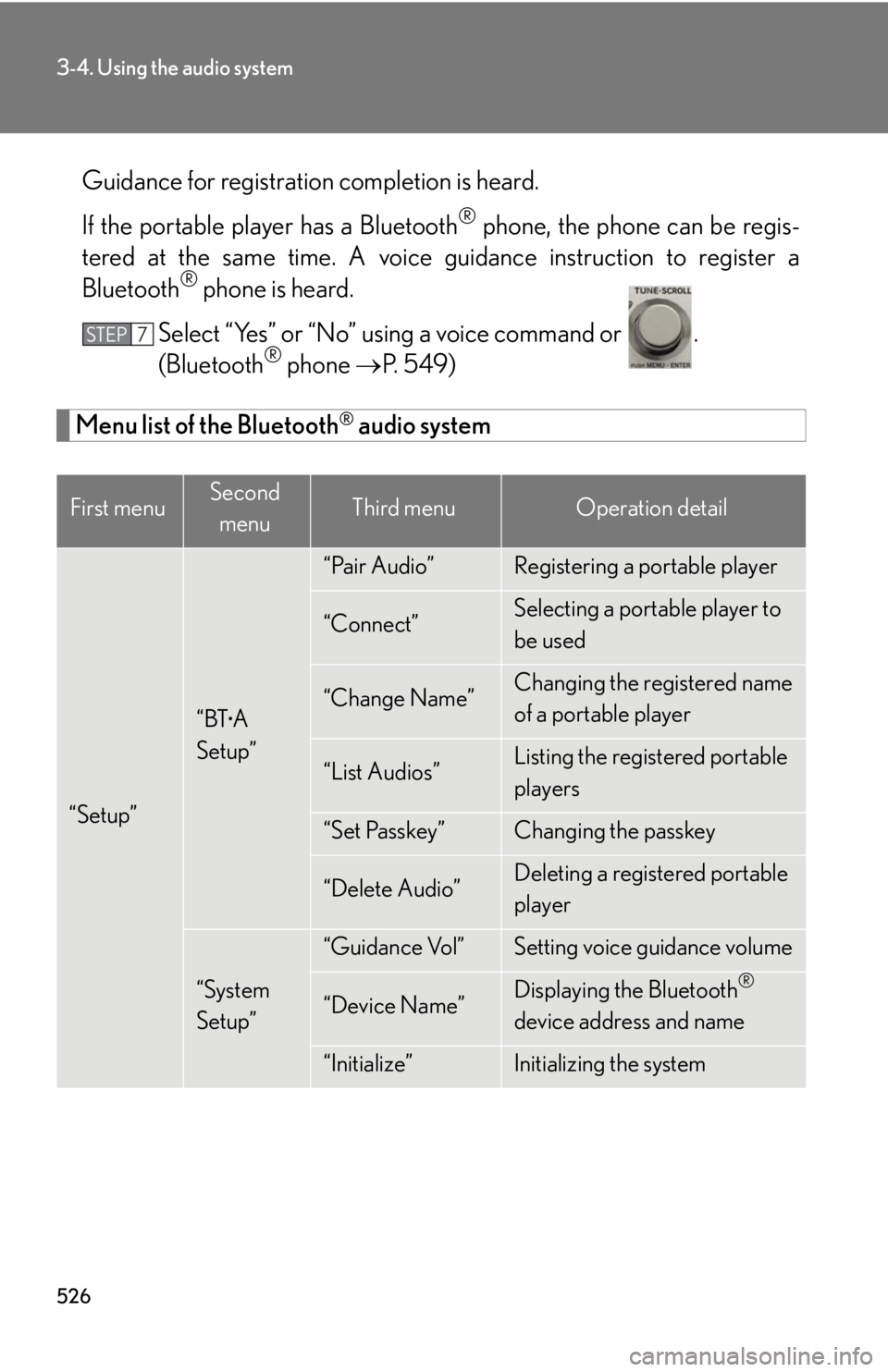
Menu list of the Bluetooth ®
audio system
First menu Second
menu Third menu Operation detail
“Setup” “BT •
A
Setup” “Pair Audio” Registering a portable player
“Connect” Selecting a portable player to
be used
“Change Name” Changing the registered name
of a portable player
“List Audios” Listing the registered portable
players
“Set Passkey” Changing the passkey
“Delete Audio” Deleting a registered portable
player
“System
Setup” “Guidance Vol” Setting voice guidance volume
“Device Name” Displaying the Bluetooth ®
device address and name
“Initialize” Initializing the systemSTEP 7
Page 527 of 878
5273-4. Using the audio system
3
Interior features ■
When using a voice command
For numbers, say a combination of si ngle digits from zero to nine.
Say the command correctly and clearly.■
Situations in which the system may not recognize your voice ●
When driving on rough roads●
When driving at high speeds●
When air is blowing out of the vents onto the microphone●
When the air conditioning fan emits a loud noise■
Operations that cannot be performed while driving●
Operating the system using ●
Registering a portable player to the system■
Changing the passkey
P. 5 3 6
Page 531 of 878
5313-4. Using the audio system
3
Interior features Setting up a Bluetooth ®
enabled portable playerRegistering a portable player in the Bluetooth ®
audio system allows the
system to function. The following functions can be used for registered por-
table players:
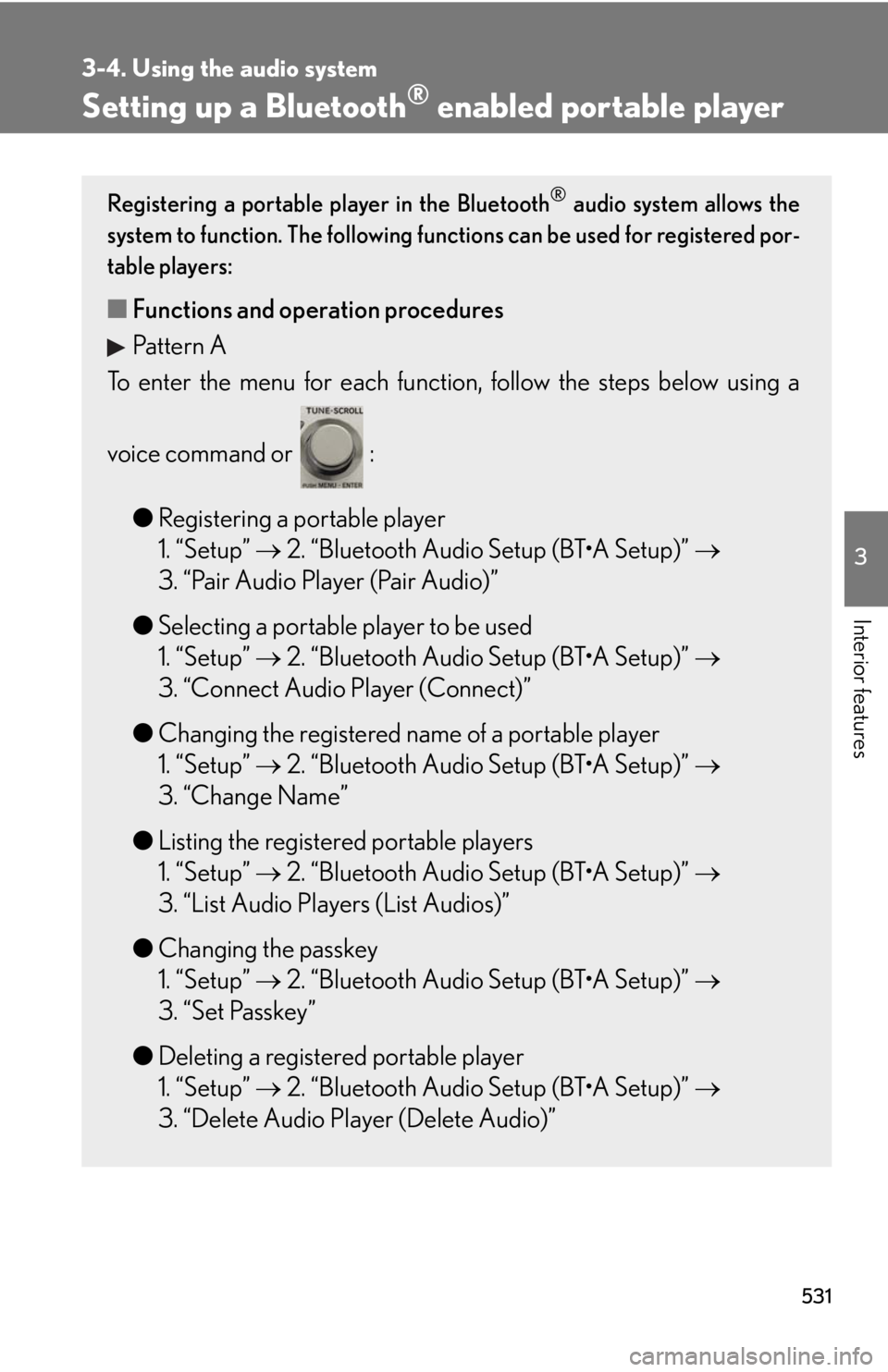
■ Functions and operation procedures
Pattern A
To enter the menu for each function , follow the steps below using a
voice command or :
● Registering a portable player
1. “Setup” 2. “Bluetooth Audio Setup (BT•A Setup)”
3. “Pair Audio Player (Pair Audio)”
● Selecting a portable player to be used
1. “Setup” 2. “Bluetooth Audio Setup (BT•A Setup)”
3. “Connect Audio Player (Connect)”
● Changing the registered name of a portable player
1. “Setup” 2. “Bluetooth Audio Setup (BT•A Setup)”
3. “Change Name”
● Listing the registered portable players
1. “Setup” 2. “Bluetooth Audio Setup (BT•A Setup)”
3. “List Audio Players (List Audios)”
● Changing the passkey
1. “Setup” 2. “Bluetooth Audio Setup (BT•A Setup)”
3. “Set Passkey”
● Deleting a registered portable player
1. “Setup” 2. “Bluetooth Audio Setup (BT•A Setup)”
3. “Delete Audio Player (Delete Audio)”
Page 532 of 878
5323-4. Using the audio system
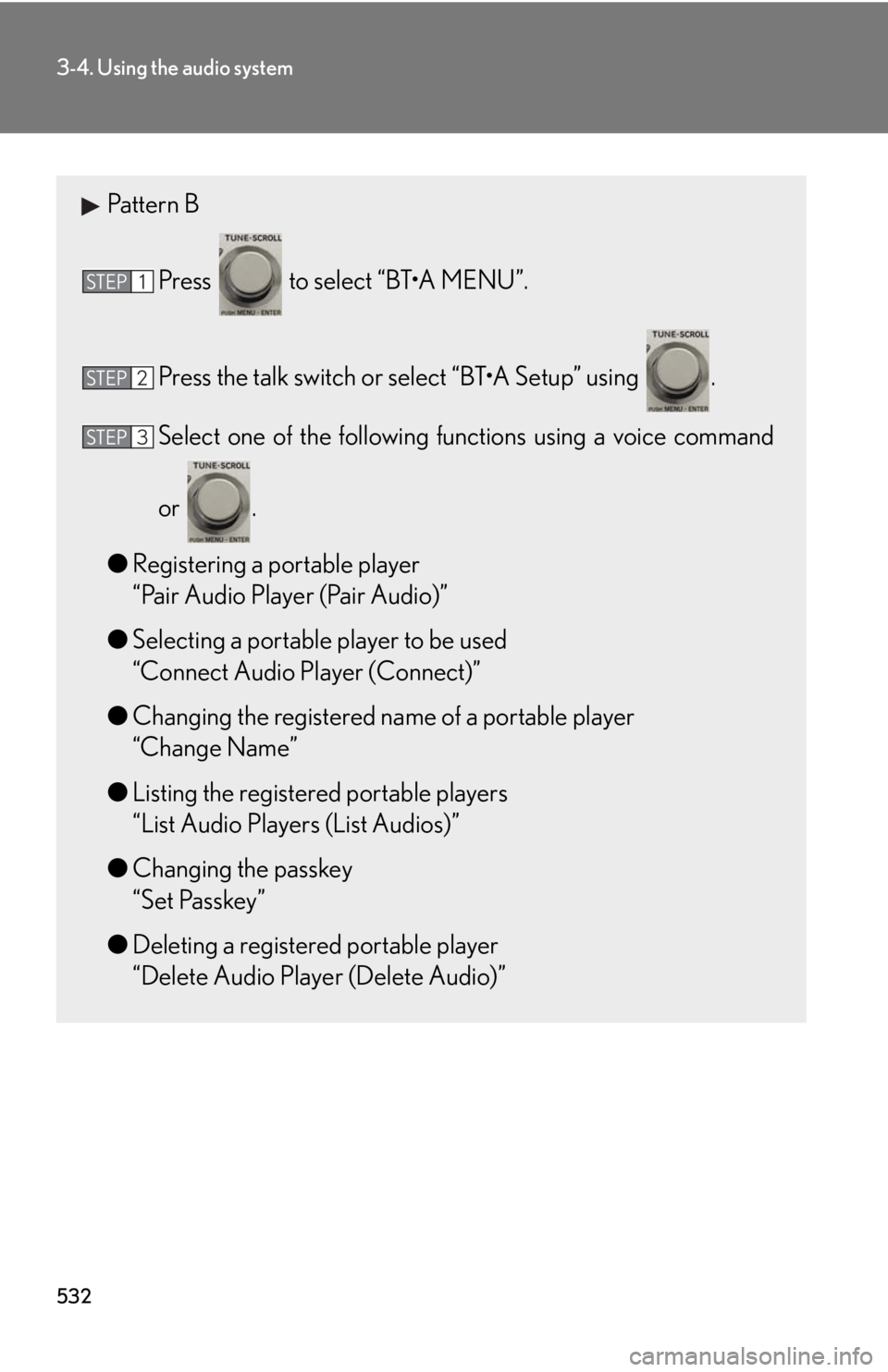
Pattern B
Press to select “BT•A MENU”.
Press the talk switch or select “BT•A Setup” using .
Select one of the following functions using a voice command
or .
● Registering a portable player
“Pair Audio Player (Pair Audio)”
● Selecting a portable player to be used
“Connect Audio Player (Connect)”
● Changing the registered name of a portable player
“Change Name”
● Listing the registered portable players
“List Audio Players (List Audios)”
● Changing the passkey
“Set Passkey”
● Deleting a registered portable player
“Delete Audio Player (Delete Audio)”STEP 1
STEP 2
STEP 3
Page 536 of 878
5363-4. Using the audio system
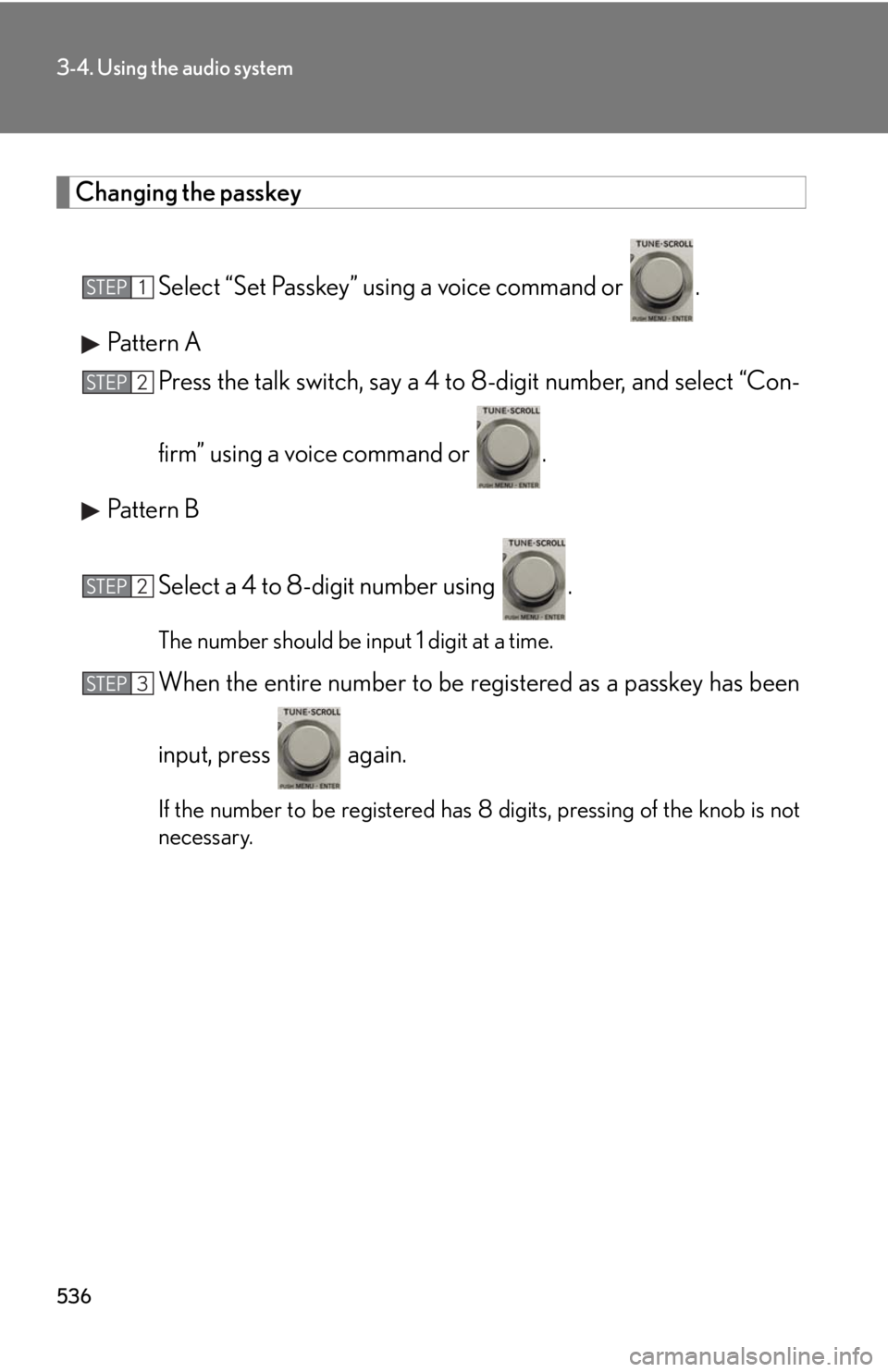
Changing the passkey
Select “Set Passkey” using a voice command or .
Pattern A
Press the talk switch, say a 4 to 8-digit number, and select “Con-
firm” using a voice command or .
Pattern B
Select a 4 to 8-digit number using . The number should be input 1 digit at a time.
When the entire number to be re gistered as a passkey has been
input, press again.
If the number to be registered has 8 digits, pressing of the knob is not
necessary.STEP 1
STEP 2
STEP 2
STEP 3