navigation system LEXUS RX450h 2015 Owner's Manual
[x] Cancel search | Manufacturer: LEXUS, Model Year: 2015, Model line: RX450h, Model: LEXUS RX450h 2015Pages: 878, PDF Size: 11.62 MB
Page 213 of 878
2132-2. Instrument cluster
2
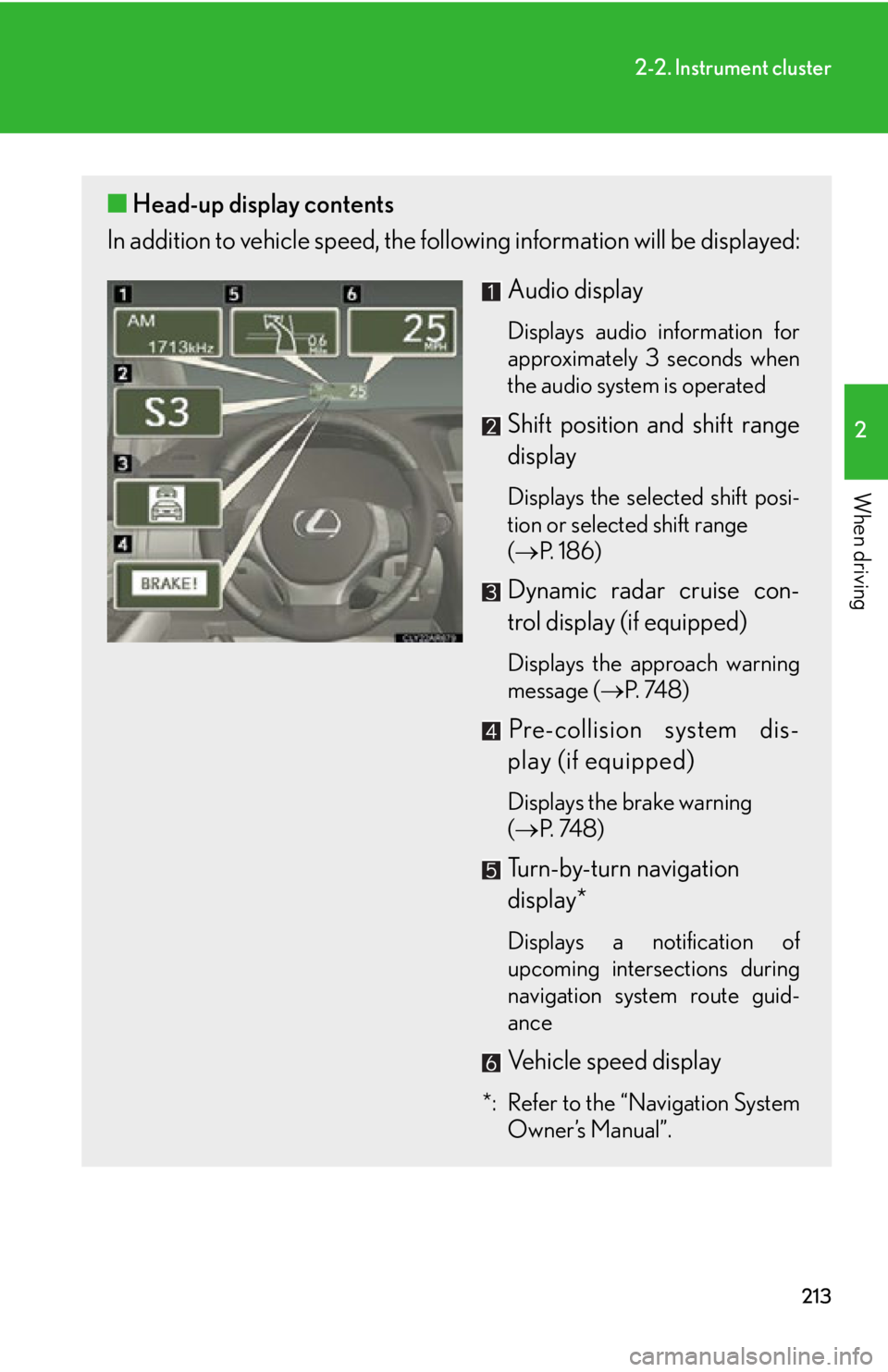
When driving ■ Head-up display contents
In addition to vehicle sp eed, the following informa tion will be displayed:
Audio display Displays audio information for
approximately 3 seconds when
the audio system is operated
Shift position and shift range
display Displays the selected shift posi-
tion or selected shift range
( P. 1 8 6 )
Dynamic radar cruise con-
trol display (if equipped) Displays the approach warning
message ( P. 74 8 )
Pre-collision system dis-
play (if equipped) Displays the brake warning
( P. 74 8 )
Turn-by-turn navigation
display*
Displays a notification of
upcoming intersections during
navigation system route guid-
ance
Vehicle speed display
*: Refer to the “Navigation System
Owner’s Manual”.
Page 325 of 878
Interior features
3
3253-1. Lexus Display Audio
system
Lexus Display Audio
system..................................... 328
Display settings ...................... 332
Setup menu ............................. 334
Mobile Assistant .................... 340
3-2. Using the air conditioning
system and defogger
Automatic air conditioning
system (with the Lexus
Display Audio system) ....... 342
Automatic air conditioning
system (without a
navigation system or
the Lexus Display Audio
system) ................................... 350
Rear window defogger
switch ...................................... 358
Windshield wiper de-icer .... 360
Page 326 of 878
326 3-3. Using the Lexus Display
Audio system
Audio system
(with the Lexus Display
Audio system) ....................... 362
Using the radio........................ 365
Using the CD player ............ 380
Playing an audio CD and
MP3/WMA discs ................ 381
Listening to an iPod................. 391
Listening to a USB
memory .................................. 399
Using the AUX port ............. 408
Listening to Bluetooth ®
audio......................................... 410
Optimal use of the audio
system ..................................... 424
Using the steering wheel
audio switches ...................... 426
Hands-free system
(for mobile phone)............... 429
Using the Bluetooth ®
phone ...................................... 437
Setting the hands-free
system ..................................... 454
Bluetooth ®
settings .............. 466 3-4. Using the audio system
Audio system (without a
navigation system or
the Lexus Display Audio
system) .................................... 474
Using the radio ........................ 477
Using the CD player ............. 485
Playing MP3 and WMA
discs......................................... 493
Operating an iPod .................. 501
Operating a USB
memory................................... 510
Bluetooth ®
audio system ..... 519
Using the Bluetooth ®
audio system ......................... 523
Operating a Bluetooth ®
enabled portable
player ...................................... 528
Setting up a Bluetooth ®
enabled portable
player ....................................... 531
Bluetooth ®
audio system
setup ....................................... 538
Optimal use of the audio
system..................................... 539
Using the AUX port ............... 541
Using the steering wheel
audio switches...................... 543
Page 341 of 878
3413-1. Lexus Display Audio system
3
Interior features ■
Adjusting the volume
The volume of the Mobile Assistant can be adjusted using the
“ PWR·VOL
” knob or
steering wheel volume switches. The Mobile Assistant and phone call volumes are
synchronized.■
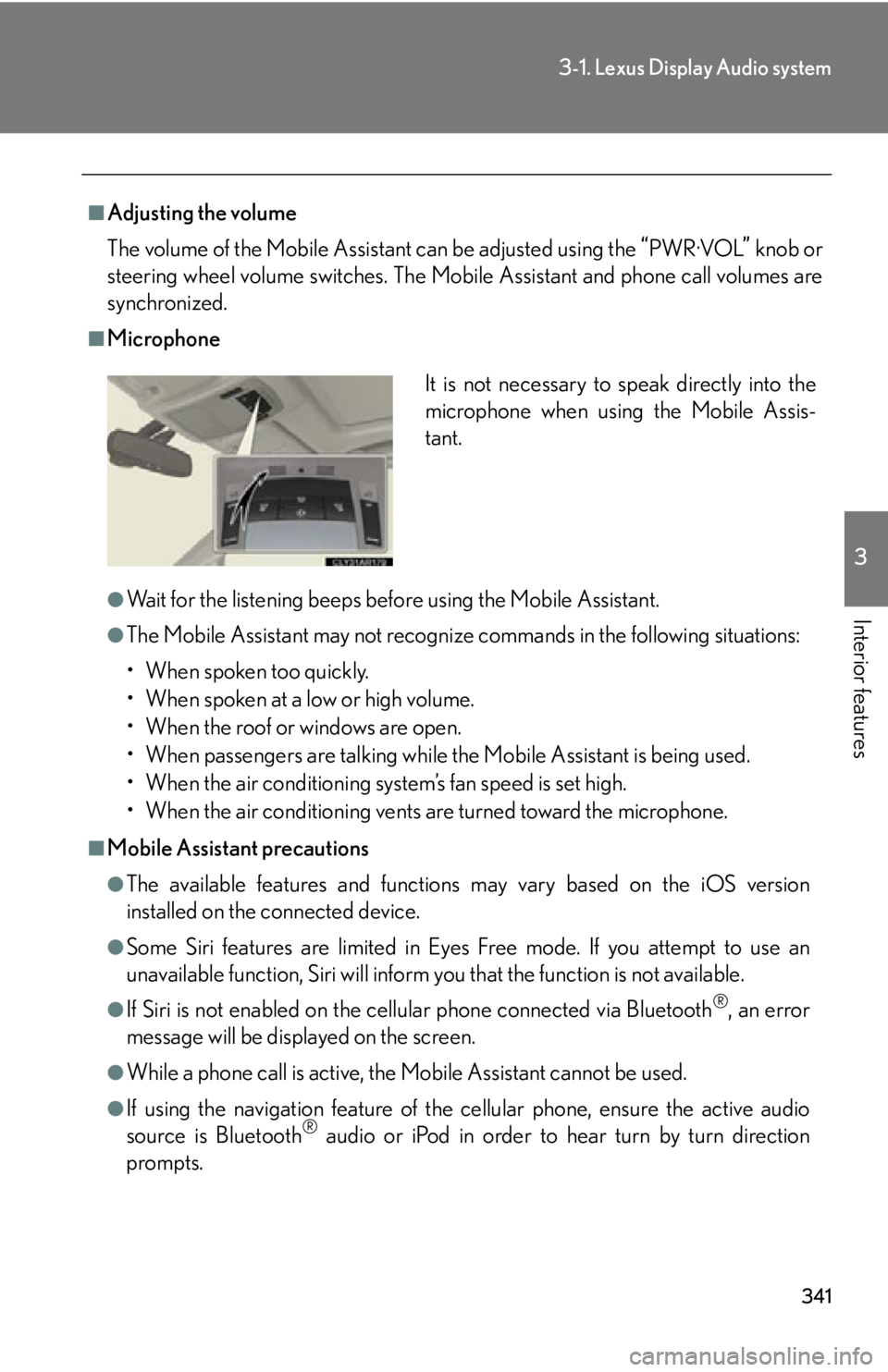
Microphone
●
Wait for the listening beeps befo re using the Mobile Assistant.●
The Mobile Assistant may not recognize commands in the following situations:
• When spoken too quickly.
• When spoken at a low or high volume.
• When the roof or windows are open.
• When passengers are talking while the Mobile Assistant is being used.
• When the air conditioning system’s fan speed is set high.
• When the air conditioning vents are turned toward the microphone.■
Mobile Assistant precautions ●
The available features and functions may vary based on the iOS version
installed on the connected device.●
Some Siri features are limited in Eyes Free mode. If you attempt to use an
unavailable function, Siri will inform you that the function is not available.●
If Siri is not enabled on the cell ular phone connected via Bluetooth ®
, an error
message will be displayed on the screen.
●
While a phone call is active, the Mo bile Assistant cannot be used.
●
If using the navigation feature of the cellular phone, ensure the active audio
source is Bluetooth ®
audio or iPod in order to hear turn by turn direction
prompts. It is not necessary to speak directly into the
microphone when using the Mobile Assis-
tant.
Page 350 of 878
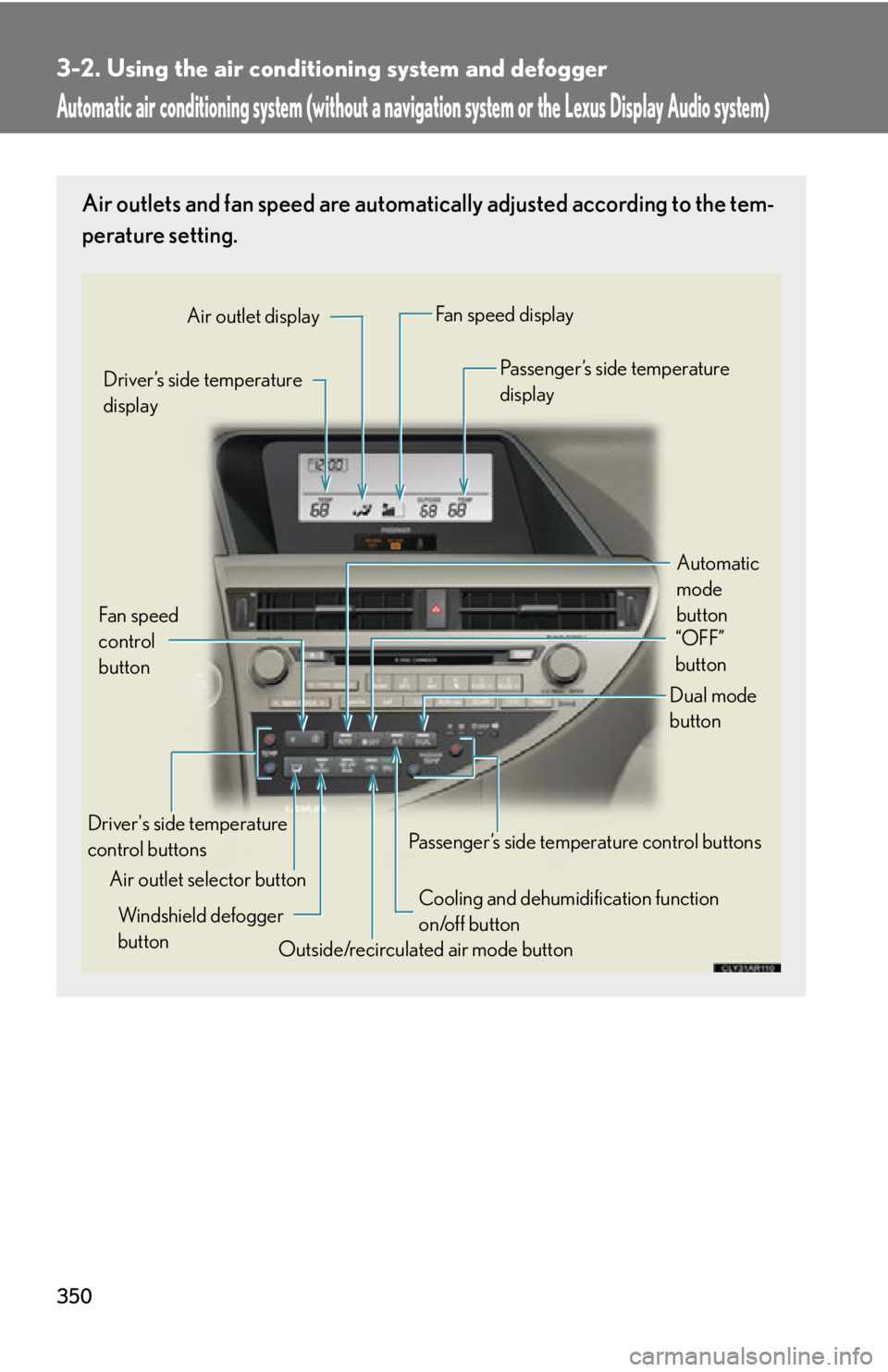
3503-2. Using the air conditio ning system and defogger
Automatic air conditioning system (without a navigation system or the Lexus Display Audio system)Air outlets and fan speed are automati cally adjusted according to the tem-
perature setting.
Automatic
mode
buttonDriver’s side temperature
display
Air outlet selector buttonFan speed
control
button Air outlet display Fan speed display
Passenger’s side temperature
display
Driver's side temperature
control buttons
Cooling and dehumidification function
on/off button
Outside/recirculated air mode buttonWindshield defogger
button Passenger’s side temperature control buttons Dual mode
button “OFF”
button
Page 358 of 878
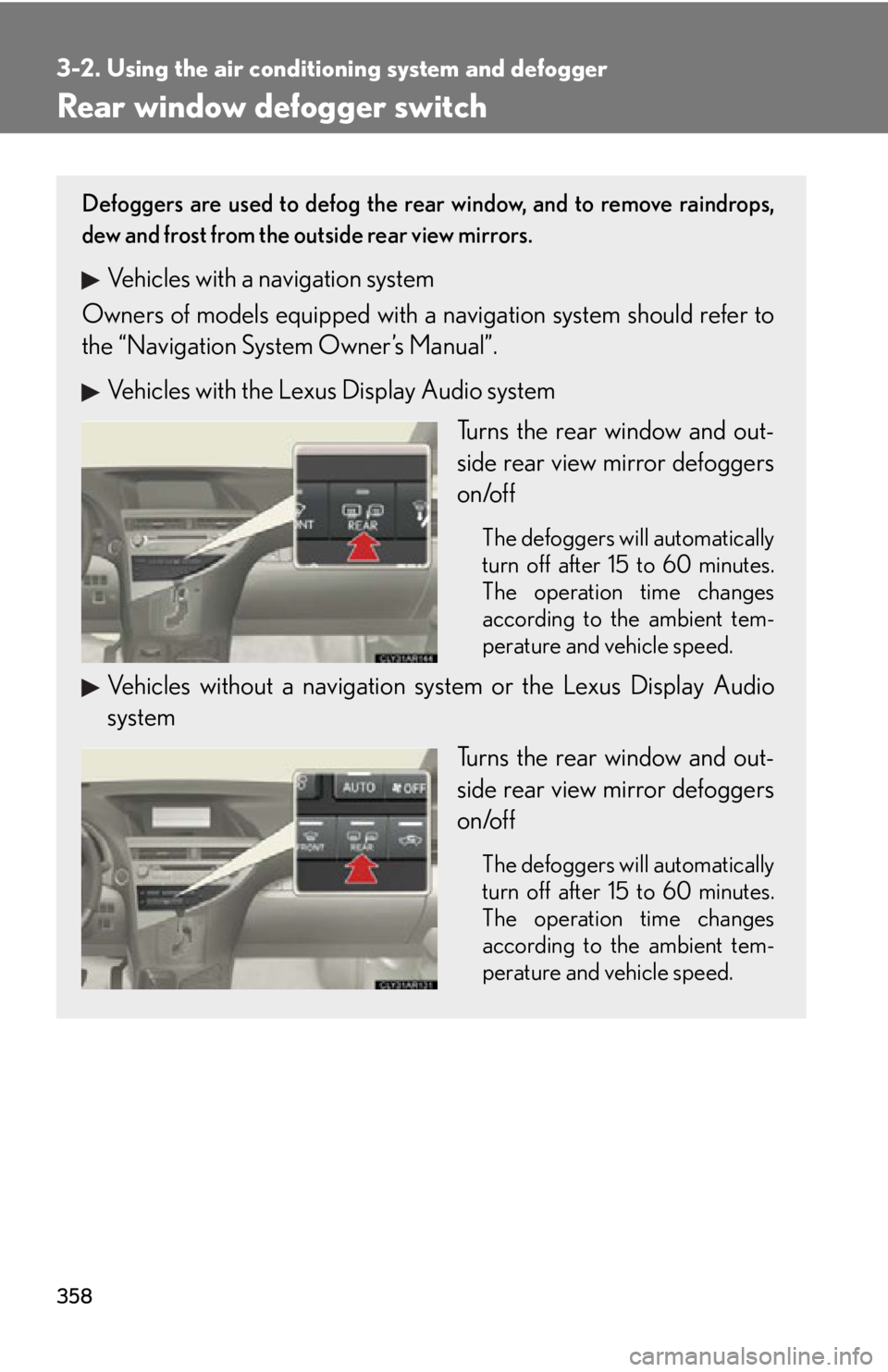
3583-2. Using the air conditio ning system and defogger
Rear window defogger switch Defoggers are used to defog the rear window, and to remove raindrops,
dew and frost from the outside rear view mirrors.
Vehicles with a navigation system
Owners of models equi pped with a navigation system should refer to
the “Navigation System Owner’s Manual”.
Vehicles with the Lexus Display Audio system
Turns the rear window and out-
side rear view mirror defoggers
on/off The defoggers will automatically
turn off after 15 to 60 minutes.
The operation time changes
according to the ambient tem-
perature and vehicle speed.
Vehicles without a navigation sy stem or the Lexus Display Audio
system
Turns the rear window and out-
side rear view mirror defoggers
on/off The defoggers will automatically
turn off after 15 to 60 minutes.
The operation time changes
according to the ambient tem-
perature and vehicle speed.
Page 360 of 878
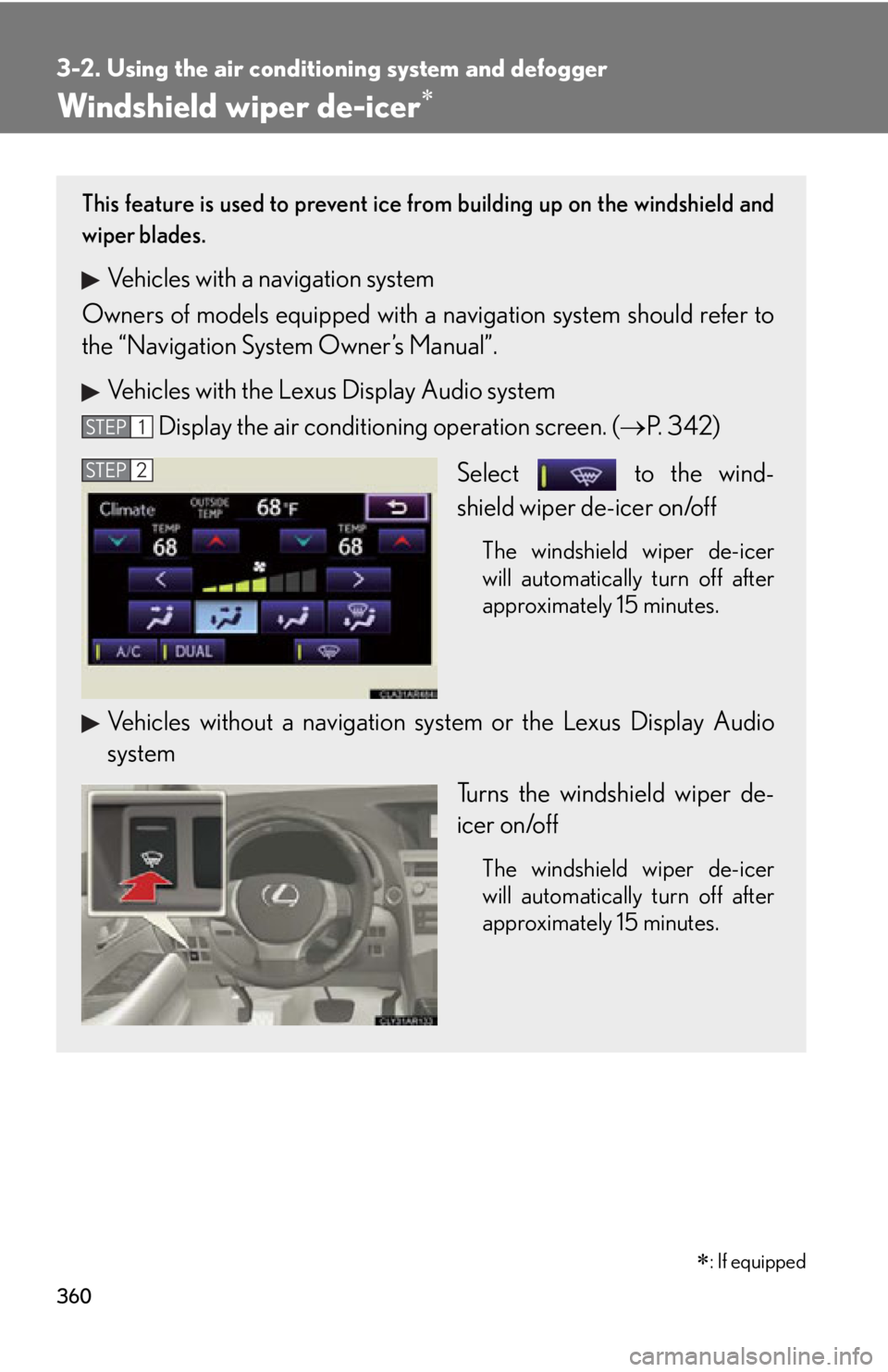
3603-2. Using the air conditio ning system and defogger
Windshield wiper de-icer
: If equippedThis feature is used to prevent ice fr om building up on the windshield and
wiper blades.
Vehicles with a navigation system
Owners of models equi pped with a navigation system should refer to
the “Navigation System Owner’s Manual”.
Vehicles with the Lexus Display Audio system
Display the air condition ing operation screen. ( P. 3 4 2 )
Select to the wind-
shield wiper de-icer on/off The windshield wiper de-icer
will automatically turn off after
approximately 15 minutes.
Vehicles without a navigation sy stem or the Lexus Display Audio
system
Turns the windshield wiper de-
icer on/off The windshield wiper de-icer
will automatically turn off after
approximately 15 minutes.STEP 1
STEP 2
Page 474 of 878
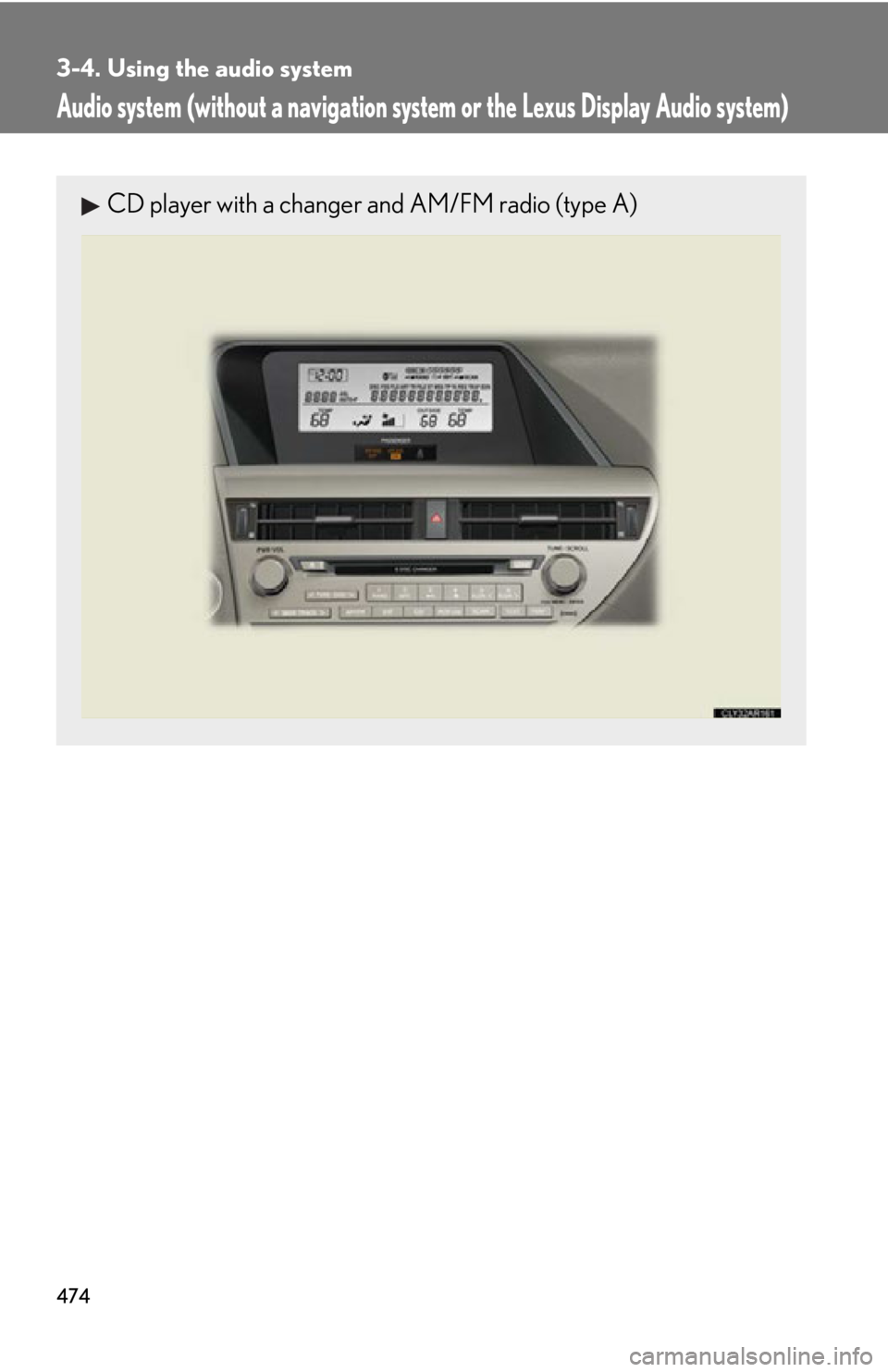
4743-4. Using the audio system
Audio system (without a navigation syst em or the Lexus Display Audio system)CD player with a changer and AM/FM radio (type A)
Page 597 of 878
5973-7. Other interior features
3
Interior features Clock
■
The clock is displayed when
The clock is displayed when the “POWER” switch is in ACCESSORY or ON
mode.
■
When the 12-volt battery is disconnected
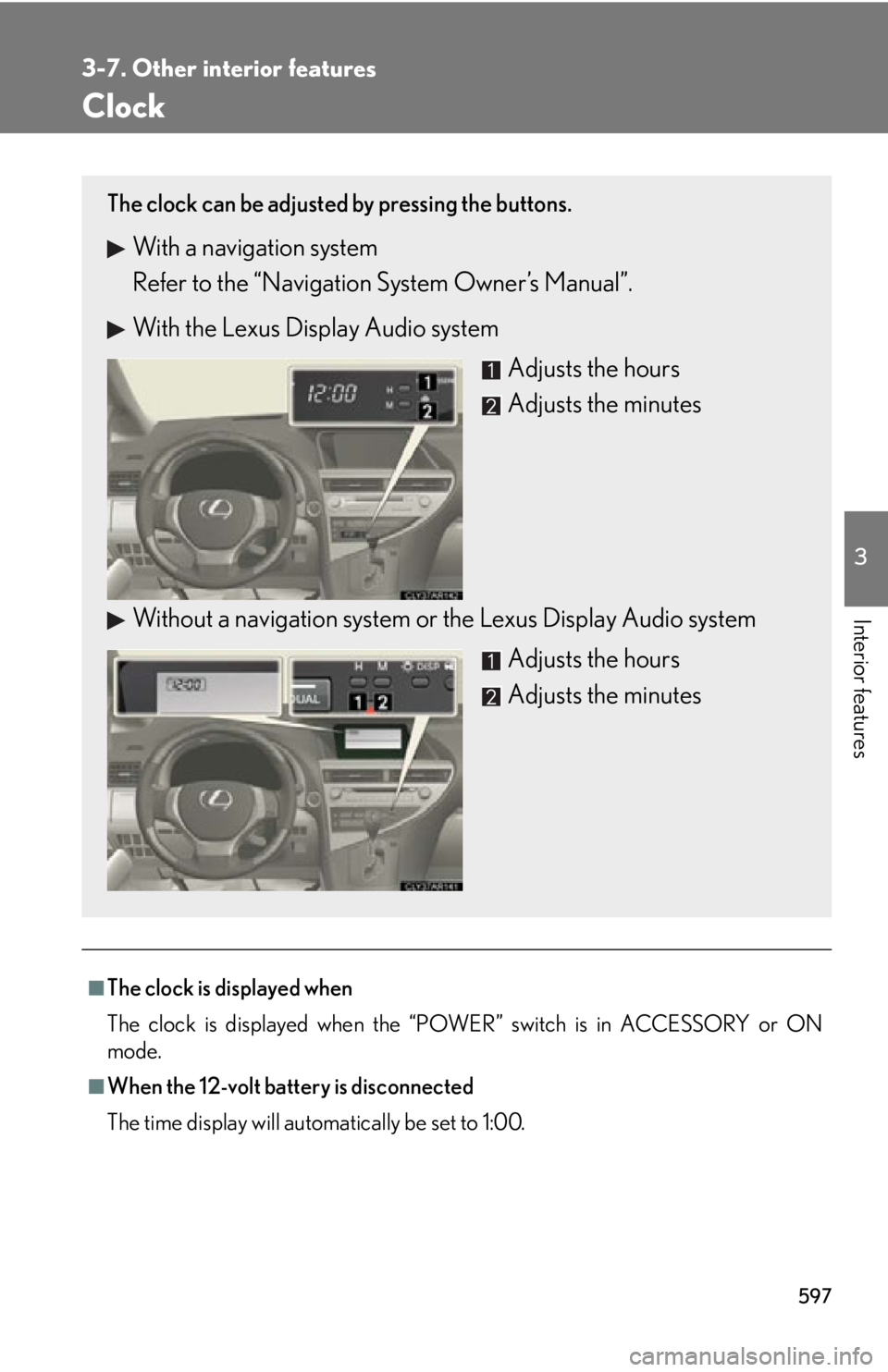
The time display will automatically be set to 1:00.The clock can be adjusted by pressing the buttons.
With a navigation system
Refer to the “Navigation System Owner’s Manual”.
With the Lexus Display Audio system
Adjusts the hours
Adjusts the minutes
Without a navigation system or the Lexus Display Audio system
Adjusts the hours
Adjusts the minutes
Page 598 of 878
5983-7. Other interior features
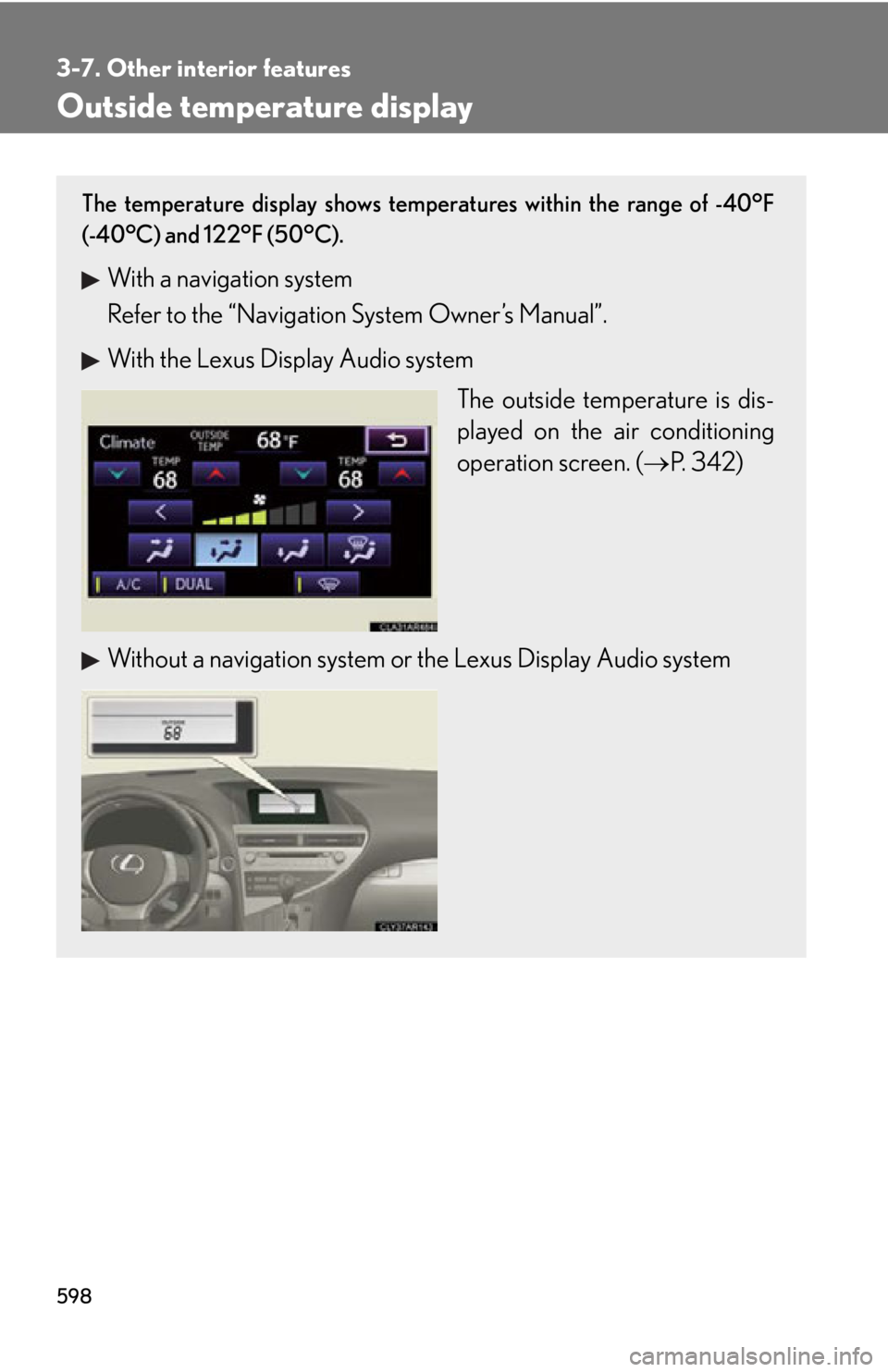
Outside temperature display The temperature display shows temperatures within the range of -40°F
(-40°C) and 122°F (50°C).
With a navigation system
Refer to the “Navigation System Owner’s Manual”.
With the Lexus Display Audio system
The outside temperature is dis-
played on the air conditioning
operation screen. ( P. 3 4 2 )
Without a navigation system or the Lexus Display Audio system