wheel LEXUS RX450h 2015 Service Manual
[x] Cancel search | Manufacturer: LEXUS, Model Year: 2015, Model line: RX450h, Model: LEXUS RX450h 2015Pages: 878, PDF Size: 11.62 MB
Page 166 of 878
1662-1. Driving procedures
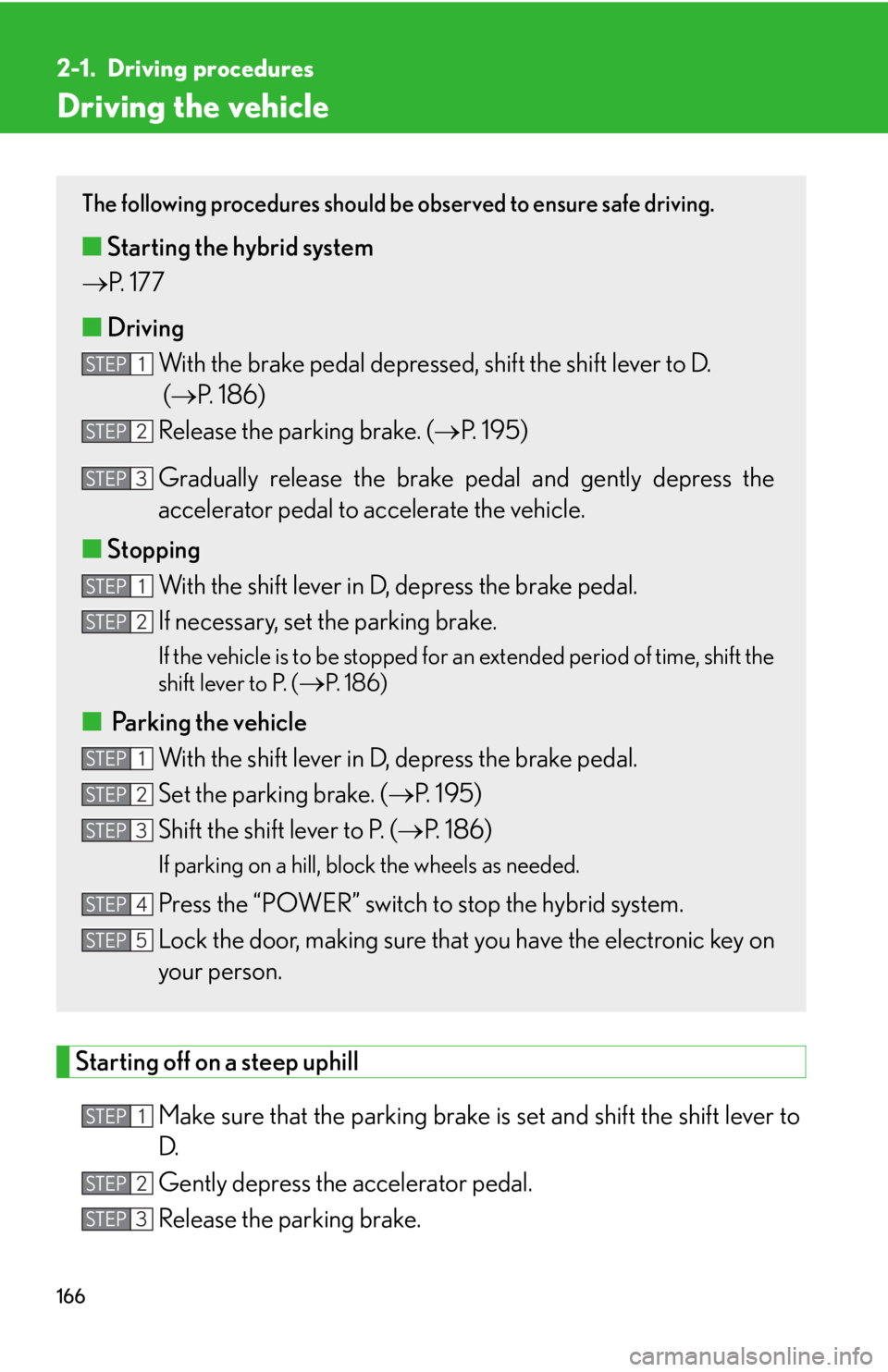
Driving the vehicle
Starting off on a steep uphill
Make sure that the pa rking brake is set and shift the shift lever to
D.
Gently depress the accelerator pedal.
Release the parking brake. The following procedures should be observed to ensure safe driving.
■ Starting the hybrid system
P. 177
■ Driving
With the brake pedal depressed, shift the shift lever to D.
( P. 1 8 6 )
Release the parking brake. ( P. 195)
Gradually release the brake pedal and gently depress the
accelerator pedal to accelerate the vehicle.
■ Stopping
With the shift lever in D, depress the brake pedal.
If necessary, set the parking brake. If the vehicle is to be stopped for an extended period of time, shift the
shift lever to P. (
P. 1 8 6 )
■
Parking the vehicle
With the shift lever in D, depress the brake pedal.
Set the parking brake. ( P. 1 9 5 )
Shift the shift lever to P. ( P. 1 8 6 )If parking on a hill, block the wheels as needed.
Press the “POWER” switch to stop the hybrid system.
Lock the door, making sure that you have the electronic key on
your person.STEP 1
STEP 2
STEP 3
STEP 1
STEP 2
STEP 1
STEP 2
STEP 3
STEP 4
STEP 5
STEP 1
STEP 2
STEP 3
Page 170 of 878

1702-1. Driving procedures
CAUTION●
Do not shift the shift lever to R while the vehicle is moving forward.
Doing so can damage the transmission and may result in a loss of vehicle control.●
Do not shift the shift lever to D while the vehicle is moving backward.
Doing so can damage the transmission and may result in a loss of vehicle control.●
Moving the shift lever to N while the vehicle is moving will disengage the hybrid
system. Engine braking is not availabl e with the hybrid system disengaged.●
During normal driving, do not turn off the hybrid system. Turning the hybrid sys-
tem off while driving will not cause loss of steering or braking control, however,
power assist to the steering will be lost. This will make it more difficult to steer
smoothly, so you should pull over and stop the vehicle as soon as it is safe to do so.
In the event of an emergency, such as if it becomes impossible to stop the vehicle
in the normal way: P. 7 9 5●
Use engine braking (downshift) to maintain a safe speed when driving down a
steep hill.
Using the brakes continuously may cause the brakes to overheat and lose effec-
tiveness. ( P. 1 8 6 )●
When stopped on an incline, use the brake pedal and parking brake to prevent
the vehicle from rolling backward or forward, causing an accident. ●
Do not adjust the position of the steering wheel, the seat, or the inside or outside
rear view mirrors while driving.
Doing so may result in a loss of vehicle control that can cause accidents, resulting
in death or serious injury.●
Always check that all passengers' arms, heads or other parts of their body are not
outside the vehicle, as this may result in death or serious injury.●
Do not drive in excess of the speed limit. Even if the legal speed limit permits it, do
not drive over 85 mph (140 km/h) unless your vehicle has high-speed capability
tires. Driving over 85 mph (140 km/h) may result in tire failure, loss of control and
possible injury. Be sure to consult a tire dealer to determine whether the tires on
your vehicle are high-speed capability tires or not before driving at such speeds.
Page 175 of 878

1752-1. Driving procedures
2
When driving CAUTION■
If the vehicle becomes stuck
Do not spin the wheels excessively when any of the tires is up in the air, or the vehi-
cle is stuck in sand, mud, etc. This may damage the driveline components or propel
the vehicle forward or backward, causing an accident.
NOTICE■
When driving the vehicle ●
Do not depress the accelerator and brake pe dals at the same time during driving,
as this may restrain driving torque.●
Do not use the accelerator pedal or depress the accelerator and brake pedals at
the same time to hold the vehicle on a hill.■
When parking the vehicle
Always shift the shift lever to P. Failure to do so may cause the vehicle to move or the
vehicle may accelerate suddenly if the accel erator pedal is accidentally depressed.■
Avoiding damage to vehicle parts ●
Do not turn the steering wheel fully in either direction and hold it there for an
extended period of time.
Doing so may damage the power steering motor.●
When driving over bumps in the road, drive as slowly as possible to avoid damag-
ing the wheels, underside of the vehicle, etc. ■
If you get a flat tire while driving
A flat or damaged tire may cause the following situations. Hold the steering wheel
firmly and gradually depress the brak e pedal to slow down the vehicle.●
It may be difficult to control your vehicle.
●
The vehicle will make abnormal sounds.
●
The vehicle will behave abnormally.
Information on what to do in case of a flat tire ( P. 76 4 )
Page 180 of 878
1802-1. Driving procedures
■
Note for the entry function
P. 6 3■
If the hybrid system does not start
The immobilizer system may not have been deactivated. ( P. 1 2 4 )
Contact your Lexus dealer.■
Steering lock
After turning the “POWER” switch off and opening and closing the doors, the
steering wheel will be locked due to th e steering lock function. Operating the
“POWER” switch again automatically cancels the steering lock.■
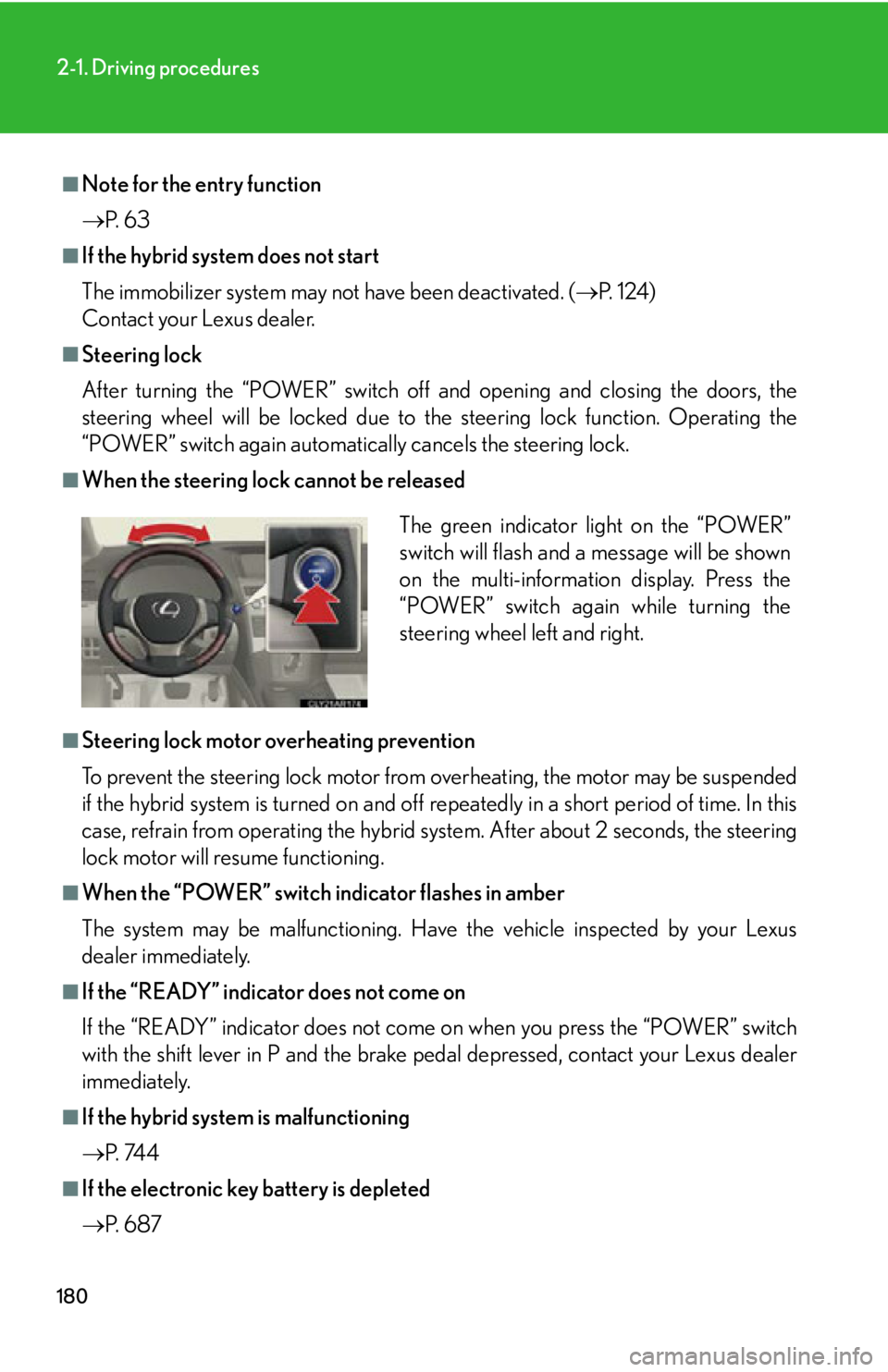
When the steering lock cannot be released
■
Steering lock motor overheating prevention
To prevent the steering lock motor from overheating, the motor may be suspended
if the hybrid system is turned on and off re peatedly in a short period of time. In this
case, refrain from operating the hybrid sy stem. After about 2 seconds, the steering
lock motor will resume functioning.■
When the “POWER” switch indicator flashes in amber
The system may be malfunctioning. Have the vehicle inspected by your Lexus
dealer immediately.■
If the “READY” indicator does not come on
If the “READY” indicator does not come on when you press the “POWER” switch
with the shift lever in P and the brake pe dal depressed, contact your Lexus dealer
immediately.
■
If the hybrid system is malfunctioning
P. 74 4
■
If the electronic key battery is depleted
P. 6 8 7 The green indicator light on the “POWER”
switch will flash and a message will be shown
on the multi-information display. Press the
“POWER” switch again while turning the
steering wheel left and right.
Page 247 of 878

2472-4. Using other driving systems
2
When driving CAUTION■
Conditions under which the vehicle-to-vehicle distance control may not function
correctly
Apply the brakes as necessary in the foll owing conditions as the radar sensor may
not be able to correctly detect vehicles ahead, and a fatal or serious accident may
result: ●
When water or snow thrown up by the surrounding vehicles hinders the function-
ing of the sensor●
When your vehicle is pointing upwards (caused by a heavy load in the luggage
compartment etc.)●
When the road curves or when the lanes are narrow●
When steering wheel operation or your position in the lane is unstable●
When the vehicle ahead of you decelerates suddenly■
Handling the radar sensor
Observe the following to ensure the cruise control system can function effectively.
Otherwise, the system may not function co rrectly and could result in an accident.●
Keep the sensor and grille cover clean at all times.
Clean the sensor and grille cover with a soft cloth so you do not mark or damage
them.●
Do not subject the sensor or surrounding area to a strong impact.
If the sensor moves even slightly off position, the system may malfunction. If the
sensor or surrounding area is subject to a strong impact, always have the area
inspected and adjusted by your Lexus dealer.●
Do not disassemble the sensor.●
Do not attach accessories or stickers to the sensor, grille cover or surrounding
area.
●
Do not modify or paint the sensor and grille cover.
●
Do not replace them with non-genuine parts.
Page 264 of 878

2642-4. Using other driving systems
■
Flicker effect
When the camera is used under fluorescent light, sodium lights, or mercury lights
etc., the lights and the illuminated areas may appear to flicker.
CAUTION■
When using the rear view monitor system, observe the following precautions to
avoid an accident that could result in death or serious injuries: ●
Never depend solely on the monitor system when reversing.●
Always check visually and with the mirrors to confirm your intended path is clear.●
Use your own eyes to confirm the vehicle’s surroundings, as the displayed image
may become faint or dark, and moving imag es will be distorted, or not entirely
visible when the outside temperature is low. When backing up, be sure to check
behind and all around the vehicle visually and with the mirrors before proceeding.●
Always check the vehicle surrounding area, because the guide lines are ancillary
lines.●
The guide lines are ancillary lines and do not change even if the steering wheel is
turned.●
Depicted distances between objects and flat surfaces differ from actual dis-
tances.●
Do not use the system if the back door is open.
Page 271 of 878
2712-4. Using other driving systems
2
When driving Driving assist systems To help enhance driving safety and performance, the following systems
operate automatically in response to various driving situations. Be aware,
however, that these systems are supplementary and should not be relied
upon too heavily when operating the vehicle.
■ ABS (Anti-lock Brake System) Helps to prevent wheel lock when the brakes are applied suddenly, or if
the brakes are applied while driving on a slippery road surface
■ Brake assist Generates an increased level of braking force after the brake pedal is
depressed, when the system detects a panic stop situation
■ VSC (Vehicle Stability Control) Helps the driver to control skidding when swerving suddenly or turning on
slippery road surfaces
■ TRAC (Traction Control) Helps to maintain drive power and prevent the drive wheels from spinning
when starting the vehicle or accelerating on slippery roads
■ Hill-start assist control P. 2 76
■ EPS (Electric Power Steering) Employs an electric motor to reduce the amount of effort needed to turn
the steering wheel
■ VDIM (Vehicle Dynamics Integrated Management) Provides integrated control of the ABS, brake assist, TRAC, VSC, hill-start
assist control, and EPS systems.
Helps to maintain vehicle stability when swerving on slippery road sur-
faces by controlling the brakes and hybrid system output.
■ PCS (Pre-Collision System) (if equipped)
P. 2 7 8
■ BSM (Blind Spot Monitor) (if equipped)
P. 2 8 6
Page 272 of 878
2722-4. Using other driving systems
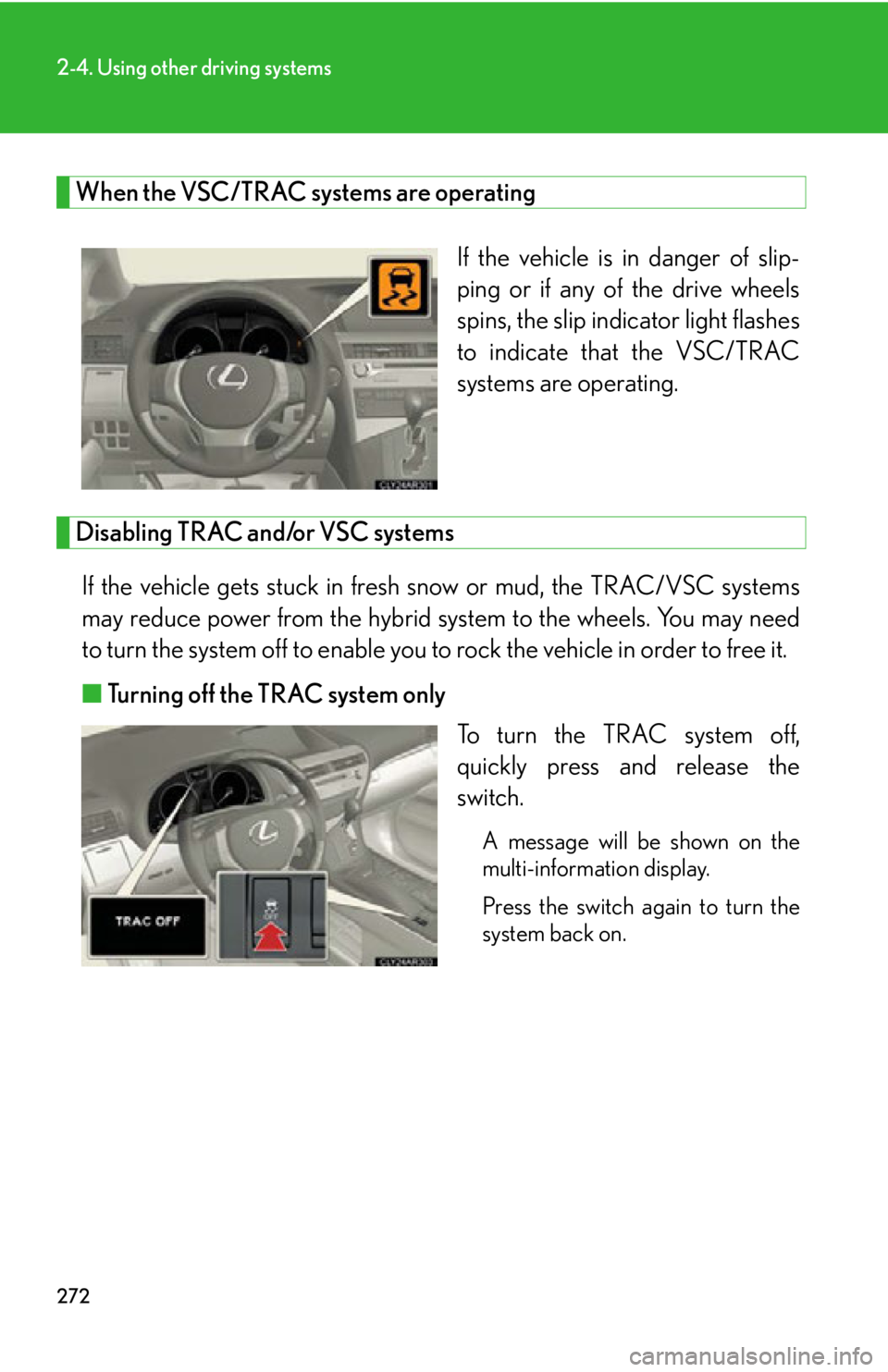
When the VSC/TRAC systems are operating
If the vehicle is in danger of slip-
ping or if any of the drive wheels
spins, the slip indicator light flashes
to indicate that the VSC/TRAC
systems are operating.
Disabling TRAC and/or VSC systems
If the vehicle gets stuck in fresh snow or mud, the TRAC/VSC systems
may reduce power from the hybrid system to the wheel s. You may need
to turn the system off to enable you to rock the vehicle in order to free it.
■ Turning off the TRAC system only
To turn the TRAC system off,
quickly press and release the
switch. A message will be shown on the
multi-information display.
Press the switch again to turn the
system back on.
Page 273 of 878
2732-4. Using other driving systems
2
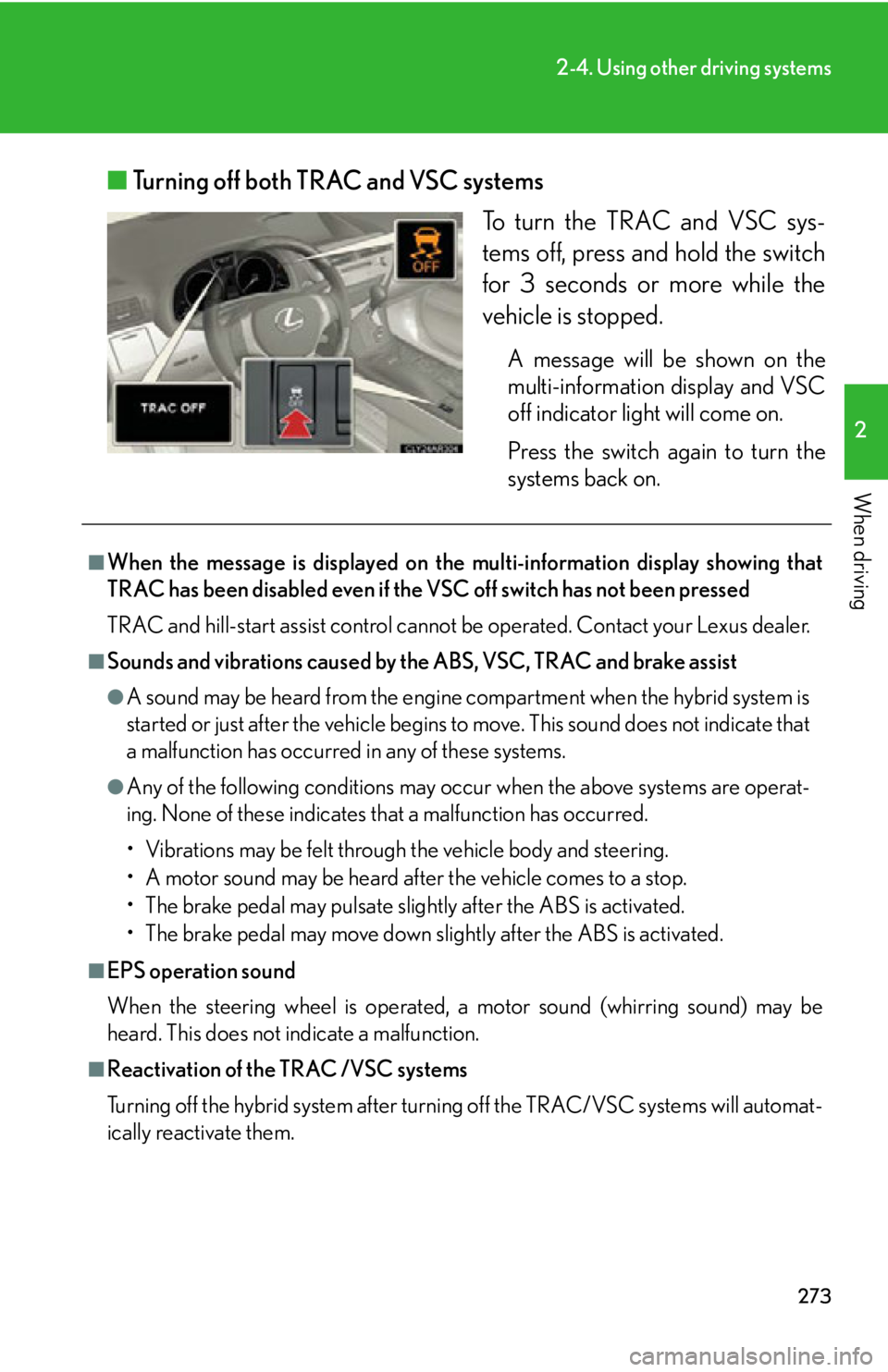
When driving ■ Turning off both TRAC and VSC systems
To turn the TRAC and VSC sys-
tems off, press and hold the switch
for 3 seconds or more while the
vehicle is stopped. A message will be shown on the
multi-information display and VSC
off indicator light will come on.
Press the switch again to turn the
systems back on.■
When the message is displayed on the multi-information display showing that
TRAC has been disabled even if the VSC off switch has not been pressed
TRAC and hill-start assist control cannot be operated. Contact your Lexus dealer.■
Sounds and vibrations caused by th e ABS, VSC, TRAC and brake assist ●
A sound may be heard from the engine compartment when the hybrid system is
started or just after the vehicle begins to move. This sound does not indicate that
a malfunction has occurred in any of these systems. ●
Any of the following conditions may occur when the above systems are operat-
ing. None of these indicates that a malfunction has occurred.
• Vibrations may be felt through the vehicle body and steering.
• A motor sound may be heard after the vehicle comes to a stop.
• The brake pedal may pulsate slightly after the ABS is activated.
• The brake pedal may move down s lightly after the ABS is activated.■
EPS operation sound
When the steering wheel is operated, a motor sound (whirring sound) may be
heard. This does not indicate a malfunction.
■
Reactivation of the TRAC /VSC systems
Turning off the hybrid system after turning off the TRAC/VSC systems will automat-
ically reactivate them.
Page 274 of 878
2742-4. Using other driving systems
■
Reactivation of the TRAC sy stem linked to vehicle speed
When only the TRAC system is turned off, the TRAC system will turn on when vehi-
cle speed increases. However, when both TRAC and VSC systems are turned off,
the systems will not turn on even when vehicle speed increases.■
Reduced effectiveness of the EPS system
The effectiveness of the EPS system is reduced to prevent the system from over-
heating when there is frequent steering in put over an extended period of time. The
steering wheel may feel heavy as a result. Should this occur, refrain from excessive
steering input or stop the vehicle and turn the hybrid system off. The EPS system
should return to normal within 10 minutes.
CAUTION■
The ABS does not operate effectively when ●
The limits of tire gripping performance have been exceeded (such as excessively
worn tires on a snow covered road).●
The vehicle hydroplanes while driving at high speed on a wet or slick road.■
Stopping distance when the ABS is operating may exceed that of normal condi-
tions
The ABS is not designed to shorten the vehicle’s stopping dist ance. Always main-
tain a safe distance from the vehicle in fron t of you, especially in the following situa-
tions: ●
When driving on dirt, gravel or snow-covered roads●
When driving with tire chains●
When driving over bumps in the road●
When driving over roads with potholes or roads with uneven surfaces■
TRAC may not operate effectively when
Directional control and power may not be ac hievable while driving on slippery road
surfaces, even if the TRAC system is operating.
Drive the vehicle carefully in conditions where stability and power may be lost.