low LEXUS RX450H 2016 Repair Manual
[x] Cancel search | Manufacturer: LEXUS, Model Year: 2016, Model line: RX450H, Model: LEXUS RX450H 2016Pages: 660, PDF Size: 14.85 MB
Page 116 of 660
1162. Instrument cluster
RX450h_U_OM0E013U
Displays suggestions to the driver in the following situations. To select a response
to a displayed suggestion, use the meter control switches.
The suggestion function can be turned on/off. (Customizable features: P. 607)
■Suggestion to enable the power back door
If the power back door system is disabled (setting on set to off) and the
power back door switch on the instru ment panel is operated, a suggestion
message will be displayed asking if yo u wish to enable the power back door
system. To enable the power back door system, select “Yes”.
After enabling the power back door syst em, press the power back door switch
again to open or close the power back door.
■Suggestion to turn off the headlights
If the headlights are left on for a certai n amount of time after the power switch
has been turned off, a su ggestion message will be displayed asking if you wish
to turn the headlights off. To turn the headlights off, select “Yes”.
If a front door is opened after the power switch is turned off, this suggestion mes-
sage will not be displayed.
■Background color of the indicator/shift posi tion display area (except F SPORT models)
The background color of the indicator/shift position display area is changed according to
the driving mode as follows ( P. 377):
●Eco drive mode: Blue
●Sport mode: Red
■G-force display (if equipped)
●The G-force values may not be zero even when the vehicle is parked, such as when it is
parked on an incline.
●Depending on the vehicle usage conditions, the brake fluid pressure display may not
reach its maximum reading even though the brake pedal is fully depressed.
●If a 12-volt battery terminal is disconnect ed and reconnected, the steering amount dis-
play may be disabled temporarily. After driv ing the vehicle for a while, the display will
be enabled.
■Suspension of the settings display
●Some settings cannot be changed while driv ing. When changing settings, park the
vehicle in a safe place.
●If a warning message is displa yed, operation of the settings display will be suspended.
Suggestion function
Page 117 of 660
1172. Instrument cluster
2
Instrument cluster
RX450h_U_OM0E013U
■Tire pressure
●It may take a few minutes to display the tire inflation pressure after the power switch is
turned to ON mode. It may also take a few minutes to display the tire inflation pressure
after inflation pressure has been adjusted.
●“---” may be displayed if the tire position information cannot be determined due to
unfavorable radio wave conditions.
●Tire inflation pressure changes with temperat ure. The displayed values may also be dif-
ferent from the values measured using a tire pressure gauge.
■Liquid crystal display
Small spots or light spots may appear on the display. This phenomenon is characteristic
of liquid crystal displays, and there is no problem continuing to use the display.
■Customization
Some functions can be customized. ( P. 109, 607)
WARNING
■Caution for use while driving
●When operating the multi-information display while driving, pay extra attention to the
safety of the area around the vehicle.
●Do not look continuously at the multi-info rmation display while driving as you may fail
to see pedestrians, objects on the road, etc. ahead of the vehicle.
■The information display at low temperatures
Allow the interior of the vehicle to warm up before using the liquid crystal information
display. At extremely low temperatures, the information display monitor may respond
slowly, and display changes may be delayed.
For example, there is a lag between the dr iver’s shifting and the new gear number
appearing on the display. This lag could ca use the driver to downshift again, causing
rapid and excessive engine braking and possibly an accident resulting in death or
injury.
■Cautions during setting up the display
As the hybrid system needs to be operating during setting up the display, ensure that
the vehicle is parked in a place with adequa te ventilation. In a closed area such as a
garage, exhaust gases including harmful carbon monoxide (CO) may collect and enter
the vehicle. This may lead to death or a serious health hazard.
NOTICE
■While setting up the display
To prevent 12-volt battery discharge, ensure that the hybrid system is operating while
setting up the display features.
Page 118 of 660
1182. Instrument cluster
RX450h_U_OM0E013U
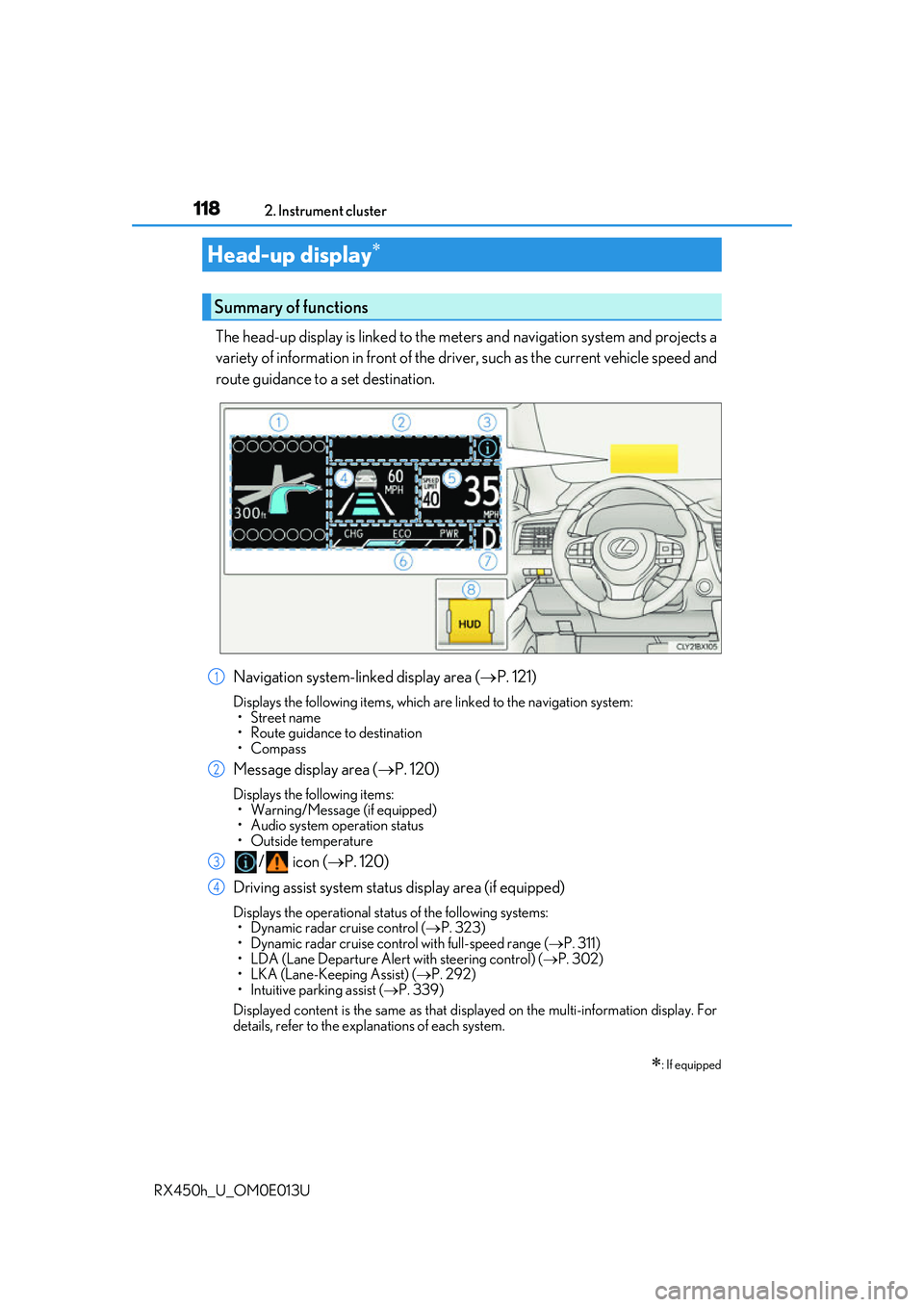
The head-up display is linked to the meters and navigation system and projects a
variety of information in front of the driv er, such as the current vehicle speed and
route guidance to a set destination.
Navigation system-linked display area ( P. 121)
Displays the following items, which are linked to the navigation system:
•Street name
• Route guidance to destination
•Compass
Message display area ( P. 120)
Displays the following items:
• Warning/Message (if equipped)
• Audio system operation status
• Outside temperature
/ icon ( P. 120)
Driving assist system status display area (if equipped)
Displays the operational stat us of the following systems:
• Dynamic radar cruise control ( P. 323)
• Dynamic radar cruise control with full-speed range ( P. 311)
• LDA (Lane Departure Alert with steering control) ( P. 302)
• LKA (Lane-Keeping Assist) ( P. 292)
• Intuitive parking assist ( P. 339)
Displayed content is the same as that disp layed on the multi-information display. For
details, refer to the explanations of each system.
Head-up display
: If equipped
Summary of functions
1
2
3
4
Page 119 of 660
1192. Instrument cluster
2
Instrument cluster
RX450h_U_OM0E013U
Vehicle speed display area
Displays the following items:• Vehicle speed
• Speed limit
Hybrid System Indicator/Tachometer ( P. 121)
Shift position display ( P. 239)
HUD (Head-up display) switch ( P. 119)
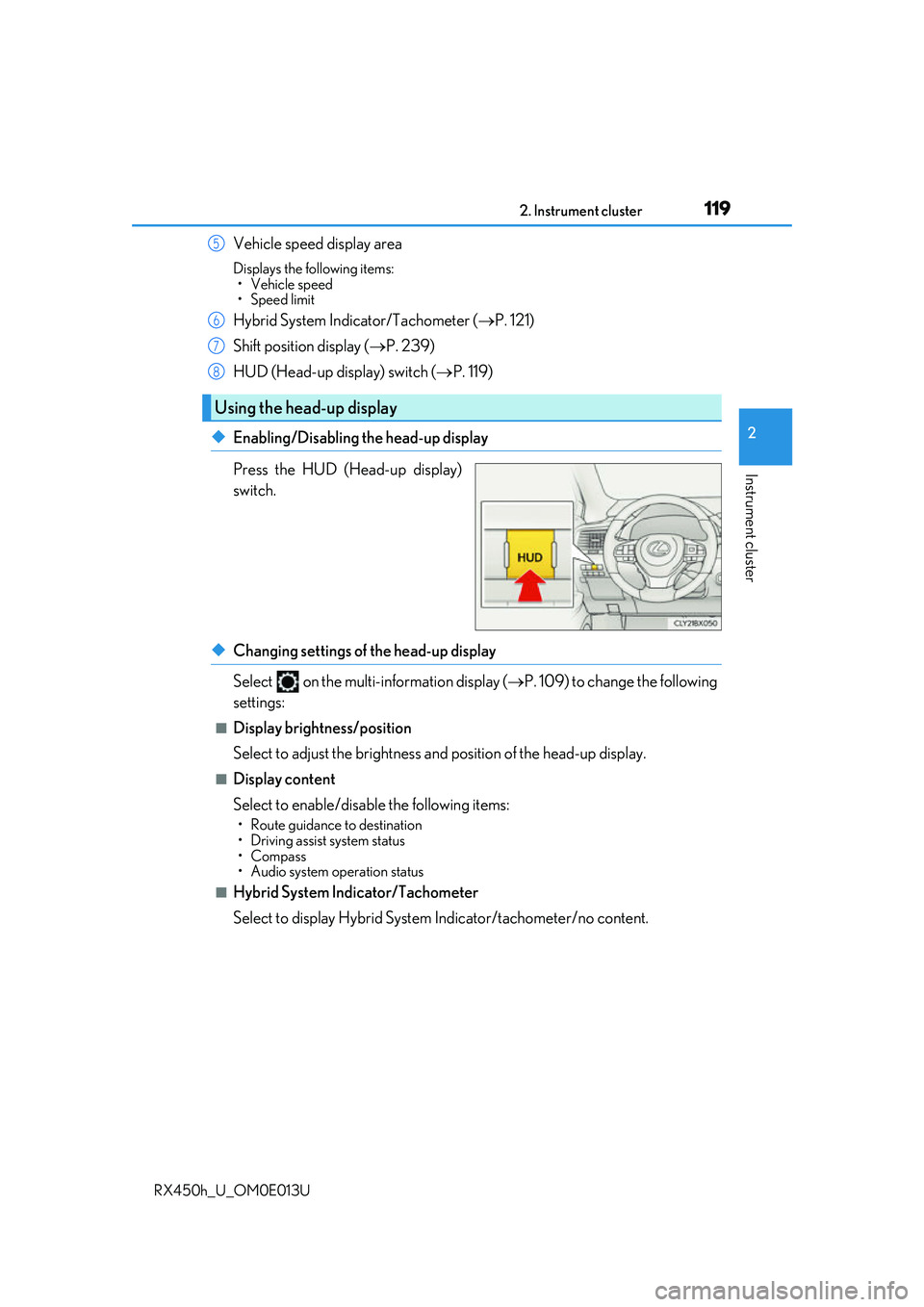
◆Enabling/Disabling the head-up display
Press the HUD (Head-up display)
switch.
◆Changing settings of the head-up display
Select on the multi-information display ( P. 109) to change the following
settings:
■Display brightness/position
Select to adjust the brightness and position of the head-up display.
■Display content
Select to enable/disable the following items:
• Route guidance to destination
• Driving assist system status
•Compass
• Audio system operation status
■Hybrid System Indicator/Tachometer
Select to display Hybrid System Indicator/tachometer/no content.
Using the head-up display
5
6
7
8
Page 120 of 660
1202. Instrument cluster
RX450h_U_OM0E013U
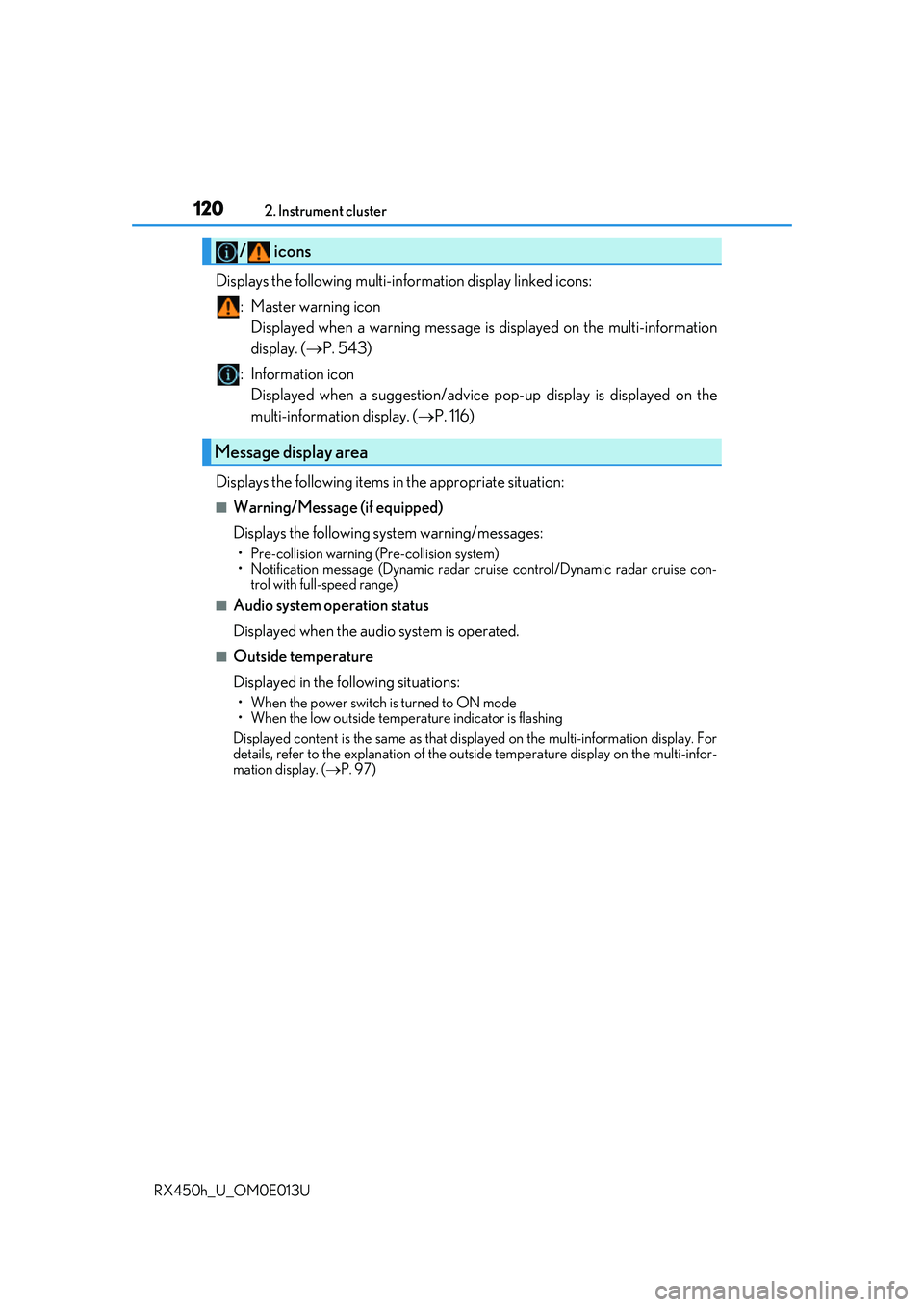
Displays the following multi-in formation display linked icons:
: Master warning icon Displayed when a warning message is displayed on the multi-information
display. ( P. 543)
: Information icon Displayed when a suggestion/advice po p-up display is displayed on the
multi-information display. ( P. 116)
Displays the following items in the appropriate situation:
■Warning/Message (if equipped)
Displays the following system warning/messages:
• Pre-collision warning (Pre-collision system)
• Notification message (Dynamic radar cruise control/Dynamic radar cruise con- trol with full-speed range)
■Audio system operation status
Displayed when the audio system is operated.
■Outside temperature
Displayed in the following situations:
• When the power switch is turned to ON mode
• When the low outside temperature indicator is flashing
Displayed content is the same as that disp layed on the multi-information display. For
details, refer to the explanation of the outs ide temperature display on the multi-infor-
mation display. ( P. 97)
/ icons
Message display area
Page 121 of 660
1212. Instrument cluster
2
Instrument cluster
RX450h_U_OM0E013U
Displays the following items which are linked to the navigation system:
■Street name
The name of the street that the vehicle is currently driving on is displayed on
the bottom of the display area.
When the navigation system is performing route guidance, the name of the
next street will be displayed on the top of the display area.
■Route guidance to destination
Displayed when the navigation system is performing route guidance. When
approaching an intersection, an arrow will be displayed to indicate the sug-
gested direction of travel.
■Compass
Displays the direction of travel.
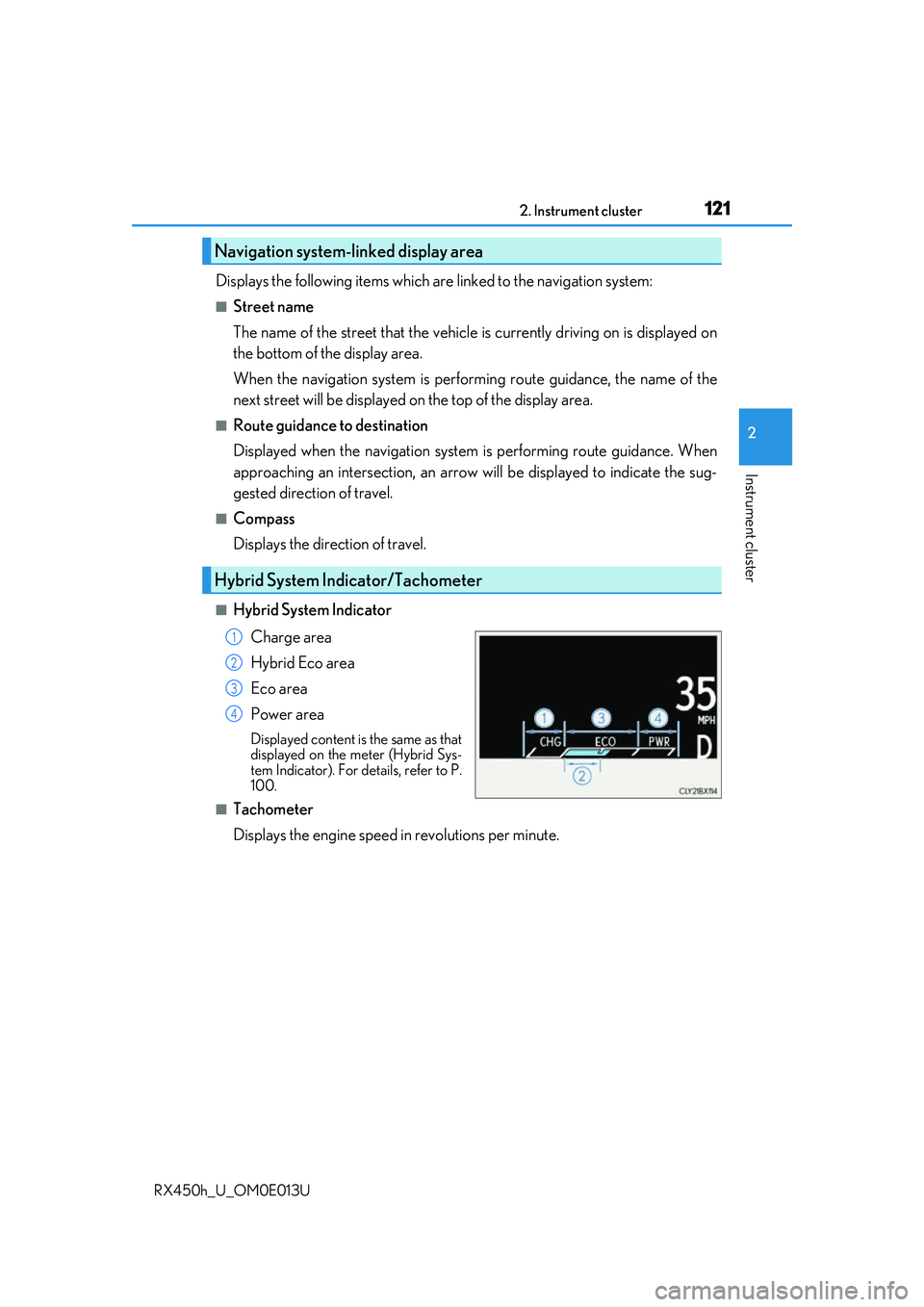
■Hybrid System Indicator
Charge area
Hybrid Eco area
Eco area
Power area
Displayed content is the same as that
displayed on the meter (Hybrid Sys-
tem Indicator). For details, refer to P.
100.
■Tachometer
Displays the engine speed in revolutions per minute.
Navigation system-linked display area
Hybrid System Indicator/Tachometer
1
2
3
4
Page 126 of 660
1262. Instrument cluster
RX450h_U_OM0E013U
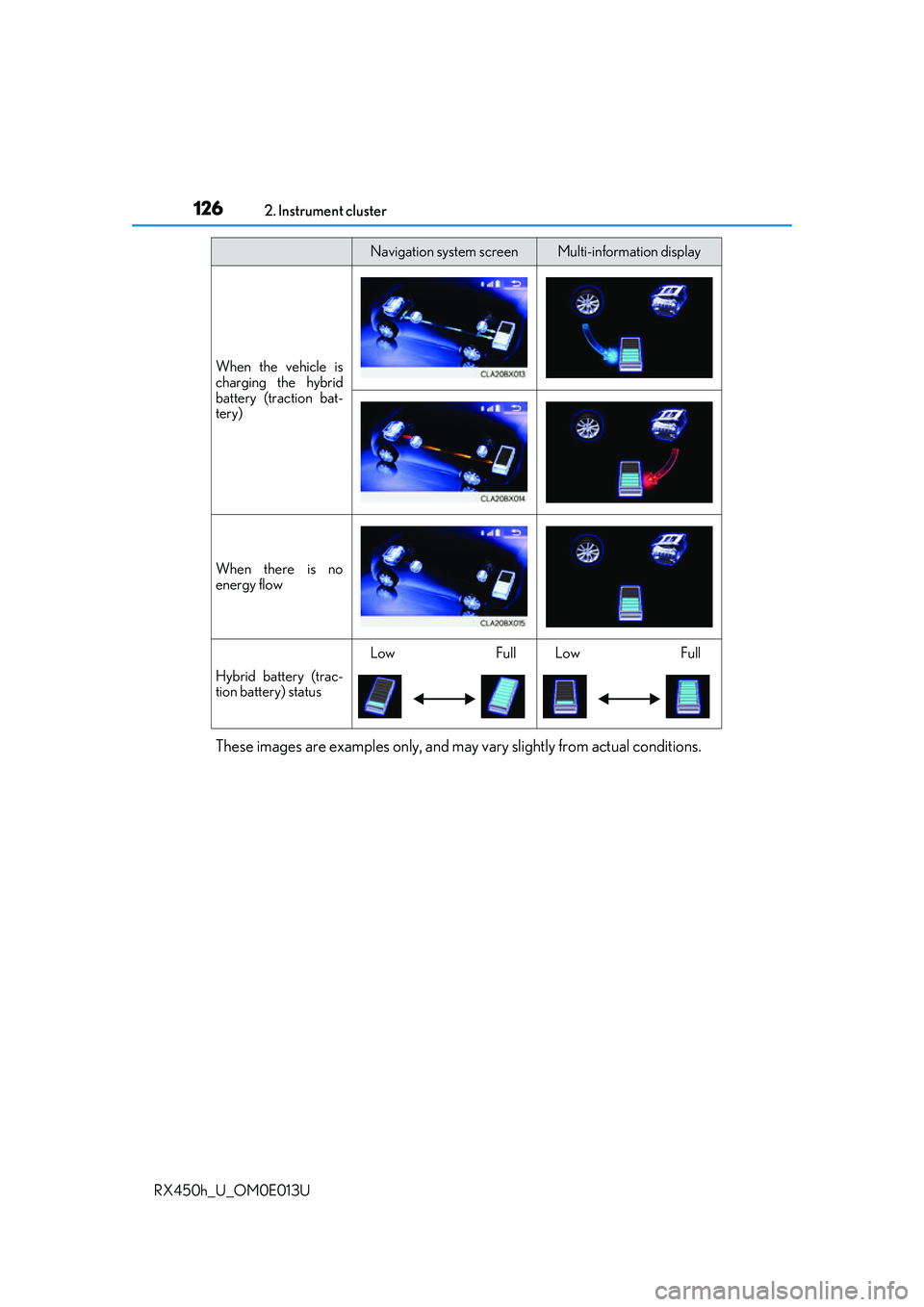
These images are examples only, and may vary slightly from actual conditions.
When the vehicle is
charging the hybrid
battery (traction bat-
tery)
When there is no
energy flow
Hybrid battery (trac-
tion battery) status
LowFullLowFull
Navigation system screenMulti-information display
Page 132 of 660
132
RX450h_U_OM0E013U3-1. Key information
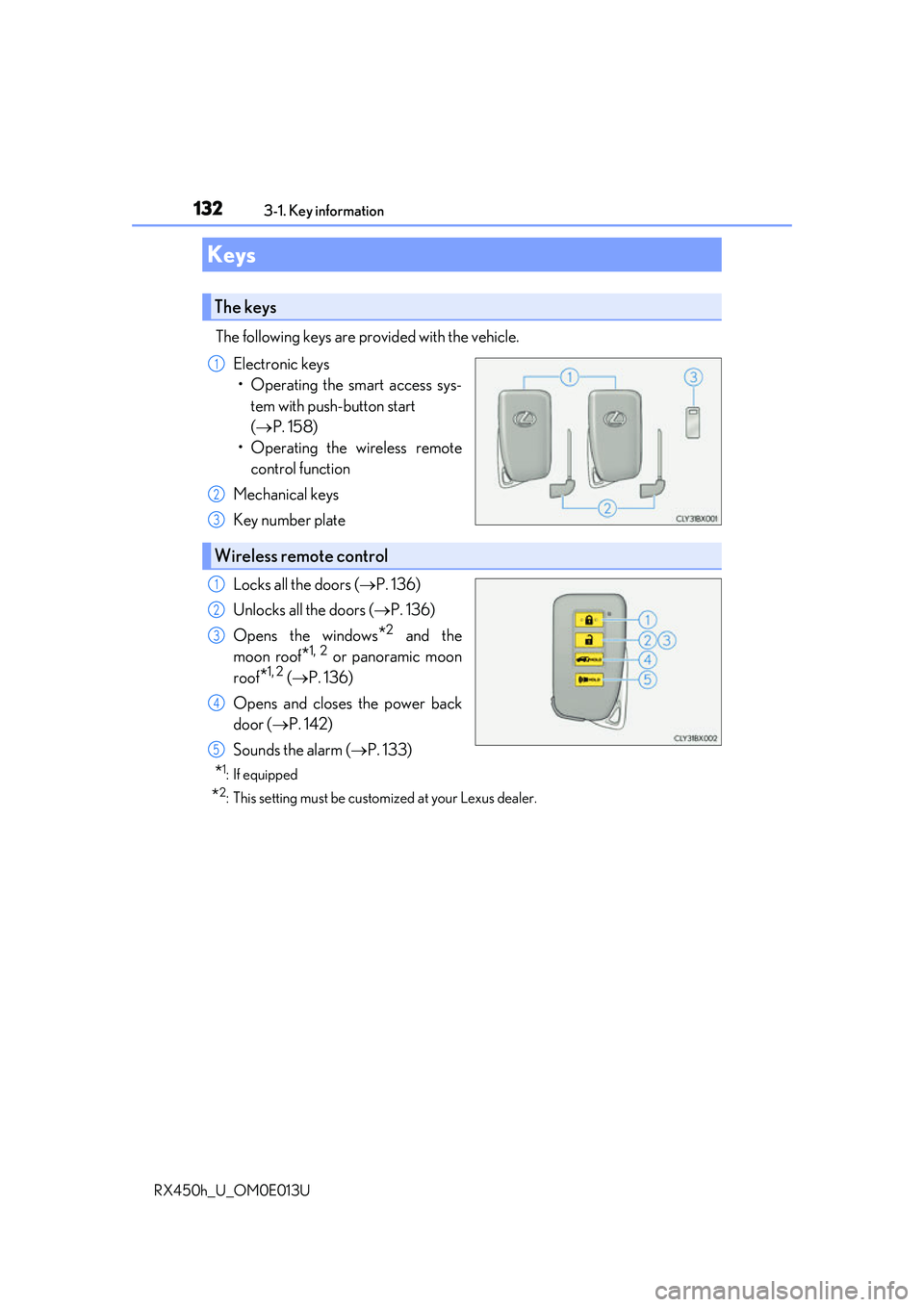
The following keys are provided with the vehicle.
Electronic keys• Operating the smart access sys- tem with push-button start
( P. 158)
• Operating the wireless remote control function
Mechanical keys
Key number plate
Locks all the doors ( P. 136)
Unlocks all the doors ( P. 136)
Opens the windows
*2 and the
moon roof
*1, 2 or panoramic moon
roof
*1, 2 ( P. 136)
Opens and closes the power back
door ( P. 142)
Sounds the alarm ( P. 133)
*1: If equipped
*2: This setting must be custom ized at your Lexus dealer.
Keys
The keys
1
2
3
Wireless remote control
1
2
3
4
5
Page 134 of 660
1343-1. Key information
RX450h_U_OM0E013U
■Electronic key battery depletion
●The standard battery life is 1 to 2 years.
●If the battery becomes low, an alarm will so und in the cabin when the hybrid system is
stopped. ( P. 506)
●As the electronic key always receives ra dio waves, the battery will become depleted
even if the electronic key is not used. The following symptoms indicate that the elec-
tronic key battery may be depleted. Replace the battery when necessary. ( P. 506)
• The smart access system with push-button start or the wireless remote control does
not operate.
• The detection area becomes smaller.
• The LED indicator on the key surface does not turn on.
●To avoid serious deterioration, do not leave the electronic key within 3 ft. (1 m) of the
following electrical appliances that produce a magnetic field:
•TVs
• Personal computers
• Cellular phones, cordless phones and battery chargers
• Recharging cellular phones or cordless phones
• Induction cookers
•Table lamps
■Replacing the battery
P. 506
■Confirmation of the registered key number
The number of keys already registered to the vehicle can be confirmed. Ask your Lexus
dealer for details.
■If a wrong key is used
The key cylinder rotates freely, isol ated from the internal mechanism.
Page 135 of 660
1353-1. Key information
3
Operation of each component
RX450h_U_OM0E013U
NOTICE
■To prevent key damage
●Do not drop the keys, subject them to strong shocks or bend them.
●Do not expose the keys to high temperatures for long periods of time.
●Do not get the keys wet or wash them in an ultrasonic washer, etc.
●Do not attach metallic or magnetic materials to the keys or place the keys close to
such materials.
●Do not disassemble the keys.
●Do not attach a sticker or anything else to the surface of the electronic key.
●Do not place the keys near objects that pr oduce magnetic fields, such as TVs, audio
systems and induction cookers, or medical electrical equipment, such as low-fre-
quency therapy equipment.
■Carrying the electronic key on your person
Carry the electronic key 3.9 in. (10 cm) or more away from electric appliances that are
turned on. Radio waves emitted from electric appliances within 3.9 in. (10 cm) of the
electronic key may interfere with the key, causing the key to not function properly.
■In case of a smart access system with pu sh-button start malfunction or other key-
related problems
Take your vehicle with all the electronic keys provided with your vehicle to your Lexus
dealer.
■When an electronic key is lost
If the electronic key re mains lost, the risk of vehicle th eft increases significantly. Visit
your Lexus dealer immediately with all remaining electronic keys that were provided
with your vehicle.