fold LEXUS RX450H 2019 Owner's Manual
[x] Cancel search | Manufacturer: LEXUS, Model Year: 2019, Model line: RX450H, Model: LEXUS RX450H 2019Pages: 792, PDF Size: 13.48 MB
Page 435 of 792
4355-5. Playing an audio CD and MP3/WMA/AAC discs
5
Lexus Display Audio system
RX450h_RX450hL_U
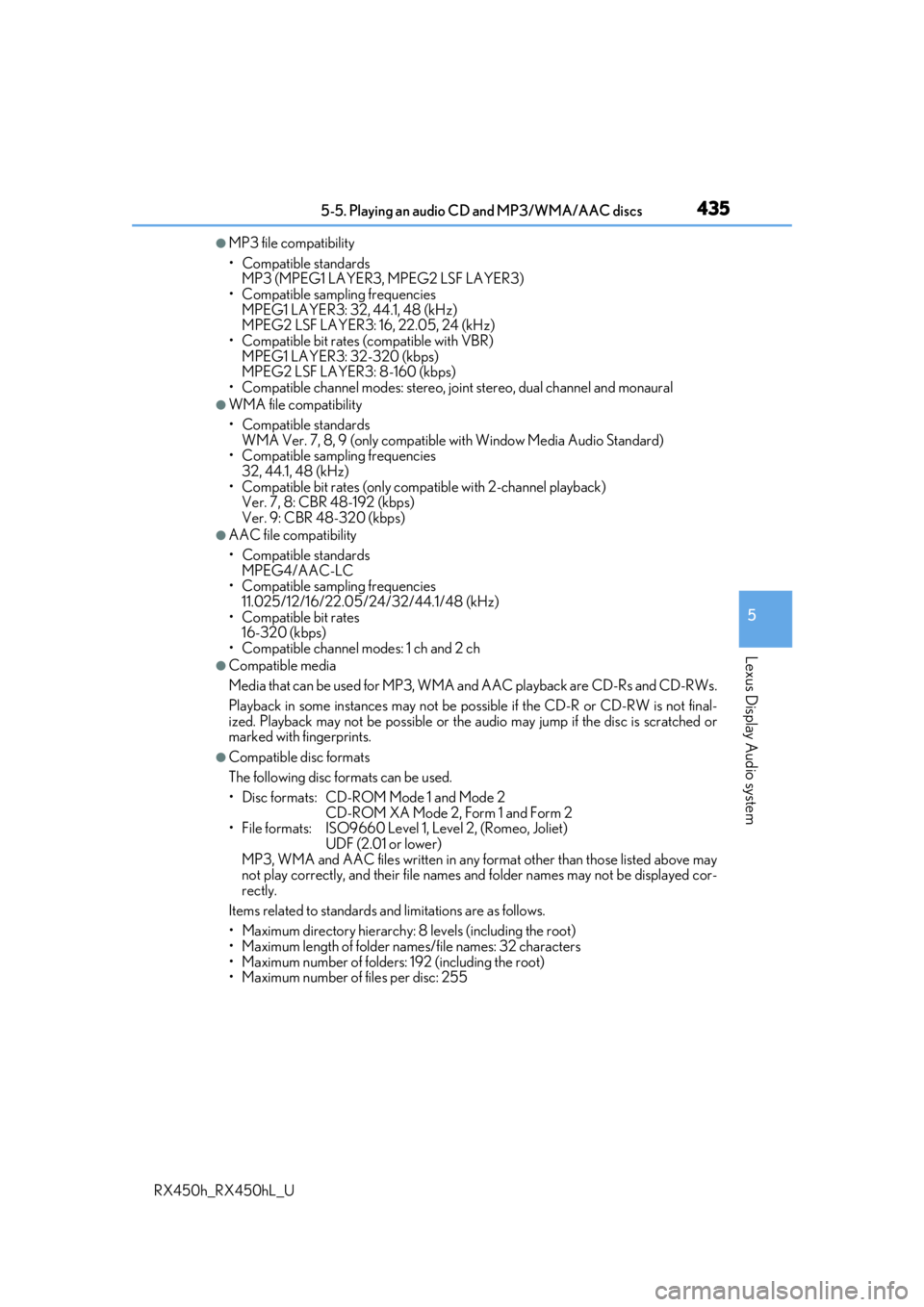
●MP3 file compatibility
• Compatible standards MP3 (MPEG1 LAYER3, MPEG2 LSF LAYER3)
• Compatible sampling frequencies MPEG1 LAYER3: 32, 44.1, 48 (kHz)
MPEG2 LSF LAYER3: 16, 22.05, 24 (kHz)
• Compatible bit rates (compatible with VBR) MPEG1 LAYER3: 32-320 (kbps)
MPEG2 LSF LAYER3: 8-160 (kbps)
• Compatible channel modes: stereo, jo int stereo, dual channel and monaural
●WMA file compatibility
• Compatible standards
WMA Ver. 7, 8, 9 (only compatible with Window Media Audio Standard)
• Compatible sampling frequencies
32, 44.1, 48 (kHz)
• Compatible bit rates (only compatible with 2-channel playback) Ver. 7, 8: CBR 48-192 (kbps)
Ver. 9: CBR 48-320 (kbps)
●AAC file compatibility
• Compatible standards
MPEG4/AAC-LC
• Compatible sampling frequencies
11.025/12/16/22.05/24/32/44.1/48 (kHz)
• Compatible bit rates 16-320 (kbps)
• Compatible channel modes: 1 ch and 2 ch
●Compatible media
Media that can be used for MP3, WMA and AAC playback are CD-Rs and CD-RWs.
Playback in some instances may not be possible if the CD-R or CD-RW is not final-
ized. Playback may not be possible or the audio may jump if the disc is scratched or
marked with fingerprints.
●Compatible disc formats
The following disc formats can be used.
• Disc formats: CD-ROM Mode 1 and Mode 2 CD-ROM XA Mode 2, Form 1 and Form 2
• File formats: ISO9660 Level 1, Level 2, (Romeo, Joliet)
UDF (2.01 or lower)
MP3, WMA and AAC files written in any fo rmat other than those listed above may
not play correctly, and their file names an d folder names may not be displayed cor-
rectly.
Items related to standards an d limitations are as follows.
• Maximum directory hierarchy: 8 levels (including the root)
• Maximum length of folder na mes/file names: 32 characters
• Maximum number of folders: 192 (including the root)
• Maximum number of files per disc: 255
Page 436 of 792

4365-5. Playing an audio CD and MP3/WMA/AAC discs
RX450h_RX450hL_U
●File names
The only files that can be recognized as MP3/WMA/AAC and played are those with
the extension .mp3, .wma or .m4a.
●Discs containing mult i-session recordings
As the audio system is compatible with multi session discs, it is possible to play discs
that contain MP3, WMA and AAC files. Howeve r, only the first session can be played.
●ID3, WMA and AAC tags
ID3 tags can be added to MP3 files, making it possible to record the track title, artist
name, etc.
The system is compatible with ID3 Ver. 1.0, 1.1, and Ver. 2.2, 2.3 ID3 tags. (The number
of characters is based on ID3 Ver. 1.0 and 1.1.)
WMA tags can be added to WMA files, making it possible to record the track title and
artist name in the same way as with ID3 tags.
AAC tags can be added to AAC files, making it possible to record the track title and
artist name in the same way as with ID3 tags.
●MP3, WMA and AAC playback
When a disc containing MP3, WMA or AAC fi les is inserted, all files on the disc are
first checked. Once the file check is fi nished, the first MP3, WMA or AAC file is
played. To make the file check finish more quickly, we recommend you do not write any
files to the disc other than MP3, WMA or AAC files or create any unnecessary fold-
ers.
Discs that contain a mixture of music data and MP3, WMA or AAC format data can-
not be played.
●Extensions
If the file extensions .mp3, .wma and .m4a are used for files other than MP3, WMA
and AAC files, they may be mistakenly recognized and played as MP3, WMA and
AAC files. This may result in large amount s of interference and damage to the speak-
ers.
●Playback
• To play MP3 files with steady sound quality, we recommend a fixed bit rate of at least 128 kbps and a sampling frequency of 44.1 kHz.
• CD-R or CD-RW playback may not be poss ible in some instances, depending on
the characteristics of the disc.
• There is a wide variety of freeware an d other encoding software for MP3, WMA
and AAC files on the market, and depending on the status of the encoding and the
file format, poor sound quality or noise at the start of playback may result. In some
cases, playback may not be possible at all.
• When files other than MP3, WMA or AAC files are recorded on a disc, it may take more time to recognize the disc and in some cases, playback may not be possible at
all.
• Microsoft, Windows, and Windows Media ar e the registered trademarks of Micro-
soft Corporation in the U.S.A. and other countries.
Page 445 of 792
4455-6. Using an external device
5
Lexus Display Audio system
RX450h_RX450hL_U
■USB memory functions
●Depending on the USB memory device that is connected to the system, the device
itself may not be operable and certain functions may not be available. If the device is
inoperable or a function is unavailable due to a malfunction (as opposed to a system
specification), disconnecting the device an d reconnecting it may resolve the problem.
●If the USB memory device still does not begin operation after being disconnected and
reconnected, format the device.
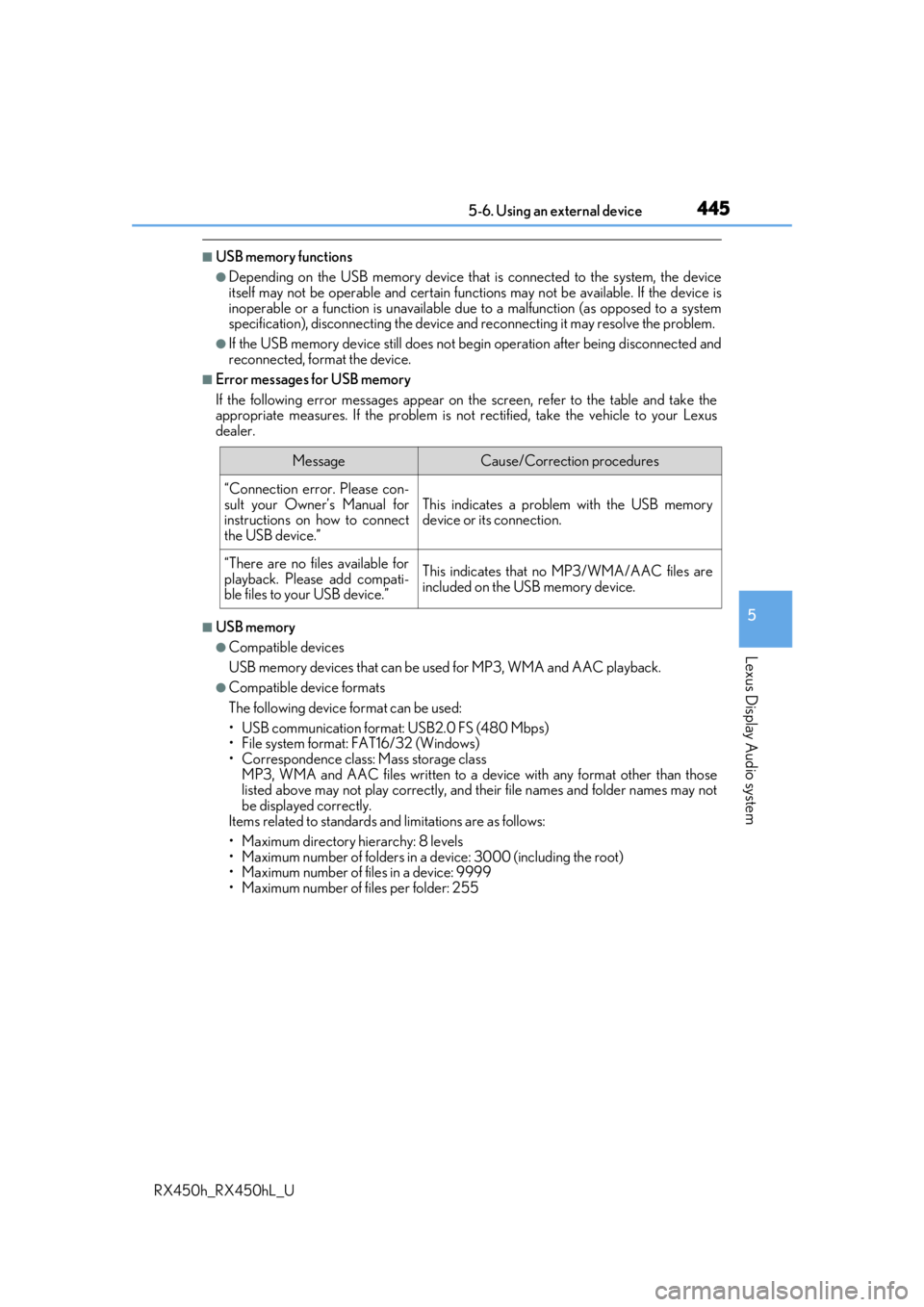
■Error messages for USB memory
If the following error messages appear on th e screen, refer to the table and take the
appropriate measures. If the pr oblem is not rectified, take the vehicle to your Lexus
dealer.
■USB memory
●Compatible devices
USB memory devices that can be used for MP3, WMA and AAC playback.
●Compatible device formats
The following device format can be used:
• USB communication format: USB2.0 FS (480 Mbps)
• File system format: FAT16/32 (Windows)
• Correspondence class: Mass storage class
MP3, WMA and AAC files written to a devi ce with any format other than those
listed above may not play correctly, and their file names and folder names may not
be displayed correctly.
Items related to standards an d limitations are as follows:
• Maximum directory hierarchy: 8 levels
• Maximum number of folders in a device: 3000 (including the root)
• Maximum number of files in a device: 9999
• Maximum number of files per folder: 255
MessageCause/Correction procedures
“Connection error. Please con-
sult your Owner’s Manual for
instructions on how to connect
the USB device.”
This indicates a problem with the USB memory
device or its connection.
“There are no files available for
playback. Please add compati-
ble files to your USB device.”This indicates that no MP3/WMA/AAC files are
included on the USB memory device.
Page 447 of 792
4475-6. Using an external device
5
Lexus Display Audio system
RX450h_RX450hL_U
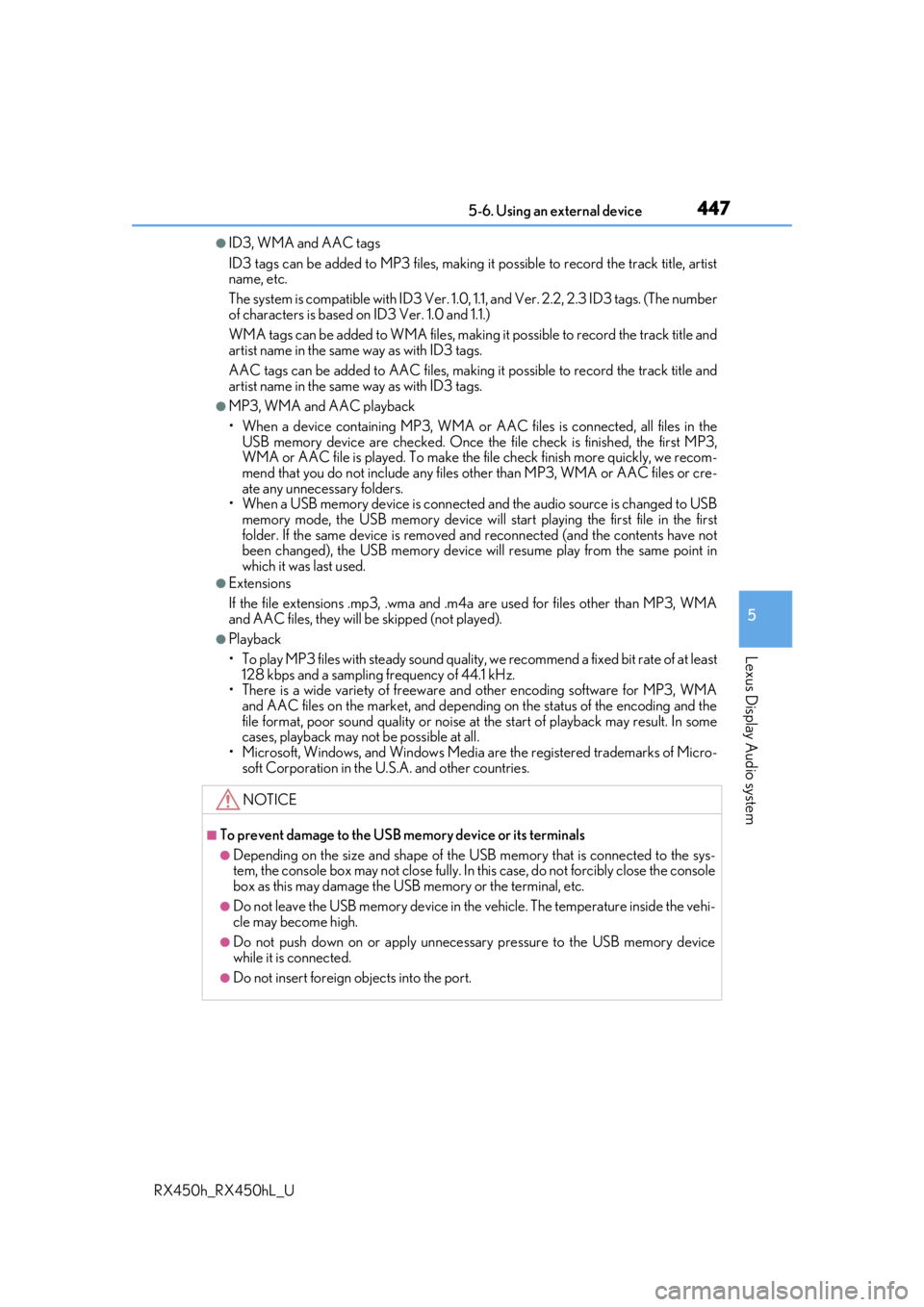
●ID3, WMA and AAC tags
ID3 tags can be added to MP3 files, making it possible to record the track title, artist
name, etc.
The system is compatible with ID3 Ver. 1.0, 1.1, and Ver. 2.2, 2.3 ID3 tags. (The number
of characters is based on ID3 Ver. 1.0 and 1.1.)
WMA tags can be added to WMA files, making it possible to record the track title and
artist name in the same way as with ID3 tags.
AAC tags can be added to AAC files, making it possible to record the track title and
artist name in the same way as with ID3 tags.
●MP3, WMA and AAC playback
• When a device containing MP3, WMA or AA C files is connected, all files in the
USB memory device are checked. Once th e file check is finished, the first MP3,
WMA or AAC file is played. To make the file check finish more quickly, we recom-
mend that you do not include any files other than MP3, WMA or AAC files or cre-
ate any unnecessary folders.
• When a USB memory device is connected and the audio source is changed to USB memory mode, the USB memory device will st art playing the first file in the first
folder. If the same device is removed an d reconnected (and the contents have not
been changed), the USB memory device w ill resume play from the same point in
which it was last used.
●Extensions
If the file extensions .mp3, .wma and .m4a are used for files other than MP3, WMA
and AAC files, they will be skipped (not played).
●Playback
• To play MP3 files with steady sound quality, we recommend a fixed bit rate of at least 128 kbps and a sampling frequency of 44.1 kHz.
• There is a wide variety of freeware an d other encoding software for MP3, WMA
and AAC files on the market, and depending on the status of the encoding and the
file format, poor sound quality or noise at the start of playback may result. In some
cases, playback may not be possible at all.
• Microsoft, Windows, and Windows Media ar e the registered trademarks of Micro-
soft Corporation in the U.S.A. and other countries.
NOTICE
■To prevent damage to the USB me mory device or its terminals
●Depending on the size and shape of the USB memory that is connected to the sys-
tem, the console box may not close fully. In th is case, do not forcibly close the console
box as this may damage the USB memory or the terminal, etc.
●Do not leave the USB memory device in the vehicle. The temperature inside the vehi-
cle may become high.
●Do not push down on or apply unnecessary pressure to the USB memory device
while it is connected.
●Do not insert foreign objects into the port.
Page 490 of 792
4905-12. Other function
RX450h_RX450hL_U
Go to “USB Photo”: “MENU” button “Info” “USB1 Photo” or “USB2
Photo”
P. 409
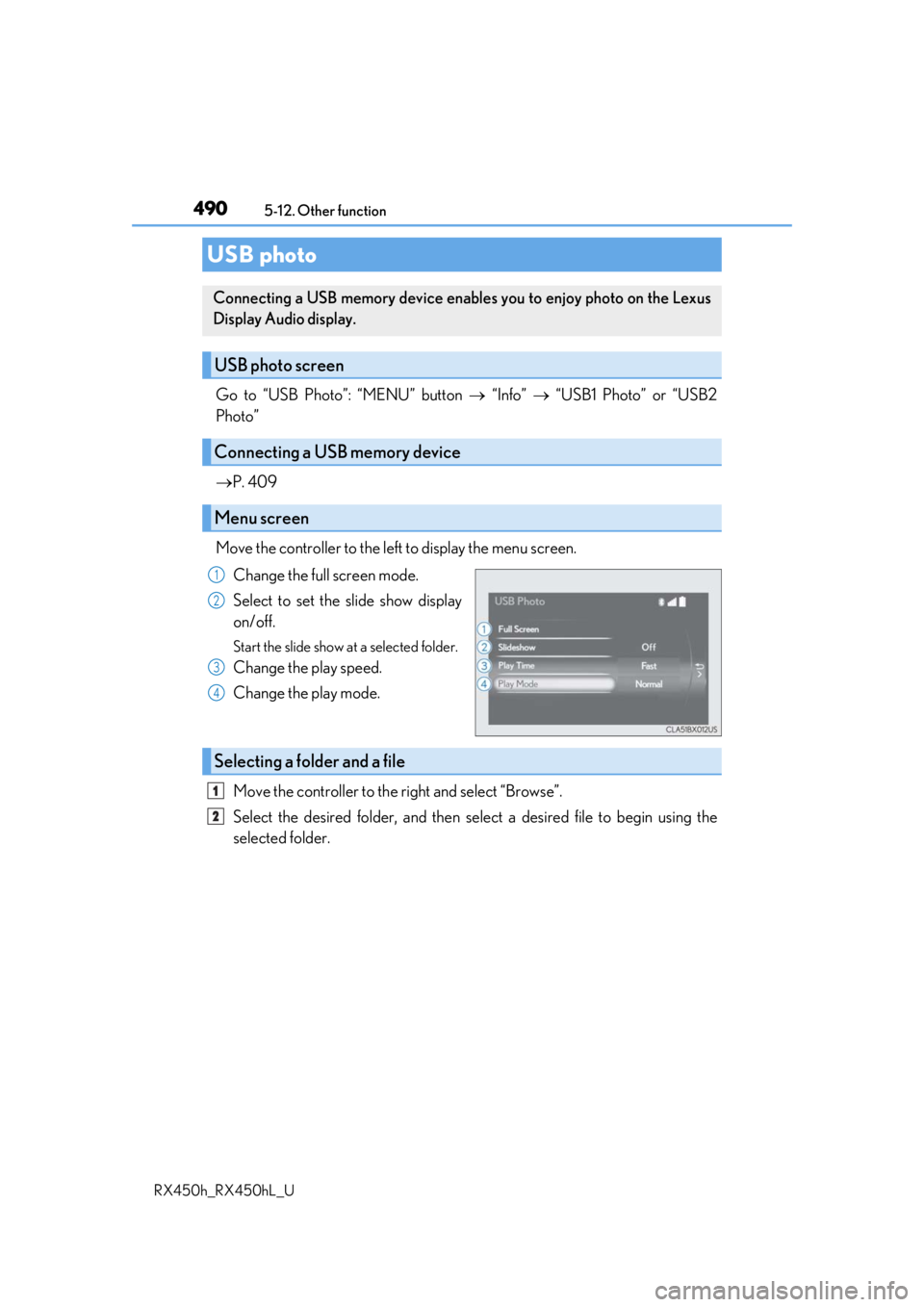
Move the controller to the left to display the menu screen. Change the full screen mode.
Select to set the slide show display
on/off.
Start the slide show at a selected folder.
Change the play speed.
Change the play mode.
Move the controller to the right and select “Browse”.
Select the desired folder, and then sele ct a desired file to begin using the
selected folder.
USB photo
Connecting a USB memory device enables you to enjoy photo on the Lexus
Display Audio display.
USB photo screen
Connecting a USB memory device
Menu screen
1
2
3
4
Selecting a folder and a file
1
2
Page 542 of 792
5426-4. Using the storage features
RX450h_RX450hL_U
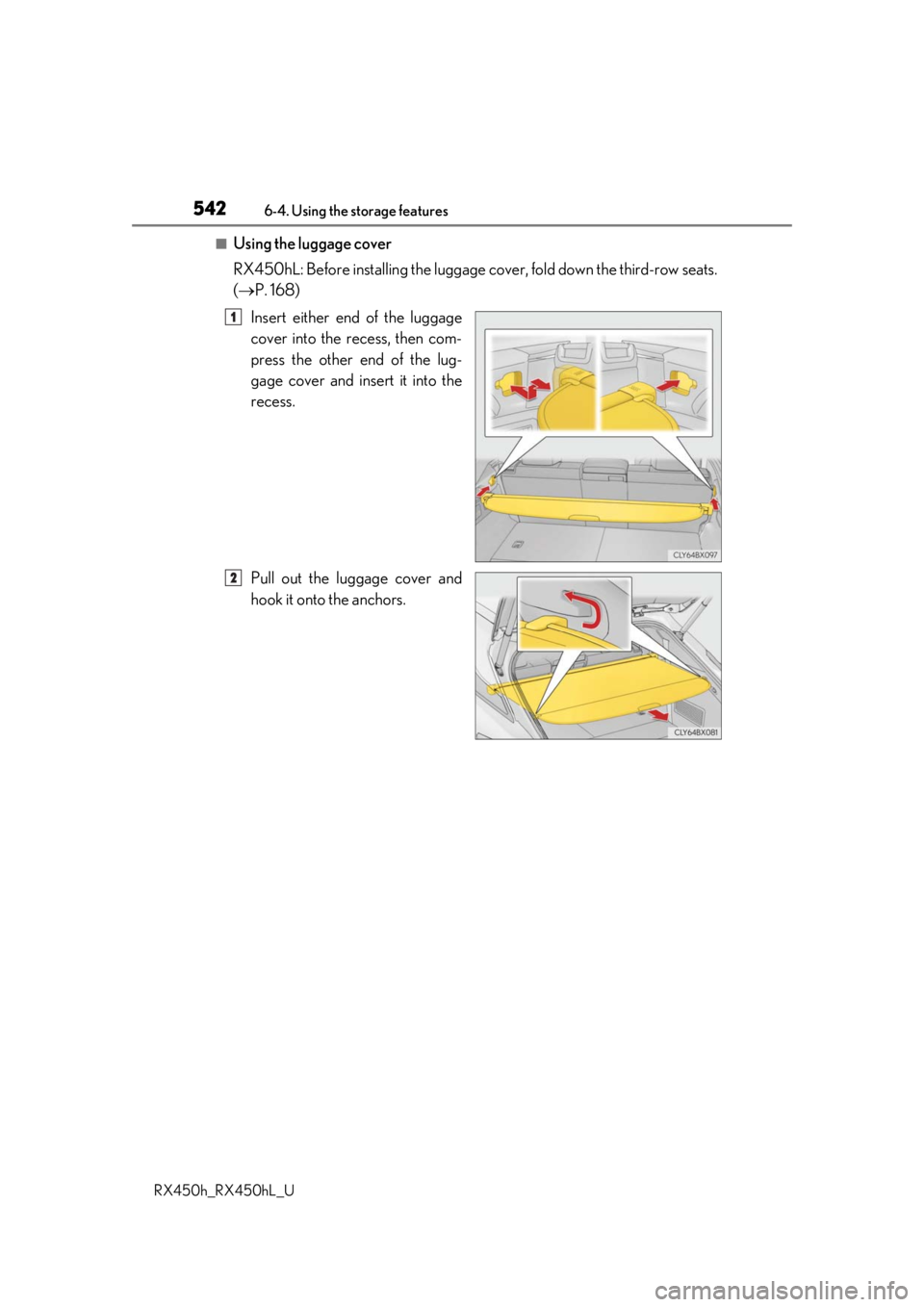
■Using the luggage cover
RX450hL: Before installing the luggage cover, fold down the third-row seats.
( P. 168)
Insert either end of the luggage
cover into the recess, then com-
press the other end of the lug-
gage cover and insert it into the
recess.
Pull out the luggage cover and
hook it onto the anchors.
1
2
Page 544 of 792

5446-4. Using the storage features
RX450h_RX450hL_U
Pull the lever up and fold the flap of
the deck board.
Lift the deck board and disengage
the hook on the underside of the
deck board.
Attach the hook to the upper edge
of the back door opening as shown.
Auxiliary boxes (RX450h)
1
2
3
Deck floor boxSide auxiliary box
Page 545 of 792
5456-4. Using the storage features
6
Interior features
RX450h_RX450hL_U
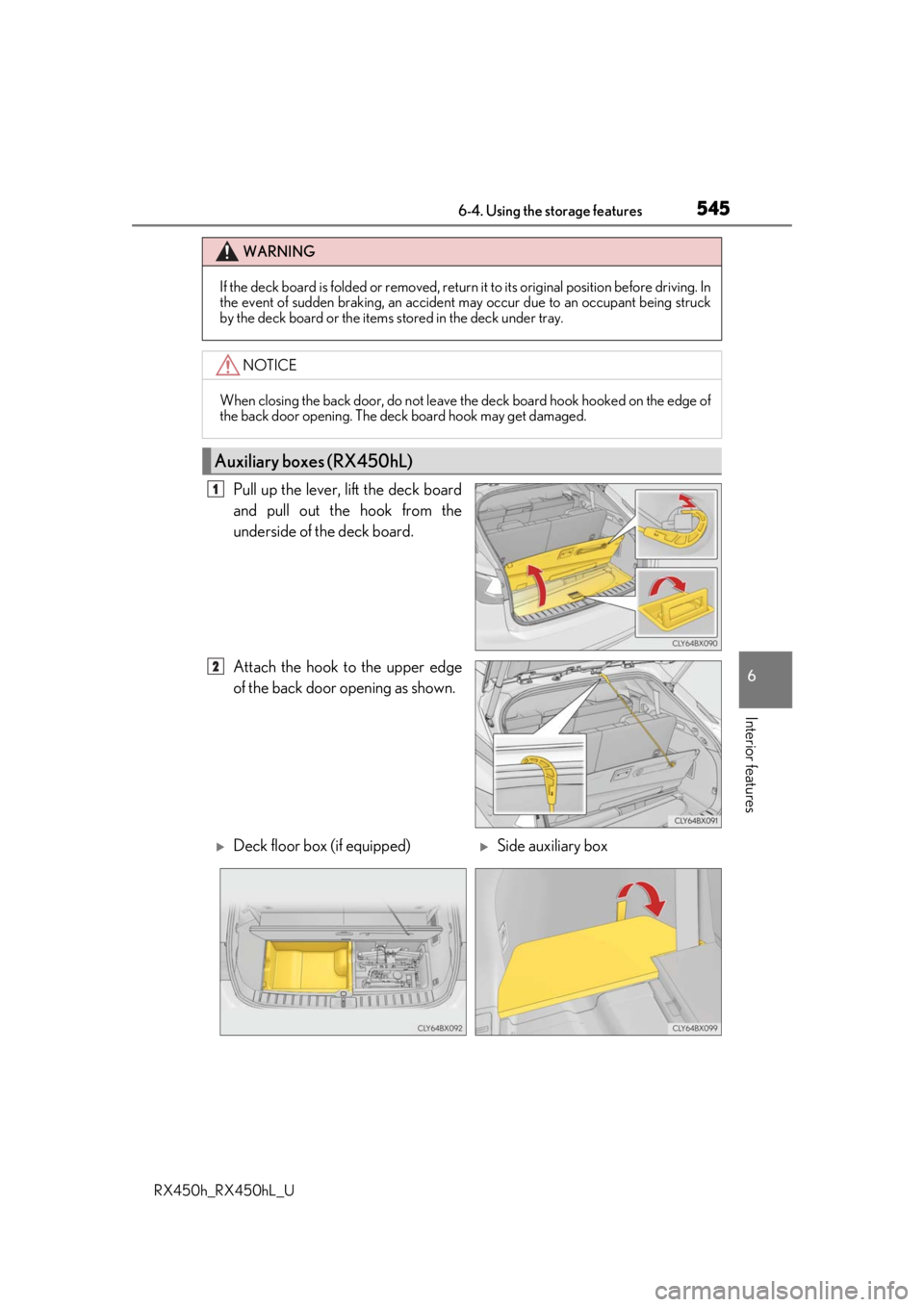
Pull up the lever, lift the deck board
and pull out the hook from the
underside of the deck board.
Attach the hook to the upper edge
of the back door opening as shown.
WARNING
If the deck board is folded or removed, return it to its original position before driving. In
the event of sudden braking, an accident may occur due to an occupant being struck
by the deck board or the items stored in the deck under tray.
NOTICE
When closing the back door, do not leave th e deck board hook hooked on the edge of
the back door opening. The deck board hook may get damaged.
Auxiliary boxes (RX450hL)
1
2
Deck floor box (if equipped)Side auxiliary box
Page 546 of 792
5466-4. Using the storage features
RX450h_RX450hL_U
WARNING
●If the deck board is folded or removed, return it to its original position before driving.
In the event of sudden braking, an accident may occur due to an occupant being
struck by the deck board or the items stored in the deck under tray.
NOTICE
When closing the back door, do not leave th e deck board hook hooked on the edge of
the back door opening. The deck board hook may get damaged.
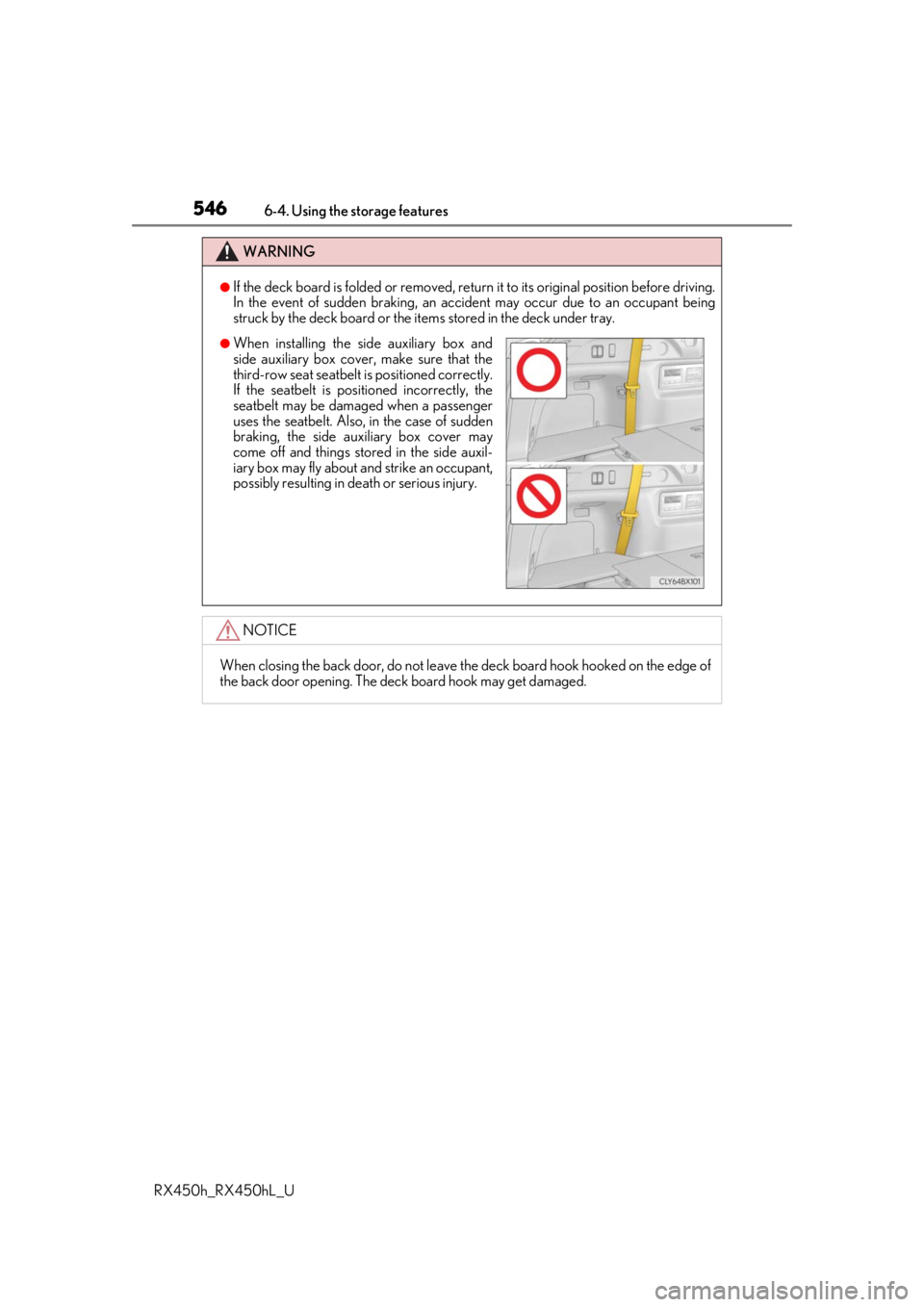
●When installing the side auxiliary box and
side auxiliary box cover, make sure that the
third-row seat seatbelt is positioned correctly.
If the seatbelt is posi tioned incorrectly, the
seatbelt may be damaged when a passenger
uses the seatbelt. Also, in the case of sudden
braking, the side auxiliary box cover may
come off and things stor ed in the side auxil-
iary box may fly about and strike an occupant,
possibly resulting in death or serious injury.
Page 558 of 792
5586-5. Using the other interior features
RX450h_RX450hL_U
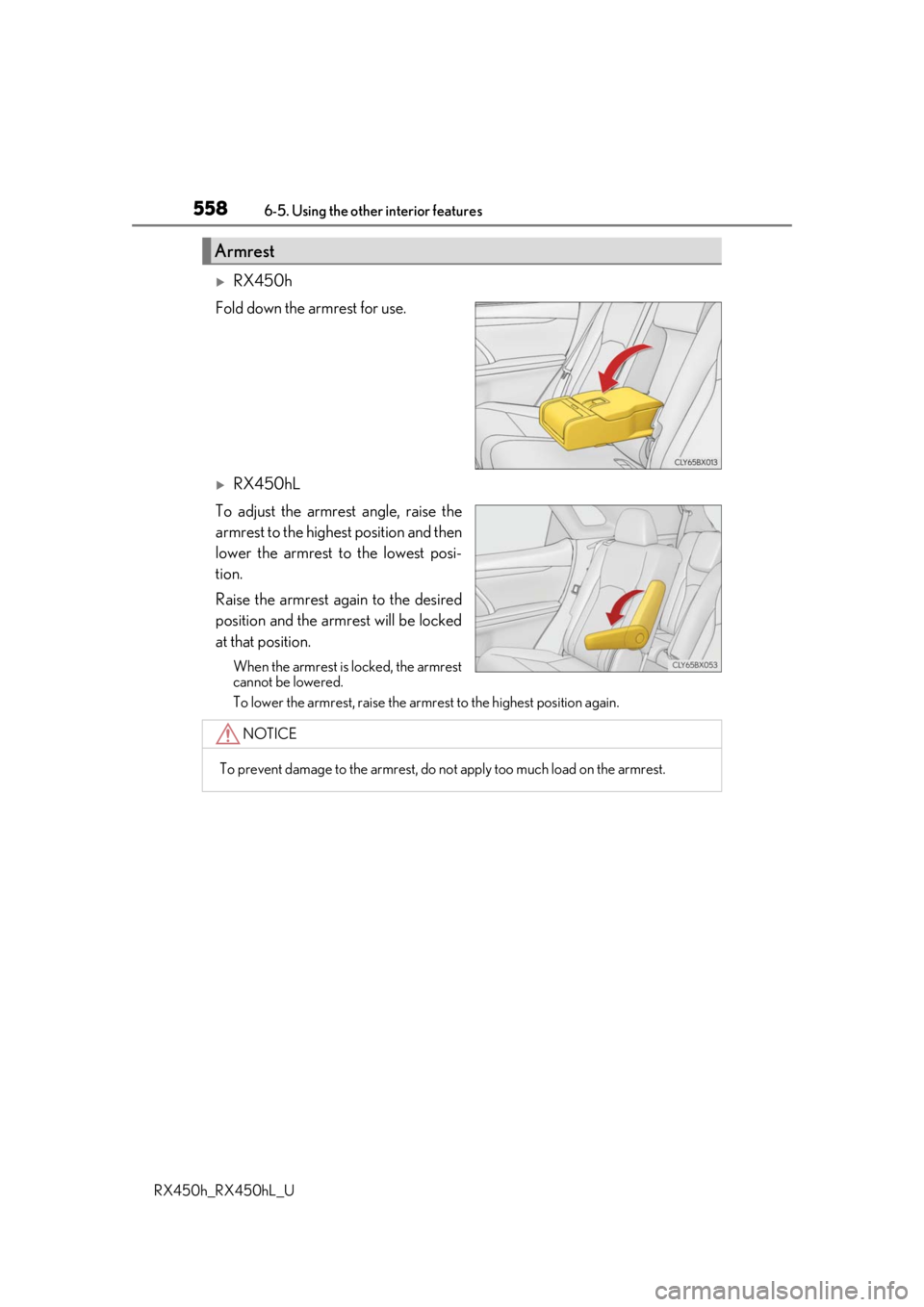
RX450h
Fold down the armrest for use.
RX450hL
To adjust the armrest angle, raise the
armrest to the highest position and then
lower the armrest to the lowest posi-
tion.
Raise the armrest again to the desired
position and the armrest will be locked
at that position.
When the armrest is locked, the armrest
cannot be lowered.
To lower the armrest, raise the armrest to the highest position again.
Armrest
NOTICE
To prevent damage to the armrest, do not apply too much load on the armrest.