open LEXUS RX450H 2019 Workshop Manual
[x] Cancel search | Manufacturer: LEXUS, Model Year: 2019, Model line: RX450H, Model: LEXUS RX450H 2019Pages: 792, PDF Size: 13.48 MB
Page 164 of 792
1643-2. Opening, closing and locking the doors
RX450h_RX450hL_U
For vehicles sold in Canada
Page 165 of 792
1653-2. Opening, closing and locking the doors
3
Operation of each component
RX450h_RX450hL_U
Page 166 of 792
1663-2. Opening, closing and locking the doors
RX450h_RX450hL_U
WARNING
■Caution regarding interference with electronic devices
●People with implantable cardiac pacema kers, cardiac resynchronization therapy-
pacemakers or implantable cardioverter de fibrillators should keep away from the
smart access system with push-button start antennas. ( P. 158)
The radio waves may affect the operation of such devices. If necessary, the entry
function can be disabled. Ask your Lexus dealer for details, such as the frequency of
radio waves and timing of the emitted radio waves. Then, consult your doctor to see if
you should disable the entry function.
●Users of any electrical medical device ot her than implantable cardiac pacemakers,
cardiac resynchronization th erapy-pacemakers or implantable cardioverter defibril-
lators should consult the manufacturer of the device for information about its opera-
tion under the influence of radio waves.
Radio waves could have unexpected effects on the operation of such medical
devices.
Ask your Lexus dealer for details on disabling the entry function.
Page 176 of 792
1763-3. Adjusting the seats
RX450h_RX450hL_U
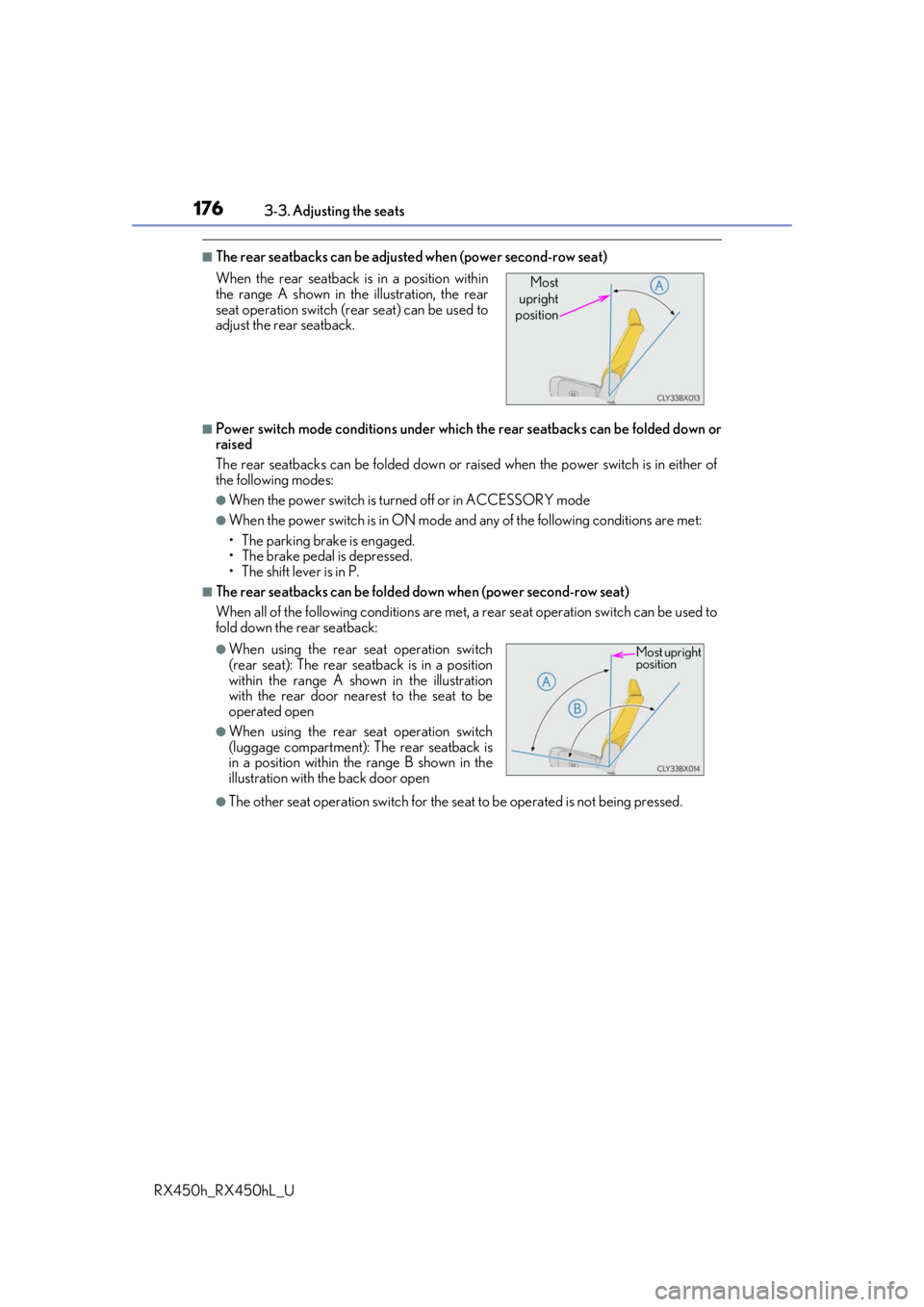
■The rear seatbacks can be adjusted when (power second-row seat)
■Power switch mode conditions under which the rear seatbacks can be folded down or
raised
The rear seatbacks can be fold ed down or raised when the power switch is in either of
the following modes:
●When the power switch is turned off or in ACCESSORY mode
●When the power switch is in ON mode an d any of the following conditions are met:
• The parking brake is engaged.
• The brake pedal is depressed.
• The shift lever is in P.
■The rear seatbacks can be folded do wn when (power second-row seat)
When all of the following conditions are met, a rear seat operation switch can be used to
fold down the rear seatback:
●The other seat operation switch for the se at to be operated is not being pressed.
When the rear seatback is in a position within
the range A shown in th
e illustration, the rear
seat operation switch (r ear seat) can be used to
adjust the rear seatback.
●When using the rear seat operation switch
(rear seat): The rear seatback is in a position
within the range A shown in the illustration
with the rear door nearest to the seat to be
operated open
●When using the rear seat operation switch
(luggage compartment): The rear seatback is
in a position within the range B shown in the
illustration with the back door open
Most
upright
position
Most upright
position
Page 177 of 792
1773-3. Adjusting the seats
3
Operation of each component
RX450h_RX450hL_U
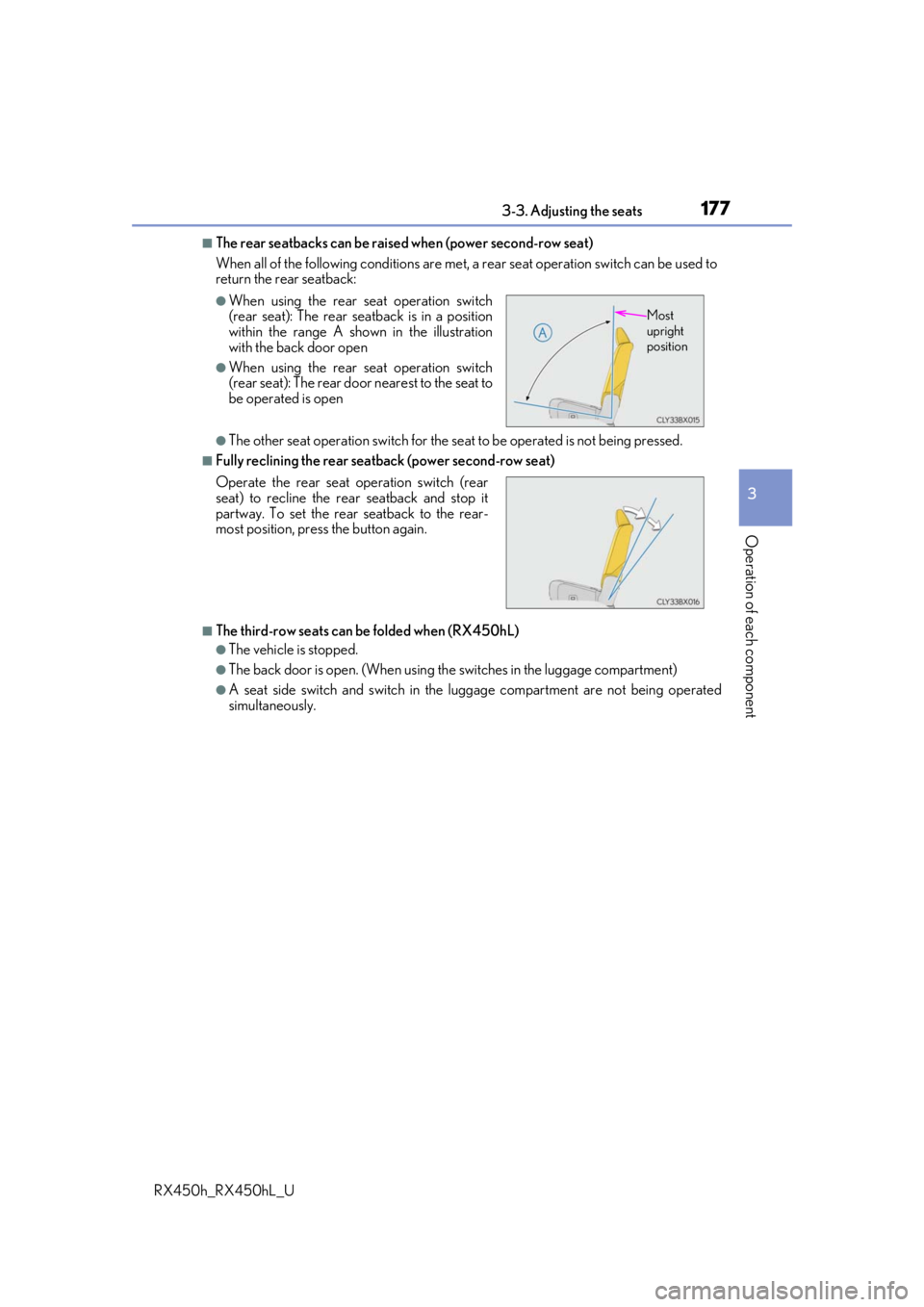
■The rear seatbacks can be raised when (power second-row seat)
When all of the following conditions are met, a rear seat operation switch can be used to
return the rear seatback:
●The other seat operation switch for the se at to be operated is not being pressed.
■Fully reclining the rear seatback (power second-row seat)
■The third-row seats can be folded when (RX450hL)
●The vehicle is stopped.
●The back door is open. (When using the switches in the luggage compartment)
●A seat side switch and switch in the luggage compartment are not being operated
simultaneously.
●When using the rear seat operation switch
(rear seat): The rear seatback is in a position
within the range A shown in the illustration
with the back door open
●When using the rear seat operation switch
(rear seat): The rear door nearest to the seat to
be operated is open
Operate the rear seat operation switch (rear
seat) to recline the rear seatback and stop it
partway. To set the rear seatback to the rear-
most position, press the button again.
Most
upright
position
Page 183 of 792
1833-3. Adjusting the seats
3
Operation of each component
RX450h_RX450hL_U
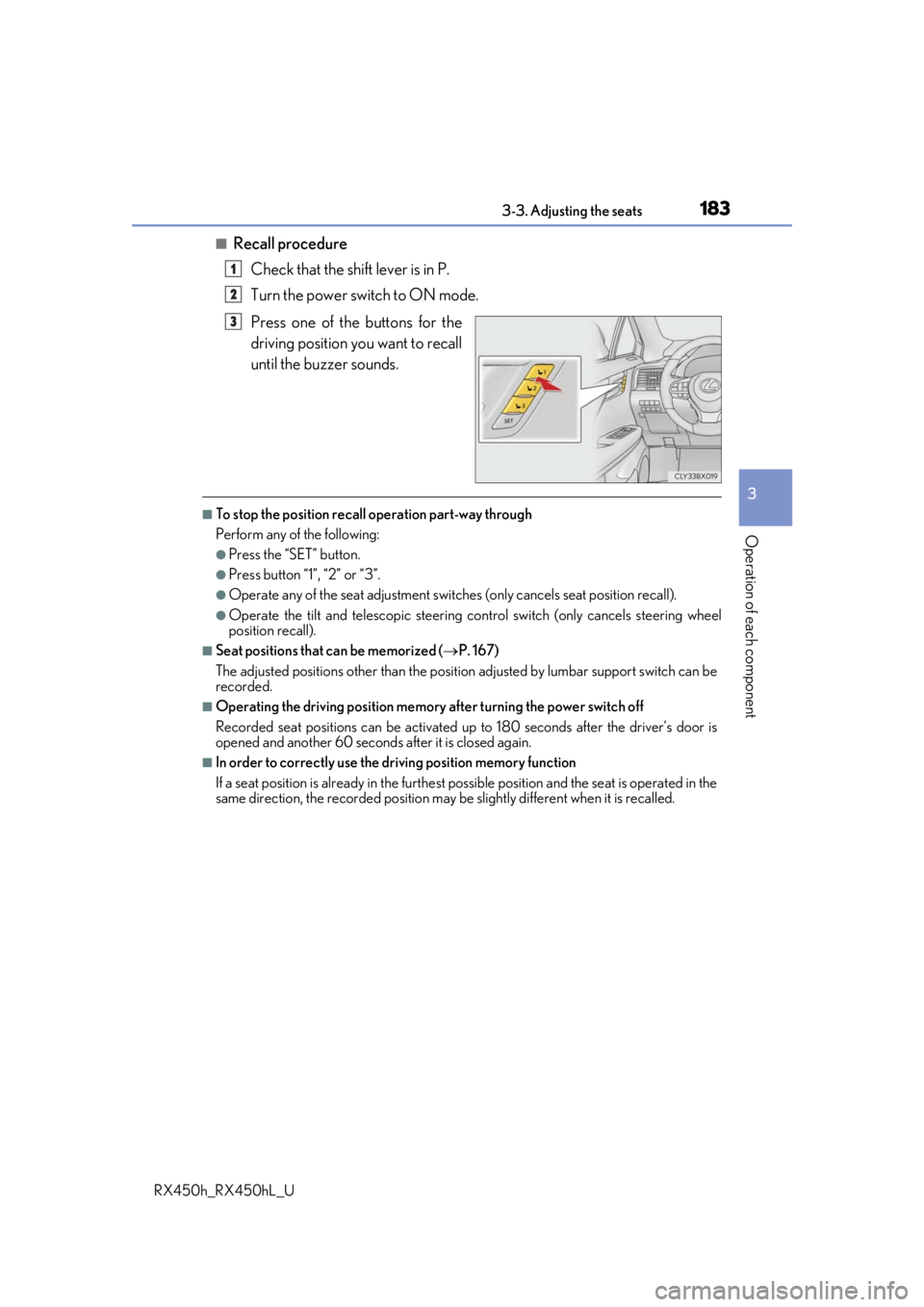
■Recall procedureCheck that the shift lever is in P.
Turn the power switch to ON mode.
Press one of the buttons for the
driving position you want to recall
until the buzzer sounds.
■To stop the position recall operation part-way through
Perform any of the following:
●Press the “SET” button.
●Press button “1”, “2” or “3”.
●Operate any of the seat adjustment switches (only cancels seat position recall).
●Operate the tilt and telescopic steering control switch (only cancels steering wheel
position recall).
■Seat positions that can be memorized ( P. 167)
The adjusted positions other than the position adjusted by lumbar support switch can be
recorded.
■Operating the driving position memory after turning the power switch off
Recorded seat positions can be activated up to 180 seconds after the driver’s door is
opened and another 60 seconds after it is closed again.
■In order to correctly use the driving position memory function
If a seat position is already in the furthest po ssible position and the seat is operated in the
same direction, the recorded position may be slightly different when it is recalled.
1
2
3
Page 184 of 792
1843-3. Adjusting the seats
RX450h_RX450hL_U
Each electronic key can be registered to recall your preferred driving position.
■Registering procedure
Record your driving position to button “1”, “2” or “3” before performing the
following:
Carry only the key you want to regist er, and then close the driver’s door.
If 2 or more keys are in the vehicle, the driving position cannot be recorded
properly.
Check that the shift lever is in P.
Turn the power switch to ON mode.
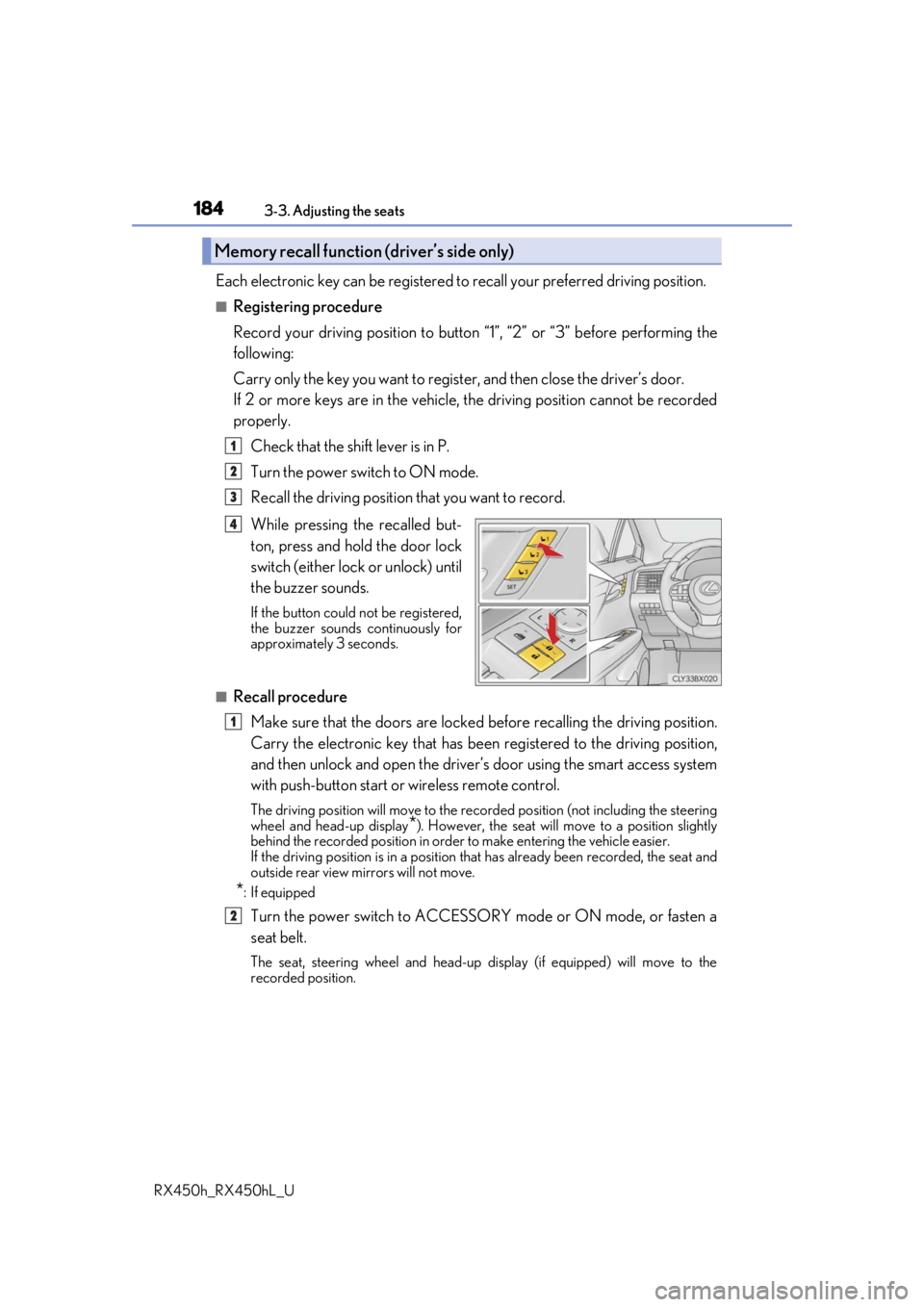
Recall the driving position that you want to record.
While pressing the recalled but-
ton, press and hold the door lock
switch (either lock or unlock) until
the buzzer sounds.
If the button could not be registered,
the buzzer sounds continuously for
approximately 3 seconds.
■Recall procedureMake sure that the doors are locked before recalling the driving position.
Carry the electronic key that has been registered to the driving position,
and then unlock and open the driver’s door using the smart access system
with push-button start or wireless remote control.
The driving position will move to the recorded position (not including the steering
wheel and head-up display
*). However, the seat will move to a position slightly
behind the recorded position in order to make entering the vehicle easier.
If the driving position is in a position th at has already been recorded, the seat and
outside rear view mirrors will not move.
*: If equipped
Turn the power switch to ACCESSORY mode or ON mode, or fasten a
seat belt.
The seat, steering wheel and head-up display (if equipped) will move to the
recorded position.
Memory recall function (driver’s side only)
1
2
3
4
1
2
Page 196 of 792
196
RX450h_RX450hL_U3-5. Opening, closing the windows and moon roof
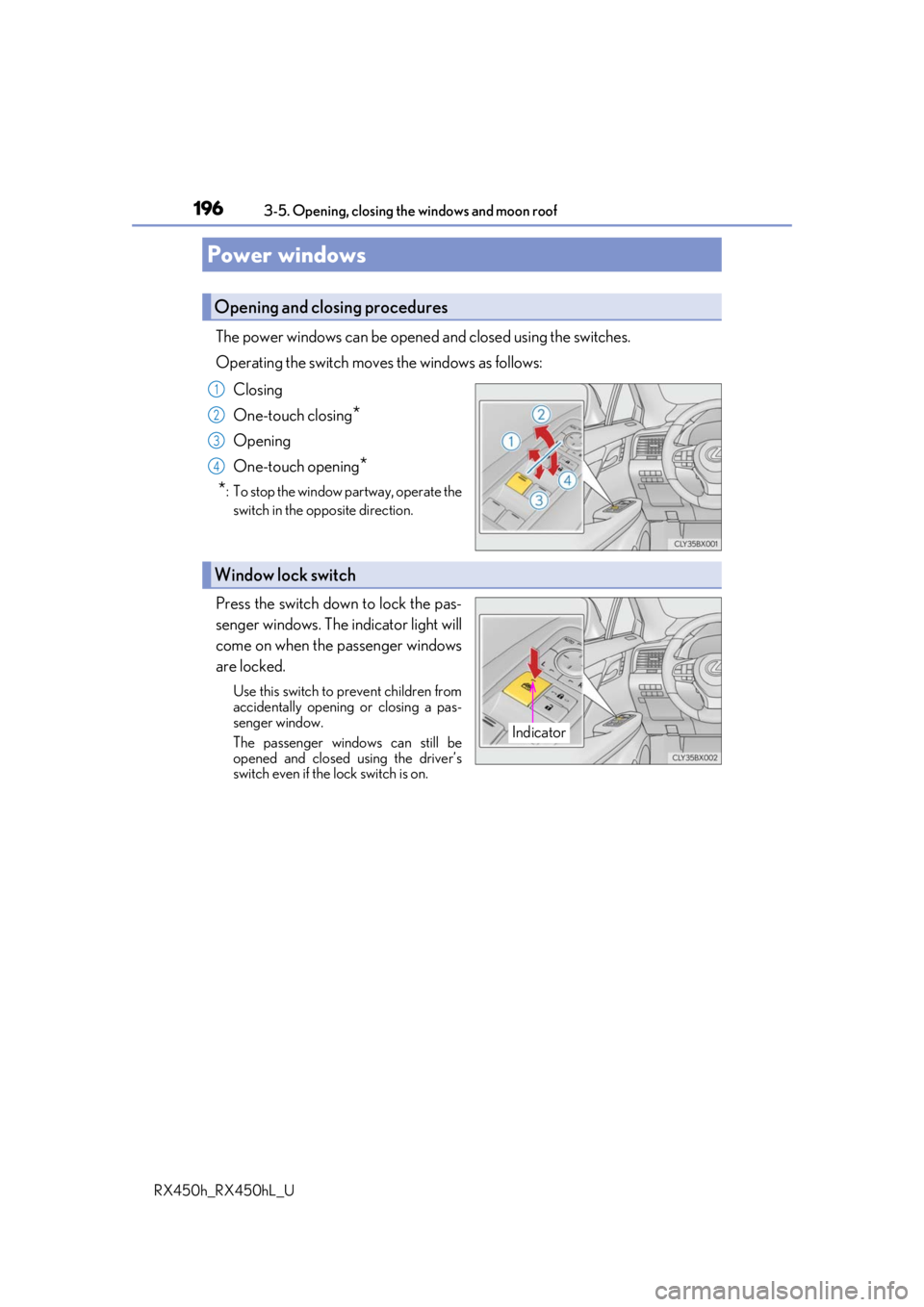
The power windows can be opened and closed using the switches.
Operating the switch move
s the windows as follows:
Closing
One-touch closing
*
Opening
One-touch opening
*
*
: To stop the window partway, operate the switch in the op posite direction.
Press the switch down to lock the pas-
senger windows. The indicator light will
come on when the passenger windows
are locked.
Use this switch to prevent children from
accidentally opening or closing a pas-
senger window.
The passenger windows can still be
opened and closed using the driver’s
switch even if the lock switch is on.
Power windows
Opening and closing procedures
1
2
3
4
Window lock switch
Indicator
Page 197 of 792
1973-5. Opening, closing the windows and moon roof
3
Operation of each component
RX450h_RX450hL_U
■The power windows can be operated when
The power switch is in ON mode.
■Operating the power windows after turning the hybrid system off
The power windows can be operated for ap proximately 45 seconds even after the
power switch is turned to ACCESSORY mode or turned off. They cannot, however, be
operated once either front door is opened.
■Jam protection function
If an object becomes jammed between the window and the window frame while the win-
dow is closing, window movement is stop ped and the window is opened slightly.
■Catch protection function
If an object becomes caught between the door and window while the window is opening,
window movement is stopped.
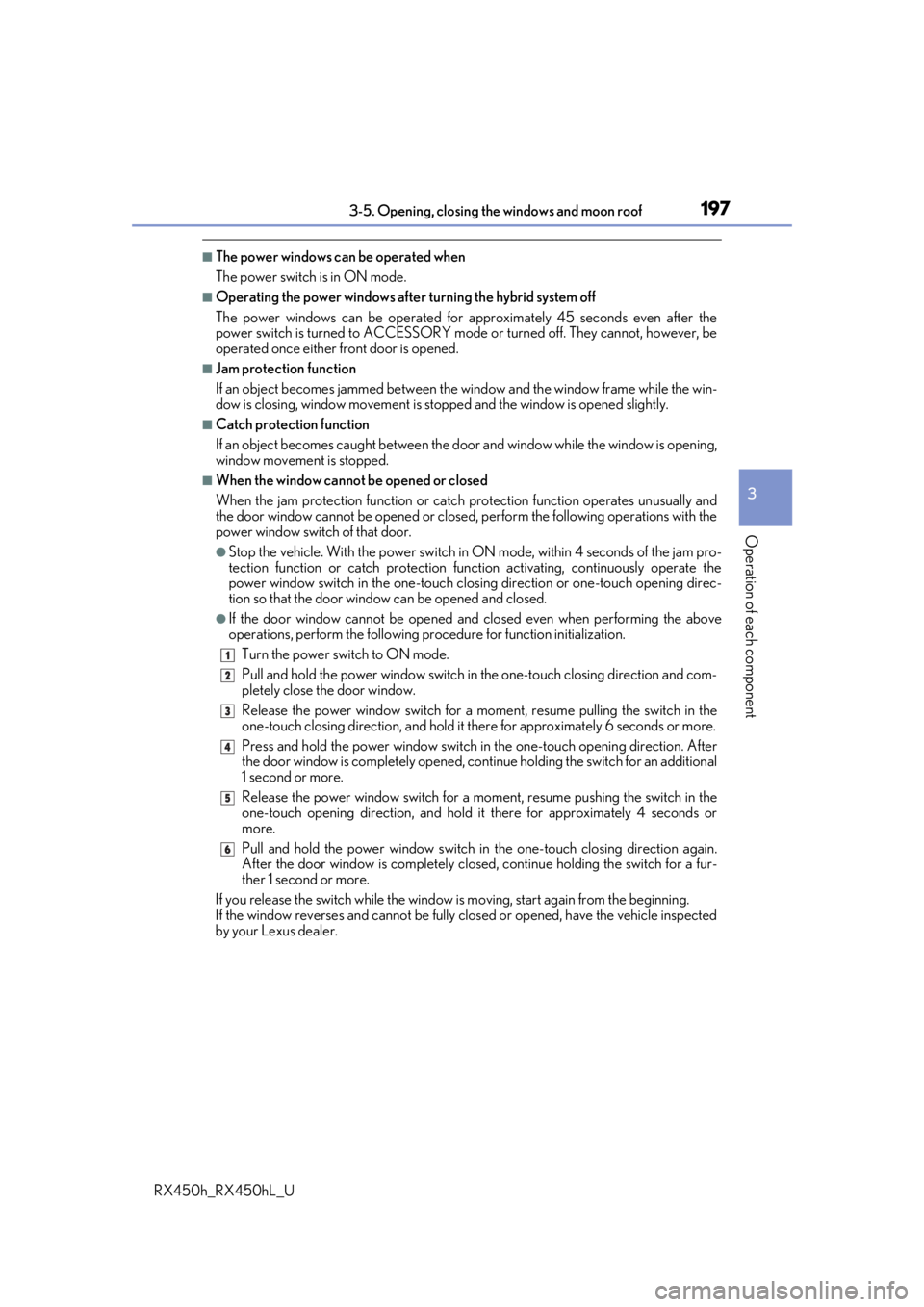
■When the window cannot be opened or closed
When the jam protection functi on or catch protection function operates unusually and
the door window cannot be opened or closed, perform the following operations with the
power window switch of that door.
●Stop the vehicle. With the power switch in ON mode, within 4 seconds of the jam pro-
tection function or catch pr otection function activating, continuously operate the
power window switch in the one-touch clos ing direction or one-touch opening direc-
tion so that the door window can be opened and closed.
●If the door window cannot be opened and closed even when performing the above
operations, perform the following procedure for function initialization.
Turn the power switch to ON mode.
Pull and hold the power window switch in the one-touch closing direction and com-
pletely close the door window.
Release the power window sw itch for a moment, resume pulling the switch in the
one-touch closing direction, and hold it there for approximately 6 seconds or more.
Press and hold the power window switch in the one-touch opening direction. After
the door window is completely opened, cont inue holding the switch for an additional
1 second or more.
Release the power window switch for a mo ment, resume pushing the switch in the
one-touch opening direction, and hold it there for approximately 4 seconds or
more.
Pull and hold the power window switch in the one-touch closing direction again.
After the door window is completely closed, continue holding the switch for a fur-
ther 1 second or more.
If you release the switch while the window is moving, start again from the beginning.
If the window reverses and cannot be fully cl osed or opened, have the vehicle inspected
by your Lexus dealer.
1
2
3
4
5
6
Page 198 of 792
1983-5. Opening, closing the windows and moon roof
RX450h_RX450hL_U
■Door lock linked window operation
●The power windows can be opened an d closed using the mechanical key.* ( P. 693)
●The power windows can be opened using the wireless remote control.* (P. 136)
*: These settings must be cust omized at your Lexus dealer.
■Alarm
The alarm may be triggered if the alarm is set and a power window is closed using the
door lock linked power window operation function. ( P. 87)
■When the 12-volt battery is disconnected
The window lock switch is disabled. If necessary, press the window lock switch after
reconnecting the 12-volt battery.
■Power windows open warning buzzer
A buzzer sounds and a message is shown on the multi-information display in the instru-
ment cluster when the power switch is turned off and the driver’s door is opened with the
power windows open.
■Customization
Some functions can be customized. ( P. 736)