fog light LEXUS RX450h 2021 User Guide
[x] Cancel search | Manufacturer: LEXUS, Model Year: 2021, Model line: RX450h, Model: LEXUS RX450h 2021Pages: 528, PDF Size: 10.73 MB
Page 216 of 528
2164-5. Using the driving support systems
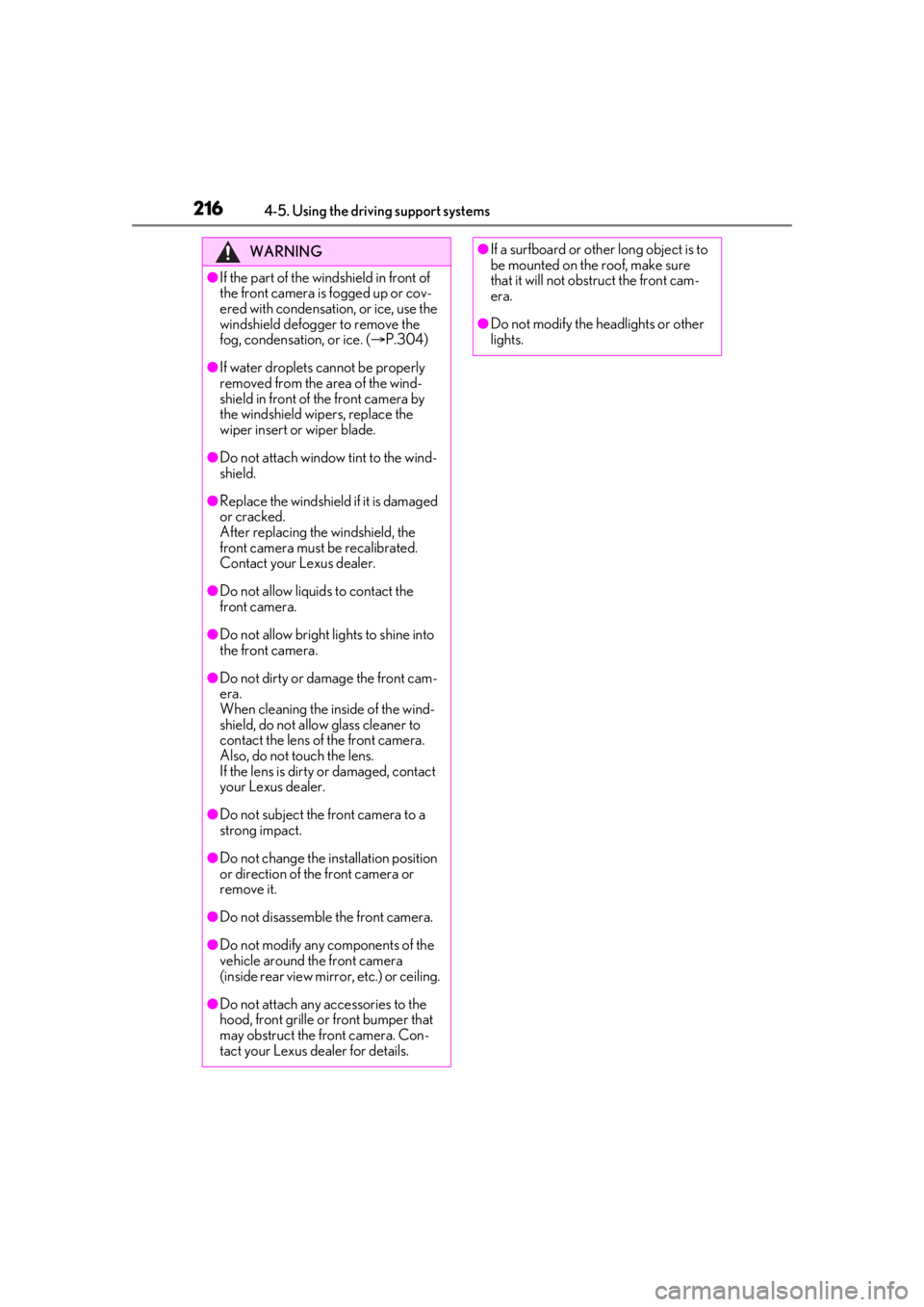
WARNING
●If the part of the windshield in front of
the front camera is fogged up or cov-
ered with condensation, or ice, use the
windshield defogger to remove the
fog, condensation, or ice. (P.304)
●If water droplets cannot be properly
removed from the area of the wind-
shield in front of the front camera by
the windshield wipers, replace the
wiper insert or wiper blade.
●Do not attach window tint to the wind-
shield.
●Replace the windshield if it is damaged
or cracked.
After replacing the windshield, the
front camera must be recalibrated.
Contact your Lexus dealer.
●Do not allow liquids to contact the
front camera.
●Do not allow bright lights to shine into
the front camera.
●Do not dirty or damage the front cam-
era.
When cleaning the inside of the wind-
shield, do not allow glass cleaner to
contact the lens of the front camera.
Also, do not touch the lens.
If the lens is dirty or damaged, contact
your Lexus dealer.
●Do not subject the front camera to a
strong impact.
●Do not change the installation position
or direction of the front camera or
remove it.
●Do not disassemble the front camera.
●Do not modify any components of the
vehicle around the front camera
(inside rear view mirror, etc.) or ceiling.
●Do not attach any accessories to the
hood, front grille or front bumper that
may obstruct the front camera. Con-
tact your Lexus dealer for details.
●If a surfboard or other long object is to
be mounted on the roof, make sure
that it will not obstruct the front cam-
era.
●Do not modify the headlights or other
lights.
Page 219 of 528
2194-5. Using the driving support systems
4
Driving
●In the following situations, if the situation has changed (or the vehicle has been driven for
some time) and the normal operating conditions are detected, the message will disappear
and the system will become operational.
If the message does not disappear, contact your Lexus dealer.
• When the temperature around the radar sensor is outside of the operational range, such
as when the vehicle is in the sun or in an extremely cold environment
• When the front camera cannot detect objects in front of the vehicle, such as when driving
in the dark, snow, or fog, or when brig ht lights are shining into the front camera
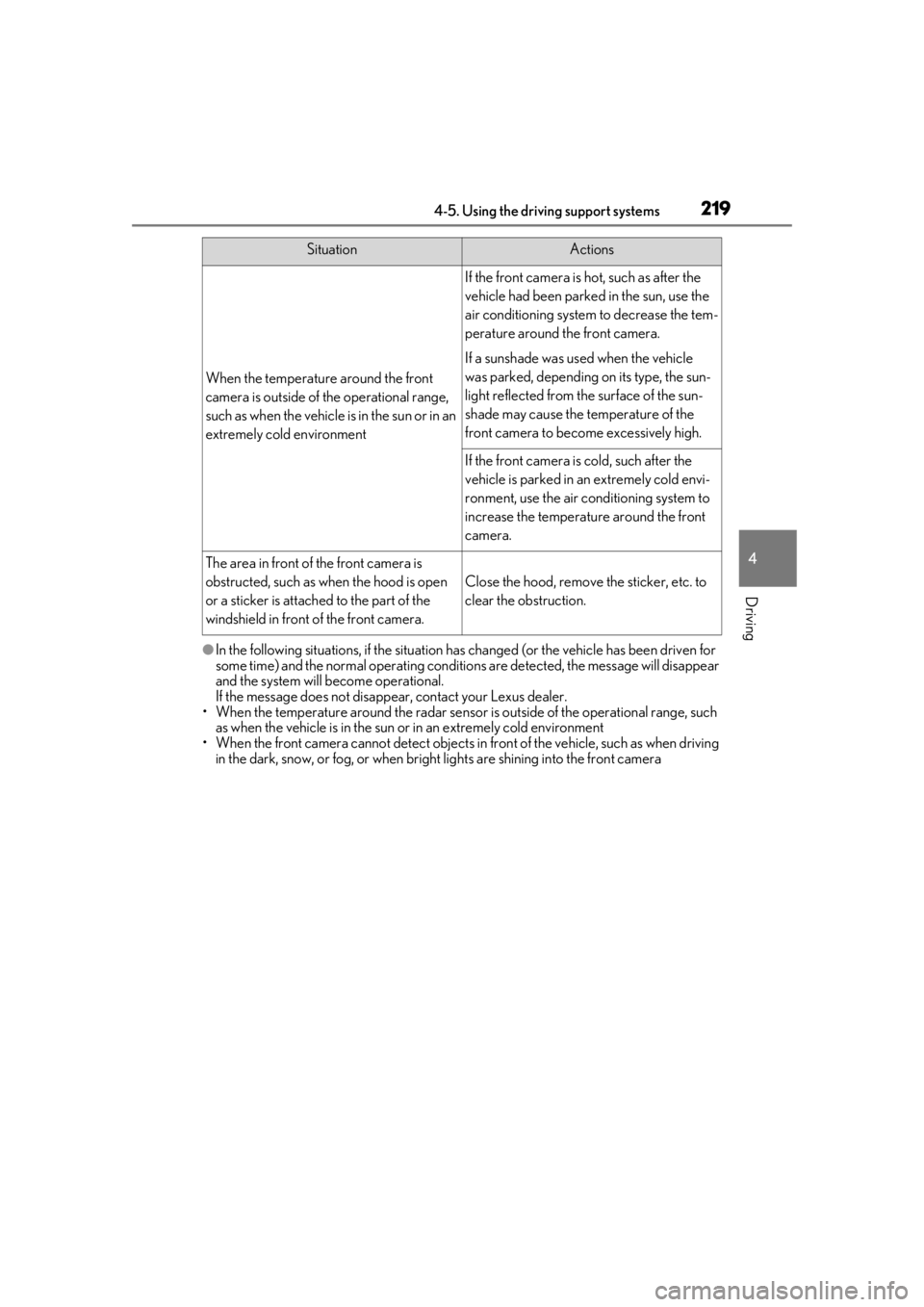
When the temperature around the front
camera is outside of the operational range,
such as when the vehicle is in the sun or in an
extremely cold environment
If the front camera is hot, such as after the
vehicle had been parked in the sun, use the
air conditioning system to decrease the tem-
perature around the front camera.
If a sunshade was used when the vehicle
was parked, depending on its type, the sun-
light reflected from the surface of the sun-
shade may cause the temperature of the
front camera to become excessively high.
If the front camera is cold, such after the
vehicle is parked in an extremely cold envi-
ronment, use the air conditioning system to
increase the temperature around the front
camera.
The area in front of the front camera is
obstructed, such as when the hood is open
or a sticker is attached to the part of the
windshield in front of the front camera.
Close the hood, remove the sticker, etc. to
clear the obstruction.
SituationActions
Page 226 of 528
2264-5. Using the driving support systems
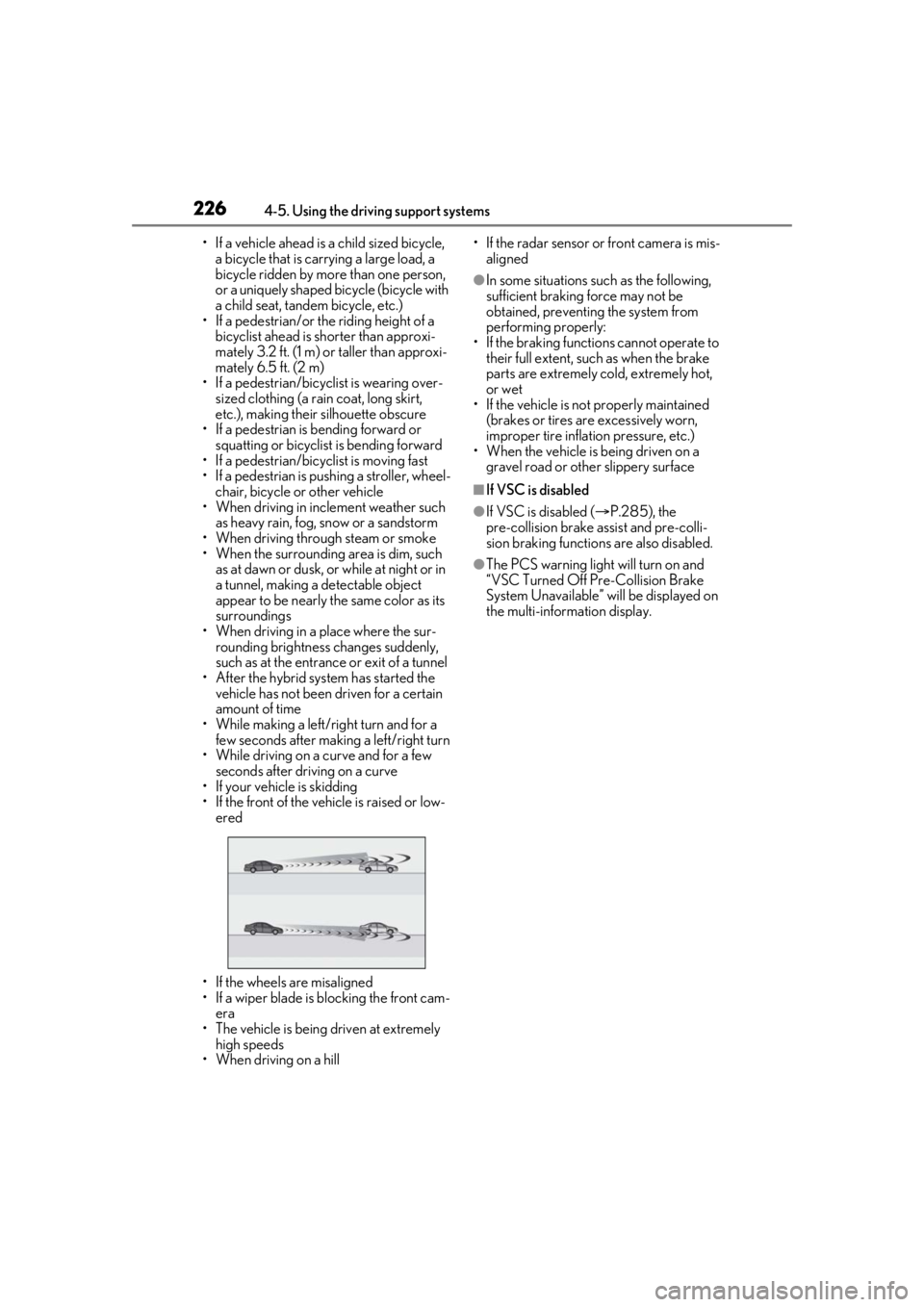
• If a vehicle ahead is a child sized bicycle, a bicycle that is carrying a large load, a
bicycle ridden by more than one person,
or a uniquely shaped bicycle (bicycle with
a child seat, tandem bicycle, etc.)
• If a pedestrian/or the riding height of a
bicyclist ahead is shorter than approxi-
mately 3.2 ft. (1 m) or taller than approxi-
mately 6.5 ft. (2 m)
• If a pedestrian/bicyclist is wearing over- sized clothing (a rain coat, long skirt,
etc.), making their silhouette obscure
• If a pedestrian is bending forward or squatting or bicyclist is bending forward
• If a pedestrian/bicyclist is moving fast
• If a pedestrian is pushing a stroller, wheel-
chair, bicycle or other vehicle
• When driving in incl ement weather such
as heavy rain, fog, snow or a sandstorm
• When driving through steam or smoke
• When the surrounding area is dim, such as at dawn or dusk, or while at night or in
a tunnel, making a detectable object
appear to be nearly the same color as its
surroundings
• When driving in a place where the sur- rounding brightness changes suddenly,
such as at the entrance or exit of a tunnel
• After the hybrid system has started the vehicle has not been driven for a certain
amount of time
• While making a left/right turn and for a few seconds after makin g a left/right turn
• While driving on a curve and for a few seconds after driving on a curve
• If your vehicle is skidding
• If the front of the vehicle is raised or low-
ered
• If the wheels are misaligned
• If a wiper blade is blocking the front cam- era
• The vehicle is being driven at extremely
high speeds
• When driving on a hill • If the radar sensor or front camera is mis-
aligned
●In some situations su ch as the following,
sufficient braking force may not be
obtained, preventing the system from
performing properly:
• If the braking functions cannot operate to their full extent, such as when the brake
parts are extremely cold, extremely hot,
or wet
• If the vehicle is not properly maintained
(brakes or tires are excessively worn,
improper tire inflation pressure, etc.)
• When the vehicle is being driven on a
gravel road or other slippery surface
■If VSC is disabled
●If VSC is disabled ( P.285), the
pre-collision brake assist and pre-colli-
sion braking functions are also disabled.
●The PCS warning light will turn on and
“VSC Turned Off Pre-Collision Brake
System Unavailable” will be displayed on
the multi-information display.
Page 237 of 528
2374-5. Using the driving support systems
4
Driving
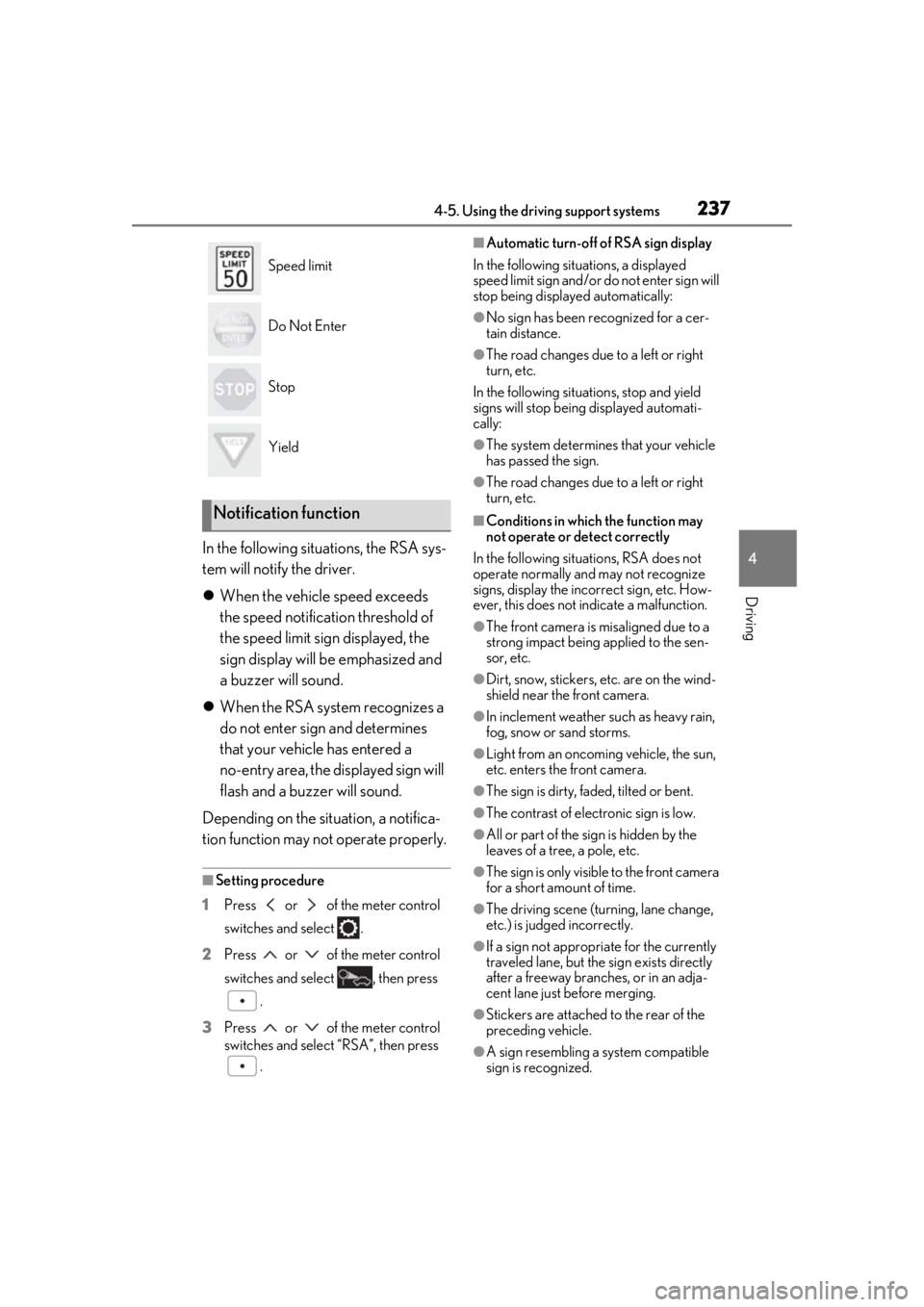
In the following situations, the RSA sys-
tem will notify the driver.
When the vehicle speed exceeds
the speed notification threshold of
the speed limit sign displayed, the
sign display will be emphasized and
a buzzer will sound.
When the RSA system recognizes a
do not enter sign and determines
that your vehicle has entered a
no-entry area, the displayed sign will
flash and a buzzer will sound.
Depending on the situation, a notifica-
tion function may not operate properly.
■Setting procedure
1 Press or of the meter control
switches and select .
2 Press or of the meter control
switches and select , then press
.
3 Press or of the meter control
switches and select “RSA”, then press
.
■Automatic turn-off of RSA sign display
In the following situations, a displayed
speed limit sign and/or do not enter sign will
stop being displayed automatically:
●No sign has been recognized for a cer-
tain distance.
●The road changes due to a left or right
turn, etc.
In the following situations, stop and yield
signs will stop being displayed automati-
cally:
●The system determines that your vehicle
has passed the sign.
●The road changes due to a left or right
turn, etc.
■Conditions in which the function may
not operate or detect correctly
In the following situations, RSA does not
operate normally and may not recognize
signs, display the incorrect sign, etc. How-
ever, this does not indicate a malfunction.
●The front camera is misaligned due to a
strong impact being applied to the sen-
sor, etc.
●Dirt, snow, stickers, etc. are on the wind-
shield near the front camera.
●In inclement weather such as heavy rain,
fog, snow or sand storms.
●Light from an oncoming vehicle, the sun,
etc. enters the front camera.
●The sign is dirty, faded, tilted or bent.
●The contrast of electronic sign is low.
●All or part of the sign is hidden by the
leaves of a tree, a pole, etc.
●The sign is only visible to the front camera
for a short amount of time.
●The driving scene (turning, lane change,
etc.) is judged incorrectly.
●If a sign not appropriate for the currently
traveled lane, but the sign exists directly
after a freeway branches, or in an adja-
cent lane just before merging.
●Stickers are attached to the rear of the
preceding vehicle.
●A sign resembling a system compatible
sign is recognized.
Speed limit
Do Not Enter
Stop
Yield
Notification function
Page 256 of 528
2564-5. Using the driving support systems
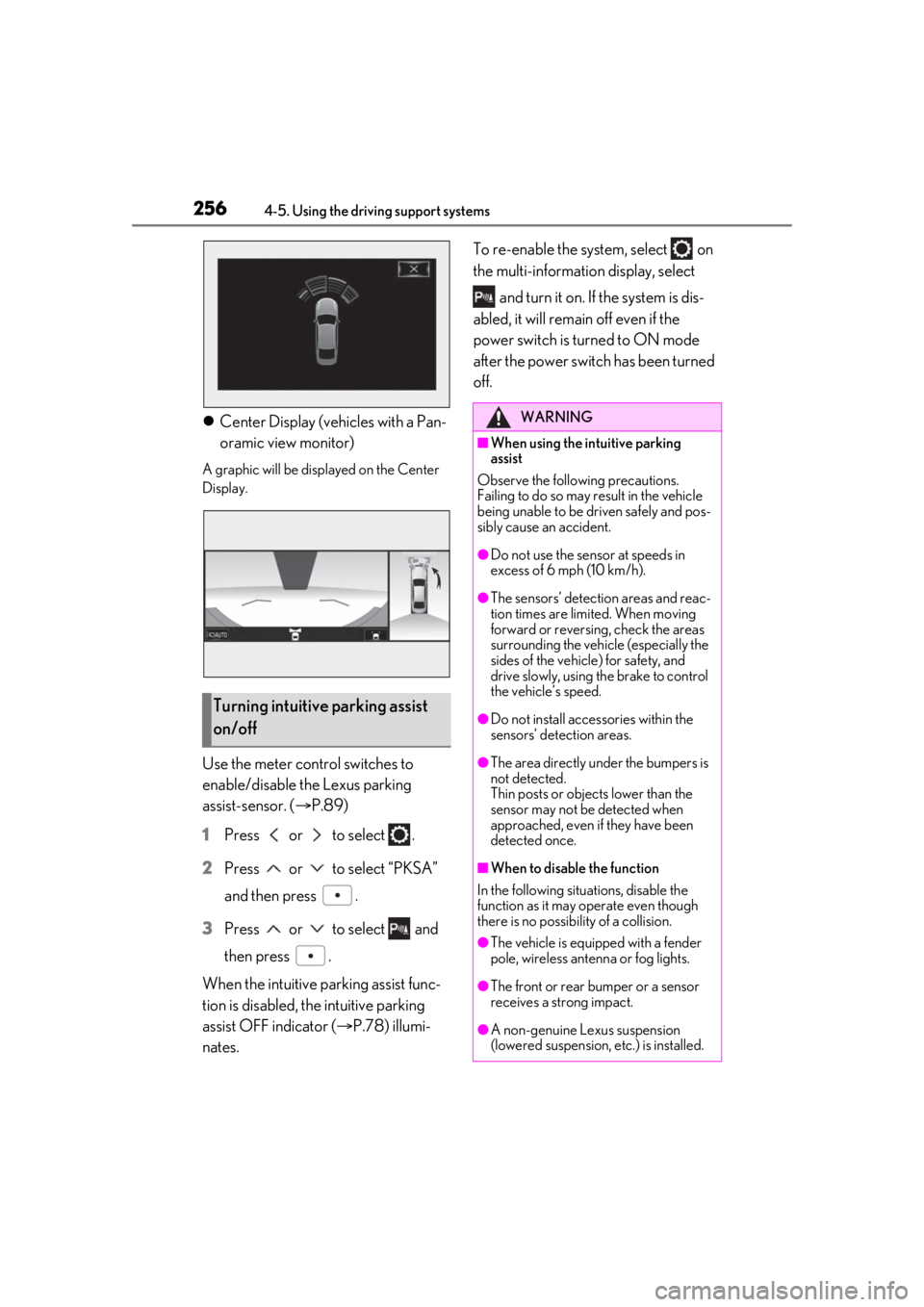
Center Display (vehicles with a Pan-
oramic view monitor)
A graphic will be displayed on the Center
Display.
Use the meter control switches to
enable/disable the Lexus parking
assist-sensor. ( P.89)
1 Press or to select .
2 Press or to select “PKSA”
and then press .
3 Press or to select and
then press .
When the intuitive parking assist func-
tion is disabled, the intuitive parking
assist OFF indicator ( P.78) illumi-
nates. To re-enable the system, select on
the multi-information display, select
and turn it on. If the system is dis-
abled, it will remain off even if the
power switch is tu rned to ON mode
after the power switch has been turned
off.
Turning intuitive parking assist
on/off
WARNING
■When using the intuitive parking
assist
Observe the following precautions.
Failing to do so may result in the vehicle
being unable to be driven safely and pos-
sibly cause an accident.
●Do not use the sensor at speeds in
excess of 6 mph (10 km/h).
●The sensors’ detection areas and reac-
tion times are limited. When moving
forward or reversin g, check the areas
surrounding the vehicle (especially the
sides of the vehicl e) for safety, and
drive slowly, using the brake to control
the vehicle’s speed.
●Do not install accessories within the
sensors’ detection areas.
●The area directly under the bumpers is
not detected.
Thin posts or objects lower than the
sensor may not be detected when
approached, even if they have been
detected once.
■When to disable the function
In the following situations, disable the
function as it may operate even though
there is no possibility of a collision.
●The vehicle is equipped with a fender
pole, wireless antenna or fog lights.
●The front or rear bumper or a sensor
receives a strong impact.
●A non-genuine Lexus suspension
(lowered suspension, etc.) is installed.
Page 275 of 528
2754-5. Using the driving support systems
4
Driving
• When parallel parking
• When there is a rut or hole in the surface of the road
• When driving on a metal cover (grating), such as those used for drainage ditches
• When driving on a steep slope
• If a sensor is hit by a large amount of
water, such as when driving on a flooded
road
●Weather
• If a sensor is covered with ice, snow, dirt,
etc. (when cleared, the system will return
to normal)
• If heavy rain or water strikes a sensor
• When driving in incl ement weather such
as fog, snow or a sandstorm
• When strong winds are blowing
●Other ultrasonic wave sources
• When vehicle horns, vehicle detectors,
motorcycle engines, air brakes of large
vehicles, the clearance sonar of other
vehicles or other devices which produce
ultrasonic waves are near the vehicle
• If a sticker or an el ectronic component,
such as a backlit license plate (especially
fluorescent type), fog lights, fender pole
or wireless antenna is installed near a
sensor
●Changes in the vehicle posture
• If the vehicle is significantly tilted
• If the front of the vehicle is raised or low-
ered due to the carried load
• If the orientation of a sensor has been
changed due to a collision or other
impact
■Situations in which the Parking Support
Brake function (stati c objects) may not
operate properly
In some situations, such as the following, this
function may not operate properly.
●Weather
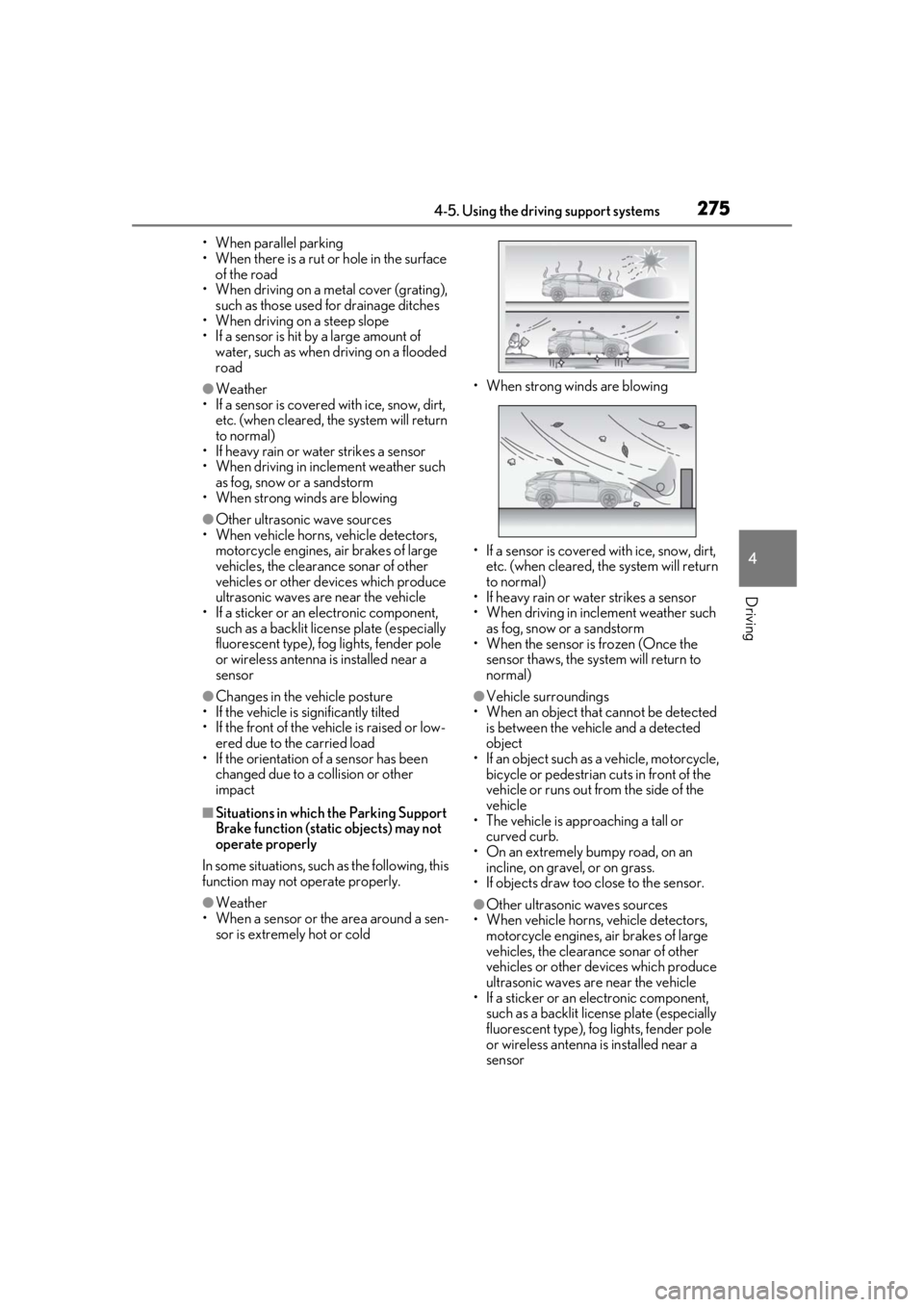
• When a sensor or the area around a sen- sor is extremely hot or cold • When strong winds are blowing
• If a sensor is covered with ice, snow, dirt,
etc. (when cleared, the system will return
to normal)
• If heavy rain or water strikes a sensor
• When driving in incl ement weather such
as fog, snow or a sandstorm
• When the sensor is frozen (Once the
sensor thaws, the system will return to
normal)
●Vehicle surroundings
• When an object that cannot be detected is between the vehicle and a detected
object
• If an object such as a vehicle, motorcycle, bicycle or pedestrian cuts in front of the
vehicle or runs out from the side of the
vehicle
• The vehicle is approaching a tall or
curved curb.
• On an extremely bumpy road, on an incline, on gravel, or on grass.
• If objects draw too close to the sensor.
●Other ultrasonic waves sources
• When vehicle horns, vehicle detectors, motorcycle engines, air brakes of large
vehicles, the clearance sonar of other
vehicles or other de vices which produce
ultrasonic waves are near the vehicle
• If a sticker or an electronic component, such as a backlit license plate (especially
fluorescent type), fog lights, fender pole
or wireless antenna is installed near a
sensor
Page 280 of 528
2804-5. Using the driving support systems
tires of a size other than specified are
installed
●If the front of the vehicle is raised or low-
ered due to the carried load
●If an electronic component, such as a
backlit license plate (especially fluores-
cent type), fog lights, fender pole or wire-
less antenna is installed near a radar
sensor
●If the orientation of a radar sensor has
been changed
●When multiple vehicles are approaching
with only a small gap between each vehi-
cle
●If a vehicle is approaching the rear of
your vehicle rapidly
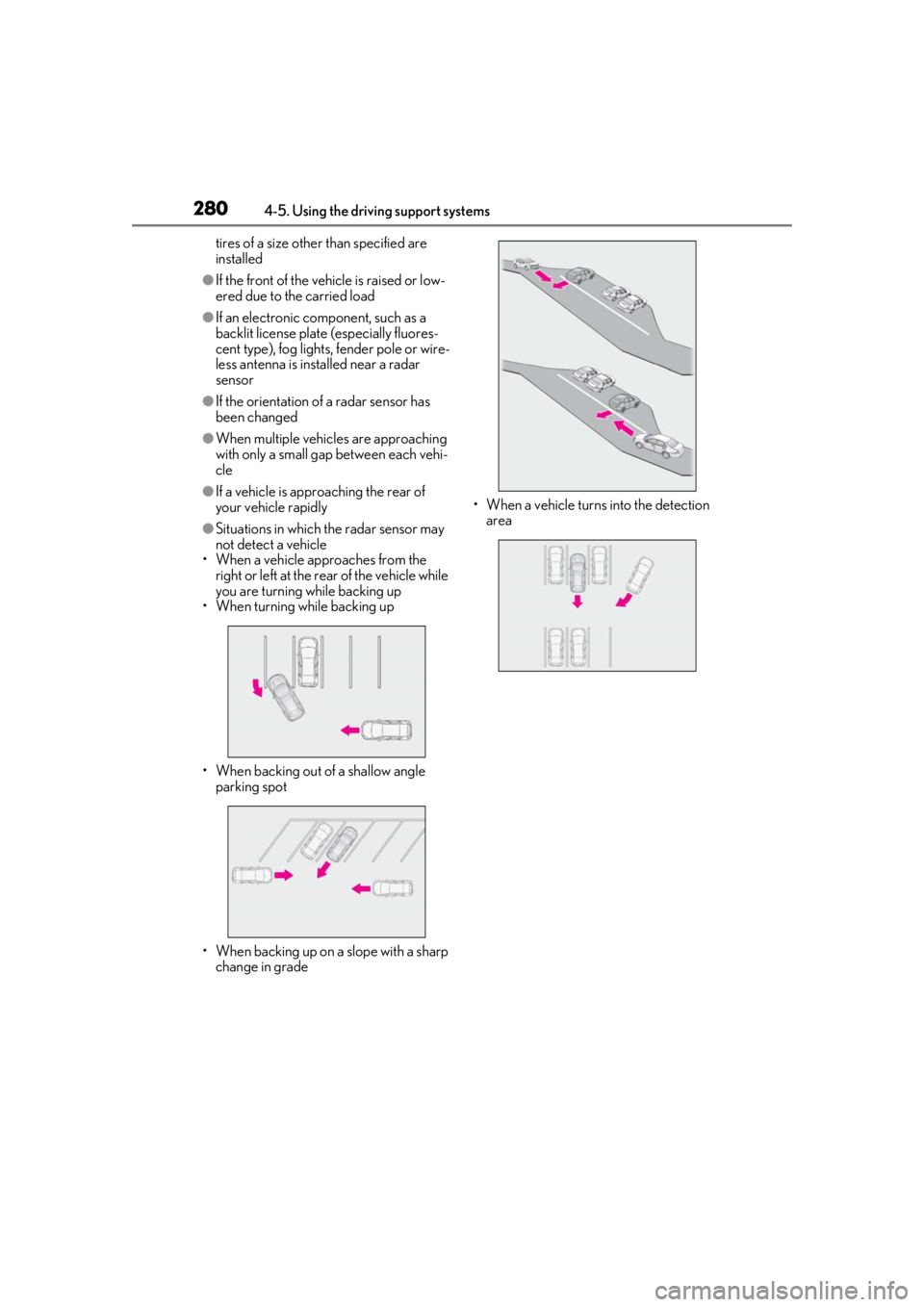
●Situations in which the radar sensor may
not detect a vehicle
• When a vehicle approaches from the right or left at the rear of the vehicle while
you are turning while backing up
• When turning while backing up
• When backing out of a shallow angle parking spot
• When backing up on a slope with a sharp change in grade • When a vehicle turns into the detection
area
Page 297 of 528
297
5
5
Interior features
Interior features
.5-1. Remote Touch/DisplayRemote Touch ............................ 298
Center Display ........................... 300
5-2. Lexus Climate Concierge Lexus Climate Concierge ..... 303
5-3. Using the air conditioning system and defogger
Front automatic air conditioning system ......................................... 304
Rear automatic air conditioning system .......................................... 315
Heated steering wheel/seat heat- ers/seat ventilators ................. 318
5-4. Using the interior lights Interior lights list.......................... 321
5-5. Using the storage features List of storage features............ 324
Luggage compartment features ........................................................ 329
5-6. Using the other interior features Other interior features ........... 334
Garage door opener............... 346
Compass....................................... 352
Page 312 of 528
3125-3. Using the air conditioning system and defogger
1Press the automatic mode switch or
select “AUTO” on the sub function
menu. ( P.308)
2 Press the outside/recirculated air
mode switch to switch to automatic
air intake mode. (if equipped)
The air conditioning system automatically
switches between outside air and recircu-
lated air modes.
3Adjust the temperature setting.
4 To stop the operation, press the off
switch or select “OFF” on the sub
function menu. ( P.308)
If the fan speed settin g or air flow modes
are operated, the automatic mode indica-
tor goes off. However, automatic mode for
functions other than th at operated is main-
tained.
■Using automatic mode
Fan speed is adjusted automatically accord-
ing to the temperature setting and the
ambient conditions.
Therefore, the fan may stop for a while until
warm or cool air is ready to flow immedi-
ately after the automatic mode switch is
pressed or “AUTO” is selected.
Cool air may blow around the upper body
even when the heater is on due to sunlight.
■Automatic mode for air intake control (if
equipped)
In automatic mode, the system detects
exhaust gas and other pollutants and auto-
matically switches between outside air and
recirculated air modes.
When the dehumidification function is off,
and the fan is operating, turning automatic
mode on will activate the dehumidification
function.
This function automatically controls the
air conditioning airflo w so that priority
is given to the front seats. When the
front passenger seat is not occupied,
airflow may switch to only the driver's
seat. Unnecessary air conditioning is
suppressed, contributing to increased
fuel efficiency.
Front seat concentrated airflow mode
operates in the following situations.
No passengers are detected in the
rear seats
The windshield defogger is not
operating
Pollen removal mode is not operat-
ing
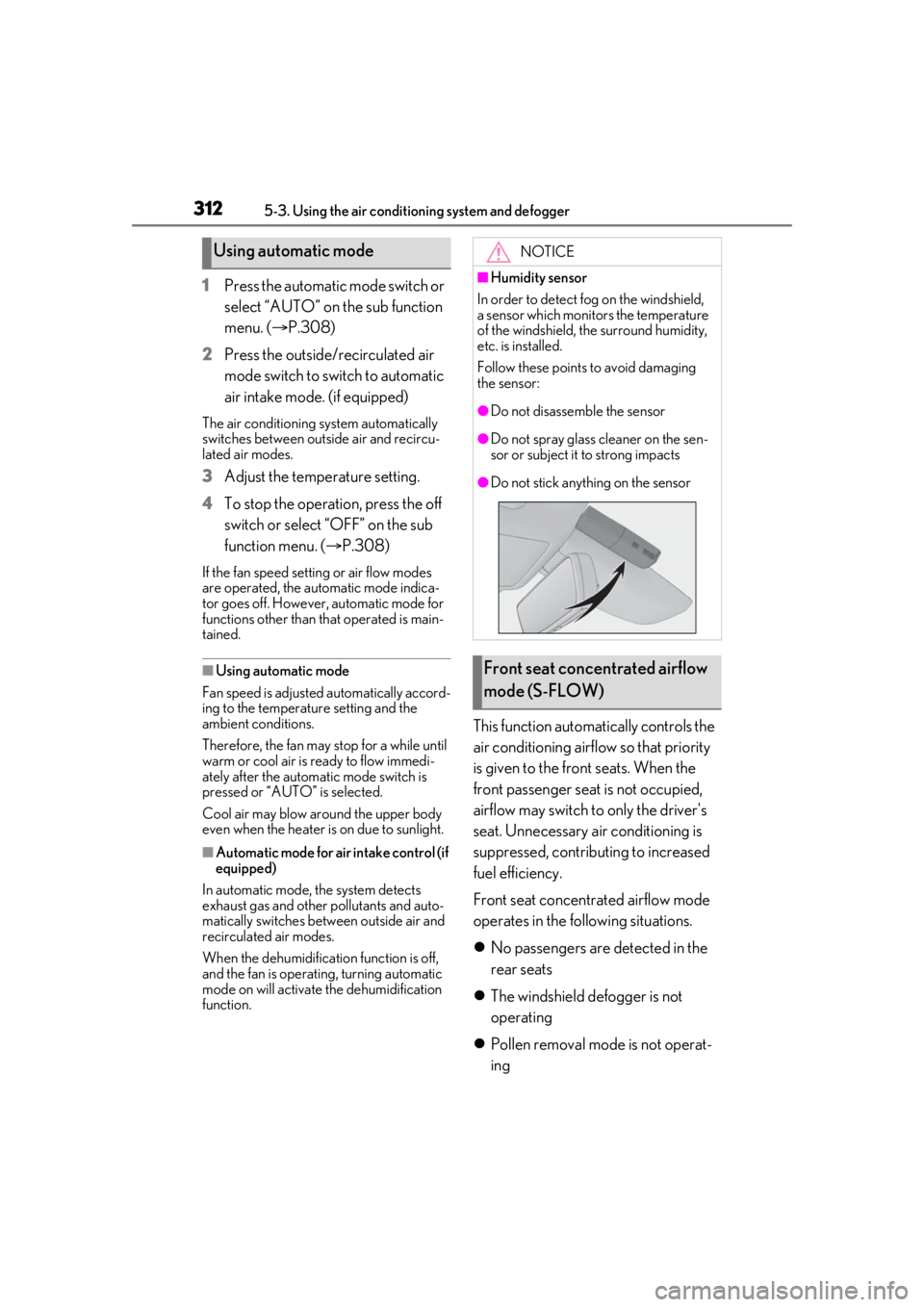
Using automatic modeNOTICE
■Humidity sensor
In order to detect fog on the windshield,
a sensor which monitors the temperature
of the windshield, the surround humidity,
etc. is installed.
Follow these points to avoid damaging
the sensor:
●Do not disassemble the sensor
●Do not spray glass cleaner on the sen-
sor or subject it to strong impacts
●Do not stick anything on the sensor
Front seat concentrated airflow
mode (S-FLOW)
Page 317 of 528
3175-3. Using the air conditioning system and defogger
5
Interior features
than that operated is maintained.
■Using automatic mode
Fan speed is adjusted automatically accord-
ing to the temperature setting and the
ambient conditions.
Therefore, the fan may stop for a while until
warm or cool air is ready to flow immedi-
ately after “Rear AUTO” is selected or
“AUTO” is touched.
Cool air may blow around the upper body
even when the heater is on due to sunlight.
The temperature setting of the rear
seats can be adjusted using the follow-
ing methods:
When the “3-ZONE” indicator is
off: Adjust the driv er’s seat tempera-
ture.
Adjust the temperature setting of each
rear seat using the Center Display or rear
air conditioning system control panel.
Adjust the temperature setting of
rear seats using the Center Display
(rear air conditioning control
screen) or rear air conditioning sys-
tem control panel.
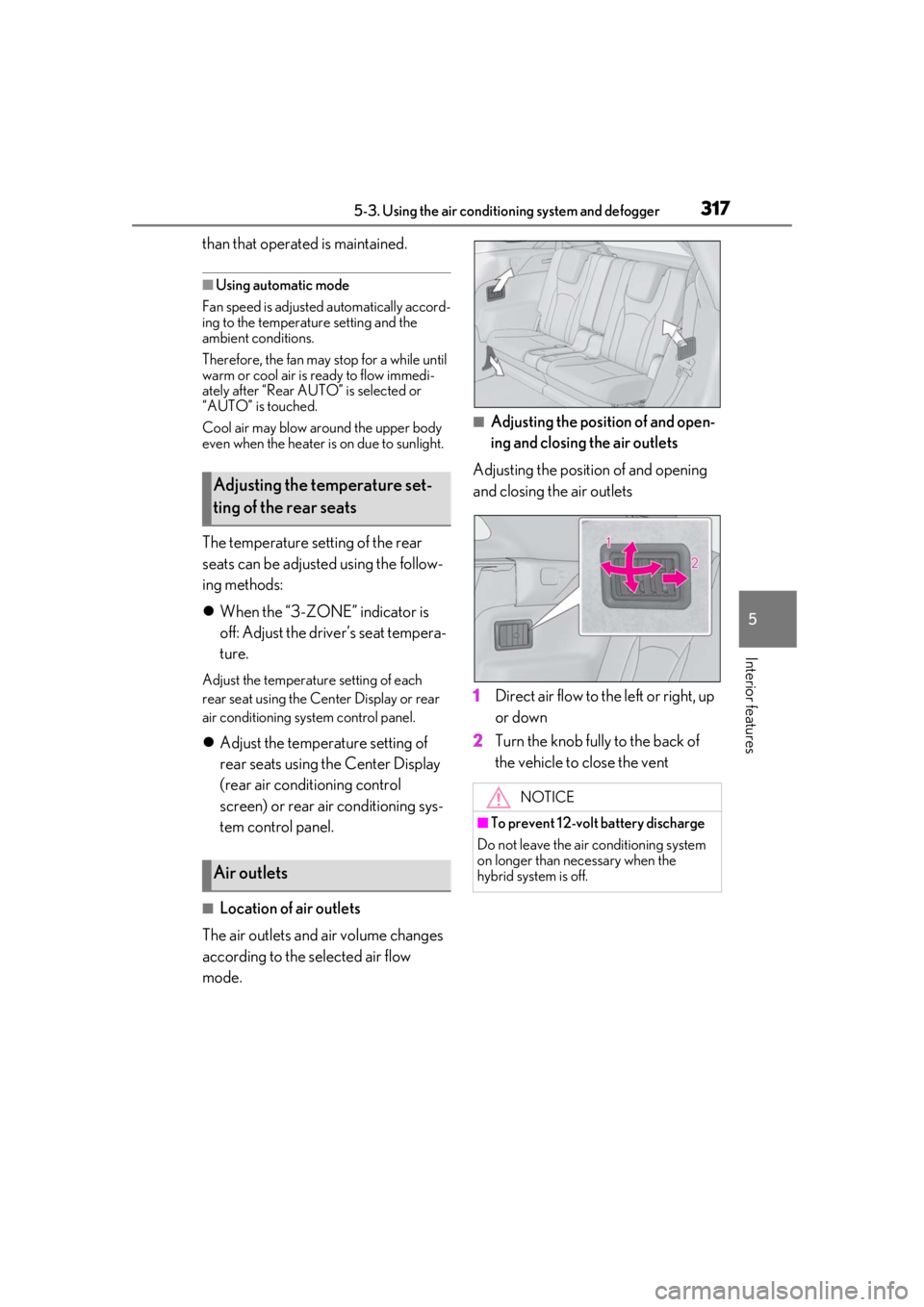
■Location of air outlets
The air outlets and air volume changes
according to the selected air flow
mode.
■Adjusting the position of and open-
ing and closing the air outlets
Adjusting the position of and opening
and closing the air outlets
1 Direct air flow to the left or right, up
or down
2 Turn the knob fully to the back of
the vehicle to close the vent
Adjusting the temperature set-
ting of the rear seats
Air outlets
NOTICE
■To prevent 12-volt battery discharge
Do not leave the air conditioning system
on longer than necessary when the
hybrid system is off.