radio LEXUS RX450h 2021 Owners Manual
[x] Cancel search | Manufacturer: LEXUS, Model Year: 2021, Model line: RX450h, Model: LEXUS RX450h 2021Pages: 528, PDF Size: 10.73 MB
Page 6 of 528
6
Please note that this manual applies to
all models and explains all equipment,
including options. Therefore, you may
find some explanations for equipment
not installed on your vehicle.
All specifications provided in this man-
ual are current at the time of printing.
However, because of the Lexus policy
of continual product improvement, we
reserve the right to make changes at
any time without notice.
Depending on specifications, the vehi-
cle shown in the illustrations may differ
from your vehicle in terms of color and
equipment.
Approximately five hours after the
hybrid system is turned off, you may
hear sound coming from under the
vehicle for several minutes. This is the
sound of a fuel evaporation leakage
check and, it does not indicate a mal-
function.
A wide variety of non-genuine spare
parts and accessories for Lexus vehi-
cles are currently available in the mar-
ket. You should know that Toyota does
not warrant these products and is not responsible for their performance,
repair, or replacement, or for any dam-
age they may cause to, or adverse
effect they may have on, your Lexus
vehicle.
This vehicle should not be modified
with non-genuine Lexus products.
Modification with non-genuine Lexus
products could affect its performance,
safety or durability, and may even vio-
late governmental regulations. In addi-
tion, damage or performance
problems resulting from the modifica-
tion may not be covered under war-
ranty.
The installation of a mobile two-way
radio system in your vehicle could
affect electronic systems such as:
Hybrid system
Multiport fuel injection sys-
tem/sequential multiport fuel injec-
tion system
Lexus Safety System + 2.0
Anti-lock brake system
Vehicle dynamics integrated man-
agement
SRS airbag system
Seat belt pretensioner system
Be sure to check with your Lexus
dealer for precautionary measures or
special instructions regarding installa-
tion of a mobile two-way radio system.
High voltage parts and cables on the
For your information
Main Owner’s Manual
Noise from under vehicle after
turning off the hybrid system
Accessories, spare parts and
modification of your Lexus
Installation of a mobile two-way
radio system
Page 7 of 528
7
hybrid vehicles emit approximately the
same amount of electromagnetic
waves as the conventional gasoline
powered vehicles or home electronic
appliances despite of their electro-
magnetic shielding.
Unwanted noise may occur in the
reception of the mobile two-way radio.
The vehicle is equipped with sophisti-
cated computers that will record cer-
tain data, such as:
• Engine speed/Electric motor speed (traction motor speed)
• Accelerator status
•Brake status
• Vehicle speed
• Operation status of the driving assist systems
• Images from the cameras Your vehicle is equipped with cam-
eras. Contact your Lexus dealer for
the location of recording cameras.
The recorded data varies according to
the vehicle grade level and options
with which it is equipped.
These computers do not record con-
versations or sounds, and only record
images outside of the vehicle in certain
situations.
Data Transmission
Your vehicle may transmit the data
recorded in these computers to Lexus
without notification to you.
Data usage
Lexus may use the data recorded in this
computer to diagnose malfunctions, con- duct research and development, and
improve quality.
Lexus will not disclose the recorded data to
a third party except:
• With the consent of the vehicle owner or
with the consent of the lessee if the vehi-
cle is leased
• In response to an official request by the police, a court of law or a government
agency
• For use by Lexus in a lawsuit
• For research purposes where the data is not tied to a specific vehicle or vehicle
owner
Recorded image information can be
erased by your Lexus dealer.
The image recording function can be dis-
abled. However, if the function is disabled,
data from when the system operates will
not be available.
To learn more abou t the vehicle data
collected, used and shared by
Lexus, please visit
www.lexus.com/privacyvts/
.
If your Lexus has Lexus Enform and if
you have subscribed to those services,
please refer to the Lexus Enform
Telematics Subscription Service
Agreement for information on data
collected and its usage.
To learn more about the vehicle data
collected, used and shared by Lexus,
please visit
www.lexus.com/privacyvts/
.
Vehicle data recording
Usage of data collected through
Lexus Enform (U.S. mainland on-
ly)
Page 39 of 528
391-1. For safe use
1
For safety and security
WARNING
●Installation of electronic devices such
as mobile two-way radios and CD
players
●Modifications to your vehicle for a per-
son with a physical disability
Front passenger occupant
classification system
Your vehicle is equipped with a
front passenger occupant classifi-
cation system. This system detects
the conditions of the front passen-
ger seat and activates or deacti-
vates the devices for the front
passenger.
Page 64 of 528

641-3. Lexus Enform
location.
■Stolen Vehicle Location
If your vehicle is stolen, Safety Connect
can work with local authorities to assist
them in locating and recovering the
vehicle. After filing a police report, call
the Safety Connect response center at
1-800-25-LEXUS
(1-800-255-3987) in the United
States, 1-877-539-8777 in Puerto
Rico or 1-800-265- 3987 in Canada,
and follow the prompts for Safety Con-
nect to initiate this service.
In addition to assisting law enforce-
ment with recovery of a stolen vehicle,
Safety-Connect-equipped vehicle
location data may, under certain cir-
cumstances, be shared with third par-
ties to locate your vehicle. Further
information is available at Lexus.com.
■Emergency Assistance Button
(“SOS”)
In the event of an emergency on the
road, push the “SOS” button to reach
the Safety Connect response center.
The answering agent will determine
your vehicle’s location, assess the
emergency, and dispatch the neces-
sary assistance required.
If you accidentally press the “SOS” button,
tell the response-center agent that you are
not experiencing an emergency.
■Enhanced Roadside Assistance
Enhanced Roadside Assistance adds
GPS data to the already included war-
ranty-based Lexus roadside service.
Subscribers can press the “SOS” but-
ton to reach a Safety Connect response-center agent, who can help
with a wide range of needs, such as:
towing, flat tire, fuel delivery, etc. For a
description of the Roadside Assistance
services and their limitations, please
see the Safety Connect Terms and
Conditions, which are available at
Lexus.com.
Important! Read this information about
exposure to radio frequency signals
before using Safety Connect;
The Safety Connect system installed in
your vehicle is a low-power radio trans-
mitter and receiver. It receives and also
sends out radio frequency (RF) signals.
In August 1996, the Federal Commu-
nications Commission (FCC) adopted
RF exposure guidelines with safety lev-
els for mobile wireless phones. Those
guidelines are consistent with the
safety standards previously set by the
following U.S. and international stan-
dards bodies.
ANSI (American National Stan-
dards Institute) C95.1 [1992]
NCRP (National Council on Radia-
tion Protection and Measurement)
Report 86 [1986]
ICNIRP (International Commission
on Non-Ionizing Radiation Protec-
tion) [1996]
Those standards were based on com-
prehensive and periodic evaluations of
the relevant scientific literature. Over
Safety information for Safety
Connect
Page 70 of 528
701-4. Hybrid system
■Electromagnetic waves
●High voltage parts and cables on hybrid
vehicles incorporate electromagnetic
shielding, and therefore emit approxi-
mately the same amount of electromag-
netic waves as conventional gasoline
powered vehicles or home electronic
appliances.
●Your vehicle may cause sound interfer-
ence in some third party-produced radio
parts.
■Hybrid battery (traction battery)
The hybrid battery (traction battery) has a
limited service life. The lifespan of the
hybrid battery (traction battery) can
change in accordance with driving style and
driving conditions.
WARNING
■High voltage precautions
This vehicle has high voltage DC and AC
systems as well as a 12-volt system. DC
and AC high voltage is very dangerous
and can cause severe burns and electric
shock that may result in death or serious
injury.
●Never touch, disassemble, remove or
replace the high voltage parts, cables
or their connectors.
●The hybrid system will become hot
after starting as the system uses high
voltage. Be careful of both the high
voltage and the high temperature, and
always obey the warning labels
attached to the vehicle.
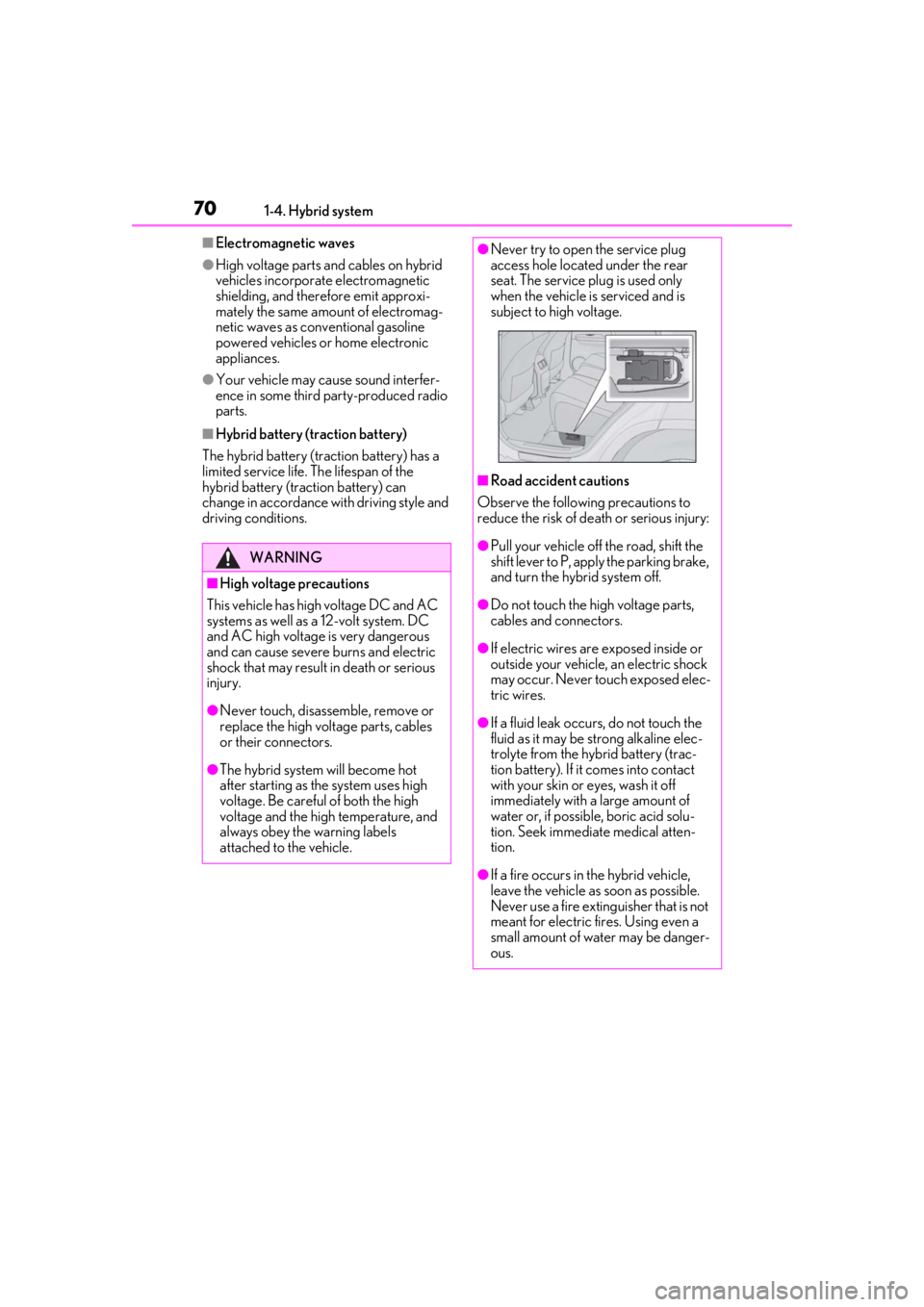
●Never try to open the service plug
access hole located under the rear
seat. The service plug is used only
when the vehicle is serviced and is
subject to high voltage.
■Road accident cautions
Observe the following precautions to
reduce the risk of de ath or serious injury:
●Pull your vehicle off the road, shift the
shift lever to P, apply the parking brake,
and turn the hybrid system off.
●Do not touch the high voltage parts,
cables and connectors.
●If electric wires are exposed inside or
outside your vehicle, an electric shock
may occur. Never touch exposed elec-
tric wires.
●If a fluid leak occurs, do not touch the
fluid as it may be st rong alkaline elec-
trolyte from the hybrid battery (trac-
tion battery). If it comes into contact
with your skin or eyes, wash it off
immediately with a large amount of
water or, if possible, boric acid solu-
tion. Seek immediate medical atten-
tion.
●If a fire occurs in the hybrid vehicle,
leave the vehicle as soon as possible.
Never use a fire extinguisher that is not
meant for electric fires. Using even a
small amount of water may be danger-
ous.
Page 92 of 528
922-1. Instrument cluster
switch is turned to ON mode. It may also
take a few minutes to display the tire infla-
tion pressure after inflation pressure has
been adjusted.
• “---” may be displayed if the tire position information cannot be determined due to
unfavorable radio wave conditions.
• Tire inflation pressure changes with tem- perature. The displayed values may also
be different from the values measured
using a tire pressure gauge.
Select to display the following naviga-
tion system-linked information.
Route guidance
Compass display (heading-up dis-
play)
Select to enable selection of an audio
source or track on the meter using the
meter control switches.
Select to display the operational status
of the following systems:
LTA (Lane Tracing Assist) ( P.227)
RSA (Road Sign Assist) (if
equipped) ( P.236)
Dynamic radar cruise control with
full-speed range ( P.238)
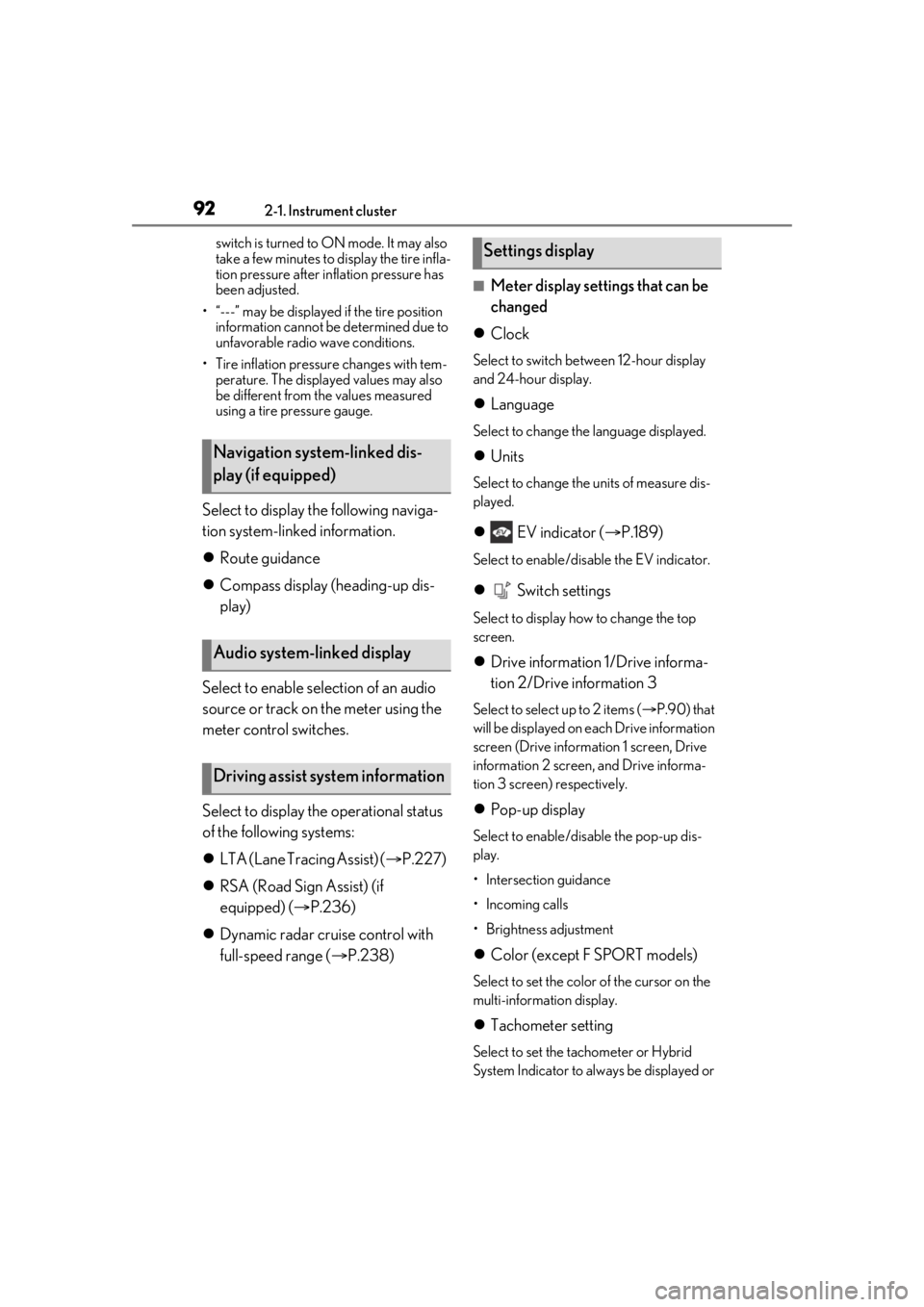
■Meter display settings that can be
changed
Clock
Select to switch between 12-hour display
and 24-hour display.
Language
Select to change the language displayed.
Units
Select to change the units of measure dis-
played.
EV indicator ( P.189)
Select to enable/disable the EV indicator.
Switch settings
Select to display how to change the top
screen.
Drive information 1/Drive informa-
tion 2/Drive information 3
Select to select up to 2 items ( P.90) that
will be displayed on each Drive information
screen (Drive information 1 screen, Drive
information 2 screen, and Drive informa-
tion 3 screen) respectively.
Pop-up display
Select to enable/disable the pop-up dis-
play.
• Intersection guidance
• Incoming calls
• Brightness adjustment
Color (except F SPORT models)
Select to set the color of the cursor on the
multi-information display.
Tachometer setting
Select to set the tachometer or Hybrid
System Indicator to always be displayed or
Navigation system-linked dis-
play (if equipped)
Audio system-linked display
Driving assist system information
Settings display
Page 106 of 528
1063-1. Key information
3-1.Key information
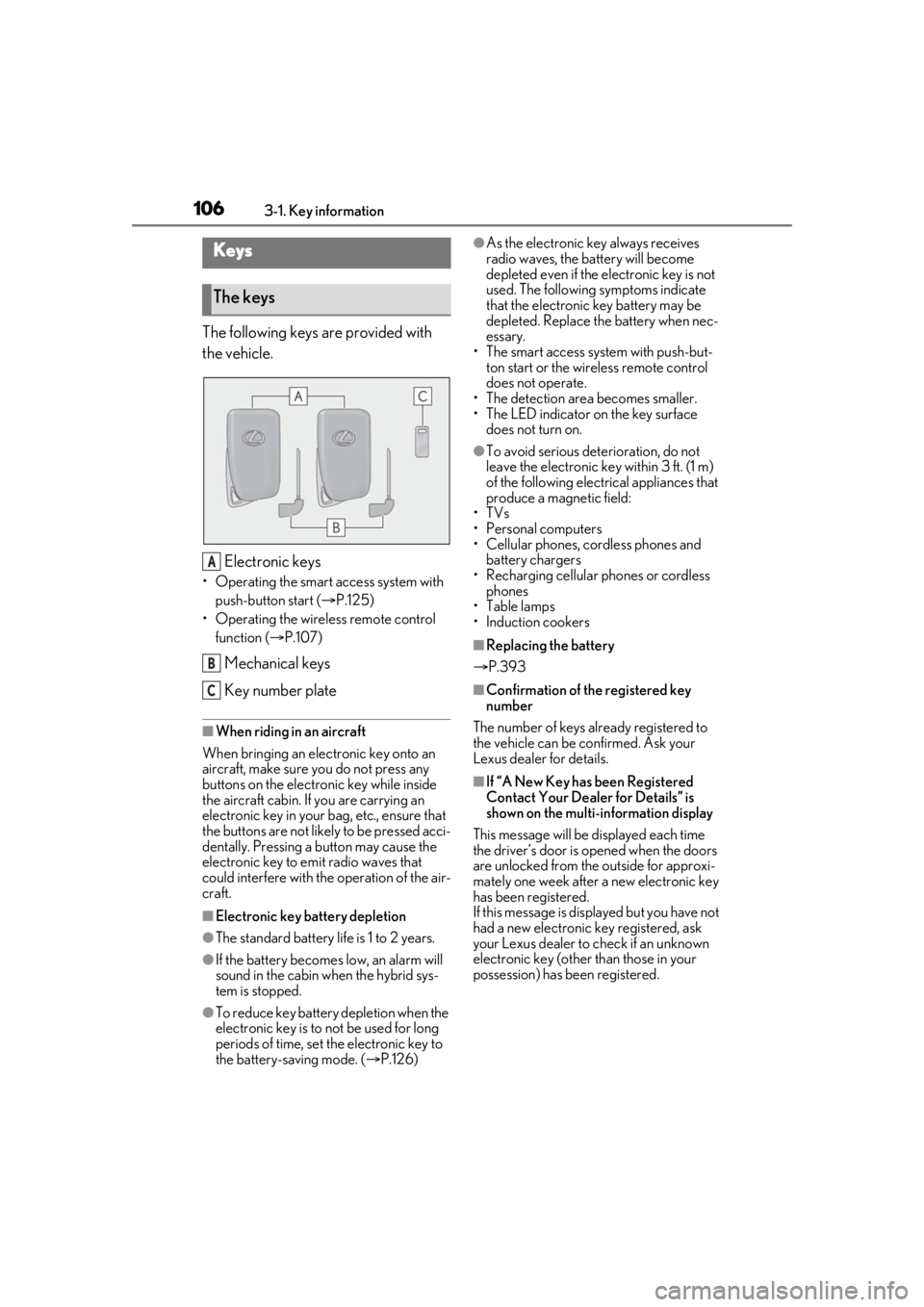
The following keys are provided with
the vehicle.
Electronic keys
• Operating the smart access system with push-button start ( P.125)
• Operating the wireless remote control function ( P.107)
Mechanical keys
Key number plate
■When riding in an aircraft
When bringing an elec tronic key onto an
aircraft, make sure you do not press any
buttons on the electronic key while inside
the aircraft cabin. If you are carrying an
electronic key in your bag, etc., ensure that
the buttons are not likely to be pressed acci-
dentally. Pressing a button may cause the
electronic key to em it radio waves that
could interfere with the operation of the air-
craft.
■Electronic key battery depletion
●The standard battery life is 1 to 2 years.
●If the battery becomes low, an alarm will
sound in the cabin when the hybrid sys-
tem is stopped.
●To reduce key battery depletion when the
electronic key is to not be used for long
periods of time, set the electronic key to
the battery-saving mode. ( P.126)
●As the electronic key always receives
radio waves, the battery will become
depleted even if the electronic key is not
used. The following symptoms indicate
that the electronic key battery may be
depleted. Replace the battery when nec-
essary.
• The smart access system with push-but- ton start or the wireless remote control
does not operate.
• The detection area becomes smaller.
• The LED indicator on the key surface does not turn on.
●To avoid serious dete rioration, do not
leave the electronic key within 3 ft. (1 m)
of the following electrical appliances that
produce a magnetic field:
•TVs
• Personal computers
• Cellular phones, cordless phones and battery chargers
• Recharging cellular phones or cordless
phones
•Table lamps
• Induction cookers
■Replacing the battery
P.393
■Confirmation of the registered key
number
The number of keys already registered to
the vehicle can be confirmed. Ask your
Lexus dealer for details.
■If “A New Key has been Registered
Contact Your Dealer for Details” is
shown on the multi-information display
This message will be displayed each time
the driver’s door is opened when the doors
are unlocked from the outside for approxi-
mately one week after a new electronic key
has been registered.
If this message is disp layed but you have not
had a new electronic key registered, ask
your Lexus dealer to check if an unknown
electronic key (other than those in your
possession) has be en registered.
Keys
The keys
A
B
C
Page 107 of 528
1073-1. Key information
3
Before driving
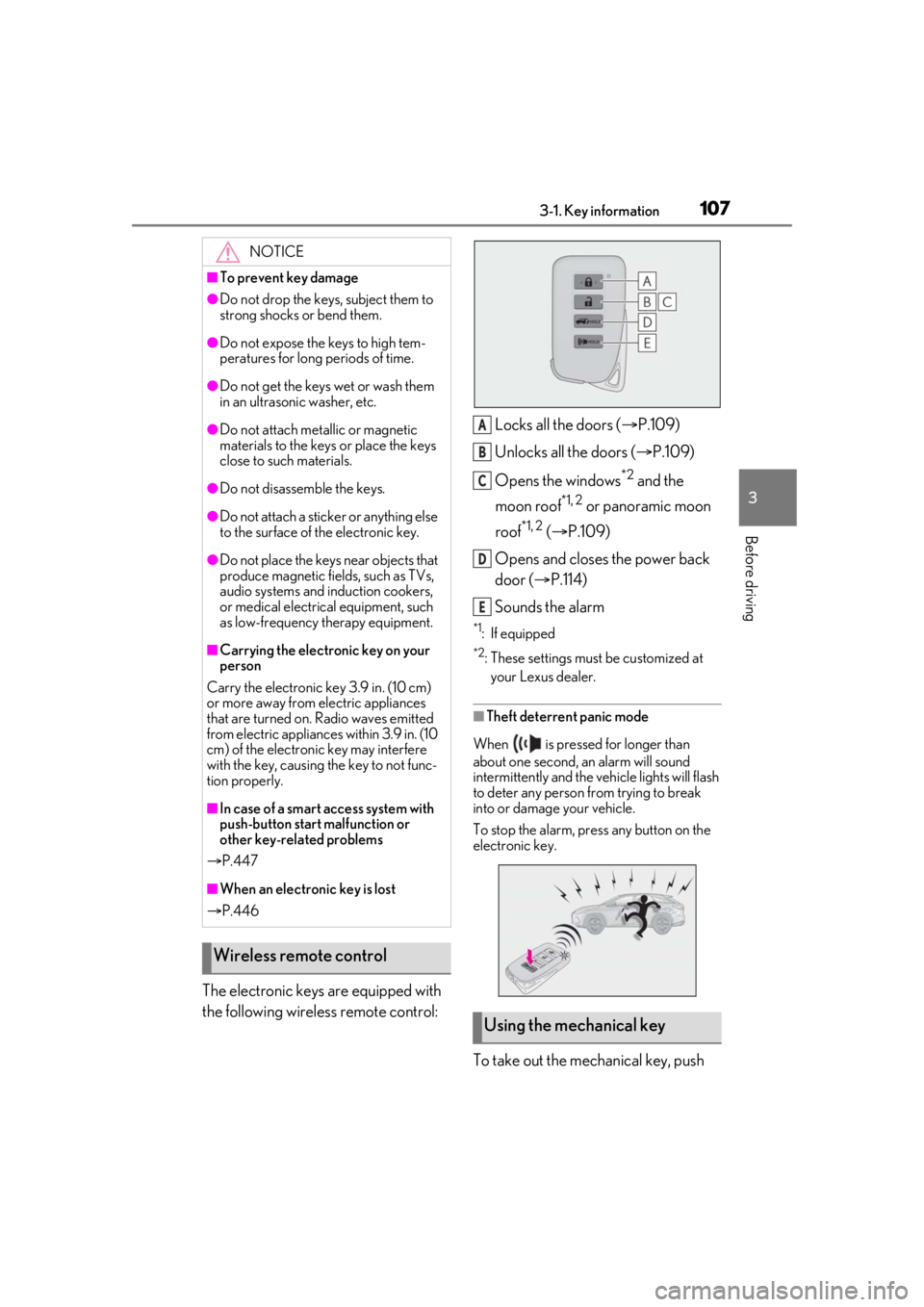
The electronic keys are equipped with
the following wireless remote control:Locks all the doors (
P.109)
Unlocks all the doors ( P.109)
Opens the windows
*2 and the
moon roof
*1, 2 or panoramic moon
roof
*1, 2 ( P.109)
Opens and closes the power back
door ( P.114)
Sounds the alarm
*1: If equipped
*2: These settings must be customized at
your Lexus dealer.
■Theft deterrent panic mode
When is pressed for longer than
about one second, an alarm will sound
intermittently and the vehicle lights will flash
to deter any person from trying to break
into or damage your vehicle.
To stop the alarm, press any button on the
electronic key.
To take out the mechanical key, push
NOTICE
■To prevent key damage
●Do not drop the keys, subject them to
strong shocks or bend them.
●Do not expose the keys to high tem-
peratures for long periods of time.
●Do not get the keys wet or wash them
in an ultrasonic washer, etc.
●Do not attach metallic or magnetic
materials to the keys or place the keys
close to such materials.
●Do not disassemb le the keys.
●Do not attach a sticker or anything else
to the surface of the electronic key.
●Do not place the keys near objects that
produce magnetic fields, such as TVs,
audio systems and induction cookers,
or medical electrical equipment, such
as low-frequency therapy equipment.
■Carrying the electronic key on your
person
Carry the electronic key 3.9 in. (10 cm)
or more away from electric appliances
that are turned on. Radio waves emitted
from electric applianc es within 3.9 in. (10
cm) of the electronic key may interfere
with the key, causing the key to not func-
tion properly.
■In case of a smart access system with
push-button start malfunction or
other key-related problems
P.447
■When an electronic key is lost
P.446
Wireless remote control
Using the mechanical key
A
B
C
D
E
Page 119 of 528

1193-2. Opening, closing and locking the doors
3
Before driving
If the rear bumper has been touched for a
while, wait for a short time before
attempting to operate the Hands Free
Power Back Door again.
●When standing excessively close to the
rear bumper
●When an external radio wave source
interferes with the communication
between the electronic key and the vehi-
cle ( P.126)
●When the vehicle is parked near metal, or
an external radio wave or electrical noise
source which affects the sensitivity of the
Hands Free Power Back Door, such as a
pay parking spot, gas station, electrically
heated road, fluorescent light, or metal
plate
●When the vehicle is near a TV tower,
electric power plant, radio station, large
display, airport or other facility that gen-
erates strong radio waves or electrical
noise
●When a large amount of water is applied
to the rear bumper, such as when the
vehicle is being washed or in heavy rain
●When mud, snow, ice, etc. is attached to
the rear bumper
●When the vehicle has been parked for a
while near objects that may move and
contact the rear bumper, such as plants
●When an accessory is installed to the rear
bumper
If an accessory has been installed, turn the
Hands Free Power Back Door (kick sen-
sor) operation setting off.
●RX450hL: When a ti re other than the
spare tire is stored in the spare tire stor-
age area
■Preventing unintentional operation of
the Hands Free Power Back Door (if
equipped)
When an electronic ke y is in the operation
detection area, the Ha nds Free Power Back
Door may operate unintentionally, so be
careful in the following situations:
●When a large amount of water is applied
to the rear bumper, such as when the
vehicle is being washed or in heavy rain
●When dirt is wiped off the rear bumper
●When a small animal or small object, such
as a ball, moves under the rear bumper
●When an object is moved from under the
rear bumper
●If someone is swinging their legs while sit-
ting on the rear bumper
●If the legs or another part of someone’s
body contacts the rear bumper while
passing by the vehicle
●When the vehicle is parked near an elec-
trical noise source which affects the sen-
sitivity of the Hands Free Power Back
Door, such as a pay parking spot, gas sta-
tion, electrically heated road, or fluores-
cent light
●When the vehicle is near a TV tower,
electric power plant, radio station, large
display, airport or ot her facility that gen-
erates strong radio waves or electrical
noise
●When the vehicle is parked in a place
where objects such as plants are near the
rear bumper
●If luggage, etc. is set near the rear
bumper
●If accessories or a vehicle cover is
installed/removed ne ar the rear bumper
●When the vehicle is being towed
To prevent unintentiona l operation, turn the
Hands Free Power Back Door (kick sensor)
operation setting off.
■When reconnecting the 12-volt battery
To enable the power back door to operate
properly, close the power back door manu-
ally.
■Jam protection function
Sensors are installed in the right and left
sides of the power back door. When the
door is automatically closing and the sen-
sors are pushed due to an object being
caught, etc., the jam protection function will
operate.
From that position the door will automati-
cally move a little in the opposite direction
and then the function will stop.
Page 126 of 528
1263-2. Opening, closing and locking the doors
■If “Key Left inside Vehicle” is shown on
the multi-information display
An attempt was made to lock the doors
using the smart access system with
push-button start while the electronic key
was still inside the vehicle. Retrieve the elec-
tronic key from the vehicle and lock the
doors again.
■Battery-saving function
The battery-saving fu nction will be acti-
vated in order to prevent the electronic key
battery and the 12-volt battery from being
discharged while the vehicle is not in opera-
tion for a long time.
●In the following situations, the smart
access system with pu sh-button start may
take some time to unlock the doors.
• The electronic key has been left in an
area of approximately 6 ft. (2 m) of the
outside of the vehicle for 10 minutes or
longer.
• The smart access system with push-but- ton start has not been used for 5 days or
longer.
●If the smart access system with push-but-
ton start has not been used for 14 days or
longer, the doors cannot be unlocked at
any doors except the driver’s door. In this
case, take hold of the driver’s door han-
dle, or use the wireless remote control or
the mechanical key, to unlock the doors.
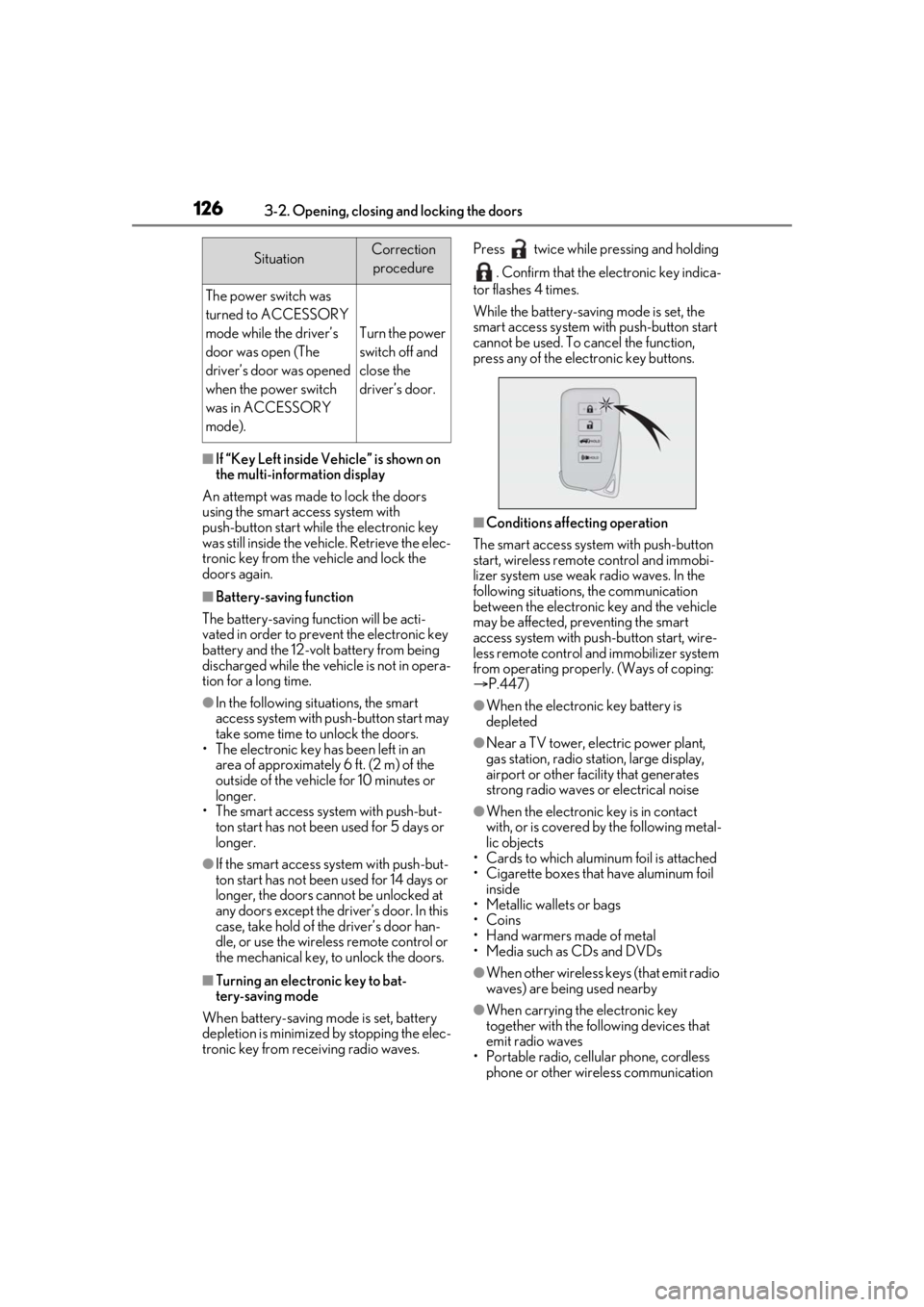
■Turning an electronic key to bat-
tery-saving mode
When battery-saving mode is set, battery
depletion is minimized by stopping the elec-
tronic key from re ceiving radio waves. Press twice while pressing and holding
. Confirm that the electronic key indica-
tor flashes 4 times.
While the battery-saving mode is set, the
smart access system with push-button start
cannot be used. To cancel the function,
press any of the electronic key buttons.
■Conditions affecting operation
The smart access system with push-button
start, wireless remote control and immobi-
lizer system use weak radio waves. In the
following situations, the communication
between the electronic key and the vehicle
may be affected, preventing the smart
access system with push-button start, wire-
less remote control and immobilizer system
from operating properly. (Ways of coping:
P.447)
●When the electronic key battery is
depleted
●Near a TV tower, electric power plant,
gas station, radio stat ion, large display,
airport or other fac ility that generates
strong radio waves or electrical noise
●When the electronic key is in contact
with, or is covered by the following metal-
lic objects
• Cards to which aluminum foil is attached
• Cigarette boxes that have aluminum foil inside
• Metallic wallets or bags
•Coins
• Hand warmers made of metal
• Media such as CDs and DVDs
●When other wireless keys (that emit radio
waves) are being used nearby
●When carrying the electronic key
together with the following devices that
emit radio waves
• Portable radio, cellular phone, cordless
phone or other wireless communication
SituationCorrection
procedure
The power switch was
turned to ACCESSORY
mode while the driver’s
door was open (The
driver’s door was opened
when the power switch
was in ACCESSORY
mode).
Turn the power
switch off and
close the
driver’s door.