tire size LEXUS RX450h 2021 Owners Manual
[x] Cancel search | Manufacturer: LEXUS, Model Year: 2021, Model line: RX450h, Model: LEXUS RX450h 2021Pages: 528, PDF Size: 10.73 MB
Page 13 of 528
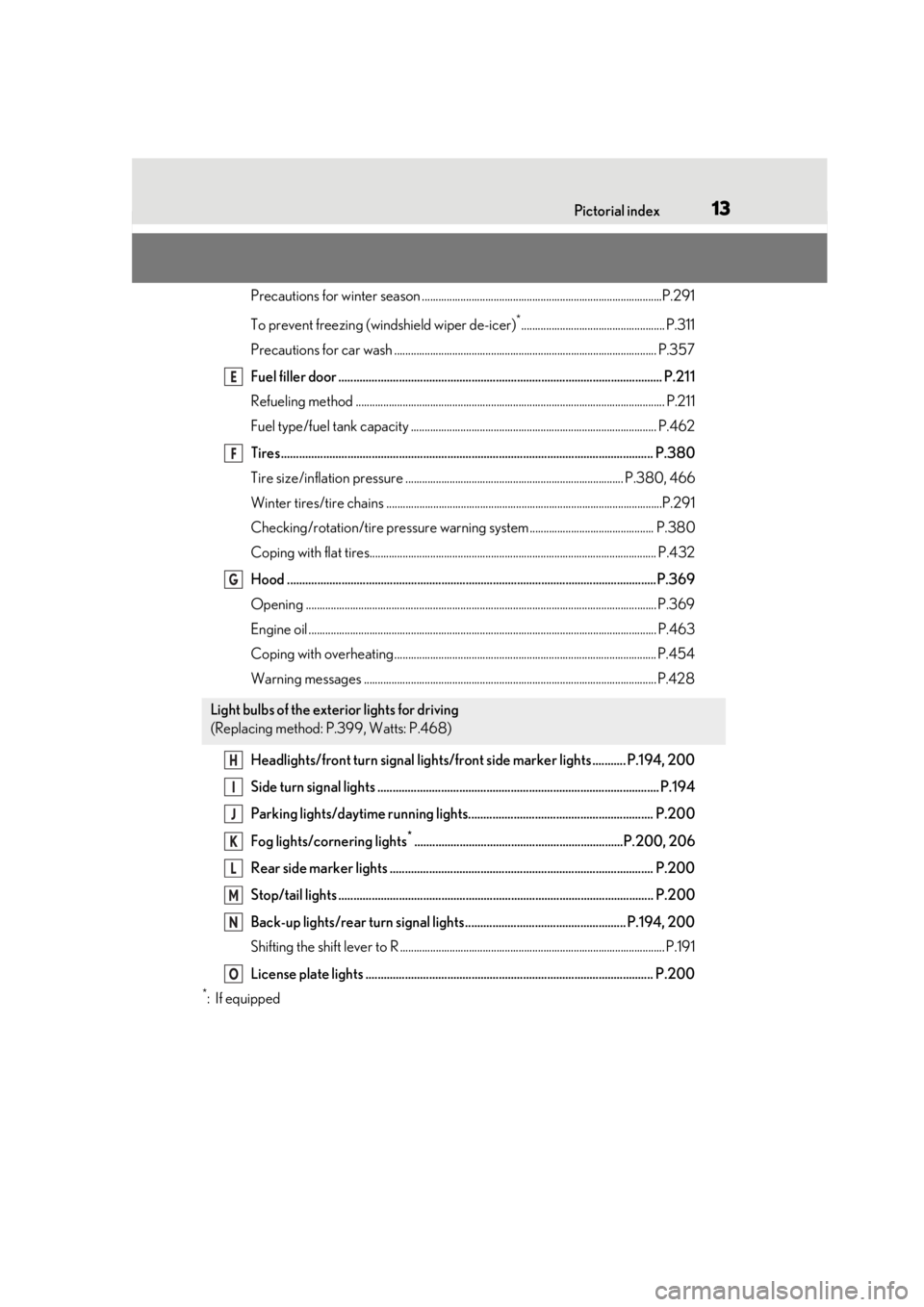
13Pictorial index
Precautions for winter season .......................................................................................P.291
To prevent freezing (windshield wiper de-icer)
*.................................................... P.311
Precautions for car wash ............................................................................................... P.357
Fuel filler door ........................................................................................................... P.211
Refueling method ............................................................................................................... .P.211
Fuel type/fuel tank capacity ...... ................................................................................... P.462
Tires.......................................................................................................................... .P.380
Tire size/inflation pressure ............................ ................................................... P.380, 466
Winter tires/tire chains ....................................................................................................P.2 91
Checking/rotation/tire pressure warning system............................................. P.380
Coping with flat tires........................................................................................................ P .432
Hood ..........................................................................................................................P.369
Opening ........................................................................................................................ ....... P.369
Engine oil ..................................................................................................................... ......... P.463
Coping with overheating ............................................................................................... P.454
Warning messages .......................................................................................................... P.428
Headlights/front turn signal lights/front side marker lights ........... P.194, 200
Side turn signal lights ............................................................................................. P.194
Parking lights/daytime running lights............................................................. P.200
Fog lights/cornering lights
*.....................................................................P.200, 206
Rear side marker lights ....................................................................................... P.200
Stop/tail lights ........................................................................................................ P.200
Back-up lights/rear turn signal lights ..................................................... P.194, 200
Shifting the shift lever to R ................................................................................................ P. 191
License plate lights ............................................................................................... P.200
*:If equipped
Light bulbs of the exterior lights for driving
(Replacing method: P.399, Watts: P.468)
E
F
G
H
I
J
K
L
M
N
O
Page 222 of 528
2224-5. Using the driving support systems
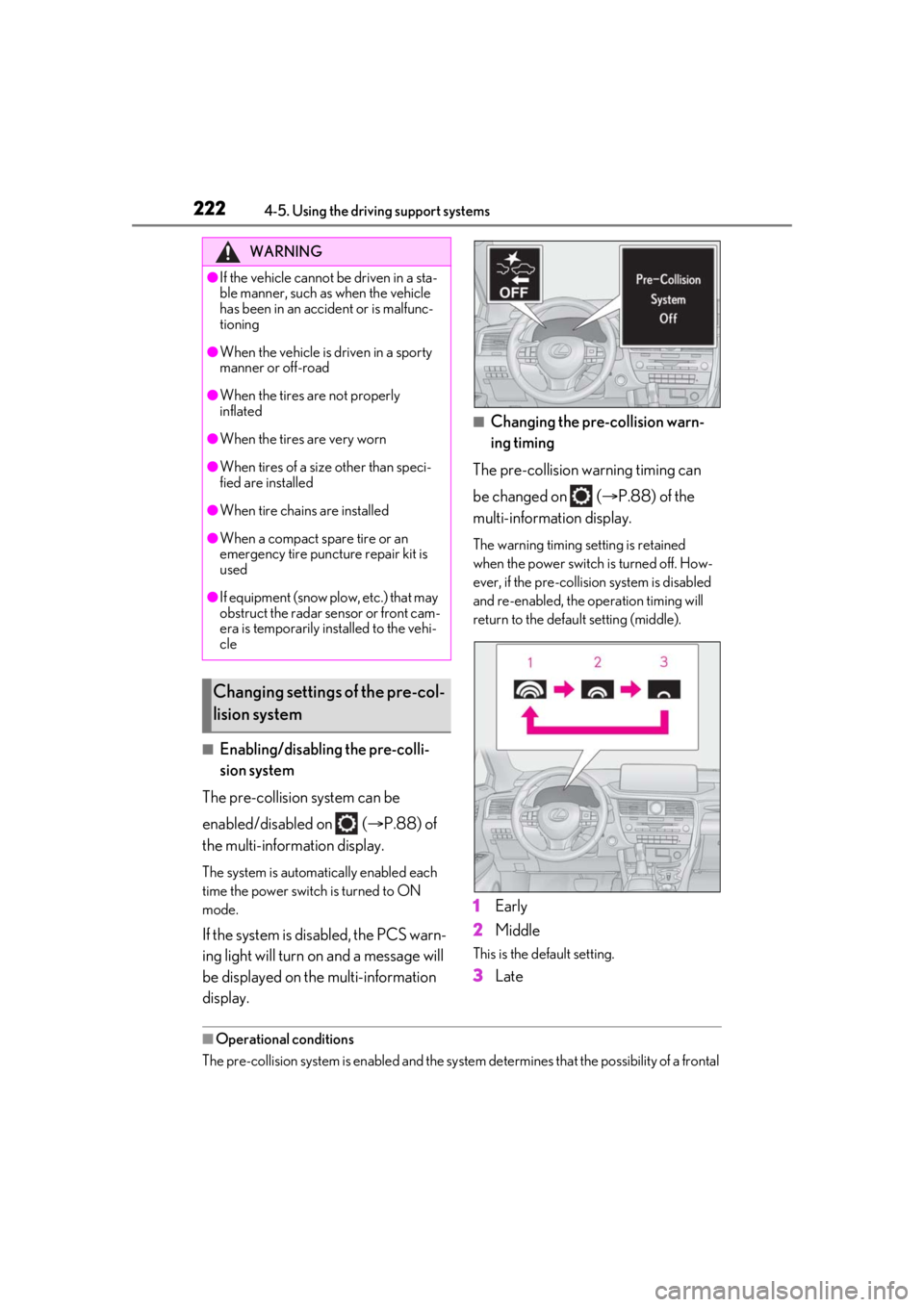
■Enabling/disabling the pre-colli-
sion system
The pre-collision system can be
enabled/disabled on ( P.88) of
the multi-information display.
The system is automatically enabled each
time the power switch is turned to ON
mode.
If the system is disabled, the PCS warn-
ing light will turn on and a message will
be displayed on the multi-information
display.
■Changing the pre-collision warn-
ing timing
The pre-collision warning timing can
be changed on ( P.88) of the
multi-information display.
The warning timing setting is retained
when the power switch is turned off. How-
ever, if the pre-collision system is disabled
and re-enabled, the operation timing will
return to the default setting (middle).
1 Early
2 Middle
This is the default setting.
3Late
■Operational conditions
The pre-collision system is enabled and the system determines that the possibility of a frontal
WARNING
●If the vehicle cannot be driven in a sta-
ble manner, such as when the vehicle
has been in an accident or is malfunc-
tioning
●When the vehicle is driven in a sporty
manner or off-road
●When the tires are not properly
inflated
●When the tires are very worn
●When tires of a size other than speci-
fied are installed
●When tire chains are installed
●When a compact spare tire or an
emergency tire puncture repair kit is
used
●If equipment (snow plow, etc.) that may
obstruct the radar sensor or front cam-
era is temporarily installed to the vehi-
cle
Changing settings of the pre-col-
lision system
Page 226 of 528
2264-5. Using the driving support systems
• If a vehicle ahead is a child sized bicycle, a bicycle that is carrying a large load, a
bicycle ridden by more than one person,
or a uniquely shaped bicycle (bicycle with
a child seat, tandem bicycle, etc.)
• If a pedestrian/or the riding height of a
bicyclist ahead is shorter than approxi-
mately 3.2 ft. (1 m) or taller than approxi-
mately 6.5 ft. (2 m)
• If a pedestrian/bicyclist is wearing over- sized clothing (a rain coat, long skirt,
etc.), making their silhouette obscure
• If a pedestrian is bending forward or squatting or bicyclist is bending forward
• If a pedestrian/bicyclist is moving fast
• If a pedestrian is pushing a stroller, wheel-
chair, bicycle or other vehicle
• When driving in incl ement weather such
as heavy rain, fog, snow or a sandstorm
• When driving through steam or smoke
• When the surrounding area is dim, such as at dawn or dusk, or while at night or in
a tunnel, making a detectable object
appear to be nearly the same color as its
surroundings
• When driving in a place where the sur- rounding brightness changes suddenly,
such as at the entrance or exit of a tunnel
• After the hybrid system has started the vehicle has not been driven for a certain
amount of time
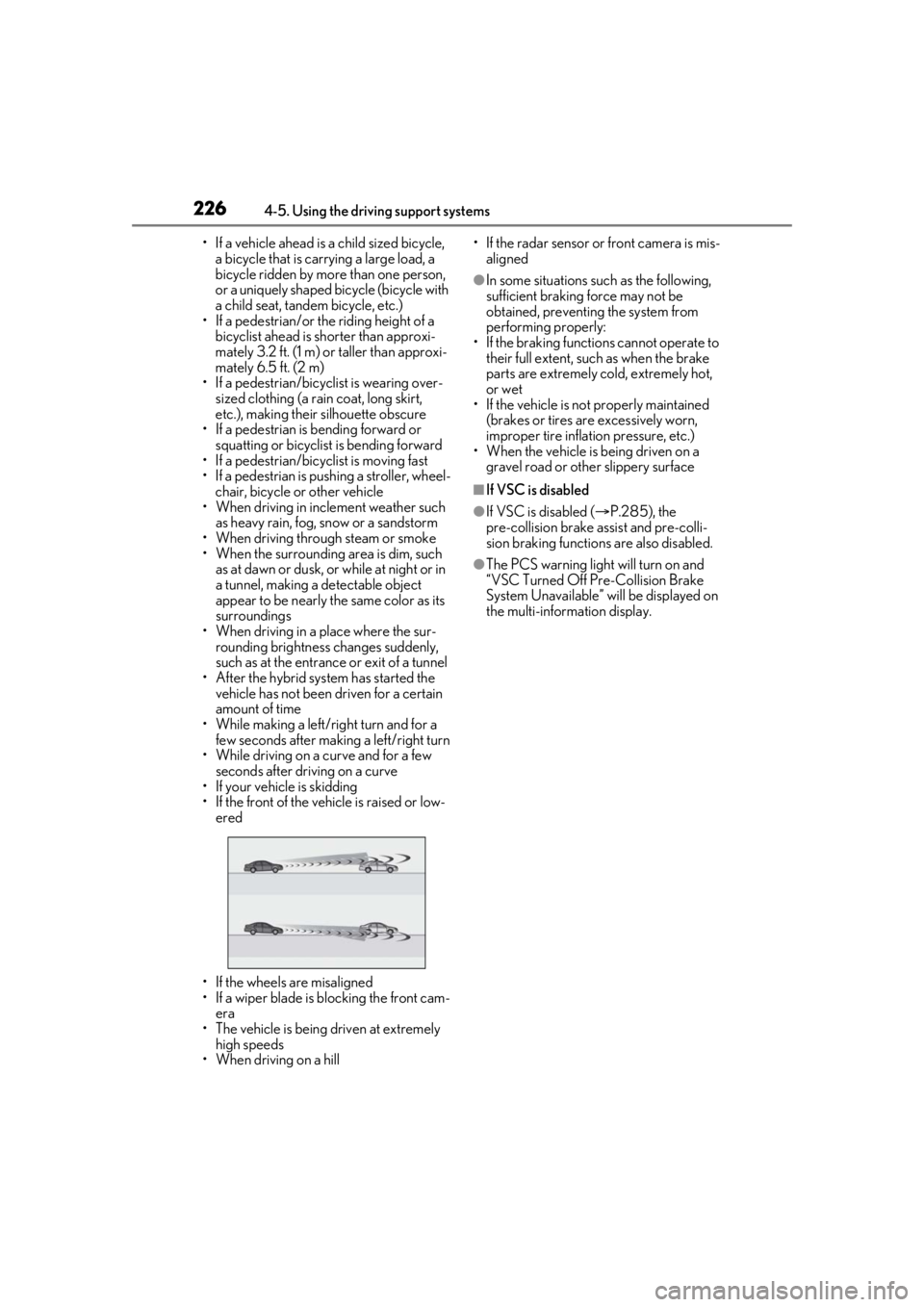
• While making a left/right turn and for a few seconds after makin g a left/right turn
• While driving on a curve and for a few seconds after driving on a curve
• If your vehicle is skidding
• If the front of the vehicle is raised or low-
ered
• If the wheels are misaligned
• If a wiper blade is blocking the front cam- era
• The vehicle is being driven at extremely
high speeds
• When driving on a hill • If the radar sensor or front camera is mis-
aligned
●In some situations su ch as the following,
sufficient braking force may not be
obtained, preventing the system from
performing properly:
• If the braking functions cannot operate to their full extent, such as when the brake
parts are extremely cold, extremely hot,
or wet
• If the vehicle is not properly maintained
(brakes or tires are excessively worn,
improper tire inflation pressure, etc.)
• When the vehicle is being driven on a
gravel road or other slippery surface
■If VSC is disabled
●If VSC is disabled ( P.285), the
pre-collision brake assist and pre-colli-
sion braking functions are also disabled.
●The PCS warning light will turn on and
“VSC Turned Off Pre-Collision Brake
System Unavailable” will be displayed on
the multi-information display.
Page 229 of 528
2294-5. Using the driving support systems
4
Driving
WARNING
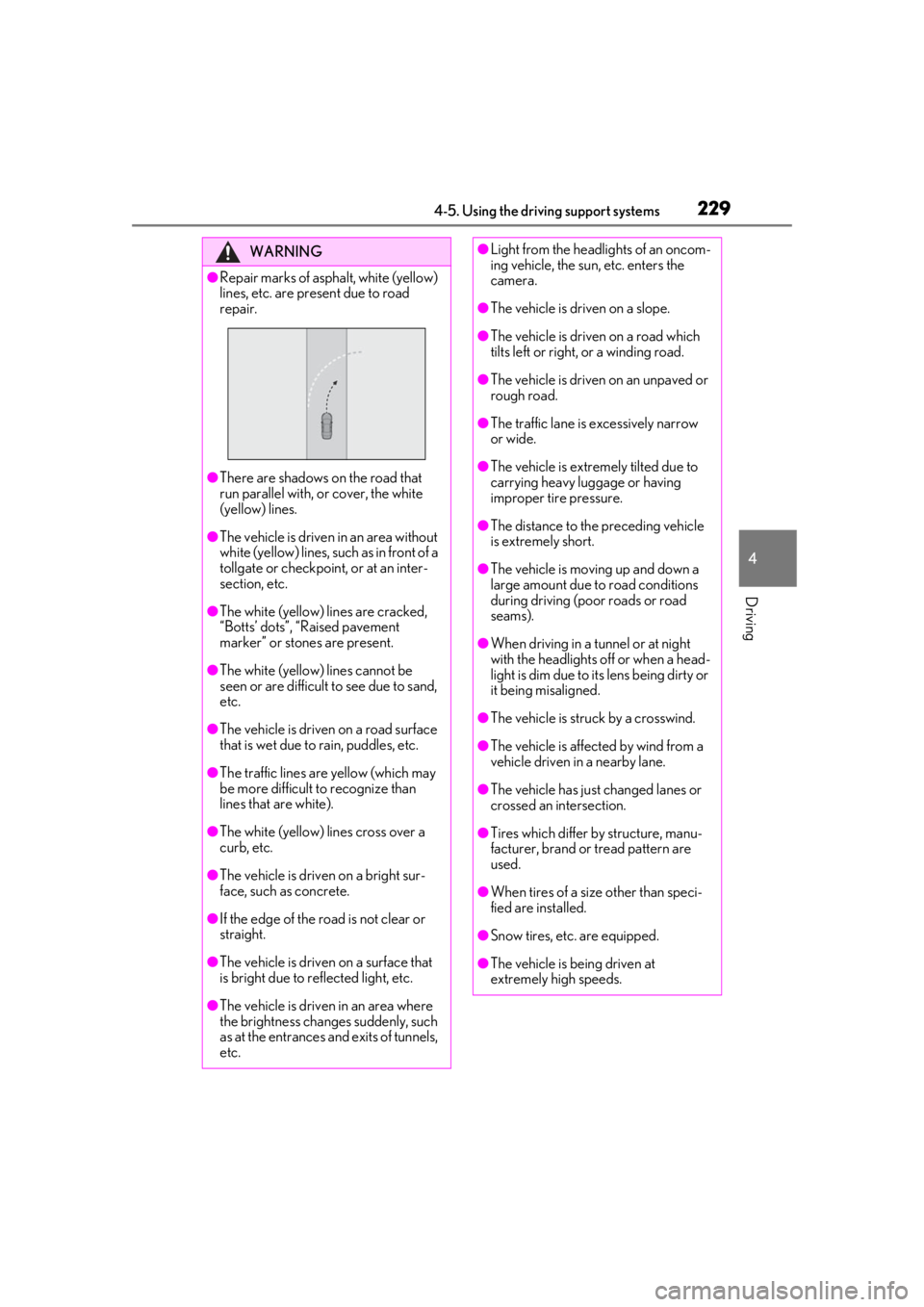
●Repair marks of asphalt, white (yellow)
lines, etc. are present due to road
repair.
●There are shadows on the road that
run parallel with, or cover, the white
(yellow) lines.
●The vehicle is driven in an area without
white (yellow) lines, su ch as in front of a
tollgate or checkpoint, or at an inter-
section, etc.
●The white (yellow) lines are cracked,
“Botts’ dots”, “Raised pavement
marker” or stones are present.
●The white (yellow) lines cannot be
seen or are difficult to see due to sand,
etc.
●The vehicle is driven on a road surface
that is wet due to rain, puddles, etc.
●The traffic lines are yellow (which may
be more difficult to recognize than
lines that are white).
●The white (yellow) lines cross over a
curb, etc.
●The vehicle is driven on a bright sur-
face, such as concrete.
●If the edge of the road is not clear or
straight.
●The vehicle is driven on a surface that
is bright due to reflected light, etc.
●The vehicle is driven in an area where
the brightness changes suddenly, such
as at the entrances and exits of tunnels,
etc.
●Light from the headlights of an oncom-
ing vehicle, the sun, etc. enters the
camera.
●The vehicle is driven on a slope.
●The vehicle is driven on a road which
tilts left or right, or a winding road.
●The vehicle is driven on an unpaved or
rough road.
●The traffic lane is excessively narrow
or wide.
●The vehicle is extremely tilted due to
carrying heavy luggage or having
improper tire pressure.
●The distance to the preceding vehicle
is extremely short.
●The vehicle is moving up and down a
large amount due to road conditions
during driving (poor roads or road
seams).
●When driving in a tunnel or at night
with the headlights off or when a head-
light is dim due to its lens being dirty or
it being misaligned.
●The vehicle is struck by a crosswind.
●The vehicle is affected by wind from a
vehicle driven in a nearby lane.
●The vehicle has just changed lanes or
crossed an intersection.
●Tires which differ by structure, manu-
facturer, brand or tread pattern are
used.
●When tires of a size other than speci-
fied are installed.
●Snow tires, etc. are equipped.
●The vehicle is being driven at
extremely high speeds.
Page 273 of 528
2734-5. Using the driving support systems
4
Driving
■The Parking Support Brake function
(static object) will operate when
The function will operate when the PKSB
OFF indicator is not illuminated or flashing
( P.79, 80) and all of the following condi-
tions are met:
●Hybrid system output restriction control
• The Parking Support Brake is enabled.
• The vehicle speed is 9 mph (15 km/h) or less.
• There is a static object in the traveling direction of the vehicle and 6 to 13 ft. (2
to 4 m) away.
• The Parking Support Brake determines that a stronger-than-normal brake opera-
tion is necessary to avoid a collision.
●Brake control
• Hybrid system output restriction control
is operating.
• The Parking Support Brake determines that an immediate brake operation is nec-
essary to avoid a collision.
■The Parking Support Brake function
(static objects) will stop operating when
The function will stop operating if any of the
following conditions are met:
●Hybrid system output restriction control
• The Parking Support Brake is disabled.
• The system determines that the collision has become avoidable with normal brake
operation.
• The static object is no longer 6 to 13 ft. (2
to 4 m) away from the vehicle or in the
WARNING
■Handling the suspension
Do not modify the suspension, as
changes to the height or inclination of the
vehicle may prevent the sensors from
detecting objects correctly or cause the
system to not operate or operate unnec-
essarily.
■If the Parking Support Brake function
(static objects) operates unnecessar-
ily, such as at a railroad crossing
In the event that the Parking Support
Brake function (static objects) operates
unnecessarily, such as at a railroad cross-
ing, brake control w ill be canceled after
approximately 2 seconds, allowing you
to proceed forward and leave the area,
brake control can also be canceled by
depressing the brake pedal. Depressing
the accelerator pedal after brake control
is canceled will allow you to proceed for-
ward and leave the area.
■Notes when washing the vehicle
Do not apply intensive bursts of water or
steam to the sensor area.
Doing so may result in the sensor mal-
functioning.
●When using a high pressure washer to
wash the vehicle, do not spray the sen-
sors directly, as doing so may cause a
sensor to malfunction.
●When using steam to clean the vehicle,
do not direct steam too close to the
sensors as doing so may cause a sen-
sor to malfunction.
■When to disable the Parking Support
Brake
In the following situations, disable the
Parking Support Brake as the system
may operate even though there is no
possibility of a collision.
●When inspecting the vehicle using a
chassis roller, chassis dynamo or free
roller
●When loading the vehicle onto a boat,
truck or other transport vessel
●If the suspension has been modified or
tires of a size othe r than specified are
installed
●If the front of the vehicle is raised or
lowered due to the carried load
●When equipment that may obstruct a
sensor is installed, such as a towing
eyelet, bumper protector (an addi-
tional trim strip, etc.), bicycle carrier, or
snow plow
●When using an automatic car wash
Page 276 of 528

2764-5. Using the driving support systems
●Changes in the vehicle posture
• If the vehicle is significantly tilted
• If the front of the vehicle is raised or low- ered due to the carried load
• If the orientation of a sensor has been changed due to a collision or other
impact
• When equipment that may obstruct a sensor is installed, such as a bumper pro-
tector (an additional trim strip, etc.), bicy-
cle carrier, or snow plow
• If the suspension has been modified or
tires of a size other than specified are
installed
• If a sensor has been painted or covered
with a sticker, etc.
Page 280 of 528
2804-5. Using the driving support systems
tires of a size other than specified are
installed
●If the front of the vehicle is raised or low-
ered due to the carried load
●If an electronic component, such as a
backlit license plate (especially fluores-
cent type), fog lights, fender pole or wire-
less antenna is installed near a radar
sensor
●If the orientation of a radar sensor has
been changed
●When multiple vehicles are approaching
with only a small gap between each vehi-
cle
●If a vehicle is approaching the rear of
your vehicle rapidly
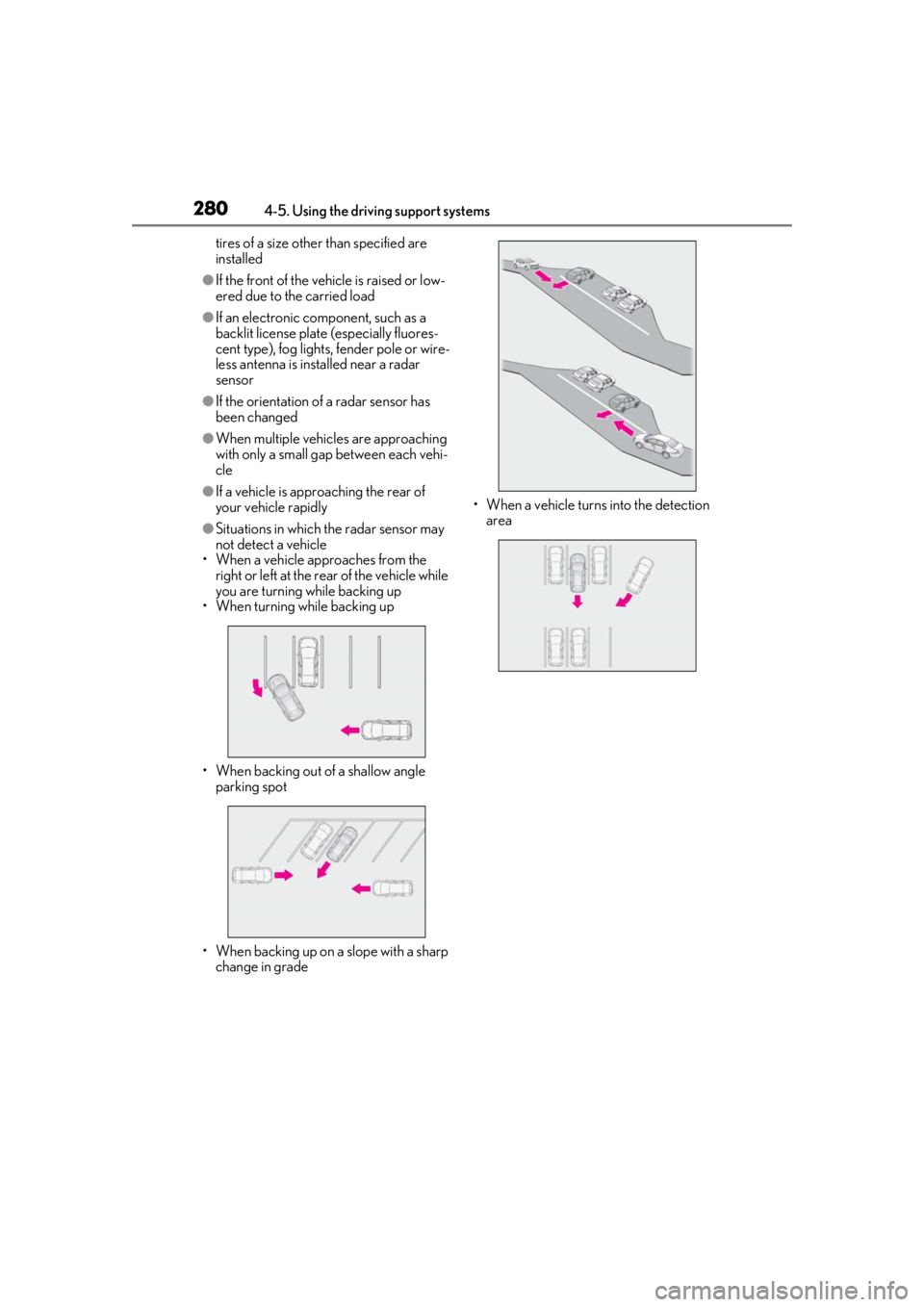
●Situations in which the radar sensor may
not detect a vehicle
• When a vehicle approaches from the right or left at the rear of the vehicle while
you are turning while backing up
• When turning while backing up
• When backing out of a shallow angle parking spot
• When backing up on a slope with a sharp change in grade • When a vehicle turns into the detection
area
Page 287 of 528
2874-5. Using the driving support systems
4
Driving
WARNING
■Stopping distance when the ABS is
operating may exceed that of normal
conditions
The ABS is not designed to shorten the
vehicle’s stopping di stance. Always main-
tain a safe distance from the vehicle in
front of you, especially in the following
situations:
●When driving on dirt, gravel or
snow-covered roads
●When driving with tire chains
●When driving over bumps in the road
●When driving over roads with potholes
or uneven surfaces
■TRAC/VSC may not operate effec-
tively when
Directional control and power may not
be achievable while driving on slippery
road surfaces, even if the TRAC/VSC
system is operating. Drive the vehicle
carefully in conditions where stability and
power may be lost.
■Active Cornering Assist does not
operate effectively when
●Do not overly rely on Active Corner-
ing Assist. Active Cornering Assist
may not operate effectively when
accelerating down slopes or driving on
slippery road surfaces.
●When Active Cornering Assist fre-
quently operates, Active Cornering
Assist may temporarily stop operating
to ensure proper operation of the
brakes, TRAC and VSC.
■Hill-start assist control does not oper-
ate effectively when
●Do not overly rely on hill-start assist
control. Hill-start assist control may
not operate effectively on steep
inclines and roads covered with ice.
●Unlike the parking brake, hill-start
assist control is not intended to hold
the vehicle stationary for an extended
period of time. Do not attempt to use
hill-start assist control to hold the vehi-
cle on an incline, as doing so may lead
to an accident.
■When the TRAC/ABS/VSC/Trailer
Sway Control is activated
The slip indicator light flashes. Always
drive carefully. Reckless driving may
cause an accident. Exercise particular
care when the indicator light flashes.
■When the TRAC/VSC/Trailer Sway
Control systems are turned off
●Be especially careful and drive at a
speed appropriate to the road condi-
tions. As these are the systems to help
ensure vehicle stab ility and driving
force, do not turn the
TRAC/VSC/Trailer Sway Control sys-
tems off unless necessary.
●Trailer Sway Control is part of the VSC
system and will not operate if VSC is
turned off or experiences a malfunc-
tion.
■Replacing tires
Make sure that all ti res are of the speci-
fied size, brand, tread pattern and total
load capacity. In addition, make sure that
the tires are inflated to the recom-
mended tire inflation pressure level.
The ABS, TRAC, Trailer Sway Control
and VSC systems will not function cor-
rectly if different tire s are installed on the
vehicle.
Contact your Lexus dealer for further
information when replacing tires or
wheels.
■Handling of tires and the suspension
Using tires with any kind of problem or
modifying the suspensi on will affect the
driving assist systems, and may cause a
system to malfunction.
Page 291 of 528
2914-6. Driving tips
4
Driving
Use fluids that are appropriate to
the prevailing outside temperatures.
•Engine oil
• Engine/power control unit coolant
•Washer fluid
Have a service technician inspect
the condition of the 12-volt battery.
Have the vehicle fitted with four
snow tires or purchase a set of tire
chains for the front tires.
Ensure that all tires ar e of the specified size
and the same brand, and that chains match
the size of the tires.
Perform the following according to the
driving conditions:
Do not try to forcibly open a window
or move a wiper that is frozen. Pour
warm water over the frozen area to
melt the ice. Wipe away the water
Winter driving tips
Carry out the necessary prepara-
tions and inspections before driving
the vehicle in winter. Always drive
the vehicle in a manner appropriate
to the prevailing weather condi-
tions.
Pre-winter preparations
WARNING
■Driving with snow tires
Observe the following precautions to
reduce the risk of accidents.
Failure to do so may result in a loss of
vehicle control and cause death or seri-
ous injury.
●Use tires of the specified size.
●Maintain the recommended level of air
pressure.
●Do not drive in excess of 75 mph (120
km/h), regardless of the type of snow
tires being used.
●Use snow tires on all, not just some
wheels.
■Driving with tire chains
Observe the following precautions to
reduce the risk of accidents.
Failure to do so may result in the vehicle
being unable to be driven safely, and may
cause death or serious injury.
●Do not drive in excess of the speed
limit specified for the tire chains being
used, or 30 mph (50 km/h), which-
ever is lower.
●Avoid driving on bumpy road surfaces
or over potholes.
●Avoid sudden acceleration, abrupt
steering, sudden br aking and shifting
operations that cause sudden engine
braking.
●Slow down sufficiently before entering
a curve to ensure that vehicle control is
maintained.
●Do not use the LTA (Lane Tracing
Assist) system.
NOTICE
■Repairing or replacing snow tires
Request repairs or replacement of snow
tires from your Lexus dealer or legitimate
tire retailers.
This is because the removal and attach-
ment of snow tires affects the operation
of the tire pressure warning valves and
transmitters.
Before driving the vehicle
Page 292 of 528
2924-6. Driving tips
immediately to prevent it from
freezing.
To ensure proper operation of the
climate control system fan, remove
any snow that has accumulated on
the air inlet vents in front of the
windshield.
Check for and remove any excess
ice or snow that may have accumu-
lated on the exterior lights, vehicle’s
roof, chassis, around the tires or on
the brakes.
Remove any snow or mud from the
bottom of your shoes before getting
in the vehicle.
Accelerate the vehicle slowly, keep a
safe distance between you and the
vehicle ahead, and drive at a reduced
speed suitable to road conditions.
Park the vehicle and move the shift
lever to P without setting the park-
ing brake. The parking brake may
freeze up, preventing it from being
released. If the vehicle is parked
without setting the parking brake,
make sure to block the wheels. Fail-
ure to do so may be dangerous
because it may cause the vehicle to
move unexpectedly, possibly lead-
ing to an accident.
When the parking brake is in automatic
mode, release the parking brake after shift-
ing the shift lever to P. ( P.196)
If the vehicle is parked without set-
ting the parking brake, confirm that
the shift lever cannot be moved out
of P
*.
*: The shift lever will be locked if it is
attempted to be shifted from P to any
other position with out depressing the
brake pedal. If the shift lever can be
shifted from P, there may be a problem
with the shift lock system. Have the vehi-
cle inspected by your Lexus dealer
immediately.
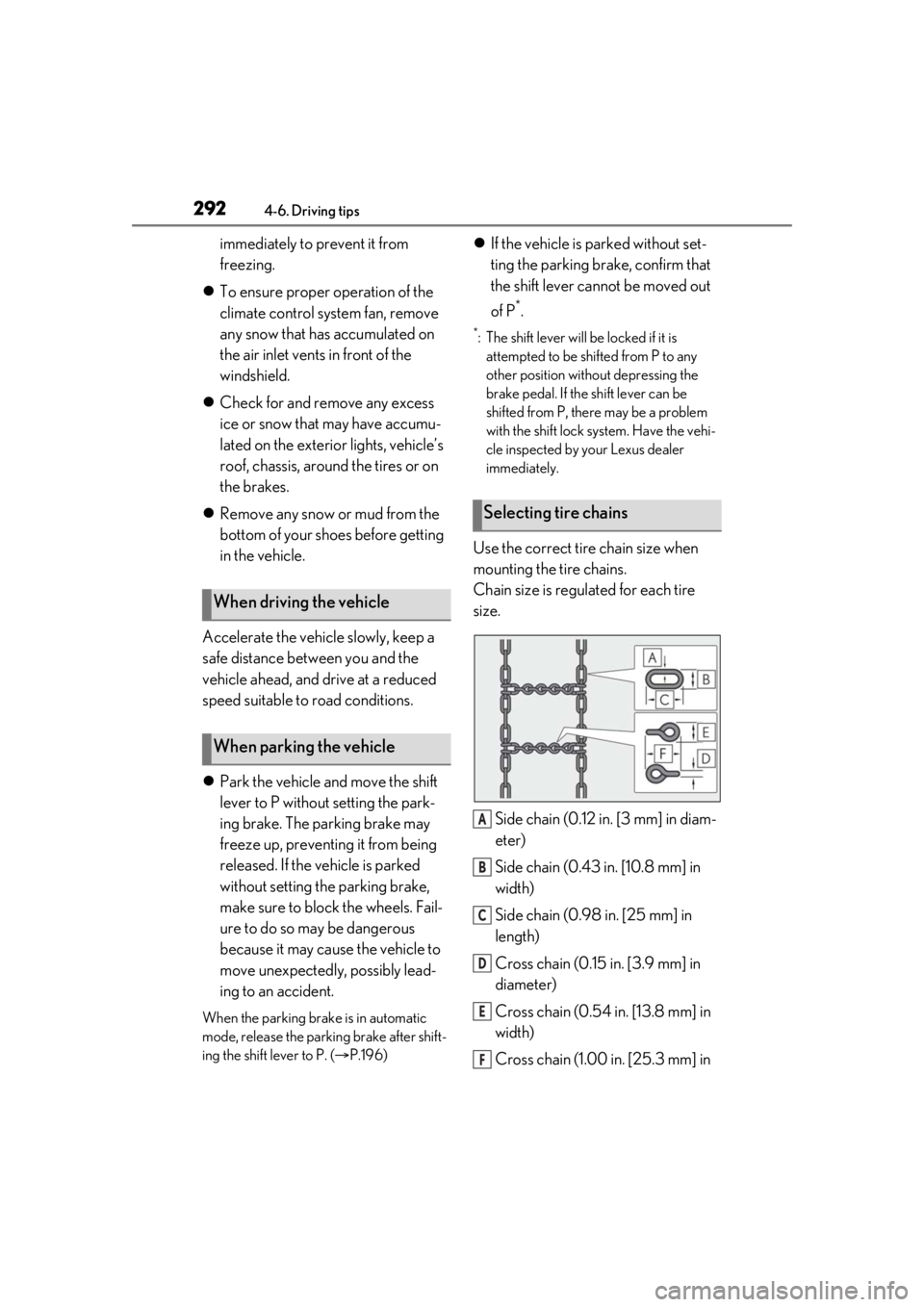
Use the correct tire chain size when
mounting the tire chains.
Chain size is regulated for each tire
size.
Side chain (0.12 in. [3 mm] in diam-
eter)
Side chain (0.43 in. [10.8 mm] in
width)
Side chain (0.98 in. [25 mm] in
length)
Cross chain (0.15 in. [3.9 mm] in
diameter)
Cross chain (0.54 in. [13.8 mm] in
width)
Cross chain (1.00 in. [25.3 mm] in
When driving the vehicle
When parking the vehicle
Selecting tire chains
A
B
C
D
E
F