warning light LEXUS UX200 2019 Owner's Manual
[x] Cancel search | Manufacturer: LEXUS, Model Year: 2019, Model line: UX200, Model: LEXUS UX200 2019Pages: 452, PDF Size: 10.06 MB
Page 70 of 452
702-1. Instrument cluster
switch is turned to ON to indicate that a
system check is being performed. They
will go off after the engine is on, or after
a few seconds. There may be a malfunc-
tion in a system if the lights do not come
on, or go off. Have the vehicle inspected
by your Lexus dealer.
*2: This light illuminates on the multi-infor- mation display.
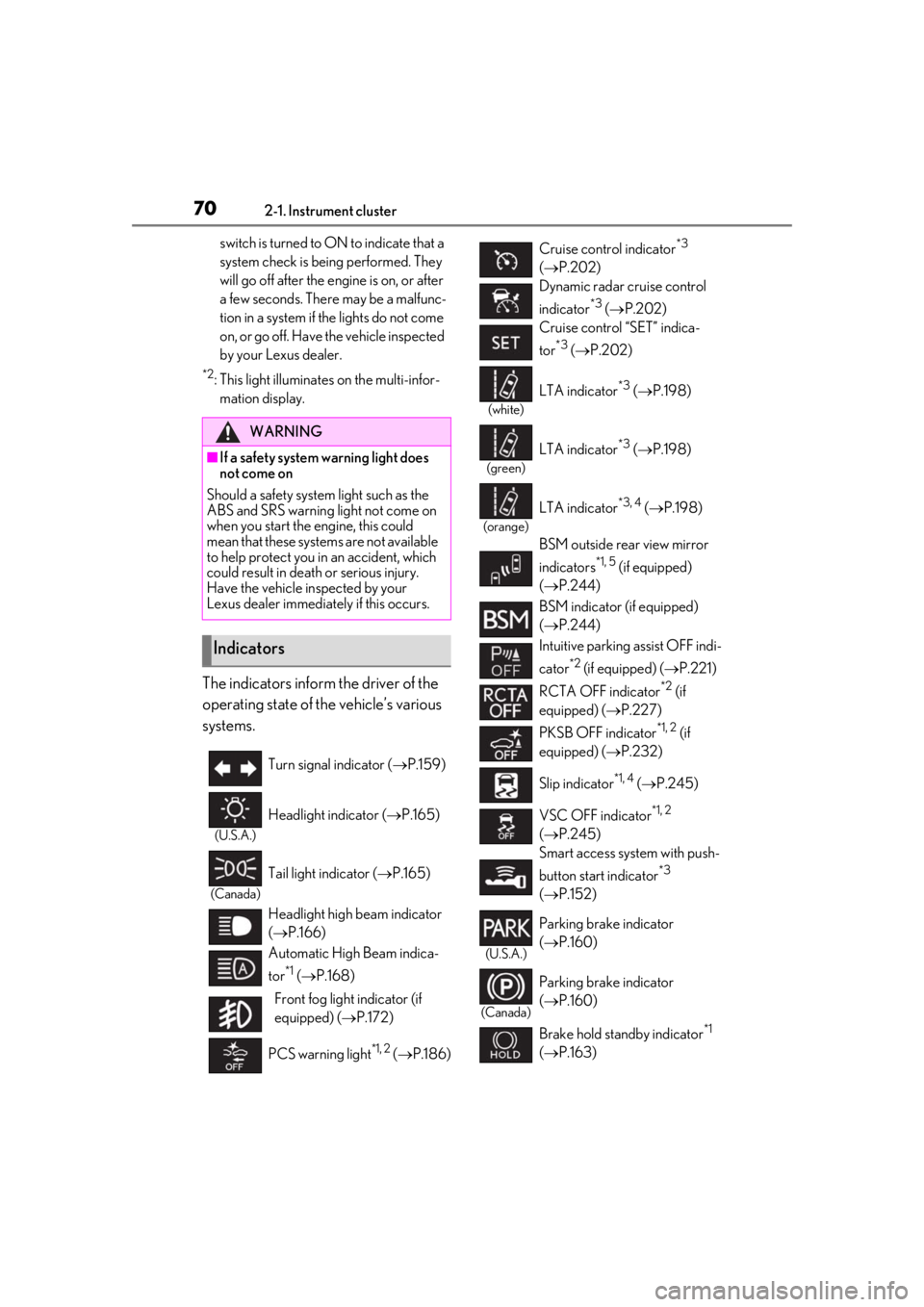
The indicators inform the driver of the
operating state of the vehicle’s various
systems.
WARNING
■If a safety system warning light does
not come on
Should a safety system light such as the
ABS and SRS warning light not come on
when you start the engine, this could
mean that these systems are not available
to help protect you in an accident, which
could result in death or serious injury.
Have the vehicle inspected by your
Lexus dealer immediately if this occurs.
Indicators
Turn signal indicator ( P.159)
(U.S.A.)
Headlight indicator ( P.165)
(Canada)
Tail light indicator ( P.165)
Headlight high beam indicator
( P.166)
Automatic High Beam indica-
tor
*1 ( P.168)
Front fog light indicator (if
equipped) ( P.172)
PCS warning light
*1, 2 ( P.186)
Cruise control indicator*3
( P.202)
Dynamic radar cruise control
indicator
*3 ( P.202)
Cruise control “SET” indica-
tor
*3 ( P.202)
(white)
LTA indicator*3 ( P.198)
(green)
LTA indicator*3 ( P.198)
(orange)
LTA indicator*3, 4 ( P.198)
BSM outside rear view mirror
indicators
*1, 5 (if equipped)
( P.244)
BSM indicator (if equipped)
( P.244)
Intuitive parking assist OFF indi-
cator
*2 (if equipped) ( P.221)
RCTA OFF indicator
*2 (if
equipped) ( P.227)
PKSB OFF indicator
*1, 2 (if
equipped) ( P.232)
Slip indicator
*1, 4 ( P.245)
VSC OFF indicator
*1, 2
( P.245)
Smart access system with push-
button start indicator
*3
( P.152)
(U.S.A.)
Parking brake indicator
( P.160)
(Canada)
Parking brake indicator
( P.160)
Brake hold standby indicator
*1
( P.163)
Page 74 of 452
742-1. Instrument cluster
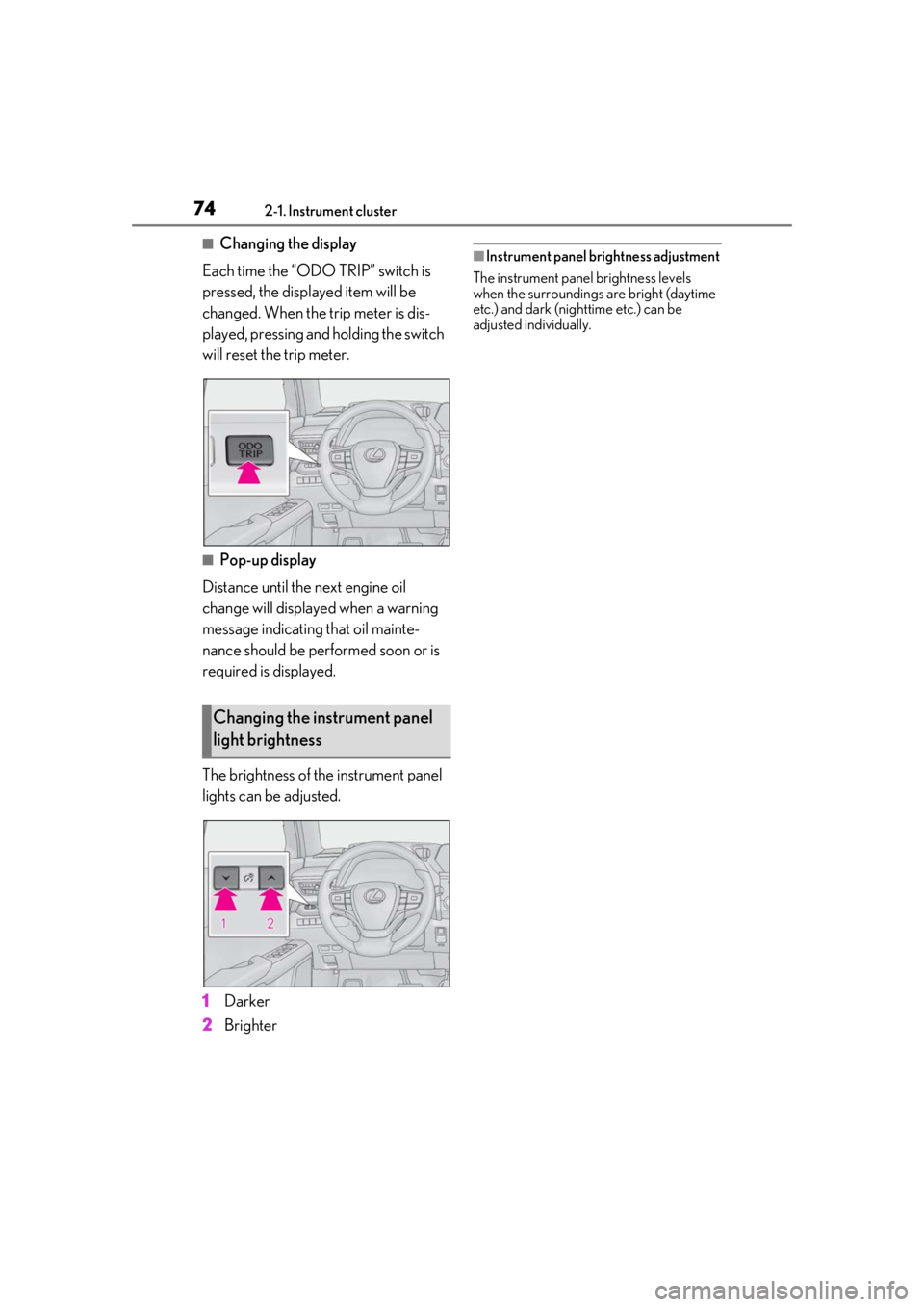
■Changing the display
Each time the “ODO TRIP” switch is
pressed, the displayed item will be
changed. When the trip meter is dis-
played, pressing and holding the switch
will reset the trip meter.
■Pop-up display
Distance until the next engine oil
change will displayed when a warning
message indicating that oil mainte-
nance should be performed soon or is
required is displayed.
The brightness of the instrument panel
lights can be adjusted.
1 Darker
2 Brighter
■Instrument panel brightness adjustment
The instrument panel brightness levels
when the surroundings are bright (daytime
etc.) and dark (nighttime etc.) can be
adjusted individually.
Changing the instrument panel
light brightness
Page 78 of 452
782-1. Instrument cluster
■Liquid crystal display
P.80
■Customization
The gauges and meters can be customized
on of the multi-information display.
( P.409)
■Display items
Odometer
Displays the total distance the vehicle has been driven.
Trip meter A/trip meter B
Displays the distance the vehicle has been
driven since the meter was last reset. Trip
meters A and B can be used to record and
display different distances independently.
Distance until next engine oil
change
Displays the distance the vehicle can be
driven until an oil change is necessary.
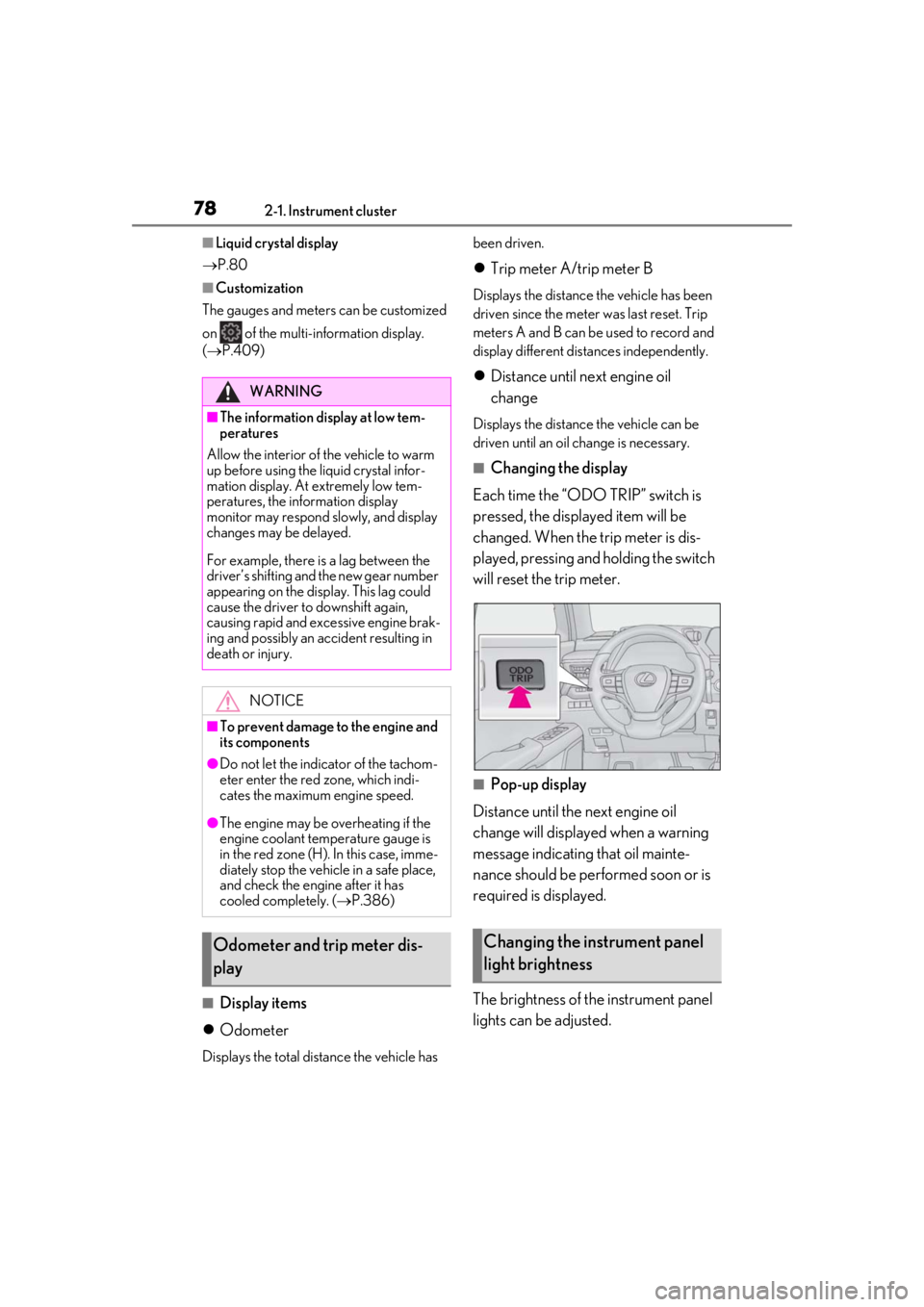
■Changing the display
Each time the “ODO TRIP” switch is
pressed, the displayed item will be
changed. When the trip meter is dis-
played, pressing and holding the switch
will reset the trip meter.
■Pop-up display
Distance until the next engine oil
change will displayed when a warning
message indicating that oil mainte-
nance should be performed soon or is
required is displayed.
The brightness of the instrument panel
lights can be adjusted.
WARNING
■The information display at low tem-
peratures
Allow the interior of the vehicle to warm
up before using the liquid crystal infor-
mation display. At extremely low tem-
peratures, the information display
monitor may respond slowly, and display
changes may be delayed.
For example, there is a lag between the
driver’s shifting and the new gear number
appearing on the display. This lag could
cause the driver to downshift again,
causing rapid and excessive engine brak-
ing and possibly an accident resulting in
death or injury.
NOTICE
■To prevent damage to the engine and
its components
●Do not let the indicator of the tachom-
eter enter the red zone, which indi-
cates the maximum engine speed.
●The engine may be overheating if the
engine coolant temperature gauge is
in the red zone (H). In this case, imme-
diately stop the vehicle in a safe place,
and check the engine after it has
cooled completely. ( P.386)
Odometer and trip meter dis-
playChanging the instrument panel
light brightness
Page 80 of 452
802-1. Instrument cluster
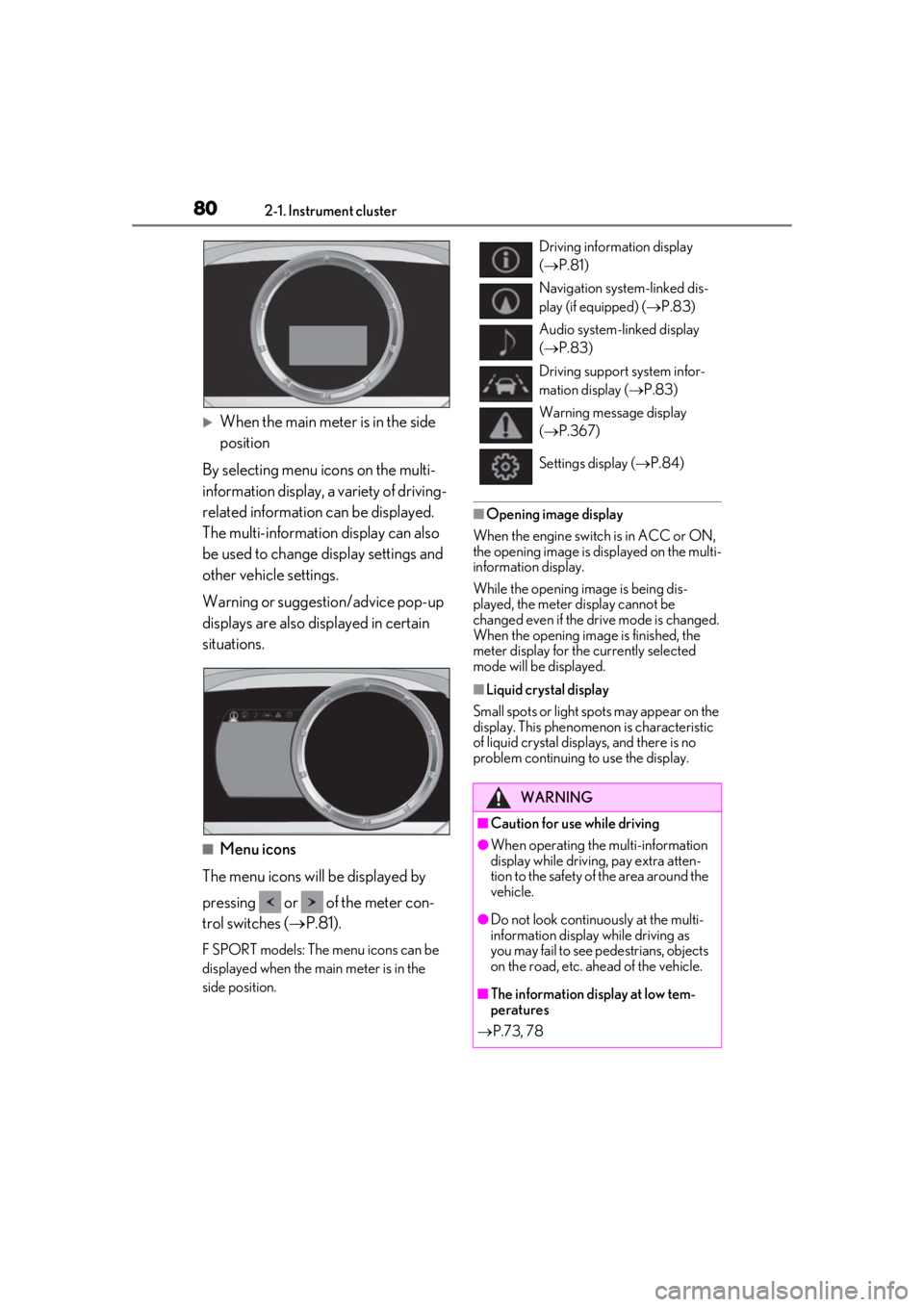
When the main meter is in the side
position
By selecting menu icons on the multi-
information display, a variety of driving-
related information can be displayed.
The multi-information display can also
be used to change display settings and
other vehicle settings.
Warning or suggestion/advice pop-up
displays are also displayed in certain
situations.
■Menu icons
The menu icons will be displayed by
pressing or of the meter con-
trol switches ( P.81).
F SPORT models: The menu icons can be
displayed when the main meter is in the
side position.
■Opening image display
When the engine switch is in ACC or ON,
the opening image is displayed on the multi-
information display.
While the opening image is being dis-
played, the meter display cannot be
changed even if the drive mode is changed.
When the opening image is finished, the
meter display for the currently selected
mode will be displayed.
■Liquid crystal display
Small spots or light spots may appear on the
display. This phenomen on is characteristic
of liquid crystal disp lays, and there is no
problem continuing to use the display.
Driving information display
( P.81)
Navigation system-linked dis-
play (if equipped) ( P.83)
Audio system-linked display
( P.83)
Driving support system infor-
mation display ( P.83)
Warning message display
( P.367)
Settings display ( P.84)
WARNING
■Caution for use while driving
●When operating the multi-information
display while drivin g, pay extra atten-
tion to the safety of the area around the
vehicle.
●Do not look continuously at the multi-
information display while driving as
you may fail to see pedestrians, objects
on the road, etc. ahead of the vehicle.
■The information display at low tem-
peratures
P.73, 78
Page 84 of 452
842-1. Instrument cluster
Dynamic radar cruise control with
full-speed range ( P.204)
RSA (Road Sign Assist) (if
equipped) ( P.202)
Select to display warning messages
and measures to be taken if a malfunc-
tion is detected. ( P.367)
■Meter display settings that can be
changed
Language
Select to change th e language displayed.
Units
Select to change the units of measure dis-
played.
Speedometer display (except F
SPORT models)
Select to set the display of the speedome-
ter to digital/analog.
Drive information 1/Drive informa-
tion 2
Select to select up to 2 items ( P.81) that
will be displayed on ea ch Drive information
screen (Drive information 1 screen and
Drive information 2 screen) respectively.
Clock
Select to switch be tween 12-hour display
and 24-hour display.
Pop-up display
Select to enable/disable some pop-up dis-
plays for each relevant system.
Accent color
Select to change the accent color on the
screen, such as the cursor color.
Rev indicator (F SPORT models)
• Select to enable/disable the rev indica-
tor.
• Select to set the engine speed at which the rev indicator (amber) will begin to be
displayed.
Rev peak (F SPORT models)
Select to enable/disable the rev peak.
Eco Driving Indicator Light
Select to enable/disable the Eco Driving
Indicator Light.
Default setting
Select to reset the meter display settings to
the default setting.
■Suspension of the settings display
●Some settings cannot be changed while
driving. When changing settings, park
the vehicle in a safe place.
●If a warning message is displayed, opera-
tion of the settings display will be sus-
pended.
Warning message display
Settings display
WARNING
■Cautions during setting up the dis-
play
As the engine needs to be running
during setting up the display, en sure that
the vehicle is parked in a place with ade-
quate ventilation. In a closed area such as
a garage, exhaust gases including harm-
ful carbon monoxide (CO) may collect
and enter the vehicle. This may lead to
death or a serious health hazard.
Page 103 of 452
1033-2. Opening, closing and locking the doors
3
Before driving
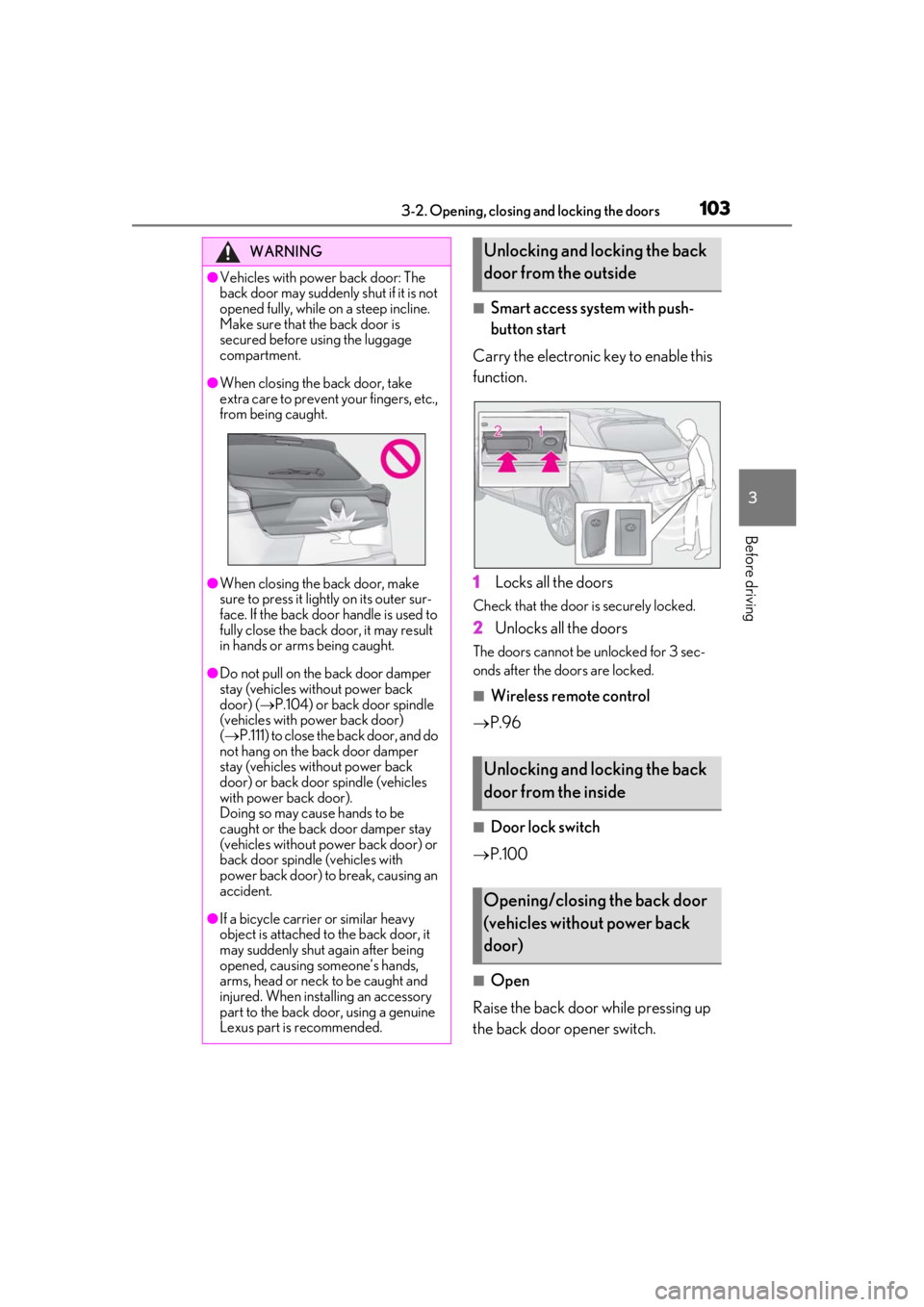
■Smart access system with push-
button start
Carry the electronic key to enable this
function.
1
Locks all the doors
Check that the door is securely locked.
2Unlocks all the doors
The doors cannot be unlocked for 3 sec-
onds after the doors are locked.
■Wireless remote control
P.96
■Door lock switch
P.100
■Open
Raise the back door while pressing up
the back door opener switch.
WARNING
●Vehicles with power back door: The
back door may suddenly shut if it is not
opened fully, while on a steep incline.
Make sure that the back door is
secured before using the luggage
compartment.
●When closing the back door, take
extra care to prevent your fingers, etc.,
from being caught.
●When closing the back door, make
sure to press it lightly on its outer sur-
face. If the back door handle is used to
fully close the back door, it may result
in hands or arms being caught.
●Do not pull on the back door damper
stay (vehicles without power back
door) ( P.104) or back door spindle
(vehicles with power back door)
( P.111) to close the back door, and do
not hang on the back door damper
stay (vehicles without power back
door) or back door spindle (vehicles
with power back door).
Doing so may cause hands to be
caught or the back door damper stay
(vehicles without power back door) or
back door spindle (vehicles with
power back door) to break, causing an
accident.
●If a bicycle carrier or similar heavy
object is attached to the back door, it
may suddenly shut again after being
opened, causing someone’s hands,
arms, head or neck to be caught and
injured. When installing an accessory
part to the back door, using a genuine
Lexus part is recommended.
Unlocking and locking the back
door from the outside
Unlocking and locking the back
door from the inside
Opening/closing the back door
(vehicles without power back
door)
Page 110 of 452
1103-2. Opening, closing and locking the doors
WARNING
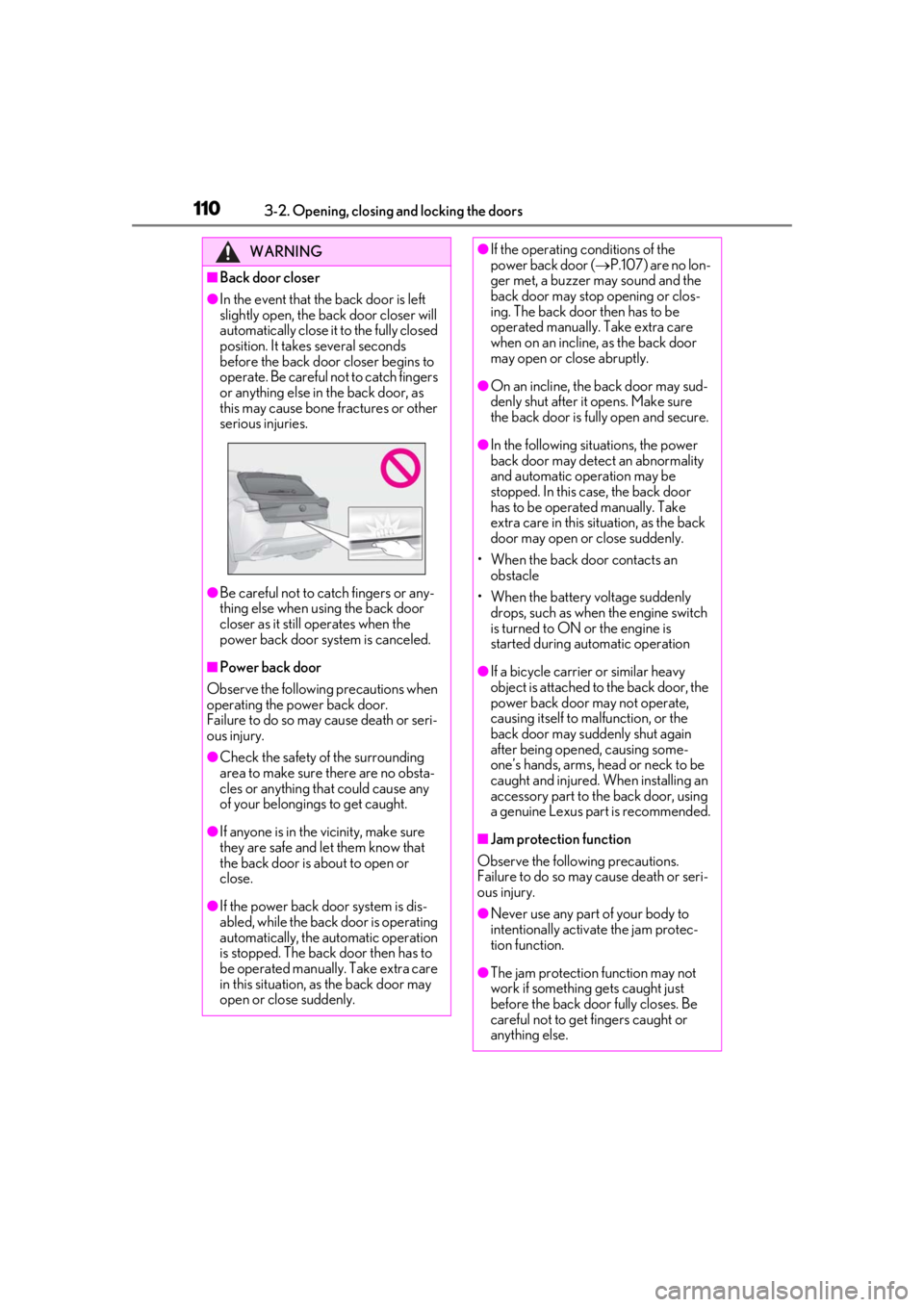
■Back door closer
●In the event that the back door is left
slightly open, the back door closer will
automatically close it to the fully closed
position. It takes several seconds
before the back door closer begins to
operate. Be careful not to catch fingers
or anything else in the back door, as
this may cause bone fractures or other
serious injuries.
●Be careful not to catch fingers or any-
thing else when using the back door
closer as it still operates when the
power back door system is canceled.
■Power back door
Observe the following precautions when
operating the power back door.
Failure to do so may cause death or seri-
ous injury.
●Check the safety of the surrounding
area to make sure there are no obsta-
cles or anything that could cause any
of your belongings to get caught.
●If anyone is in the vicinity, make sure
they are safe and let them know that
the back door is about to open or
close.
●If the power back door system is dis-
abled, while the back door is operating
automatically, the automatic operation
is stopped. The back door then has to
be operated manually. Take extra care
in this situation, as the back door may
open or close suddenly.
●If the operating conditions of the
power back door ( P.107) are no lon-
ger met, a buzzer may sound and the
back door may stop opening or clos-
ing. The back door then has to be
operated manually. Take extra care
when on an incline, as the back door
may open or close abruptly.
●On an incline, the back door may sud-
denly shut after it opens. Make sure
the back door is fully open and secure.
●In the following situations, the power
back door may detect an abnormality
and automatic operation may be
stopped. In this case, the back door
has to be operated manually. Take
extra care in this situation, as the back
door may open or close suddenly.
• When the back door contacts an obstacle
• When the battery voltage suddenly drops, such as when the engine switch
is turned to ON or the engine is
started during automatic operation
●If a bicycle carrier or similar heavy
object is attached to the back door, the
power back door may not operate,
causing itself to malfunction, or the
back door may suddenly shut again
after being opened, causing some-
one’s hands, arms, head or neck to be
caught and injured. When installing an
accessory part to the back door, using
a genuine Lexus part is recommended.
■Jam protection function
Observe the following precautions.
Failure to do so may cause death or seri-
ous injury.
●Never use any part of your body to
intentionally activa te the jam protec-
tion function.
●The jam protection function may not
work if something gets caught just
before the back door fully closes. Be
careful not to get fingers caught or
anything else.
Page 121 of 452
1213-3. Adjusting the seats
3
Before driving
3-3.Adjusting the seats
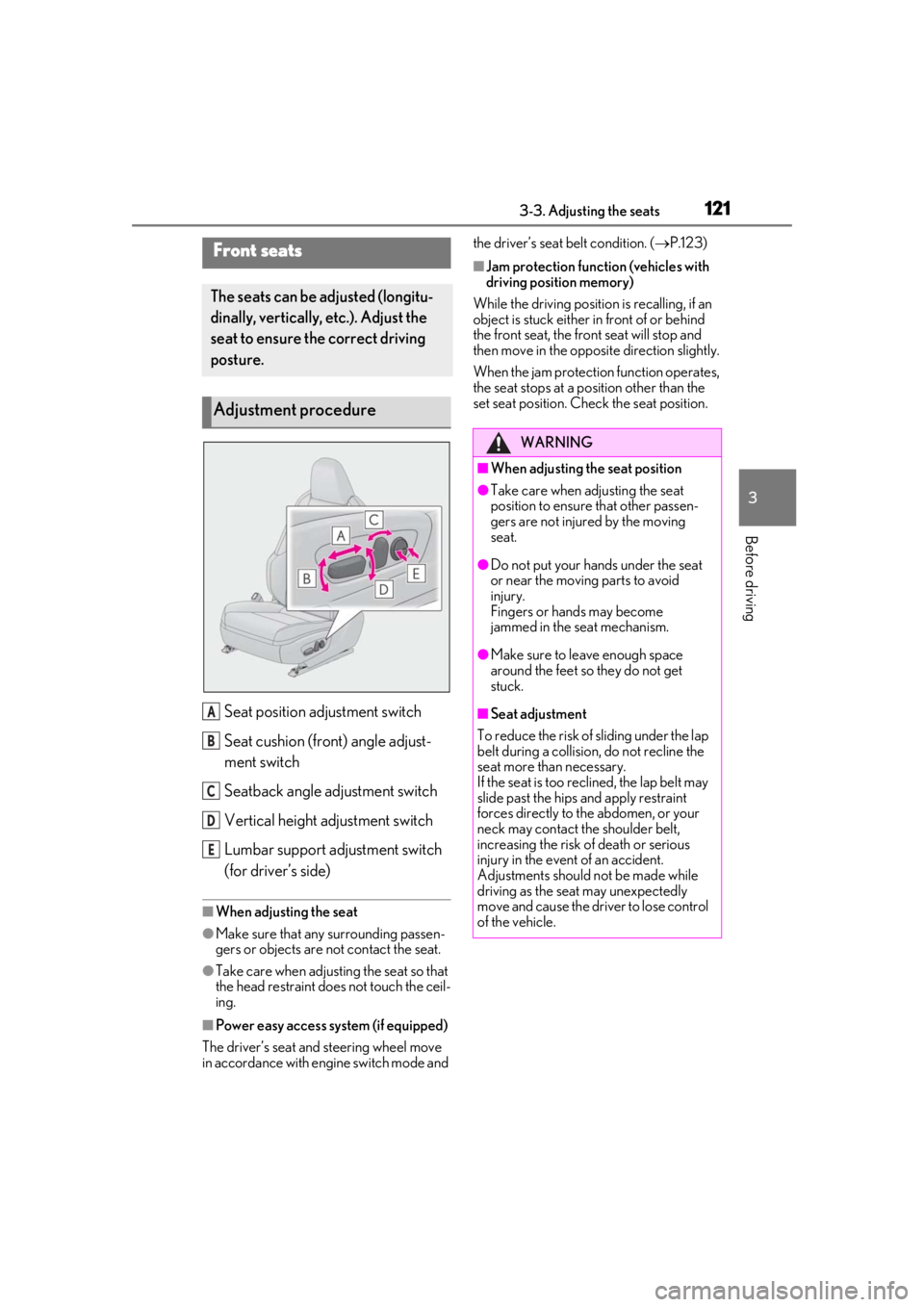
Seat position adjustment switch
Seat cushion (front) angle adjust-
ment switch
Seatback angle adjustment switch
Vertical height adjustment switch
Lumbar support adjustment switch
(for driver’s side)
■When adjusting the seat
●Make sure that any surrounding passen-
gers or objects are not contact the seat.
●Take care when adjusting the seat so that
the head restraint does not touch the ceil-
ing.
■Power easy access system (if equipped)
The driver’s seat and steering wheel move
in accordance with engine switch mode and the driver’s seat belt condition. (
P.123)
■Jam protection function (vehicles with
driving position memory)
While the driving position is recalling, if an
object is stuck either in front of or behind
the front seat, the front seat will stop and
then move in the opposite direction slightly.
When the jam protection function operates,
the seat stops at a po sition other than the
set seat position. Chec k the seat position.Front seats
The seats can be adjusted (longitu-
dinally, vertically, etc.). Adjust the
seat to ensure the correct driving
posture.
Adjustment procedure
A
B
C
D
E
WARNING
■When adjusting the seat position
●Take care when adjusting the seat
position to ensure that other passen-
gers are not injured by the moving
seat.
●Do not put your hands under the seat
or near the moving parts to avoid
injury.
Fingers or hands may become
jammed in the seat mechanism.
●Make sure to leave enough space
around the feet so they do not get
stuck.
■Seat adjustment
To reduce the risk of sliding under the lap
belt during a collision, do not recline the
seat more than necessary.
If the seat is too rec lined, the lap belt may
slide past the hips and apply restraint
forces directly to the abdomen, or your
neck may contact the shoulder belt,
increasing the risk of death or serious
injury in the event of an accident.
Adjustments should not be made while
driving as the seat may unexpectedly
move and cause the driver to lose control
of the vehicle.
Page 123 of 452
1233-3. Adjusting the seats
3
Before driving
*: If equipped
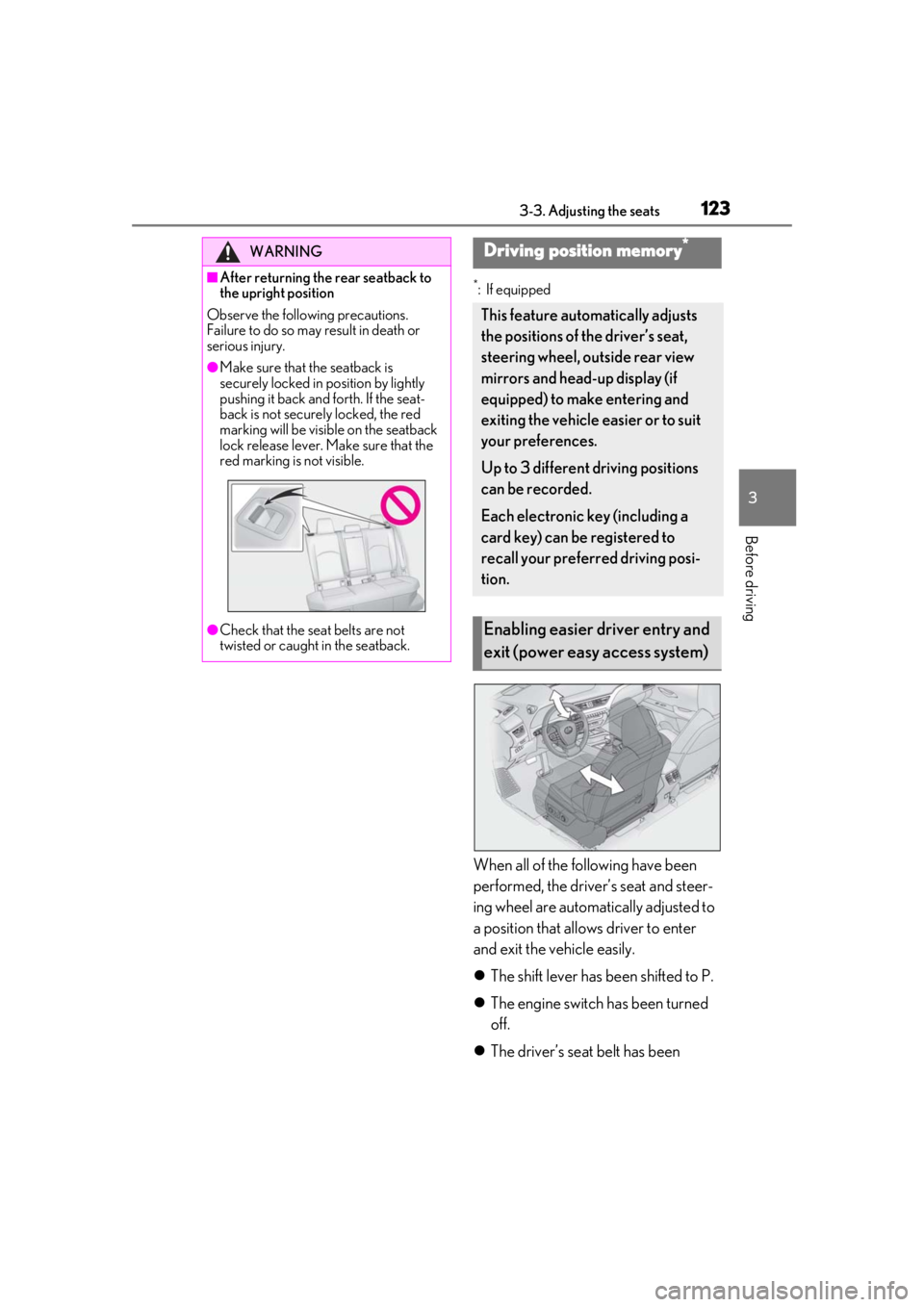
When all of the following have been
performed, the driver’s seat and steer-
ing wheel are automatically adjusted to
a position that allows driver to enter
and exit the vehicle easily.
The shift lever has been shifted to P.
The engine switch has been turned
off.
The driver’s seat belt has been
WARNING
■After returning the rear seatback to
the upright position
Observe the following precautions.
Failure to do so may result in death or
serious injury.
●Make sure that the seatback is
securely locked in position by lightly
pushing it back and forth. If the seat-
back is not securely locked, the red
marking will be visible on the seatback
lock release lever. Make sure that the
red marking is not visible.
●Check that the seat belts are not
twisted or caught in the seatback.
Driving position memory*
This feature automatically adjusts
the positions of the driver’s seat,
steering wheel, outside rear view
mirrors and head-up display (if
equipped) to make entering and
exiting the vehicle easier or to suit
your preferences.
Up to 3 different driving positions
can be recorded.
Each electronic key (including a
card key) can be registered to
recall your preferred driving posi-
tion.
Enabling easier driver entry and
exit (power easy access system)
Page 124 of 452
1243-3. Adjusting the seats
unfastened.
When any of the following has been
performed, the driver’s seat and steer-
ing wheel automatically return to their
original positions.
The engine switch has been turned
to ACC or ON.
The driver’s seat belt has been fas-
tened.
■Operation of the power easy access sys-
tem
When exiting the vehicle, the power easy
access system may not operate if the seat is
already close to the rearmost position, etc.
■Customization
The seat movement amou nt settings of the
power easy access sy stem can be custom-
ized. (Customizable features: P.413)
1Check that the shift lever is in P.
2
Turn the engine switch to ON.
3
Adjust the driver’s seat, steering
wheel, outside rear view mirrors
and head-up display (if equipped)
to the desired positions.
4
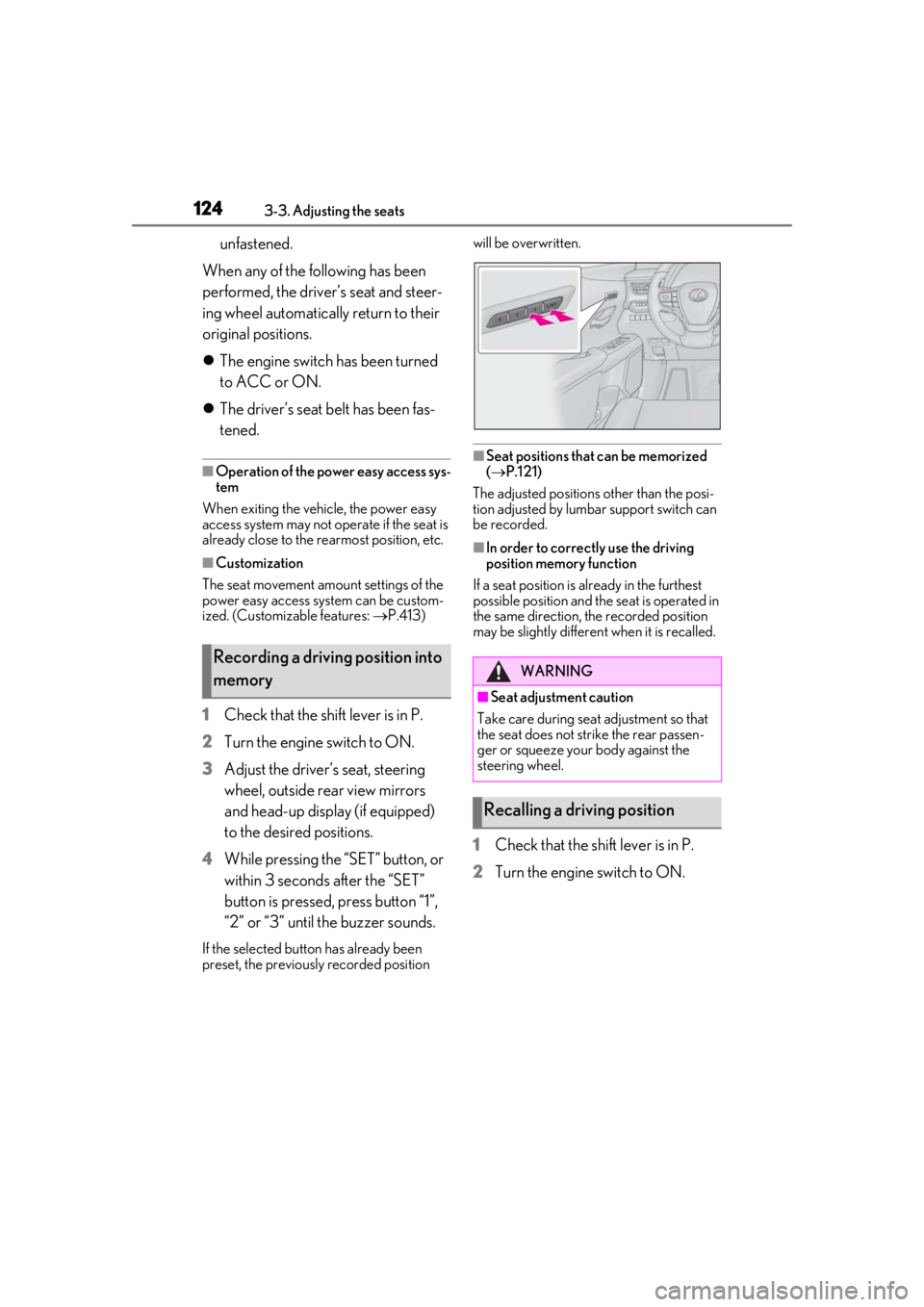
While pressing the “SET” button, or
within 3 seconds after the “SET”
button is pressed, press button “1”,
“2” or “3” until the buzzer sounds.
If the selected button has already been
preset, the previously recorded position will be overwritten.
■Seat positions that can be memorized
(
P.121)
The adjusted positions other than the posi-
tion adjusted by lumbar support switch can
be recorded.
■In order to correctly use the driving
position memory function
If a seat position is already in the furthest
possible position and the seat is operated in
the same direction, the recorded position
may be slightly differen t when it is recalled.
1Check that the shift lever is in P.
2
Turn the engine switch to ON.
Recording a driving position into
memoryWARNING
■Seat adjustme nt caution
Take care during seat adjustment so that
the seat does not strike the rear passen-
ger or squeeze your body against the
steering wheel.
Recalling a driving position