sport LEXUS UX200 2019 Owners Manual
[x] Cancel search | Manufacturer: LEXUS, Model Year: 2019, Model line: UX200, Model: LEXUS UX200 2019Pages: 452, PDF Size: 10.06 MB
Page 2 of 452
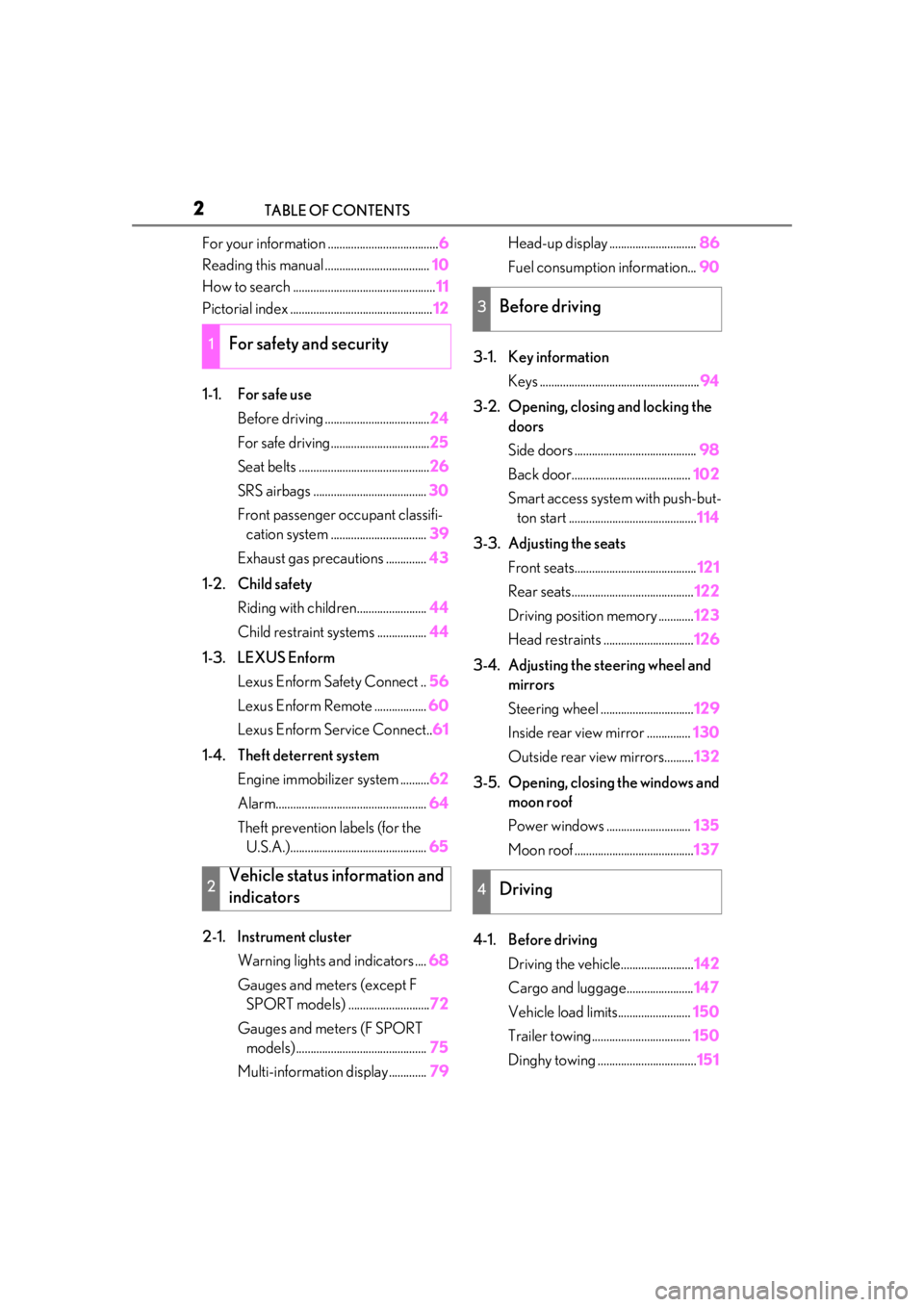
2TABLE OF CONTENTS
For your information ......................................6
Reading this manual .................................... 10
How to search ................................................. 11
Pictorial index ................................................. 12
1-1. For safe use Before driving .................................... 24
For safe driving.................................. 25
Seat belts ............................................. 26
SRS airbags ....................................... 30
Front passenger occupant classifi- cation system ................................. 39
Exhaust gas precautions .............. 43
1-2. Child safety Riding with children........................ 44
Child restraint systems ................. 44
1-3. LEXUS Enform Lexus Enform Safety Connect .. 56
Lexus Enform Remote .................. 60
Lexus Enform Service Connect.. 61
1-4. Theft deterrent system Engine immobilizer system .......... 62
Alarm.................................................... 64
Theft prevention labels (for the U.S.A.)............................................... 65
2-1. Instrument cluster Warning lights and indicators .... 68
Gauges and meters (except F SPORT models) ............................ 72
Gauges and meters (F SPORT models) ............................................. 75
Multi-information display............. 79Head-up display ..............................
86
Fuel consumption information... 90
3-1. Key information Keys ....................................................... 94
3-2. Opening, closing and locking the doors
Side doors .......................................... 98
Back door......................................... 102
Smart access system with push-but- ton start ............................................ 114
3-3. Adjusting the seats Front seats.......................................... 121
Rear seats.......................................... 122
Driving position memory ............ 123
Head restraints ............................... 126
3-4. Adjusting the steering wheel and mirrors
Steering wheel ................................ 129
Inside rear view mirror ............... 130
Outside rear view mirrors.......... 132
3-5. Opening, closing the windows and moon roof
Power windows ............................. 135
Moon roof ......................................... 137
4-1. Before driving Driving the vehicle......................... 142
Cargo and luggage....................... 147
Vehicle load limits......................... 150
Trailer towing.................................. 150
Dinghy towing .................................. 151
1For safety and security
2Vehicle status information and
indicators
3Before driving
4Driving
Page 67 of 452
67
2
2
Vehicle status information and indicators
Vehicle status informationand indicators
2-1. Instrument cluster
Warning lights and indicators . 68
Gauges and meters (except F SPORT models) ......................... 72
Gauges and meters (F SPORT models) .......................................... 75
Multi-information display.......... 79
Head-up display ........................... 86
Fuel consumption information 90
Page 68 of 452
682-1. Instrument cluster
2-1.Instrument cluster
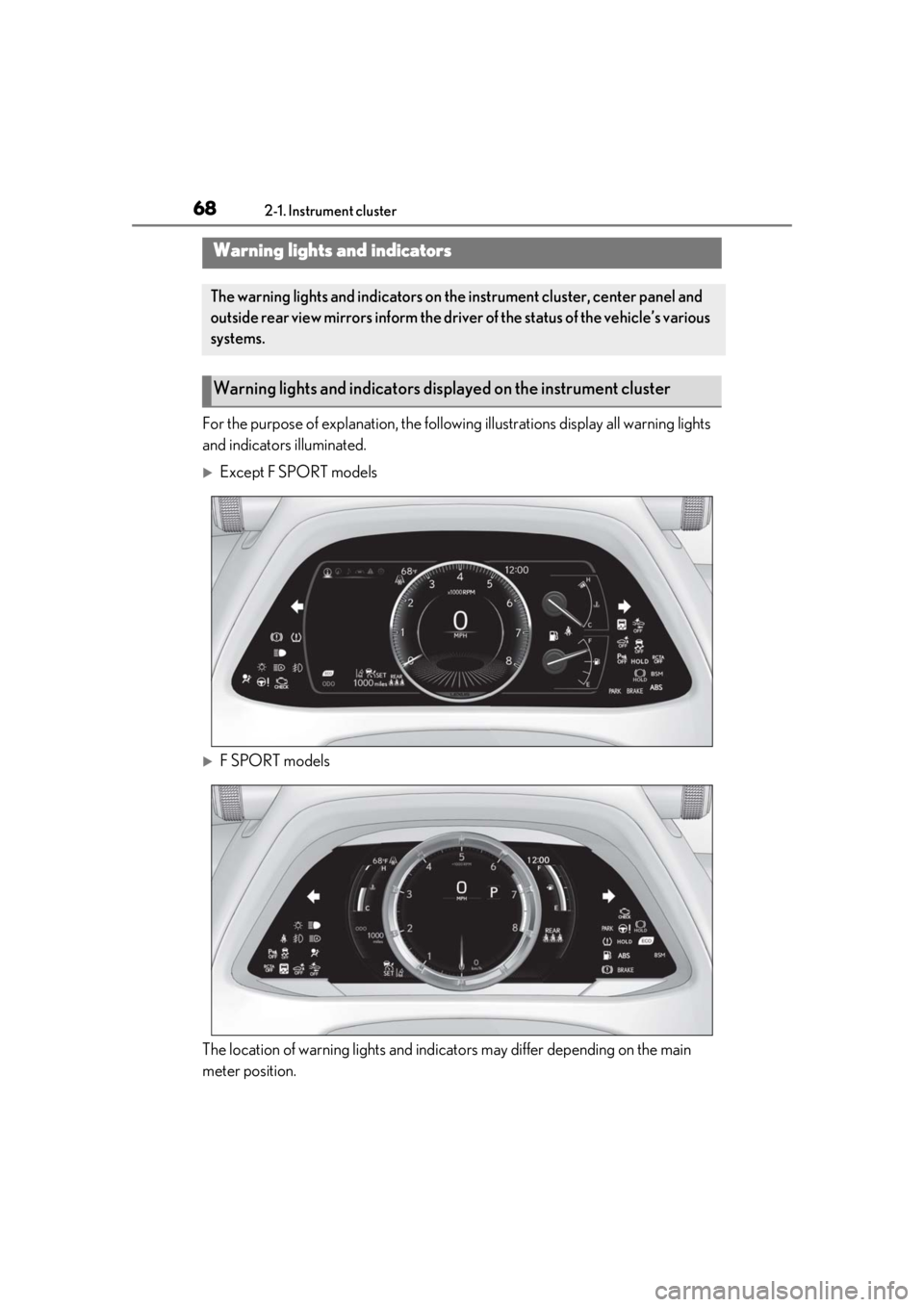
For the purpose of explanation, the following illustrations display all warning lights
and indicators illuminated.
Except F SPORT models
F SPORT models
The location of warning lights and indicat ors may differ depending on the main
meter position.
Warning lights and indicators
The warning lights and indicators on th e instrument cluster, center panel and
outside rear view mirrors inform the driver of the status of the vehicle’s various
systems.
Warning lights and indicators displayed on the instrument cluster
Page 71 of 452
712-1. Instrument cluster
2
Vehicle status information and indicators
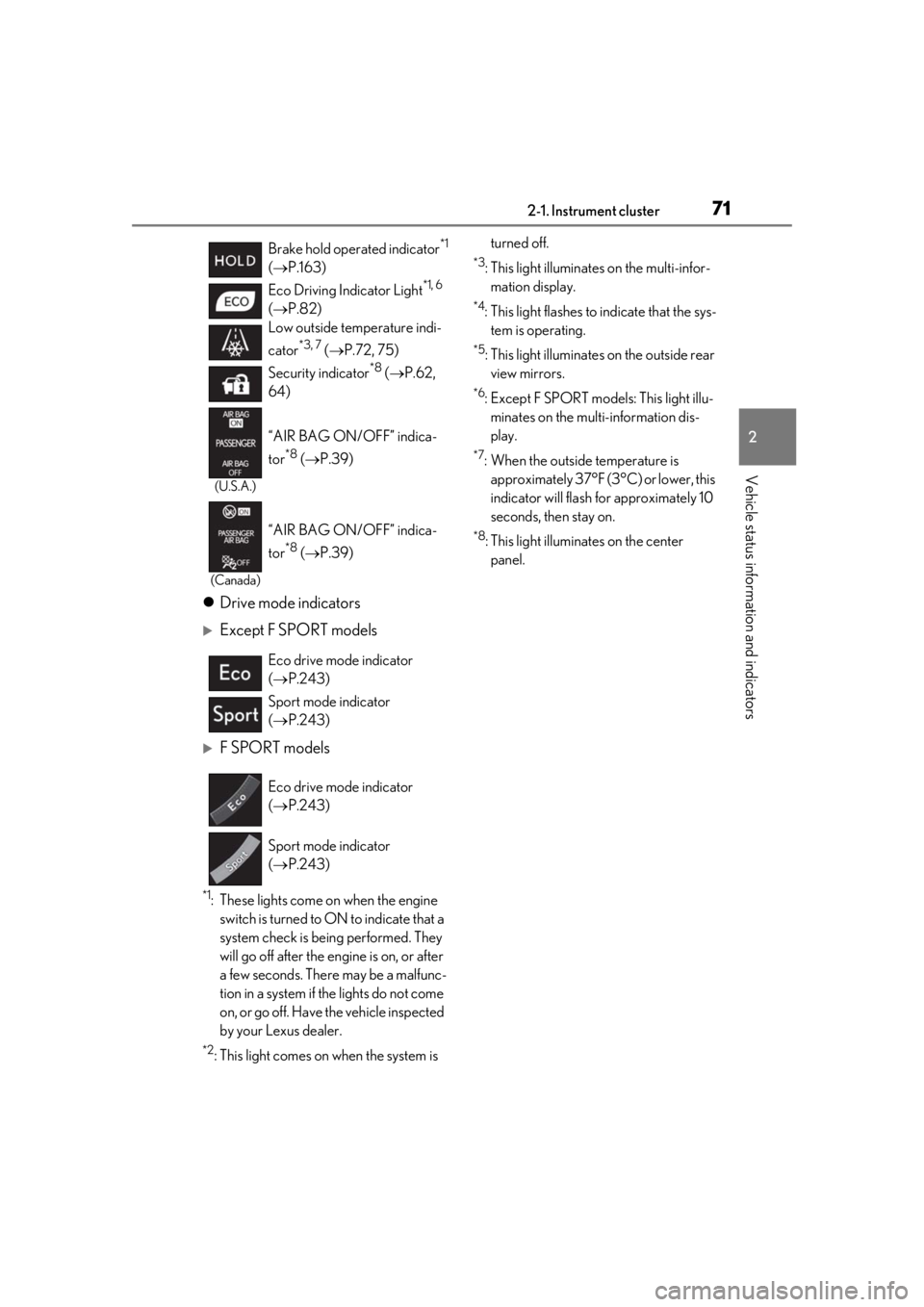
Drive mode indicators
Except F SPORT models
F SPORT models
*1: These lights come on when the engine
switch is turned to ON to indicate that a
system check is being performed. They
will go off after the en gine is on, or after
a few seconds. There may be a malfunc-
tion in a system if the lights do not come
on, or go off. Have the vehicle inspected
by your Lexus dealer.
*2: This light comes on when the system is turned off.
*3: This light illuminates on the multi-infor-
mation display.
*4: This light flashes to indicate that the sys- tem is operating.
*5: This light illuminates on the outside rear view mirrors.
*6: Except F SPORT models: This light illu- minates on the multi-information dis-
play.
*7: When the outside temperature is approximately 37°F (3°C) or lower, this
indicator will flash for approximately 10
seconds, then stay on.
*8: This light illuminates on the center panel.
Brake hold operated indicator
*1
( P.163)
Eco Driving Indicator Light
*1, 6
( P.82)
Low outside temperature indi-
cator
*3, 7 ( P.72, 75)
Security indicator
*8 ( P.62,
64)
(U.S.A.)
“AIR BAG ON/OFF” indica-
tor
*8 ( P.39)
(Canada)
“AIR BAG ON/OFF” indica-
tor
*8 ( P.39)
Eco drive mode indicator
( P.243)
Sport mode indicator
( P.243)
Eco drive mode indicator
( P.243)
Sport mode indicator
( P.243)
Page 72 of 452
722-1. Instrument cluster
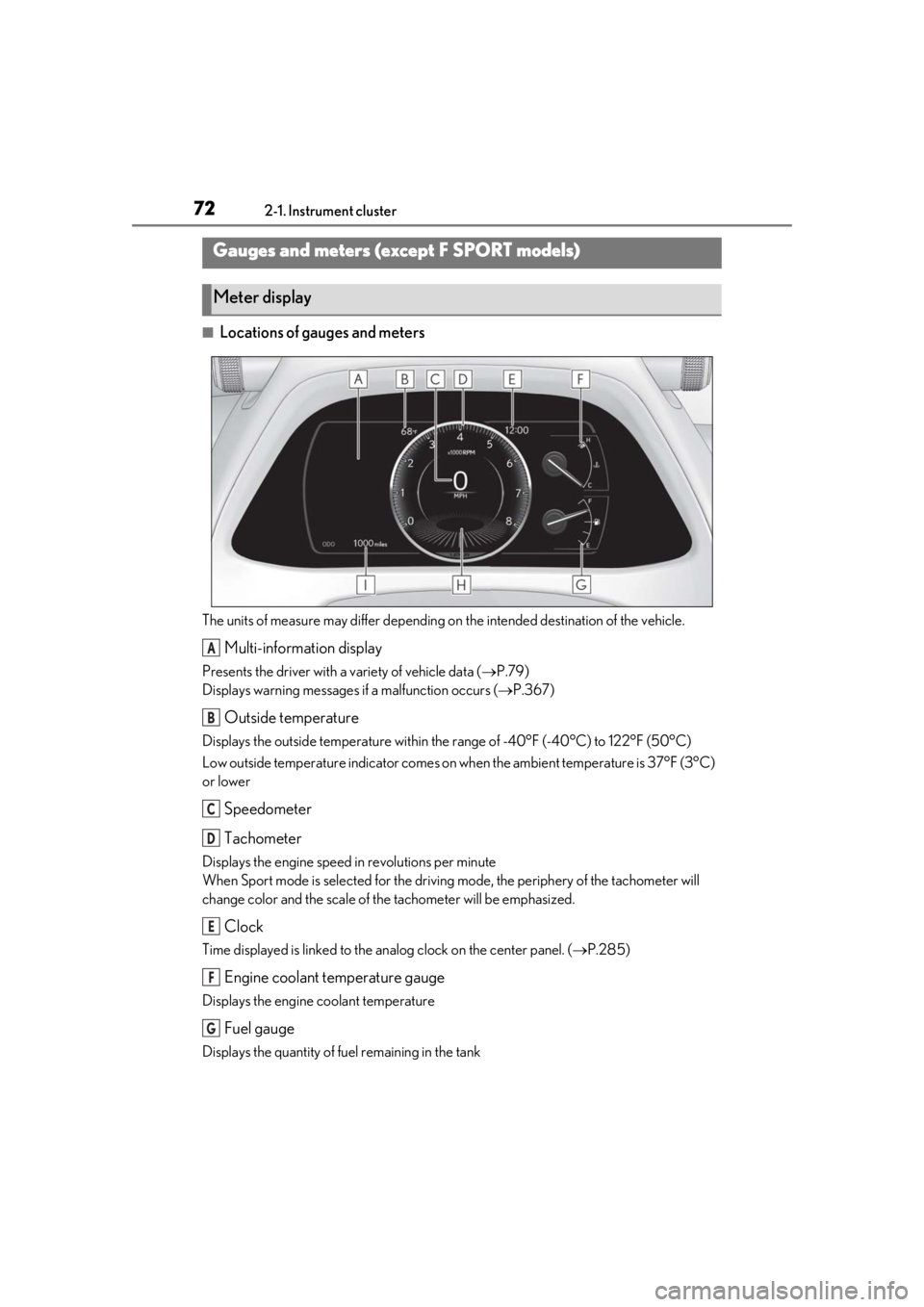
■Locations of gauges and meters
The units of measure may differ depending on the intended destination of the vehicle.
Multi-information display
Presents the driver with a variety of vehicle data ( P.79)
Displays warning messages if a malfunction occurs (P.367)
Outside temperature
Displays the outside temperature within the range of -40°F (-40°C) to 122°F (50°C)
Low outside temperature indicator comes on wh en the ambient temperature is 37°F (3°C)
or lower
Speedometer
Tachometer
Displays the engine speed in revolutions per minute
When Sport mode is se lected for the driving mode, the periphery of the tachometer will
change color and the scale of the tachometer will be emphasized.
Clock
Time displayed is linked to the analog clock on the center panel. (P.285)
Engine coolant temperature gauge
Displays the engine coolant temperature
Fuel gauge
Displays the quantity of fuel remaining in the tank
Gauges and meters (except F SPORT models)
Meter display
A
B
C
D
E
F
G
Page 75 of 452
752-1. Instrument cluster
2
Vehicle status information and indicators
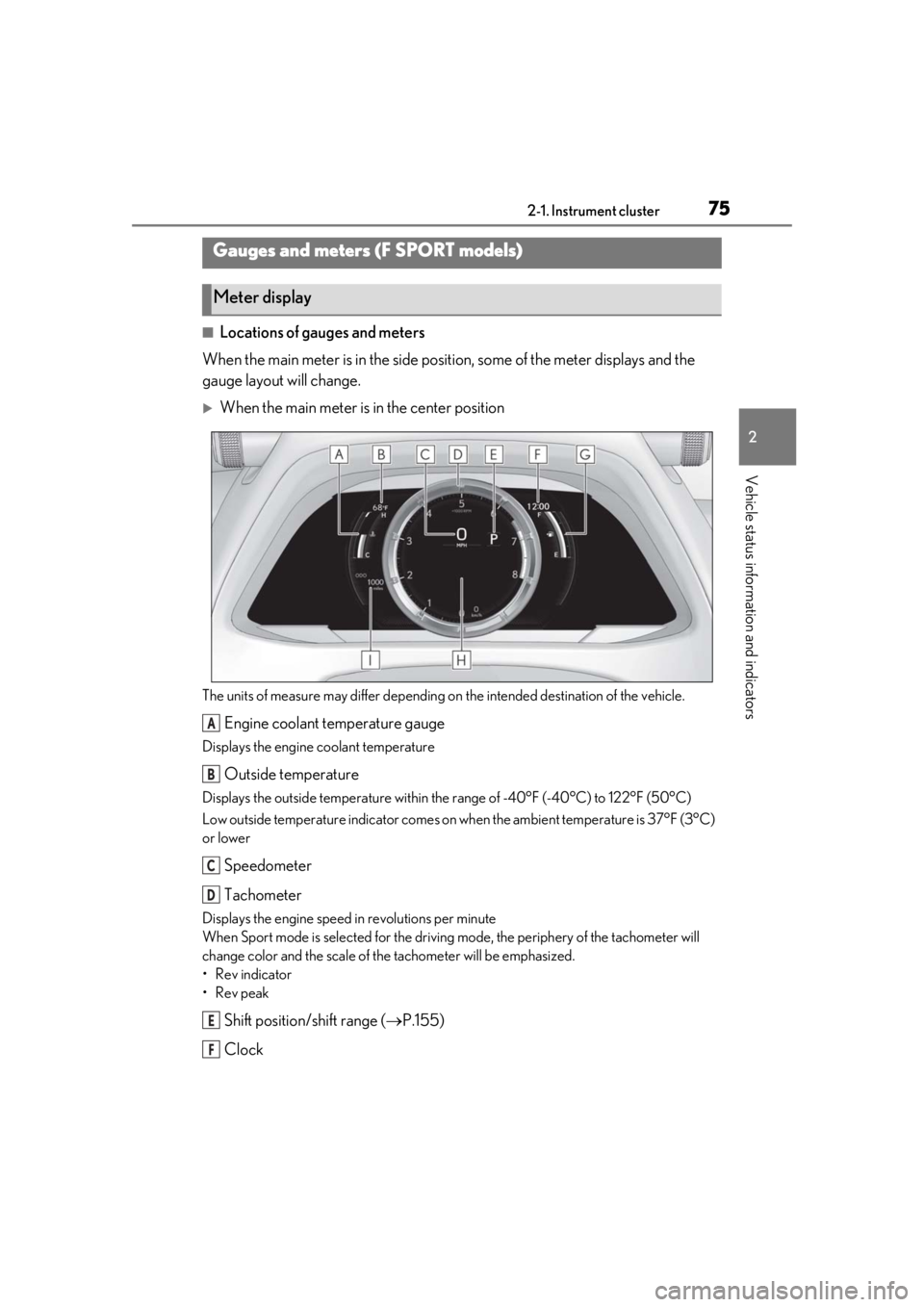
■Locations of gauges and meters
When the main meter is in the side posi tion, some of the meter displays and the
gauge layout will change.
When the main meter is in the center position
The units of measure may differ depending on the intended destination of the vehicle.
Engine coolant temperature gauge
Displays the engine coolant temperature
Outside temperature
Displays the outside temperature within the range of -40°F (-40°C) to 122°F (50°C)
Low outside temperature indicator comes on wh en the ambient temperature is 37°F (3°C)
or lower
Speedometer
Tachometer
Displays the engine speed in revolutions per minute
When Sport mode is se lected for the driving mode, the periphery of the tachometer will
change color and the scale of the tachometer will be emphasized.
• Rev indicator
•Rev peak
Shift position/shift range ( P.155)
Clock
Gauges and meters (F SPORT models)
Meter display
A
B
C
D
E
F
Page 76 of 452
762-1. Instrument cluster
Time displayed is linked to the analog clock on the center panel. (P.285)
Fuel gauge
Displays the quantity of fuel remaining in the tank
Multi-information display
Presents the driver with a variety of vehicle data ( P.79)
Displays warning messages if a malfunction occurs (P.367)
Odometer and trip meter display ( P.78)
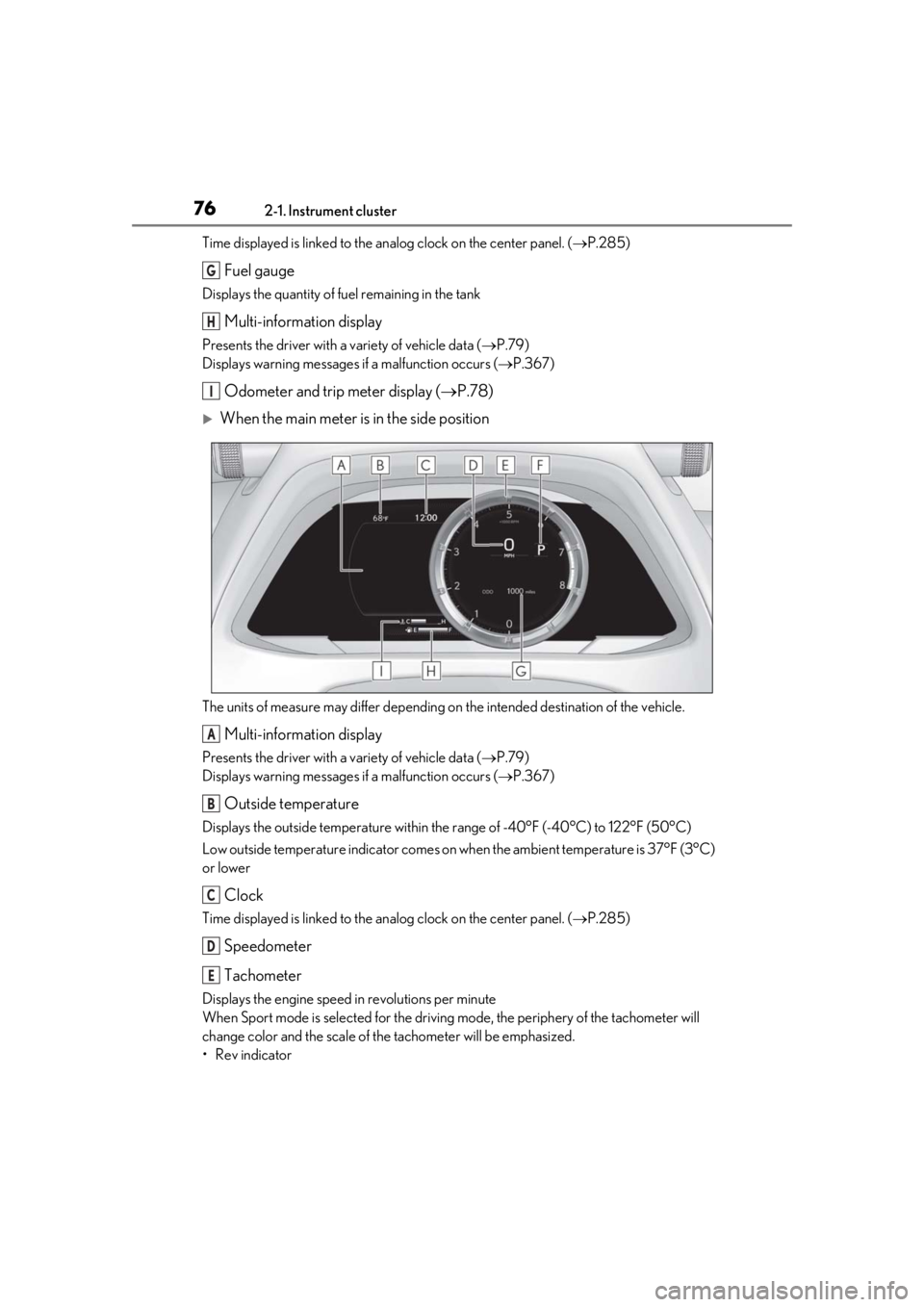
When the main meter is in the side position
The units of measure may differ depending on the intended destination of the vehicle.
Multi-information display
Presents the driver with a variety of vehicle data ( P.79)
Displays warning messages if a malfunction occurs (P.367)
Outside temperature
Displays the outside temperature within the range of -40°F (-40°C) to 122°F (50°C)
Low outside temperature indicator comes on wh en the ambient temperature is 37°F (3°C)
or lower
Clock
Time displayed is linked to the analog clock on the center panel. (P.285)
Speedometer
Tachometer
Displays the engine speed in revolutions per minute
When Sport mode is se lected for the driving mode, the periphery of the tachometer will
change color and the scale of the tachometer will be emphasized.
• Rev indicator
G
H
I
A
B
C
D
E
Page 79 of 452
792-1. Instrument cluster
2
Vehicle status information and indicators
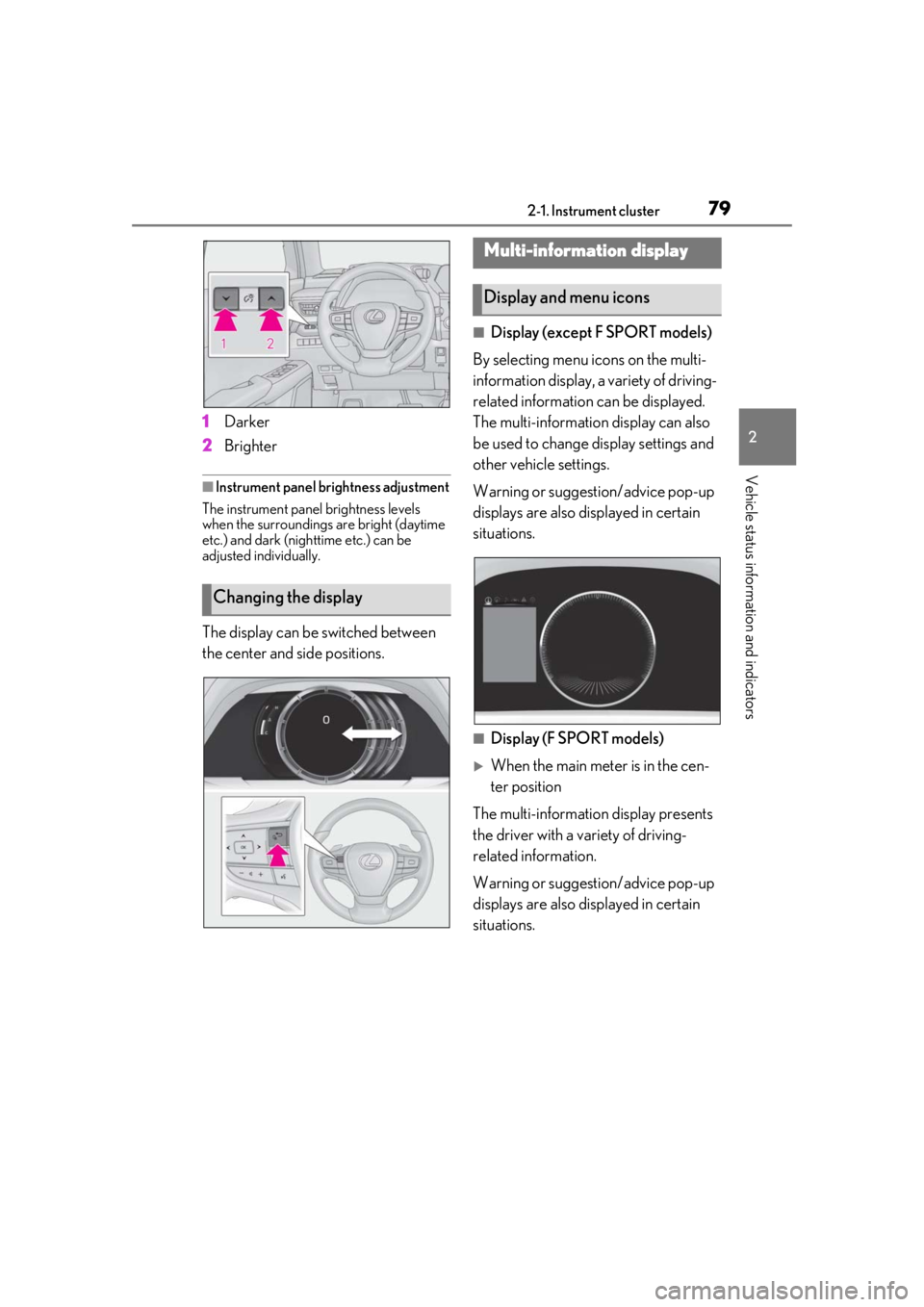
1Darker
2 Brighter
■Instrument panel brightness adjustment
The instrument panel brightness levels
when the surroundings are bright (daytime
etc.) and dark (nighttime etc.) can be
adjusted individually.
The display can be switched between
the center and side positions.
■Display (except F SPORT models)
By selecting menu icons on the multi-
information display, a variety of driving-
related information can be displayed.
The multi-information display can also
be used to change display settings and
other vehicle settings.
Warning or suggestion/advice pop-up
displays are also displayed in certain
situations.
■Display (F SPORT models)
When the main meter is in the cen-
ter position
The multi-informatio n display presents
the driver with a variety of driving-
related information.
Warning or suggestion/advice pop-up
displays are also displayed in certain
situations.
Changing the display
Multi-information display
Display and menu icons
Page 80 of 452
802-1. Instrument cluster
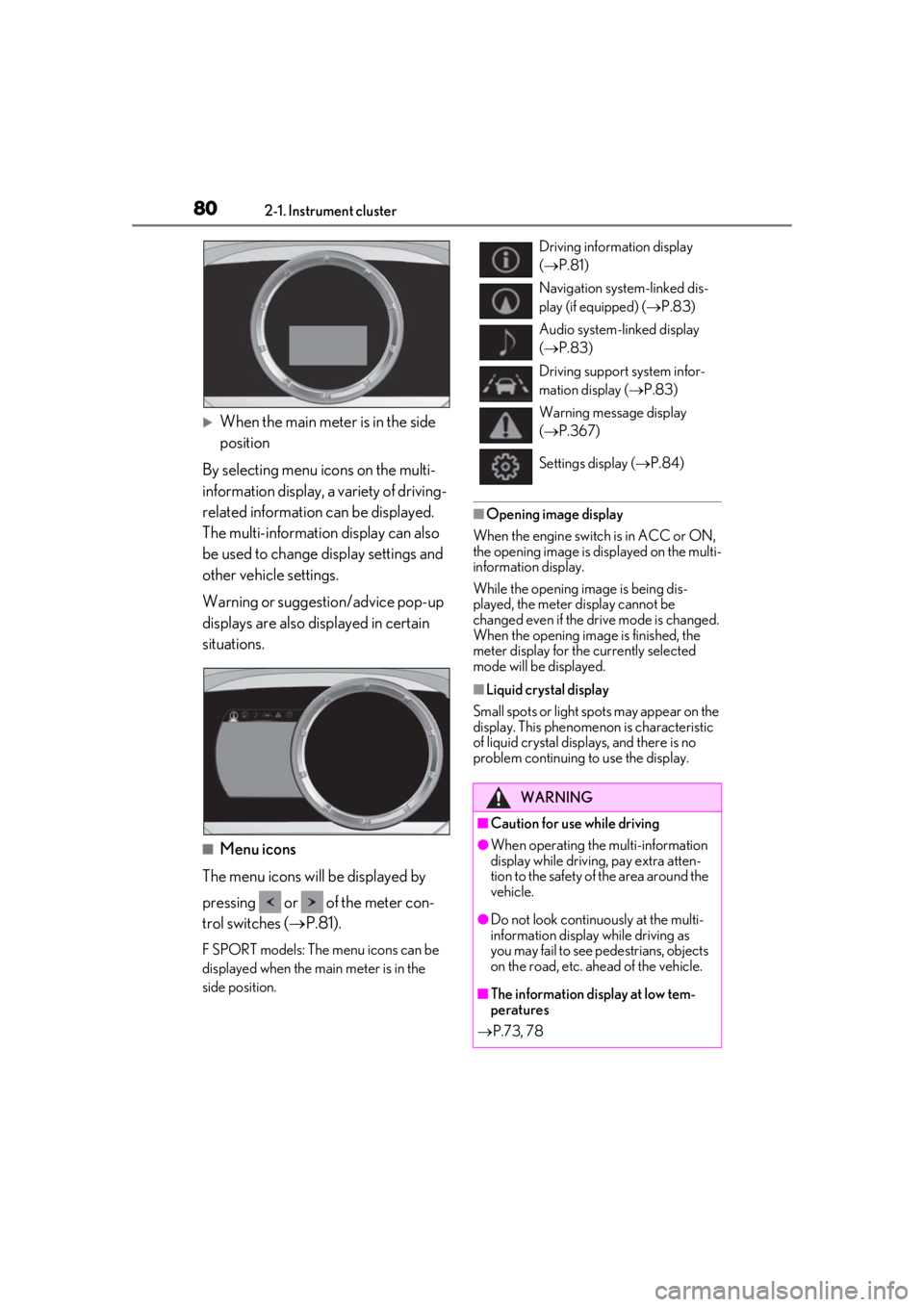
When the main meter is in the side
position
By selecting menu icons on the multi-
information display, a variety of driving-
related information can be displayed.
The multi-information display can also
be used to change display settings and
other vehicle settings.
Warning or suggestion/advice pop-up
displays are also displayed in certain
situations.
■Menu icons
The menu icons will be displayed by
pressing or of the meter con-
trol switches ( P.81).
F SPORT models: The menu icons can be
displayed when the main meter is in the
side position.
■Opening image display
When the engine switch is in ACC or ON,
the opening image is displayed on the multi-
information display.
While the opening image is being dis-
played, the meter display cannot be
changed even if the drive mode is changed.
When the opening image is finished, the
meter display for the currently selected
mode will be displayed.
■Liquid crystal display
Small spots or light spots may appear on the
display. This phenomen on is characteristic
of liquid crystal disp lays, and there is no
problem continuing to use the display.
Driving information display
( P.81)
Navigation system-linked dis-
play (if equipped) ( P.83)
Audio system-linked display
( P.83)
Driving support system infor-
mation display ( P.83)
Warning message display
( P.367)
Settings display ( P.84)
WARNING
■Caution for use while driving
●When operating the multi-information
display while drivin g, pay extra atten-
tion to the safety of the area around the
vehicle.
●Do not look continuously at the multi-
information display while driving as
you may fail to see pedestrians, objects
on the road, etc. ahead of the vehicle.
■The information display at low tem-
peratures
P.73, 78
Page 81 of 452
812-1. Instrument cluster
2
Vehicle status information and indicators
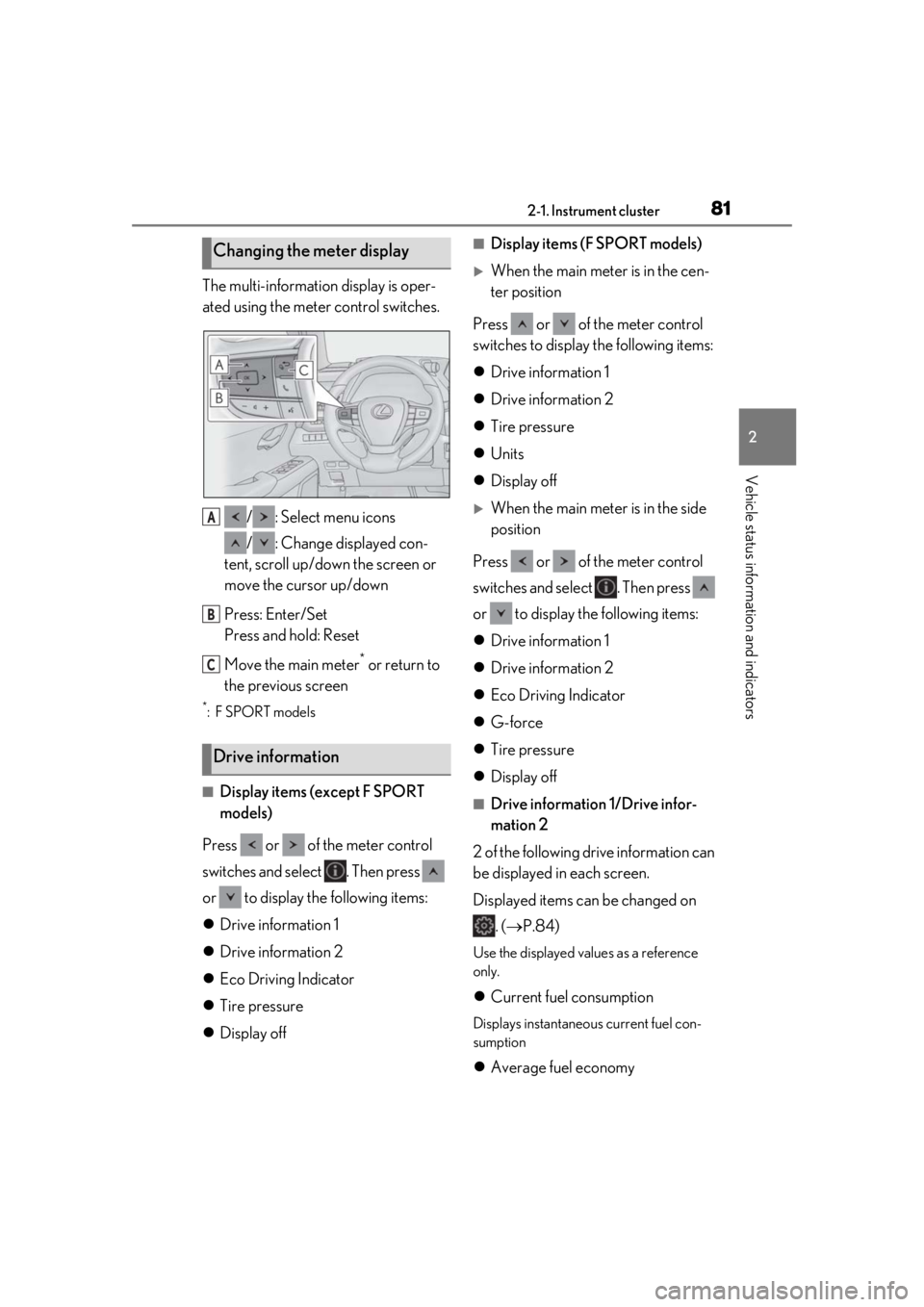
The multi-information display is oper-
ated using the meter control switches./ : Select menu icons
/ : Change displayed con-
tent, scroll up/down the screen or
move the cursor up/down
Press: Enter/Set
Press and hold: Reset
Move the main meter
* or return to
the previous screen
*:F SPORT models
■Display items (except F SPORT
models)
Press or of the meter control
switches and select . Then press
or to display the following items:
Drive information 1
Drive information 2
Eco Driving Indicator
Tire pressure
Display off
■Display items (F SPORT models)
When the main meter is in the cen-
ter position
Press or of the meter control
switches to display the following items:
Drive information 1
Drive information 2
Tire pressure
Units
Display off
When the main meter is in the side
position
Press or of the meter control
switches and select . Then press
or to display the following items:
Drive information 1
Drive information 2
Eco Driving Indicator
G-force
Tire pressure
Display off
■Drive information 1/Drive infor-
mation 2
2 of the following drive information can
be displayed in each screen.
Displayed items can be changed on . ( P.84)
Use the displayed values as a reference
only.
Current fuel consumption
Displays instantaneous current fuel con-
sumption
Average fuel economy
Changing the meter display
Drive information
A
B
C