And locked LINCOLN AVIATOR 2004 User Guide
[x] Cancel search | Manufacturer: LINCOLN, Model Year: 2004, Model line: AVIATOR, Model: LINCOLN AVIATOR 2004Pages: 336, PDF Size: 3.69 MB
Page 142 of 336
Programming remote transmitters
It is necessary to haveall(maximum of four Ð original and/or new) of
your remote transmitters available prior to beginning this procedure.
To program the transmitters yourself:
1. Ensure the vehicle is
electronically unlocked.
2. Put the key in the ignition.
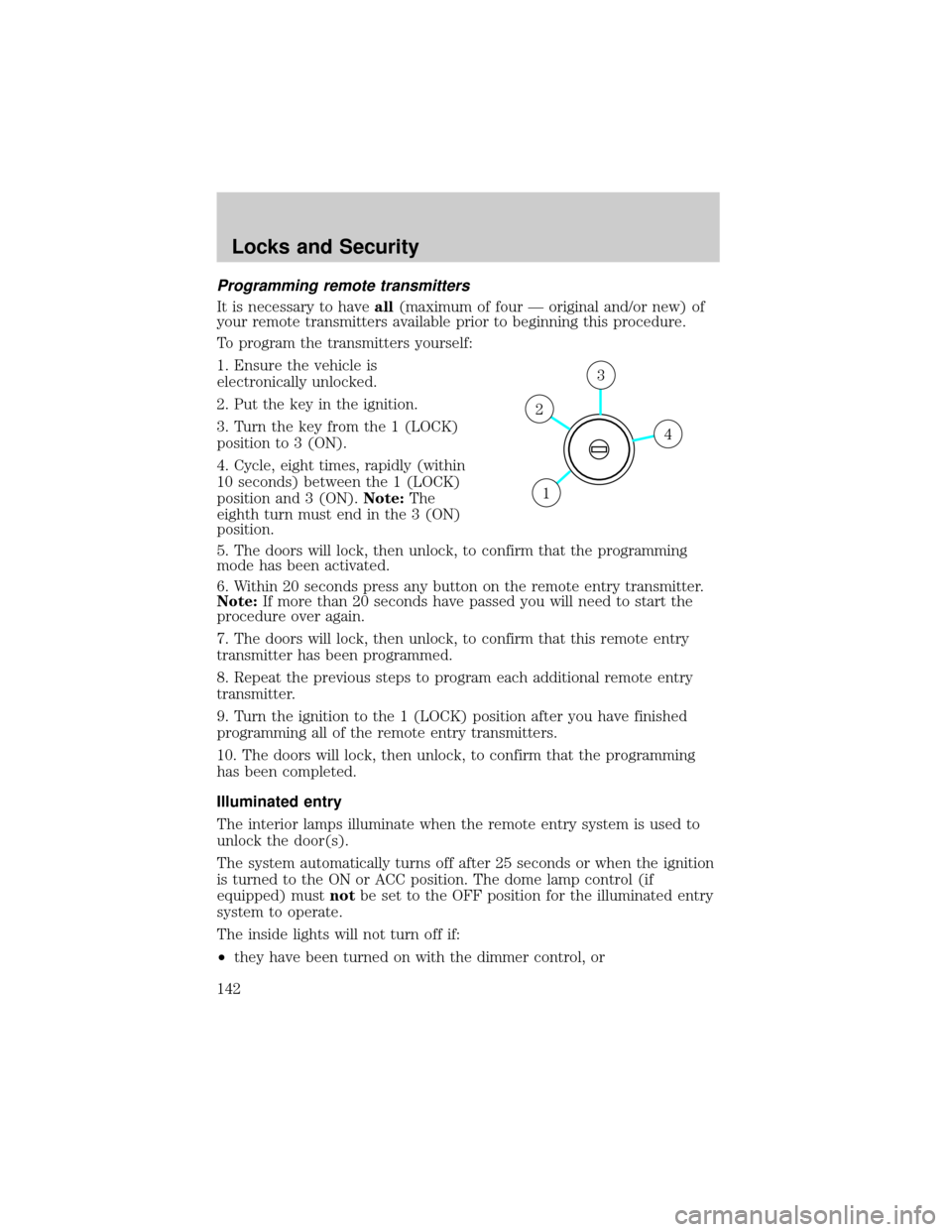
3. Turn the key from the 1 (LOCK)
position to 3 (ON).
4. Cycle, eight times, rapidly (within
10 seconds) between the 1 (LOCK)
position and 3 (ON).Note:The
eighth turn must end in the 3 (ON)
position.
5. The doors will lock, then unlock, to confirm that the programming
mode has been activated.
6. Within 20 seconds press any button on the remote entry transmitter.
Note:If more than 20 seconds have passed you will need to start the
procedure over again.
7. The doors will lock, then unlock, to confirm that this remote entry
transmitter has been programmed.
8. Repeat the previous steps to program each additional remote entry
transmitter.
9. Turn the ignition to the 1 (LOCK) position after you have finished
programming all of the remote entry transmitters.
10. The doors will lock, then unlock, to confirm that the programming
has been completed.
Illuminated entry
The interior lamps illuminate when the remote entry system is used to
unlock the door(s).
The system automatically turns off after 25 seconds or when the ignition
is turned to the ON or ACC position. The dome lamp control (if
equipped) mustnotbe set to the OFF position for the illuminated entry
system to operate.
The inside lights will not turn off if:
²they have been turned on with the dimmer control, or
4
3
2
1
Locks and Security
142
Page 150 of 336
Arming the system
When armed, this system will help protect your vehicle from
unauthorized entry. When unauthorized entry occurs, the system will
flash the headlamps and/or parking lamps, and will chirp the horn.
The system is ready to arm whenever the key is removed from the
ignition. Any of the following actions will prearm the alarm system:
²Open any door, liftgate or liftgate
window and press the power door
lock control to lock the doors.
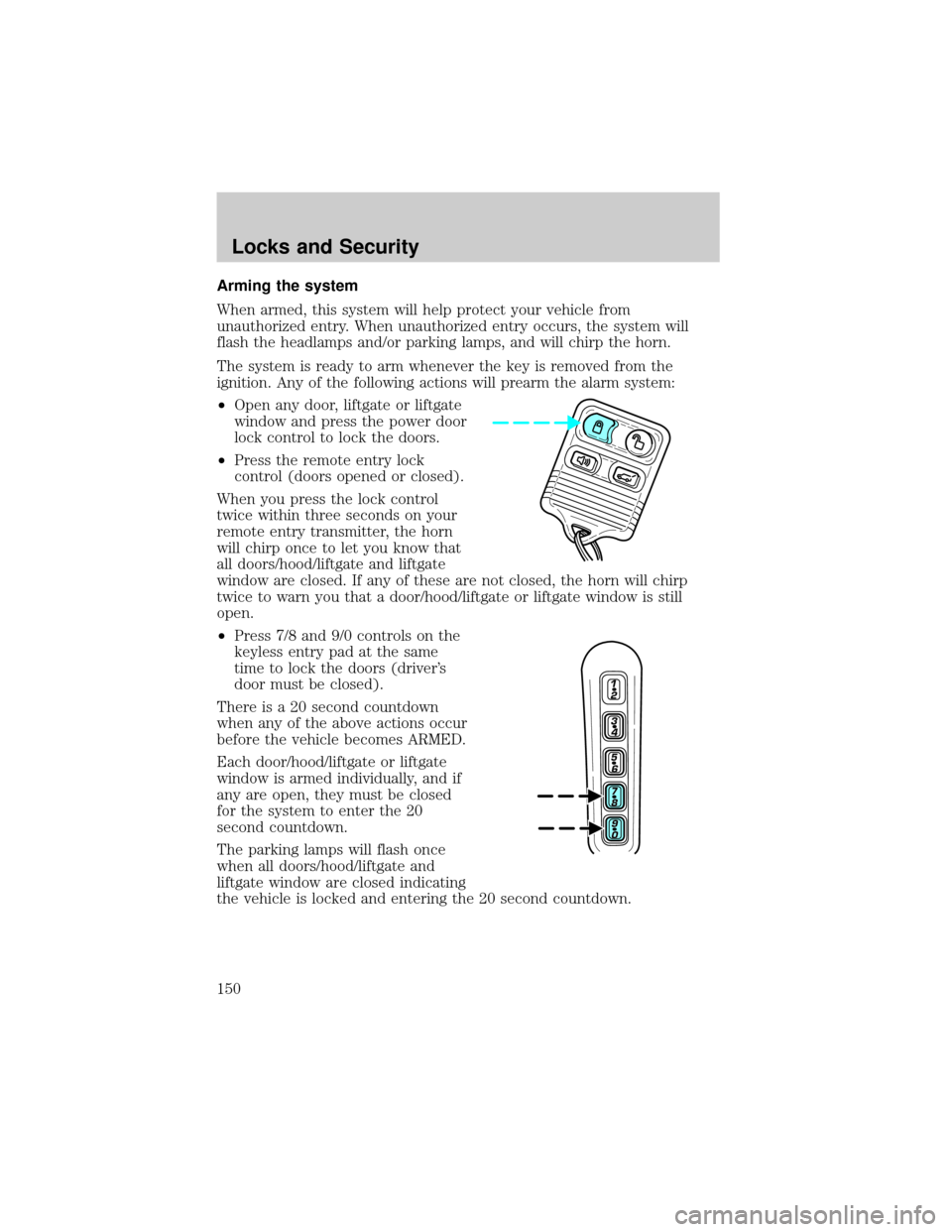
²Press the remote entry lock
control (doors opened or closed).
When you press the lock control
twice within three seconds on your
remote entry transmitter, the horn
will chirp once to let you know that
all doors/hood/liftgate and liftgate
window are closed. If any of these are not closed, the horn will chirp
twice to warn you that a door/hood/liftgate or liftgate window is still
open.
²Press 7/8 and 9/0 controls on the
keyless entry pad at the same
time to lock the doors (driver's
door must be closed).
There is a 20 second countdown
when any of the above actions occur
before the vehicle becomes ARMED.
Each door/hood/liftgate or liftgate
window is armed individually, and if
any are open, they must be closed
for the system to enter the 20
second countdown.
The parking lamps will flash once
when all doors/hood/liftgate and
liftgate window are closed indicating
the vehicle is locked and entering the 20 second countdown.
Locks and Security
150
Page 161 of 336
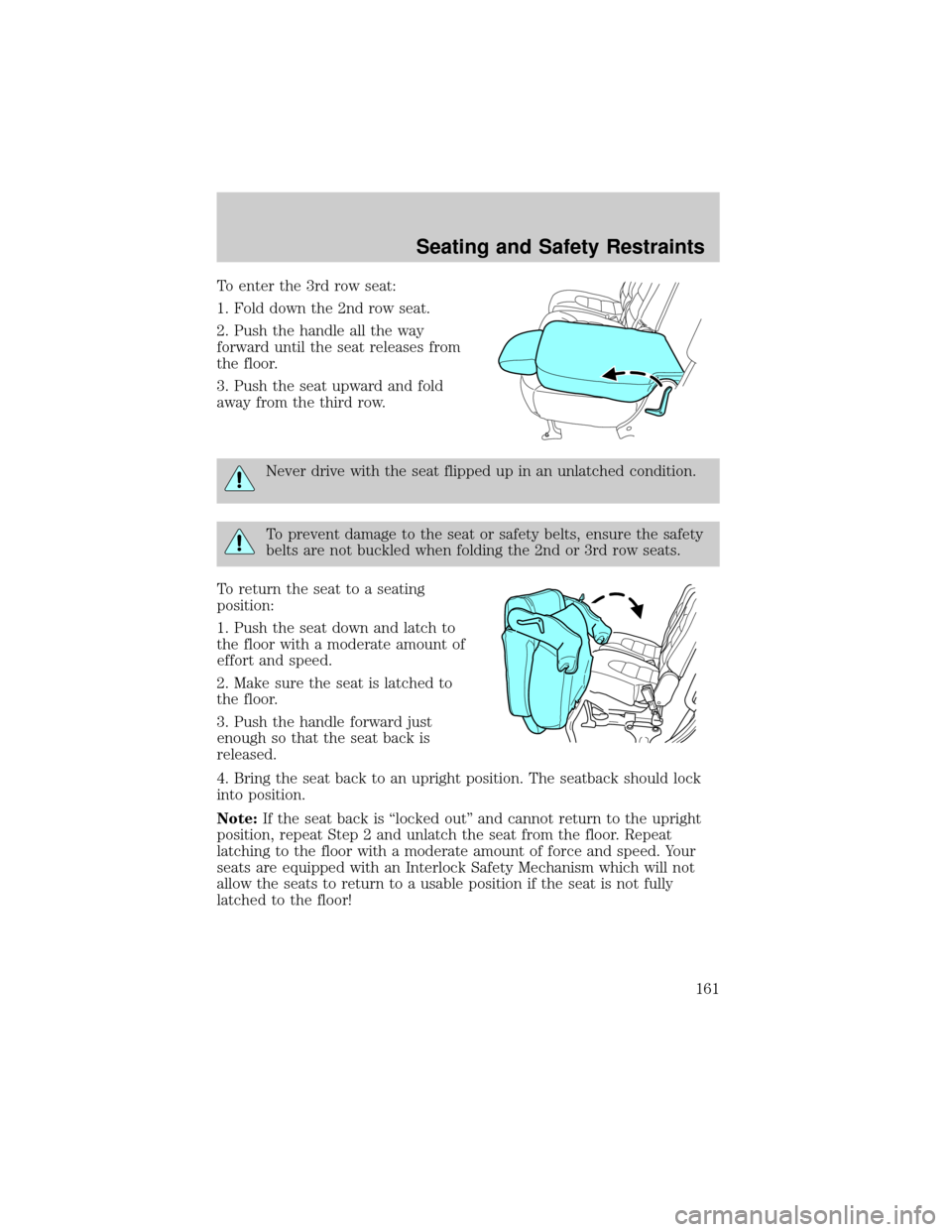
To enter the 3rd row seat:
1. Fold down the 2nd row seat.
2. Push the handle all the way
forward until the seat releases from
the floor.
3. Push the seat upward and fold
away from the third row.
Never drive with the seat flipped up in an unlatched condition.
To prevent damage to the seat or safety belts, ensure the safety
belts are not buckled when folding the 2nd or 3rd row seats.
To return the seat to a seating
position:
1. Push the seat down and latch to
the floor with a moderate amount of
effort and speed.
2. Make sure the seat is latched to
the floor.
3. Push the handle forward just
enough so that the seat back is
released.
4. Bring the seat back to an upright position. The seatback should lock
into position.
Note:If the seat back is ªlocked outº and cannot return to the upright
position, repeat Step 2 and unlatch the seat from the floor. Repeat
latching to the floor with a moderate amount of force and speed. Your
seats are equipped with an Interlock Safety Mechanism which will not
allow the seats to return to a usable position if the seat is not fully
latched to the floor!
Seating and Safety Restraints
161
Page 167 of 336
Automatic locking mode
In this mode, the shoulder belt is pre-locked. The belt will still retract to
remove any slack in the shoulder belt.
The automatic locking mode is not available on the driver safety belt.
When to use the automatic locking mode
²Anytimea child safety seat (except a booster) is installed in the
vehicle. Children 12 years old and under should be properly restrained
in the rear seat whenever possible. Refer toSafety restraints for
childrenorSafety seats for childrenlater in this chapter.
How to use the automatic locking mode
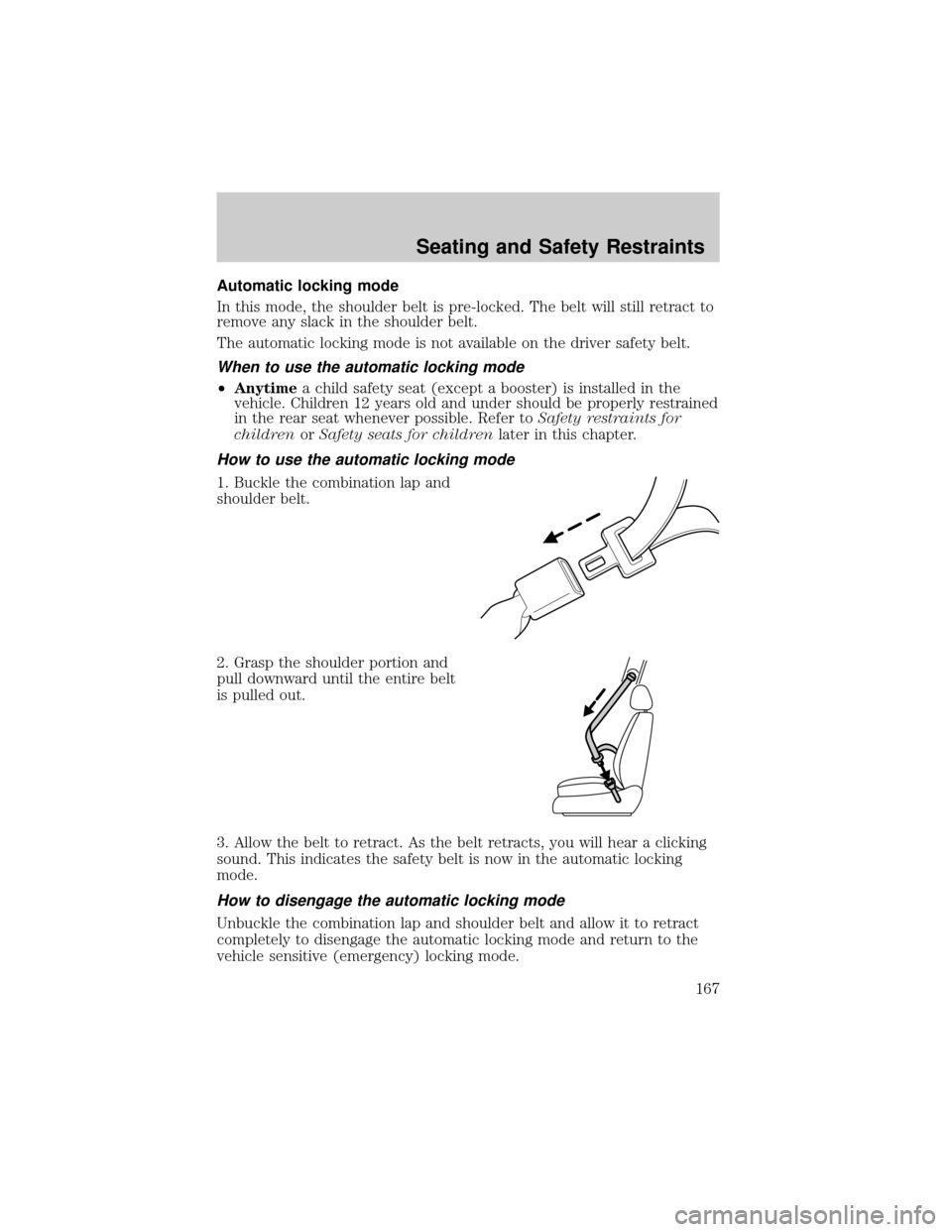
1. Buckle the combination lap and
shoulder belt.
2. Grasp the shoulder portion and
pull downward until the entire belt
is pulled out.
3. Allow the belt to retract. As the belt retracts, you will hear a clicking
sound. This indicates the safety belt is now in the automatic locking
mode.
How to disengage the automatic locking mode
Unbuckle the combination lap and shoulder belt and allow it to retract
completely to disengage the automatic locking mode and return to the
vehicle sensitive (emergency) locking mode.
Seating and Safety Restraints
167
Page 169 of 336
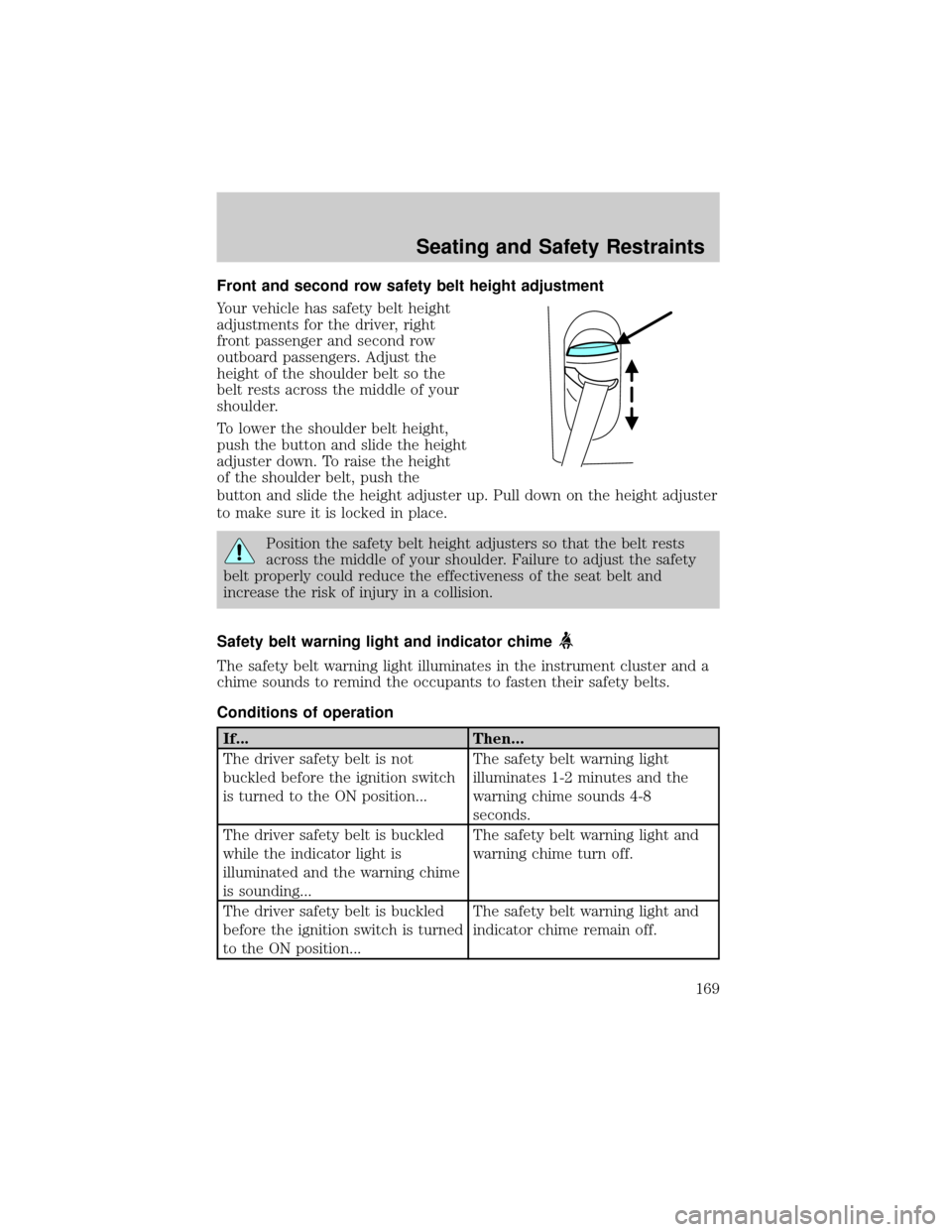
Front and second row safety belt height adjustment
Your vehicle has safety belt height
adjustments for the driver, right
front passenger and second row
outboard passengers. Adjust the
height of the shoulder belt so the
belt rests across the middle of your
shoulder.
To lower the shoulder belt height,
push the button and slide the height
adjuster down. To raise the height
of the shoulder belt, push the
button and slide the height adjuster up. Pull down on the height adjuster
to make sure it is locked in place.
Position the safety belt height adjusters so that the belt rests
across the middle of your shoulder. Failure to adjust the safety
belt properly could reduce the effectiveness of the seat belt and
increase the risk of injury in a collision.
Safety belt warning light and indicator chime
The safety belt warning light illuminates in the instrument cluster and a
chime sounds to remind the occupants to fasten their safety belts.
Conditions of operation
If... Then...
The driver safety belt is not
buckled before the ignition switch
is turned to the ON position...The safety belt warning light
illuminates 1-2 minutes and the
warning chime sounds 4-8
seconds.
The driver safety belt is buckled
while the indicator light is
illuminated and the warning chime
is sounding...The safety belt warning light and
warning chime turn off.
The driver safety belt is buckled
before the ignition switch is turned
to the ON position...The safety belt warning light and
indicator chime remain off.
Seating and Safety Restraints
169
Page 188 of 336
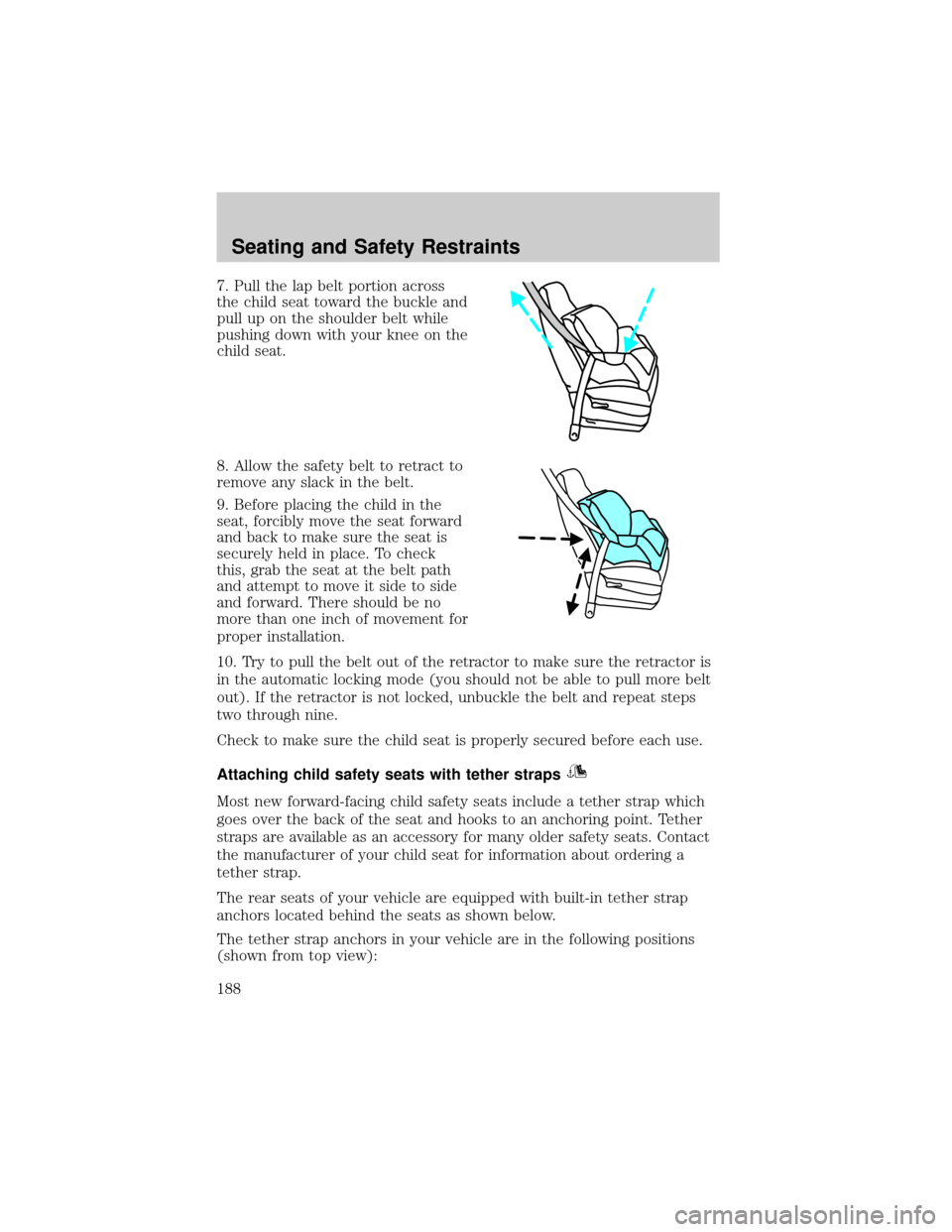
7. Pull the lap belt portion across
the child seat toward the buckle and
pull up on the shoulder belt while
pushing down with your knee on the
child seat.
8. Allow the safety belt to retract to
remove any slack in the belt.
9. Before placing the child in the
seat, forcibly move the seat forward
and back to make sure the seat is
securely held in place. To check
this, grab the seat at the belt path
and attempt to move it side to side
and forward. There should be no
more than one inch of movement for
proper installation.
10. Try to pull the belt out of the retractor to make sure the retractor is
in the automatic locking mode (you should not be able to pull more belt
out). If the retractor is not locked, unbuckle the belt and repeat steps
two through nine.
Check to make sure the child seat is properly secured before each use.
Attaching child safety seats with tether straps
Most new forward-facing child safety seats include a tether strap which
goes over the back of the seat and hooks to an anchoring point. Tether
straps are available as an accessory for many older safety seats. Contact
the manufacturer of your child seat for information about ordering a
tether strap.
The rear seats of your vehicle are equipped with built-in tether strap
anchors located behind the seats as shown below.
The tether strap anchors in your vehicle are in the following positions
(shown from top view):
Seating and Safety Restraints
188
Page 211 of 336
ALL WHEEL DRIVE (AWD) SYSTEM (IF EQUIPPED)
Your vehicle may be equipped with an All Wheel Drive (AWD) transfer
case. With the AWD option, power is supplied to all four wheels
automatically with no need to shift between two-wheel drive and
four-wheel drive. If your vehicle is equipped with the AdvanceTracy
stability enhancement feature, you can change AWD modes, if desired,
by selecting AWD options through the message center.
For the lubricant specification and refill capacity of the AWD transfer
case refer toMaintenance and specificationschapter.
If your vehicle is equipped with AWD, a spare tire of a different
diameter than the road tires should never be used. Such a tire
could make the vehicle difficult to control as well as result in damage
to driveline components.
Utility and four-wheel drive vehicles arenotdesigned for cornering
at speeds as high as passenger cars any more than low-slung sports
cars are designed to perform satisfactorily under off-road conditions.
Avoid sharp turns or abrupt maneuvers in these vehicles.
The following sections,Normal operation,Autolock operationand
Disabling AWD, apply only to vehicles which allow the driver to change
AWD modes through the message center.
Normal operation (vehicles equipped with AdvanceTracYonly)
During normal operation:
²the AWD system is in AWD AUTO mode (AWD LOCKED will
illuminate in the message center for four seconds when you first start
your vehicle). The AWD LOCKED indicator in the instrument cluster
will also come on.
²AWD AUTO mode can be overridden by pressing SETUP in the
message center. When you first press SETUP, AWD
displayed, then if you press RESET within four seconds of pressing
SETUP, AWD
power to all four wheels constantly which allows you to operate your
vehicle in severe winter or off-road conditions such as deep snow, ice
or shallow sand. It is not recommended that you use AWD
on dry pavement.
²AWD
center. (The AWD LOCKED display in the message center will then
turn off and the display will return to AWD
when the shift is complete.)
Driving
211
Page 212 of 336

Autolock operation (vehicles equipped with AdvanceTracYonly)
If the AWD system begins to overheat, the system will place itself in the
Autolock mode:
²the AWD LOCKED indicator light will illuminate in the instrument
cluster and AWD DISABLED
message center.
²AWD LOCKED will be displayed in the message center for four
seconds and a warning chime will sound. This condition may clear
without any action being taken by the driver.
²the AWD LOCKED indicator light in the instrument cluster will turn
off when the AWD system cools down.
²When the system is sufficiently cooled down, AWD AUTO RESTORED
will appear in the message center for four seconds and a warning
chime will sound.
Disabling AWD (vehicles equipped with AdvanceTracYonly)
When a problem is detected in the AWD system:
²the AWD LOCKED indicator light in the instrument cluster will flash
eight times every two minutes in the message center.
²The message center will then display AWD DISABLED for four
seconds, then SEE OWNER'S MANUAL. A warning chime will also
sound. The warning displays and chime will continue until RESET is
pressed (which will clear the message from the display).
²AWD LOCKED can still be engaged by pressing SETUP (the message
center will display AWD
RESET. The AWD LOCKED indicator light will illuminate in the
instrument cluster and the message center will display AWD
DISABLED
²To disable AWD, press RESET. The system will go back to AWD AUTO
mode momentarily, then the AWD LOCKED indicator light will flash in
the instrument cluster eight times every two minutes. The display will
then show AWD
turn off.
²If a serious problem occurs with the AWD system, the AWD LOCKED
indicator light in the instrument cluster will flash 10 times every two
minutes. The message center will also display CHECK AWD and a
warning chime will sound. You can press SETUP to check the status of
the AWD system (which will display AWD
but the AWD system will be disabled until the system is serviced.
Driving
212