lock LINCOLN AVIATOR 2004 User Guide
[x] Cancel search | Manufacturer: LINCOLN, Model Year: 2004, Model line: AVIATOR, Model: LINCOLN AVIATOR 2004Pages: 336, PDF Size: 3.69 MB
Page 56 of 336
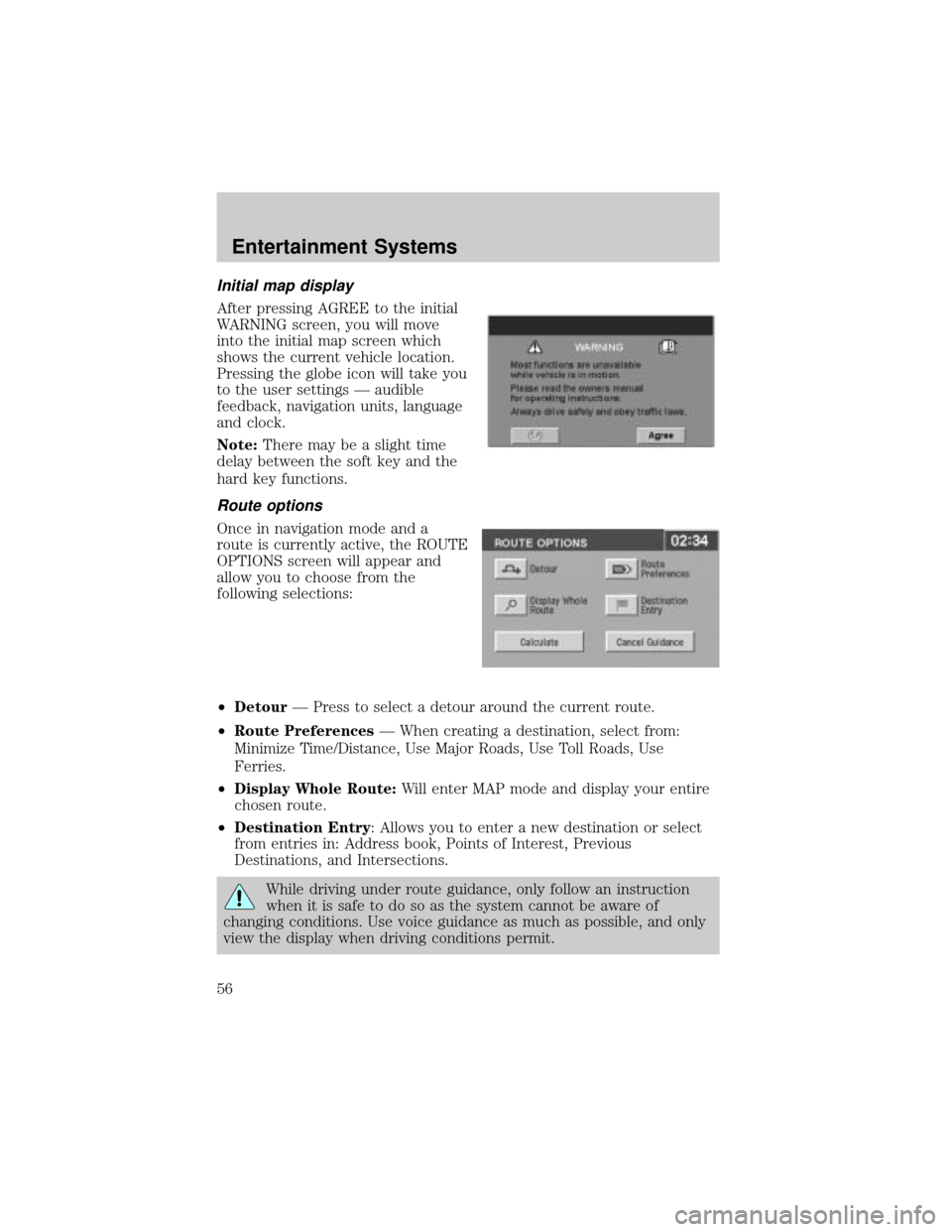
Initial map display
After pressing AGREE to the initial
WARNING screen, you will move
into the initial map screen which
shows the current vehicle location.
Pressing the globe icon will take you
to the user settings Ð audible
feedback, navigation units, language
and clock.
Note:There may be a slight time
delay between the soft key and the
hard key functions.
Route options
Once in navigation mode and a
route is currently active, the ROUTE
OPTIONS screen will appear and
allow you to choose from the
following selections:
²DetourÐ Press to select a detour around the current route.
²Route PreferencesÐ When creating a destination, select from:
Minimize Time/Distance, Use Major Roads, Use Toll Roads, Use
Ferries.
²Display Whole Route:Will enter MAP mode and display your entire
chosen route.
²Destination Entry: Allows you to enter a new destination or select
from entries in: Address book, Points of Interest, Previous
Destinations, and Intersections.
While driving under route guidance, only follow an instruction
when it is safe to do so as the system cannot be aware of
changing conditions. Use voice guidance as much as possible, and only
view the display when driving conditions permit.
Entertainment Systems
56
Page 82 of 336
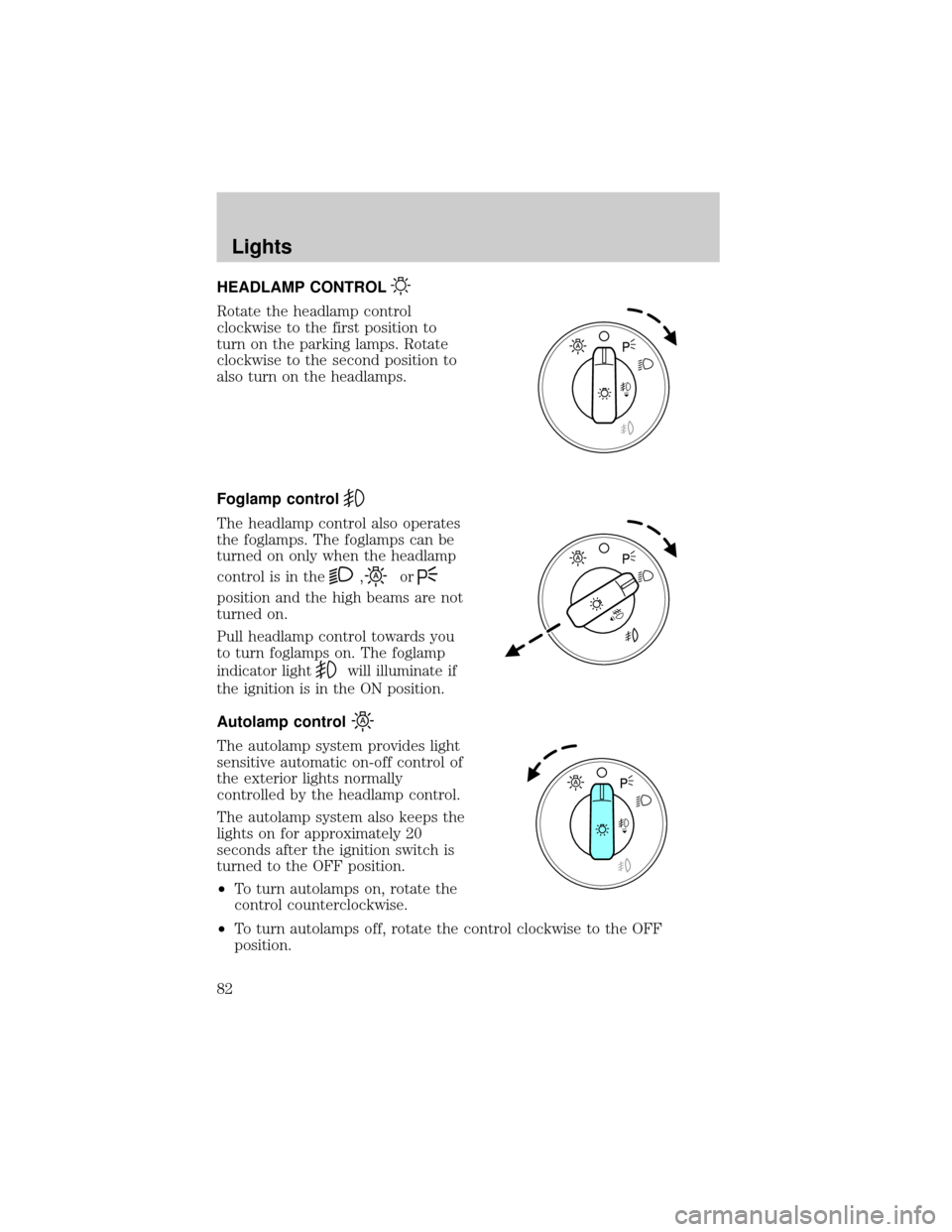
HEADLAMP CONTROL
Rotate the headlamp control
clockwise to the first position to
turn on the parking lamps. Rotate
clockwise to the second position to
also turn on the headlamps.
Foglamp control
The headlamp control also operates
the foglamps. The foglamps can be
turned on only when the headlamp
control is in the
,or
position and the high beams are not
turned on.
Pull headlamp control towards you
to turn foglamps on. The foglamp
indicator light
will illuminate if
the ignition is in the ON position.
Autolamp control
The autolamp system provides light
sensitive automatic on-off control of
the exterior lights normally
controlled by the headlamp control.
The autolamp system also keeps the
lights on for approximately 20
seconds after the ignition switch is
turned to the OFF position.
²To turn autolamps on, rotate the
control counterclockwise.
²To turn autolamps off, rotate the control clockwise to the OFF
position.
Lights
Lights
82
Page 86 of 336
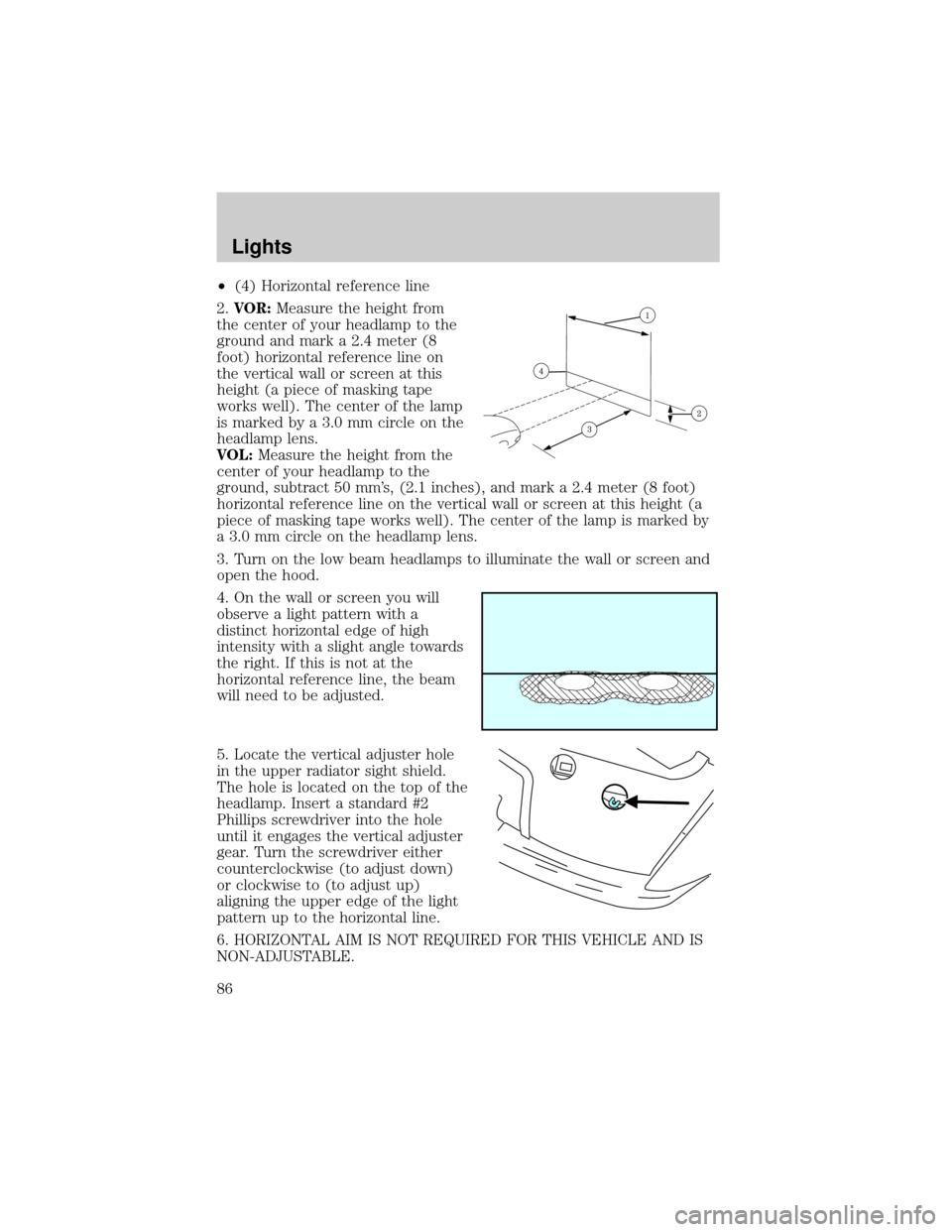
²(4) Horizontal reference line
2.VOR:Measure the height from
the center of your headlamp to the
ground and mark a 2.4 meter (8
foot) horizontal reference line on
the vertical wall or screen at this
height (a piece of masking tape
works well). The center of the lamp
is marked by a 3.0 mm circle on the
headlamp lens.
VOL:Measure the height from the
center of your headlamp to the
ground, subtract 50 mm's, (2.1 inches), and mark a 2.4 meter (8 foot)
horizontal reference line on the vertical wall or screen at this height (a
piece of masking tape works well). The center of the lamp is marked by
a 3.0 mm circle on the headlamp lens.
3. Turn on the low beam headlamps to illuminate the wall or screen and
open the hood.
4. On the wall or screen you will
observe a light pattern with a
distinct horizontal edge of high
intensity with a slight angle towards
the right. If this is not at the
horizontal reference line, the beam
will need to be adjusted.
5. Locate the vertical adjuster hole
in the upper radiator sight shield.
The hole is located on the top of the
headlamp. Insert a standard #2
Phillips screwdriver into the hole
until it engages the vertical adjuster
gear. Turn the screwdriver either
counterclockwise (to adjust down)
or clockwise to (to adjust up)
aligning the upper edge of the light
pattern up to the horizontal line.
6. HORIZONTAL AIM IS NOT REQUIRED FOR THIS VEHICLE AND IS
NON-ADJUSTABLE.
Lights
86
Page 91 of 336
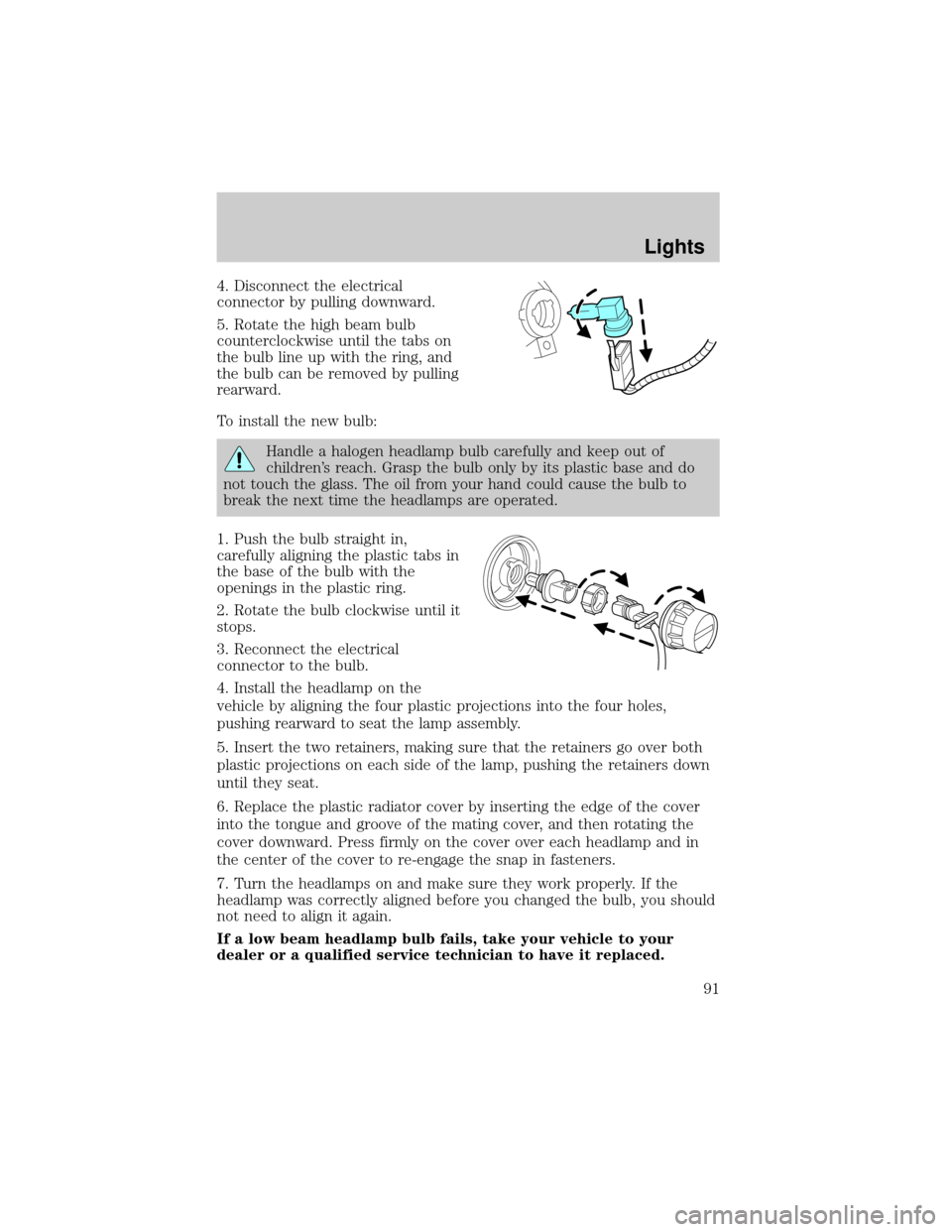
4. Disconnect the electrical
connector by pulling downward.
5. Rotate the high beam bulb
counterclockwise until the tabs on
the bulb line up with the ring, and
the bulb can be removed by pulling
rearward.
To install the new bulb:
Handle a halogen headlamp bulb carefully and keep out of
children's reach. Grasp the bulb only by its plastic base and do
not touch the glass. The oil from your hand could cause the bulb to
break the next time the headlamps are operated.
1. Push the bulb straight in,
carefully aligning the plastic tabs in
the base of the bulb with the
openings in the plastic ring.
2. Rotate the bulb clockwise until it
stops.
3. Reconnect the electrical
connector to the bulb.
4. Install the headlamp on the
vehicle by aligning the four plastic projections into the four holes,
pushing rearward to seat the lamp assembly.
5. Insert the two retainers, making sure that the retainers go over both
plastic projections on each side of the lamp, pushing the retainers down
until they seat.
6. Replace the plastic radiator cover by inserting the edge of the cover
into the tongue and groove of the mating cover, and then rotating the
cover downward. Press firmly on the cover over each headlamp and in
the center of the cover to re-engage the snap in fasteners.
7. Turn the headlamps on and make sure they work properly. If the
headlamp was correctly aligned before you changed the bulb, you should
not need to align it again.
If a low beam headlamp bulb fails, take your vehicle to your
dealer or a qualified service technician to have it replaced.
Lights
91
Page 93 of 336
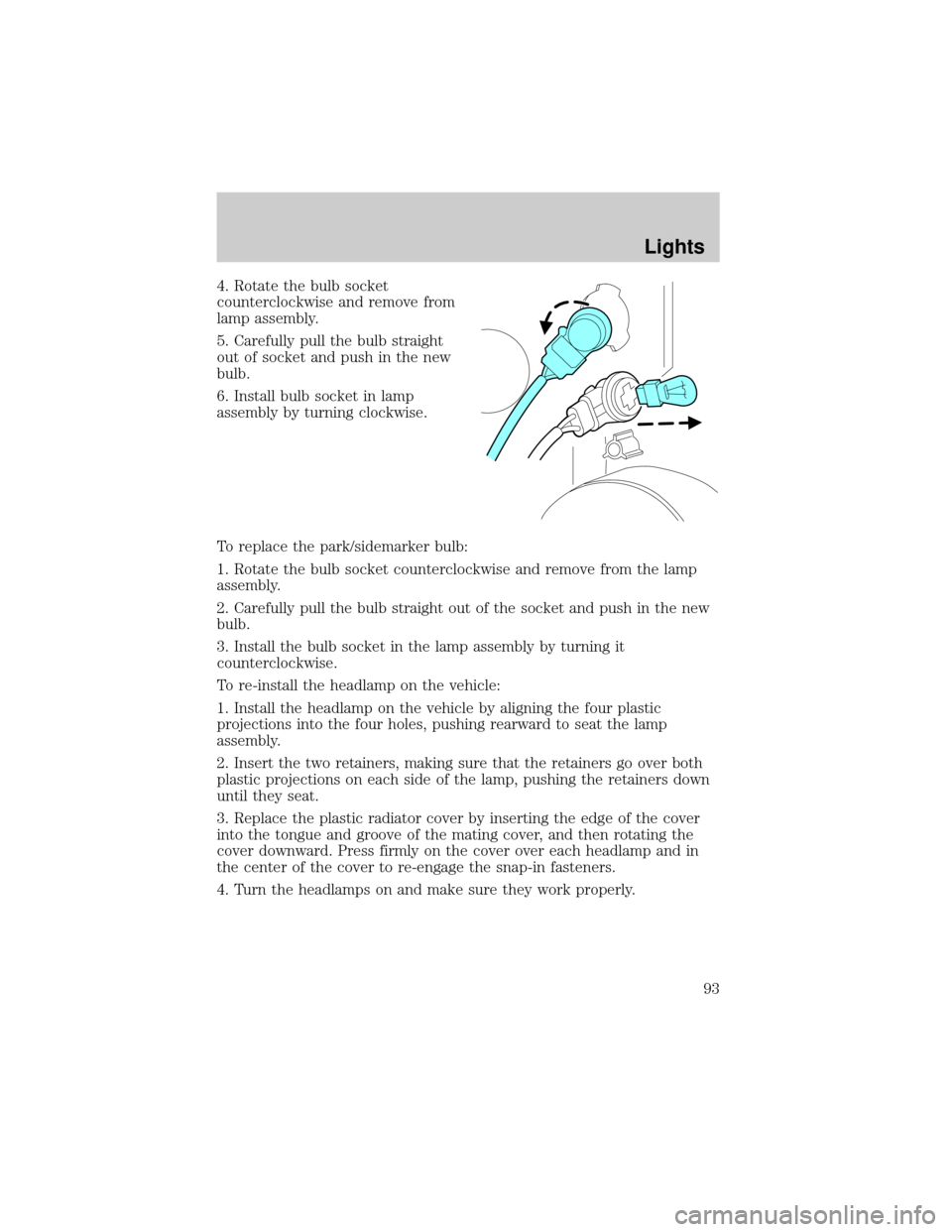
4. Rotate the bulb socket
counterclockwise and remove from
lamp assembly.
5. Carefully pull the bulb straight
out of socket and push in the new
bulb.
6. Install bulb socket in lamp
assembly by turning clockwise.
To replace the park/sidemarker bulb:
1. Rotate the bulb socket counterclockwise and remove from the lamp
assembly.
2. Carefully pull the bulb straight out of the socket and push in the new
bulb.
3. Install the bulb socket in the lamp assembly by turning it
counterclockwise.
To re-install the headlamp on the vehicle:
1. Install the headlamp on the vehicle by aligning the four plastic
projections into the four holes, pushing rearward to seat the lamp
assembly.
2. Insert the two retainers, making sure that the retainers go over both
plastic projections on each side of the lamp, pushing the retainers down
until they seat.
3. Replace the plastic radiator cover by inserting the edge of the cover
into the tongue and groove of the mating cover, and then rotating the
cover downward. Press firmly on the cover over each headlamp and in
the center of the cover to re-engage the snap-in fasteners.
4. Turn the headlamps on and make sure they work properly.
Lights
93
Page 94 of 336
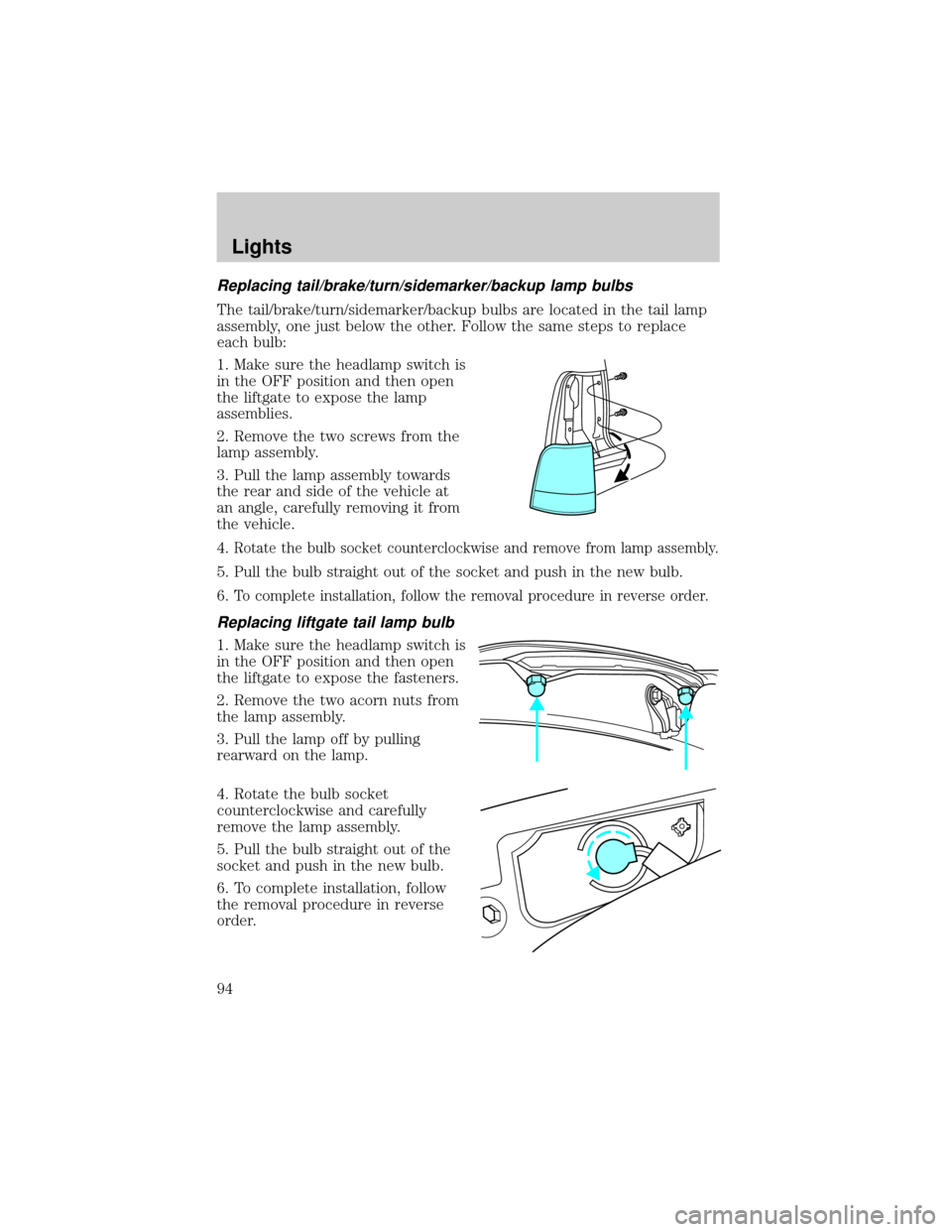
Replacing tail/brake/turn/sidemarker/backup lamp bulbs
The tail/brake/turn/sidemarker/backup bulbs are located in the tail lamp
assembly, one just below the other. Follow the same steps to replace
each bulb:
1. Make sure the headlamp switch is
in the OFF position and then open
the liftgate to expose the lamp
assemblies.
2. Remove the two screws from the
lamp assembly.
3. Pull the lamp assembly towards
the rear and side of the vehicle at
an angle, carefully removing it from
the vehicle.
4.
Rotate the bulb socket counterclockwise and remove from lamp assembly.
5. Pull the bulb straight out of the socket and push in the new bulb.
6.
To complete installation, follow the removal procedure in reverse order.
Replacing liftgate tail lamp bulb
1. Make sure the headlamp switch is
in the OFF position and then open
the liftgate to expose the fasteners.
2. Remove the two acorn nuts from
the lamp assembly.
3. Pull the lamp off by pulling
rearward on the lamp.
4. Rotate the bulb socket
counterclockwise and carefully
remove the lamp assembly.
5. Pull the bulb straight out of the
socket and push in the new bulb.
6. To complete installation, follow
the removal procedure in reverse
order.
Lights
94
Page 95 of 336
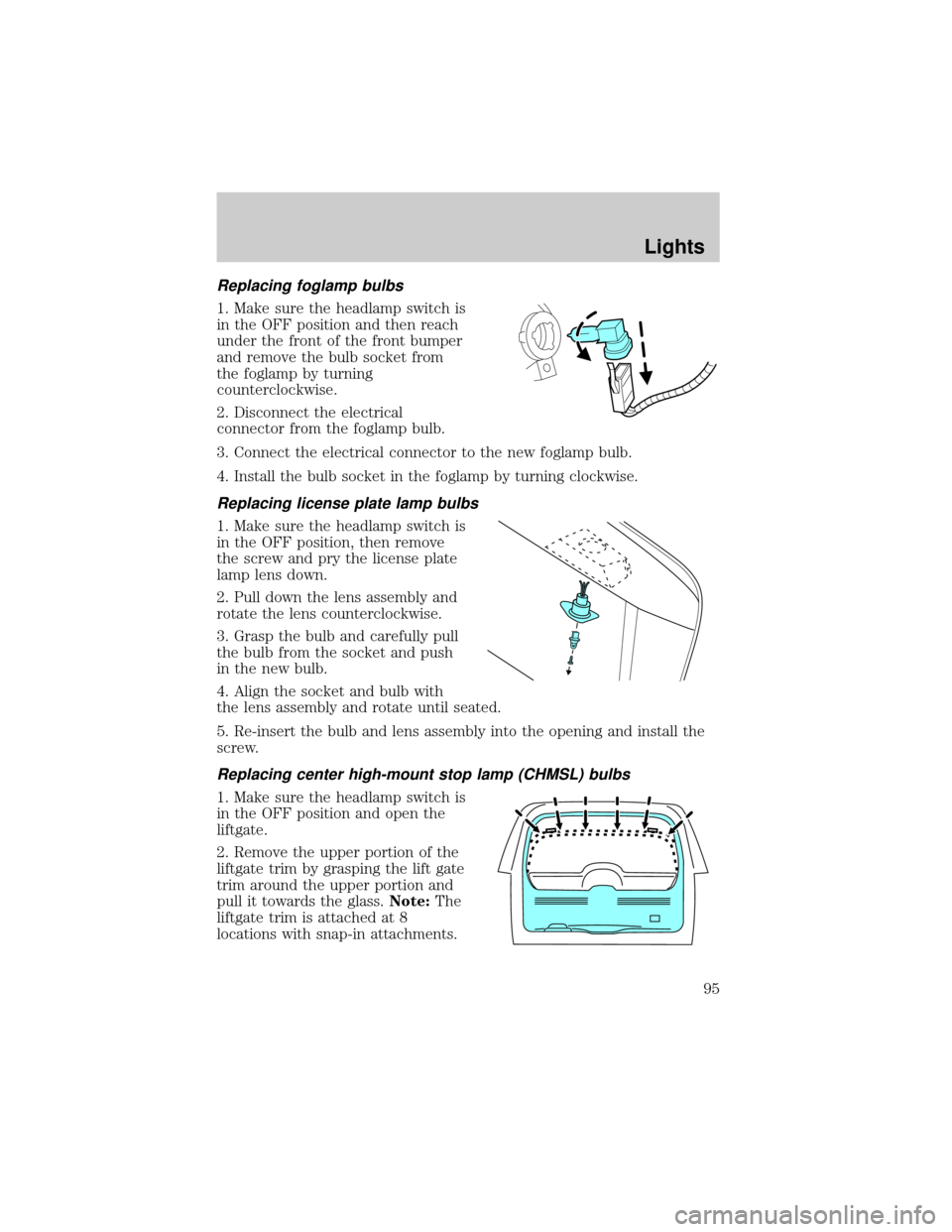
Replacing foglamp bulbs
1. Make sure the headlamp switch is
in the OFF position and then reach
under the front of the front bumper
and remove the bulb socket from
the foglamp by turning
counterclockwise.
2. Disconnect the electrical
connector from the foglamp bulb.
3. Connect the electrical connector to the new foglamp bulb.
4. Install the bulb socket in the foglamp by turning clockwise.
Replacing license plate lamp bulbs
1. Make sure the headlamp switch is
in the OFF position, then remove
the screw and pry the license plate
lamp lens down.
2. Pull down the lens assembly and
rotate the lens counterclockwise.
3. Grasp the bulb and carefully pull
the bulb from the socket and push
in the new bulb.
4. Align the socket and bulb with
the lens assembly and rotate until seated.
5. Re-insert the bulb and lens assembly into the opening and install the
screw.
Replacing center high-mount stop lamp (CHMSL) bulbs
1. Make sure the headlamp switch is
in the OFF position and open the
liftgate.
2. Remove the upper portion of the
liftgate trim by grasping the lift gate
trim around the upper portion and
pull it towards the glass.Note:The
liftgate trim is attached at 8
locations with snap-in attachments.
Lights
95
Page 98 of 336
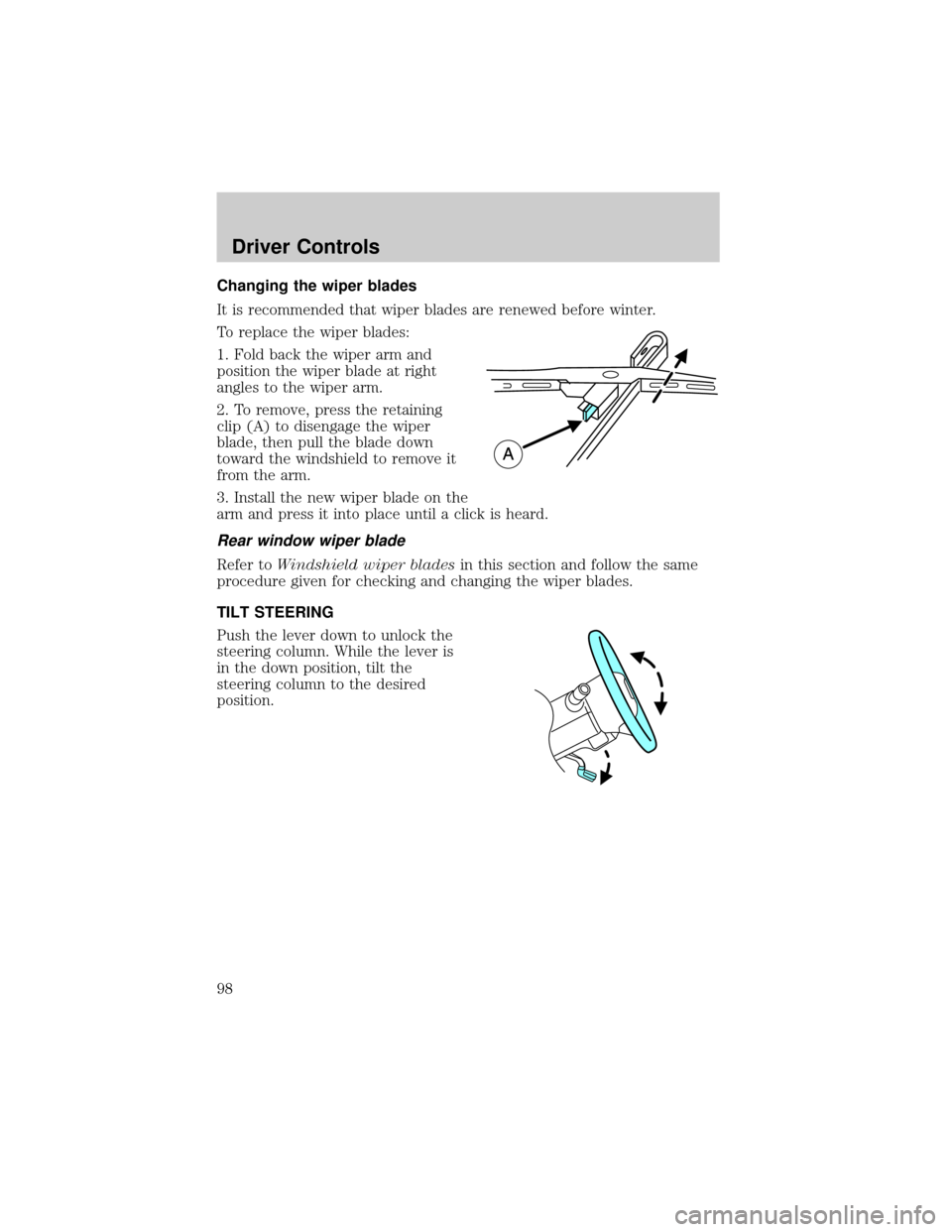
Changing the wiper blades
It is recommended that wiper blades are renewed before winter.
To replace the wiper blades:
1. Fold back the wiper arm and
position the wiper blade at right
angles to the wiper arm.
2. To remove, press the retaining
clip (A) to disengage the wiper
blade, then pull the blade down
toward the windshield to remove it
from the arm.
3. Install the new wiper blade on the
arm and press it into place until a click is heard.
Rear window wiper blade
Refer toWindshield wiper bladesin this section and follow the same
procedure given for checking and changing the wiper blades.
TILT STEERING
Push the lever down to unlock the
steering column. While the lever is
in the down position, tilt the
steering column to the desired
position.
Driver Controls
98
Page 99 of 336
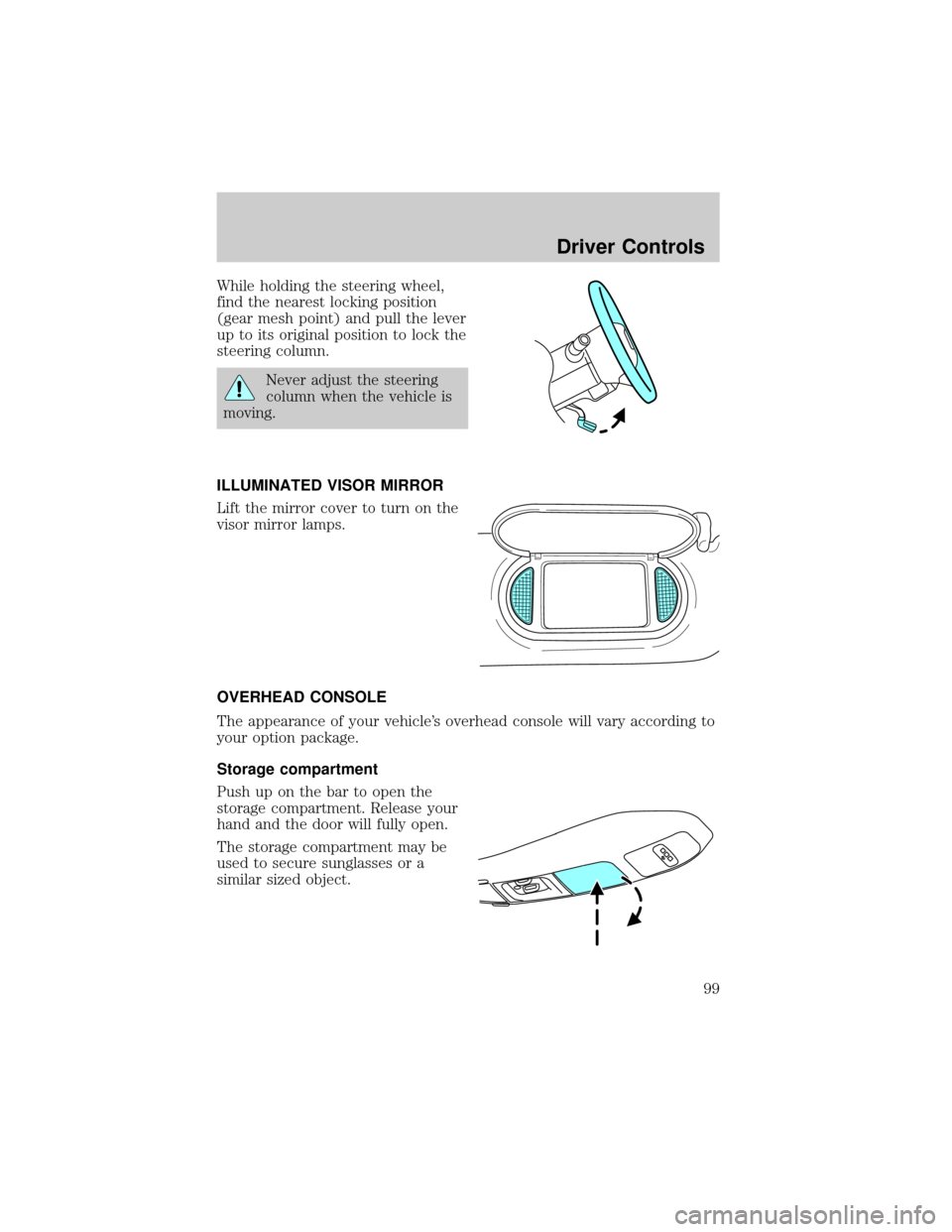
While holding the steering wheel,
find the nearest locking position
(gear mesh point) and pull the lever
up to its original position to lock the
steering column.
Never adjust the steering
column when the vehicle is
moving.
ILLUMINATED VISOR MIRROR
Lift the mirror cover to turn on the
visor mirror lamps.
OVERHEAD CONSOLE
The appearance of your vehicle's overhead console will vary according to
your option package.
Storage compartment
Push up on the bar to open the
storage compartment. Release your
hand and the door will fully open.
The storage compartment may be
used to secure sunglasses or a
similar sized object.
Driver Controls
99
Page 101 of 336
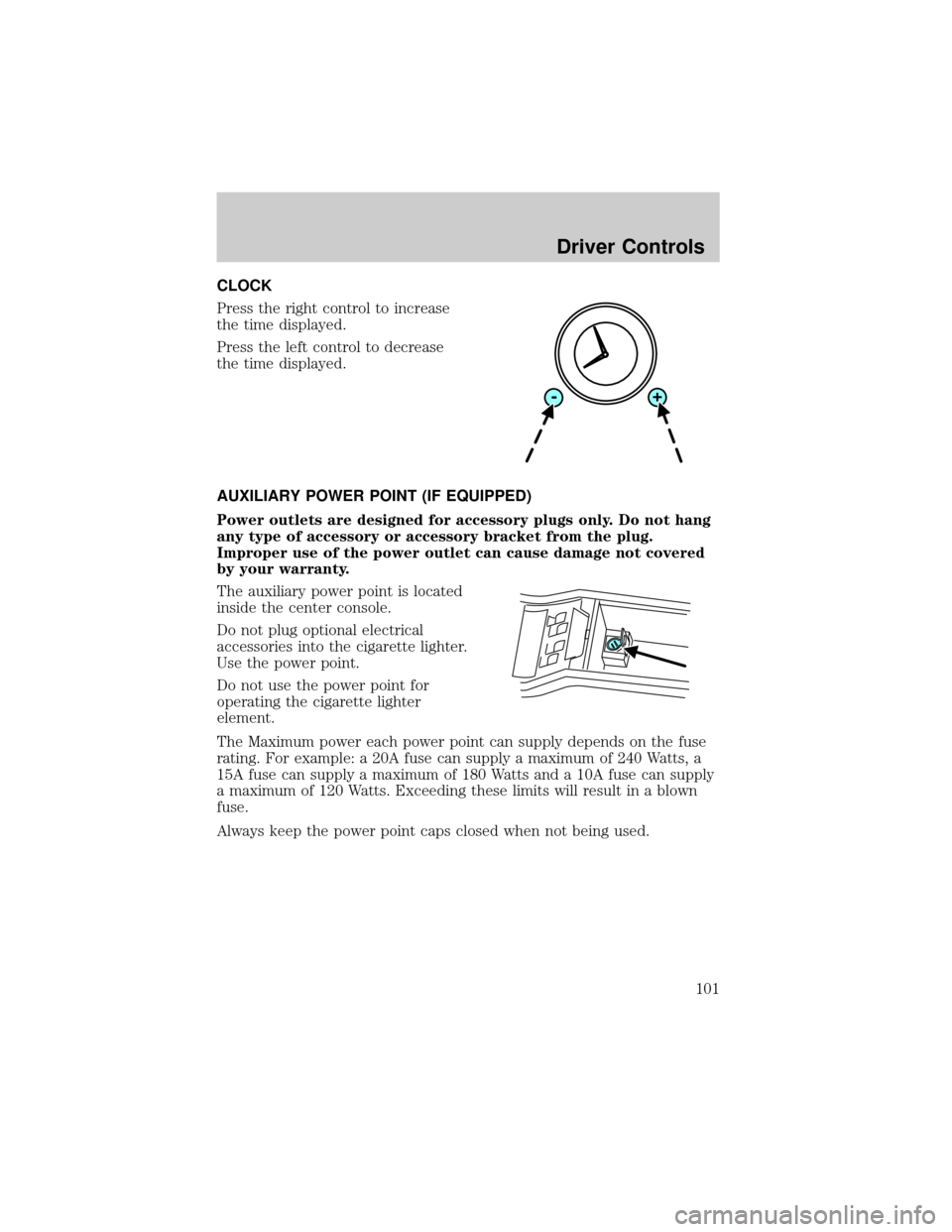
CLOCK
Press the right control to increase
the time displayed.
Press the left control to decrease
the time displayed.
AUXILIARY POWER POINT (IF EQUIPPED)
Power outlets are designed for accessory plugs only. Do not hang
any type of accessory or accessory bracket from the plug.
Improper use of the power outlet can cause damage not covered
by your warranty.
The auxiliary power point is located
inside the center console.
Do not plug optional electrical
accessories into the cigarette lighter.
Use the power point.
Do not use the power point for
operating the cigarette lighter
element.
The Maximum power each power point can supply depends on the fuse
rating. For example: a 20A fuse can supply a maximum of 240 Watts, a
15A fuse can supply a maximum of 180 Watts and a 10A fuse can supply
a maximum of 120 Watts. Exceeding these limits will result in a blown
fuse.
Always keep the power point caps closed when not being used.
Driver Controls
101