reset LINCOLN AVIATOR 2004 User Guide
[x] Cancel search | Manufacturer: LINCOLN, Model Year: 2004, Model line: AVIATOR, Model: LINCOLN AVIATOR 2004Pages: 336, PDF Size: 3.69 MB
Page 39 of 336
Tune adjust
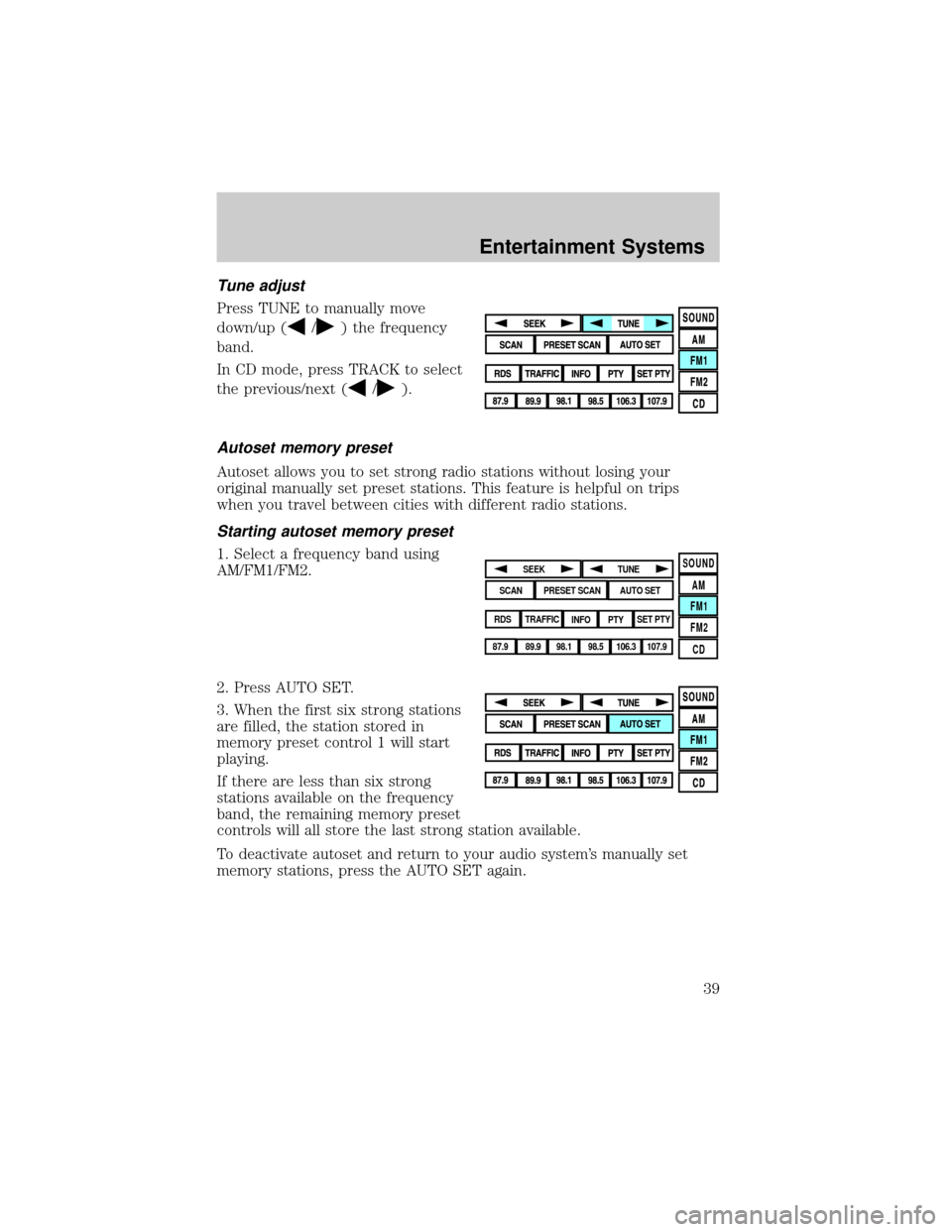
Press TUNE to manually move
down/up (
/) the frequency
band.
In CD mode, press TRACK to select
the previous/next (
/).
Autoset memory preset
Autoset allows you to set strong radio stations without losing your
original manually set preset stations. This feature is helpful on trips
when you travel between cities with different radio stations.
Starting autoset memory preset
1. Select a frequency band using
AM/FM1/FM2.
2. Press AUTO SET.
3. When the first six strong stations
are filled, the station stored in
memory preset control 1 will start
playing.
If there are less than six strong
stations available on the frequency
band, the remaining memory preset
controls will all store the last strong station available.
To deactivate autoset and return to your audio system's manually set
memory stations, press the AUTO SET again.SOUND
AM
FM1
FM2
CDSEEK
TUNE
PRESET SCANAUTO SET
SCAN
RDS
TRAFFIC
INFO PTYSET PTY
87.9
89.9 98.1
98.5 106.3 107.9
Entertainment Systems
39
Page 40 of 336
Scan
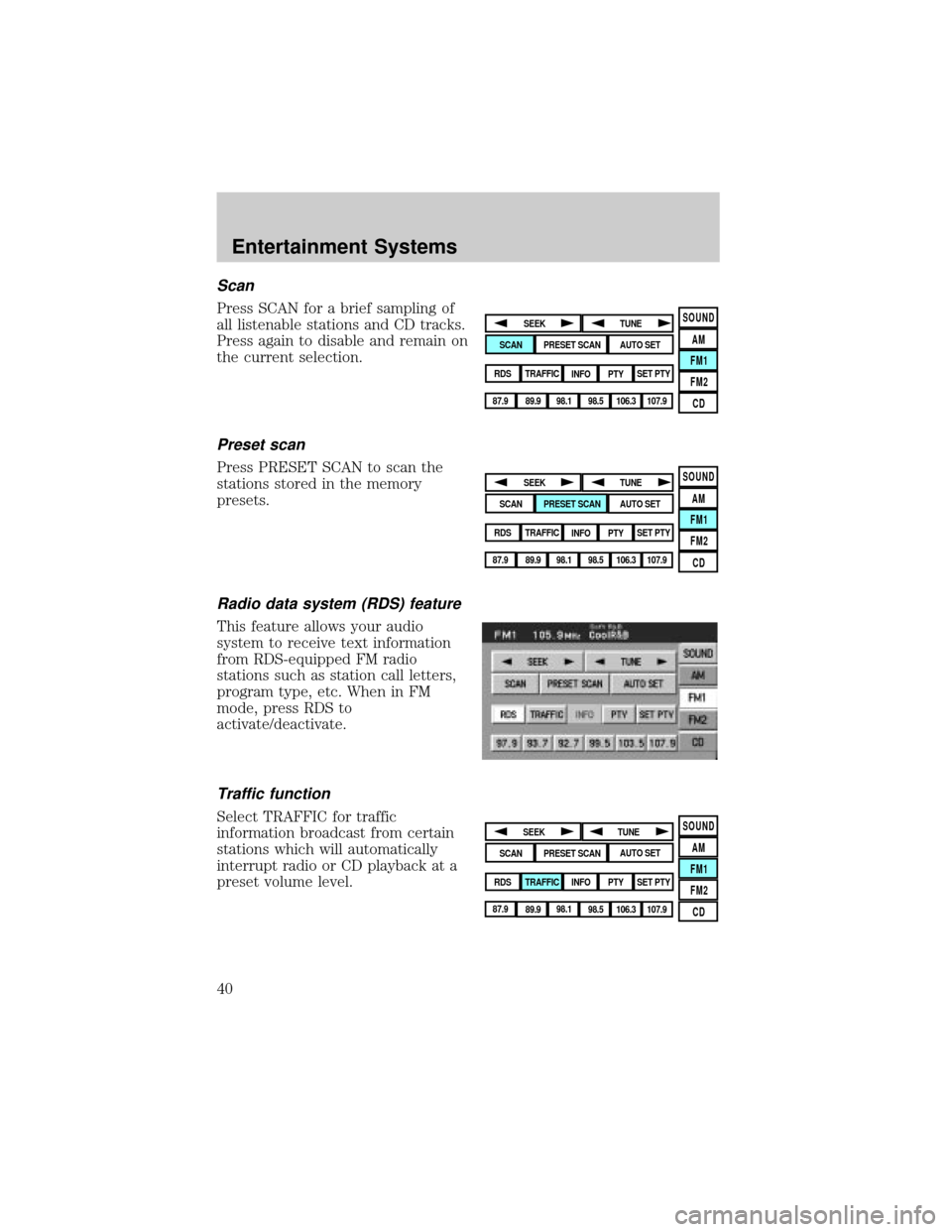
Press SCAN for a brief sampling of
all listenable stations and CD tracks.
Press again to disable and remain on
the current selection.
Preset scan
Press PRESET SCAN to scan the
stations stored in the memory
presets.
Radio data system (RDS) feature
This feature allows your audio
system to receive text information
from RDS-equipped FM radio
stations such as station call letters,
program type, etc. When in FM
mode, press RDS to
activate/deactivate.
Traffic function
Select TRAFFIC for traffic
information broadcast from certain
stations which will automatically
interrupt radio or CD playback at a
preset volume level.
SOUND
AM
FM1
FM2
CDSEEK
TUNE
PRESET SCANAUTO SET
SCAN
RDS
TRAFFIC
INFO PTYSET PTY
87.9
89.9 98.1
98.5 106.3 107.9
SOUND
AM
FM1
FM2
CDSEEK
TUNE
PRESET SCANAUTO SET
SCAN
RDS
TRAFFIC
INFO PTYSET PTY
87.9
89.9 98.1
98.5 106.3 107.9
SOUND
AM
FM1
FM2
CDSEEK
TUNE
PRESET SCANAUTO SET
SCAN
RDS
TRAFFIC
INFO PTYSET PTY
87.9
89.9 98.1
98.5 106.3 107.9
Entertainment Systems
40
Page 41 of 336
Traffic information not available in most U.S. markets.
Information feature
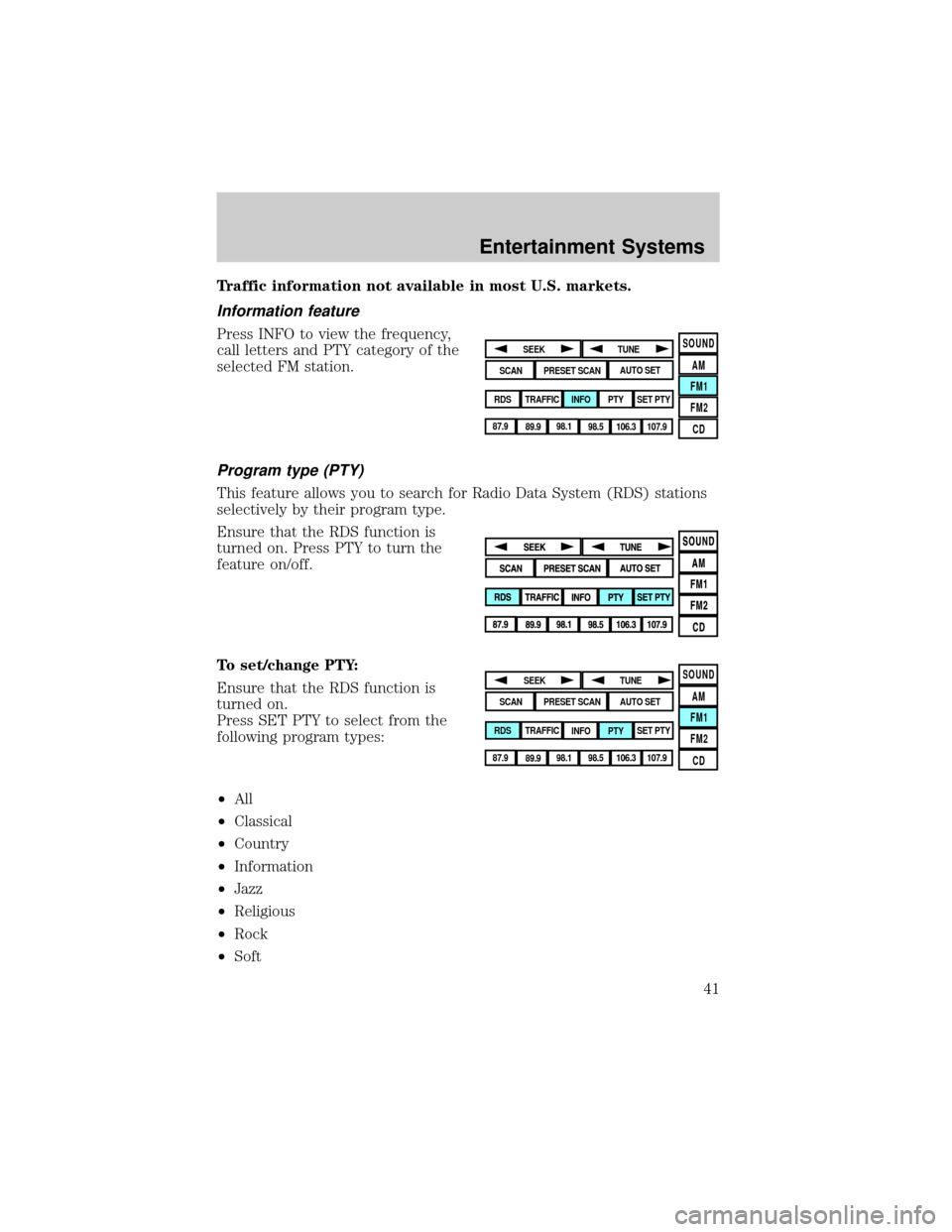
Press INFO to view the frequency,
call letters and PTY category of the
selected FM station.
Program type (PTY)
This feature allows you to search for Radio Data System (RDS) stations
selectively by their program type.
Ensure that the RDS function is
turned on. Press PTY to turn the
feature on/off.
To set/change PTY:
Ensure that the RDS function is
turned on.
Press SET PTY to select from the
following program types:
²All
²Classical
²Country
²Information
²Jazz
²Religious
²Rock
²Soft
SOUND
AM
FM1
FM2
CDSEEK
TUNE
PRESET SCANAUTO SET
SCAN
RDS
TRAFFIC
INFO PTYSET PTY
87.9
89.9 98.1
98.5 106.3 107.9
SOUND
AM
FM1
FM2
CDSEEK
TUNE
PRESET SCANAUTO SET
SCAN
RDS
TRAFFIC
INFO PTYSET PTY
87.9
89.9 98.1
98.5 106.3 107.9
Entertainment Systems
41
Page 42 of 336
²To p 4 0
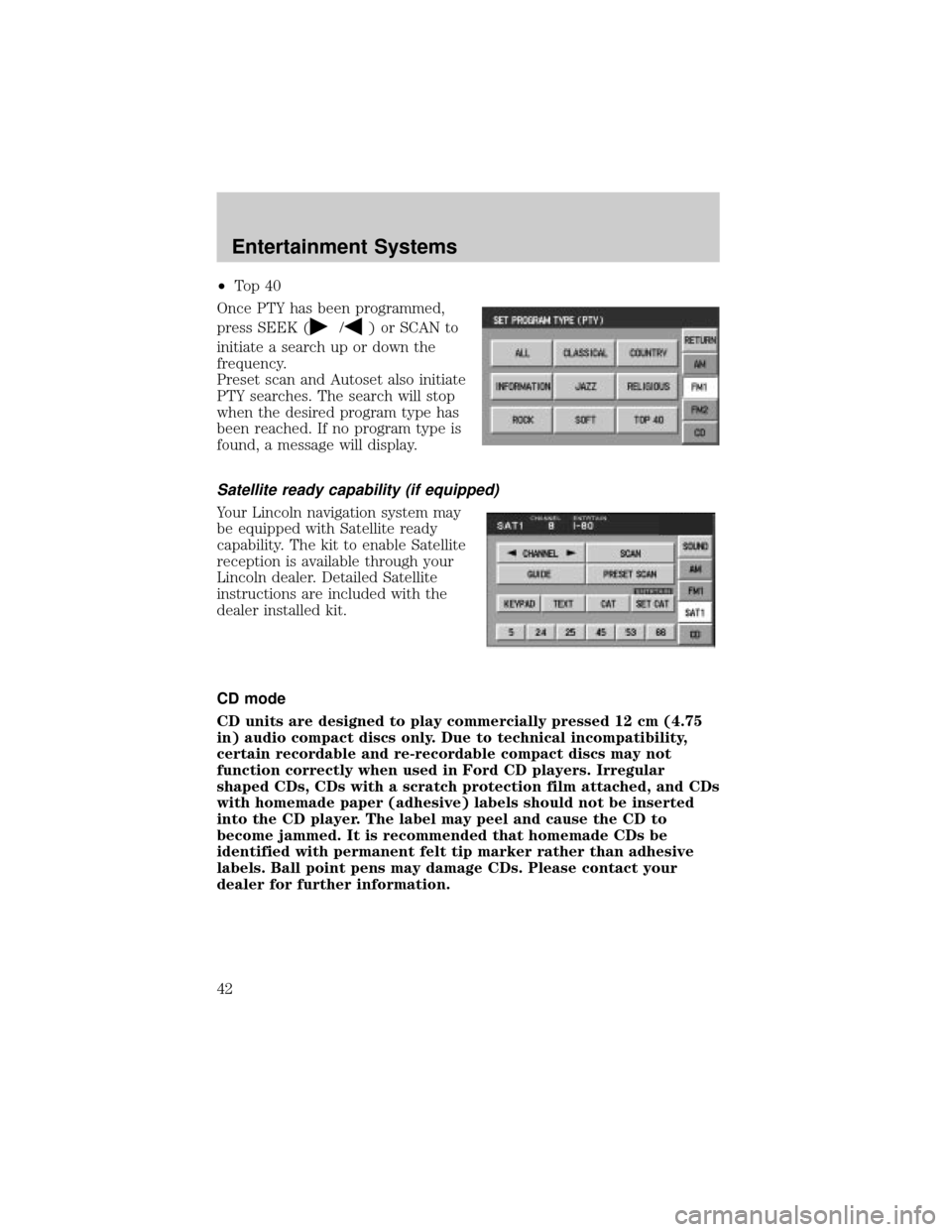
Once PTY has been programmed,
press SEEK (
/) or SCAN to
initiate a search up or down the
frequency.
Preset scan and Autoset also initiate
PTY searches. The search will stop
when the desired program type has
been reached. If no program type is
found, a message will display.
Satellite ready capability (if equipped)
Your Lincoln navigation system may
be equipped with Satellite ready
capability. The kit to enable Satellite
reception is available through your
Lincoln dealer. Detailed Satellite
instructions are included with the
dealer installed kit.
CD mode
CD units are designed to play commercially pressed 12 cm (4.75
in) audio compact discs only. Due to technical incompatibility,
certain recordable and re-recordable compact discs may not
function correctly when used in Ford CD players. Irregular
shaped CDs, CDs with a scratch protection film attached, and CDs
with homemade paper (adhesive) labels should not be inserted
into the CD player. The label may peel and cause the CD to
become jammed. It is recommended that homemade CDs be
identified with permanent felt tip marker rather than adhesive
labels. Ball point pens may damage CDs. Please contact your
dealer for further information.
Entertainment Systems
42
Page 43 of 336
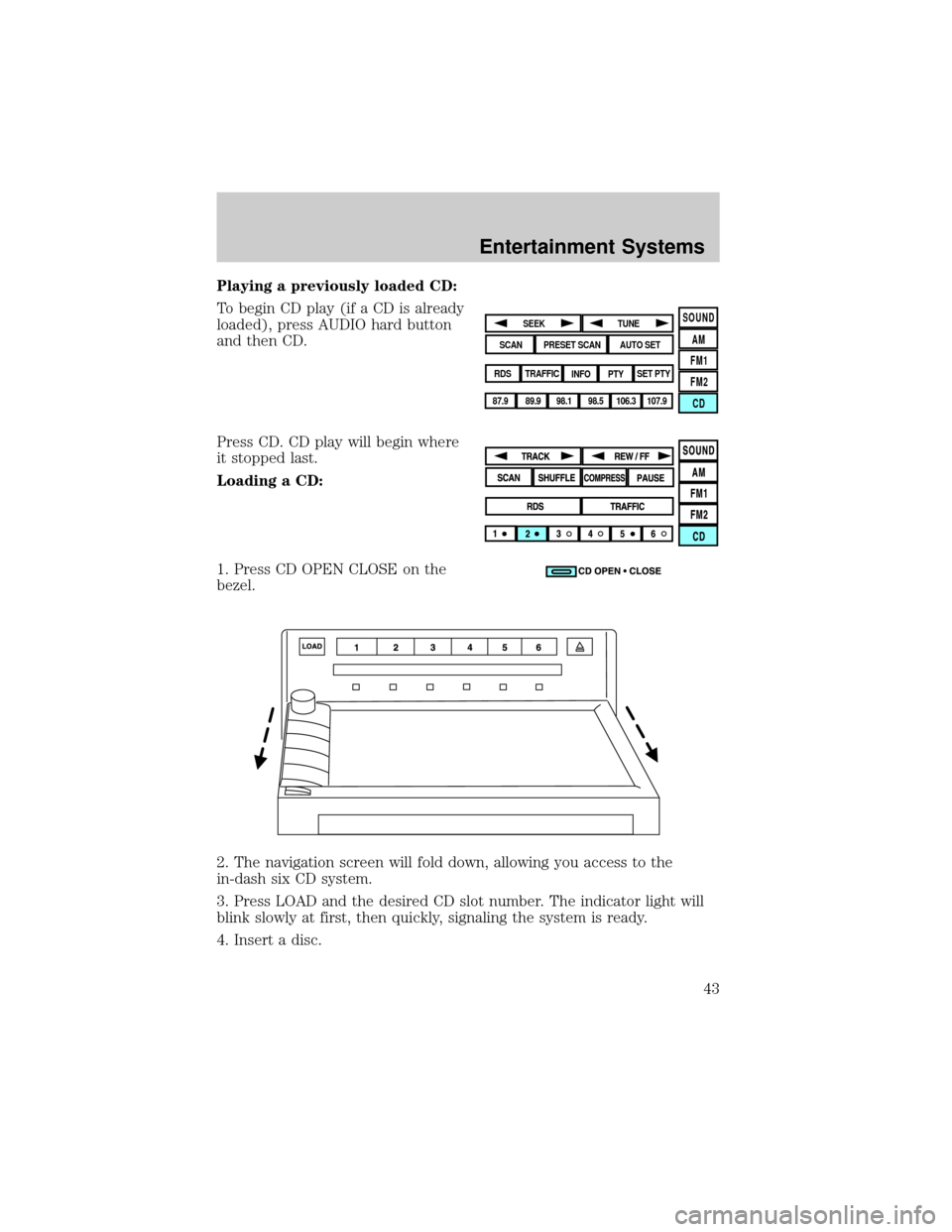
Playing a previously loaded CD:
To begin CD play (if a CD is already
loaded), press AUDIO hard button
and then CD.
Press CD. CD play will begin where
it stopped last.
Loading a CD:
1. Press CD OPEN CLOSE on the
bezel.
2. The navigation screen will fold down, allowing you access to the
in-dash six CD system.
3. Press LOAD and the desired CD slot number. The indicator light will
blink slowly at first, then quickly, signaling the system is ready.
4. Insert a disc.
SOUND
AM
FM1
FM2
CDSEEK
TUNE
PRESET SCANAUTO SET
SCAN
RDS
TRAFFIC
INFO PTYSET PTY
87.9
89.9 98.1
98.5 106.3 107.9
Entertainment Systems
43
Page 52 of 336
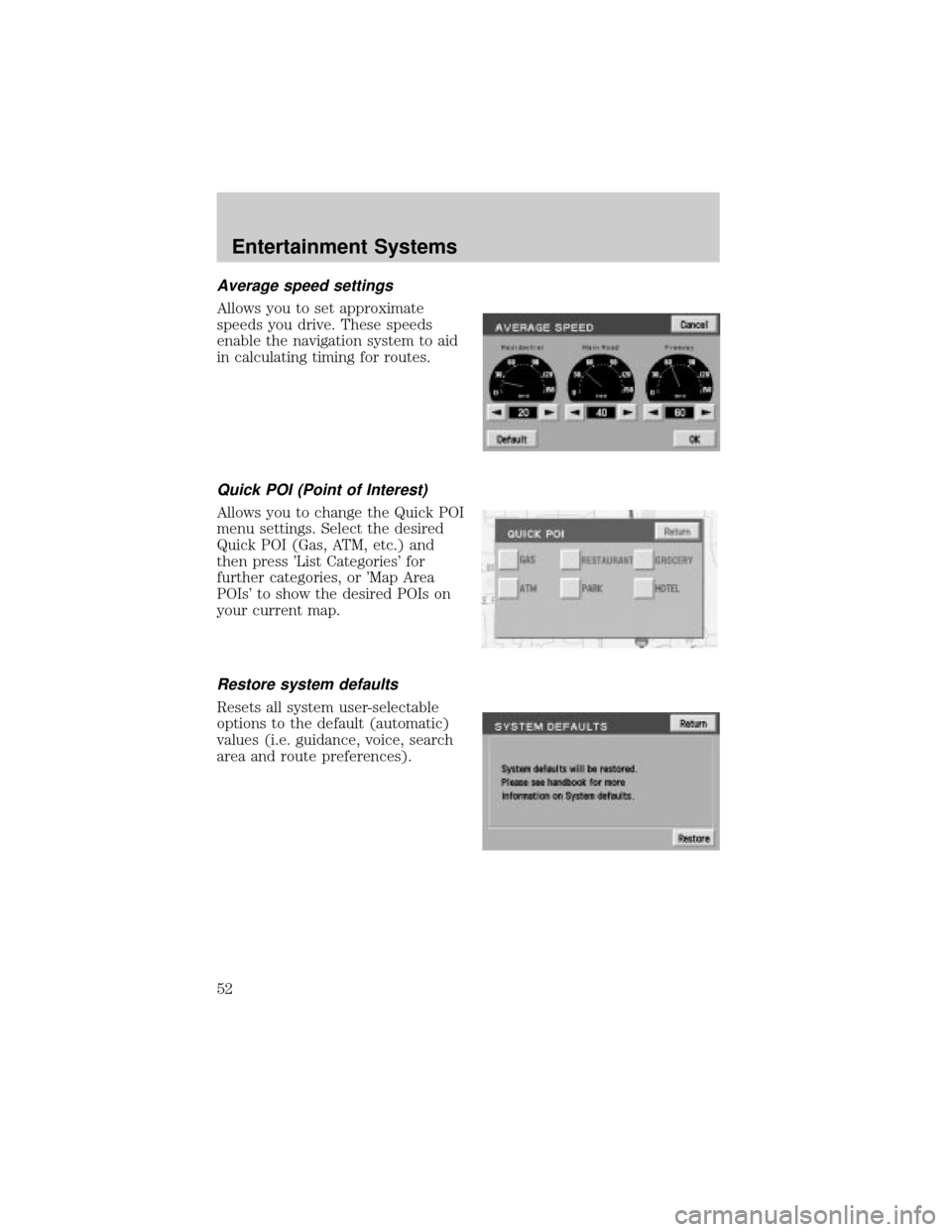
Average speed settings
Allows you to set approximate
speeds you drive. These speeds
enable the navigation system to aid
in calculating timing for routes.
Quick POI (Point of Interest)
Allows you to change the Quick POI
menu settings. Select the desired
Quick POI (Gas, ATM, etc.) and
then press 'List Categories' for
further categories, or 'Map Area
POIs' to show the desired POIs on
your current map.
Restore system defaults
Resets all system user-selectable
options to the default (automatic)
values (i.e. guidance, voice, search
area and route preferences).
Entertainment Systems
52
Page 58 of 336
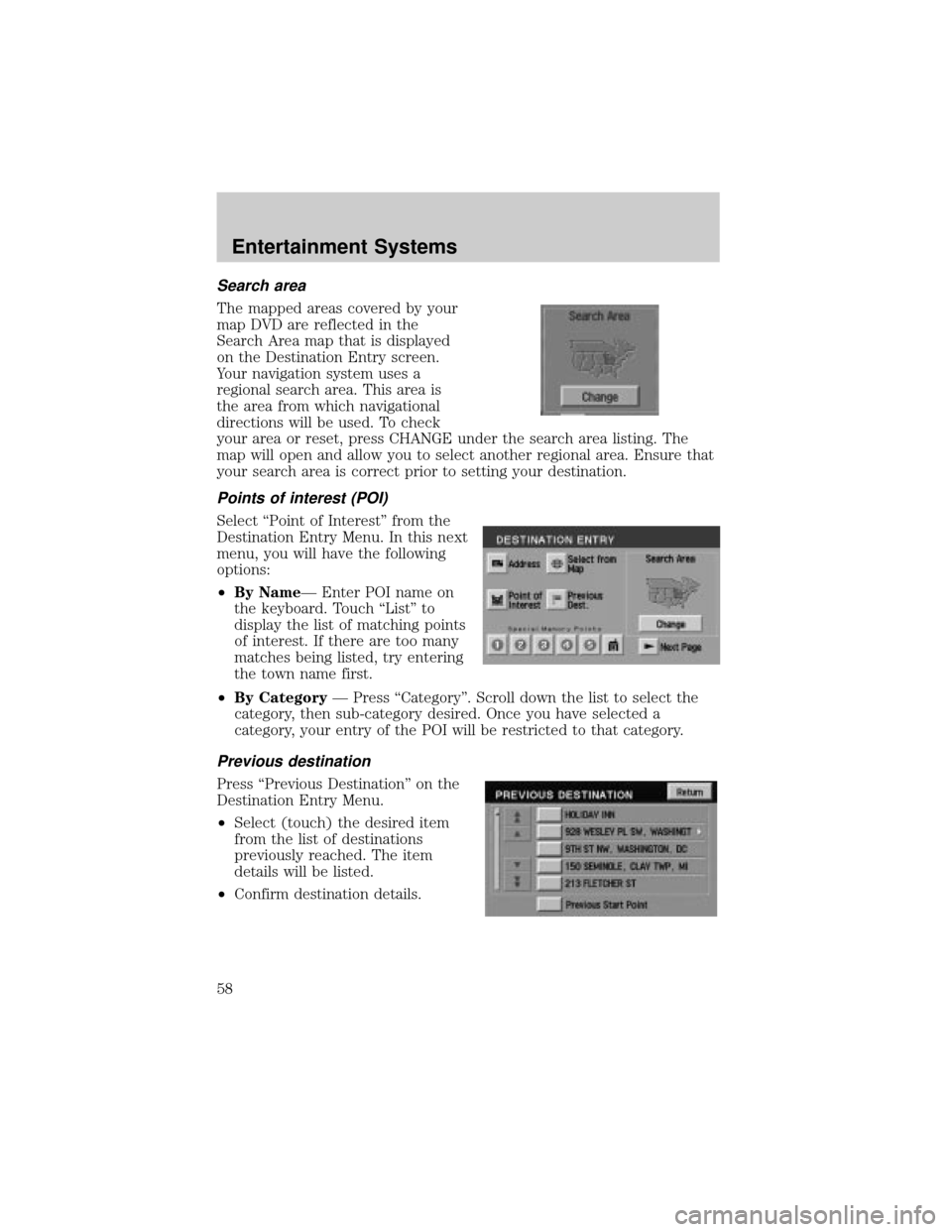
Search area
The mapped areas covered by your
map DVD are reflected in the
Search Area map that is displayed
on the Destination Entry screen.
Your navigation system uses a
regional search area. This area is
the area from which navigational
directions will be used. To check
your area or reset, press CHANGE under the search area listing. The
map will open and allow you to select another regional area. Ensure that
your search area is correct prior to setting your destination.
Points of interest (POI)
Select ªPoint of Interestº from the
Destination Entry Menu. In this next
menu, you will have the following
options:
²By NameÐ Enter POI name on
the keyboard. Touch ªListº to
display the list of matching points
of interest. If there are too many
matches being listed, try entering
the town name first.
²By CategoryÐ Press ªCategoryº. Scroll down the list to select the
category, then sub-category desired. Once you have selected a
category, your entry of the POI will be restricted to that category.
Previous destination
Press ªPrevious Destinationº on the
Destination Entry Menu.
²Select (touch) the desired item
from the list of destinations
previously reached. The item
details will be listed.
²Confirm destination details.
Entertainment Systems
58
Page 84 of 336
²Press the setup button- The message center then displays the next
menu selection in its list.
²Press the reset button- The message center then proceeds to the
next sequence/step (3) below.
²The message center sends/issues the ªAutolamp Delay Commandº to
the body security module (BSM).
²The body security module responds within 100 milliseconds with next
auto lamp exit delay time.
3. Next sequence/step number is one (1) steps 1,2,3,4 & 5 are repeated
until exit via step 2.
4. The message center displays the next menu selection.
Daytime running lamps (DRL) (if equipped)
To activate DRL:
²the ignition must be in the ON position and
²the headlamp control is in the OFF or Parking lamps position
²the parking brake must be disengaged.
Always remember to turn on your headlamps at dusk or during
inclement weather. The Daytime Running Light (DRL) System
does not activate your tail lamps and generally may not provide
adequate lighting during these conditions. Failure to activate your
headlamps under these conditions may result in a collision.
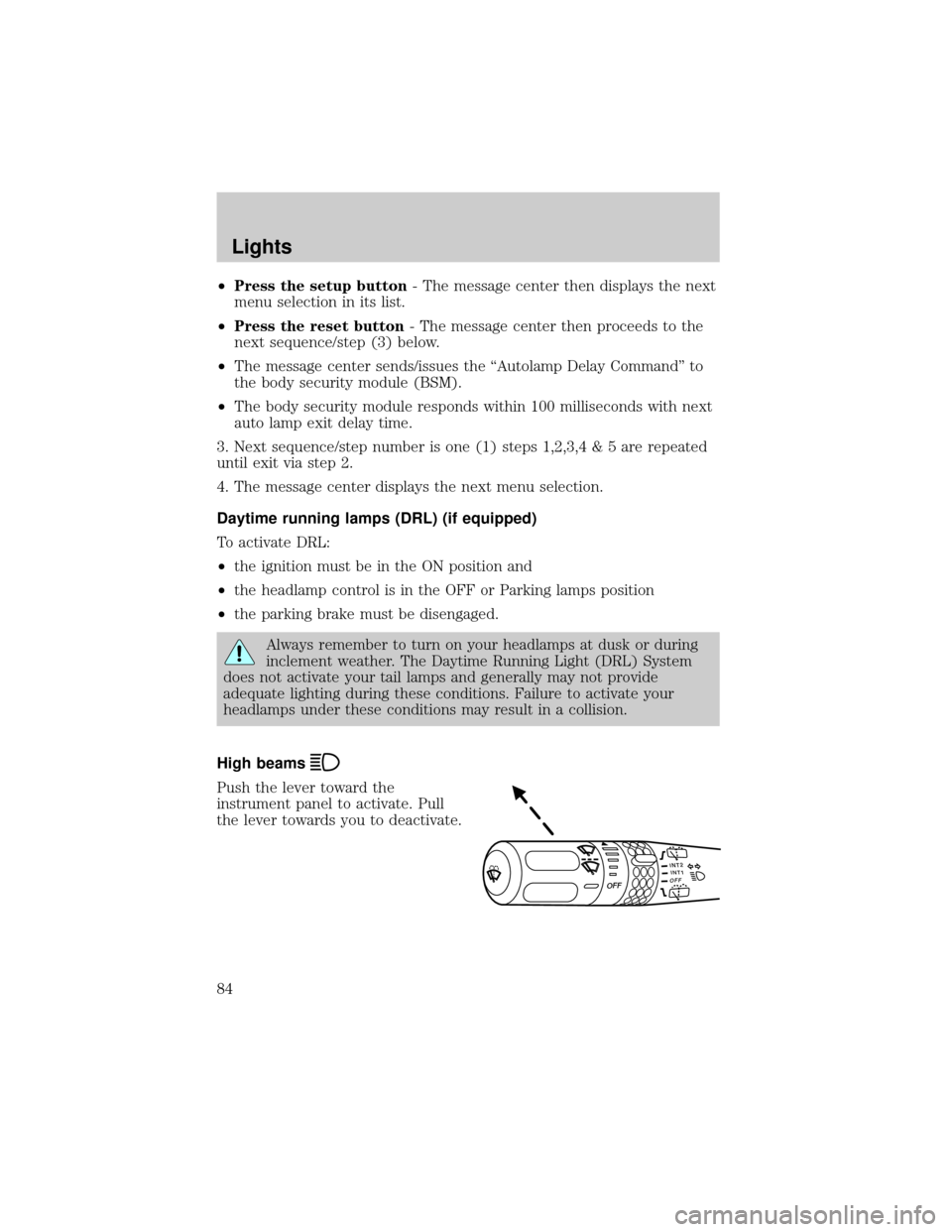
High beams
Push the lever toward the
instrument panel to activate. Pull
the lever towards you to deactivate.
INT2OFFOFFINT1
Lights
84
Page 100 of 336
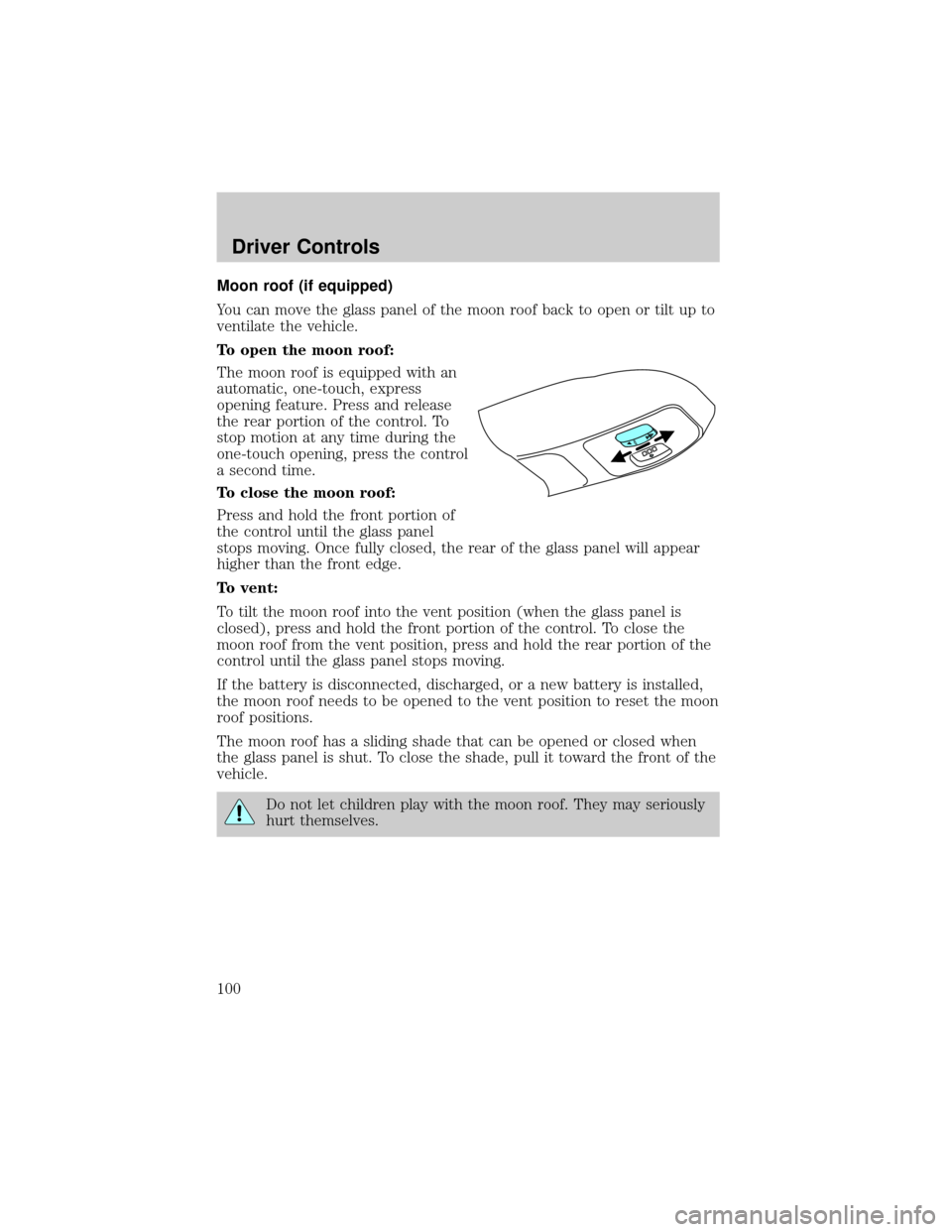
Moon roof (if equipped)
You can move the glass panel of the moon roof back to open or tilt up to
ventilate the vehicle.
To open the moon roof:
The moon roof is equipped with an
automatic, one-touch, express
opening feature. Press and release
the rear portion of the control. To
stop motion at any time during the
one-touch opening, press the control
a second time.
To close the moon roof:
Press and hold the front portion of
the control until the glass panel
stops moving. Once fully closed, the rear of the glass panel will appear
higher than the front edge.
To vent:
To tilt the moon roof into the vent position (when the glass panel is
closed), press and hold the front portion of the control. To close the
moon roof from the vent position, press and hold the rear portion of the
control until the glass panel stops moving.
If the battery is disconnected, discharged, or a new battery is installed,
the moon roof needs to be opened to the vent position to reset the moon
roof positions.
The moon roof has a sliding shade that can be opened or closed when
the glass panel is shut. To close the shade, pull it toward the front of the
vehicle.
Do not let children play with the moon roof. They may seriously
hurt themselves.
Driver Controls
100
Page 112 of 336
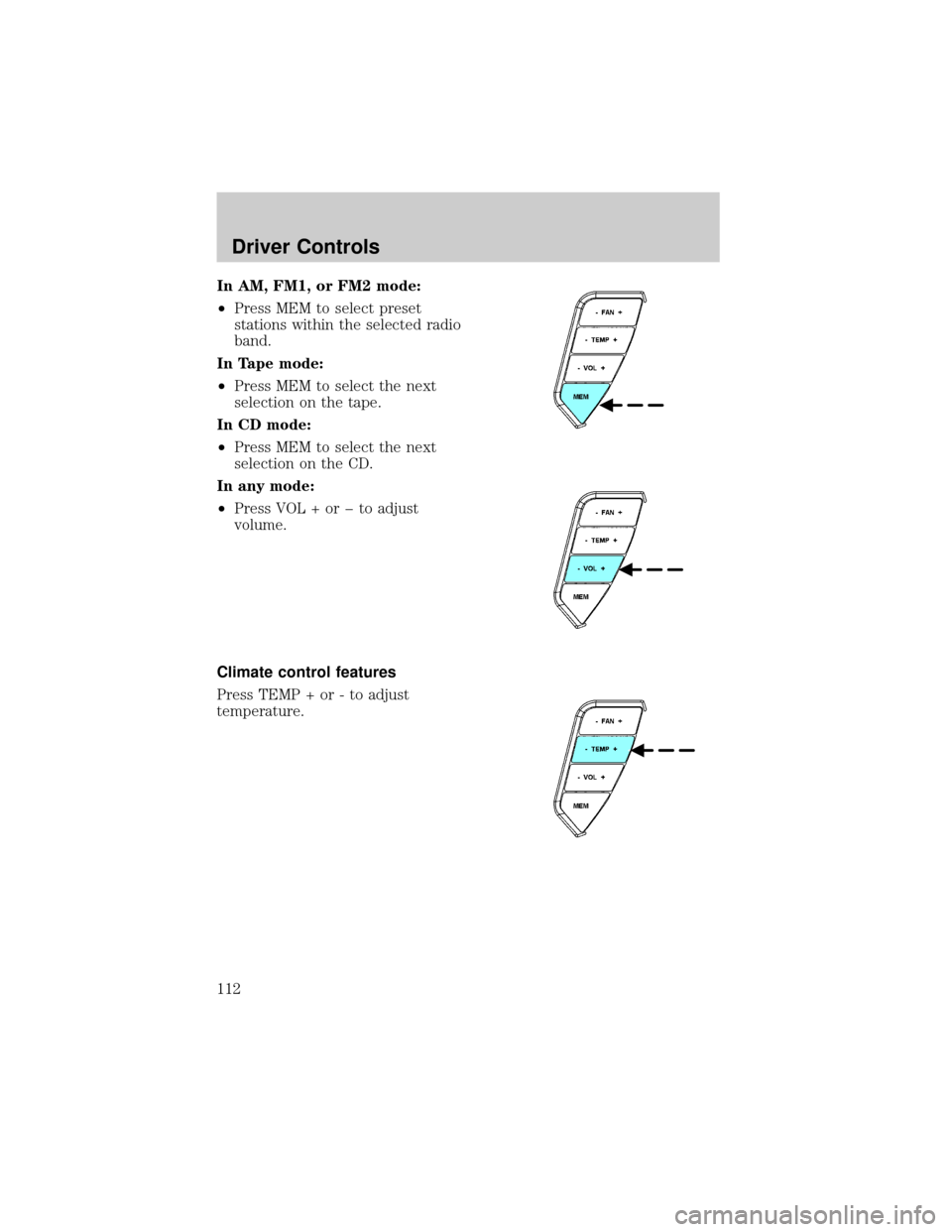
In AM, FM1, or FM2 mode:
²Press MEM to select preset
stations within the selected radio
band.
In Tape mode:
²Press MEM to select the next
selection on the tape.
In CD mode:
²Press MEM to select the next
selection on the CD.
In any mode:
²Press VOL + or þ to adjust
volume.
Climate control features
Press TEMP + or - to adjust
temperature.
Driver Controls
112