turn signal LINCOLN AVIATOR 2004 User Guide
[x] Cancel search | Manufacturer: LINCOLN, Model Year: 2004, Model line: AVIATOR, Model: LINCOLN AVIATOR 2004Pages: 336, PDF Size: 3.69 MB
Page 96 of 336
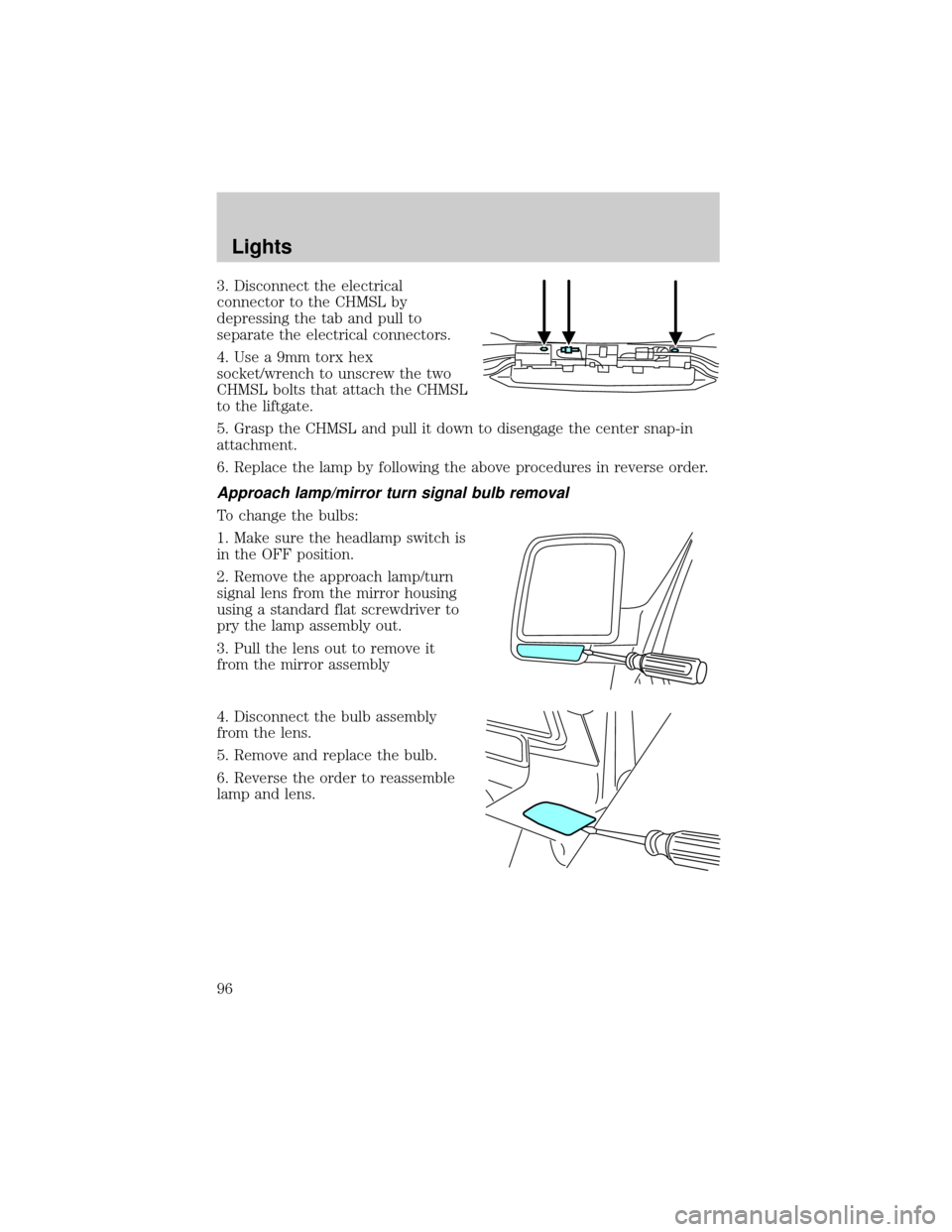
3. Disconnect the electrical
connector to the CHMSL by
depressing the tab and pull to
separate the electrical connectors.
4. Use a 9mm torx hex
socket/wrench to unscrew the two
CHMSL bolts that attach the CHMSL
to the liftgate.
5. Grasp the CHMSL and pull it down to disengage the center snap-in
attachment.
6. Replace the lamp by following the above procedures in reverse order.
Approach lamp/mirror turn signal bulb removal
To change the bulbs:
1. Make sure the headlamp switch is
in the OFF position.
2. Remove the approach lamp/turn
signal lens from the mirror housing
using a standard flat screwdriver to
pry the lamp assembly out.
3. Pull the lens out to remove it
from the mirror assembly
4. Disconnect the bulb assembly
from the lens.
5. Remove and replace the bulb.
6. Reverse the order to reassemble
lamp and lens.
Lights
96
Page 107 of 336
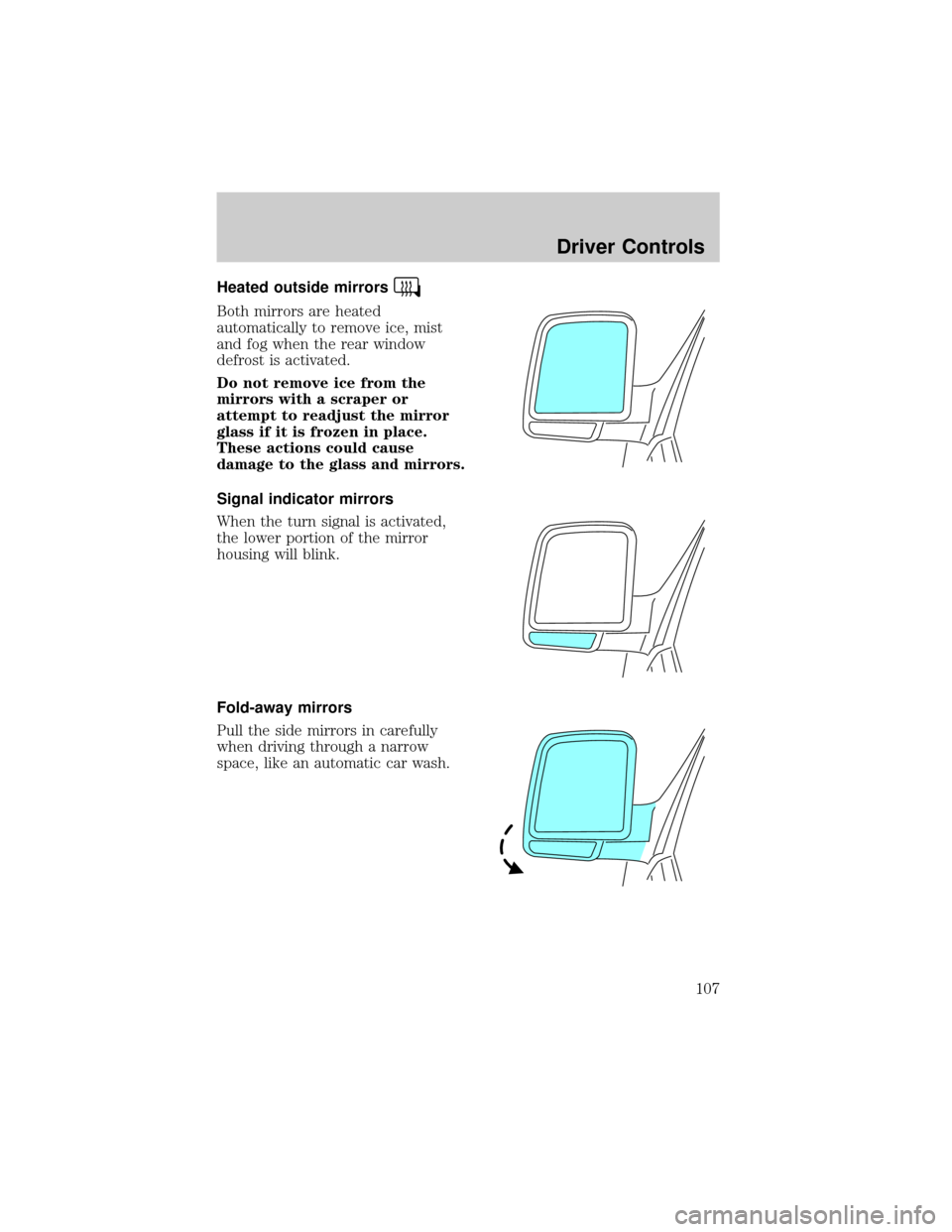
Heated outside mirrors
Both mirrors are heated
automatically to remove ice, mist
and fog when the rear window
defrost is activated.
Do not remove ice from the
mirrors with a scraper or
attempt to readjust the mirror
glass if it is frozen in place.
These actions could cause
damage to the glass and mirrors.
Signal indicator mirrors
When the turn signal is activated,
the lower portion of the mirror
housing will blink.
Fold-away mirrors
Pull the side mirrors in carefully
when driving through a narrow
space, like an automatic car wash.
Driver Controls
107
Page 115 of 336
When programming your HomeLinktWireless Control System to
a garage door or gate, be sure that people and objects are out of
the way to prevent potential harm or damage.
Do not use the HomeLinktWireless Control System with any garage
door opener that lacks safety stop and reverse features as required by
U.S. federal safety standards (this includes any garage door opener
model manufactured before April 1, 1982). A garage door which cannot
detect an object, signaling the door to stop and reverse, does not meet
current U.S. federal safety standards. For more information, contact
HomeLinktat:www.homelink.comor1±800±355±3515.
Retain the original transmitter for use in other vehicles as well as for
future programming procedures (i.e. new HomeLinktequipped vehicle
purchase). It is also suggested that upon the sale of the vehicle, the
programmed Homelinktbuttons be erased for security purposes, refer to
Programmingin this section.
Programming
Do not program HomeLinktwith the vehicle parked in the garage.
Note:Some vehicles may require the ignition switch to be turned to the
second (or ªACCº) position for programming and/or operation of the
HomeLinkt. It is also recommended that a new battery be placed in the
hand-held transmitter of the device being programmed to HomeLinktfor
quicker training and accurate transmission of the radio-frequency signal.
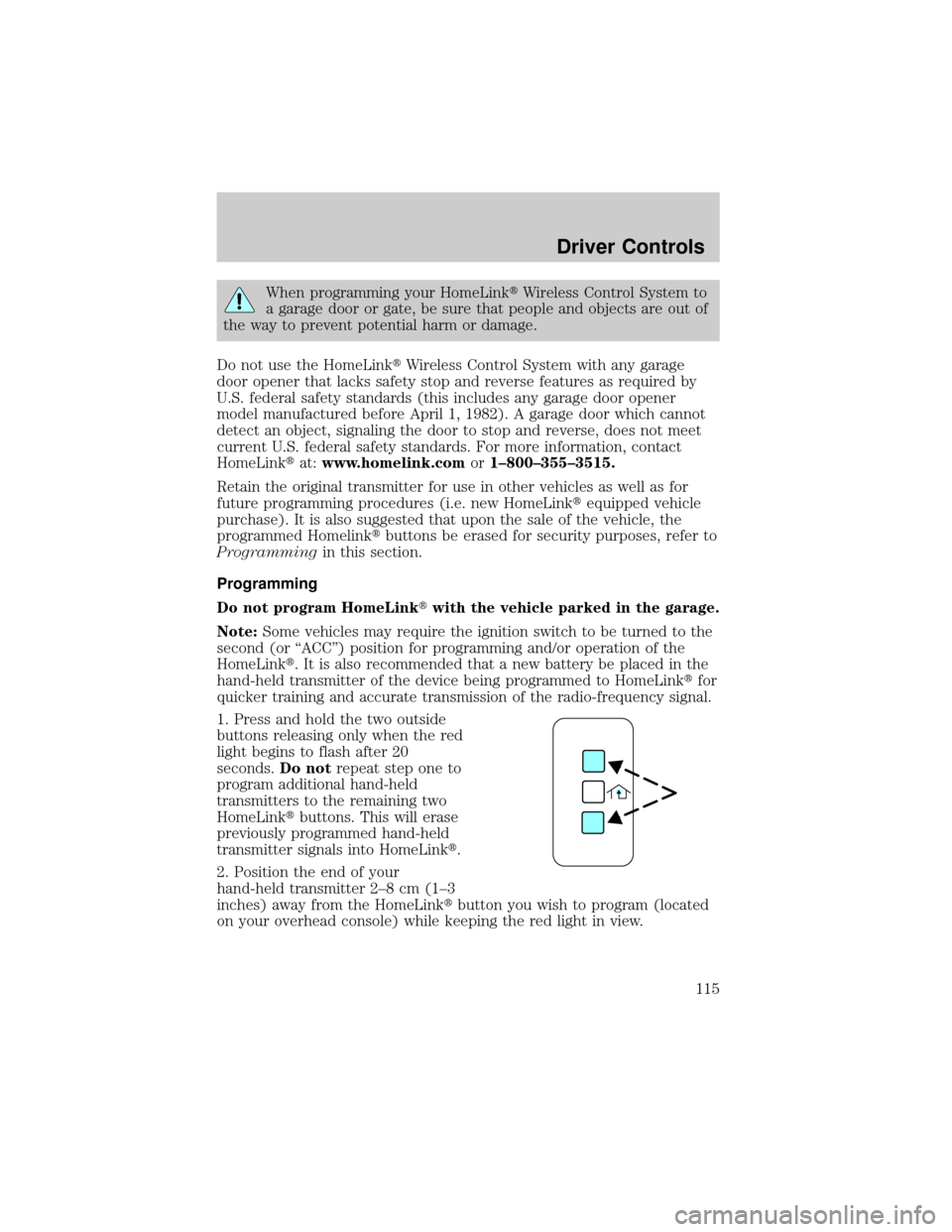
1. Press and hold the two outside
buttons releasing only when the red
light begins to flash after 20
seconds.Do notrepeat step one to
program additional hand-held
transmitters to the remaining two
HomeLinktbuttons. This will erase
previously programmed hand-held
transmitter signals into HomeLinkt.
2. Position the end of your
hand-held transmitter 2±8 cm (1±3
inches) away from the HomeLinktbutton you wish to program (located
on your overhead console) while keeping the red light in view.
Driver Controls
115
Page 116 of 336
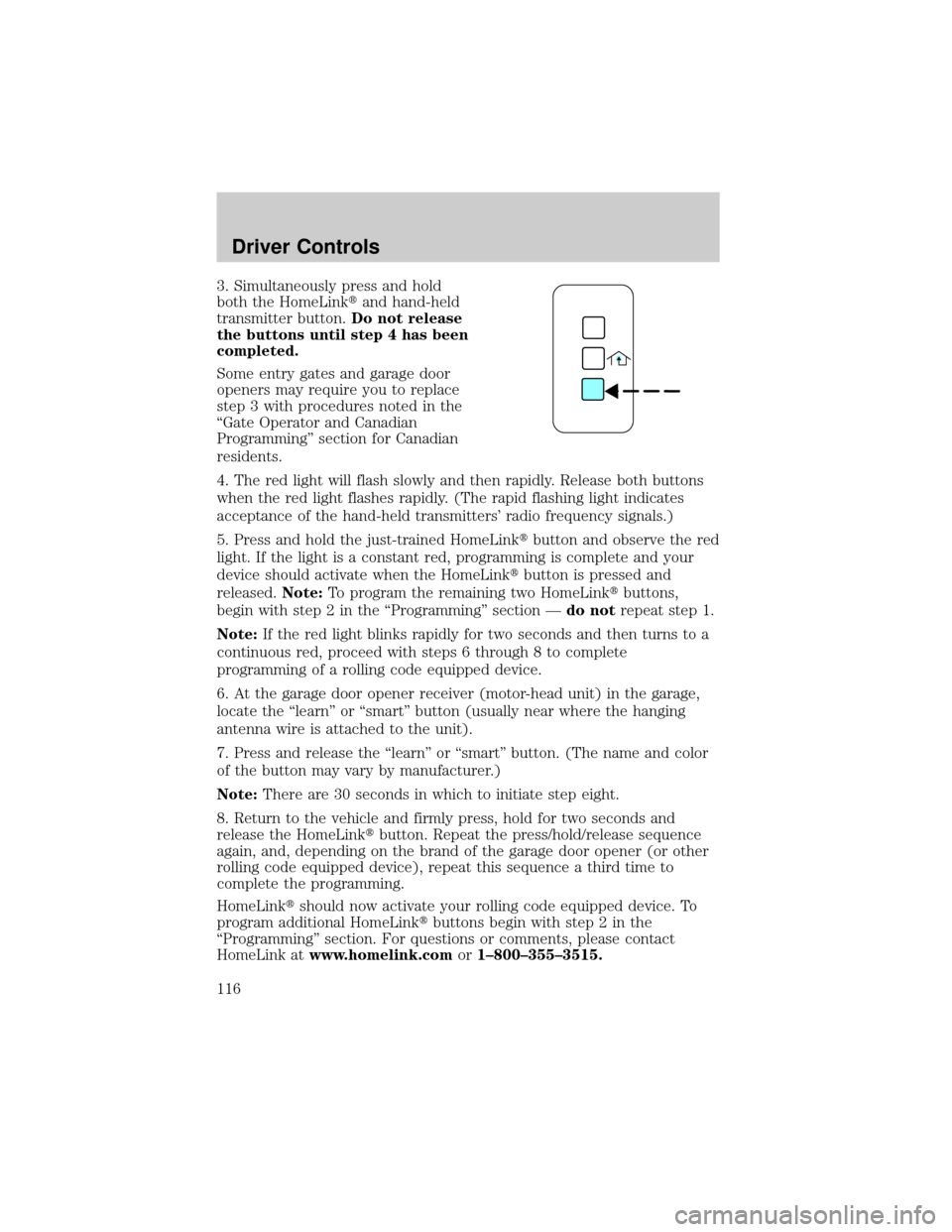
3. Simultaneously press and hold
both the HomeLinktand hand-held
transmitter button.Do not release
the buttons until step 4 has been
completed.
Some entry gates and garage door
openers may require you to replace
step 3 with procedures noted in the
ªGate Operator and Canadian
Programmingº section for Canadian
residents.
4. The red light will flash slowly and then rapidly. Release both buttons
when the red light flashes rapidly. (The rapid flashing light indicates
acceptance of the hand-held transmitters' radio frequency signals.)
5. Press and hold the just-trained HomeLinktbutton and observe the red
light. If the light is a constant red, programming is complete and your
device should activate when the HomeLinktbutton is pressed and
released.Note:To program the remaining two HomeLinktbuttons,
begin with step 2 in the ªProgrammingº section Ðdo notrepeat step 1.
Note:If the red light blinks rapidly for two seconds and then turns to a
continuous red, proceed with steps 6 through 8 to complete
programming of a rolling code equipped device.
6. At the garage door opener receiver (motor-head unit) in the garage,
locate the ªlearnº or ªsmartº button (usually near where the hanging
antenna wire is attached to the unit).
7. Press and release the ªlearnº or ªsmartº button. (The name and color
of the button may vary by manufacturer.)
Note:There are 30 seconds in which to initiate step eight.
8. Return to the vehicle and firmly press, hold for two seconds and
release the HomeLinktbutton. Repeat the press/hold/release sequence
again, and, depending on the brand of the garage door opener (or other
rolling code equipped device), repeat this sequence a third time to
complete the programming.
HomeLinktshould now activate your rolling code equipped device. To
program additional HomeLinktbuttons begin with step 2 in the
ªProgrammingº section. For questions or comments, please contact
HomeLink atwww.homelink.comor1±800±355±3515.
Driver Controls
116
Page 138 of 336
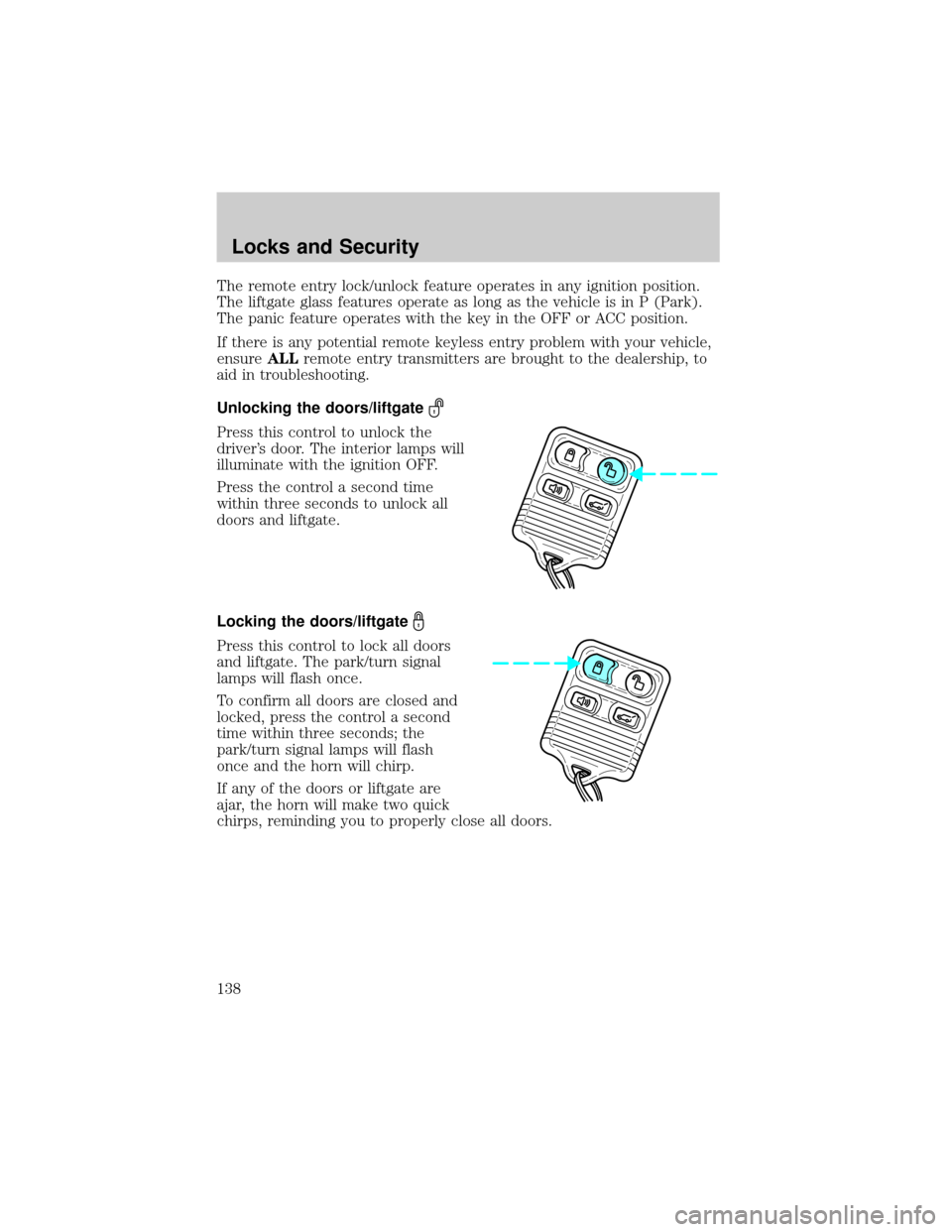
The remote entry lock/unlock feature operates in any ignition position.
The liftgate glass features operate as long as the vehicle is in P (Park).
The panic feature operates with the key in the OFF or ACC position.
If there is any potential remote keyless entry problem with your vehicle,
ensureALLremote entry transmitters are brought to the dealership, to
aid in troubleshooting.
Unlocking the doors/liftgate
Press this control to unlock the
driver's door. The interior lamps will
illuminate with the ignition OFF.
Press the control a second time
within three seconds to unlock all
doors and liftgate.
Locking the doors/liftgate
Press this control to lock all doors
and liftgate. The park/turn signal
lamps will flash once.
To confirm all doors are closed and
locked, press the control a second
time within three seconds; the
park/turn signal lamps will flash
once and the horn will chirp.
If any of the doors or liftgate are
ajar, the horn will make two quick
chirps, reminding you to properly close all doors.
Locks and Security
138
Page 228 of 336
Hitches
Do not use hitches that clamp onto the vehicle bumper; use a
load-carrying hitch. You must distribute the load in your trailer so that
10±15% of the total weight of the trailer is on the tongue, not to exceed
the maximum tongue loads as stated:
²Class II receiver: 159 kg (350 lbs.)
²Class III/IV receiver: 227 kg (500 lbs.) (weight-carrying)/331 kg (730
lbs.) (weight-distributing)
Safety chains
Always connect the trailer's safety chains to the frame or hook retainers
of the vehicle hitch. To connect the trailer's safety chains, cross the
chains under the trailer tongue and allow slack for turning corners.
If you use a rental trailer, follow the instructions that the rental agency
gives to you.
Do not attach safety chains to the bumper.
Trailer brakes
Electric brakes and manual, automatic or surge-type trailer brakes are
safe if installed properly and adjusted to the manufacturer's
specifications. The trailer brakes must meet local and Federal
regulations.
Do not connect a trailer's hydraulic brake system directly to your
vehicle's brake system. Your vehicle may not have enough
braking power and your chances of having a collision greatly increase.
The braking system of the tow vehicle is rated for operation at the
GVWR not GCWR.
Trailer lamps
Trailer lamps are required on most towed vehicles. Make sure all running
lights, brake lights, turn signals and hazard lights are working. See your
dealer or trailer rental agency for proper instructions and equipment for
hooking up trailer lamps.
Never connect any trailer lighting to the vehicle's taillamp
circuits, because it may damage the electrical system resulting in
fire. Contact your local Ford dealership for assistance in proper trailer
tow wiring installation. Additional electrical equipment may be
required.
Driving
228
Page 327 of 336

Infant seats
(see Safety seats) .....................184
Inspection/maintenance (I/M)
testing ........................................294
Instrument panel
cleaning ...................................269
cluster ........................................10
lighting up panel and interior .85
J
Jack ....................................243, 245
positioning .......................243, 247
storage .............................243, 245
Jump-starting your vehicle ......251
K
Keyless entry system
locking and unlocking doors ..145
programming entry code .......143
Keys ...................................146±148
positions of the ignition .........193
L
Lamps
autolamp system .......................82
bulb replacement
specifications chart ..................88
daytime running light ...............84
fog lamps ...................................82
headlamps .................................82
headlamps, flash to pass ..........85
instrument panel, dimming .....85
interior lamps .....................87, 89
replacing
bulbs ..................88, 90, 92, 94±95
Lane change indicator
(see Turn signal) ........................87
Liftgate ..............................133, 139Lights, warning and indicator ....10
anti-lock brakes (ABS) ..........198
Load limits .................................221
Loading instructions .................224
Locks
childproof ................................137
doors ........................................136
Lubricant specifications ...314, 316
Luggage rack .............................134
Lumbar support, seats .............153
M
Manual transmission
fluid capacities ........................312
lubricant specifications ..........316
Message center .................118±119
english/metric button .............123
system check button ..............123
warning messages ...................126
Mirrors .................................99, 105
automatic dimming rearview
mirror ......................................105
fold away .................................107
heated ......................................107
programmable memory ..........139
side view mirrors (power) ....106,
108
Moon roof ..................................100
Motorcraft parts ................289, 311
N
Navigation system .......................26
cd functions ..............................42
destination mode ......................55
DVD location .............................77
map mode .................................46
quick start .................................28
Index
327
Page 329 of 336

Special notice
ambulance conversions ..............7
utility-type vehicles ....................7
Specification chart,
lubricants ...........................314, 316
Speed control ............................109
Starting your vehicle ........193±195
jump starting ..........................251
Steering
speed sensitive .......................203
Steering wheel
controls ....................................111
T
Tire Pressure Monitoring
System (TPMS)
Driving .....................................216
Maintenance and
Specifications ..........................299
Roadside Emergencies ...........243
Warning Displays ......................14
Tires ...........................243, 296±297
changing ..................243, 247, 250
replacing ..................................247
snow tires and chains ............310
spare tire .................243, 245±246
tire grades ...............................297
treadwear ................................297
Towing .......................................225
recreational towing .................230
trailer towing ..........................225
wrecker ....................................256Transmission .............................204
brake-shift interlock (BSI) ....204
fluid, checking and adding
(automatic) .............................296
fluid, refill capacities ..............312
lubricant specifications ..314, 316
Trunk .........................................139
Turn signal ..................................87
V
Vehicle dimensions ...................316
Vehicle Identification Number
(VIN) ..........................................318
Vehicle loading ..........................221
Ventilating your vehicle ...........196
W
Warning lights (see Lights) .......10
Washer fluid ..............................275
Water, Driving through .............221
Windows
power .......................................102
rear wiper/washer .....................98
Windshield washer fluid and
wipers ..........................................97
checking and adding fluid .....275
checking and cleaning ..............98
liftgate reservoir .....................275
replacing wiper blades .............98
Wrecker towing .........................256
Index
329