display LINCOLN AVIATOR 2004 Owner's Manual
[x] Cancel search | Manufacturer: LINCOLN, Model Year: 2004, Model line: AVIATOR, Model: LINCOLN AVIATOR 2004Pages: 336, PDF Size: 3.69 MB
Page 53 of 336
Calibration
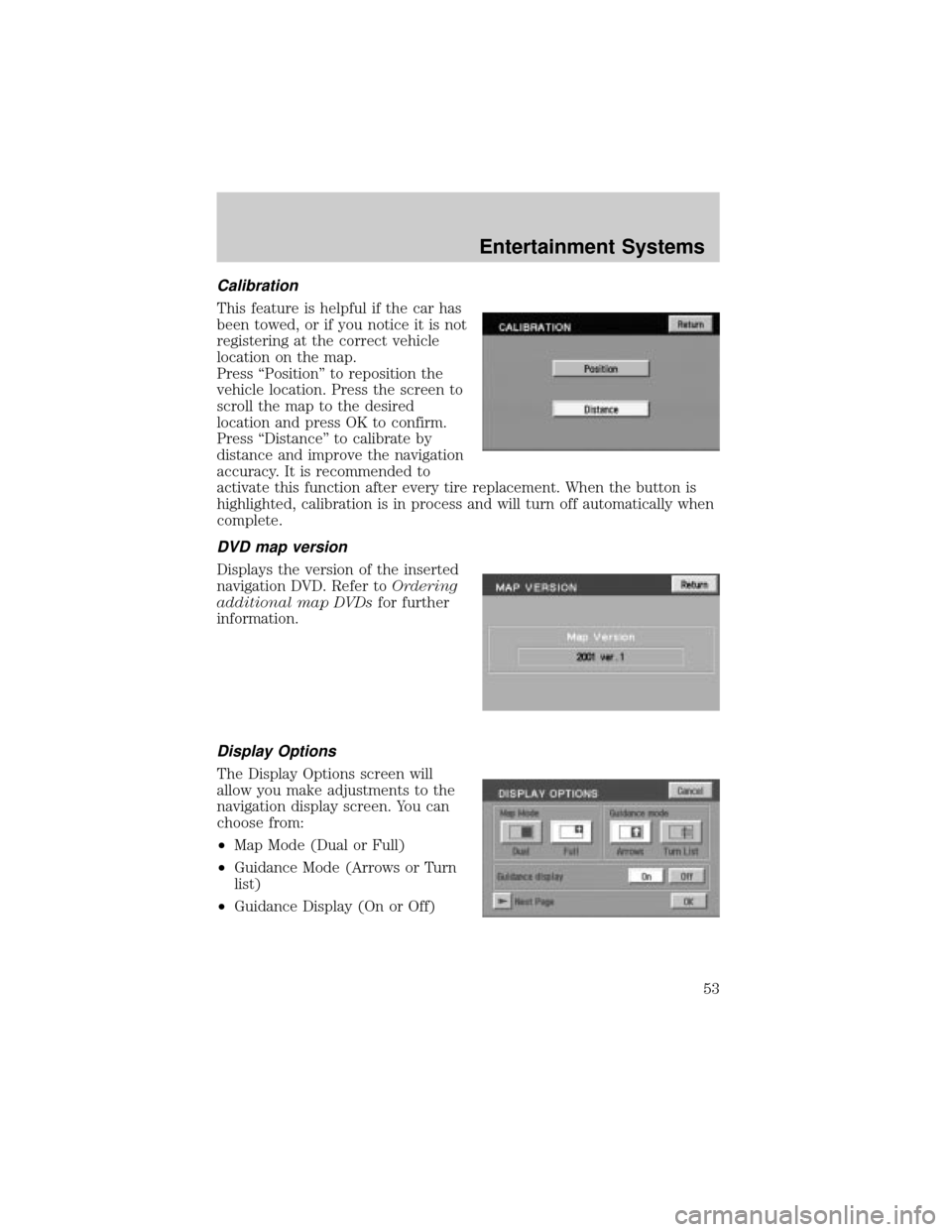
This feature is helpful if the car has
been towed, or if you notice it is not
registering at the correct vehicle
location on the map.
Press ªPositionº to reposition the
vehicle location. Press the screen to
scroll the map to the desired
location and press OK to confirm.
Press ªDistanceº to calibrate by
distance and improve the navigation
accuracy. It is recommended to
activate this function after every tire replacement. When the button is
highlighted, calibration is in process and will turn off automatically when
complete.
DVD map version
Displays the version of the inserted
navigation DVD. Refer toOrdering
additional map DVDsfor further
information.
Display Options
The Display Options screen will
allow you make adjustments to the
navigation display screen. You can
choose from:
²Map Mode (Dual or Full)
²Guidance Mode (Arrows or Turn
list)
²Guidance Display (On or Off)
Entertainment Systems
53
Page 56 of 336
Initial map display
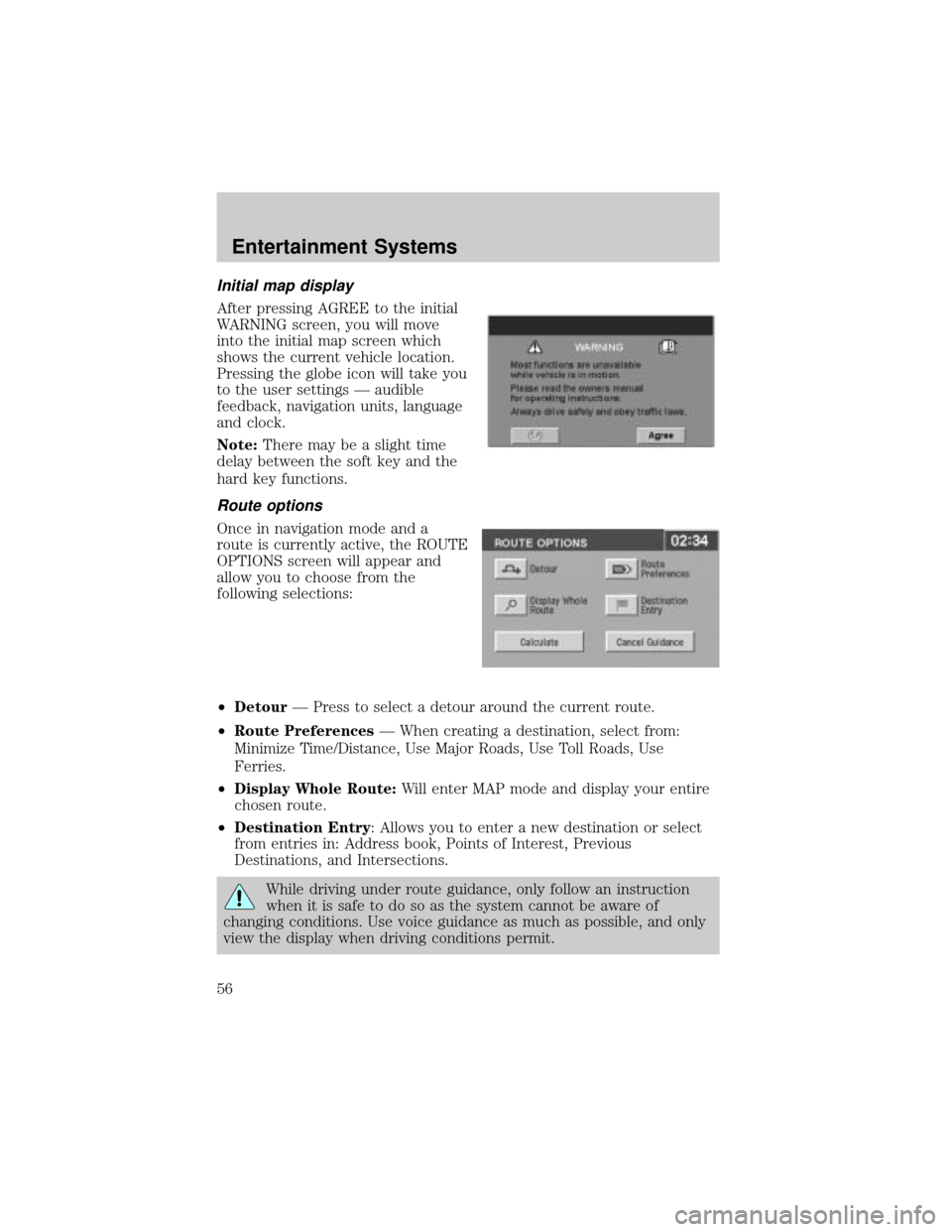
After pressing AGREE to the initial
WARNING screen, you will move
into the initial map screen which
shows the current vehicle location.
Pressing the globe icon will take you
to the user settings Ð audible
feedback, navigation units, language
and clock.
Note:There may be a slight time
delay between the soft key and the
hard key functions.
Route options
Once in navigation mode and a
route is currently active, the ROUTE
OPTIONS screen will appear and
allow you to choose from the
following selections:
²DetourÐ Press to select a detour around the current route.
²Route PreferencesÐ When creating a destination, select from:
Minimize Time/Distance, Use Major Roads, Use Toll Roads, Use
Ferries.
²Display Whole Route:Will enter MAP mode and display your entire
chosen route.
²Destination Entry: Allows you to enter a new destination or select
from entries in: Address book, Points of Interest, Previous
Destinations, and Intersections.
While driving under route guidance, only follow an instruction
when it is safe to do so as the system cannot be aware of
changing conditions. Use voice guidance as much as possible, and only
view the display when driving conditions permit.
Entertainment Systems
56
Page 58 of 336
Search area
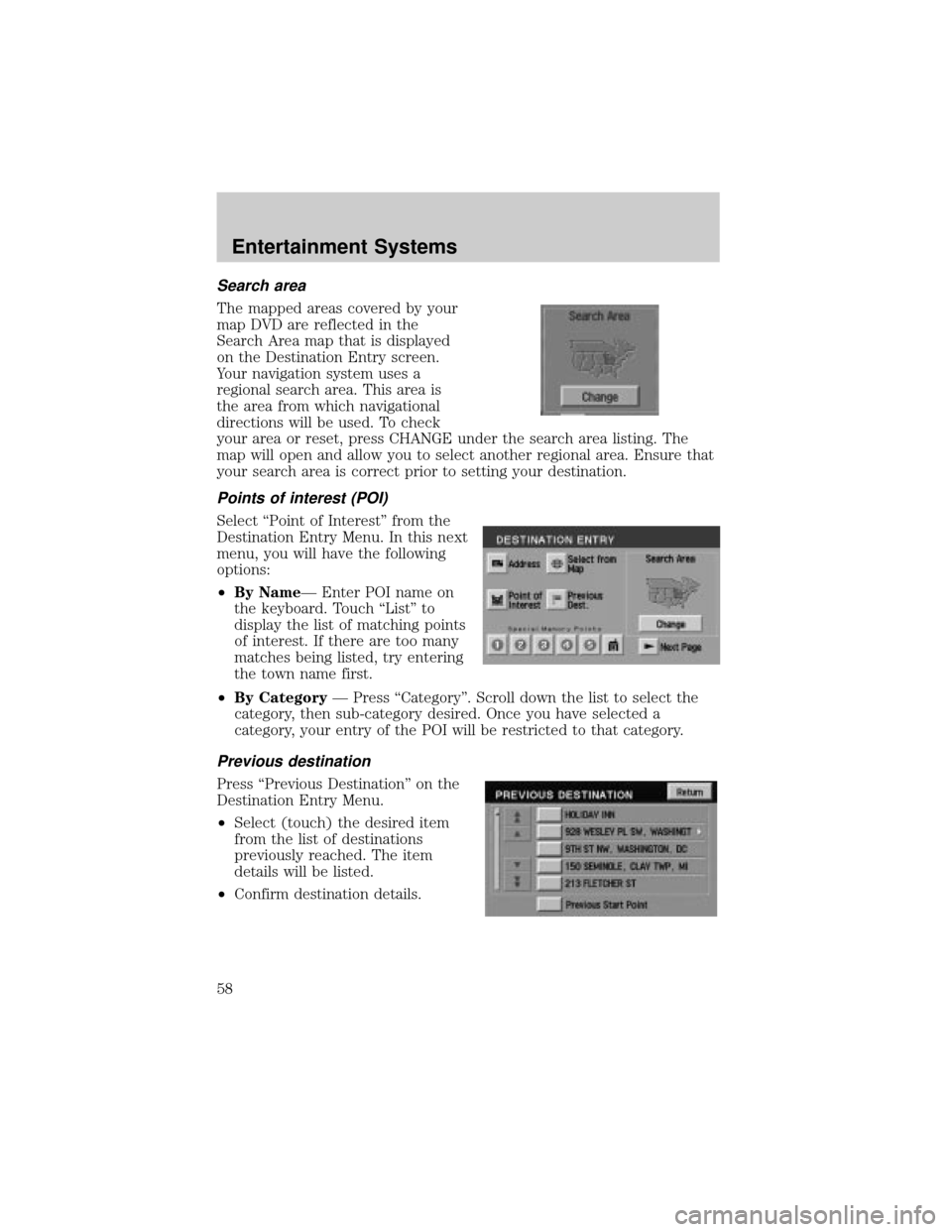
The mapped areas covered by your
map DVD are reflected in the
Search Area map that is displayed
on the Destination Entry screen.
Your navigation system uses a
regional search area. This area is
the area from which navigational
directions will be used. To check
your area or reset, press CHANGE under the search area listing. The
map will open and allow you to select another regional area. Ensure that
your search area is correct prior to setting your destination.
Points of interest (POI)
Select ªPoint of Interestº from the
Destination Entry Menu. In this next
menu, you will have the following
options:
²By NameÐ Enter POI name on
the keyboard. Touch ªListº to
display the list of matching points
of interest. If there are too many
matches being listed, try entering
the town name first.
²By CategoryÐ Press ªCategoryº. Scroll down the list to select the
category, then sub-category desired. Once you have selected a
category, your entry of the POI will be restricted to that category.
Previous destination
Press ªPrevious Destinationº on the
Destination Entry Menu.
²Select (touch) the desired item
from the list of destinations
previously reached. The item
details will be listed.
²Confirm destination details.
Entertainment Systems
58
Page 59 of 336
Deleting previous destination
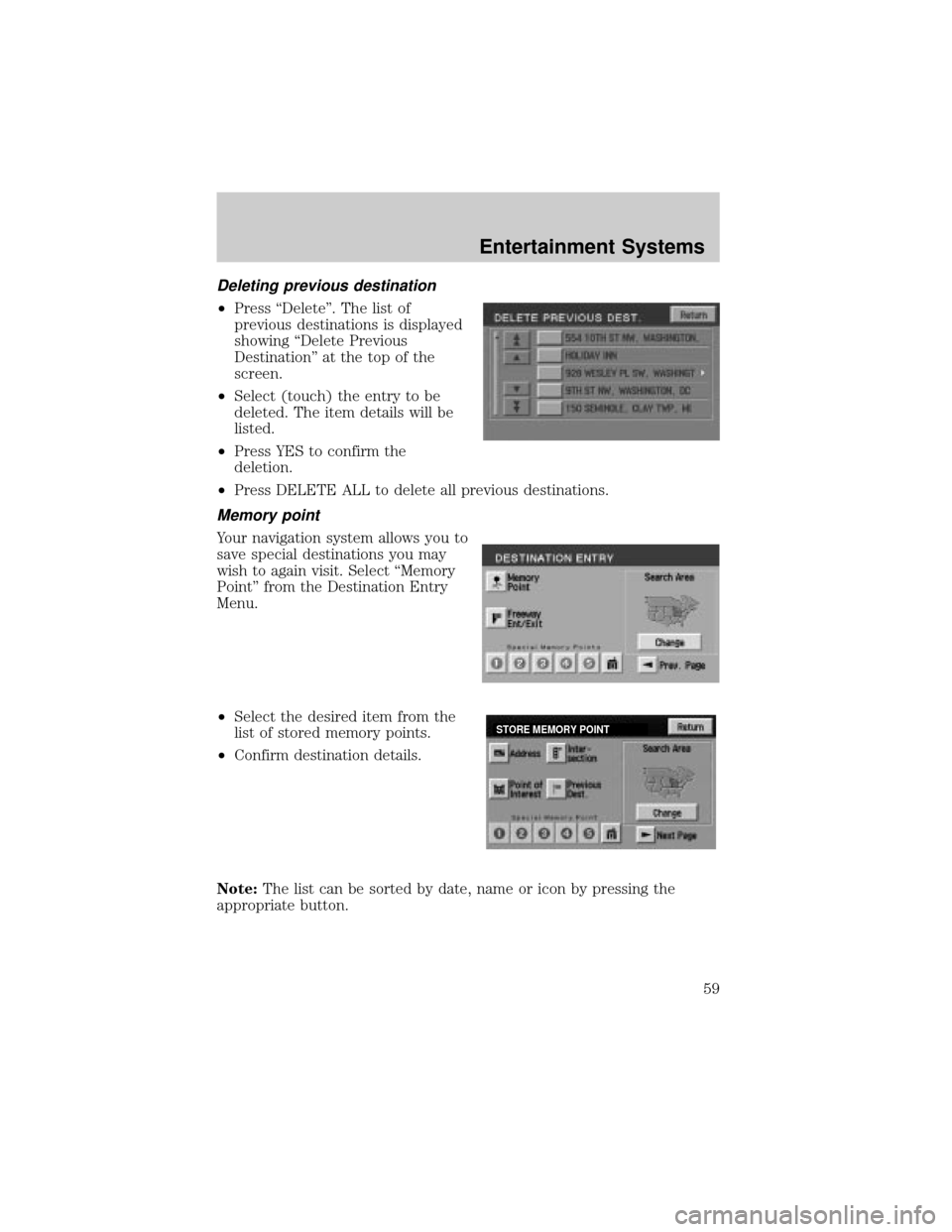
²Press ªDeleteº. The list of
previous destinations is displayed
showing ªDelete Previous
Destinationº at the top of the
screen.
²Select (touch) the entry to be
deleted. The item details will be
listed.
²Press YES to confirm the
deletion.
²Press DELETE ALL to delete all previous destinations.
Memory point
Your navigation system allows you to
save special destinations you may
wish to again visit. Select ªMemory
Pointº from the Destination Entry
Menu.
²Select the desired item from the
list of stored memory points.
²Confirm destination details.
Note:The list can be sorted by date, name or icon by pressing the
appropriate button.
STORE MEMORY POINT
Entertainment Systems
59
Page 61 of 336
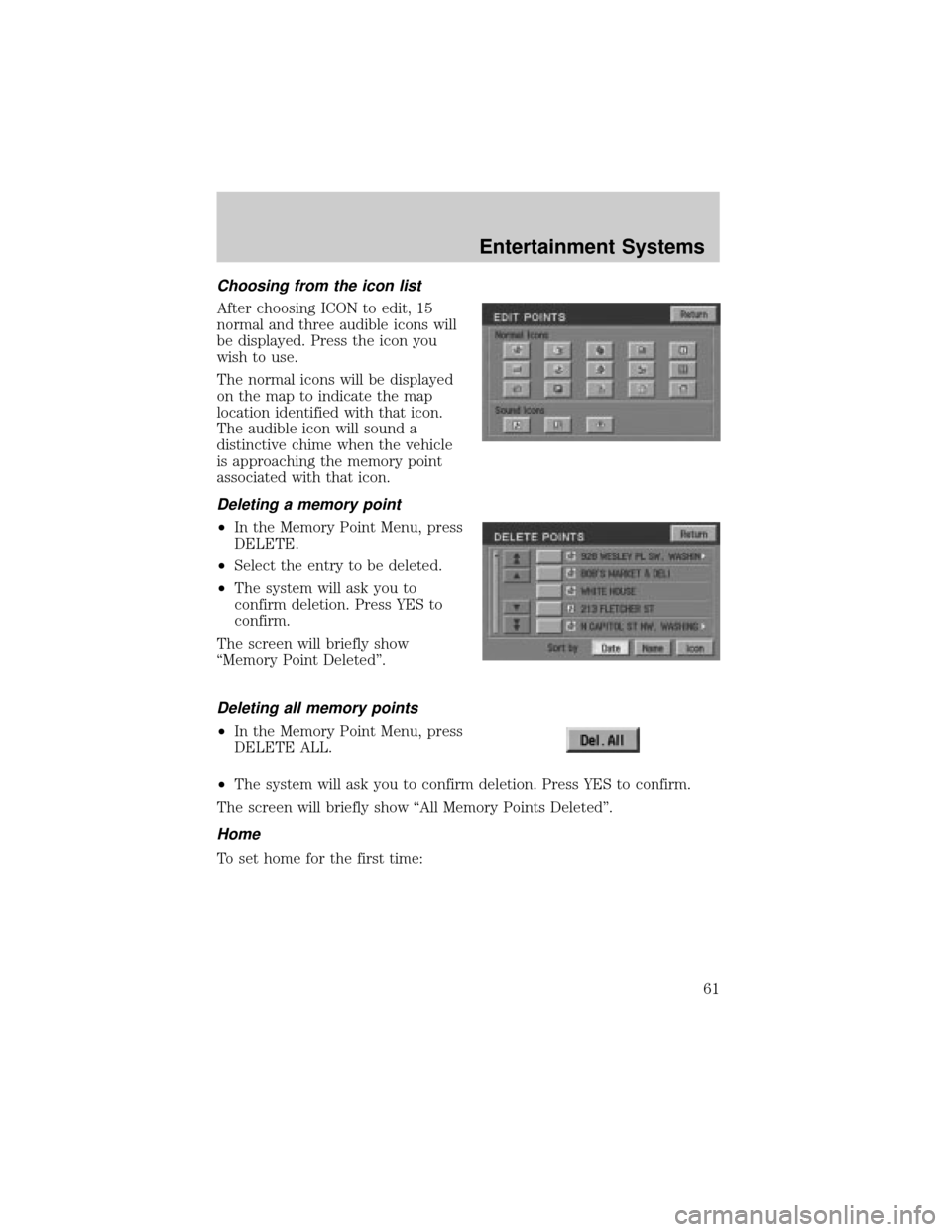
Choosing from the icon list
After choosing ICON to edit, 15
normal and three audible icons will
be displayed. Press the icon you
wish to use.
The normal icons will be displayed
on the map to indicate the map
location identified with that icon.
The audible icon will sound a
distinctive chime when the vehicle
is approaching the memory point
associated with that icon.
Deleting a memory point
²In the Memory Point Menu, press
DELETE.
²Select the entry to be deleted.
²The system will ask you to
confirm deletion. Press YES to
confirm.
The screen will briefly show
ªMemory Point Deletedº.
Deleting all memory points
²In the Memory Point Menu, press
DELETE ALL.
²The system will ask you to confirm deletion. Press YES to confirm.
The screen will briefly show ªAll Memory Points Deletedº.
Home
To set home for the first time:
Entertainment Systems
61
Page 64 of 336
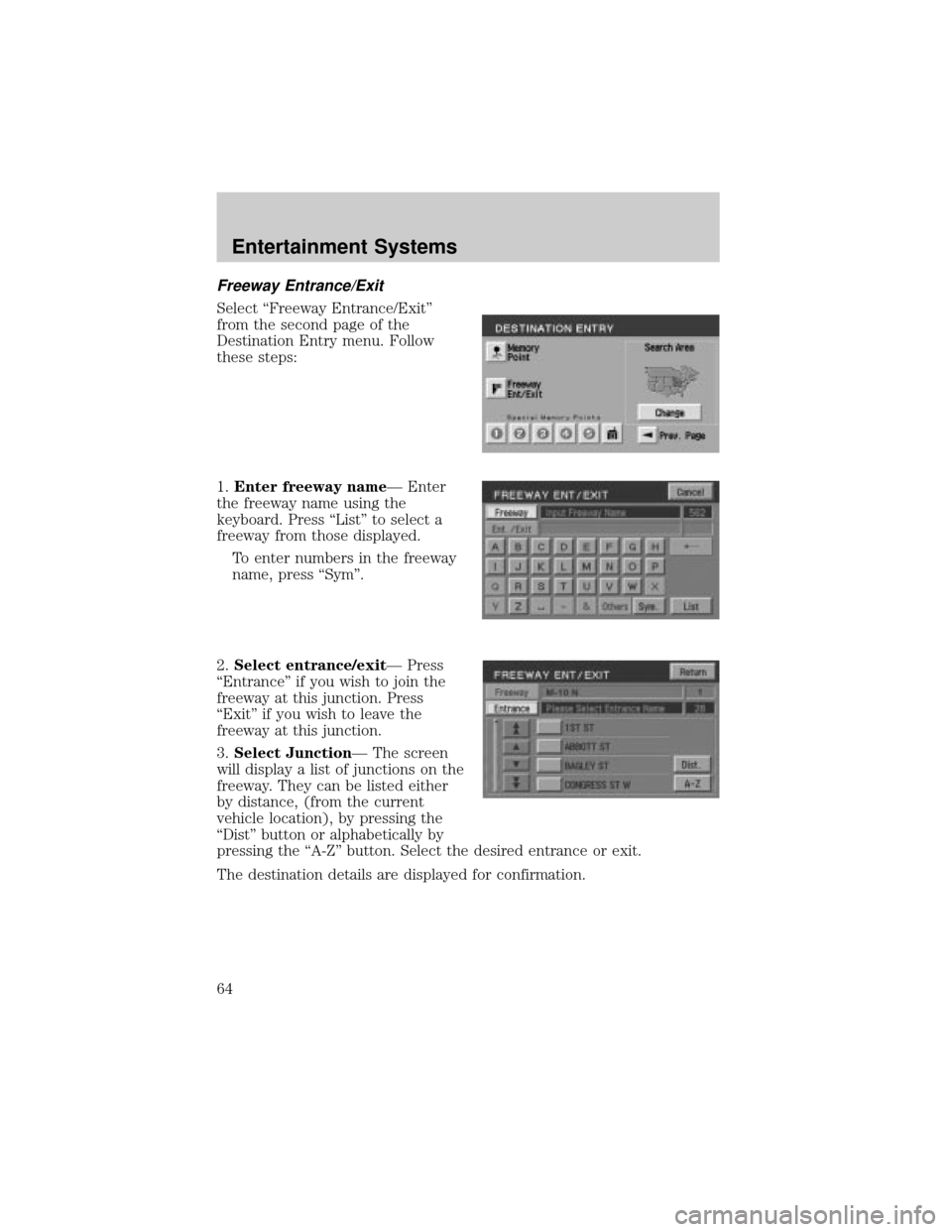
Freeway Entrance/Exit
Select ªFreeway Entrance/Exitº
from the second page of the
Destination Entry menu. Follow
these steps:
1.Enter freeway nameÐ Enter
the freeway name using the
keyboard. Press ªListº to select a
freeway from those displayed.
To enter numbers in the freeway
name, press ªSymº.
2.Select entrance/exitÐ Press
ªEntranceº if you wish to join the
freeway at this junction. Press
ªExitº if you wish to leave the
freeway at this junction.
3.Select JunctionÐ The screen
will display a list of junctions on the
freeway. They can be listed either
by distance, (from the current
vehicle location), by pressing the
ªDistº button or alphabetically by
pressing the ªA-Zº button. Select the desired entrance or exit.
The destination details are displayed for confirmation.
Entertainment Systems
64
Page 65 of 336
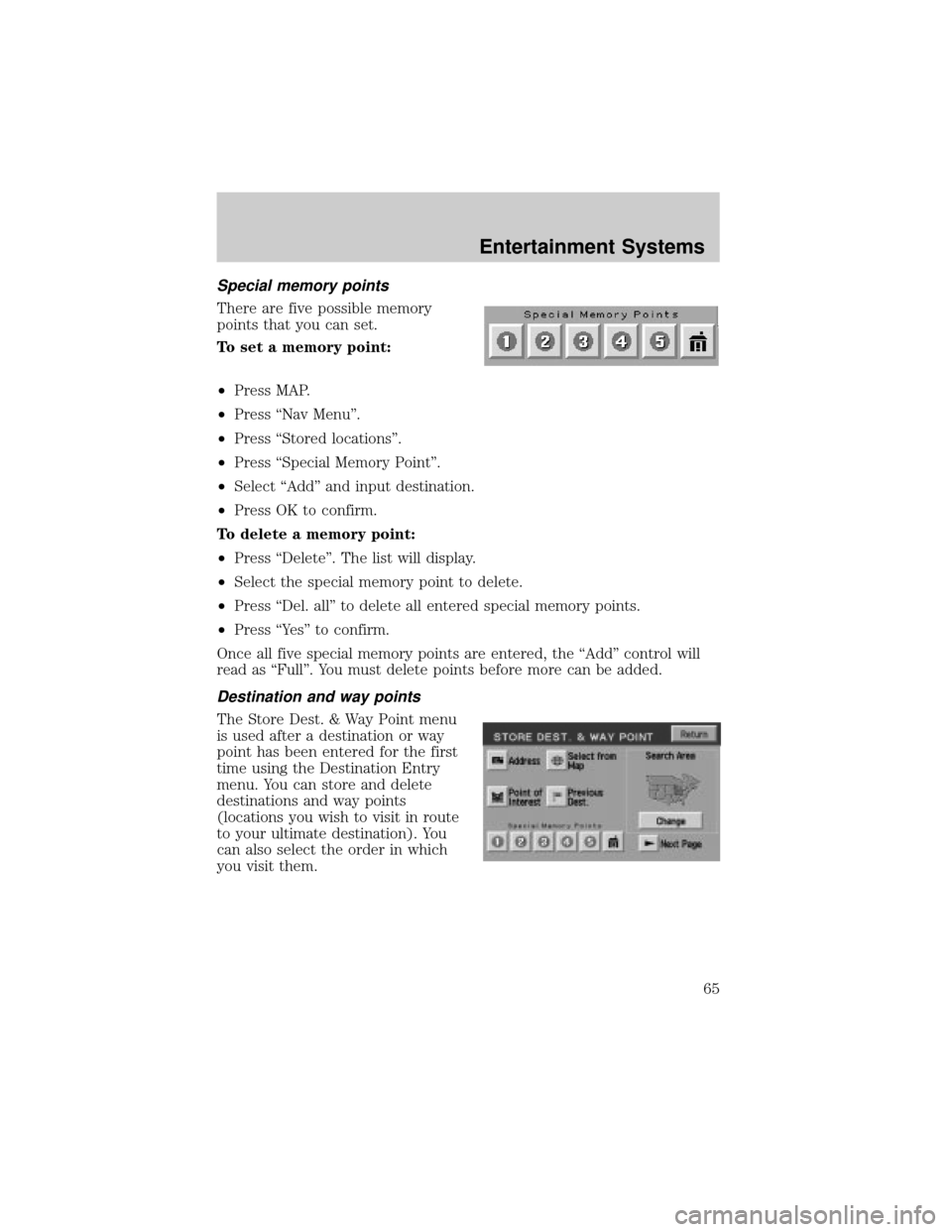
Special memory points
There are five possible memory
points that you can set.
To set a memory point:
²Press MAP.
²Press ªNav Menuº.
²Press ªStored locationsº.
²Press ªSpecial Memory Pointº.
²Select ªAddº and input destination.
²Press OK to confirm.
To delete a memory point:
²Press ªDeleteº. The list will display.
²Select the special memory point to delete.
²Press ªDel. allº to delete all entered special memory points.
²Press ªYesº to confirm.
Once all five special memory points are entered, the ªAddº control will
read as ªFullº. You must delete points before more can be added.
Destination and way points
The Store Dest. & Way Point menu
is used after a destination or way
point has been entered for the first
time using the Destination Entry
menu. You can store and delete
destinations and way points
(locations you wish to visit in route
to your ultimate destination). You
can also select the order in which
you visit them.
Entertainment Systems
65
Page 66 of 336
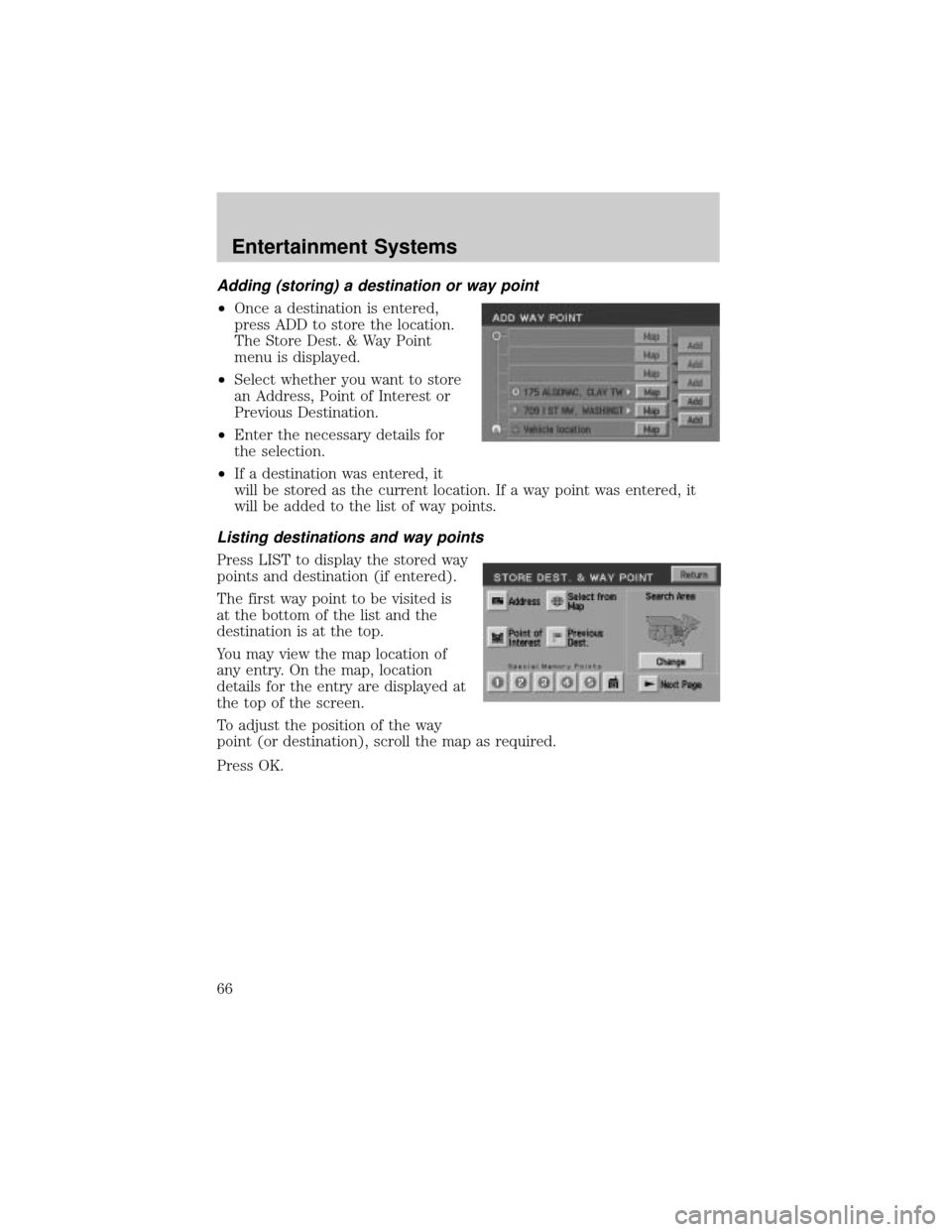
Adding (storing) a destination or way point
²Once a destination is entered,
press ADD to store the location.
The Store Dest. & Way Point
menu is displayed.
²Select whether you want to store
an Address, Point of Interest or
Previous Destination.
²Enter the necessary details for
the selection.
²If a destination was entered, it
will be stored as the current location. If a way point was entered, it
will be added to the list of way points.
Listing destinations and way points
Press LIST to display the stored way
points and destination (if entered).
The first way point to be visited is
at the bottom of the list and the
destination is at the top.
You may view the map location of
any entry. On the map, location
details for the entry are displayed at
the top of the screen.
To adjust the position of the way
point (or destination), scroll the map as required.
Press OK.
Entertainment Systems
66
Page 67 of 336
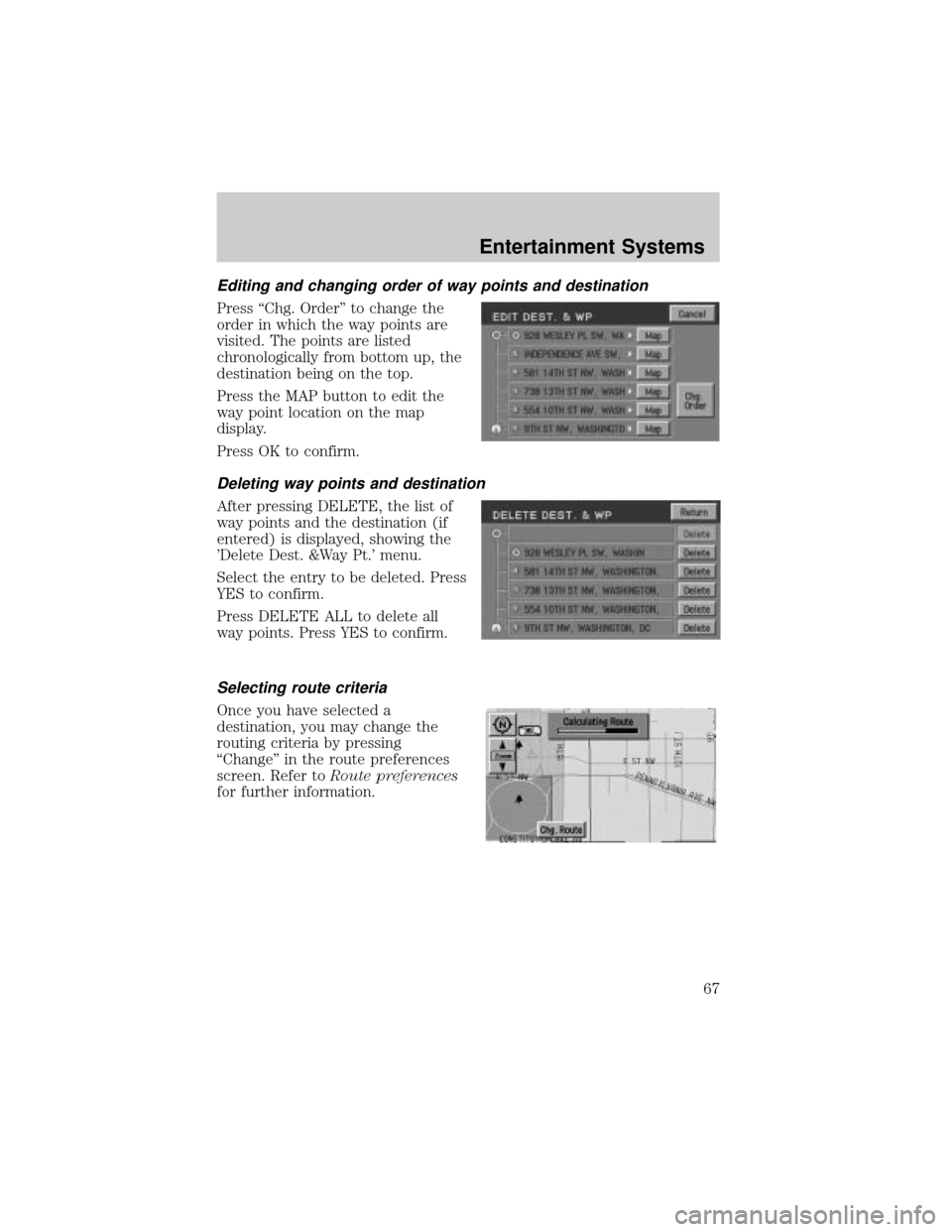
Editing and changing order of way points and destination
Press ªChg. Orderº to change the
order in which the way points are
visited. The points are listed
chronologically from bottom up, the
destination being on the top.
Press the MAP button to edit the
way point location on the map
display.
Press OK to confirm.
Deleting way points and destination
After pressing DELETE, the list of
way points and the destination (if
entered) is displayed, showing the
'Delete Dest. &Way Pt.' menu.
Select the entry to be deleted. Press
YES to confirm.
Press DELETE ALL to delete all
way points. Press YES to confirm.
Selecting route criteria
Once you have selected a
destination, you may change the
routing criteria by pressing
ªChangeº in the route preferences
screen. Refer toRoute preferences
for further information.
Entertainment Systems
67
Page 68 of 336
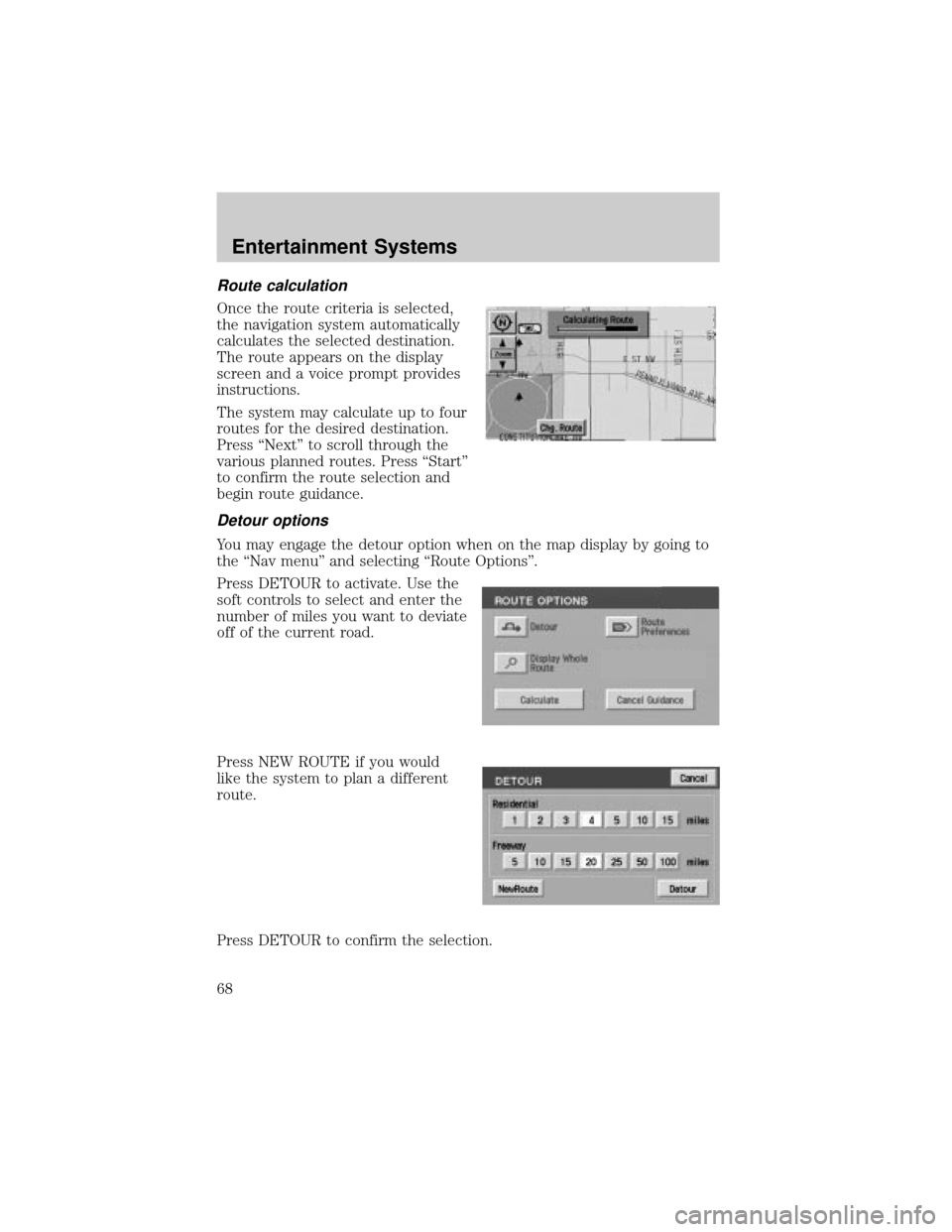
Route calculation
Once the route criteria is selected,
the navigation system automatically
calculates the selected destination.
The route appears on the display
screen and a voice prompt provides
instructions.
The system may calculate up to four
routes for the desired destination.
Press ªNextº to scroll through the
various planned routes. Press ªStartº
to confirm the route selection and
begin route guidance.
Detour options
You may engage the detour option when on the map display by going to
the ªNav menuº and selecting ªRoute Optionsº.
Press DETOUR to activate. Use the
soft controls to select and enter the
number of miles you want to deviate
off of the current road.
Press NEW ROUTE if you would
like the system to plan a different
route.
Press DETOUR to confirm the selection.
Entertainment Systems
68