ignition LINCOLN AVIATOR 2004 Owner's Guide
[x] Cancel search | Manufacturer: LINCOLN, Model Year: 2004, Model line: AVIATOR, Model: LINCOLN AVIATOR 2004Pages: 336, PDF Size: 3.69 MB
Page 146 of 336
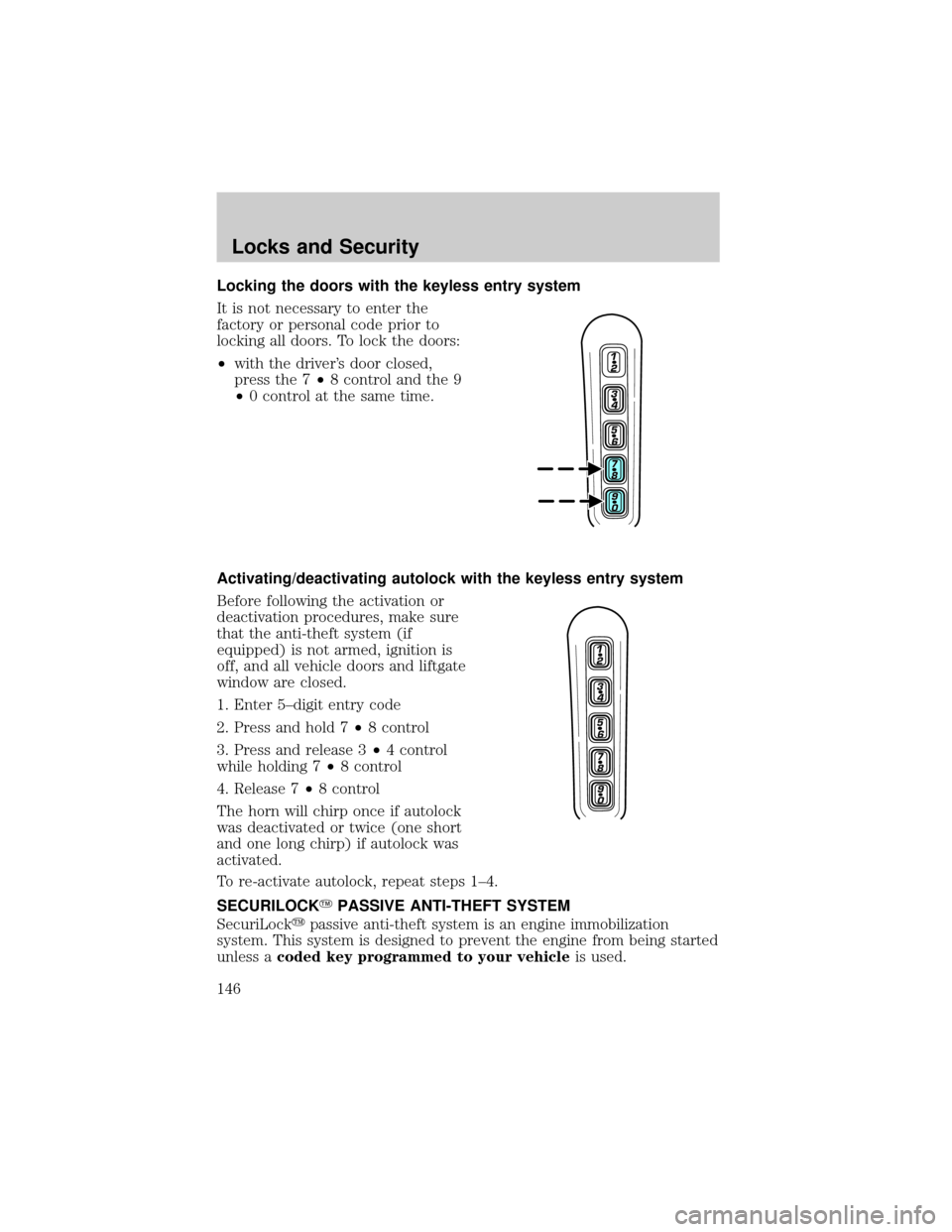
Locking the doors with the keyless entry system
It is not necessary to enter the
factory or personal code prior to
locking all doors. To lock the doors:
²with the driver's door closed,
press the 7²8 control and the 9
²0 control at the same time.
Activating/deactivating autolock with the keyless entry system
Before following the activation or
deactivation procedures, make sure
that the anti-theft system (if
equipped) is not armed, ignition is
off, and all vehicle doors and liftgate
window are closed.
1. Enter 5±digit entry code
2. Press and hold 7²8 control
3. Press and release 3²4 control
while holding 7²8 control
4. Release 7²8 control
The horn will chirp once if autolock
was deactivated or twice (one short
and one long chirp) if autolock was
activated.
To re-activate autolock, repeat steps 1±4.
SECURILOCKYPASSIVE ANTI-THEFT SYSTEM
SecuriLockypassive anti-theft system is an engine immobilization
system. This system is designed to prevent the engine from being started
unless acoded key programmed to your vehicleis used.
Locks and Security
146
Page 147 of 336

The SecuriLockypassive anti-theft system is not compatible with
non-Ford aftermarket remote start systems. Use of these systems may
result in vehicle starting problems and a loss of security protection.
THEFT INDICATOR
The theft indicator is the flashing red indicator located on the dash
panel.
²When the ignition is in the OFF position, the indicator will flash once
every 2 seconds to indicate the SecuriLockysystem is functioning as
a theft deterrent.
²When the ignition is in the ON position, the indicator will glow for 3
seconds to indicate normal system functionality.
If a problem occurs with the SecuriLockysystem, the indicator will flash
rapidly or glow steadily when the ignition is in the ON position. If this
occurs, the vehicle should be taken to an authorized dealer for service.
Automatic arming
The vehicle is armed immediately
after switching the ignition to the 1
(OFF) position. The
THEFT
indicator will flash every two
seconds.
Automatic disarming
Switching the ignition to the 3 (ON) position with acoded keydisarms
the vehicle. The
THEFTindicator will illuminate for three seconds and
then go out. If the
THEFTindicator stays on for an extended period of
time or flashes rapidly, have the system serviced by your dealership or a
qualified technician.
Key information
Your vehicle is supplied withtwo coded keys.Only acoded keywill
start your vehicle. Spare coded keys can be purchased from your
dealership. Your dealership can program your key or you can ªdo it
yourself.º Refer toProgramming spare keys.
4
3
2
1
Locks and Security
147
Page 148 of 336

The following items may prevent the vehicle from starting:
²Large metallic objects
²Electronic devices on the key chain that can be used to purchase
gasoline or similar items
²A second key on the same key ring as thecoded key
If any of these items are present, you need to keep these objects from
touching thecoded keywhile starting the engine. These objects and
devices cannot damage thecoded key,but can cause a momentary ªno
startº condition if they are too close to the key during engine start. If a
problem occurs, turn ignition OFF and restart the engine with all other
objects on the key ring held away from the ignition key. Check to make
sure thecoded keyis an approved Lincolncoded key.
If your keys are lost or stolen you will need to do the following:
²Use your spare key to start the vehicle, or
²Have your vehicle towed to a dealership or a locksmith. The key codes
will need to be erased from your vehicle and new key codes will need
to be re-coded.
Replacing coded keys can be very costly and you may want to store an
extra programmed key away from the vehicle in a safe place to prevent
an unforeseen inconvenience.
The correctcoded keymust be used for your vehicle. The use of the
wrong type ofcoded keymay lead to a ªno startº condition.
If an unprogrammed key is used in the ignition it will cause a ªno
startº condition.
Programming spare keys
A maximum of eight keys can be coded to your vehicle. Only
SecuriLockykeys can be used. To program acoded keyyourself, you
will need two previously programmedcoded keys(keys that already
operate your vehicle's engine) and the new unprogrammed key(s) readily
accessible for timely implementation of each step in the procedure.
If two previously programmed coded keys are not available, you must
bring your vehicle to your dealership to have the spare coded key(s)
programmed.
Please read and understand the entire procedure before you begin.
Locks and Security
148
Page 149 of 336

1. Insert the first previously
programmedcoded keyinto the
ignition and turn the ignition from 1
(OFF) to 3 (ON) (maintain ignition
in 3 (ON) for at least one second,
but no more than ten seconds).
2. Turn ignition to 1 (OFF) and
remove the firstcoded keyfrom
the ignition.
3. Within ten seconds of removing
the firstcoded key,insert the second previously programmedcoded
keyinto the ignition and turn the ignition from 1 (OFF) to 3 (ON)
(maintain ignition in 3 (ON) for at least one second but no more than
ten seconds).
4. Turn the ignition to 1 (OFF) and remove the secondcoded keyfrom
the ignition.
5. Within 20 seconds of removing the secondcoded key,insert the new
unprogrammed key (new key/valet key) into the ignition and turn the
ignition from 1 (OFF) to 3 (ON) (maintain ignition in 3 (ON) for at least
one second, but no more than ten seconds). This step will program your
new key to a coded key.
6. To program additional new unprogrammed key(s), repeat this
procedure from step 1.
If successful, the new coded key(s) will start the vehicle's engine and the
theft indicator will illuminate for three seconds and then go out.
If not successful, the new coded key(s) will not start the vehicle's engine
and the theft indicator will flash on and off and you may repeat steps 1
through 5. If failure repeats, bring your vehicle to your dealership to
have the new spare key(s) programmed.
PERIMETER ALARM SYSTEM
The perimeter anti-theft system will help prevent your vehicle from
unauthorized entry.
If there is any potential perimeter anti-theft problem with your vehicle,
ensureALL remote entry transmittersare brought to the dealership,
to aid in troubleshooting.
4
3
2
1
Locks and Security
149
Page 150 of 336
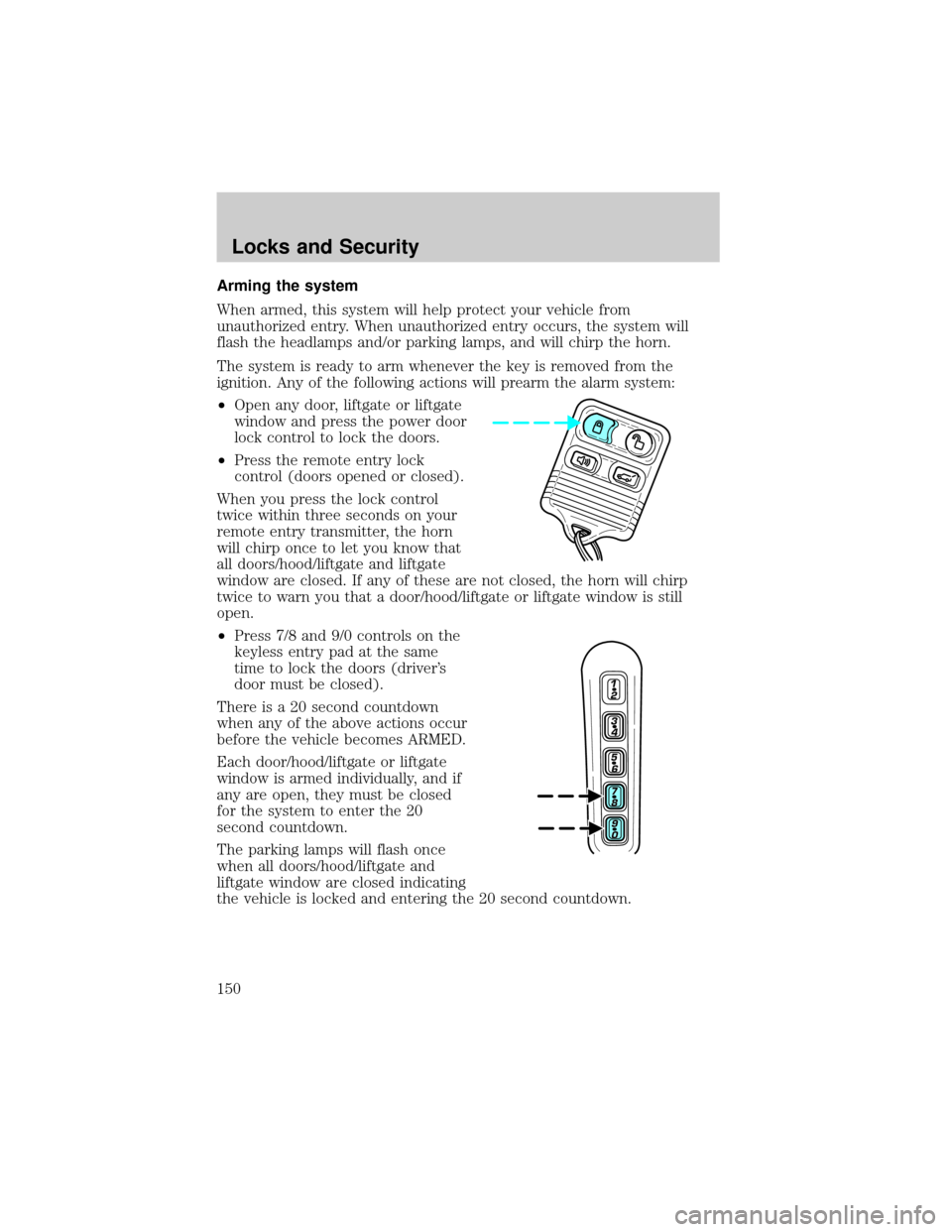
Arming the system
When armed, this system will help protect your vehicle from
unauthorized entry. When unauthorized entry occurs, the system will
flash the headlamps and/or parking lamps, and will chirp the horn.
The system is ready to arm whenever the key is removed from the
ignition. Any of the following actions will prearm the alarm system:
²Open any door, liftgate or liftgate
window and press the power door
lock control to lock the doors.
²Press the remote entry lock
control (doors opened or closed).
When you press the lock control
twice within three seconds on your
remote entry transmitter, the horn
will chirp once to let you know that
all doors/hood/liftgate and liftgate
window are closed. If any of these are not closed, the horn will chirp
twice to warn you that a door/hood/liftgate or liftgate window is still
open.
²Press 7/8 and 9/0 controls on the
keyless entry pad at the same
time to lock the doors (driver's
door must be closed).
There is a 20 second countdown
when any of the above actions occur
before the vehicle becomes ARMED.
Each door/hood/liftgate or liftgate
window is armed individually, and if
any are open, they must be closed
for the system to enter the 20
second countdown.
The parking lamps will flash once
when all doors/hood/liftgate and
liftgate window are closed indicating
the vehicle is locked and entering the 20 second countdown.
Locks and Security
150
Page 151 of 336
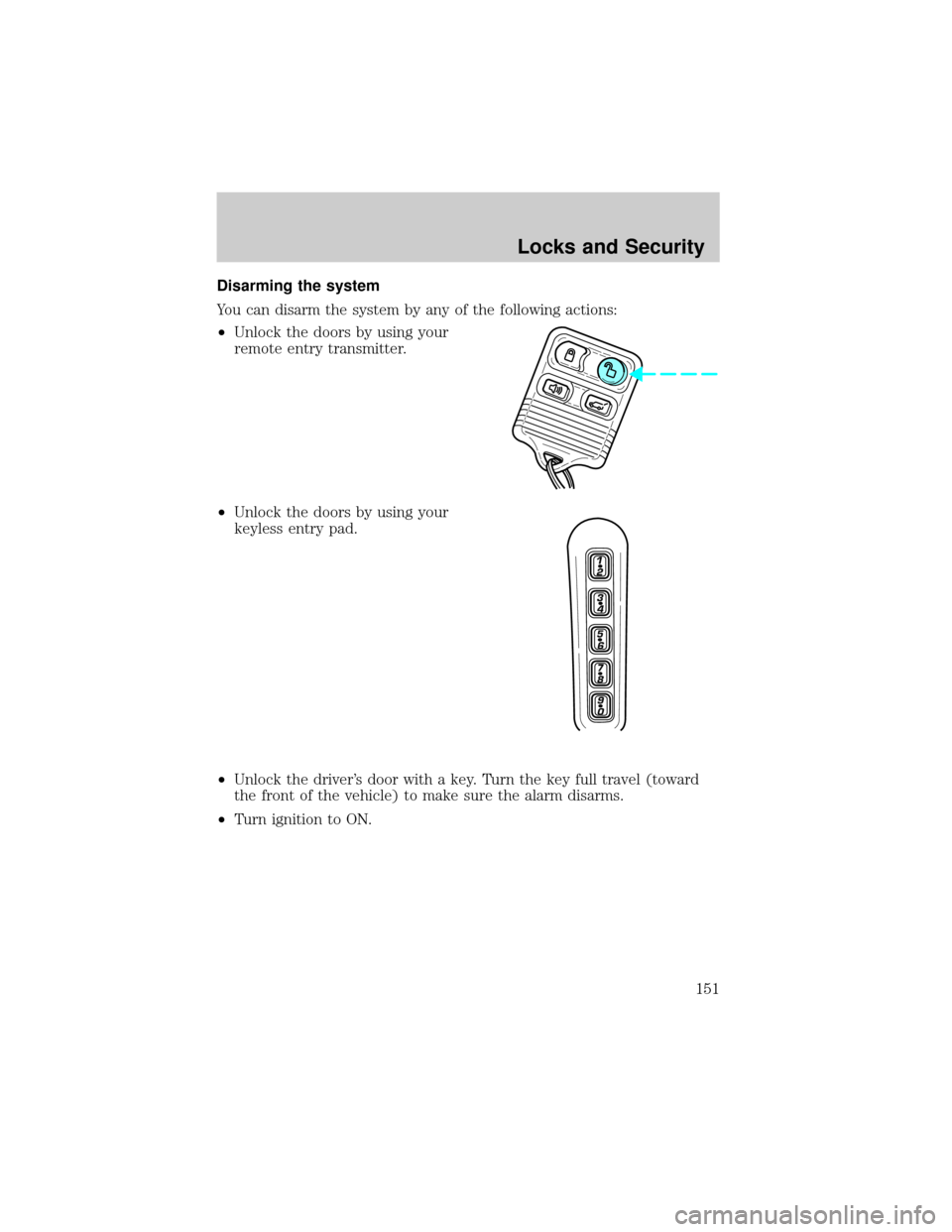
Disarming the system
You can disarm the system by any of the following actions:
²Unlock the doors by using your
remote entry transmitter.
²Unlock the doors by using your
keyless entry pad.
²Unlock the driver's door with a key. Turn the key full travel (toward
the front of the vehicle) to make sure the alarm disarms.
²Turn ignition to ON.
Locks and Security
151
Page 156 of 336
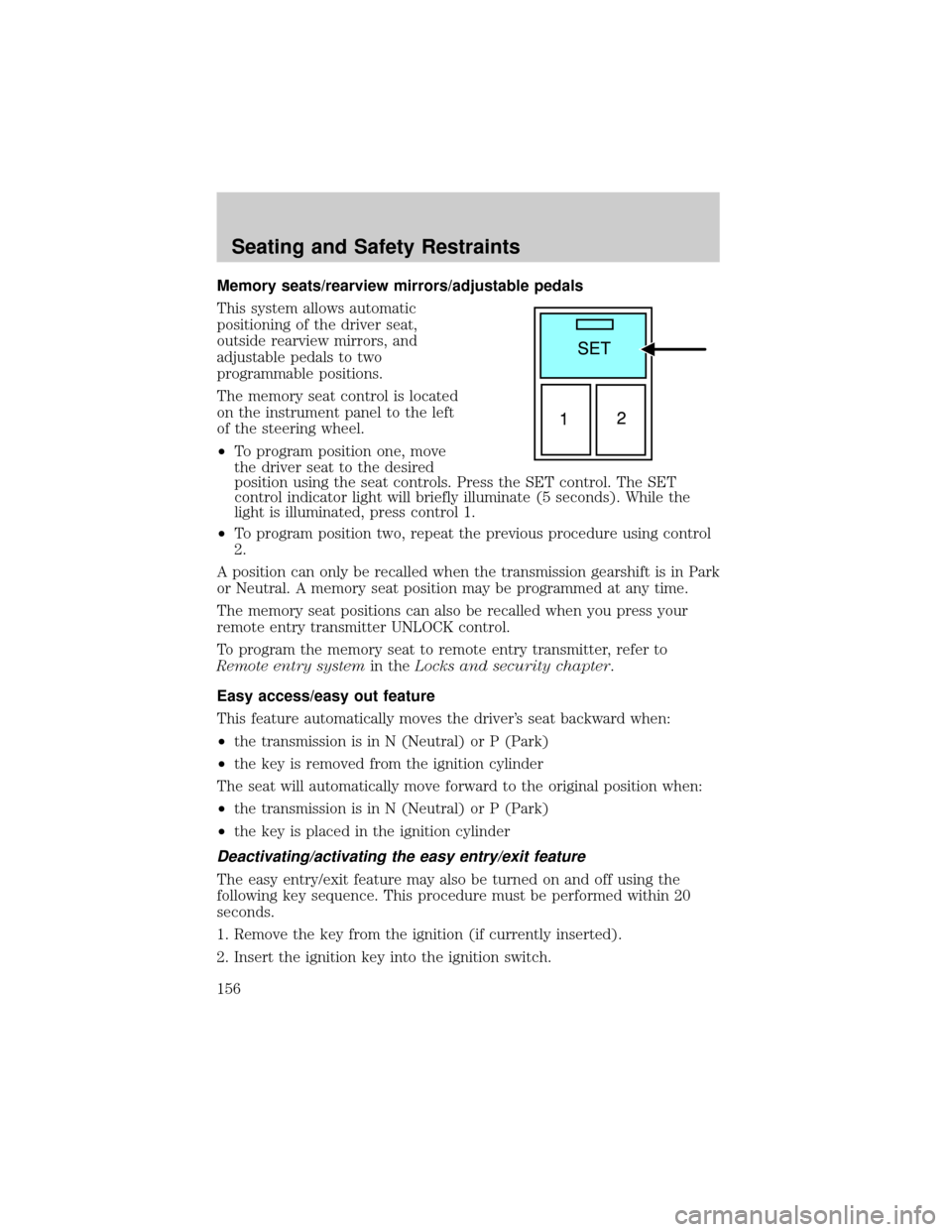
Memory seats/rearview mirrors/adjustable pedals
This system allows automatic
positioning of the driver seat,
outside rearview mirrors, and
adjustable pedals to two
programmable positions.
The memory seat control is located
on the instrument panel to the left
of the steering wheel.
²To program position one, move
the driver seat to the desired
position using the seat controls. Press the SET control. The SET
control indicator light will briefly illuminate (5 seconds). While the
light is illuminated, press control 1.
²To program position two, repeat the previous procedure using control
2.
A position can only be recalled when the transmission gearshift is in Park
or Neutral. A memory seat position may be programmed at any time.
The memory seat positions can also be recalled when you press your
remote entry transmitter UNLOCK control.
To program the memory seat to remote entry transmitter, refer to
Remote entry systemin theLocks and security chapter.
Easy access/easy out feature
This feature automatically moves the driver's seat backward when:
²the transmission is in N (Neutral) or P (Park)
²the key is removed from the ignition cylinder
The seat will automatically move forward to the original position when:
²the transmission is in N (Neutral) or P (Park)
²the key is placed in the ignition cylinder
Deactivating/activating the easy entry/exit feature
The easy entry/exit feature may also be turned on and off using the
following key sequence. This procedure must be performed within 20
seconds.
1. Remove the key from the ignition (if currently inserted).
2. Insert the ignition key into the ignition switch.
Seating and Safety Restraints
156
Page 157 of 336
3. Turn the ignition key to the on position.
4. Place the ignition key to the off position.
5. Turn the ignition key to the on position.
6. Place the ignition key to the off position.
7. Turn the ignition key to the on position.
8. Place the ignition key to the off position.
9. Momentarily activate the horizontal seat switch in either the forward
or rearward direction.
10. Remove the ignition key from the ignition switch.
CLIMATE CONTROL SEATS (if equipped)
The climate seat controls are located on the inside of the front doors.
To operate the climate control seats the engine must be running.
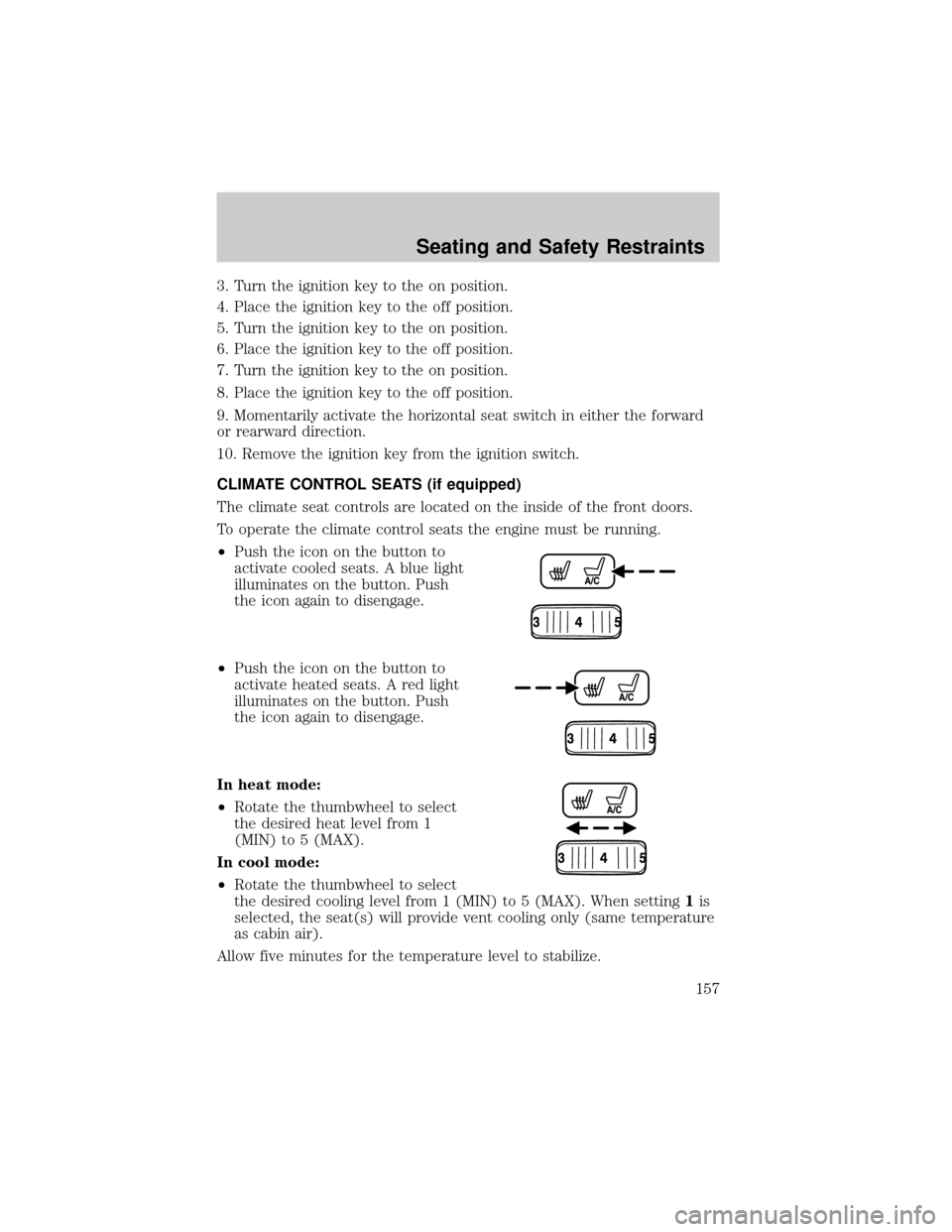
²Push the icon on the button to
activate cooled seats. A blue light
illuminates on the button. Push
the icon again to disengage.
²Push the icon on the button to
activate heated seats. A red light
illuminates on the button. Push
the icon again to disengage.
In heat mode:
²Rotate the thumbwheel to select
the desired heat level from 1
(MIN) to 5 (MAX).
In cool mode:
²Rotate the thumbwheel to select
the desired cooling level from 1 (MIN) to 5 (MAX). When setting1is
selected, the seat(s) will provide vent cooling only (same temperature
as cabin air).
Allow five minutes for the temperature level to stabilize.
Seating and Safety Restraints
157
Page 158 of 336
Climate controlled seats air filter replacement (if equipped)
The climate controlled seat system includes an air filter that has to be
replaced periodically. Refer to theScheduled Maintenance Guidefor
more information.
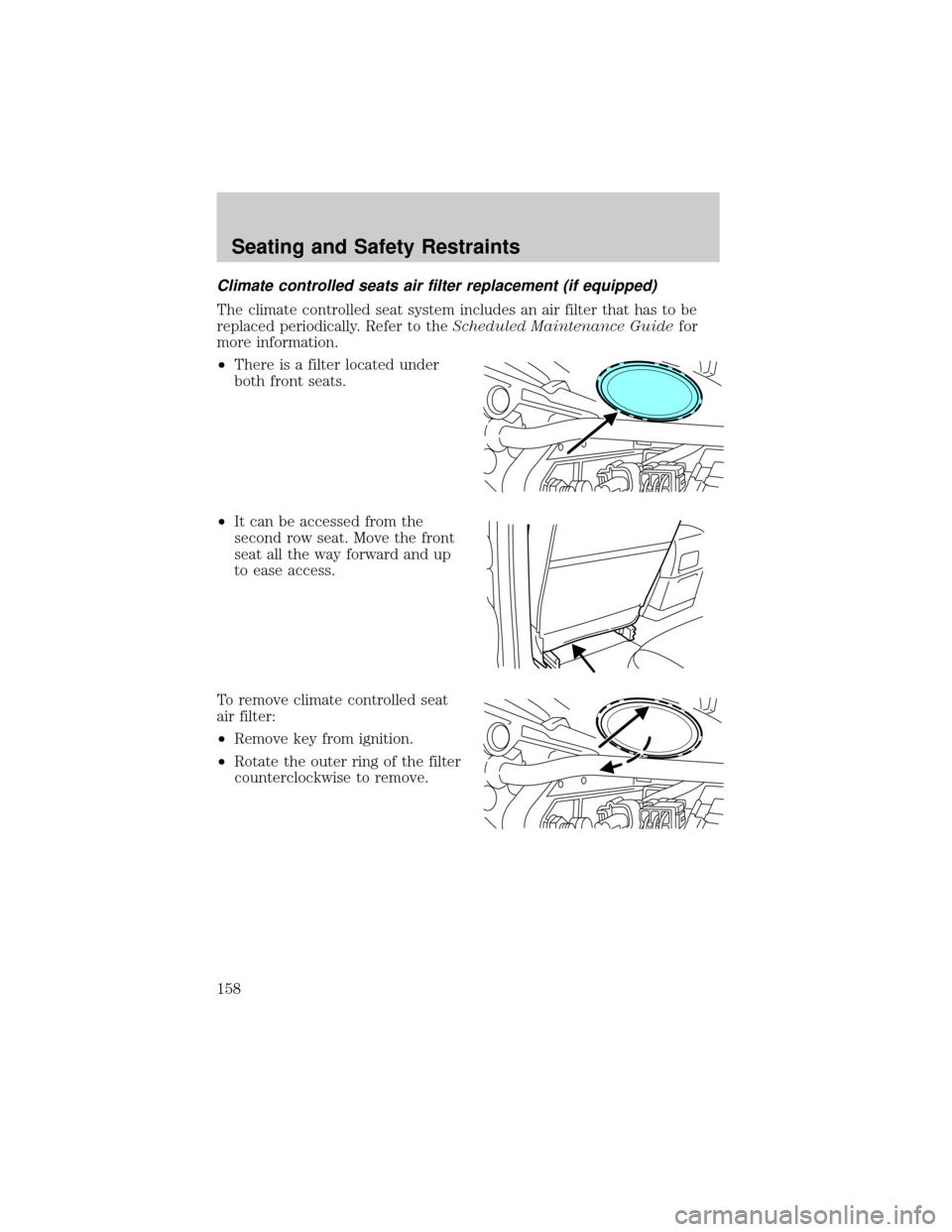
²There is a filter located under
both front seats.
²It can be accessed from the
second row seat. Move the front
seat all the way forward and up
to ease access.
To remove climate controlled seat
air filter:
²Remove key from ignition.
²Rotate the outer ring of the filter
counterclockwise to remove.
Seating and Safety Restraints
158
Page 169 of 336
Front and second row safety belt height adjustment
Your vehicle has safety belt height
adjustments for the driver, right
front passenger and second row
outboard passengers. Adjust the
height of the shoulder belt so the
belt rests across the middle of your
shoulder.
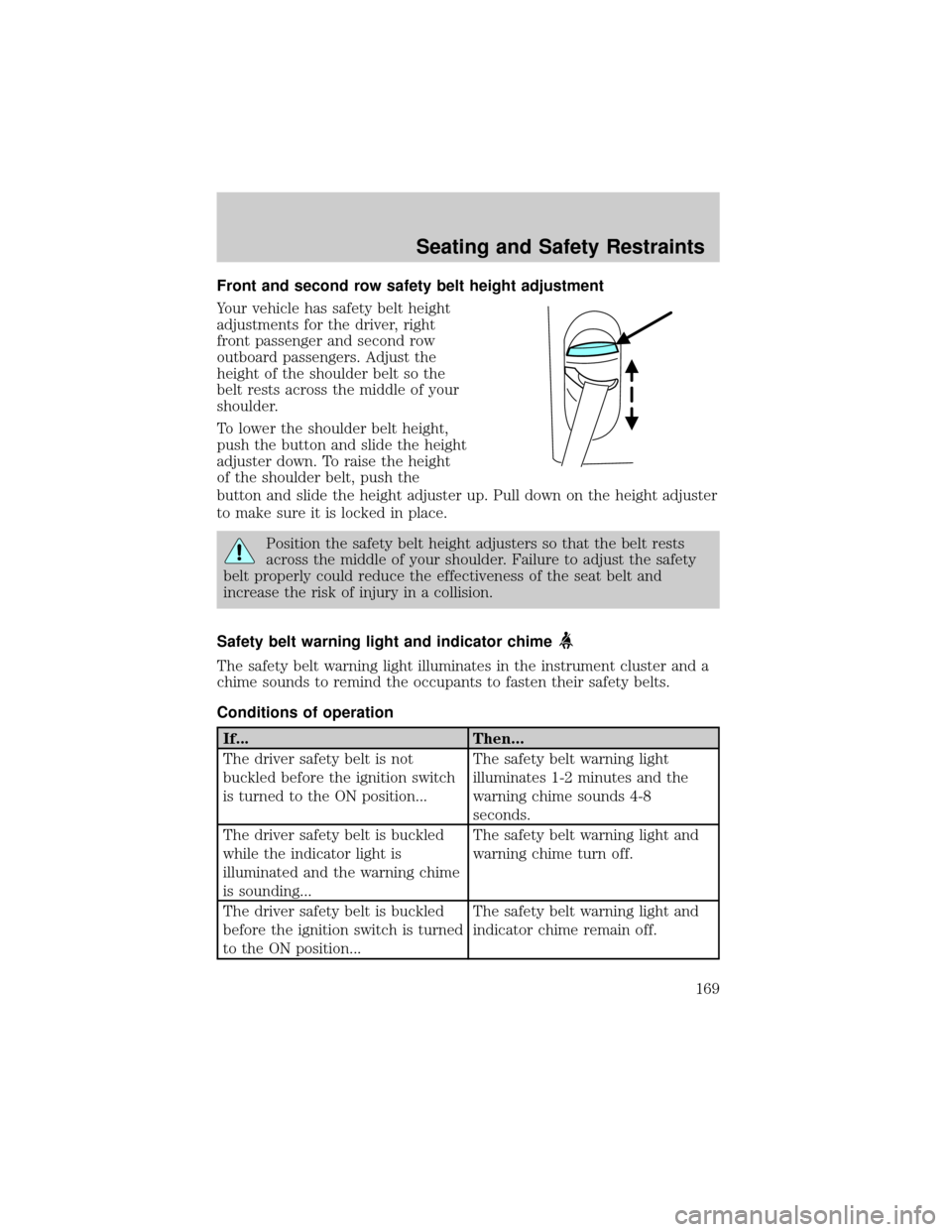
To lower the shoulder belt height,
push the button and slide the height
adjuster down. To raise the height
of the shoulder belt, push the
button and slide the height adjuster up. Pull down on the height adjuster
to make sure it is locked in place.
Position the safety belt height adjusters so that the belt rests
across the middle of your shoulder. Failure to adjust the safety
belt properly could reduce the effectiveness of the seat belt and
increase the risk of injury in a collision.
Safety belt warning light and indicator chime
The safety belt warning light illuminates in the instrument cluster and a
chime sounds to remind the occupants to fasten their safety belts.
Conditions of operation
If... Then...
The driver safety belt is not
buckled before the ignition switch
is turned to the ON position...The safety belt warning light
illuminates 1-2 minutes and the
warning chime sounds 4-8
seconds.
The driver safety belt is buckled
while the indicator light is
illuminated and the warning chime
is sounding...The safety belt warning light and
warning chime turn off.
The driver safety belt is buckled
before the ignition switch is turned
to the ON position...The safety belt warning light and
indicator chime remain off.
Seating and Safety Restraints
169