navigation LINCOLN AVIATOR 2004 Owner's Guide
[x] Cancel search | Manufacturer: LINCOLN, Model Year: 2004, Model line: AVIATOR, Model: LINCOLN AVIATOR 2004Pages: 336, PDF Size: 3.69 MB
Page 77 of 336

Loading the map DVD
²Your navigation DVD unit is located in the jack compartment.
²Ensure that the vehicle ignition is ON.
²If a DVD is already loaded in the Navigation unit, push the eject
button.
²Load the DVD with the printed side up. Do not allow moisture or
foreign objects to enter the slot.
The navigation system utilizes a database stored in a special format on a
DVD. It is recommended always to use the latest update of this map
DVD.
²The navigation system will only work with DVDs specifically intended
for your navigation system.
²Always store the map DVDs in their protective cases when not in use.
Ordering additional map DVDs
If you wish to order a replacement or additional map, please call
1±888±NAV-MAPS (1±888±628±6277) or to log onto www.navtech.com.
Latest map DVDs
The map content is constantly changing due to new roads, traffic
restrictions, etc. . Therefore, it is not always possible to exactly match
the DVD map with the current roadways. For best results, always use the
latest version of the map DVD. Map information is regularly updated, but
all areas are not necessarily covered to the same level of detail. Some
areas, in particular private roads, may not be included on the database.
To help with accuracy, always use the latest DVD version for navigation.
Customer service
If you need help operating your navigation/audio system, want to report
a map database error or want to obtain a map DVD, please call 1 (888)
628±6277 (NAV-MAPS) or log onto www.navtech.com.
Entertainment Systems
77
Page 113 of 336
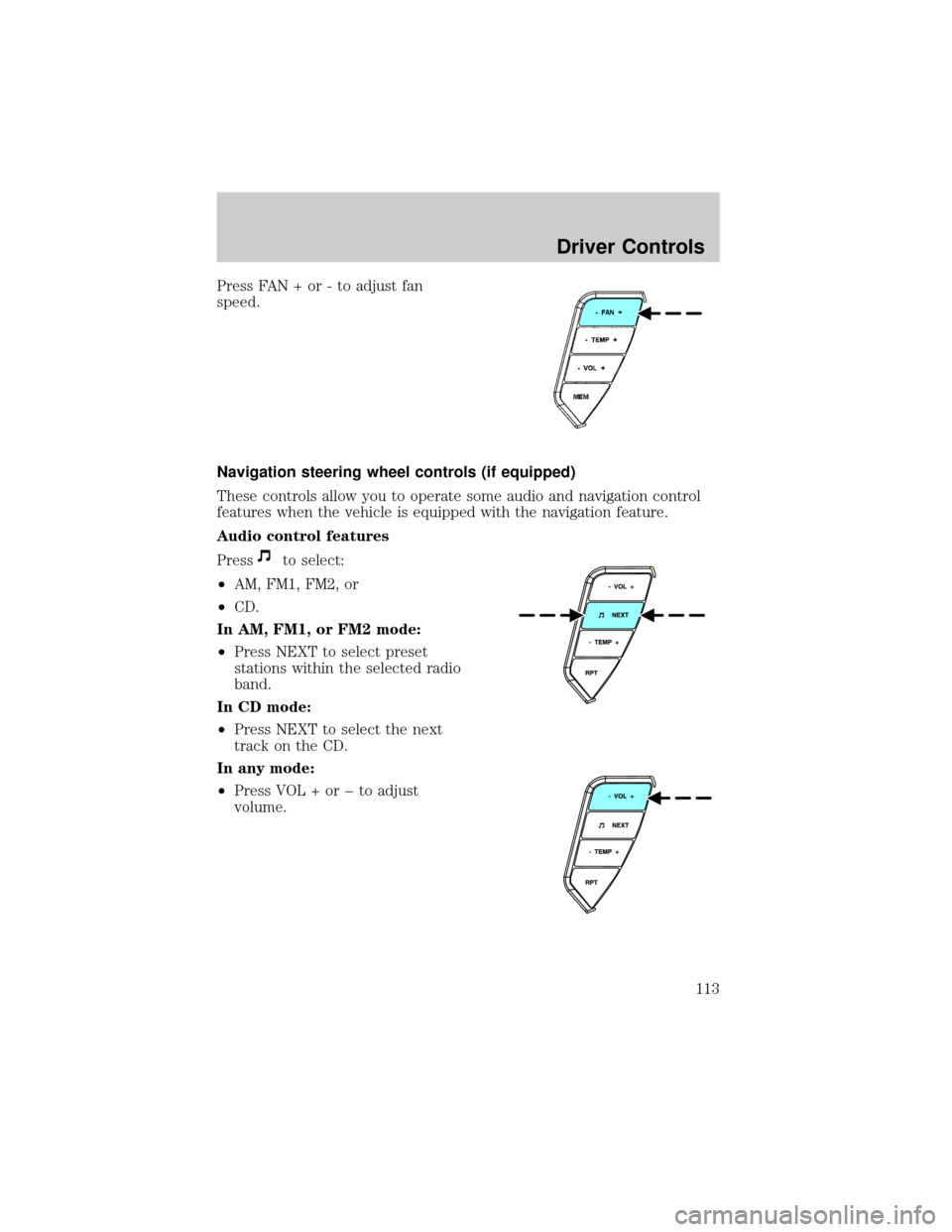
Press FAN + or - to adjust fan
speed.
Navigation steering wheel controls (if equipped)
These controls allow you to operate some audio and navigation control
features when the vehicle is equipped with the navigation feature.
Audio control features
Press
to select:
²AM, FM1, FM2, or
²CD.
In AM, FM1, or FM2 mode:
²Press NEXT to select preset
stations within the selected radio
band.
In CD mode:
²Press NEXT to select the next
track on the CD.
In any mode:
²Press VOL + or þ to adjust
volume.
Driver Controls
113
Page 114 of 336
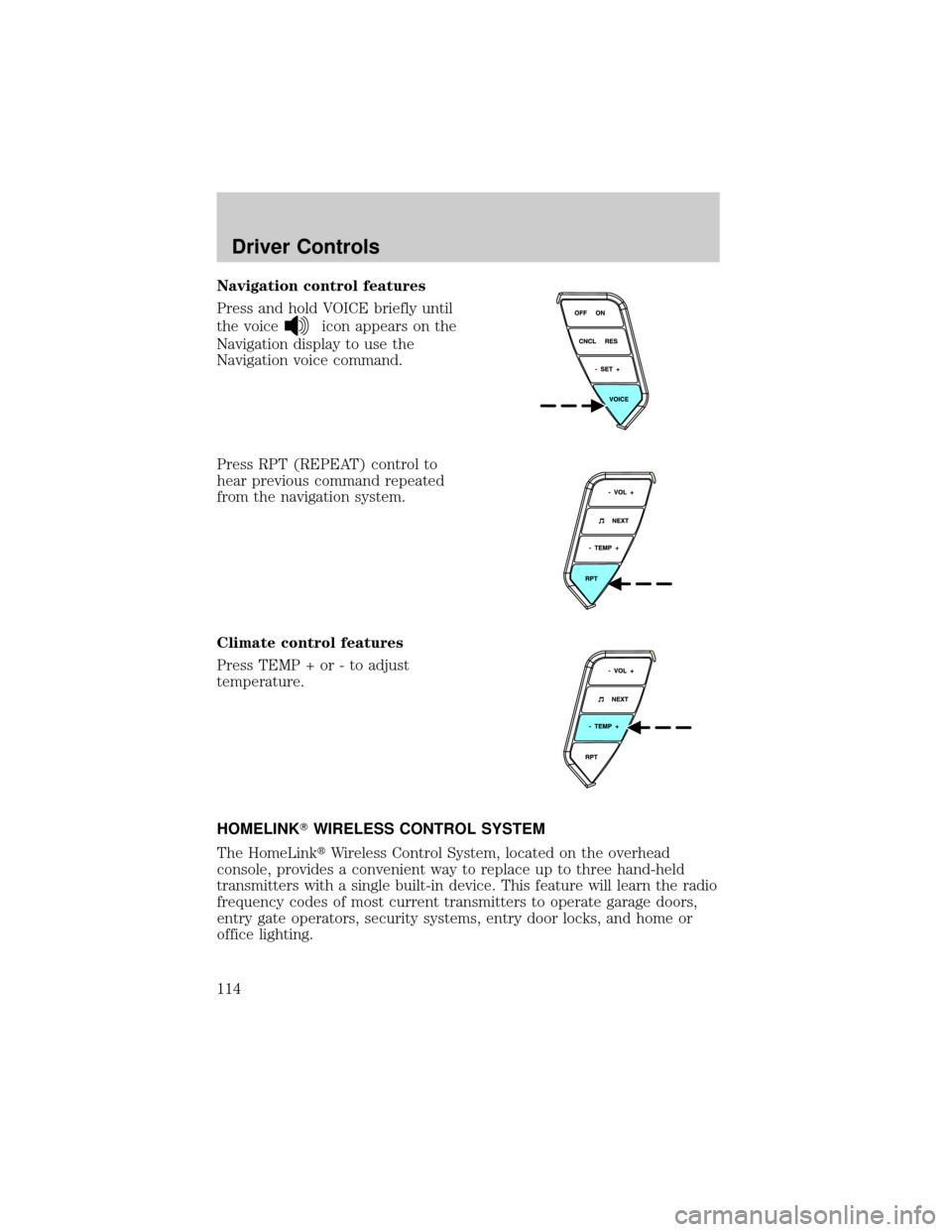
Navigation control features
Press and hold VOICE briefly until
the voice
icon appears on the
Navigation display to use the
Navigation voice command.
Press RPT (REPEAT) control to
hear previous command repeated
from the navigation system.
Climate control features
Press TEMP + or - to adjust
temperature.
HOMELINKTWIRELESS CONTROL SYSTEM
The HomeLinktWireless Control System, located on the overhead
console, provides a convenient way to replace up to three hand-held
transmitters with a single built-in device. This feature will learn the radio
frequency codes of most current transmitters to operate garage doors,
entry gate operators, security systems, entry door locks, and home or
office lighting.
Driver Controls
114
Page 235 of 336
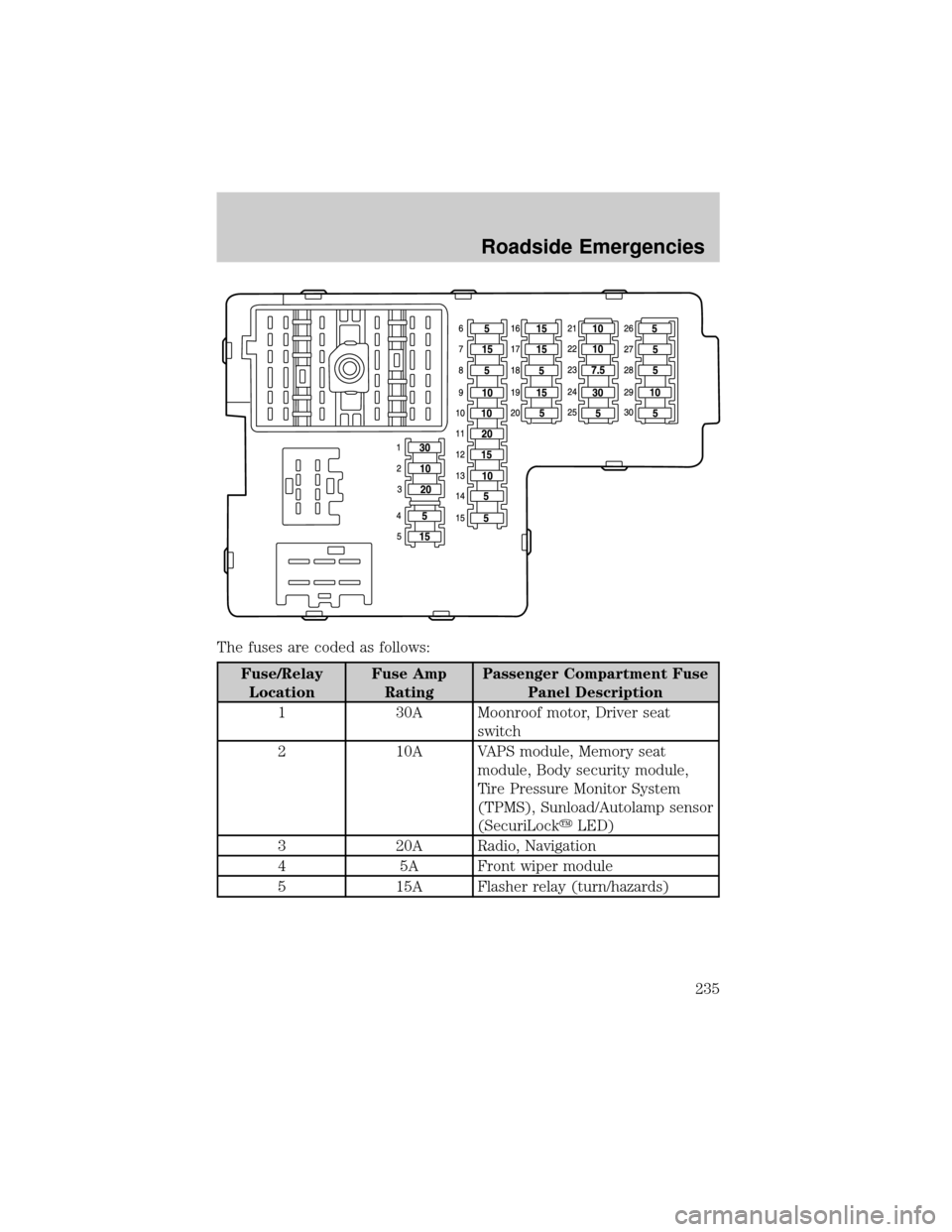
The fuses are coded as follows:
Fuse/Relay
LocationFuse Amp
RatingPassenger Compartment Fuse
Panel Description
1 30A Moonroof motor, Driver seat
switch
2 10A VAPS module, Memory seat
module, Body security module,
Tire Pressure Monitor System
(TPMS), Sunload/Autolamp sensor
(SecuriLockyLED)
3 20A Radio, Navigation
4 5A Front wiper module
5 15A Flasher relay (turn/hazards)
Roadside Emergencies
235
Page 236 of 336
Fuse/Relay
LocationFuse Amp
RatingPassenger Compartment Fuse
Panel Description
6 5A Electronic Hidden Antenna
Module (EHAM) (antenna
amplifier), Radio, Moonroof motor,
Driver window motor, Navigation
7 15A Heated mirrors, DEATC module
8 5A Daytime Running Lamps (DRL)
module, Heated PCV valve
9 10A Back-up lamps (DTRS),
Electrochromatic mirror
10 10A Heated backlight relay coil,
Climate seat modules, Auxiliary
A/C temperature blend/mode
actuator, A/C clutch relay contact
11 20A Not used (spare)
12 15A Restraints module
13 10A Brake shift interlock
14 5A Not used (spare)
15 5A Instrument cluster, Rear wiper
module, TPMS
16 15A Cigar lighter, OBD II
17 15A Delayed accessory relay coil,
Battery saver relay coil and
contacts
18 5A Not used (spare)
19 15A Washer pump
20 5A Shifter, Clock, Power mirror
switch, DVD
21 10A Brake pressure switch (ABS), IVD
switch, Flasher relay
22 10A ABS module
23 7.5A Liftgate release relay coil and
contacts
Roadside Emergencies
236
Page 237 of 336
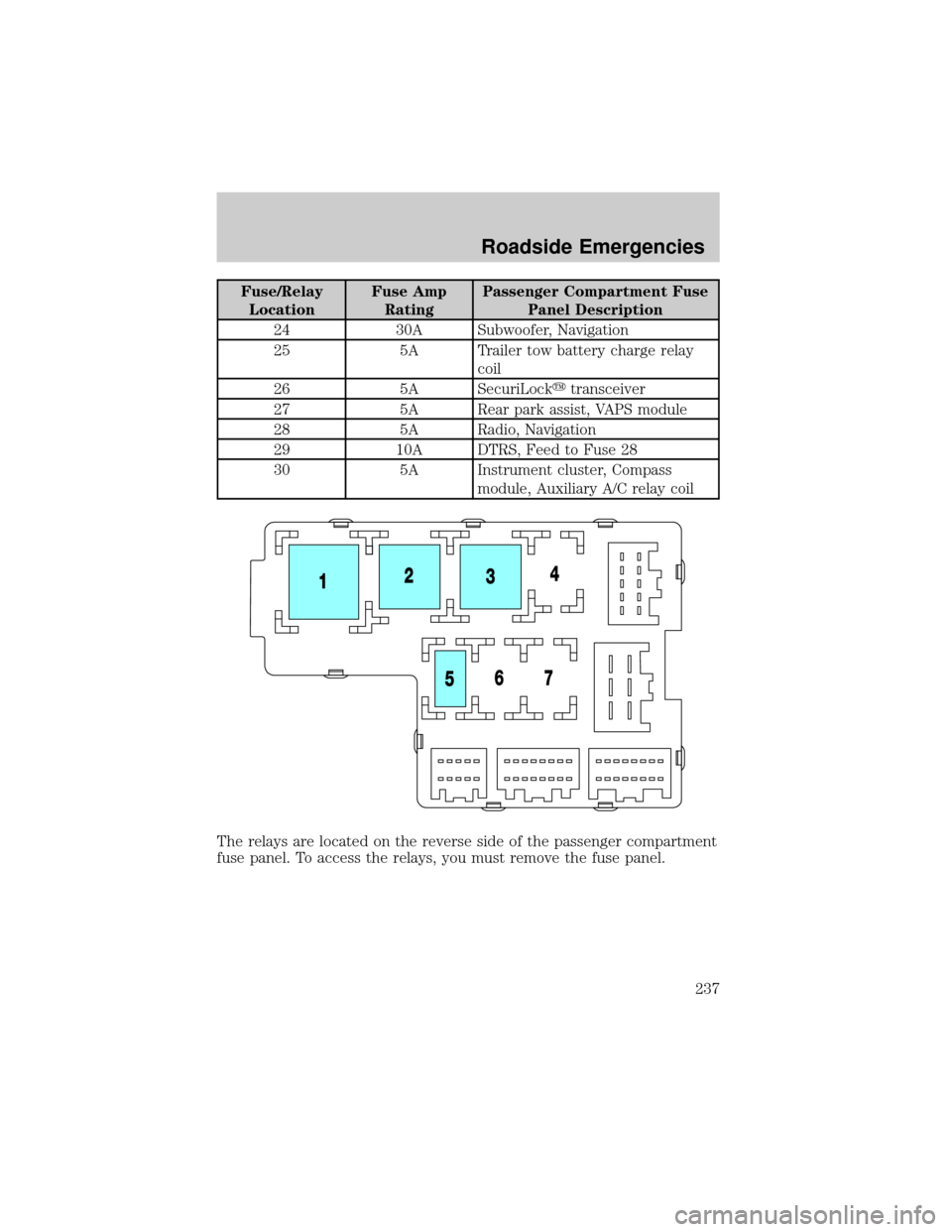
Fuse/Relay
LocationFuse Amp
RatingPassenger Compartment Fuse
Panel Description
24 30A Subwoofer, Navigation
25 5A Trailer tow battery charge relay
coil
26 5A SecuriLockytransceiver
27 5A Rear park assist, VAPS module
28 5A Radio, Navigation
29 10A DTRS, Feed to Fuse 28
30 5A Instrument cluster, Compass
module, Auxiliary A/C relay coil
The relays are located on the reverse side of the passenger compartment
fuse panel. To access the relays, you must remove the fuse panel.
Roadside Emergencies
237
Page 322 of 336

Interior style
Cell phone holders
Electrochromatic compass/temperature interior mirrors
Floor mats
Interior trim kits
Leather wrapped steering wheels
Scuff plates
Lifestyle
Bike racks
Cargo organization and management
Engine block heaters and blankets
Rear seat entertainment systems
Towing mirrors
Trailer hitches, wiring harnesses and accessories
Peace of mind
Airbag anti-theft locks
First aid and safety kits
Full vehicle covers
Locking gas cap
Navigation systems
Remote start
Vehicle security systems
Accessories
322
Page 327 of 336

Infant seats
(see Safety seats) .....................184
Inspection/maintenance (I/M)
testing ........................................294
Instrument panel
cleaning ...................................269
cluster ........................................10
lighting up panel and interior .85
J
Jack ....................................243, 245
positioning .......................243, 247
storage .............................243, 245
Jump-starting your vehicle ......251
K
Keyless entry system
locking and unlocking doors ..145
programming entry code .......143
Keys ...................................146±148
positions of the ignition .........193
L
Lamps
autolamp system .......................82
bulb replacement
specifications chart ..................88
daytime running light ...............84
fog lamps ...................................82
headlamps .................................82
headlamps, flash to pass ..........85
instrument panel, dimming .....85
interior lamps .....................87, 89
replacing
bulbs ..................88, 90, 92, 94±95
Lane change indicator
(see Turn signal) ........................87
Liftgate ..............................133, 139Lights, warning and indicator ....10
anti-lock brakes (ABS) ..........198
Load limits .................................221
Loading instructions .................224
Locks
childproof ................................137
doors ........................................136
Lubricant specifications ...314, 316
Luggage rack .............................134
Lumbar support, seats .............153
M
Manual transmission
fluid capacities ........................312
lubricant specifications ..........316
Message center .................118±119
english/metric button .............123
system check button ..............123
warning messages ...................126
Mirrors .................................99, 105
automatic dimming rearview
mirror ......................................105
fold away .................................107
heated ......................................107
programmable memory ..........139
side view mirrors (power) ....106,
108
Moon roof ..................................100
Motorcraft parts ................289, 311
N
Navigation system .......................26
cd functions ..............................42
destination mode ......................55
DVD location .............................77
map mode .................................46
quick start .................................28
Index
327