Low tire warning LINCOLN AVIATOR 2004 Owners Manual
[x] Cancel search | Manufacturer: LINCOLN, Model Year: 2004, Model line: AVIATOR, Model: LINCOLN AVIATOR 2004Pages: 336, PDF Size: 3.69 MB
Page 9 of 336
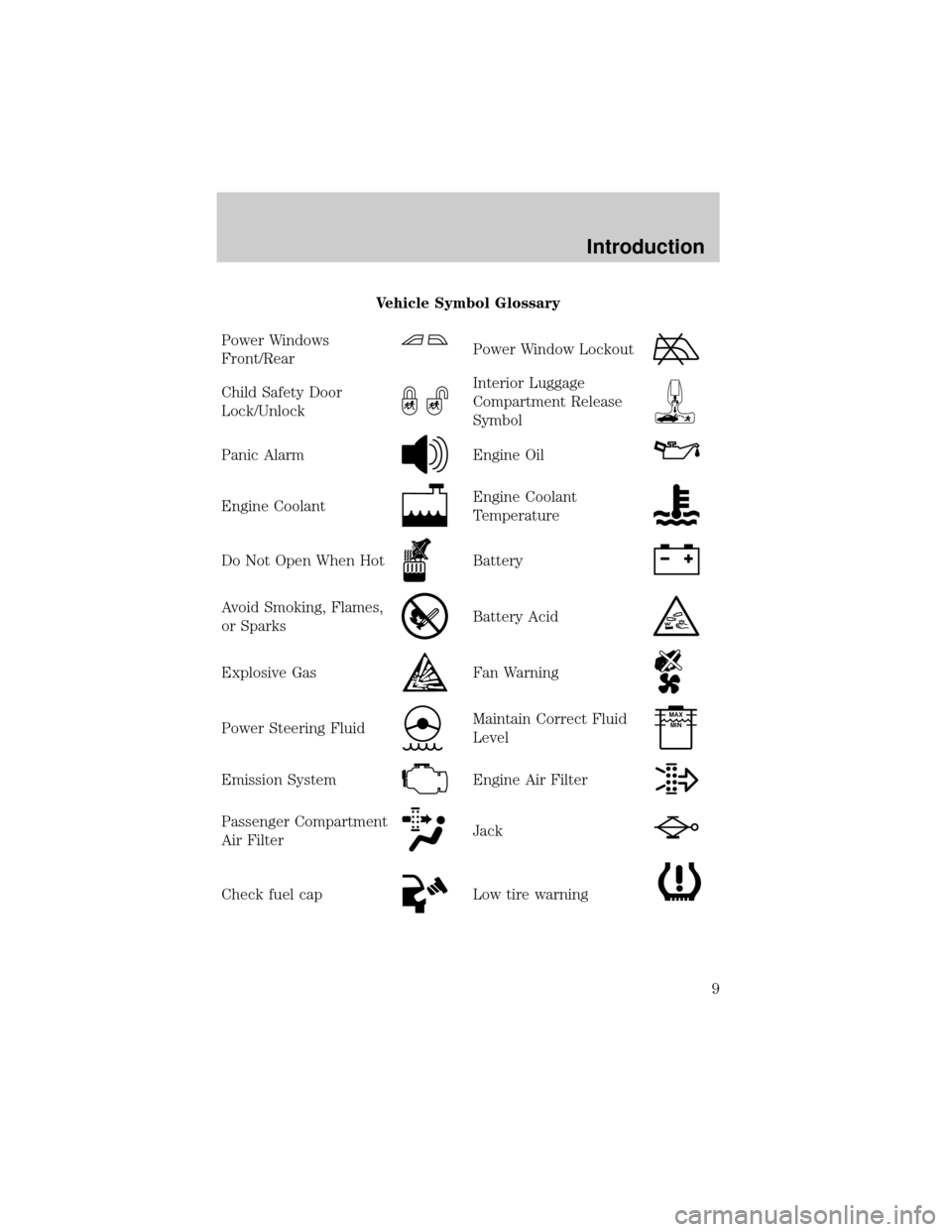
Vehicle Symbol Glossary
Power Windows
Front/Rear
Power Window Lockout
Child Safety Door
Lock/UnlockInterior Luggage
Compartment Release
Symbol
Panic AlarmEngine Oil
Engine CoolantEngine Coolant
Temperature
Do Not Open When HotBattery
Avoid Smoking, Flames,
or SparksBattery Acid
Explosive GasFan Warning
Power Steering FluidMaintain Correct Fluid
LevelMAX
MIN
Emission SystemEngine Air Filter
Passenger Compartment
Air FilterJack
Check fuel capLow tire warning
Introduction
9
Page 12 of 336
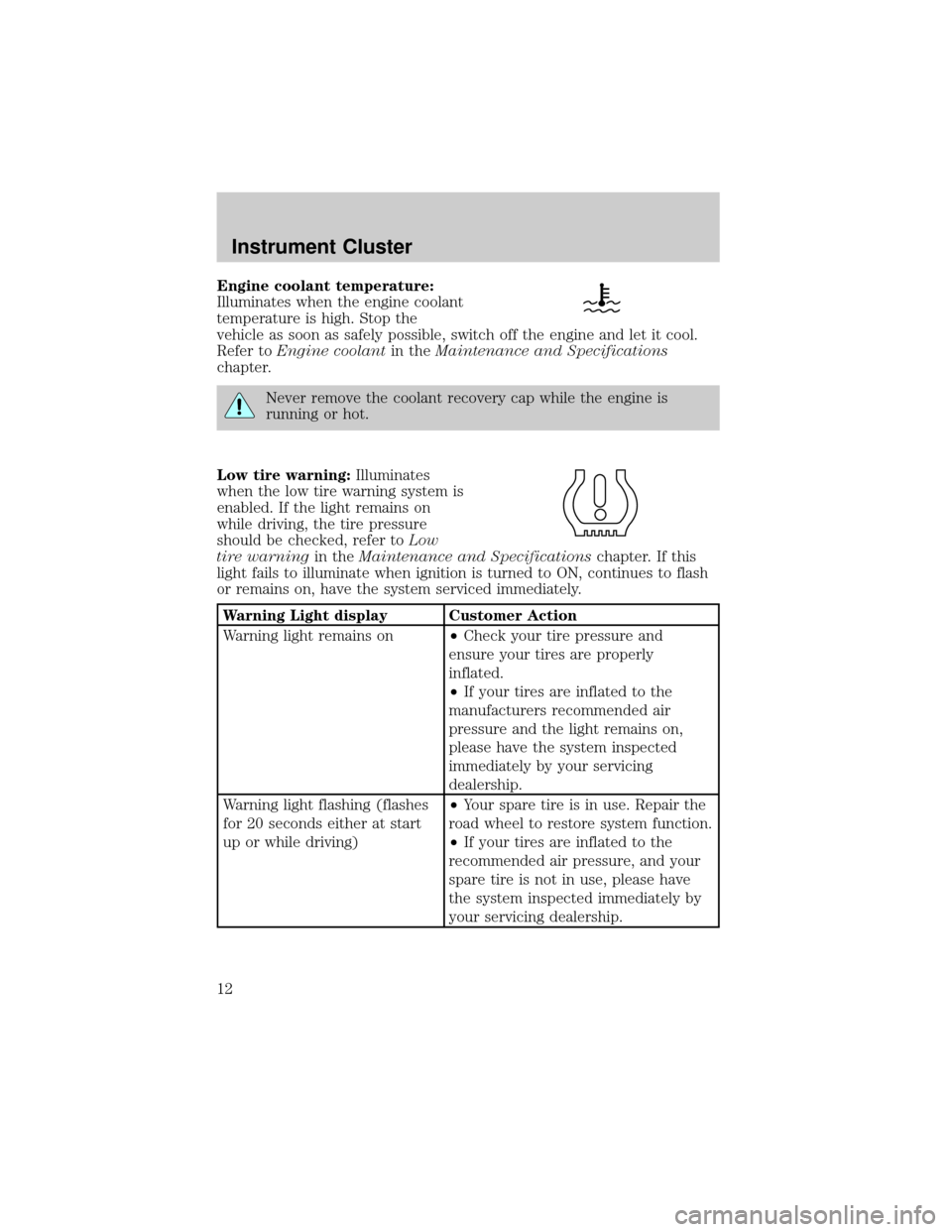
Engine coolant temperature:
Illuminates when the engine coolant
temperature is high. Stop the
vehicle as soon as safely possible, switch off the engine and let it cool.
Refer toEngine coolantin theMaintenance and Specifications
chapter.
Never remove the coolant recovery cap while the engine is
running or hot.
Low tire warning:Illuminates
when the low tire warning system is
enabled. If the light remains on
while driving, the tire pressure
should be checked, refer toLow
tire warningin theMaintenance and Specificationschapter. If this
light fails to illuminate when ignition is turned to ON, continues to flash
or remains on, have the system serviced immediately.
Warning Light display Customer Action
Warning light remains on²Check your tire pressure and
ensure your tires are properly
inflated.
²If your tires are inflated to the
manufacturers recommended air
pressure and the light remains on,
please have the system inspected
immediately by your servicing
dealership.
Warning light flashing (flashes
for 20 seconds either at start
up or while driving)²Your spare tire is in use. Repair the
road wheel to restore system function.
²If your tires are inflated to the
recommended air pressure, and your
spare tire is not in use, please have
the system inspected immediately by
your servicing dealership.
Instrument Cluster
12
Page 56 of 336
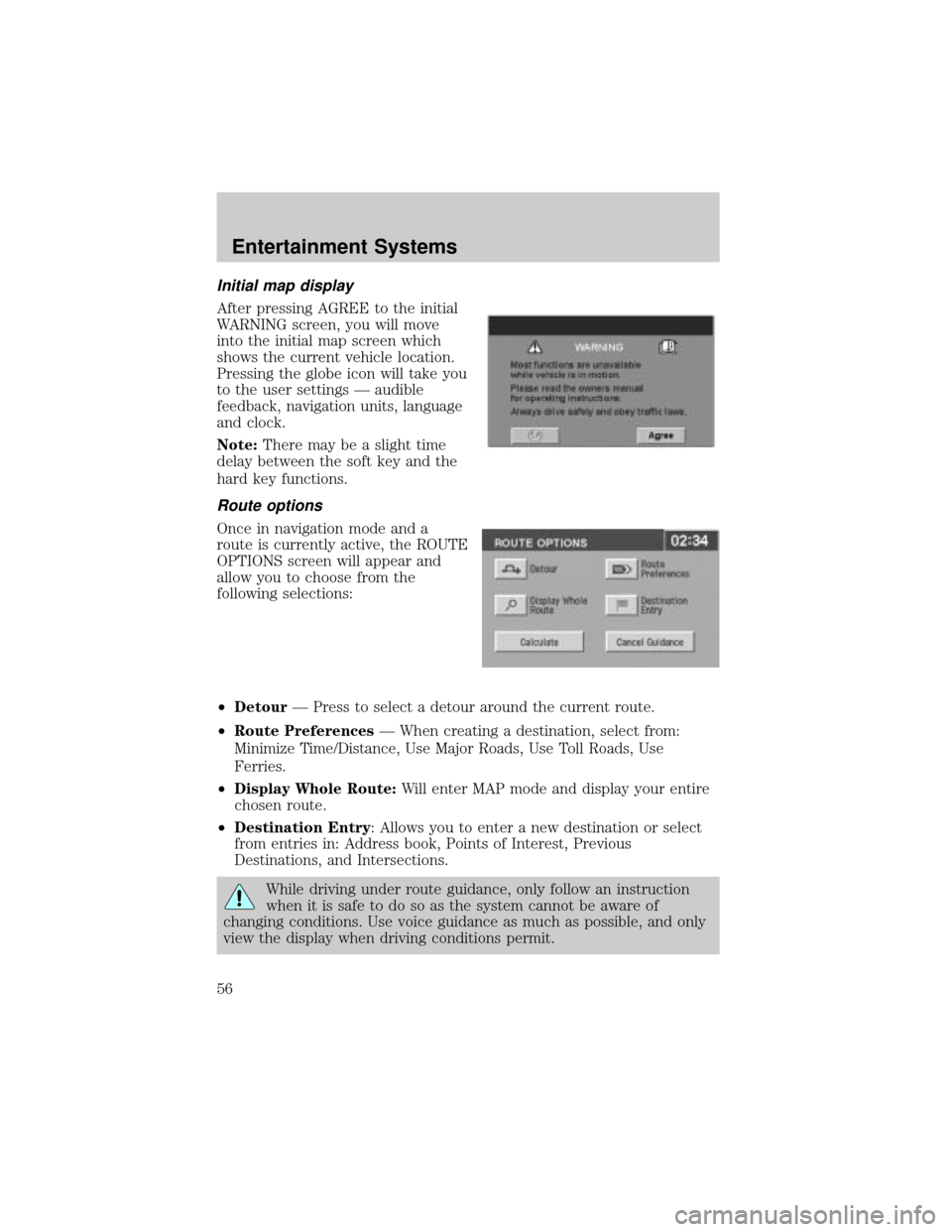
Initial map display
After pressing AGREE to the initial
WARNING screen, you will move
into the initial map screen which
shows the current vehicle location.
Pressing the globe icon will take you
to the user settings Ð audible
feedback, navigation units, language
and clock.
Note:There may be a slight time
delay between the soft key and the
hard key functions.
Route options
Once in navigation mode and a
route is currently active, the ROUTE
OPTIONS screen will appear and
allow you to choose from the
following selections:
²DetourÐ Press to select a detour around the current route.
²Route PreferencesÐ When creating a destination, select from:
Minimize Time/Distance, Use Major Roads, Use Toll Roads, Use
Ferries.
²Display Whole Route:Will enter MAP mode and display your entire
chosen route.
²Destination Entry: Allows you to enter a new destination or select
from entries in: Address book, Points of Interest, Previous
Destinations, and Intersections.
While driving under route guidance, only follow an instruction
when it is safe to do so as the system cannot be aware of
changing conditions. Use voice guidance as much as possible, and only
view the display when driving conditions permit.
Entertainment Systems
56
Page 123 of 336
²Language
²Rear Park Assist (while in reverse)
²AWD Locked (if equipped)
²Avdtrac (if equipped)
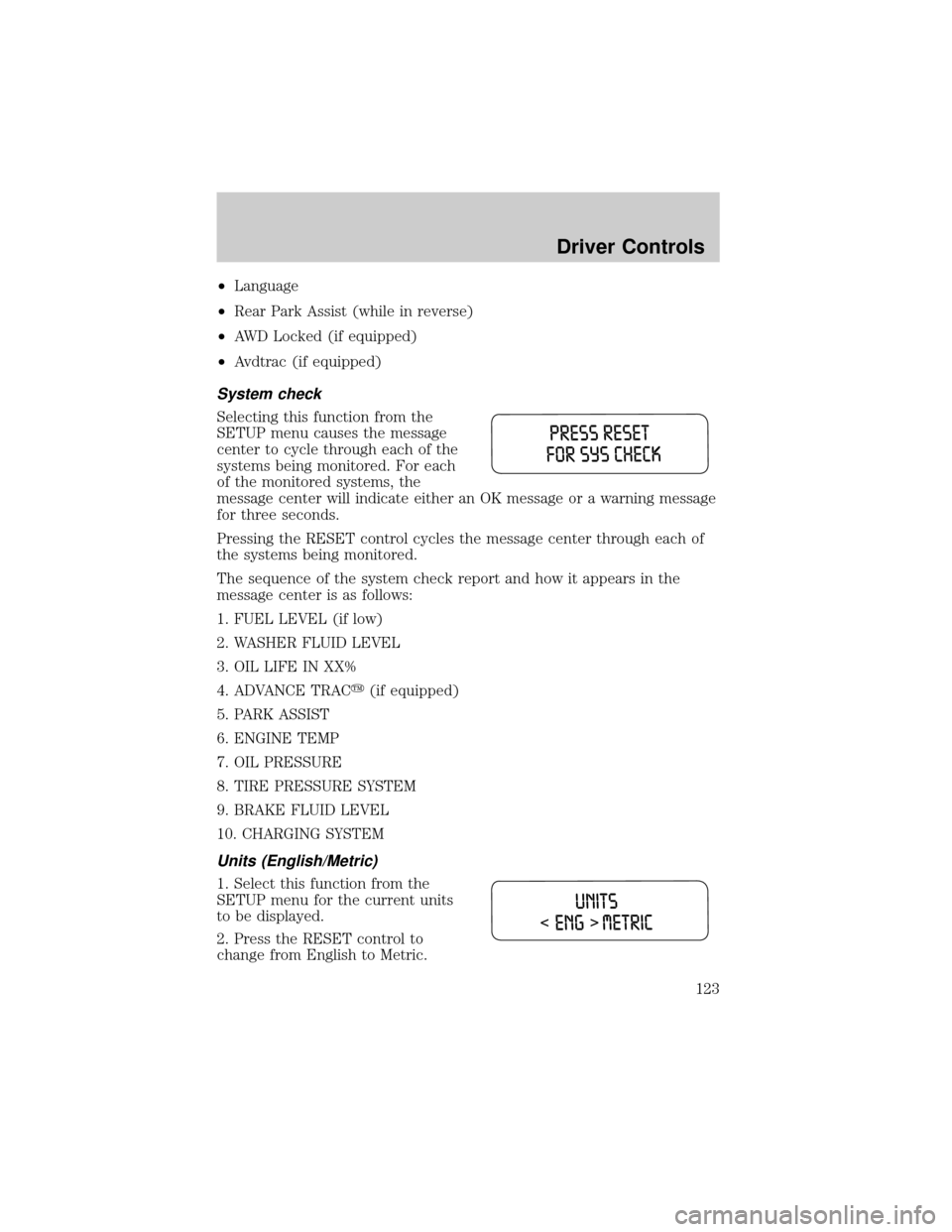
System check
Selecting this function from the
SETUP menu causes the message
center to cycle through each of the
systems being monitored. For each
of the monitored systems, the
message center will indicate either an OK message or a warning message
for three seconds.
Pressing the RESET control cycles the message center through each of
the systems being monitored.
The sequence of the system check report and how it appears in the
message center is as follows:
1. FUEL LEVEL (if low)
2. WASHER FLUID LEVEL
3. OIL LIFE IN XX%
4. ADVANCE TRACy(if equipped)
5. PARK ASSIST
6. ENGINE TEMP
7. OIL PRESSURE
8. TIRE PRESSURE SYSTEM
9. BRAKE FLUID LEVEL
10. CHARGING SYSTEM
Units (English/Metric)
1. Select this function from the
SETUP menu for the current units
to be displayed.
2. Press the RESET control to
change from English to Metric.
Driver Controls
123
Page 126 of 336
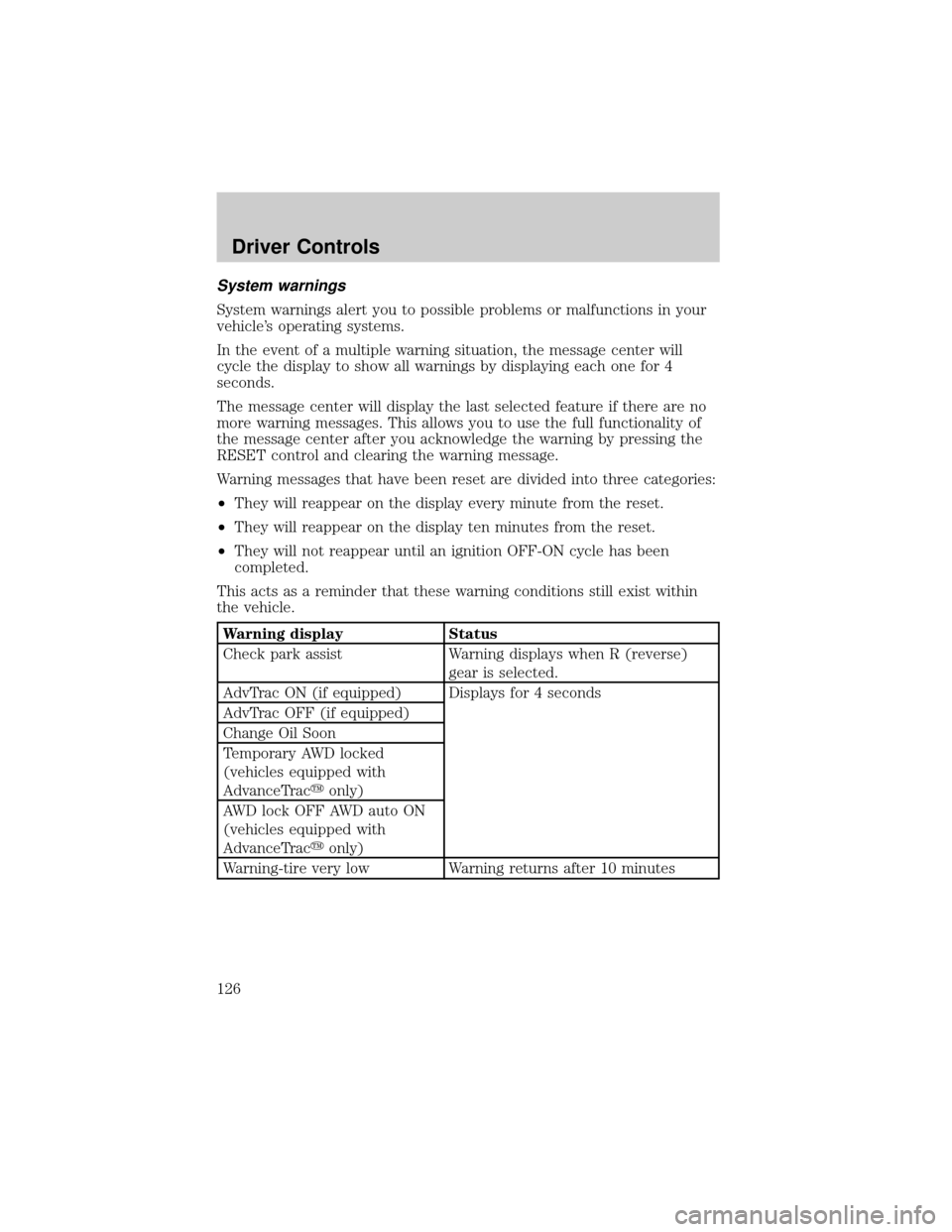
System warnings
System warnings alert you to possible problems or malfunctions in your
vehicle's operating systems.
In the event of a multiple warning situation, the message center will
cycle the display to show all warnings by displaying each one for 4
seconds.
The message center will display the last selected feature if there are no
more warning messages. This allows you to use the full functionality of
the message center after you acknowledge the warning by pressing the
RESET control and clearing the warning message.
Warning messages that have been reset are divided into three categories:
²They will reappear on the display every minute from the reset.
²They will reappear on the display ten minutes from the reset.
²They will not reappear until an ignition OFF-ON cycle has been
completed.
This acts as a reminder that these warning conditions still exist within
the vehicle.
Warning display Status
Check park assist Warning displays when R (reverse)
gear is selected.
AdvTrac ON (if equipped) Displays for 4 seconds
AdvTrac OFF (if equipped)
Change Oil Soon
Temporary AWD locked
(vehicles equipped with
AdvanceTracyonly)
AWD lock OFF AWD auto ON
(vehicles equipped with
AdvanceTracyonly)
Warning-tire very low Warning returns after 10 minutes
Driver Controls
126
Page 127 of 336
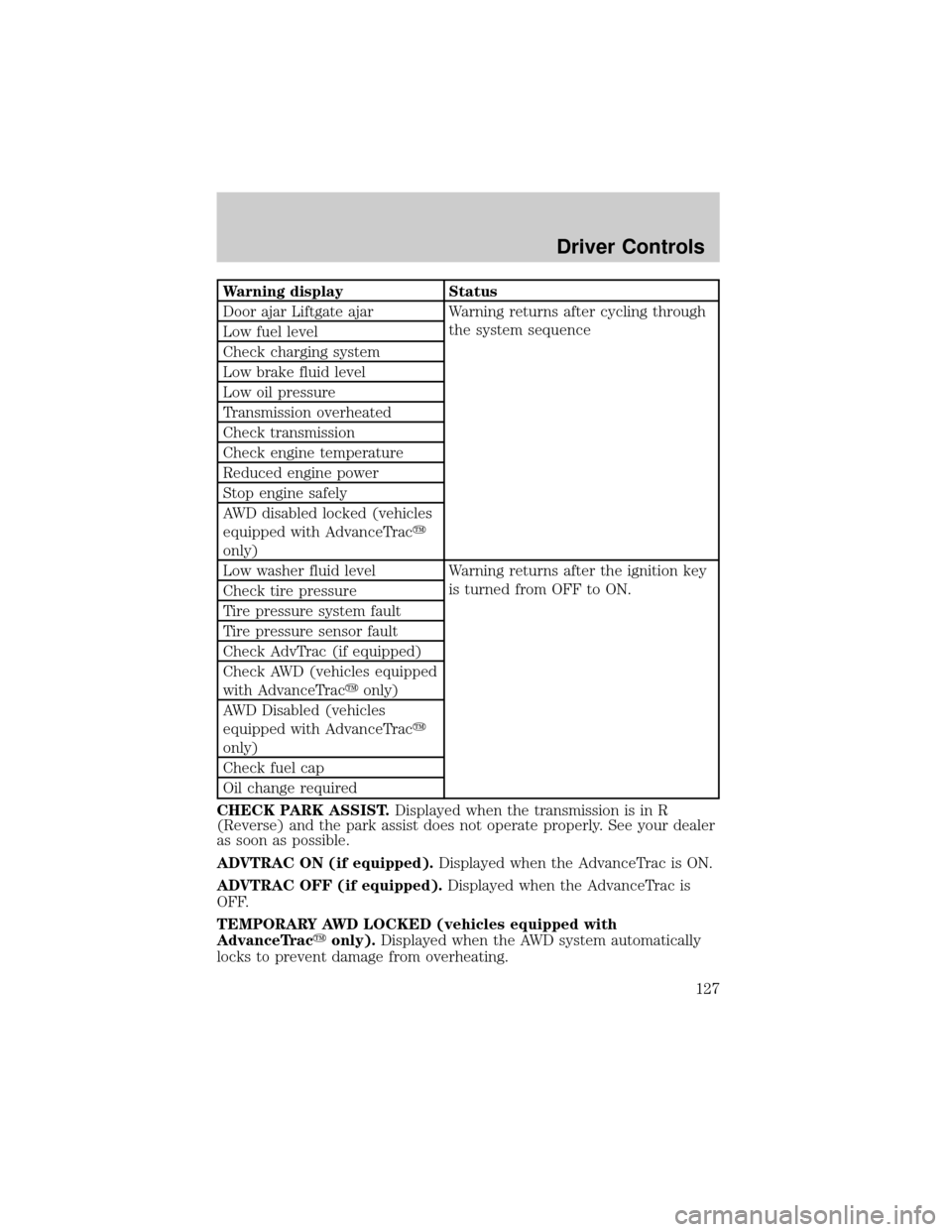
Warning display Status
Door ajar Liftgate ajar Warning returns after cycling through
the system sequence
Low fuel level
Check charging system
Low brake fluid level
Low oil pressure
Transmission overheated
Check transmission
Check engine temperature
Reduced engine power
Stop engine safely
AWD disabled locked (vehicles
equipped with AdvanceTracy
only)
Low washer fluid level Warning returns after the ignition key
is turned from OFF to ON.
Check tire pressure
Tire pressure system fault
Tire pressure sensor fault
Check AdvTrac (if equipped)
Check AWD (vehicles equipped
with AdvanceTracyonly)
AWD Disabled (vehicles
equipped with AdvanceTracy
only)
Check fuel cap
Oil change required
CHECK PARK ASSIST.Displayed when the transmission is in R
(Reverse) and the park assist does not operate properly. See your dealer
as soon as possible.
ADVTRAC ON (if equipped).Displayed when the AdvanceTrac is ON.
ADVTRAC OFF (if equipped).Displayed when the AdvanceTrac is
OFF.
TEMPORARY AWD LOCKED (vehicles equipped with
AdvanceTracyonly).Displayed when the AWD system automatically
locks to prevent damage from overheating.
Driver Controls
127
Page 128 of 336

AWD LOCK OFF and AWD AUTO ON (vehicles equipped with
AdvanceTracyonly).Displayed when the AWD system is completely
cooled down from being overheated.
DOOR AJAR LIFTGATE AJAR.Displayed when a door or liftgate is
not completely closed.
CHECK ENGINE TEMPERATURE.Displayed when the engine
coolant is overheating. Stop the vehicle as soon as safely possible, turn
off the engine and let it cool. Check the coolant and coolant level. Refer
toEngine coolantin theMaintenance and specificationschapter. If
the warning stays on or continues to come on, contact your dealer as
soon as safely possible.
REDUCED ENGINE POWER.Displayed when the engine is
overheating. Stop the vehicle as soon as safely possible, turn off the
engine. If the warning stays on or continues to come on, contact your
dealer as soon as safely possible.
STOP ENGINE SAFELY.Displayed when the engine is overheating.
Stop the vehicle as soon as safely possible, turn off the engine. If the
warning stays on or continues to come on, contact your dealer as soon as
safely possible.
AWD DISABLED LOCKED (vehicles equipped with AdvanceTracy
only).Displayed when the AWD system begins to overheat placing itself
in the autolock mode. If the warning stays on or continues to come on,
contact your dealer as soon as safely possible.
WARNING-TIRE VERY LOW.Displayed when one or more tires have
very low pressure. When this warning message is displayed, a warning
chime will sound reminding you to stop the vehicle as soon as safely
possible and check your tires for proper pressure, leaks and damage.
Refer toServicing your tiresin theMaintenance and specifications
chapter.
CHECK TIRE PRESSURE.Displayed when any of the tire pressures
are low. Refer toChecking the tire pressurein theMaintenance and
specificationschapter.
TIRE PRESSURE SYSTEM FAULT.Displayed when a tire pressure
monitoring system is malfunctioning. If the warning stays on or continues
to come on, have the system checked by your dealer.
TIRE PRESSURE SENSOR FAULT.Displayed when a tire pressure
sensor is malfunctioning. If the warning stays on or continues to come
on, have the system checked by your dealer.
LOW FUEL LEVEL.Displayed as an early reminder of a low fuel
condition.
Driver Controls
128
Page 214 of 336
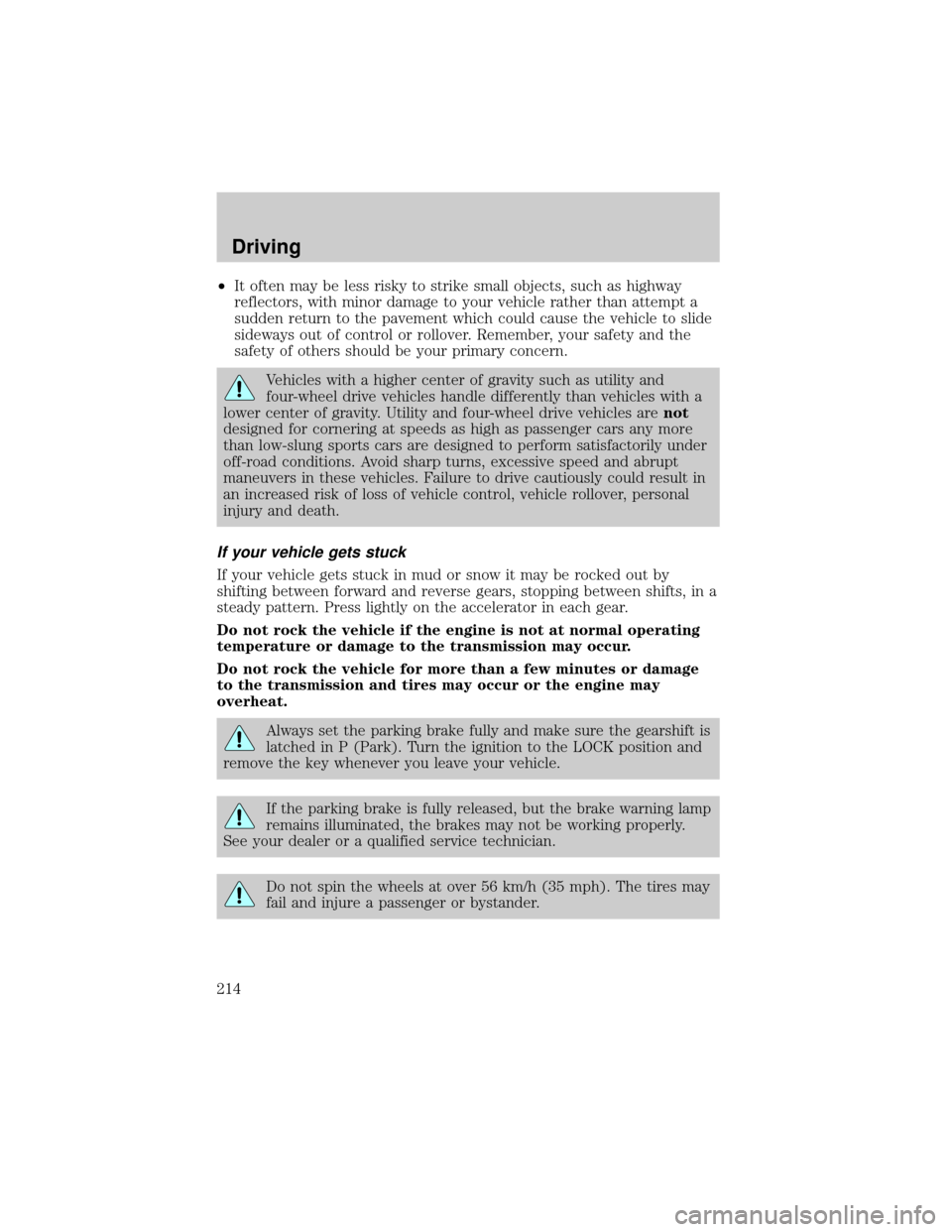
²It often may be less risky to strike small objects, such as highway
reflectors, with minor damage to your vehicle rather than attempt a
sudden return to the pavement which could cause the vehicle to slide
sideways out of control or rollover. Remember, your safety and the
safety of others should be your primary concern.
Vehicles with a higher center of gravity such as utility and
four-wheel drive vehicles handle differently than vehicles with a
lower center of gravity. Utility and four-wheel drive vehicles arenot
designed for cornering at speeds as high as passenger cars any more
than low-slung sports cars are designed to perform satisfactorily under
off-road conditions. Avoid sharp turns, excessive speed and abrupt
maneuvers in these vehicles. Failure to drive cautiously could result in
an increased risk of loss of vehicle control, vehicle rollover, personal
injury and death.
If your vehicle gets stuck
If your vehicle gets stuck in mud or snow it may be rocked out by
shifting between forward and reverse gears, stopping between shifts, in a
steady pattern. Press lightly on the accelerator in each gear.
Do not rock the vehicle if the engine is not at normal operating
temperature or damage to the transmission may occur.
Do not rock the vehicle for more than a few minutes or damage
to the transmission and tires may occur or the engine may
overheat.
Always set the parking brake fully and make sure the gearshift is
latched in P (Park). Turn the ignition to the LOCK position and
remove the key whenever you leave your vehicle.
If the parking brake is fully released, but the brake warning lamp
remains illuminated, the brakes may not be working properly.
See your dealer or a qualified service technician.
Do not spin the wheels at over 56 km/h (35 mph). The tires may
fail and injure a passenger or bystander.
Driving
214
Page 296 of 336
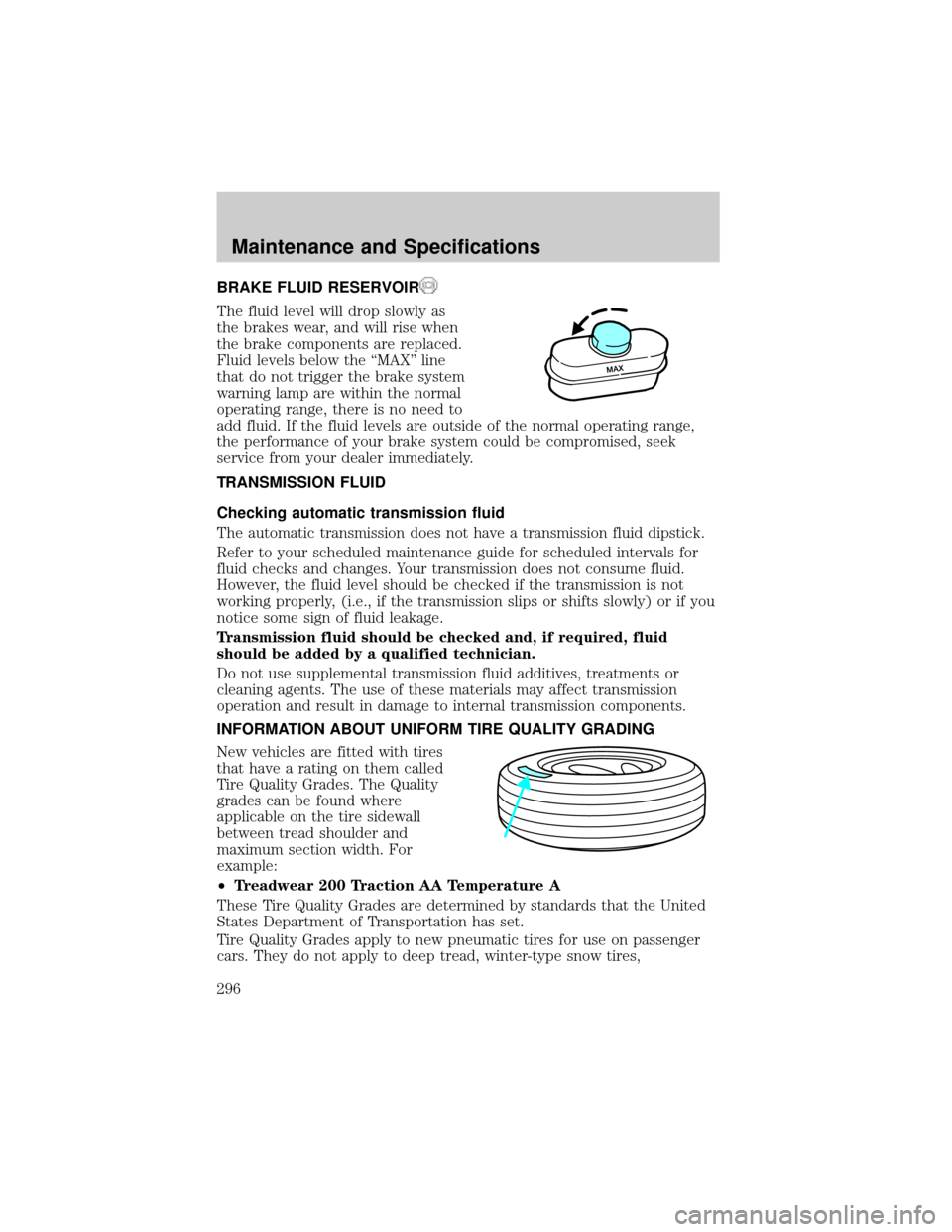
BRAKE FLUID RESERVOIR
The fluid level will drop slowly as
the brakes wear, and will rise when
the brake components are replaced.
Fluid levels below the ªMAXº line
that do not trigger the brake system
warning lamp are within the normal
operating range, there is no need to
add fluid. If the fluid levels are outside of the normal operating range,
the performance of your brake system could be compromised, seek
service from your dealer immediately.
TRANSMISSION FLUID
Checking automatic transmission fluid
The automatic transmission does not have a transmission fluid dipstick.
Refer to your scheduled maintenance guide for scheduled intervals for
fluid checks and changes. Your transmission does not consume fluid.
However, the fluid level should be checked if the transmission is not
working properly, (i.e., if the transmission slips or shifts slowly) or if you
notice some sign of fluid leakage.
Transmission fluid should be checked and, if required, fluid
should be added by a qualified technician.
Do not use supplemental transmission fluid additives, treatments or
cleaning agents. The use of these materials may affect transmission
operation and result in damage to internal transmission components.
INFORMATION ABOUT UNIFORM TIRE QUALITY GRADING
New vehicles are fitted with tires
that have a rating on them called
Tire Quality Grades. The Quality
grades can be found where
applicable on the tire sidewall
between tread shoulder and
maximum section width. For
example:
²Treadwear 200 Traction AA Temperature A
These Tire Quality Grades are determined by standards that the United
States Department of Transportation has set.
Tire Quality Grades apply to new pneumatic tires for use on passenger
cars. They do not apply to deep tread, winter-type snow tires,
Maintenance and Specifications
296
Page 299 of 336
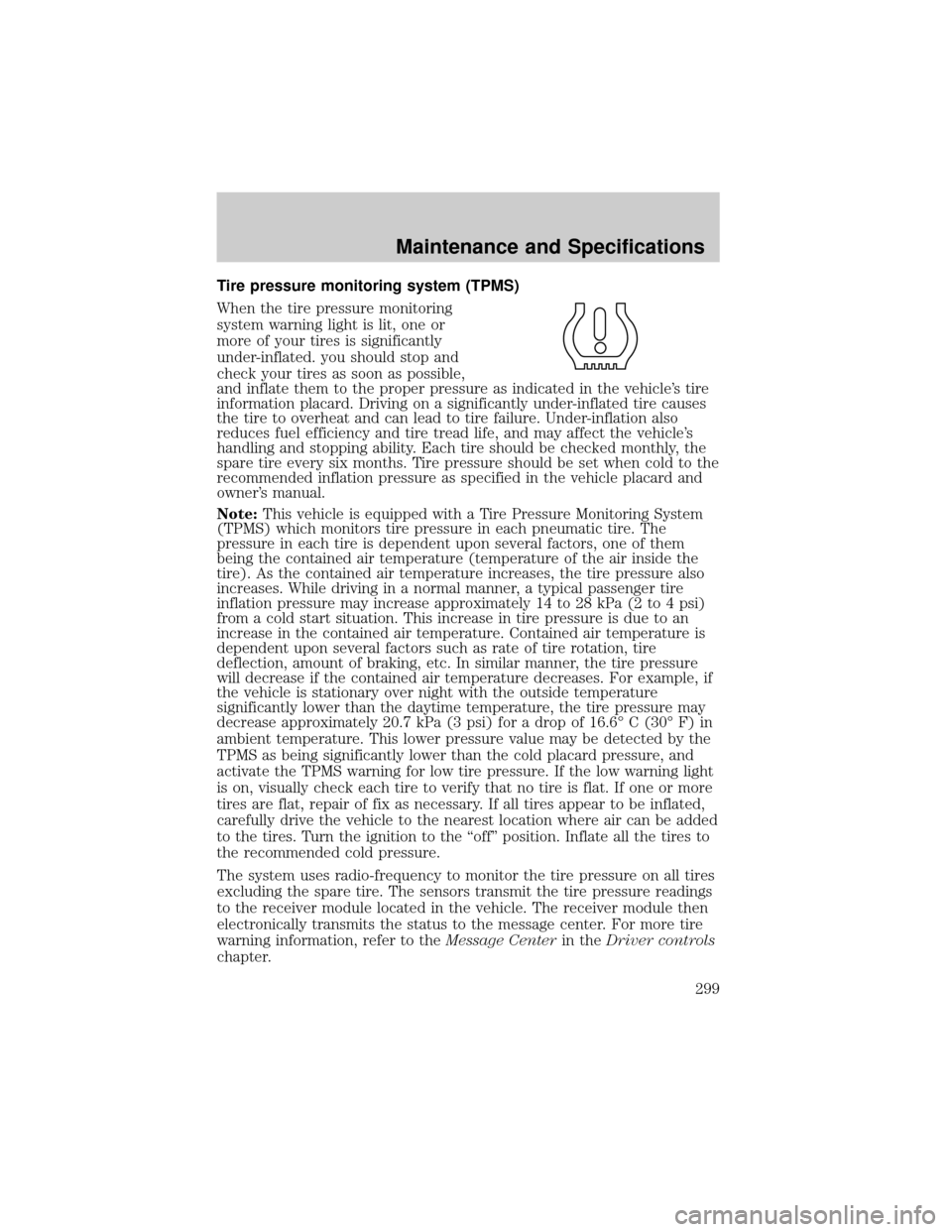
Tire pressure monitoring system (TPMS)
When the tire pressure monitoring
system warning light is lit, one or
more of your tires is significantly
under-inflated. you should stop and
check your tires as soon as possible,
and inflate them to the proper pressure as indicated in the vehicle's tire
information placard. Driving on a significantly under-inflated tire causes
the tire to overheat and can lead to tire failure. Under-inflation also
reduces fuel efficiency and tire tread life, and may affect the vehicle's
handling and stopping ability. Each tire should be checked monthly, the
spare tire every six months. Tire pressure should be set when cold to the
recommended inflation pressure as specified in the vehicle placard and
owner's manual.
Note:This vehicle is equipped with a Tire Pressure Monitoring System
(TPMS) which monitors tire pressure in each pneumatic tire. The
pressure in each tire is dependent upon several factors, one of them
being the contained air temperature (temperature of the air inside the
tire). As the contained air temperature increases, the tire pressure also
increases. While driving in a normal manner, a typical passenger tire
inflation pressure may increase approximately 14 to 28 kPa (2 to 4 psi)
from a cold start situation. This increase in tire pressure is due to an
increase in the contained air temperature. Contained air temperature is
dependent upon several factors such as rate of tire rotation, tire
deflection, amount of braking, etc. In similar manner, the tire pressure
will decrease if the contained air temperature decreases. For example, if
the vehicle is stationary over night with the outside temperature
significantly lower than the daytime temperature, the tire pressure may
decrease approximately 20.7 kPa (3 psi) for a drop of 16.6É C (30É F) in
ambient temperature. This lower pressure value may be detected by the
TPMS as being significantly lower than the cold placard pressure, and
activate the TPMS warning for low tire pressure. If the low warning light
is on, visually check each tire to verify that no tire is flat. If one or more
tires are flat, repair of fix as necessary. If all tires appear to be inflated,
carefully drive the vehicle to the nearest location where air can be added
to the tires. Turn the ignition to the ªoffº position. Inflate all the tires to
the recommended cold pressure.
The system uses radio-frequency to monitor the tire pressure on all tires
excluding the spare tire. The sensors transmit the tire pressure readings
to the receiver module located in the vehicle. The receiver module then
electronically transmits the status to the message center. For more tire
warning information, refer to theMessage Centerin theDriver controls
chapter.
Maintenance and Specifications
299