drive mode control LINCOLN AVIATOR 2020 User Guide
[x] Cancel search | Manufacturer: LINCOLN, Model Year: 2020, Model line: AVIATOR, Model: LINCOLN AVIATOR 2020Pages: 609, PDF Size: 5.4 MB
Page 146 of 609
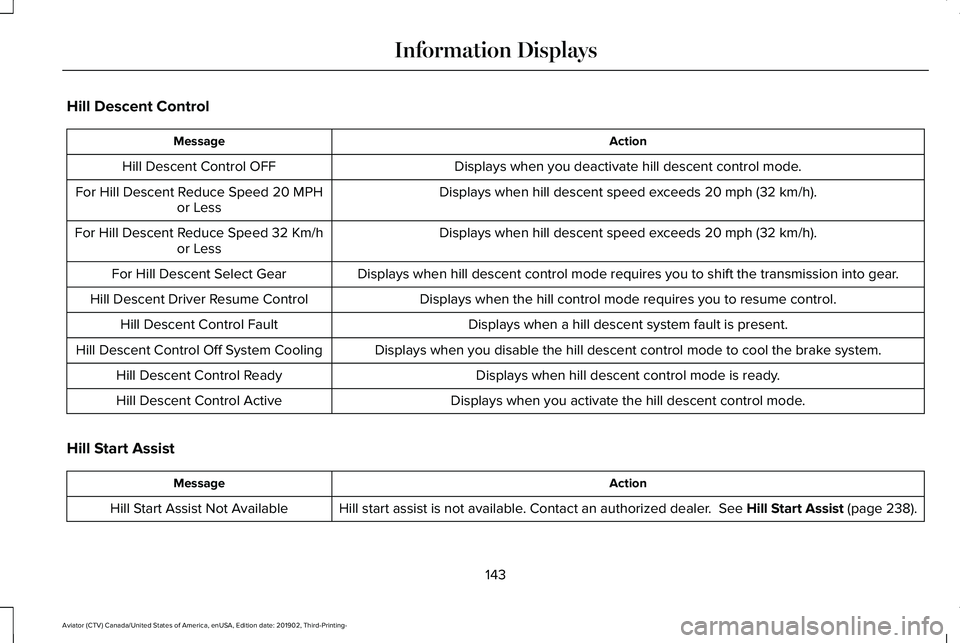
Hill Descent Control
Action
Message
Displays when you deactivate hill descent control mode.
Hill Descent Control OFF
Displays when hill descent speed exceeds 20 mph (32 km/h).
For Hill Descent Reduce Speed 20 MPH
or Less
Displays when hill descent speed exceeds
20 mph (32 km/h).
For Hill Descent Reduce Speed 32 Km/h
or Less
Displays when hill descent control mode requires you to shift the transm\
ission into gear.
For Hill Descent Select Gear
Displays when the hill control mode requires you to resume control.
Hill Descent Driver Resume Control
Displays when a hill descent system fault is present.
Hill Descent Control Fault
Displays when you disable the hill descent control mode to cool the brak\
e system.
Hill Descent Control Off System Cooling
Displays when hill descent control mode is ready.
Hill Descent Control Ready
Displays when you activate the hill descent control mode.
Hill Descent Control Active
Hill Start Assist Action
Message
Hill start assist is not available. Contact an authorized dealer.
See Hill Start Assist (page 238).
Hill Start Assist Not Available
143
Aviator (CTV) Canada/United States of America, enUSA, Edition date: 201902, Third-Printing- Information Displays
Page 166 of 609
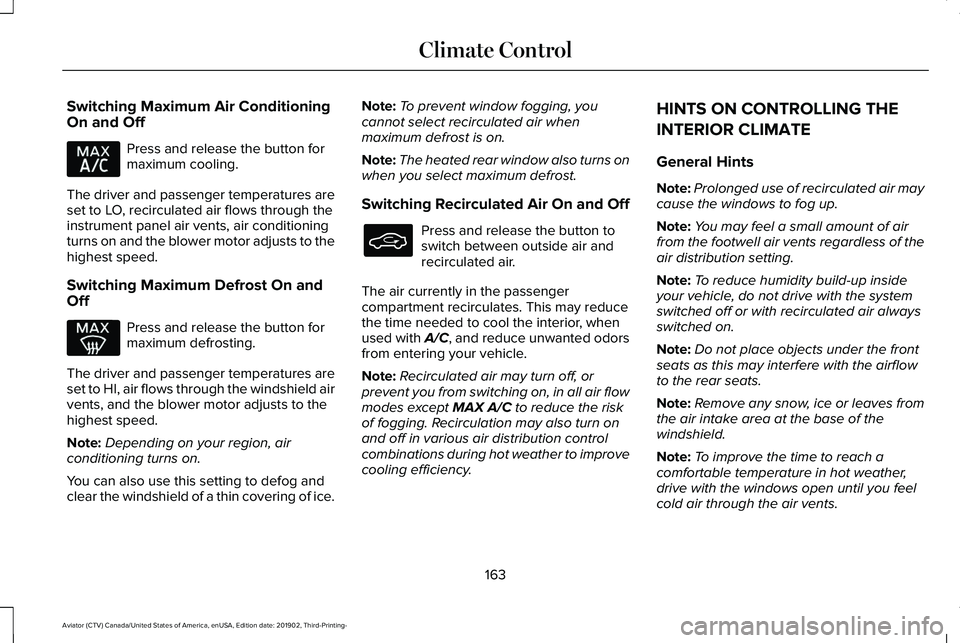
Switching Maximum Air Conditioning
On and Off
Press and release the button for
maximum cooling.
The driver and passenger temperatures are
set to LO, recirculated air flows through the
instrument panel air vents, air conditioning
turns on and the blower motor adjusts to the
highest speed.
Switching Maximum Defrost On and
Off Press and release the button for
maximum defrosting.
The driver and passenger temperatures are
set to HI, air flows through the windshield air
vents, and the blower motor adjusts to the
highest speed.
Note: Depending on your region, air
conditioning turns on.
You can also use this setting to defog and
clear the windshield of a thin covering of ice. Note:
To prevent window fogging, you
cannot select recirculated air when
maximum defrost is on.
Note: The heated rear window also turns on
when you select maximum defrost.
Switching Recirculated Air On and Off Press and release the button to
switch between outside air and
recirculated air.
The air currently in the passenger
compartment recirculates. This may reduce
the time needed to cool the interior, when
used with A/C, and reduce unwanted odors
from entering your vehicle.
Note: Recirculated air may turn off, or
prevent you from switching on, in all air flow
modes except MAX A/C to reduce the risk
of fogging. Recirculation may also turn on
and off in various air distribution control
combinations during hot weather to improve
cooling efficiency. HINTS ON CONTROLLING THE
INTERIOR CLIMATE
General Hints
Note:
Prolonged use of recirculated air may
cause the windows to fog up.
Note: You may feel a small amount of air
from the footwell air vents regardless of the
air distribution setting.
Note: To reduce humidity build-up inside
your vehicle, do not drive with the system
switched off or with recirculated air always
switched on.
Note: Do not place objects under the front
seats as this may interfere with the airflow
to the rear seats.
Note: Remove any snow, ice or leaves from
the air intake area at the base of the
windshield.
Note: To improve the time to reach a
comfortable temperature in hot weather,
drive with the windows open until you feel
cold air through the air vents.
163
Aviator (CTV) Canada/United States of America, enUSA, Edition date: 201902, Third-Printing- Climate Control
Page 171 of 609
•
Heated mirrors.
• Heated rear window.
• Windshield wiper de-icer.
Note: For dual zone climate controlled seats,
the passenger seat setting defaults to match
the driver seat during remote start.
Automatic Settings
If Auto is on, the system sets the interior
temperature to 72°F (22°C) and heats or
cools the vehicle interior as required to
achieve comfort.
Note: In cold weather, the heated rear
window and heated mirrors turn on.
Last Settings
If
Last Settings is on, the system uses the
settings last selected before you turned off
the vehicle.
Heated and Cooled Features
In
Auto mode, certain heated features may
switch on during cold weather, and cooled
features during hot weather.
168
Aviator (CTV) Canada/United States of America, enUSA, Edition date: 201902, Third-Printing- Climate Control
Page 181 of 609
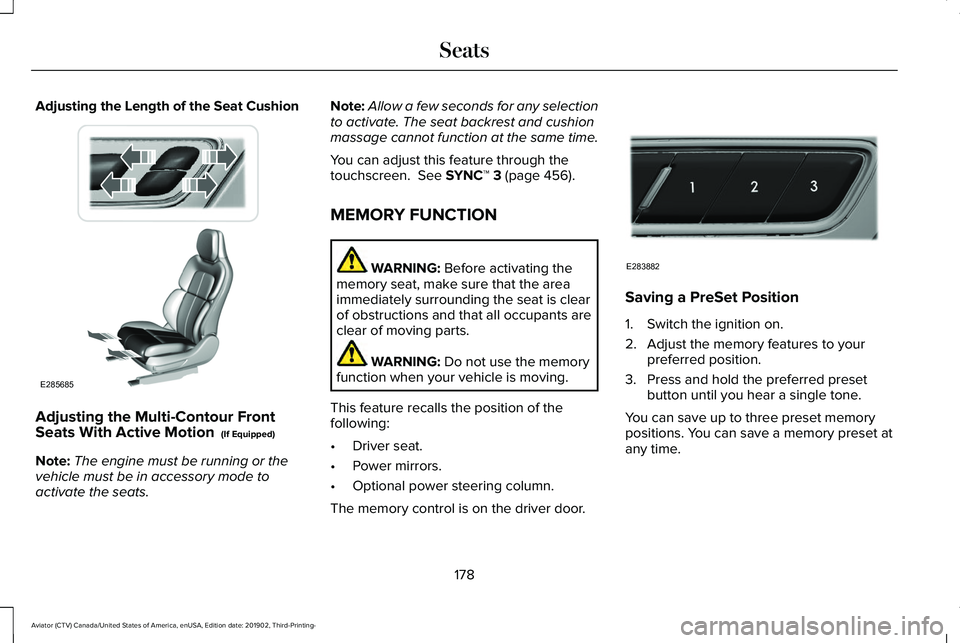
Adjusting the Length of the Seat Cushion
Adjusting the Multi-Contour Front
Seats With Active Motion (If Equipped)
Note: The engine must be running or the
vehicle must be in accessory mode to
activate the seats. Note:
Allow a few seconds for any selection
to activate. The seat backrest and cushion
massage cannot function at the same time.
You can adjust this feature through the
touchscreen.
See SYNC™ 3 (page 456).
MEMORY FUNCTION WARNING:
Before activating the
memory seat, make sure that the area
immediately surrounding the seat is clear
of obstructions and that all occupants are
clear of moving parts. WARNING:
Do not use the memory
function when your vehicle is moving.
This feature recalls the position of the
following:
• Driver seat.
• Power mirrors.
• Optional power steering column.
The memory control is on the driver door. Saving a PreSet Position
1. Switch the ignition on.
2. Adjust the memory features to your
preferred position.
3. Press and hold the preferred preset button until you hear a single tone.
You can save up to three preset memory
positions. You can save a memory preset at
any time.
178
Aviator (CTV) Canada/United States of America, enUSA, Edition date: 201902, Third-Printing- SeatsE285685 E283882
Page 201 of 609
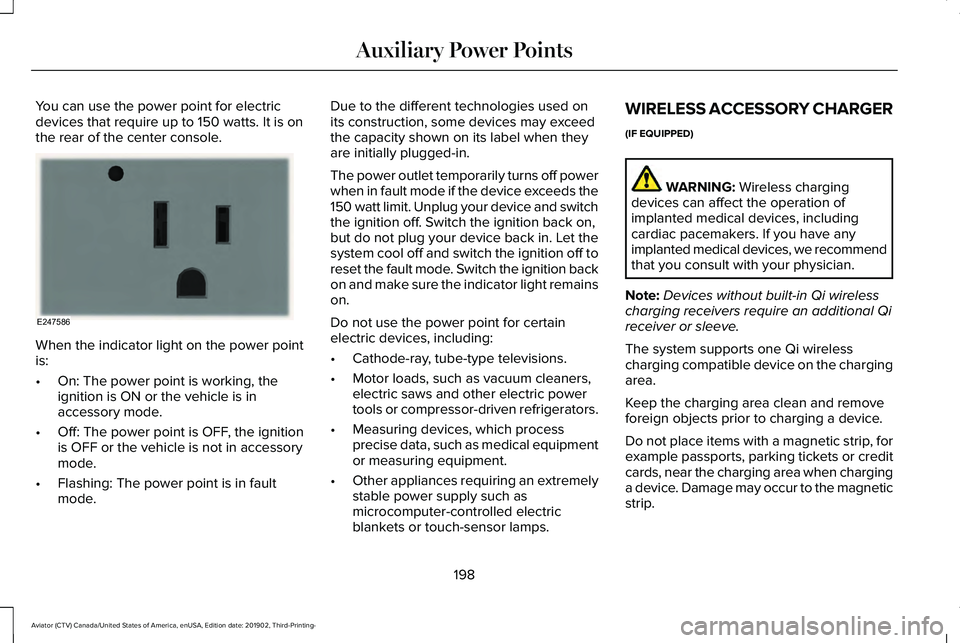
You can use the power point for electric
devices that require up to 150 watts. It is on
the rear of the center console.
When the indicator light on the power point
is:
•
On: The power point is working, the
ignition is ON or the vehicle is in
accessory mode.
• Off: The power point is OFF, the ignition
is OFF or the vehicle is not in accessory
mode.
• Flashing: The power point is in fault
mode. Due to the different technologies used on
its construction, some devices may exceed
the capacity shown on its label when they
are initially plugged-in.
The power outlet temporarily turns off power
when in fault mode if the device exceeds the
150 watt limit. Unplug your device and switch
the ignition off. Switch the ignition back on,
but do not plug your device back in. Let the
system cool off and switch the ignition off to
reset the fault mode. Switch the ignition back
on and make sure the indicator light remains
on.
Do not use the power point for certain
electric devices, including:
•
Cathode-ray, tube-type televisions.
• Motor loads, such as vacuum cleaners,
electric saws and other electric power
tools or compressor-driven refrigerators.
• Measuring devices, which process
precise data, such as medical equipment
or measuring equipment.
• Other appliances requiring an extremely
stable power supply such as
microcomputer-controlled electric
blankets or touch-sensor lamps. WIRELESS ACCESSORY CHARGER
(IF EQUIPPED)
WARNING: Wireless charging
devices can affect the operation of
implanted medical devices, including
cardiac pacemakers. If you have any
implanted medical devices, we recommend
that you consult with your physician.
Note: Devices without built-in Qi wireless
charging receivers require an additional Qi
receiver or sleeve.
The system supports one Qi wireless
charging compatible device on the charging
area.
Keep the charging area clean and remove
foreign objects prior to charging a device.
Do not place items with a magnetic strip, for
example passports, parking tickets or credit
cards, near the charging area when charging
a device. Damage may occur to the magnetic
strip.
198
Aviator (CTV) Canada/United States of America, enUSA, Edition date: 201902, Third-Printing- Auxiliary Power PointsE247586
Page 205 of 609
GENERAL INFORMATION
WARNING: Extended idling at high
engine speeds can produce very high
temperatures in the engine and exhaust
system, creating the risk of fire or other
damage. WARNING:
Do not park, idle or drive
your vehicle on dry grass or other dry
ground cover. The emission system heats
up the engine compartment and exhaust
system, creating the risk of fire. WARNING:
Do not start the engine
in a closed garage or in other enclosed
areas. Exhaust fumes can be toxic. Always
open the garage door before you start the
engine. WARNING: Exhaust leaks may result
in entry of harmful and potentially lethal
fumes into the passenger compartment. If
you smell exhaust fumes inside your
vehicle, have your vehicle inspected
immediately. Do not drive if you smell
exhaust fumes.
If you disconnect the battery, your vehicle
may exhibit some unusual driving
characteristics for approximately 5 mi (8 km)
after you reconnect it. This is because the
engine management system must realign
itself with the engine. You can disregard any
unusual driving characteristics during this
period.
The powertrain control system meets all
Canadian interference-causing equipment
standard requirements regulating the
impulse electrical field or radio noise.
When you start the engine, avoid pressing
the accelerator pedal before and during
operation. Only use the accelerator pedal
when you have difficulty starting the engine. KEYLESS STARTING
Note:
The system may not function if the
intelligent access key is close to metal
objects or electronic devices, for example
keys or a cell phone.
Note: A valid intelligent access key must be
located inside your vehicle to switch the
ignition on and start your vehicle.
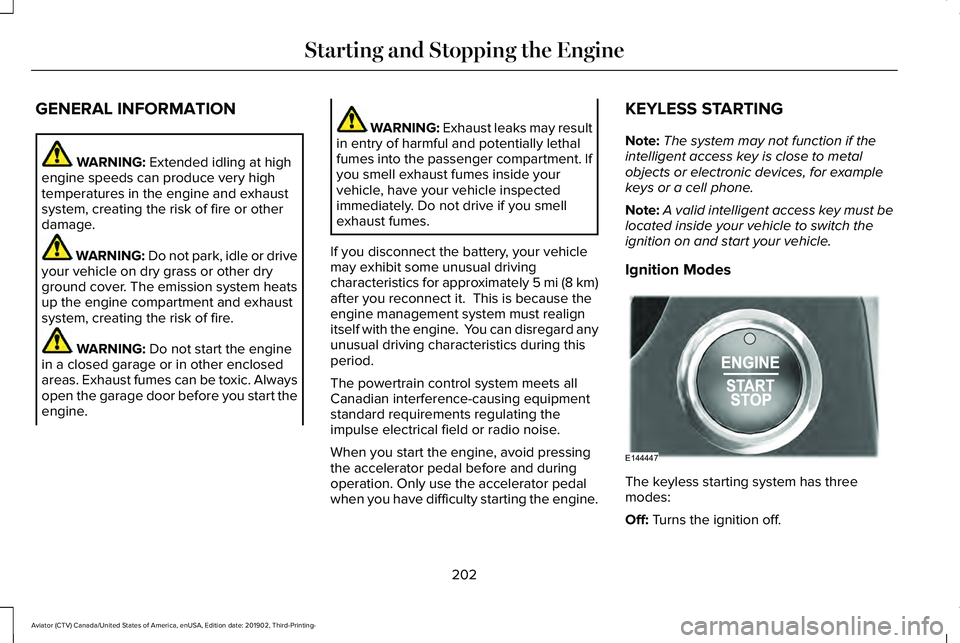
Ignition Modes The keyless starting system has three
modes:
Off:
Turns the ignition off.
202
Aviator (CTV) Canada/United States of America, enUSA, Edition date: 201902, Third-Printing- Starting and Stopping the EngineE144447
Page 212 of 609
•
You are not in 4H or 4L.
• You have not selected Manual shift
mode.
• Hill descent control is not active.
• You have not selected Tow haul, Excite,
Deep, or Slow Climb.
Note: When in Excite mode, Start/Stop can
be enabled by pressing the Auto-Start-Stop
button. The green Auto-Start-Stop
indicator light on the instrument
cluster will illuminate to indicate
when the automatic engine stop occurs. If the instrument cluster is
equipped with a grey
Auto-Start-Stop indicator light, it
illuminates when automatic engine stop is
not available due to one of the above noted
conditions not being met. Automatic Engine Restart
Any of the following conditions will result in
an automatic restart of the engine:
•
You have removed your foot from the
brake pedal.
• You press the accelerator pedal.
• You press the accelerator and the brake
pedal at the same time.
• The driver safety belt becomes
unfastened or the driver door is ajar.
• Your vehicle is moving.
• The interior compartment does not meet
customer comfort when air conditioning
or heat is on.
• Fogging of the windows could occur and
the air conditioning is on.
• The battery is not within optimal
operating conditions.
• You have exceeded the maximum engine
off time.
• When you press the Auto-Start-Stop
button with the engine automatically
stopped. •
The front defroster is turned to the Max
setting.
• When you shift into park (P), the engine
will restart.
Any of the following conditions may result in
an automatic restart of the engine:
• You have increased the blower fan speed
or changed the climate control
temperature.
• You have an electrical accessory turned
on or plugged in.
Note: You may notice that the climate seat
fan fluctuates during an automatic restart.
Disabling Auto-Start-Stop Press the button on the instrument
panel to access the
Auto-Start-Stop feature on the
touchscreen. Use the touchscreen to
deactivate the feature.
Deactivating the feature lasts only 1 key
cycle. Use the touchscreen to restore
Auto-Start-Stop function.
209
Aviator (CTV) Canada/United States of America, enUSA, Edition date: 201902, Third-Printing- Unique Driving Characteristics E146361 E287975
Page 228 of 609
1. Bring your vehicle to a complete stop.
2. Shift into neutral (N).
3. Press neutral (N) again within five
seconds after shifting to neutral (N).
Note: The Stay in Neutral mode confirmation
message appears in the information display
when your vehicle has entered Stay in
Neutral mode and the neutral (N) button on
the transmission selector slowly blinks.
To exit Stay in Neutral mode, press park (P)
at any time, or apply the brakes when the
engine is running, to shift into a different
driving position.
Note: You can select the (P) position with or
without brakes applied when the engine is
OFF.
SelectShift Automatic ™ Transmission
Your vehicle has a SelectShift Automatic
transmission. The SelectShift Automatic
transmission gives you the ability to change
gears up or down, without a clutch, as
preferred. To prevent the engine from running at too
low an RPM, which could cause it to stall,
SelectShift still makes some downshifts if it
determines that you have not downshifted
in time. Although SelectShift makes some
downshifts for you, it still allows you to
downshift at any time if the SelectShift
determines that damage to the engine from
over-revving cannot occur.
Note:
Engine damage could occur if you
maintain excessive engine revving without
shifting.
Note: Vehicles have either steering wheel
controls or gearshift lever controls.
SelectShift could upshift if the engine is
approaching the RPM limit. It can also be
upshifted manually by pressing the (+) button.
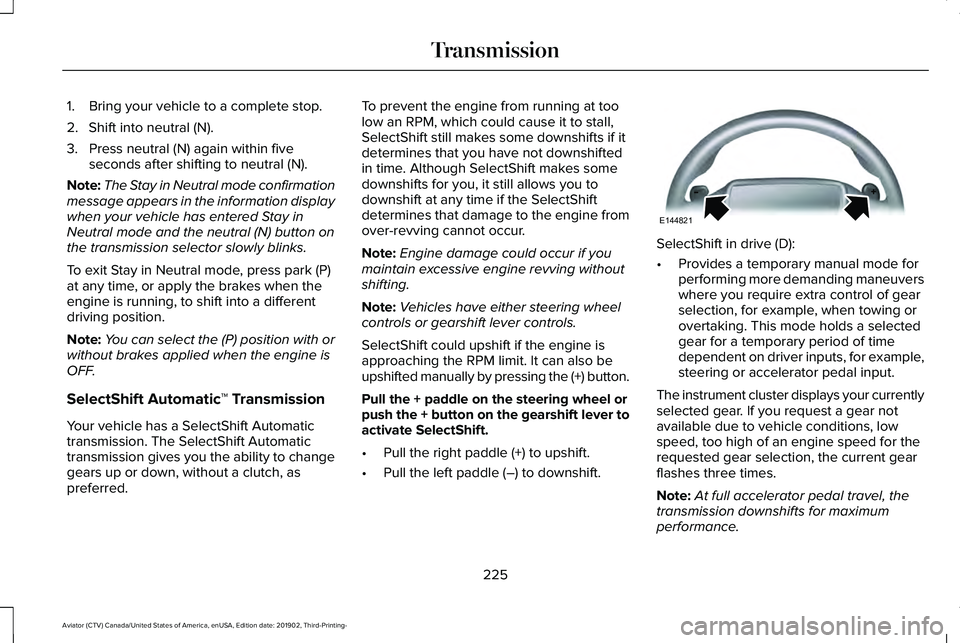
Pull the + paddle on the steering wheel or
push the + button on the gearshift lever to
activate SelectShift.
• Pull the right paddle (+) to upshift.
• Pull the left paddle (–) to downshift. SelectShift in drive (D):
•
Provides a temporary manual mode for
performing more demanding maneuvers
where you require extra control of gear
selection, for example, when towing or
overtaking. This mode holds a selected
gear for a temporary period of time
dependent on driver inputs, for example,
steering or accelerator pedal input.
The instrument cluster displays your currently
selected gear. If you request a gear not
available due to vehicle conditions, low
speed, too high of an engine speed for the
requested gear selection, the current gear
flashes three times.
Note: At full accelerator pedal travel, the
transmission downshifts for maximum
performance.
225
Aviator (CTV) Canada/United States of America, enUSA, Edition date: 201902, Third-Printing- TransmissionE144821
Page 231 of 609
USING ALL-WHEEL DRIVE
WARNING: Vehicles with a higher
center of gravity (utility and four-wheel
drive vehicles) handle differently than
vehicles with a lower center of gravity
(passenger cars). Avoid sharp turns,
excessive speed and abrupt steering in
these vehicles. Failure to drive cautiously
increases the risk of losing control of your
vehicle, vehicle rollover, personal injury
and death.
The intelligent AWD system continuously
monitors vehicle conditions and adjusts the
power distribution between the front and
rear wheels. It combines transparent
all-surface operation with highly capable
all-wheel drive.
The AWD system is always active and
requires no driver input. It is capable of
handling all road conditions including street
and highway driving as well as off-road and
winter driving. You can optimize more AWD
control by selecting different drive modes.
See
Selecting a Drive Mode (page 306). Note:
A warning message displays in the
information display when an AWD system
fault is present. See Information Messages
(page
134). A AWD system fault causes the
AWD system to default to rear-wheel drive
only mode. When this warning message is
displayed, have your vehicle serviced at an
authorized dealer.
Note: A warning message displays in the
information display if the AWD system
overheats.
See Information Messages
(page 134). This condition could occur if the
vehicle is operated in extreme conditions
with excessive wheel slip, such as deep
sand. To resume normal AWD function as
soon as possible, stop the vehicle in a safe
location and stop the engine for at least 10
minutes. After the engine is restarted and
the AWD system is adequately cooled, the
warning message turns off and normal AWD
function returns. Operating All-Wheel Drive (AWD)
Vehicles With Spare Tires
Do not use a different size spare tire other
than the tire provided. If the mini-spare tire
is installed, the AWD system will disable and
enter rear-wheel drive only mode to protect
driveline components. Some limited AWD
traction could be provided if the mini-spare
is installed on one of the front wheels. If you
are in driving conditions where limited AWD
traction is needed while the mini-spare is
installed, it is recommended the mini-spare
be installed on the front axle.
If the mini-spare is installed, this condition is
indicated by a warning in the information
display.
The slip response system could activate if
the mini spare is installed on the front
wheels. If the mini spare was installed on the
rear wheels the slip response system will
fully disable. In situations where there is a
wintery mix or an off road situation, and you
need to use a mini spare, you must install
the mini spare in the front tire position and
move a full size tire to the rear tire position
for the slip response system to function.
228
Aviator (CTV) Canada/United States of America, enUSA, Edition date: 201902, Third-Printing- All-Wheel Drive
(If Equipped)
Page 233 of 609
Driving in Special Conditions With All-
Wheel Drive (AWD)
Note:
Use of the AWD system in slippery,
deep snow and sand drive modes on dry
surfaces could produce some vibration and
driveline bind up and, or excessive tire wear,
as the intent of these drive modes are for
slippery and loose surfaces.
Note: You can use AWD vehicles for driving
on sand, snow, mud and rough roads and
have operating characteristics that are
somewhat different from conventional
vehicles, both on and off the highway.
Basic Operating Principles in Special
Conditions
• Drive slower in strong crosswinds which
can affect the normal steering
characteristics of your vehicle.
• Be extremely careful when driving on
pavement made slippery by loose sand,
water, gravel, snow or ice. If Your Vehicle Goes Off the Edge of the
Pavement
•
If your vehicle goes off the edge of the
pavement, slow down, but avoid severe
brake application, ease the vehicle back
onto the pavement only after reducing
your speed. Do not turn the steering
wheel too sharply while returning to the
road surface.
• It could be safer to stay on the apron or
shoulder of the road and slow down
gradually before returning to the
pavement. You could lose control if you
do not slow down or if you turn the
steering wheel too sharply or abruptly.
• It often could be less risky to strike small
objects, such as highway reflectors, with
minor damage to your vehicle rather than
attempt a sudden return to the pavement
which could cause the vehicle to slide
sideways out of control or rollover.
Remember, your safety and the safety of
others should be your primary concern. If Your Vehicle Gets Stuck WARNING: Apply the parking brake,
shift into park (P), switch the ignition off
and remove the key before you leave your
vehicle. Failure to follow this instruction
could result in personal injury or death. WARNING: If the parking brake is
fully released, but the brake warning lamp
remains illuminated, the brakes may not
be working properly. Have your vehicle
checked as soon as possible. WARNING:
Do not spin the wheels
at over 34 mph (55 km/h). The tires may
fail and injure a passenger or bystander.
If your vehicle gets stuck in mud or snow it
could be rocked out by shifting between
forward and reverse gears, stopping
between shifts, in a steady pattern. Press
lightly on the accelerator in each gear.
230
Aviator (CTV) Canada/United States of America, enUSA, Edition date: 201902, Third-Printing- All-Wheel Drive
(If Equipped)