drive mode control LINCOLN AVIATOR 2020 Owner's Manual
[x] Cancel search | Manufacturer: LINCOLN, Model Year: 2020, Model line: AVIATOR, Model: LINCOLN AVIATOR 2020Pages: 609, PDF Size: 5.4 MB
Page 270 of 609
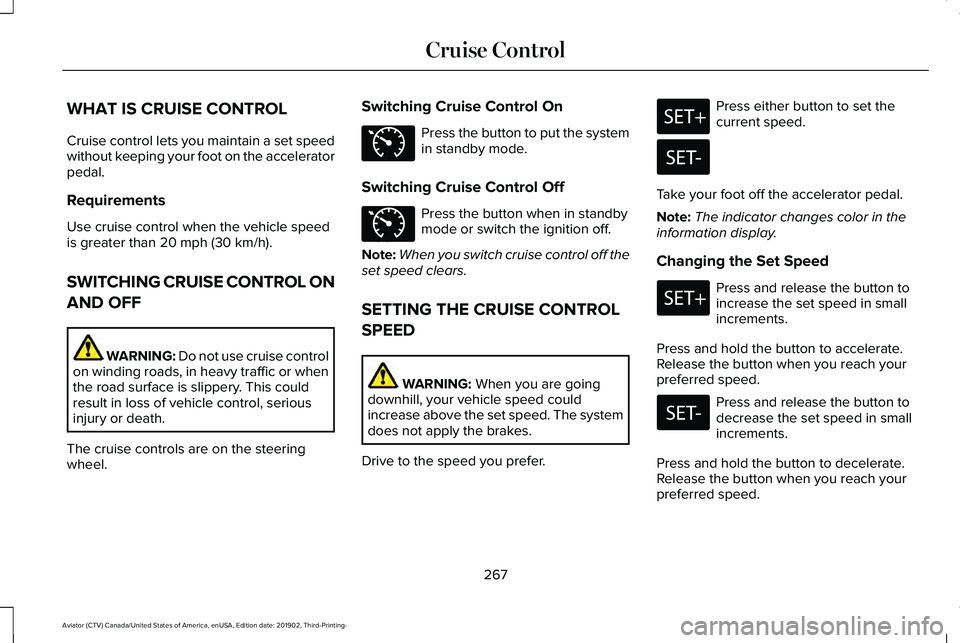
WHAT IS CRUISE CONTROL
Cruise control lets you maintain a set speed
without keeping your foot on the accelerator
pedal.
Requirements
Use cruise control when the vehicle speed
is greater than 20 mph (30 km/h).
SWITCHING CRUISE CONTROL ON
AND OFF WARNING:
Do not use cruise control
on winding roads, in heavy traffic or when
the road surface is slippery. This could
result in loss of vehicle control, serious
injury or death.
The cruise controls are on the steering
wheel. Switching Cruise Control On Press the button to put the system
in standby mode.
Switching Cruise Control Off Press the button when in standby
mode or switch the ignition off.
Note: When you switch cruise control off the
set speed clears.
SETTING THE CRUISE CONTROL
SPEED WARNING:
When you are going
downhill, your vehicle speed could
increase above the set speed. The system
does not apply the brakes.
Drive to the speed you prefer. Press either button to set the
current speed.
Take your foot off the accelerator pedal.
Note: The indicator changes color in the
information display.
Changing the Set Speed Press and release the button to
increase the set speed in small
increments.
Press and hold the button to accelerate.
Release the button when you reach your
preferred speed. Press and release the button to
decrease the set speed in small
increments.
Press and hold the button to decelerate.
Release the button when you reach your
preferred speed.
267
Aviator (CTV) Canada/United States of America, enUSA, Edition date: 201902, Third-Printing- Cruise ControlE71340 E71340
Page 280 of 609
ADAPTIVE CRUISE CONTROL
INDICATORS - VEHICLES WITH:
ADAPTIVE CRUISE CONTROL
WITH STOP AND GO
Illuminates when you switch
adaptive cruise control on. The
color of the indicator changes to
indicate the system status.
White indicates the system is on but inactive.
Green indicates that you set the speed and
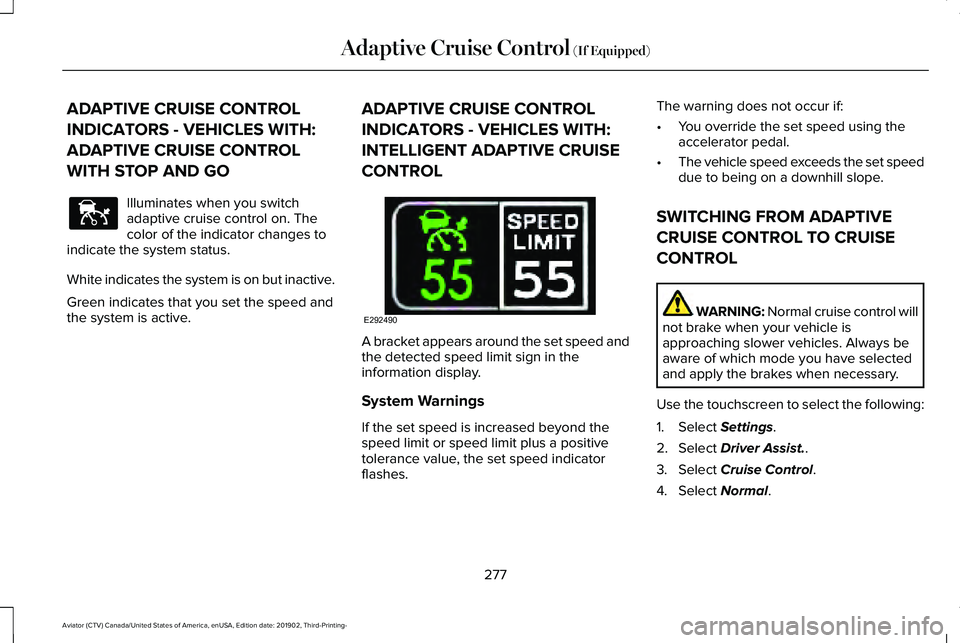
the system is active. ADAPTIVE CRUISE CONTROL
INDICATORS - VEHICLES WITH:
INTELLIGENT ADAPTIVE CRUISE
CONTROL A bracket appears around the set speed and
the detected speed limit sign in the
information display.
System Warnings
If the set speed is increased beyond the
speed limit or speed limit plus a positive
tolerance value, the set speed indicator
flashes.The warning does not occur if:
•
You override the set speed using the
accelerator pedal.
• The vehicle speed exceeds the set speed
due to being on a downhill slope.
SWITCHING FROM ADAPTIVE
CRUISE CONTROL TO CRUISE
CONTROL WARNING: Normal cruise control will
not brake when your vehicle is
approaching slower vehicles. Always be
aware of which mode you have selected
and apply the brakes when necessary.
Use the touchscreen to select the following:
1. Select
Settings.
2. Select
Driver Assist..
3. Select
Cruise Control.
4. Select
Normal.
277
Aviator (CTV) Canada/United States of America, enUSA, Edition date: 201902, Third-Printing- Adaptive Cruise Control
(If Equipped)E144529 E292490
Page 281 of 609
The cruise control indicator
replaces the adaptive cruise
control indicator if you select
normal cruise control. The gap setting does
not display, and the system does not respond
to lead vehicles. Automatic braking remains
active to maintain set speed. The system
remembers the last setting when you start
your vehicle.
SWITCHING INTELLIGENT MODE
ON AND OFF WARNING: You are responsible for
controlling your vehicle at all times. The
system is designed to be an aid and does
not relieve you of your responsibility to
drive with due care and attention. Failure
to follow this instruction could result in the
loss of control of your vehicle, personal
injury or death.
Use the touchscreen to select the following:
1. Select Settings. See Settings (page 498). 2. Select
Driver Assist..
3. Select
Cruise Control.
Changing the Set Speed with
Intelligent Adaptive Cruise Control
When intelligent mode is on, the system
adjusts the set speed to the speed limit
detected by the camera and the speed limit
information provided by the navigation
system.
Note: The set speed adjusts when the
system detects a different maximum speed
limit.
Note: The speed limit information provided
by the navigation map data may be
inaccurate or out of date.
See Navigation
(page 487).
Note: The system alerts you if the set speed
increases beyond the speed limit.
See
Adaptive Cruise Control Indicators (page
276).
If the system does not detect a speed limit,
the vehicle speed remains at the current set
speed. You can override the set speed at any time.
You may need to override or cancel the
system in certain situations such as inclement
weather or if an incorrect speed is set.
Note:
The system may not detect and read
speed limit signs with conditional
information, for example, when a sign is
flashing, during specific time ranges, or when
children are present.
Note: Under certain conditions, the system
may not adjust the vehicle speed until after
your vehicle passes the speed limit sign.
ADJUSTING THE SET SPEED
TOLERANCE
You can set a permanent speed tolerance
that is above or below the detected speed
limit.
Use the touchscreen to select the following:
1. Select Settings. See Settings (page 498).
2. Select
Driver Assist.
3. Select
Cruise Control.
4. Select
Tolerance.
278
Aviator (CTV) Canada/United States of America, enUSA, Edition date: 201902, Third-Printing- Adaptive Cruise Control
(If Equipped)E71340
Page 305 of 609
Active Braking: Active braking may activate
if the system determines that a collision is
imminent. The system may help the driver
reduce impact damage or avoid the crash
completely.
Note: Brake Support and Active Braking are
active at speeds up to 75 mph (120 km/h). If
your vehicle has a radar sensor included
with Adaptive Cruise Control, then Brake
Support and Active Braking are active up to
the maximum speed of the vehicle.
Note: If you perceive Pre-Collision Assist
alerts as being too frequent or disturbing,
then you can reduce the alert sensitivity,
though the manufacturer recommends using
the highest sensitivity setting where possible.
Setting lower sensitivity would lead to fewer
and later system warnings.
Note: Pre-Collision Assist turns off when you
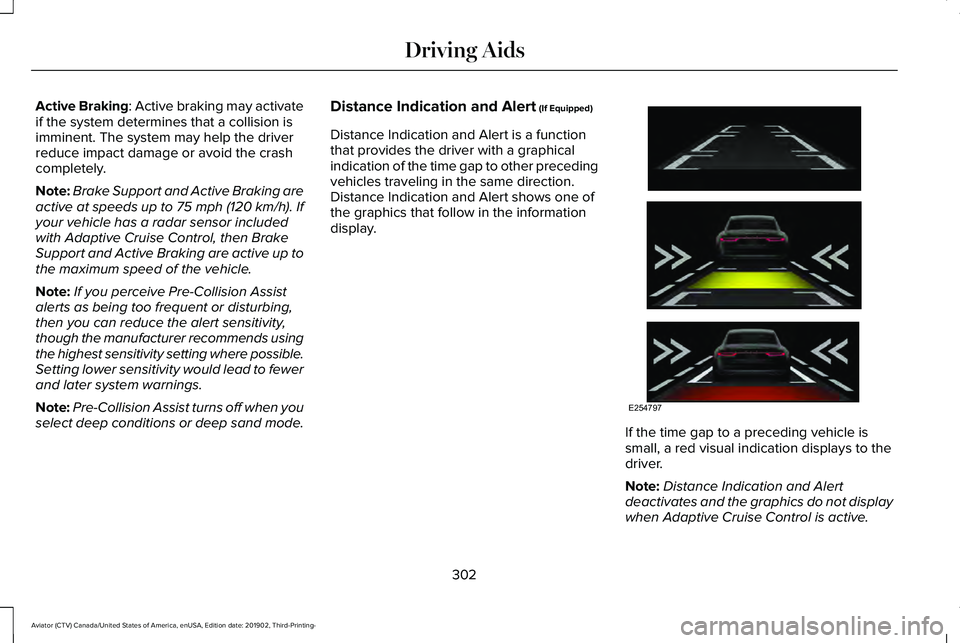
select deep conditions or deep sand mode. Distance Indication and Alert (If Equipped)
Distance Indication and Alert is a function
that provides the driver with a graphical
indication of the time gap to other preceding
vehicles traveling in the same direction.
Distance Indication and Alert shows one of
the graphics that follow in the information
display. If the time gap to a preceding vehicle is
small, a red visual indication displays to the
driver.
Note:
Distance Indication and Alert
deactivates and the graphics do not display
when Adaptive Cruise Control is active.
302
Aviator (CTV) Canada/United States of America, enUSA, Edition date: 201902, Third-Printing- Driving AidsE254797
Page 309 of 609
WHAT IS DRIVE MODE CONTROL
The system delivers a driving experience
through a suite of sophisticated electronic
vehicle systems. These systems optimize
steering, handling and powertrain response.
This provides a single location to control
multiple systems performance settings.
Changing the drive mode automatically
changes the functionality of the following
systems:
•
Electronically power-assisted steering
system adjusts steering effort and feel
based on the mode you select. See
Steering (page 299).
• Electronic stability control and traction
control maintains your vehicle control in
adverse conditions or high performance
driving. See
Stability Control (page 246).
• Electronic throttle control enhances the
powertrain response to your driving
inputs.
• Transmission controls optimize with shift
schedules tuned to each mode.
• AWD settings become optimized and
tuned to each mode. The system automatically tailors your vehicle
configuration for each mode you select.
Note:
Not all settings, or modes, may be
available.
Note: The system has diagnostic checks that
continuously monitor the system for proper
operation. If a mode is unavailable due to a
system fault, the mode defaults to Normal.
SELECTING A DRIVE MODE
Note: Drive mode changes may not be
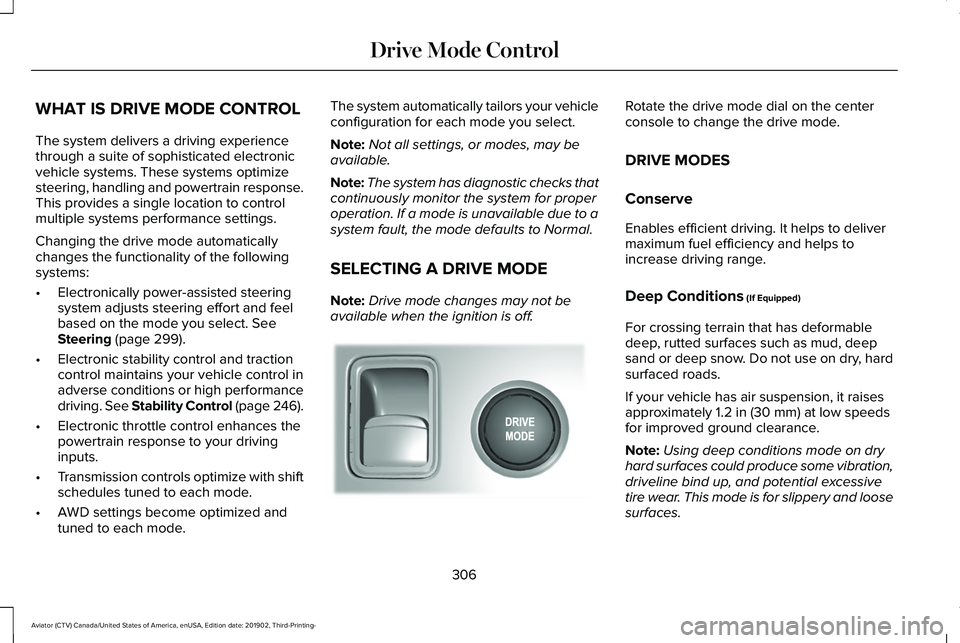
available when the ignition is off. Rotate the drive mode dial on the center
console to change the drive mode.
DRIVE MODES
Conserve
Enables efficient driving. It helps to deliver
maximum fuel efficiency and helps to
increase driving range.
Deep Conditions
(If Equipped)
For crossing terrain that has deformable
deep, rutted surfaces such as mud, deep
sand or deep snow. Do not use on dry, hard
surfaced roads.
If your vehicle has air suspension, it raises
approximately
1.2 in (30 mm) at low speeds
for improved ground clearance.
Note: Using deep conditions mode on dry
hard surfaces could produce some vibration,
driveline bind up, and potential excessive
tire wear. This mode is for slippery and loose
surfaces.
306
Aviator (CTV) Canada/United States of America, enUSA, Edition date: 201902, Third-Printing- Drive Mode ControlE297680
Page 310 of 609
Deep Sand (If Equipped)
For crossing deep soft and dry sand.
Note: Using deep sand mode on dry hard
surfaces could produce some vibration,
driveline bind up, and potential excessive
tire wear. This mode is for slippery and loose
surfaces.
Excite
For sporty on-road driving. This mode
increases throttle response, provides a more
dynamic powertrain sound and steering feel,
along with quicker shifting. If your vehicle
has excite, the suspension stiffens, with an
emphasis on handling and control. The
transmission also holds gears longer, helping
your vehicle accelerate faster when shifting
gears.
If your vehicle has air suspension, it lowers
approximately
0.6 in (15 mm) to improve
aerodynamics. Normal
For everyday driving. This mode is a perfect
balance of excitement, comfort and
convenience. This is the default mode after
each ignition cycle.
Slippery
For less than ideal road conditions, such as
snow or ice covered roads. Slippery mode
inspires confidence without taking away from
driving pleasure. Slippery mode lowers
throttle response and optimizes shifting for
slippery surfaces.
Note:
Using slippery mode on dry hard
surfaces could produce some vibration,
driveline bind up, and potential excessive
tire wear as the intent of this mode is for
slippery and loose surfaces.
307
Aviator (CTV) Canada/United States of America, enUSA, Edition date: 201902, Third-Printing- Drive Mode Control
Page 326 of 609
REDUCED ENGINE PERFORMANCE
WARNING: If you continue to drive
your vehicle when the engine is
overheating, the engine could stop without
warning. Failure to follow this instruction
could result in the loss of control of your
vehicle.
If the engine coolant temperature gauge
needle moves to the upper limit position, the
engine is overheating.
See Gauges (page
123).
You must only drive your vehicle for a short
distance if the engine overheats. The
distance you can travel depends on ambient
temperature, vehicle load and terrain. The
engine continues to operate with limited
power for a short period of time.
If the engine temperature continues to rise,
the fuel supply to the engine reduces. The
air conditioning switches off and the engine
cooling fan operates continually. 1. Gradually reduce your speed and stop
your vehicle as soon as it is safe to do
so.
2. Immediately switch the engine off to prevent severe engine damage.
3. Wait for the engine to cool down.
4. Check the coolant level.
See Engine
Coolant Check (page 364).
5. Have your vehicle checked as soon as possible.
ECONOMICAL DRIVING
Your fuel economy is affected by several
things, such as how you drive, the conditions
you drive under, and how you maintain your
vehicle.
You may improve your fuel economy by
keeping these things in mind:
• Accelerate and slow down in a smooth,
moderate fashion.
• Drive at steady speeds without stopping.
• Anticipate stops; slowing down may
eliminate the need to stop. •
Combine errands and minimize
stop-and-go driving.
• Close the windows for high-speed
driving.
• Drive at reasonable speeds (traveling at
55 mph [88 km/h] uses 15% less fuel than
traveling at 65 mph [105 km/h]).
• Keep the tires properly inflated and use
only the recommended size.
• Use the recommended engine oil.
• Perform all regularly scheduled
maintenance.
Avoid these actions; they reduce your fuel
economy:
• Sudden accelerations or hard
accelerations.
• Revving the engine before turning it off.
• Idle for periods longer than one minute.
• Warm up your vehicle on cold mornings.
• Use the air conditioner or front defroster.
• Use the speed control in hilly terrain.
• Rest your foot on the brake pedal while
driving.
323
Aviator (CTV) Canada/United States of America, enUSA, Edition date: 201902, Third-Printing- Driving Hints
Page 372 of 609
You may notice a reduction in vehicle speed
caused by reduced engine power in order
to manage the engine coolant temperature.
Your vehicle may enter this mode if certain
high-temperature and high-load conditions
take place. The amount of speed reduction
depends on vehicle loading, grade and
ambient temperature. If this occurs, there is
no need to stop your vehicle. You can
continue to drive.
The air conditioning may automatically turn
on and off during severe operating
conditions to protect the engine from
overheating. When the coolant temperature
decreases to the normal operating
temperature, the air conditioning turns on.
If the coolant temperature gauge moves fully
into the red zone, or if the coolant
temperature warning or service engine soon
messages appear in your information display,
do the following:
1.
Stop your vehicle as soon as it is safe to
do so. Fully apply the parking brake, shift
into park (P) or neutral (N). 2. Leave the engine running until the
coolant temperature gauge needle
returns to the normal position. If the
temperature does not drop after several
minutes, follow the remaining steps.
3. Switch the engine off and wait for it to cool. Check the coolant level.
4. If the coolant level is at or below the minimum mark, add prediluted coolant
immediately.
5. If the coolant level is normal, restart the engine and continue.
AUTOMATIC TRANSMISSION
FLUID CHECK
If required, have an authorized dealer check
and change the transmission fluid at the
correct service interval. See Scheduled
Maintenance (page 522).
The automatic transmission does not have
a transmission fluid dipstick. Refer to your scheduled maintenance
information for scheduled intervals for fluid
checks and changes. Your transmission does
not consume fluid. However, if the
transmission slips, shifts slowly or if you
notice a sign of leaking fluid, contact an
authorized dealer.
Do not use supplemental transmission fluid
additives, treatments or cleaning agents. The
use of these materials may affect
transmission operation and result in damage
to internal transmission components.
BRAKE FLUID CHECK
WARNING: Do not use any fluid other
than the recommended brake fluid as this
will reduce brake efficiency. Use of
incorrect fluid could result in the loss of
vehicle control, serious personal injury or
death.
369
Aviator (CTV) Canada/United States of America, enUSA, Edition date: 201902, Third-Printing- Maintenance
Page 486 of 609
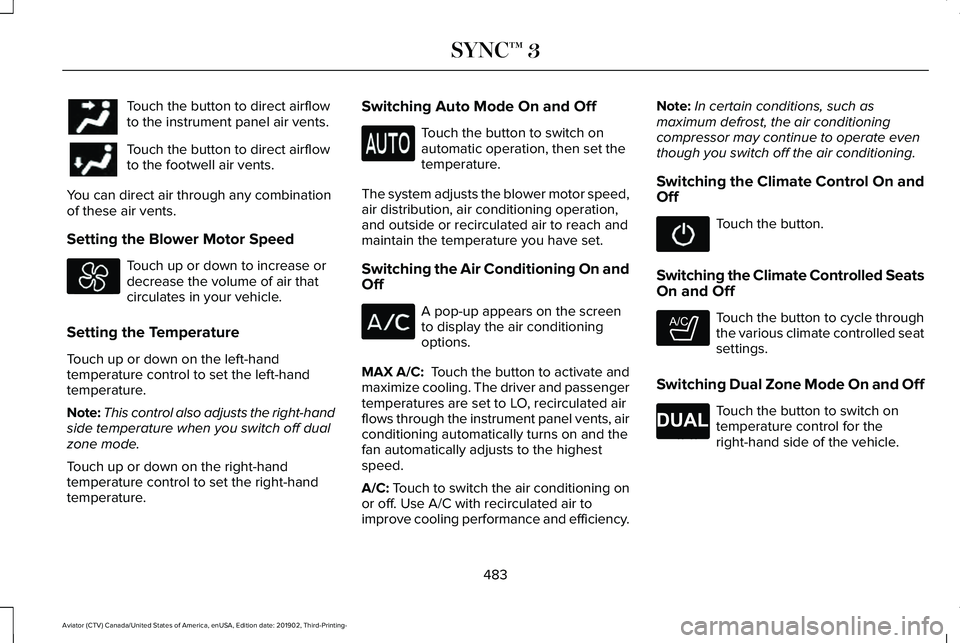
Touch the button to direct airflow
to the instrument panel air vents.
Touch the button to direct airflow
to the footwell air vents.
You can direct air through any combination
of these air vents.
Setting the Blower Motor Speed Touch up or down to increase or
decrease the volume of air that
circulates in your vehicle.
Setting the Temperature
Touch up or down on the left-hand
temperature control to set the left-hand
temperature.
Note: This control also adjusts the right-hand
side temperature when you switch off dual
zone mode.
Touch up or down on the right-hand
temperature control to set the right-hand
temperature. Switching Auto Mode On and Off Touch the button to switch on
automatic operation, then set the
temperature.
The system adjusts the blower motor speed,
air distribution, air conditioning operation,
and outside or recirculated air to reach and
maintain the temperature you have set.
Switching the Air Conditioning On and
Off A pop-up appears on the screen
to display the air conditioning
options.
MAX A/C: Touch the button to activate and
maximize cooling. The driver and passenger
temperatures are set to LO, recirculated air
flows through the instrument panel vents, air
conditioning automatically turns on and the
fan automatically adjusts to the highest
speed.
A/C: Touch to switch the air conditioning on
or off. Use A/C with recirculated air to
improve cooling performance and efficiency. Note:
In certain conditions, such as
maximum defrost, the air conditioning
compressor may continue to operate even
though you switch off the air conditioning.
Switching the Climate Control On and
Off Touch the button.
Switching the Climate Controlled Seats
On and Off Touch the button to cycle through
the various climate controlled seat
settings.
Switching Dual Zone Mode On and Off Touch the button to switch on
temperature control for the
right-hand side of the vehicle.
483
Aviator (CTV) Canada/United States of America, enUSA, Edition date: 201902, Third-Printing- SYNC™ 3 E265282 E265280
Page 595 of 609
Air Filter
See: Changing the Engine Air Filter..............363
Air Suspension...............................................314 Switching the systems on or off......................314
Using Cargo Loading..........................................314
Using Easy Entry..................................................314
Using the Service Mode....................................314
Alarm See: Anti-Theft Alarm..........................................95
All-Wheel Drive.............................................228
Ambient Lighting............................................112 Adjusting the Brightness....................................113
Changing the Color..............................................113
Switching Ambient Lighting Off........................113
Switching Ambient Lighting On........................113
Anti-Theft Alarm..............................................95 Arming the Alarm..................................................95
Disarming the Alarm............................................96
Using the System..................................................95
Appendices....................................................554
Apps................................................................495 SiriusXM Traffic and Travel Link.....................496
Using Apps on an Android Device................496
Using Apps on an iOS Device........................495
Using Mobile Navigation on an Android
Device...............................................................496
At a Glance........................................................21 Audible Warnings and Indicators..............129
Headlamps On Warning Chime.......................
129
Keyless Warning Alert........................................129
Parking Brake On Warning Chime..................129
Audio Control
..................................................99
You can operate the following functions with
the control:.........................................................99
Audio System
................................................445
General Information...........................................445
Audio Unit
......................................................446
Accessing the Source Menu............................447
Adjusting the Volume........................................446
Changing Radio Stations..................................446
Locking the Rear Audio Controls....................447
Playing or Pausing Media.................................447
Rear Audio Control Lock Message................448
Rear Passenger Audio Controls......................447
Selecting a Preset..............................................447
Selecting the Audio Modes..............................447
Switching Repeat Mode On and Off..............447
Switching Shuffle Mode On and Off..............447
Switching the Audio Control On and
Off......................................................................448
Switching the Audio Unit On and Off............447
Switching the Display On and Off..................447
Using Seek, Fast Forward and Reverse.......447
Auto Hold
.......................................................239
Auto Hold Indicator............................................240 Switching Auto Hold On and Off....................239
Using Auto Hold.................................................239
Autolamps
.......................................................107
Windshield Wiper Activated Headlamps.......107
Automatic Climate Control
.........................160
Accessing Rear Climate Controls...................160
Accessing the Air Distribution Controls........160
Accessing the Climate Control Menu............160
Setting the Blower Motor Speed....................160
Setting the Temperature.....................................161
Switching Auto Mode On and Off....................161
Switching Maximum Air Conditioning On and Off.......................................................................163
Switching Maximum Defrost On and Off.......163
Switching Recirculated Air On and Off..........163
Switching the Air Conditioning On and Off.......................................................................162
Switching the Climate Control On and Off.......................................................................162
Automatic High Beam Control
....................114
Automatic High Beam Control Indicators.......................................................115
Automatic Transmission
.............................223
Automatic Return to Park.................................224
If Your Vehicle Gets Stuck in Mud or
Snow.................................................................227
Manual Park Release (MPR).............................226
SelectShift Automatic ™ Transmission............225
592
Aviator (CTV) Canada/United States of America, enUSA, Edition date: 201902, Third-Printing- Index