air condition LINCOLN AVIATOR 2020 Owner's Manual
[x] Cancel search | Manufacturer: LINCOLN, Model Year: 2020, Model line: AVIATOR, Model: LINCOLN AVIATOR 2020Pages: 609, PDF Size: 5.4 MB
Page 215 of 609
FUEL QUALITY
Choosing the Right Fuel
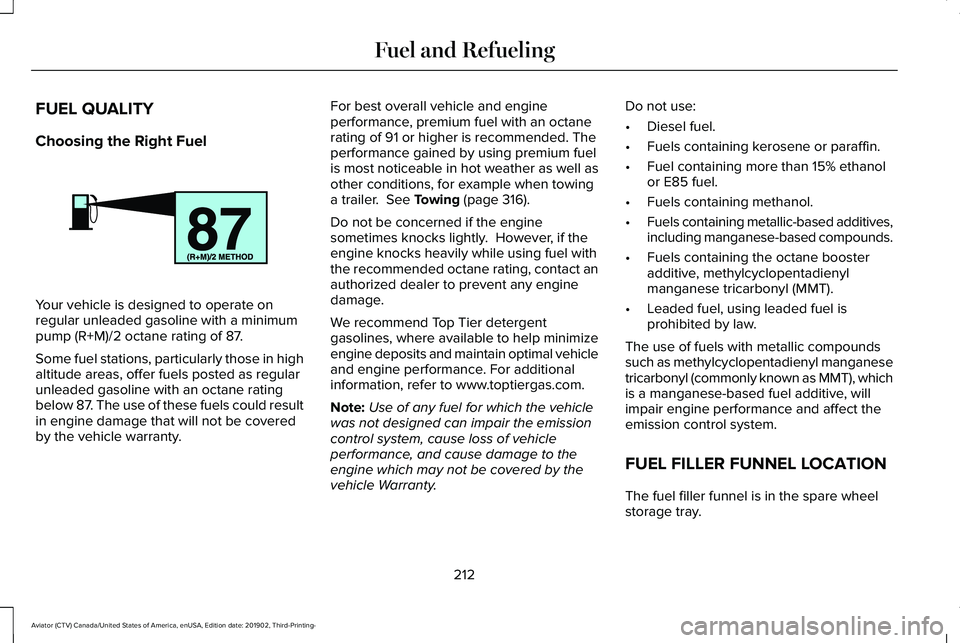
Your vehicle is designed to operate on
regular unleaded gasoline with a minimum
pump (R+M)/2 octane rating of 87.
Some fuel stations, particularly those in high
altitude areas, offer fuels posted as regular
unleaded gasoline with an octane rating
below 87. The use of these fuels could result
in engine damage that will not be covered
by the vehicle warranty. For best overall vehicle and engine
performance, premium fuel with an octane
rating of 91 or higher is recommended. The
performance gained by using premium fuel
is most noticeable in hot weather as well as
other conditions, for example when towing
a trailer. See Towing (page 316).
Do not be concerned if the engine
sometimes knocks lightly. However, if the
engine knocks heavily while using fuel with
the recommended octane rating, contact an
authorized dealer to prevent any engine
damage.
We recommend Top Tier detergent
gasolines, where available to help minimize
engine deposits and maintain optimal vehicle
and engine performance. For additional
information, refer to www.toptiergas.com.
Note: Use of any fuel for which the vehicle
was not designed can impair the emission
control system, cause loss of vehicle
performance, and cause damage to the
engine which may not be covered by the
vehicle Warranty. Do not use:
•
Diesel fuel.
• Fuels containing kerosene or paraffin.
• Fuel containing more than 15% ethanol
or E85 fuel.
• Fuels containing methanol.
• Fuels containing metallic-based additives,
including manganese-based compounds.
• Fuels containing the octane booster
additive, methylcyclopentadienyl
manganese tricarbonyl (MMT).
• Leaded fuel, using leaded fuel is
prohibited by law.
The use of fuels with metallic compounds
such as methylcyclopentadienyl manganese
tricarbonyl (commonly known as MMT), which
is a manganese-based fuel additive, will
impair engine performance and affect the
emission control system.
FUEL FILLER FUNNEL LOCATION
The fuel filler funnel is in the spare wheel
storage tray.
212
Aviator (CTV) Canada/United States of America, enUSA, Edition date: 201902, Third-Printing- Fuel and RefuelingE161513
Page 223 of 609
•
An open or pinched sensor hose.
• Incorrect engine oil level.
• Incorrect fuel for climatic conditions.
• Incorrect engine oil viscosity for climactic
conditions.
Note: Some vehicles have a lifetime fuel filter
that is integrated with the fuel tank. Regular
maintenance or replacement is not needed.
Note: If these checks do not help you correct
the concern, have your vehicle checked as
soon as possible.
Noise Emissions Warranty, Prohibited
Tampering Acts and Maintenance
On January 1, 1978, Federal regulation
became effective governing the noise
emission on trucks over 10,000 lb (4,536 kg)
Gross Vehicle Weight Rating (GVWR). The
preceding statements concerning prohibited
tampering acts and maintenance, and the
noise warranty found in the Warranty Guide,
are applicable to complete chassis cabs over
10,000 lb (4,536 kg)
GVWR. CATALYTIC CONVERTER WARNING:
Do not park, idle or drive
your vehicle on dry grass or other dry
ground cover. The emission system heats
up the engine compartment and exhaust
system, creating the risk of fire. WARNING:
The normal operating
temperature of the exhaust system is very
high. Never work around or attempt to
repair any part of the exhaust system until
it has cooled. Use special care when
working around the catalytic converter.
The catalytic converter heats up to a very
high temperature after only a short period
of engine operation and stays hot after the
engine is switched off. WARNING: Exhaust leaks may result
in entry of harmful and potentially lethal
fumes into the passenger compartment. If
you smell exhaust fumes inside your
vehicle, have your vehicle inspected
immediately. Do not drive if you smell
exhaust fumes. Your vehicle has various emission control
components and a catalytic converter that
enables it to comply with applicable exhaust
emission standards.
To make sure that the catalytic converter and
other emission control components continue
to work properly:
•
Do not crank the engine for more than
10 seconds at a time.
• Do not run the engine with a spark plug
lead disconnected.
• Do not push-start or tow-start your
vehicle. Use booster cables.
See Jump
Starting the Vehicle (page 329).
• Use only the specified fuel listed.
• Do not switch the ignition off when your
vehicle is moving.
• Avoid running out of fuel.
• Have the items listed in scheduled
maintenance information performed
according to the specified schedule.
Note: Resulting component damage may
not be covered by the vehicle Warranty.
220
Aviator (CTV) Canada/United States of America, enUSA, Edition date: 201902, Third-Printing- Engine Emission Control
Page 244 of 609
WHAT IS REVERSE BRAKING
ASSIST
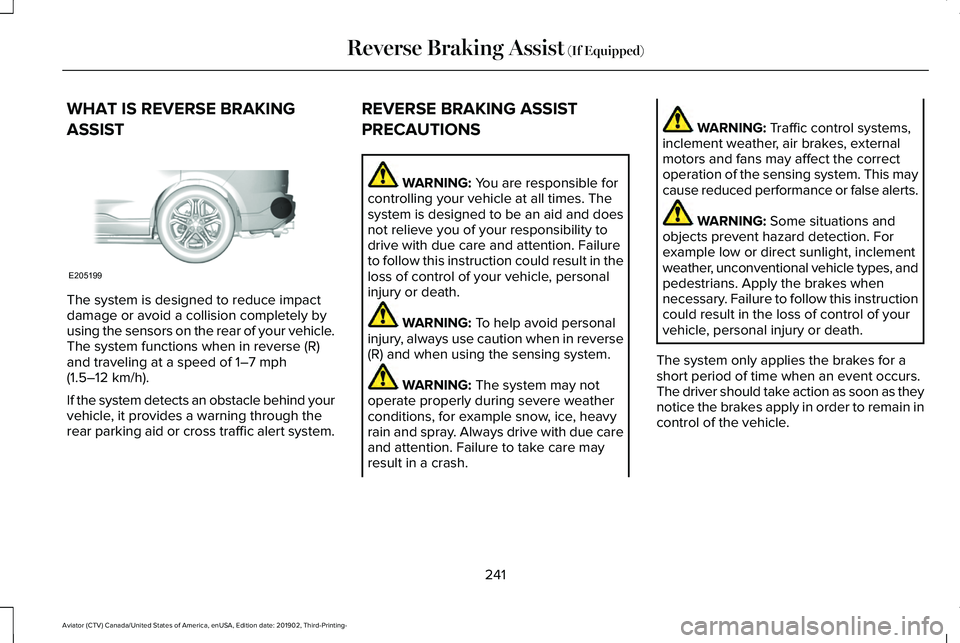
The system is designed to reduce impact
damage or avoid a collision completely by
using the sensors on the rear of your vehicle.
The system functions when in reverse (R)
and traveling at a speed of 1–7 mph
(1.5–12 km/h).
If the system detects an obstacle behind your
vehicle, it provides a warning through the
rear parking aid or cross traffic alert system. REVERSE BRAKING ASSIST
PRECAUTIONS WARNING:
You are responsible for
controlling your vehicle at all times. The
system is designed to be an aid and does
not relieve you of your responsibility to
drive with due care and attention. Failure
to follow this instruction could result in the
loss of control of your vehicle, personal
injury or death. WARNING:
To help avoid personal
injury, always use caution when in reverse
(R) and when using the sensing system. WARNING:
The system may not
operate properly during severe weather
conditions, for example snow, ice, heavy
rain and spray. Always drive with due care
and attention. Failure to take care may
result in a crash. WARNING:
Traffic control systems,
inclement weather, air brakes, external
motors and fans may affect the correct
operation of the sensing system. This may
cause reduced performance or false alerts. WARNING:
Some situations and
objects prevent hazard detection. For
example low or direct sunlight, inclement
weather, unconventional vehicle types, and
pedestrians. Apply the brakes when
necessary. Failure to follow this instruction
could result in the loss of control of your
vehicle, personal injury or death.
The system only applies the brakes for a
short period of time when an event occurs.
The driver should take action as soon as they
notice the brakes apply in order to remain in
control of the vehicle.
241
Aviator (CTV) Canada/United States of America, enUSA, Edition date: 201902, Third-Printing- Reverse Braking Assist
(If Equipped)E205199
Page 299 of 609
Cross Traffic Alert System Sensors
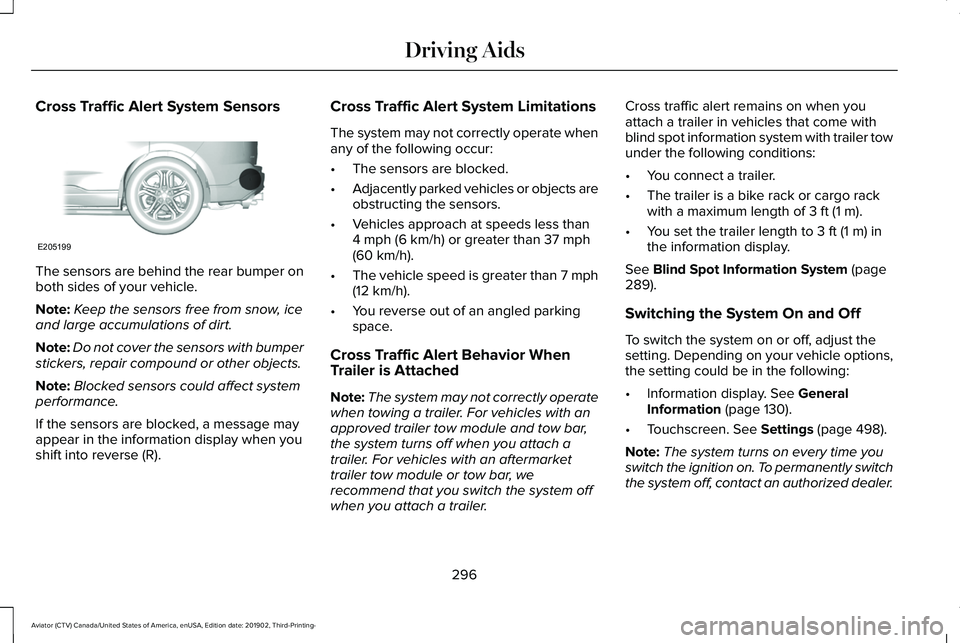
The sensors are behind the rear bumper on
both sides of your vehicle.
Note:
Keep the sensors free from snow, ice
and large accumulations of dirt.
Note: Do not cover the sensors with bumper
stickers, repair compound or other objects.
Note: Blocked sensors could affect system
performance.
If the sensors are blocked, a message may
appear in the information display when you
shift into reverse (R). Cross Traffic Alert System Limitations
The system may not correctly operate when
any of the following occur:
•
The sensors are blocked.
• Adjacently parked vehicles or objects are
obstructing the sensors.
• Vehicles approach at speeds less than
4 mph (6 km/h) or greater than 37 mph
(60 km/h).
• The vehicle speed is greater than 7 mph
(12 km/h)
.
• You reverse out of an angled parking
space.
Cross Traffic Alert Behavior When
Trailer is Attached
Note: The system may not correctly operate
when towing a trailer. For vehicles with an
approved trailer tow module and tow bar,
the system turns off when you attach a
trailer. For vehicles with an aftermarket
trailer tow module or tow bar, we
recommend that you switch the system off
when you attach a trailer. Cross traffic alert remains on when you
attach a trailer in vehicles that come with
blind spot information system with trailer tow
under the following conditions:
•
You connect a trailer.
• The trailer is a bike rack or cargo rack
with a maximum length of
3 ft (1 m).
• You set the trailer length to
3 ft (1 m) in
the information display.
See
Blind Spot Information System (page
289).
Switching the System On and Off
To switch the system on or off, adjust the
setting. Depending on your vehicle options,
the setting could be in the following:
• Information display.
See General
Information (page 130).
• Touchscreen.
See Settings (page 498).
Note: The system turns on every time you
switch the ignition on. To permanently switch
the system off, contact an authorized dealer.
296
Aviator (CTV) Canada/United States of America, enUSA, Edition date: 201902, Third-Printing- Driving AidsE205199
Page 301 of 609
SPEED SIGN RECOGNITION (IF
EQUIPPED)
Principle of Operation WARNING:
You are responsible for
controlling your vehicle at all times. The
system is designed to be an aid and does
not relieve you of your responsibility to
drive with due care and attention. Failure
to follow this instruction could result in the
loss of control of your vehicle, personal
injury or death. WARNING: You must remain in your
vehicle when the system turns on. At all
times, you are responsible for controlling
your vehicle, supervising the system and
intervening, if required. Failure to take care
may result in the loss of control of your
vehicle, serious personal injury or death. WARNING:
The system may not
function if the sensor is blocked. The system detects recognizable traffic
signs, for example:
•
Speed limit signs.
• No overtaking signs.
• Speed limit cancellation signs.
• No overtaking cancellation signs.
It continuously monitors road signs to inform
you of the current maximum speed limit and
overtaking regulations. The sensor is behind
the interior rear view mirror.
Note: In cold and severe weather conditions
the system may not function. Rain, snow,
spray and large contrasts in lighting can all
prevent the sensor from functioning correctly.
Note: Do not carry out windshield repairs in
the immediate area surrounding the sensor.
Note: If your vehicle has a suspension kit
not approved by us, the system may not
correctly function.
Note: Always use original parts when
replacing headlamp bulbs. Other bulbs may
reduce system performance.
Note: The system may not detect all traffic
signs and may incorrectly read signs. Note:
Keep the windshield free from
obstructions, for example, bird droppings,
insects and snow or ice.
Note: If the system has navigation, traffic
sign data provided by the navigation system
contains information integrated to the data
carrier release.
Using Traffic Sign Recognition
Setting the System Speed Warning
The system has a number of speed warning
levels that you can set using the information
display. See General Information (page
130).
System Display
The system can display two traffic signs in
parallel.
You can view the status at any time using
the information display.
298
Aviator (CTV) Canada/United States of America, enUSA, Edition date: 201902, Third-Printing- Driving Aids
Page 309 of 609
WHAT IS DRIVE MODE CONTROL
The system delivers a driving experience
through a suite of sophisticated electronic
vehicle systems. These systems optimize
steering, handling and powertrain response.
This provides a single location to control
multiple systems performance settings.
Changing the drive mode automatically
changes the functionality of the following
systems:
•
Electronically power-assisted steering
system adjusts steering effort and feel
based on the mode you select. See
Steering (page 299).
• Electronic stability control and traction
control maintains your vehicle control in
adverse conditions or high performance
driving. See
Stability Control (page 246).
• Electronic throttle control enhances the
powertrain response to your driving
inputs.
• Transmission controls optimize with shift
schedules tuned to each mode.
• AWD settings become optimized and
tuned to each mode. The system automatically tailors your vehicle
configuration for each mode you select.
Note:
Not all settings, or modes, may be
available.
Note: The system has diagnostic checks that
continuously monitor the system for proper
operation. If a mode is unavailable due to a
system fault, the mode defaults to Normal.
SELECTING A DRIVE MODE
Note: Drive mode changes may not be
available when the ignition is off. Rotate the drive mode dial on the center
console to change the drive mode.
DRIVE MODES
Conserve
Enables efficient driving. It helps to deliver
maximum fuel efficiency and helps to
increase driving range.
Deep Conditions
(If Equipped)
For crossing terrain that has deformable
deep, rutted surfaces such as mud, deep
sand or deep snow. Do not use on dry, hard
surfaced roads.
If your vehicle has air suspension, it raises
approximately
1.2 in (30 mm) at low speeds
for improved ground clearance.
Note: Using deep conditions mode on dry
hard surfaces could produce some vibration,
driveline bind up, and potential excessive
tire wear. This mode is for slippery and loose
surfaces.
306
Aviator (CTV) Canada/United States of America, enUSA, Edition date: 201902, Third-Printing- Drive Mode ControlE297680
Page 310 of 609
Deep Sand (If Equipped)
For crossing deep soft and dry sand.
Note: Using deep sand mode on dry hard
surfaces could produce some vibration,
driveline bind up, and potential excessive
tire wear. This mode is for slippery and loose
surfaces.
Excite
For sporty on-road driving. This mode
increases throttle response, provides a more
dynamic powertrain sound and steering feel,
along with quicker shifting. If your vehicle
has excite, the suspension stiffens, with an
emphasis on handling and control. The
transmission also holds gears longer, helping
your vehicle accelerate faster when shifting
gears.
If your vehicle has air suspension, it lowers
approximately
0.6 in (15 mm) to improve
aerodynamics. Normal
For everyday driving. This mode is a perfect
balance of excitement, comfort and
convenience. This is the default mode after
each ignition cycle.
Slippery
For less than ideal road conditions, such as
snow or ice covered roads. Slippery mode
inspires confidence without taking away from
driving pleasure. Slippery mode lowers
throttle response and optimizes shifting for
slippery surfaces.
Note:
Using slippery mode on dry hard
surfaces could produce some vibration,
driveline bind up, and potential excessive
tire wear as the intent of this mode is for
slippery and loose surfaces.
307
Aviator (CTV) Canada/United States of America, enUSA, Edition date: 201902, Third-Printing- Drive Mode Control
Page 324 of 609
Note:
Reconnect the wiring to the trailer
after removing the trailer from the water.
When backing down a ramp during boat
launching or retrieval:
• Do not allow the static water level to rise
above the bottom edge of the rear
bumper.
• Do not allow waves to break higher than
6 in (15 cm)
above the bottom edge of
the rear bumper.
Exceeding these limits may allow water to
enter vehicle components:
• Causing internal damage to the
components.
• Affecting driveability, emissions, and
reliability.
Replace the rear axle lubricant anytime the
rear axle has been submerged in water.
Water may have contaminated the rear axle
lubricant, which is not normally checked or
changed unless a leak is suspected or other
axle repair is required. TOWING THE VEHICLE ON FOUR
WHEELS
Emergency Towing WARNING:
If your vehicle has a
steering wheel lock make sure the ignition
is in the accessory or on position when
being towed.
If your vehicle becomes inoperable without
access to wheel dollies or a vehicle transport
trailer, it can be flat-towed with all wheels on
the ground, regardless of the powertrain and
transmission configuration, under the
following conditions:
• Your vehicle is facing forward for towing
in a forward direction.
• Refer to the Manual Park Release
procedure. See Automatic Transmission
(page 223). Failing to do so could result
in damage to the transmission.
• Maximum speed is
35 mph (56 km/h).
• Maximum distance is
50 mi (80 km). Recreational Towing - Front-Wheel
Drive Vehicles
(If Equipped)
You cannot recreational tow your vehicle
with all wheels on the ground because
vehicle or transmission damage could occur.
Place the front wheels on a two-wheel tow
dolly. If you are using a tow dolly, follow the
instructions specified by the equipment
provider.
Recreational Towing - Rear-Wheel
Drive Vehicles
(If Equipped)
You cannot recreational tow your vehicle
with all wheels on the ground because
vehicle or transmission damage could occur.
We recommend towing your vehicle with all
four wheels off the ground, such as when
using a car-hauling trailer. Otherwise, you
cannot recreational tow your vehicle.
321
Aviator (CTV) Canada/United States of America, enUSA, Edition date: 201902, Third-Printing- Towing
Page 326 of 609
REDUCED ENGINE PERFORMANCE
WARNING: If you continue to drive
your vehicle when the engine is
overheating, the engine could stop without
warning. Failure to follow this instruction
could result in the loss of control of your
vehicle.
If the engine coolant temperature gauge
needle moves to the upper limit position, the
engine is overheating.
See Gauges (page
123).
You must only drive your vehicle for a short
distance if the engine overheats. The
distance you can travel depends on ambient
temperature, vehicle load and terrain. The
engine continues to operate with limited
power for a short period of time.
If the engine temperature continues to rise,
the fuel supply to the engine reduces. The
air conditioning switches off and the engine
cooling fan operates continually. 1. Gradually reduce your speed and stop
your vehicle as soon as it is safe to do
so.
2. Immediately switch the engine off to prevent severe engine damage.
3. Wait for the engine to cool down.
4. Check the coolant level.
See Engine
Coolant Check (page 364).
5. Have your vehicle checked as soon as possible.
ECONOMICAL DRIVING
Your fuel economy is affected by several
things, such as how you drive, the conditions
you drive under, and how you maintain your
vehicle.
You may improve your fuel economy by
keeping these things in mind:
• Accelerate and slow down in a smooth,
moderate fashion.
• Drive at steady speeds without stopping.
• Anticipate stops; slowing down may
eliminate the need to stop. •
Combine errands and minimize
stop-and-go driving.
• Close the windows for high-speed
driving.
• Drive at reasonable speeds (traveling at
55 mph [88 km/h] uses 15% less fuel than
traveling at 65 mph [105 km/h]).
• Keep the tires properly inflated and use
only the recommended size.
• Use the recommended engine oil.
• Perform all regularly scheduled
maintenance.
Avoid these actions; they reduce your fuel
economy:
• Sudden accelerations or hard
accelerations.
• Revving the engine before turning it off.
• Idle for periods longer than one minute.
• Warm up your vehicle on cold mornings.
• Use the air conditioner or front defroster.
• Use the speed control in hilly terrain.
• Rest your foot on the brake pedal while
driving.
323
Aviator (CTV) Canada/United States of America, enUSA, Edition date: 201902, Third-Printing- Driving Hints
Page 327 of 609
![LINCOLN AVIATOR 2020 Owners Manual •
Drive a heavily loaded vehicle or tow a
trailer.
• Carry unnecessary weight (approximately
1 mpg [0.4 km/L] is lost for every 400 lb
[180 kilogram] of weight carried).
• Driving with the wheel](/img/15/58978/w960_58978-326.png "LINCOLN AVIATOR 2020 Owners Manual •
Drive a heavily loaded vehicle or tow a
trailer.
• Carry unnecessary weight (approximately
1 mpg [0.4 km/L] is lost for every 400 lb
[180 kilogram] of weight carried).
• Driving with the wheel")
•
Drive a heavily loaded vehicle or tow a
trailer.
• Carry unnecessary weight (approximately
1 mpg [0.4 km/L] is lost for every 400 lb
[180 kilogram] of weight carried).
• Driving with the wheels out of alignment.
Conditions
• Heavily loading a vehicle or towing a
trailer may reduce fuel economy at any
speed.
• Adding certain accessories to your
vehicle (for example bug deflectors,
rollbars, light bars, running boards, ski
racks or luggage racks) may reduce fuel
economy.
• To maximize the fuel economy, drive with
the tonneau cover installed (if equipped).
• Using fuel blended with alcohol may
lower fuel economy.
• Fuel economy may decrease with lower
temperatures during the first 5–10 mi
(12–16 km) of driving.
• Driving on flat terrain offers improved fuel
economy as compared to driving on hilly
terrain. •
Transmissions give their best fuel
economy when operated in the top cruise
gear and with steady pressure on the gas
pedal.
• Four-wheel-drive operation (if equipped)
is less fuel efficient than two-wheel-drive
operation.
COLD WEATHER PRECAUTIONS
The functional operation of some
components and systems can be affected at
temperatures below
-13°F (-25°C).
BREAKING-IN
You need to break in new tires for
approximately
300 mi (480 km). During this
time, your vehicle may exhibit some unusual
driving characteristics.
Avoid driving too fast during the first 1,000 mi
(1,600 km)
. Vary your speed frequently and
change up through the gears early. Do not
labor the engine. Do not tow during the first
1,000 mi
(1,600 km).
DRIVING THROUGH WATER WARNING:
Do not drive through
flowing or deep water as you may lose
control of your vehicle.
Note: Driving through standing water can
cause vehicle damage.
Note: Engine damage can occur if water
enters the air filter.
Before driving through standing water, check
the depth. Never drive through water that is
higher than the bottom of the front rocker
area of your vehicle.
324
Aviator (CTV) Canada/United States of America, enUSA, Edition date: 201902, Third-Printing- Driving Hints