steering wheel LINCOLN AVIATOR 2020 Repair Manual
[x] Cancel search | Manufacturer: LINCOLN, Model Year: 2020, Model line: AVIATOR, Model: LINCOLN AVIATOR 2020Pages: 609, PDF Size: 5.4 MB
Page 498 of 609
The navigation system map data may contain
inaccurate or incomplete information due to
the passage of time, changing
circumstances, sources used and the nature
of collecting comprehensive geographic
data, any of which may lead to incorrect
results. Inaccurate speed limit information,
turn restrictions and other road attributes
may affect the determined route and
associated guidance
Annual navigation map updates are available
for purchase through your dealership.
Depending on your purchase agreement,
you might be eligible for free Map update.
You can choose to download the Map data
update onto a USB, order a USB, or use Wi-Fi
to deliver automatic updates. To update your
Map data over Wi-Fi, your vehicle must be
connected to a Wi-Fi access point. Map Data
files are large, so it is highly recommended
to perform the update when free Wi-Fi is
available otherwise high data rates may
apply. For USB updates, free map update
eligibility, and other details, contact dealers
at 1-866-462-8837 in the United States and
Canada or 01-800-557-5539 in Mexico or
visit our local website for more information.
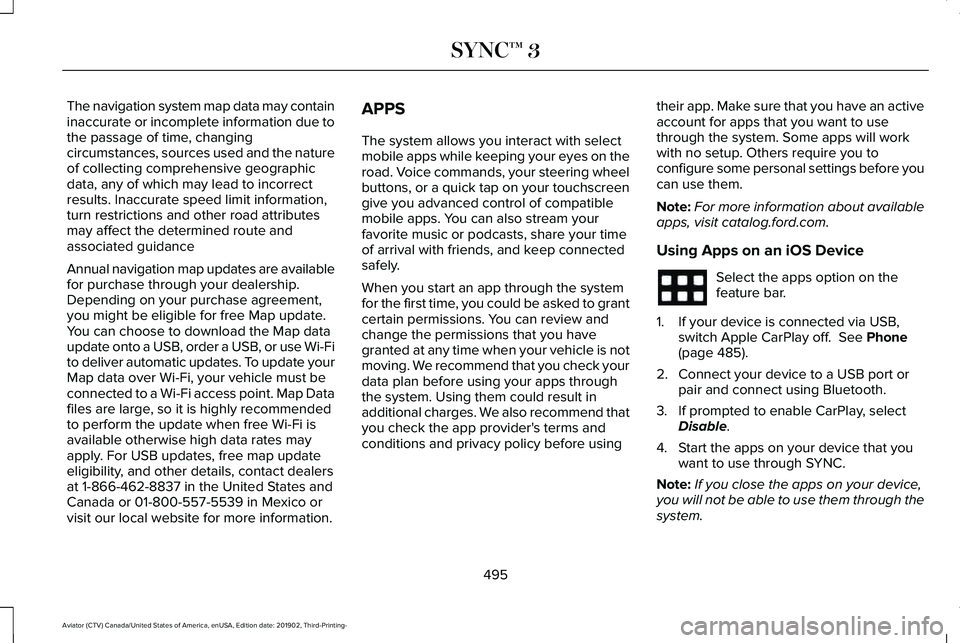
APPS
The system allows you interact with select
mobile apps while keeping your eyes on the
road. Voice commands, your steering wheel
buttons, or a quick tap on your touchscreen
give you advanced control of compatible
mobile apps. You can also stream your
favorite music or podcasts, share your time
of arrival with friends, and keep connected
safely.
When you start an app through the system
for the first time, you could be asked to grant
certain permissions. You can review and
change the permissions that you have
granted at any time when your vehicle is not
moving. We recommend that you check your
data plan before using your apps through
the system. Using them could result in
additional charges. We also recommend that
you check the app provider's terms and
conditions and privacy policy before using
their app. Make sure that you have an active
account for apps that you want to use
through the system. Some apps will work
with no setup. Others require you to
configure some personal settings before you
can use them.
Note:
For more information about available
apps, visit catalog.ford.com.
Using Apps on an iOS Device Select the apps option on the
feature bar.
1. If your device is connected via USB, switch Apple CarPlay off. See Phone
(page 485).
2. Connect your device to a USB port or pair and connect using Bluetooth.
3. If prompted to enable CarPlay, select Disable
.
4. Start the apps on your device that you want to use through SYNC.
Note: If you close the apps on your device,
you will not be able to use them through the
system.
495
Aviator (CTV) Canada/United States of America, enUSA, Edition date: 201902, Third-Printing- SYNC™ 3
Page 504 of 609
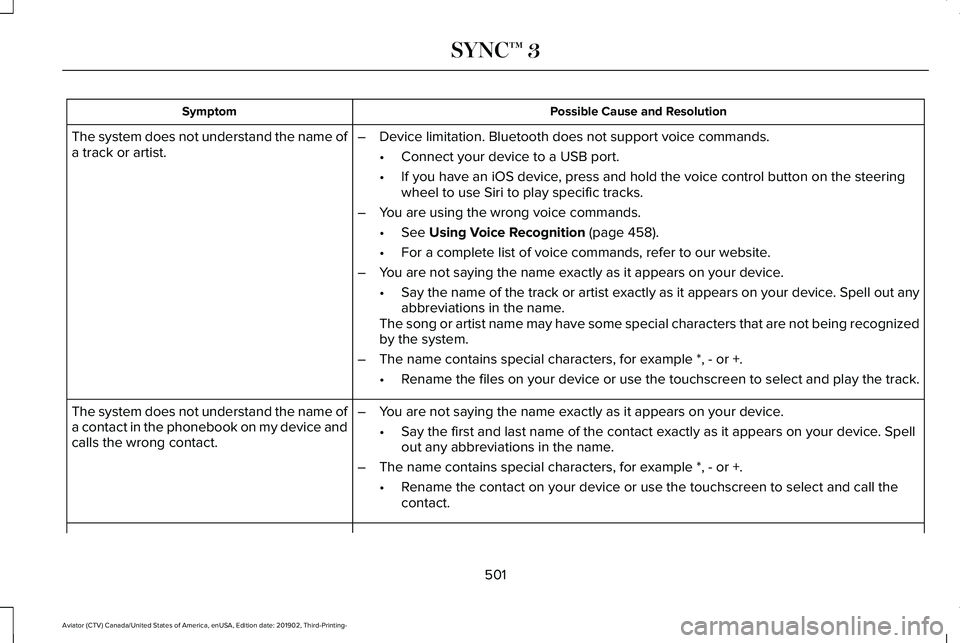
Possible Cause and Resolution
Symptom
–Device limitation. Bluetooth does not support voice commands.
•Connect your device to a USB port.
• If you have an iOS device, press and hold the voice control button on the steering
wheel to use Siri to play specific tracks.
– You are using the wrong voice commands.
•See Using Voice Recognition (page 458).
• For a complete list of voice commands, refer to our website.
– You are not saying the name exactly as it appears on your device.
•Say the name of the track or artist exactly as it appears on your device\
. Spell out any
abbreviations in the name.
The song or artist name may have some special characters that are not be\
ing recognized
by the system.
– The name contains special characters, for example *, - or +.
•Rename the files on your device or use the touchscreen to select and play\
the track.
The system does not understand the name of
a track or artist.
–You are not saying the name exactly as it appears on your device.
•Say the first and last name of the contact exactly as it appears on your\
device. Spell
out any abbreviations in the name.
– The name contains special characters, for example *, - or +.
•Rename the contact on your device or use the touchscreen to select and ca\
ll the
contact.
The system does not understand the name of
a contact in the phonebook on my device and
calls the wrong contact.
501
Aviator (CTV) Canada/United States of America, enUSA, Edition date: 201902, Third-Printing- SYNC™ 3
Page 506 of 609

Possible Cause and Resolution
Symptom
–Incorrect device settings.
•Make sure that your device does not have an auto-install program or active \
security
settings.
• Check that your device is not set only to charge.
– Device lock screen enabled.
•Unlock your device before connecting it.
The system does not recognize my device. –Device limitation.
•Do not leave your device in your vehicle during very hot or very cold we\
ather condi-
tions.
– Cable connection issue.
•Correctly connect the cable to your device and the vehicle USB port.
– Incompatible cable.
•Use the cable recommended by the manufacturer of your device.
The system does not understand the name of
a track or artist. –
Device limitation. Bluetooth does not support voice commands.
•Connect your device to a USB port.
• If you have an iOS device, press and hold the voice control button on the steering
wheel to use Siri to play specific tracks.
503
Aviator (CTV) Canada/United States of America, enUSA, Edition date: 201902, Third-Printing- SYNC™ 3
Page 531 of 609
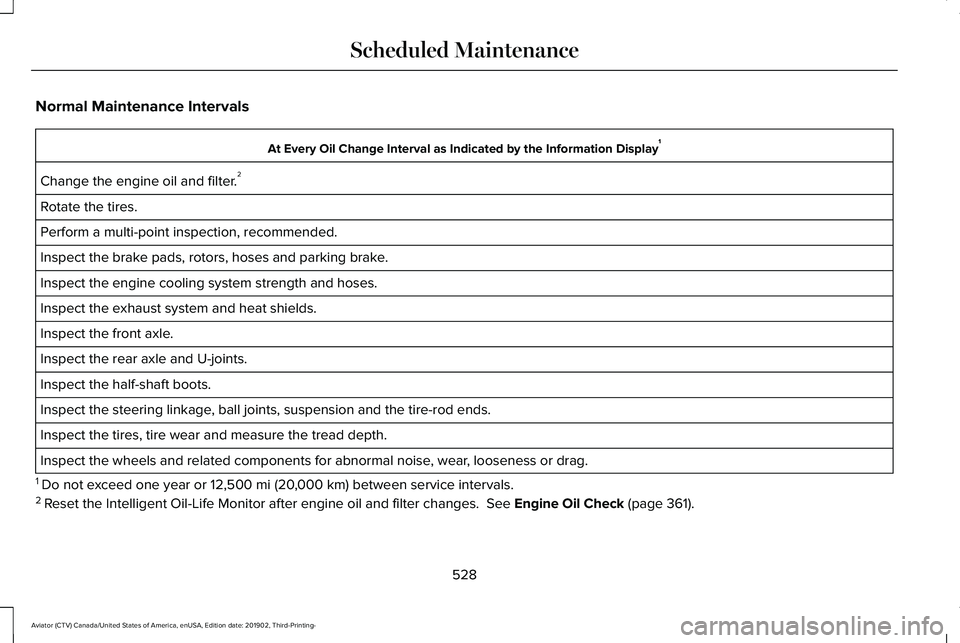
Normal Maintenance Intervals
At Every Oil Change Interval as Indicated by the Information Display
1
Change the engine oil and filter. 2
Rotate the tires.
Perform a multi-point inspection, recommended.
Inspect the brake pads, rotors, hoses and parking brake.
Inspect the engine cooling system strength and hoses.
Inspect the exhaust system and heat shields.
Inspect the front axle.
Inspect the rear axle and U-joints.
Inspect the half-shaft boots.
Inspect the steering linkage, ball joints, suspension and the tire-rod ends.
Inspect the tires, tire wear and measure the tread depth.
Inspect the wheels and related components for abnormal noise, wear, looseness or drag.
1 Do not exceed one year or 12,500 mi (20,000 km) between service intervals.
2 Reset the Intelligent Oil-Life Monitor after engine oil and filter change\
s.
See Engine Oil Check (page 361).
528
Aviator (CTV) Canada/United States of America, enUSA, Edition date: 201902, Third-Printing- Scheduled Maintenance
Page 594 of 609
3
360 Degree Camera...................................264
Front Camera......................................................265
Side Camera........................................................266
Using the System...............................................265
9
911 Assist...........................................................62
A
A/C See: Climate Control..........................................160
About This Manual
............................................9
ABS See: Brakes..........................................................235
ABS driving hints See: Hints on Driving With Anti-Lock
Brakes...............................................................236
Accessories.....................................................517
Accessories See: Replacement Parts Recommendation......17
Active Park Assist
.........................................256
Using Active Park Assist...................................257 Adaptive Cruise Control.............................269
Adaptive Cruise Control –
Troubleshooting.............................................279
Adaptive Cruise Control Indicators - Vehicles With: Adaptive Cruise Control
With Lane Centering
.................................276
Adaptive Cruise Control Indicators - Vehicles With: Adaptive Cruise Control
With Stop and Go.......................................277
Adaptive Cruise Control Indicators - Vehicles With: Intelligent Adaptive Cruise
Control..........................................................277
System Warnings................................................277
Adaptive Cruise Control Limitations - Vehicles With: Adaptive Cruise Control
With Lane Centering.................................270
Adaptive Cruise Control Limitations - Vehicles With: Adaptive Cruise Control
With Stop and Go........................................271
Sensor Limitations...............................................271
Adaptive Cruise Control Precautions - Vehicles With: Adaptive Cruise Control
With Lane Centering.................................269
Adaptive Cruise Control Precautions - Vehicles With: Adaptive Cruise Control
With Stop and Go......................................269
Hilly Condition Usage.......................................270
When Following a Vehicle...............................270 Adaptive Cruise Control –
Troubleshooting.........................................279
Adaptive Cruise Control – Information Messages.........................................................279
Adaptive Headlamps...................................109 About Adaptive Headlamps.............................109
Camera Detects Lane Markings.......................110
Camera Detects Traffic Signs.............................111
Steering Around a Curve...................................
110
Switching Adaptive Headlamps On or Off........................................................................\
.111
Adjusting the Headlamps...........................373 Vertical Aim Adjustment....................................373
Adjusting the Set Speed Tolerance.........278
Adjusting the Steering Wheel - Vehicles With: Manual Adjustable Steering
Column
............................................................97
Adjusting the Steering Wheel - Vehicles With: Power Adjustable Steering
Column
............................................................97
End of Travel Position..........................................98
Memory Feature....................................................98
AFS See: Adaptive Headlamps................................109
Airbag Disposal
................................................61
Air Conditioning See: Climate Control..........................................160
591
Aviator (CTV) Canada/United States of America, enUSA, Edition date: 201902, Third-Printing- Index
Page 597 of 609
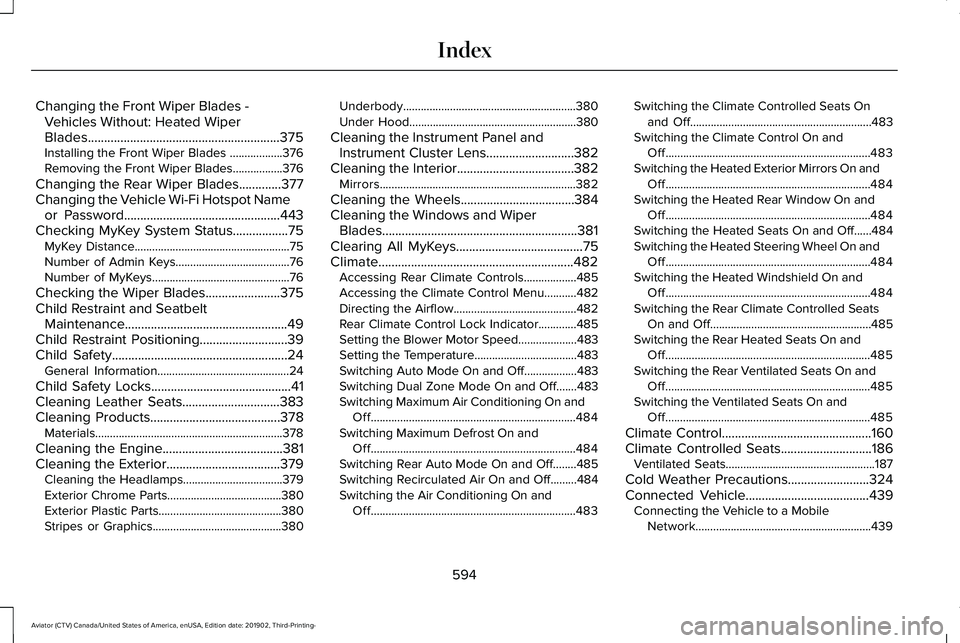
Changing the Front Wiper Blades -
Vehicles Without: Heated Wiper
Blades...........................................................375
Installing the Front Wiper Blades ..................376
Removing the Front Wiper Blades.................376
Changing the Rear Wiper Blades.............377
Changing the Vehicle Wi-Fi Hotspot Name or Password................................................443
Checking MyKey System Status.................75 MyKey Distance.....................................................75
Number of Admin Keys.......................................76
Number of MyKeys...............................................76
Checking the Wiper Blades.......................375
Child Restraint and Seatbelt Maintenance..................................................49
Child Restraint Positioning
...........................39
Child Safety......................................................24
General Information.............................................24
Child Safety Locks...........................................41
Cleaning Leather Seats..............................383
Cleaning Products
........................................378
Materials................................................................378
Cleaning the Engine
.....................................381
Cleaning the Exterior...................................379 Cleaning the Headlamps..................................379
Exterior Chrome Parts.......................................380
Exterior Plastic Parts..........................................380
Stripes or Graphics............................................380 Underbody...........................................................380
Under Hood.........................................................380
Cleaning the Instrument Panel and Instrument Cluster Lens...........................382
Cleaning the Interior
....................................382
Mirrors...................................................................382
Cleaning the Wheels
...................................384
Cleaning the Windows and Wiper Blades............................................................381
Clearing All MyKeys.......................................75
Climate............................................................482 Accessing Rear Climate Controls..................485
Accessing the Climate Control Menu...........
482
Directing the Airflow..........................................482
Rear Climate Control Lock Indicator.............485
Setting the Blower Motor Speed....................483
Setting the Temperature...................................483
Switching Auto Mode On and Off..................483
Switching Dual Zone Mode On and Off.......483
Switching Maximum Air Conditioning On and Off......................................................................484
Switching Maximum Defrost On and Off......................................................................484
Switching Rear Auto Mode On and Off........485
Switching Recirculated Air On and Off.........484
Switching the Air Conditioning On and Off......................................................................483 Switching the Climate Controlled Seats On
and Off..............................................................483
Switching the Climate Control On and Off......................................................................483
Switching the Heated Exterior Mirrors On and Off......................................................................484
Switching the Heated Rear Window On and Off......................................................................484
Switching the Heated Seats On and Off......484
Switching the Heated Steering Wheel On and Off......................................................................484
Switching the Heated Windshield On and Off......................................................................484
Switching the Rear Climate Controlled Seats On and Off.......................................................485
Switching the Rear Heated Seats On and Off......................................................................485
Switching the Rear Ventilated Seats On and Off......................................................................485
Switching the Ventilated Seats On and Off......................................................................485
Climate Control
..............................................160
Climate Controlled Seats............................186
Ventilated Seats...................................................187
Cold Weather Precautions.........................324
Connected Vehicle
......................................439
Connecting the Vehicle to a Mobile
Network............................................................439
594
Aviator (CTV) Canada/United States of America, enUSA, Edition date: 201902, Third-Printing- Index
Page 601 of 609
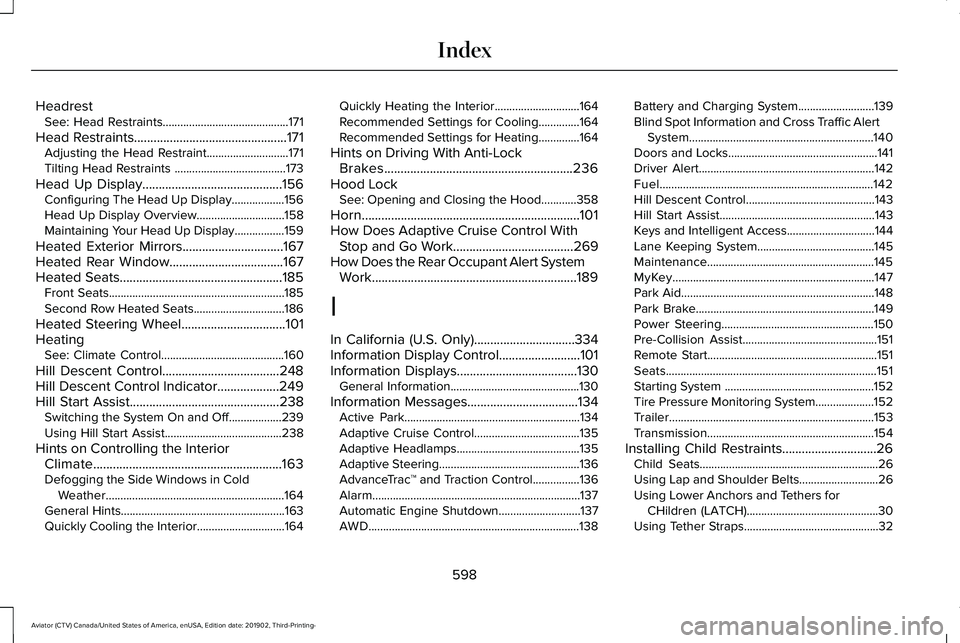
Headrest
See: Head Restraints...........................................171
Head Restraints...............................................171
Adjusting the Head Restraint............................171
Tilting Head Restraints ......................................173
Head Up Display
...........................................156
Configuring The Head Up Display..................156
Head Up Display Overview..............................158
Maintaining Your Head Up Display.................159
Heated Exterior Mirrors
...............................167
Heated Rear Window...................................167
Heated Seats..................................................185 Front Seats............................................................185
Second Row Heated Seats...............................186
Heated Steering Wheel................................101
Heating See: Climate Control..........................................160
Hill Descent Control....................................248
Hill Descent Control Indicator...................249
Hill Start Assist..............................................238 Switching the System On and Off..................239
Using Hill Start Assist........................................238
Hints on Controlling the Interior Climate..........................................................163
Defogging the Side Windows in Cold Weather.............................................................164
General Hints........................................................163
Quickly Cooling the Interior..............................164 Quickly Heating the Interior.............................164
Recommended Settings for Cooling..............
164
Recommended Settings for Heating..............164
Hints on Driving With Anti-Lock Brakes..........................................................236
Hood Lock See: Opening and Closing the Hood............358
Horn...................................................................101
How Does Adaptive Cruise Control With Stop and Go Work.....................................269
How Does the Rear Occupant Alert System Work
...............................................................189
I
In California (U.S. Only)...............................334
Information Display Control.........................101
Information Displays.....................................130 General Information............................................130
Information Messages..................................134 Active Park............................................................134
Adaptive Cruise Control....................................135
Adaptive Headlamps..........................................135
Adaptive Steering................................................136
AdvanceTrac ™ and Traction Control................136
Alarm.......................................................................137
Automatic Engine Shutdown............................137
AWD........................................................................\
138 Battery and Charging System..........................139
Blind Spot Information and Cross Traffic Alert
System...............................................................140
Doors and Locks...................................................141
Driver Alert............................................................142
Fuel........................................................................\
.142
Hill Descent Control............................................143
Hill Start Assist.....................................................143
Keys and Intelligent Access..............................
144
Lane Keeping System........................................145
Maintenance.........................................................145
MyKey.....................................................................147
Park Aid..................................................................148
Park Brake.............................................................149
Power Steering....................................................150
Pre-Collision Assist..............................................151
Remote Start..........................................................151
Seats........................................................................\
151
Starting System ...................................................152
Tire Pressure Monitoring System....................152
Trailer
......................................................................153
Transmission.........................................................154
Installing Child Restraints.............................26 Child Seats.............................................................26
Using Lap and Shoulder Belts...........................26
Using Lower Anchors and Tethers for
CHildren (LATCH).............................................30
Using Tether Straps..............................................32
598
Aviator (CTV) Canada/United States of America, enUSA, Edition date: 201902, Third-Printing- Index
Page 604 of 609
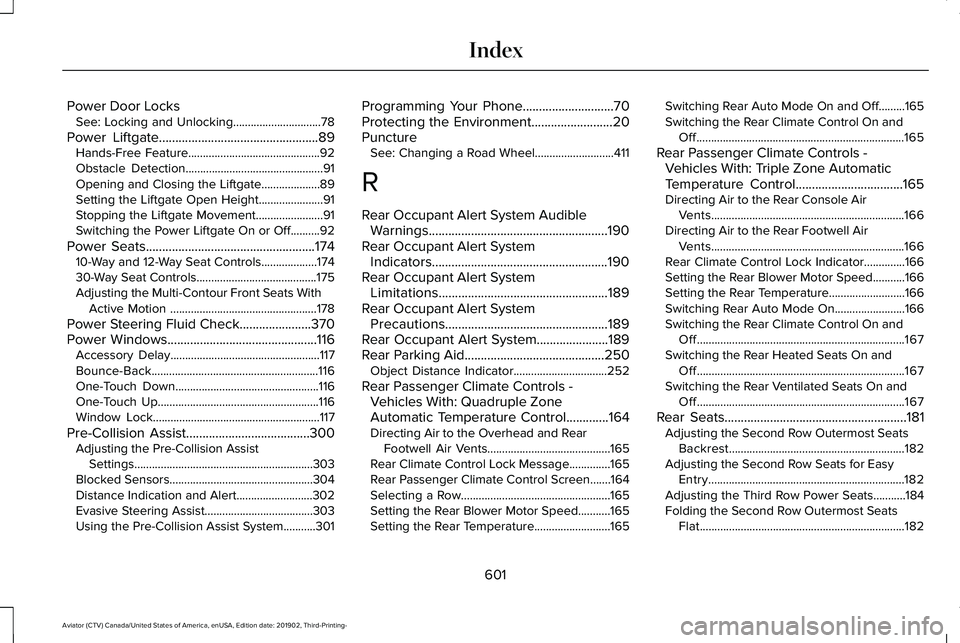
Power Door Locks
See: Locking and Unlocking..............................78
Power Liftgate.................................................89
Hands-Free Feature.............................................92
Obstacle Detection...............................................91
Opening and Closing the Liftgate....................89
Setting the Liftgate Open Height......................91
Stopping the Liftgate Movement.......................91
Switching the Power Liftgate On or Off..........92
Power Seats
....................................................174
10-Way and 12-Way Seat Controls...................174
30-Way Seat Controls.........................................175
Adjusting the Multi-Contour Front Seats With Active Motion ..................................................178
Power Steering Fluid Check......................370
Power Windows
..............................................116
Accessory Delay...................................................117
Bounce-Back.........................................................116
One-Touch Down.................................................116
One-Touch Up.......................................................116
Window Lock.........................................................117
Pre-Collision Assist
......................................300
Adjusting the Pre-Collision Assist
Settings.............................................................303
Blocked Sensors.................................................304
Distance Indication and Alert..........................
302
Evasive Steering Assist.....................................303
Using the Pre-Collision Assist System...........301 Programming Your Phone
............................70
Protecting the Environment.........................20
Puncture See: Changing a Road Wheel...........................411
R
Rear Occupant Alert System Audible Warnings.......................................................190
Rear Occupant Alert System Indicators......................................................190
Rear Occupant Alert System Limitations....................................................189
Rear Occupant Alert System Precautions..................................................189
Rear Occupant Alert System......................189
Rear Parking Aid
...........................................250
Object Distance Indicator................................252
Rear Passenger Climate Controls - Vehicles With: Quadruple Zone
Automatic Temperature Control.............164
Directing Air to the Overhead and Rear Footwell Air Vents..........................................165
Rear Climate Control Lock Message..............165
Rear Passenger Climate Control Screen.......164
Selecting a Row...................................................165
Setting the Rear Blower Motor Speed...........
165
Setting the Rear Temperature..........................165 Switching Rear Auto Mode On and Off.........165
Switching the Rear Climate Control On and
Off.......................................................................165
Rear Passenger Climate Controls - Vehicles With: Triple Zone Automatic
Temperature Control
.................................165
Directing Air to the Rear Console Air
Vents..................................................................166
Directing Air to the Rear Footwell Air Vents..................................................................166
Rear Climate Control Lock Indicator..............
166
Setting the Rear Blower Motor Speed...........166
Setting the Rear Temperature..........................166
Switching Rear Auto Mode On........................166
Switching the Rear Climate Control On and Off.......................................................................167
Switching the Rear Heated Seats On and Off.......................................................................167
Switching the Rear Ventilated Seats On and Off.......................................................................167
Rear Seats........................................................181 Adjusting the Second Row Outermost Seats
Backrest............................................................182
Adjusting the Second Row Seats for Easy Entry...................................................................182
Adjusting the Third Row Power Seats...........184
Folding the Second Row Outermost Seats Flat......................................................................182
601
Aviator (CTV) Canada/United States of America, enUSA, Edition date: 201902, Third-Printing- Index
Page 607 of 609
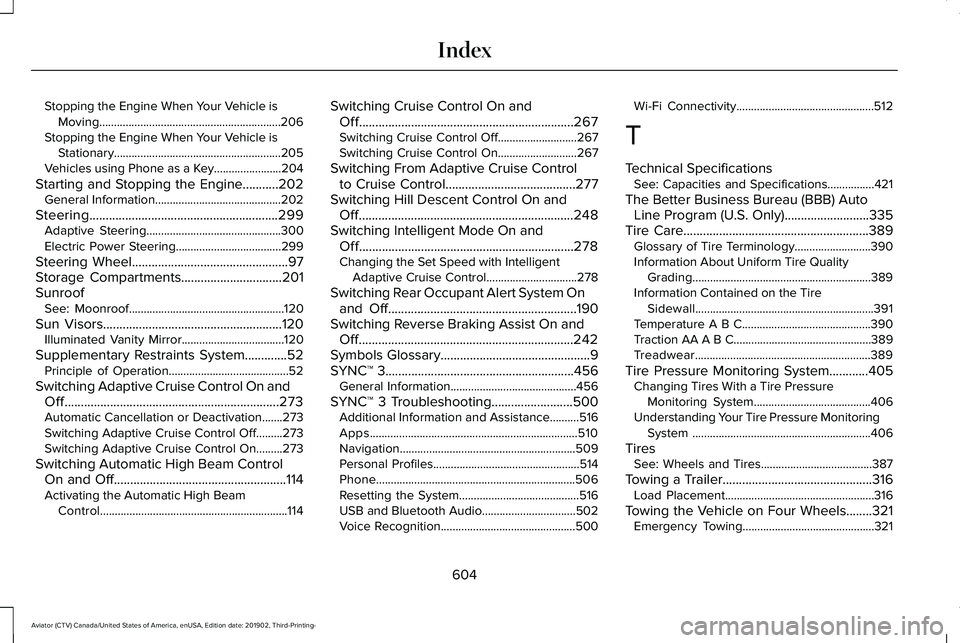
Stopping the Engine When Your Vehicle is
Moving..............................................................206
Stopping the Engine When Your Vehicle is Stationary.........................................................205
Vehicles using Phone as a Key.......................204
Starting and Stopping the Engine...........202 General Information...........................................202
Steering..........................................................299 Adaptive Steering..............................................300
Electric Power Steering....................................299
Steering Wheel................................................97
Storage Compartments...............................201
Sunroof See: Moonroof.....................................................120
Sun Visors
.......................................................120
Illuminated Vanity Mirror...................................120
Supplementary Restraints System.............52 Principle of Operation.........................................52
Switching Adaptive Cruise Control On and Off..................................................................273
Automatic Cancellation or Deactivation.......273
Switching Adaptive Cruise Control Off.........273
Switching Adaptive Cruise Control On.........273
Switching Automatic High Beam Control On and Off
.....................................................114
Activating the Automatic High Beam
Control................................................................114 Switching Cruise Control On and
Off..................................................................267
Switching Cruise Control Off...........................267
Switching Cruise Control On...........................267
Switching From Adaptive Cruise Control to Cruise Control
........................................277
Switching Hill Descent Control On and Off..................................................................248
Switching Intelligent Mode On and Off..................................................................278
Changing the Set Speed with Intelligent Adaptive Cruise Control...............................278
Switching Rear Occupant Alert System On and Off
..........................................................190
Switching Reverse Braking Assist On and Off..................................................................242
Symbols Glossary..............................................9
SYNC™ 3
..........................................................456
General Information...........................................456
SYNC™ 3 Troubleshooting.........................500 Additional Information and Assistance..........516
Apps.......................................................................510
Navigation............................................................509
Personal Profiles..................................................514
Phone....................................................................506
Resetting the System.........................................516
USB and Bluetooth Audio................................502
Voice Recognition..............................................500 Wi-Fi Connectivity...............................................512
T
Technical Specifications See: Capacities and Specifications................421
The Better Business Bureau (BBB) Auto Line Program (U.S. Only)..........................335
Tire Care.........................................................389 Glossary of Tire Terminology..........................
390
Information About Uniform Tire Quality Grading.............................................................389
Information Contained on the Tire Sidewall.............................................................391
Temperature A B C............................................390
Traction AA A B C...............................................389
Treadwear............................................................389
Tire Pressure Monitoring System............405 Changing Tires With a Tire Pressure
Monitoring System........................................
406
Understanding Your Tire Pressure Monitoring System .............................................................406
Tires See: Wheels and Tires......................................387
Towing a Trailer
..............................................316
Load Placement...................................................316
Towing the Vehicle on Four Wheels........321 Emergency Towing.............................................321
604
Aviator (CTV) Canada/United States of America, enUSA, Edition date: 201902, Third-Printing- Index
Page 609 of 609
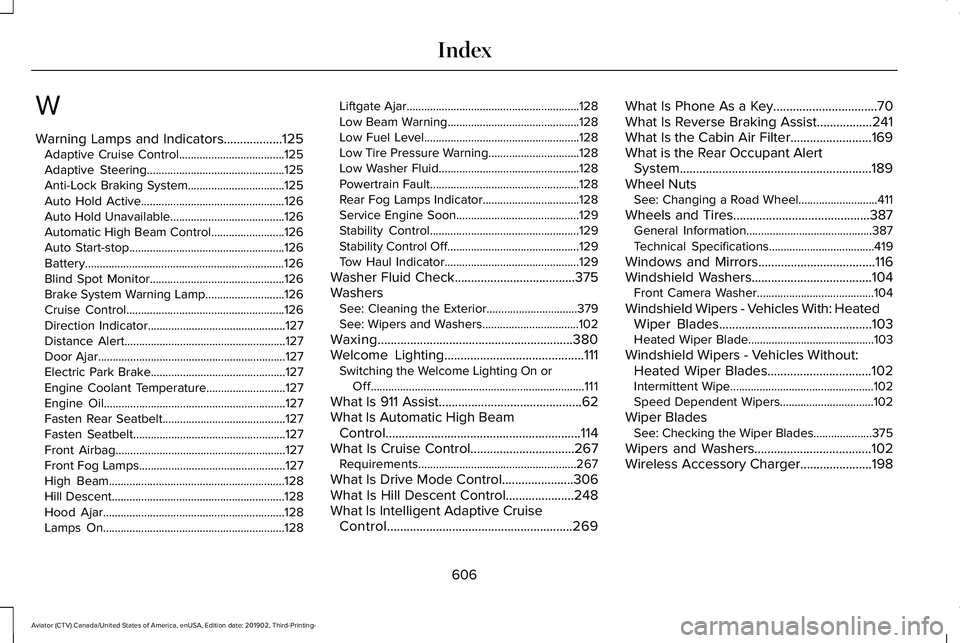
W
Warning Lamps and Indicators..................125
Adaptive Cruise Control....................................125
Adaptive Steering...............................................125
Anti-Lock Braking System.................................125
Auto Hold Active.................................................126
Auto Hold Unavailable.......................................126
Automatic High Beam Control.........................126
Auto Start-stop.....................................................126
Battery....................................................................126
Blind Spot Monitor..............................................126
Brake System Warning Lamp...........................126
Cruise Control......................................................126
Direction Indicator...............................................127
Distance Alert.......................................................127
Door Ajar................................................................127
Electric Park Brake..............................................127
Engine Coolant Temperature...........................127
Engine Oil..............................................................127
Fasten Rear Seatbelt..........................................127
Fasten Seatbelt....................................................127
Front Airbag..........................................................127
Front Fog Lamps..................................................127
High Beam............................................................128
Hill Descent...........................................................128
Hood Ajar..............................................................128
Lamps On..............................................................128 Liftgate Ajar...........................................................128
Low Beam Warning.............................................128
Low Fuel Level.....................................................128
Low Tire Pressure Warning...............................128
Low Washer Fluid................................................128
Powertrain Fault...................................................128
Rear Fog Lamps Indicator.................................128
Service Engine Soon..........................................129
Stability Control...................................................129
Stability Control Off
.............................................129
Tow Haul Indicator..............................................129
Washer Fluid Check
.....................................375
Washers See: Cleaning the Exterior...............................
379
See: Wipers and Washers.................................102
Waxing............................................................380
Welcome Lighting...........................................111 Switching the Welcome Lighting On or
Off........................................................................\
.111
What Is 911 Assist............................................62
What Is Automatic High Beam Control............................................................114
What Is Cruise Control................................267 Requirements......................................................267
What Is Drive Mode Control......................306
What Is Hill Descent Control.....................248
What Is Intelligent Adaptive Cruise Control.........................................................269 What Is Phone As a Key
................................70
What Is Reverse Braking Assist.................241
What Is the Cabin Air Filter.........................169
What is the Rear Occupant Alert System...........................................................189
Wheel Nuts See: Changing a Road Wheel...........................411
Wheels and Tires..........................................387 General Information...........................................387
Technical Specifications....................................419
Windows and Mirrors....................................116
Windshield Washers
.....................................104
Front Camera Washer........................................104
Windshield Wipers - Vehicles With: Heated Wiper Blades...............................................103
Heated Wiper Blade...........................................103
Windshield Wipers - Vehicles Without: Heated Wiper Blades................................102
Intermittent Wipe.................................................102
Speed Dependent Wipers................................102
Wiper Blades See: Checking the Wiper Blades....................
375
Wipers and Washers....................................102
Wireless Accessory Charger
......................198
606
Aviator (CTV) Canada/United States of America, enUSA, Edition date: 201902, Third-Printing- Index