instrument panel LINCOLN AVIATOR 2020 Owners Manual
[x] Cancel search | Manufacturer: LINCOLN, Model Year: 2020, Model line: AVIATOR, Model: LINCOLN AVIATOR 2020Pages: 609, PDF Size: 5.4 MB
Page 4 of 609
Introduction
About This Manual
...........................................9
Symbols Glossary ............................................
9
Data Recording ...............................................
12
Perchlorate .......................................................
16
Lincoln Automotive Financial Services ........................................................................\
..
16
Replacement Parts Recommendation ........................................................................\
..
17
Special Notices ................................................
17
Mobile Communications Equipment .........
18
Export Unique Options ..................................
19
Environment
Protecting the Environment ........................
20
At a Glance
Instrument Panel .............................................
21
Child Safety
General Information ......................................
24
Installing Child Restraints ............................
26
Booster Seats ..................................................
37Child Restraint Positioning
..........................
39
Child Safety Locks ..........................................
41
Seatbelts
Principle of Operation ..................................
43
Fastening the Seatbelts ...............................
44
Seatbelt Height Adjustment .......................
46
Seatbelt Warning Lamp and Indicator Chime ...........................................................
46
Seatbelt Reminder .........................................
47
Child Restraint and Seatbelt Maintenance ........................................................................\
.
49
Seatbelt Extensions ......................................
50
Personal Safety System ™
Personal Safety System ™..............................
51
Supplementary Restraints System
Principle of Operation ..................................
52
Driver and Passenger Airbags ...................
53
Front Passenger Sensing System .............
55
Side Airbags ....................................................
57Driver and Passenger Knee Airbags
........
58
Safety Canopy™ ..............................................
58
Crash Sensors and Airbag Indicator ........
60
Airbag Disposal ...............................................
61
911 Assist
What Is 911 Assist ...........................................
62
Emergency Call Requirements ..................
62
Emergency Call Limitations ........................
63
Keys and Remote Controls
General Information on Radio Frequencies ........................................................................\
.
64
Remote Control ..............................................
64
Replacing a Lost Key or Remote Control ........................................................................\
69
Phone as a Key
What Is Phone As a Key ...............................
70
Phone as a Key Limitations .........................
70
Programming Your Phone ..........................
70
Using the Valet Mode ...................................
70
Using the Backup Start Passcode ..............
71
1
Aviator (CTV) Canada/United States of America, enUSA, Edition date: 201902, Third-Printing- Table of Contents
Page 10 of 609
Changing the Front Wiper Blades -
Vehicles Without: Heated Wiper Blades
......................................................................375
Changing the Front Wiper Blades - Vehicles With: Heated Wiper Blades
......................................................................
376
Changing the Rear Wiper Blades ............
377
Changing a Bulb ..........................................
377
Vehicle Care
General Information ....................................
378
Cleaning Products .......................................
378
Cleaning the Exterior ..................................
379
Waxing ...........................................................
380
Cleaning the Engine ....................................
381
Cleaning the Windows and Wiper Blades .......................................................................
381
Cleaning the Interior ...................................
382
Cleaning the Instrument Panel and Instrument Cluster Lens ........................
382
Cleaning Leather Seats .............................
383
Repairing Minor Paint Damage ................
384
Cleaning the Wheels ..................................
384
Vehicle Storage ...........................................
384Wheels and Tires
General Information
....................................
387
Tire Care ........................................................
389
Using Summer Tires ....................................
401
Using Snow Chains ....................................
402
Tire Pressure Monitoring System ...........
405
Changing a Road Wheel .............................
411
Technical Specifications .............................
419
Capacities and Specifications
Engine Specifications ..................................
421
Motorcraft Parts ...........................................
422
Vehicle Identification Number .................
424
Vehicle Certification Label ........................
424
Transmission Code Designation .............
425
Capacities and Specifications ..................
426
Bulb Specification Chart ............................
437
Vehicle Identification
Installing the Vehicle Identification Card ......................................................................
438 Connected Vehicle
Connected Vehicle Requirements
..........
439
Connected Vehicle Limitations ................
439
Connecting the Vehicle to a Mobile Network .....................................................
439
Connecting the Vehicle to a Wi-Fi Network ......................................................................
439
Connected Vehicle – Troubleshooting ......................................................................
440
Vehicle Wi-Fi Hotspot
Creating a Vehicle Wi-Fi Hotspot ............
443
Changing the Vehicle Wi-Fi Hotspot Name or Password ..............................................
443
Audio System
General Information ....................................
445
Audio Unit .....................................................
446
Digital Radio .................................................
448
Satellite Radio ...............................................
451
USB Port ........................................................
454
SYNC™ 3
General Information ...................................
456
7
Aviator (CTV) Canada/United States of America, enUSA, Edition date: 201902, Third-Printing- Table of Contents
Page 24 of 609
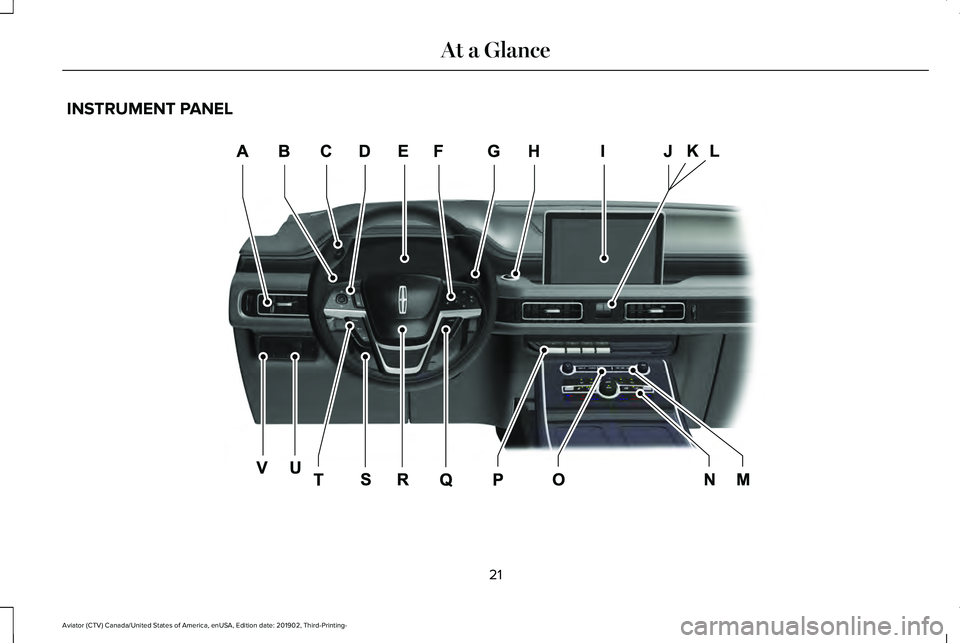
INSTRUMENT PANEL
21
Aviator (CTV) Canada/United States of America, enUSA, Edition date: 201902, Third-Printing- At a GlanceE282064
Page 61 of 609
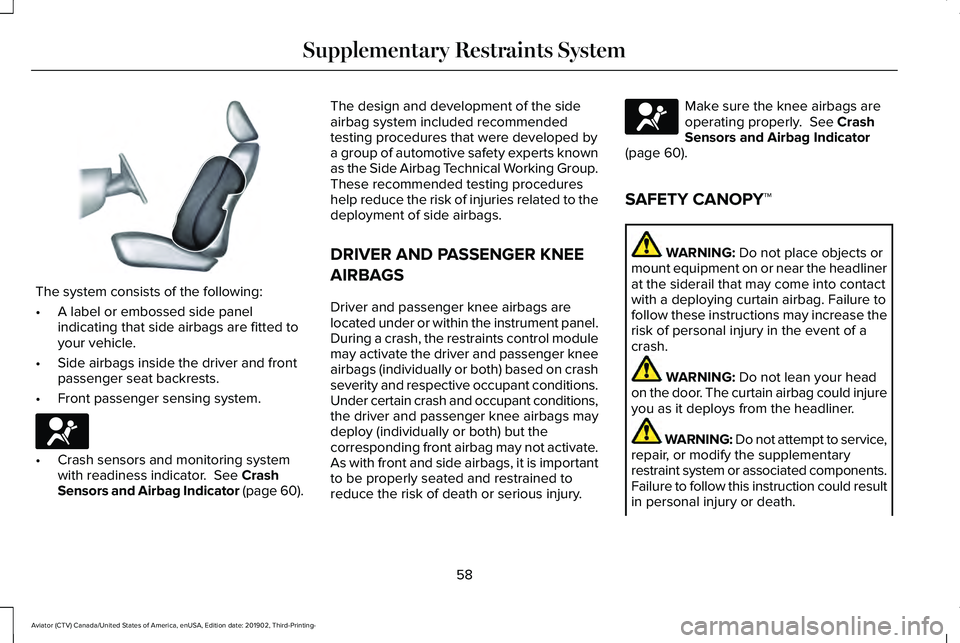
The system consists of the following:
•
A label or embossed side panel
indicating that side airbags are fitted to
your vehicle.
• Side airbags inside the driver and front
passenger seat backrests.
• Front passenger sensing system. •
Crash sensors and monitoring system
with readiness indicator. See Crash
Sensors and Airbag Indicator (page 60). The design and development of the side
airbag system included recommended
testing procedures that were developed by
a group of automotive safety experts known
as the Side Airbag Technical Working Group.
These recommended testing procedures
help reduce the risk of injuries related to the
deployment of side airbags.
DRIVER AND PASSENGER KNEE
AIRBAGS
Driver and passenger knee airbags are
located under or within the instrument panel.
During a crash, the restraints control module
may activate the driver and passenger knee
airbags (individually or both) based on crash
severity and respective occupant conditions.
Under certain crash and occupant conditions,
the driver and passenger knee airbags may
deploy (individually or both) but the
corresponding front airbag may not activate.
As with front and side airbags, it is important
to be properly seated and restrained to
reduce the risk of death or serious injury. Make sure the knee airbags are
operating properly.
See Crash
Sensors and Airbag Indicator
(page
60).
SAFETY CANOPY™ WARNING:
Do not place objects or
mount equipment on or near the headliner
at the siderail that may come into contact
with a deploying curtain airbag. Failure to
follow these instructions may increase the
risk of personal injury in the event of a
crash. WARNING:
Do not lean your head
on the door. The curtain airbag could injure
you as it deploys from the headliner. WARNING: Do not attempt to service,
repair, or modify the supplementary
restraint system or associated components.
Failure to follow this instruction could result
in personal injury or death.
58
Aviator (CTV) Canada/United States of America, enUSA, Edition date: 201902, Third-Printing- Supplementary Restraints SystemE152533 E67017 E67017
Page 71 of 609
Remote Control Feedback
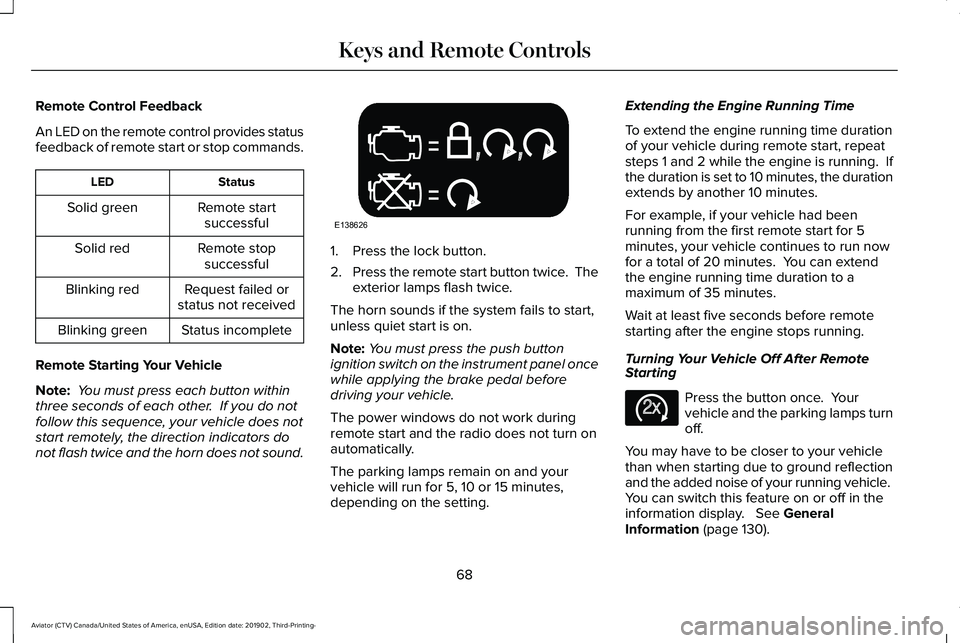
An LED on the remote control provides status
feedback of remote start or stop commands.
Status
LED
Remote startsuccessful
Solid green
Remote stopsuccessful
Solid red
Request failed or
status not received
Blinking red
Status incomplete
Blinking green
Remote Starting Your Vehicle
Note: You must press each button within
three seconds of each other. If you do not
follow this sequence, your vehicle does not
start remotely, the direction indicators do
not flash twice and the horn does not sound. 1. Press the lock button.
2.
Press the remote start button twice. The
exterior lamps flash twice.
The horn sounds if the system fails to start,
unless quiet start is on.
Note: You must press the push button
ignition switch on the instrument panel once
while applying the brake pedal before
driving your vehicle.
The power windows do not work during
remote start and the radio does not turn on
automatically.
The parking lamps remain on and your
vehicle will run for 5, 10 or 15 minutes,
depending on the setting. Extending the Engine Running Time
To extend the engine running time duration
of your vehicle during remote start, repeat
steps 1 and 2 while the engine is running. If
the duration is set to 10 minutes, the duration
extends by another 10 minutes.
For example, if your vehicle had been
running from the first remote start for 5
minutes, your vehicle continues to run now
for a total of 20 minutes. You can extend
the engine running time duration to a
maximum of 35 minutes.
Wait at least five seconds before remote
starting after the engine stops running.
Turning Your Vehicle Off After Remote
Starting
Press the button once. Your
vehicle and the parking lamps turn
off.
You may have to be closer to your vehicle
than when starting due to ground reflection
and the added noise of your running vehicle.
You can switch this feature on or off in the
information display. See General
Information (page 130).
68
Aviator (CTV) Canada/United States of America, enUSA, Edition date: 201902, Third-Printing- Keys and Remote ControlsE138626 E138625
Page 87 of 609
Illuminated Entry
The interior lamps and some exterior lamps
illuminate when you unlock the doors with
the remote control.
The illuminated entry system turns off the
lights if:
•
The ignition is on.
• You press the remote control lock button.
• After 25 seconds of illumination.
The lights do not turn off if:
• You turn them on with the lamp control.
• Any door is open.
Illuminated Exit
The interior lamps and some exterior lamps
illuminate when all doors are closed and you
switch the ignition off.
The lamps turn off if all the doors remain
closed and:
• 25 seconds have elapsed.
• You press the push button ignition
switch. Battery Saver
If you leave the courtesy lamps, interior
lamps or headlamps on, the battery saver
shuts them off 10 minutes after you switch
the ignition off.
Battery Saver for Intelligent Access Keys
If you leave the ignition switched on, it shuts
off when it detects a certain amount of
battery drain, or after 45 minutes.
Opening the Luggage Compartment
From Inside Your Vehicle
Press the button on the instrument
panel to open the luggage
compartment.
With the Remote Control Press twice within three seconds
to open the luggage compartment.From Outside Your Vehicle
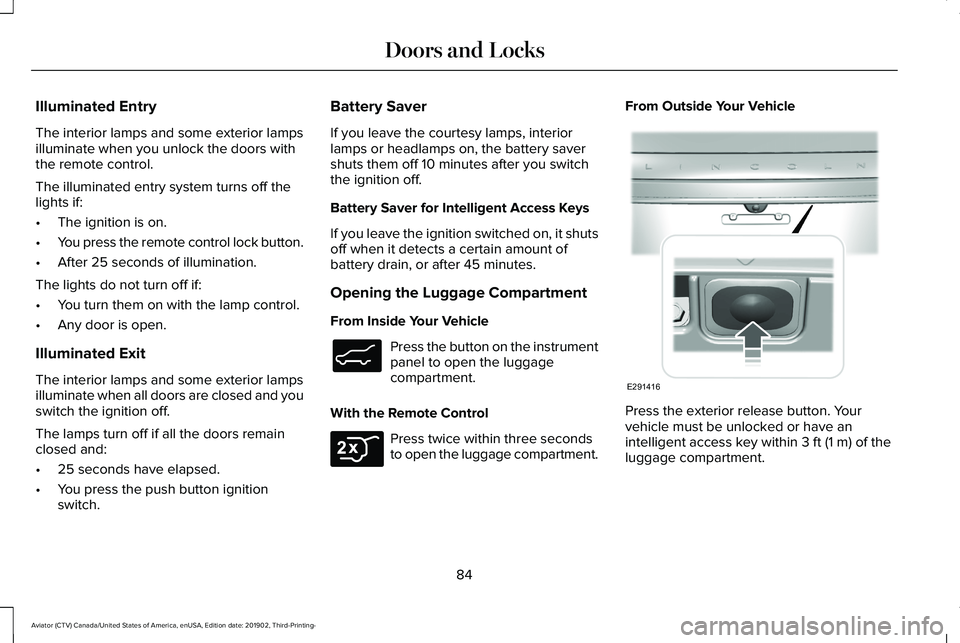
Press the exterior release button. Your
vehicle must be unlocked or have an
intelligent access key within 3 ft (1 m) of the
luggage compartment.
84
Aviator (CTV) Canada/United States of America, enUSA, Edition date: 201902, Third-Printing- Doors and LocksE138633 E306276 E291416
Page 88 of 609
Closing the Luggage Compartment
From Inside Your Vehicle
Press the button on the instrument
panel to close the luggage
compartment.
With the Remote Control Press twice within three seconds
to close the luggage compartment.
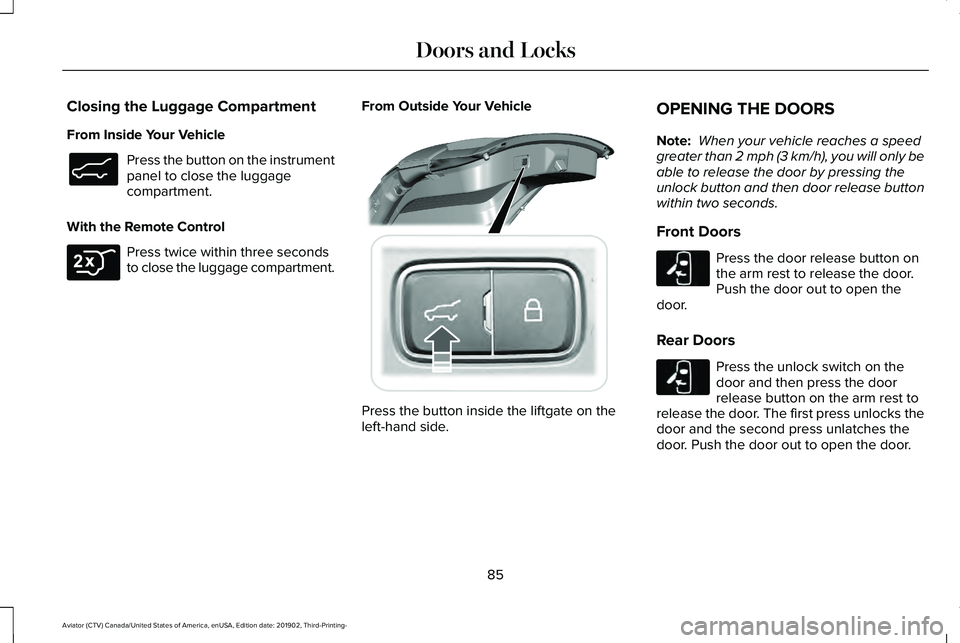
From Outside Your Vehicle Press the button inside the liftgate on the
left-hand side.OPENING THE DOORS
Note:
When your vehicle reaches a speed
greater than 2 mph (3 km/h), you will only be
able to release the door by pressing the
unlock button and then door release button
within two seconds.
Front Doors Press the door release button on
the arm rest to release the door.
Push the door out to open the
door.
Rear Doors Press the unlock switch on the
door and then press the door
release button on the arm rest to
release the door. The first press unlocks the
door and the second press unlatches the
door. Push the door out to open the door.
85
Aviator (CTV) Canada/United States of America, enUSA, Edition date: 201902, Third-Printing- Doors and LocksE138633 E306276 E295919 E232417 E232417
Page 93 of 609
Note:
Make sure the area behind your
vehicle is free from obstruction and that
there is enough room for you to operate the
liftgate. Make sure the area behind your
vehicle is free from obstruction and that
there is enough room for you to operate the
liftgate.
Note: Be careful when opening or closing
the liftgate in a garage or other enclosed
area to avoid damaging the liftgate.
Note: Do not leave the liftgate open when
you are driving. This could damage the
liftgate and its components.
Opening from the Instrument Panel With the transmission in park (P),
press the button on the instrument
panel.
Opening with the Remote Control Press the button twice within three
seconds. Opening with the Outside Control Button
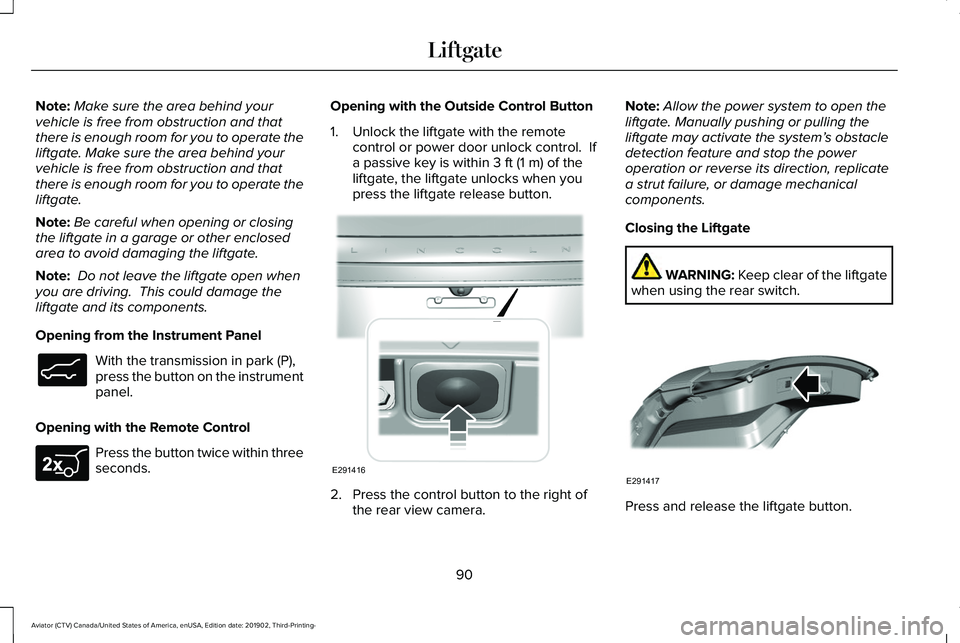
1. Unlock the liftgate with the remote
control or power door unlock control. If
a passive key is within 3 ft (1 m) of the
liftgate, the liftgate unlocks when you
press the liftgate release button. 2. Press the control button to the right of
the rear view camera. Note:
Allow the power system to open the
liftgate. Manually pushing or pulling the
liftgate may activate the system’ s obstacle
detection feature and stop the power
operation or reverse its direction, replicate
a strut failure, or damage mechanical
components.
Closing the Liftgate WARNING: Keep clear of the liftgate
when using the rear switch. Press and release the liftgate button.
90
Aviator (CTV) Canada/United States of America, enUSA, Edition date: 201902, Third-Printing- LiftgateE138633 E267940 E291416 E291417
Page 94 of 609
Stopping the Liftgate Movement
Note:
Do not apply sudden excessive force
to the liftgate while it is in motion. This could
damage the power liftgate and its
components.
You can stop the liftgate movement by doing
any of the following:
• Pressing the liftgate control button.
• Pressing the liftgate button on the remote
control twice.
• Pressing the liftgate button on the
instrument panel.
• Moving your foot under and away from
the center rear bumper in a single-kick
motion.*
*This method only works for vehicles with
the hands-free liftgate feature.
Setting the Liftgate Open Height
1. Open the liftgate.
2. Stop the liftgate movement by pressing the control button on the liftgate when it
reaches the desired height. Note:
Once the liftgate has stopped moving,
you can also manually move it to the desired
height.
3. Press and hold the liftgate control button
on the liftgate until you hear a tone,
indicating programming is complete.
Note: You can only use the liftgate control
button to program the height.
Note: You cannot program the height if the
liftgate position is too low.
The new open liftgate height is recalled
when the power liftgate is opened. To
change the programmed height, repeat the
above procedure. Once you open the power
liftgate, you can manually move it to a
different height.
Note: The system recalls the new
programmed height until you reprogram it,
even if you disconnect the battery.
When operating the power liftgate after you
have programmed a lower height than fully
open, you can fully open the liftgate by
manually pushing it upward to the maximum
open position. Obstacle Detection
Note:
Entering your vehicle while the liftgate
is closing can cause your vehicle to bounce
and activate obstacle detection. To prevent
this, let the power liftgate close completely
before you enter your vehicle. Before driving
off, check the instrument cluster for a liftgate
or door ajar message or warning indicator.
Failure to do this could result in
unintentionally leaving the liftgate open
while driving.
When Closing
The system stops when it detects an
obstacle. A tone sounds and the system
reverses to open. Once you remove the
obstacle, you can power close the liftgate.
When Opening
The system stops when it detects an
obstacle and a tone sounds. Once you
remove the obstacle, you can continue to
operate the liftgate.
91
Aviator (CTV) Canada/United States of America, enUSA, Edition date: 201902, Third-Printing- Liftgate
Page 109 of 609
GENERAL INFORMATION
Condensation in the Exterior Front
Lamps and Rear Lamps
Exterior front lamps and rear lamps have
vents to accommodate normal changes in
air pressure.
Condensation can be a natural by-product
of this design. When moist air enters the
lamp assembly through the vents, there is a
possibility that condensation can occur when
the temperature is cold. When normal
condensation occurs, a fine mist can form on
the interior of the lens. The fine mist
eventually clears and exits through the vents
during normal operation.
Clearing time may take as long as 48 hours
under dry weather conditions.
Examples of acceptable condensation are:
•
The presence of a fine mist (no streaks,
drip marks or large droplets).
• A fine mist covers less than 50% of the
lens. Examples of unacceptable condensation are:
•
A water puddle inside the lamp.
• Streaks, drip marks or large droplets
present on the interior of the lens.
If you see any unacceptable condensation,
have your vehicle checked by an authorized
dealer.
LIGHTING CONTROL
Lighting Control Selections Press the toggle switch upward or downward
to make a selection.
Note:
An indicator illuminates next to the
active selection. Lamps off. Parking lamps, instrument panel
lamps, license plate lamps and rear
lamps.
Autolamps.
Headlamps on.
Note: The lighting control defaults to
autolamps each time you switch your vehicle
on.
Switching High Beam Headlamps On
and Off 106
Aviator (CTV) Canada/United States of America, enUSA, Edition date: 201902, Third-Printing- LightingE281338 E265031 E281240 E270968 E273182