battery LINCOLN AVIATOR 2021 Owner's Manual
[x] Cancel search | Manufacturer: LINCOLN, Model Year: 2021, Model line: AVIATOR, Model: LINCOLN AVIATOR 2021Pages: 667, PDF Size: 7.01 MB
Page 142 of 667
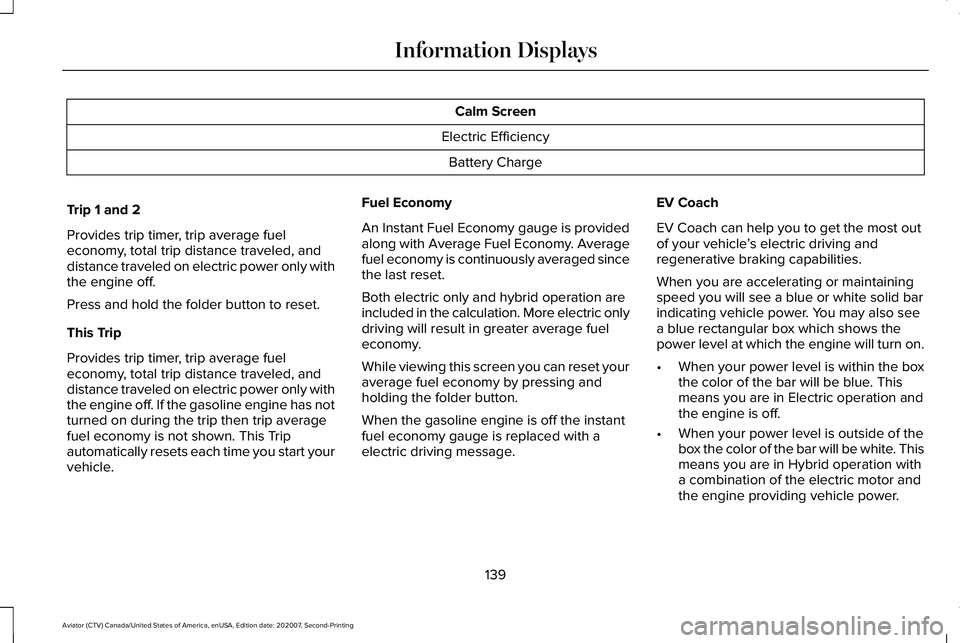
Calm Screen
Electric Efficiency Battery Charge
Trip 1 and 2
Provides trip timer, trip average fuel
economy, total trip distance traveled, and
distance traveled on electric power only with
the engine off.
Press and hold the folder button to reset.
This Trip
Provides trip timer, trip average fuel
economy, total trip distance traveled, and
distance traveled on electric power only with
the engine off. If the gasoline engine has not
turned on during the trip then trip average
fuel economy is not shown. This Trip
automatically resets each time you start your
vehicle. Fuel Economy
An Instant Fuel Economy gauge is provided
along with Average Fuel Economy. Average
fuel economy is continuously averaged since
the last reset.
Both electric only and hybrid operation are
included in the calculation. More electric only
driving will result in greater average fuel
economy.
While viewing this screen you can reset your
average fuel economy by pressing and
holding the folder button.
When the gasoline engine is off the instant
fuel economy gauge is replaced with a
electric driving message.
EV Coach
EV Coach can help you to get the most out
of your vehicle
’s electric driving and
regenerative braking capabilities.
When you are accelerating or maintaining
speed you will see a blue or white solid bar
indicating vehicle power. You may also see
a blue rectangular box which shows the
power level at which the engine will turn on.
• When your power level is within the box
the color of the bar will be blue. This
means you are in Electric operation and
the engine is off.
• When your power level is outside of the
box the color of the bar will be white. This
means you are in Hybrid operation with
a combination of the electric motor and
the engine providing vehicle power.
139
Aviator (CTV) Canada/United States of America, enUSA, Edition date: 202007, Second-Printing Information Displays
Page 143 of 667
When you are decelerating with either your
foot off the accelerator pedal or on the brake
pedal you will see a green or white solid bar
indicating the power being used to slow
down the vehicle. You may also see a green
rectangular box which shows the amount of
power that can be recaptured by the
regenerative braking system and returned
to the high voltage battery.
•
When your power level is completely
within the box the color of the bar will be
all green. This means that the
regenerative braking system is being
used to efficiently slow the vehicle down
and return the maximum percentage of
energy to the high voltage battery.
• When your power level is outside of the
green box then the bar will be white. This
means that both the regenerative braking
system and conventional braking system
are being used. Electric Efficiency
This screen shows your average driving
distance per kWh of electricity used on your
hybrid vehicle. The value is calculated only
when your available electric range is being
used and the gasoline engine is off.
Distance per full charge is also shown. This
is an estimate of the electric range you would
have if you plugged in and fully charged your
vehicle right now. The higher your electric
efficiency, the higher your distance per full
charge.
Your electric efficiency is affected by your
driving style and route, climate control use,
outside temperature and other factors. Best
efficiency is achieved in mild ambient
temperatures with mild to moderate
acceleration and braking, moderate speeds
and low climate control usage.
INFORMATION MESSAGES
Move the selector switch to the
right to acknowledge and remove
some messages from the
information display. Other messages will be
removed automatically after a short time.
Certain messages need to be confirmed
before you can access the menus.
Active Park Action
Message
The system requires service. Have the system checked as soon as possible.
Active Park Fault
140
Aviator (CTV) Canada/United States of America, enUSA, Edition date: 202007, Second-Printing Information DisplaysE281220 E265041
Page 147 of 667

Action
Message
The charging system needs servicing. If the warning stays on or continue\
s to come on, havethe system checked as soon as possible.
Check Charging")
Battery and Charging System (12 volt)
Action
Message
The charging system needs servicing. If the warning stays on or continue\
s to come on, havethe system checked as soon as possible.
Check Charging System
The charging system needs servicing. If the warning stays on or continue\
s to come on havethe system checked as soon as possible.
Charging System Service Soon
The charging system needs servicing. Have the system checked as soon as possible.
Charging System Service Now
The battery management system determines that the 12V battery is at a lo\
w state of charge.Start the engine to charge the battery or charge the battery using an aft\
ermarket battery
charger. This message clears once you restart your vehicle and the battery stat\
e of charge has recovered.
Battery State of Charge Low
The battery management system determines that the battery is at a low st\
ate of charge. Turnthe ignition off as soon as possible to protect the battery. This message will clear once the
vehicle has been started and the battery state of charge has recovered. \
Turning off unneces- sary electrical loads will allow faster battery state-of-charge recovery\
.
Turn Power Off To Save Battery
Displays when the battery management system detects an extended low-volt\
age condition.
Various vehicle features will be disabled to help preserve the battery. Turn off as many of the electrical loads as soon as possible to improve system voltage. If the system voltage has recovered, the disabled features will operate again as normal.
Low Battery Features Temporarily Turned Off
144
Aviator (CTV) Canada/United States of America, enUSA, Edition date: 202007, Second-Printing Information Displays
Page 148 of 667

Action
Message
Your vehicle needs confirmation it is unplugged before allowing a start. \
You must make sure
your vehicle is unplugged and you respond to the")
Battery and Charging System (High Voltage)
Action
Message
Your vehicle needs confirmation it is unplugged before allowing a start. \
You must make sure
your vehicle is unplugged and you respond to the message prompt before s\
tarting your
vehicle.
Vehicle Plugged In ? Yes No
Your vehicle detects it is still plugged in after you attempt to start it\
.
Unplug Prior to Starting Vehicle
Your vehicle is ready to drive.
Ready to Drive
Your vehicle is ready to drive. You have XXX% plug-in energy available.
Ready to Drive {percent charged:##0}%
Charged
Your vehicle enables the engine due to the climate control defrost settin\
g. This is normal
operation.
Engine Enabled Due to Defrost Setting
For full defrost heat select a drive mode other than Pure EV. The engine may run to provide
more cabin heat.
Press EV Button for Full Defrost
Your vehicle enables the engine for system performance. This is normal operation.
Engine Enabled for System Performance
You can press OK to enable the engine temporarily for increased performan\
ce when in Pure
EV drive mode.
Press OK to Enable Engine
145
Aviator (CTV) Canada/United States of America, enUSA, Edition date: 202007, Second-Printing Information Displays
Page 154 of 667
Action
Message
There is a problem with your vehicle ’s starting system. Have the system checked as soon as
possible.
Starting System Fault
During spare key programming, an intelligent access key is programmed to the system.
Key Program Successful
During spare key programming, the maximum number of keys have been programmed.
Max Number of Keys Learned
Displays during spare key programming, when intelligent access key programming fails.
Key Program Failure
Displays during spare key programming when you have not programmed enough keys.
Not Enough Keys Learned
Displays when the key battery is low. Change the battery as soon as possible.
Key Battery Low Replace Soon
Displays when you switch the vehicle off.
Vehicle Switched Off
151
Aviator (CTV) Canada/United States of America, enUSA, Edition date: 202007, Second-Printing Information Displays
Page 164 of 667
Trailer
Action
Message
A correct trailer connection is sensed during a given ignition cycle.
Trailer Connected
A trailer connection becomes disconnected, either intentionally or
unintentionally, and has been sensed during a given ignition cycle.
Trailer Disconnected
The trailer sway control has detected trailer sway.
Trailer Sway Reduce Speed
There is a concern with your vehicle wiring and trailer wiring or brakesystem. See Towing a Trailer (page 340).
Trailer Wiring Fault
There is a concern with your trailer turn lamp. Check your lamp.
Trailer Left Turn Lamps Fault Check Lamps
There is a concern with your trailer turn lamp. Check your lamp.
Trailer Right Turn Lamps Fault Check Lamps
There is a concern with your trailer battery.
See Towing a Trailer
(page 340).
Trailer Battery Not Charging See Manual
There is a concern with your vehicle trailer lighting module.
See
Towing a Trailer (page 340).
Trailer Lighting Module Fault See Manual
161
Aviator (CTV) Canada/United States of America, enUSA, Edition date: 202007, Second-Printing Information Displays
Page 165 of 667
.
Shift to Park
The transmission is too cold. Wait for it to warm up before you dr")
Transmission
Action
Message
You switched the engine off and the gear selector is in any position othe\
r than park (P).
Shift to Park
The transmission is too cold. Wait for it to warm up before you drive.
Transmission Warming Up Please Wait
Displays when you need to press the brake pedal.
Press Brake Pedal
The transmission is overheating and needs to cool. Stop in a safe place as soon as it’ s
possible.
Transmission Over Temperature Stop Safely
Have the system checked as soon as possible.
Transmission Service Required
The transmission is overheating and needs to cool. Stop in a safe place as soon as it’ s
possible.
Transmission Too Hot Press Brake
The transmission has limited functionality. Have the system checked as soon as possible.
Transmission Limited Function See Manual
A reminder to shift into park. In addition, this message is typical afte\
r reconnecting or
recharging the battery until you cycle the ignition to the on mode. See Changing the 12V
Battery (page 397).
Transmission Not in Park
Displays when there is a concern and the park brake needs to be depressed before exitingthe vehicle. Have the system checked as soon as possible.
SHIFT SYS FAULT Confirm Park Brake Apply
Before Exiting the Vehicle
Have the system checked as soon as possible.
SHIFT SYS FAULT Service Required
Displays when there is a concern while the vehicle is shifting to park. \
Have the system checkedas soon as possible.
SHIFT SYS FAULT Vehicle is Shifting to Park
162
Aviator (CTV) Canada/United States of America, enUSA, Edition date: 202007, Second-Printing Information Displays
Page 171 of 667
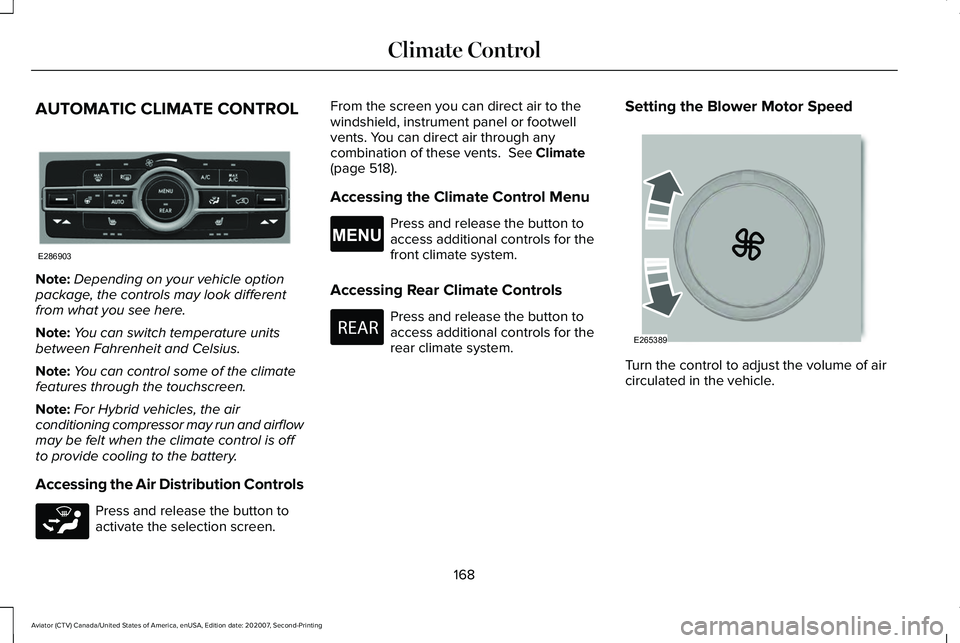
AUTOMATIC CLIMATE CONTROL
Note:
Depending on your vehicle option
package, the controls may look different
from what you see here.
Note: You can switch temperature units
between Fahrenheit and Celsius.
Note: You can control some of the climate
features through the touchscreen.
Note: For Hybrid vehicles, the air
conditioning compressor may run and airflow
may be felt when the climate control is off
to provide cooling to the battery.
Accessing the Air Distribution Controls Press and release the button to
activate the selection screen. From the screen you can direct air to the
windshield, instrument panel or footwell
vents. You can direct air through any
combination of these vents. See Climate
(page 518).
Accessing the Climate Control Menu Press and release the button to
access additional controls for the
front climate system.
Accessing Rear Climate Controls Press and release the button to
access additional controls for the
rear climate system.
Setting the Blower Motor Speed
Turn the control to adjust the volume of air
circulated in the vehicle.
168
Aviator (CTV) Canada/United States of America, enUSA, Edition date: 202007, Second-Printing Climate ControlE286903 E265283 E265038 E270447 E265389
Page 200 of 667
UNIVERSAL GARAGE DOOR
OPENER
HomeLink Wireless Control System
WARNING: Do not use the system
with any garage door opener that does not
have the safety stop and reverse feature
as required by U.S. Federal Safety
Standards (this includes any garage door
opener manufactured before April 1, 1982).
A garage door opener which cannot detect
an object, signaling the door to stop and
reverse, does not meet current federal
safety standards. Using a garage door
opener without these features increases
the risk of serious injury or death.
Note: Make sure that the garage door and
security device are free from obstruction
when you are programming. Do not program
the system with the vehicle in the garage.
Note: Make sure you keep the original
remote control transmitter for use in other
vehicles as well as for future system
programming. Note:
We recommend that upon the sale or
lease termination of your vehicle, you erase
the programmed function buttons for security
reasons. See
Erasing the Function Button
Codes.
Note: You can program a maximum of three
devices. To change or replace any of the
three devices after it has been initially
programmed, you must first erase the current
settings. See
Erasing the Function Button
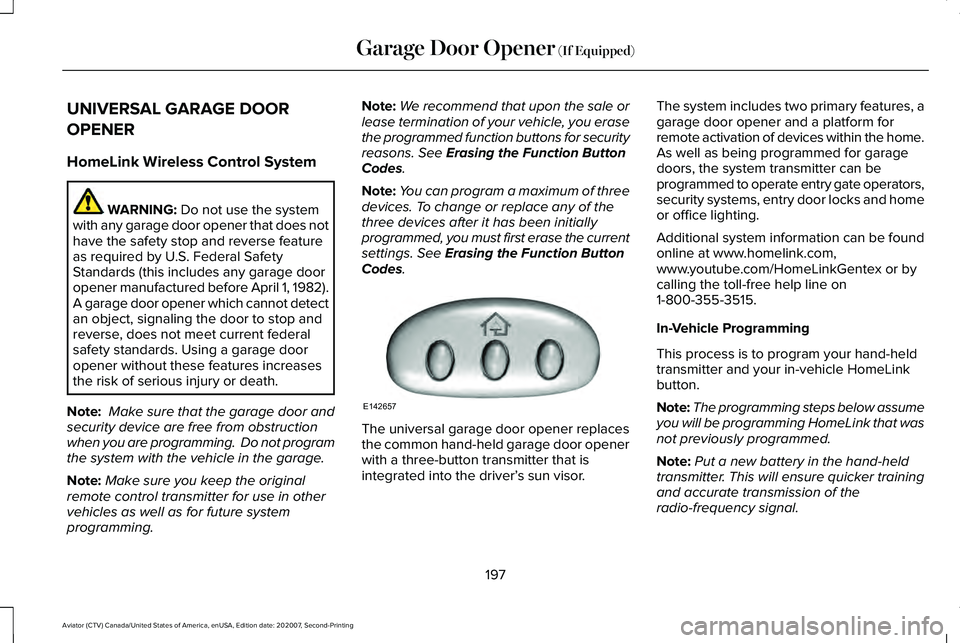
Codes. The universal garage door opener replaces
the common hand-held garage door opener
with a three-button transmitter that is
integrated into the driver’
s sun visor.The system includes two primary features, a
garage door opener and a platform for
remote activation of devices within the home.
As well as being programmed for garage
doors, the system transmitter can be
programmed to operate entry gate operators,
security systems, entry door locks and home
or office lighting.
Additional system information can be found
online at www.homelink.com,
www.youtube.com/HomeLinkGentex or by
calling the toll-free help line on
1-800-355-3515.
In-Vehicle Programming
This process is to program your hand-held
transmitter and your in-vehicle HomeLink
button.
Note:
The programming steps below assume
you will be programming HomeLink that was
not previously programmed.
Note: Put a new battery in the hand-held
transmitter. This will ensure quicker training
and accurate transmission of the
radio-frequency signal.
197
Aviator (CTV) Canada/United States of America, enUSA, Edition date: 202007, Second-Printing Garage Door Opener
(If Equipped)E142657
Page 206 of 667
12 Volt DC Power Point
WARNING: Do not plug optional
electrical accessories into the cigar lighter
socket. Incorrect use of the cigar lighter
can cause damage not covered by the
vehicle warranty, and can result in fire or
serious injury.
Note: When you switch the ignition on, you
can use the socket to power 12 volt
appliances with a maximum current rating
of 15 amps.
Note: If the power supply does not work after
you switch the ignition off, switch the ignition
on.
Note: Do not hang any accessory from the
accessory plug.
Note: Do not use the power point over the
vehicle capacity of 12 volt DC 180 watts or
a fuse may blow.
Note: Always keep the power point caps
closed when not in use. Do not insert objects other than an accessory
plug into the power point. This damages the
power point and may blow the fuse.
Run the vehicle for full capacity use of the
power point.
To prevent the battery from running out of
charge:
•
Do not use the power point longer than
necessary when the vehicle is not
running.
• Do not leave devices plugged in
overnight or when you park your vehicle
for extended periods.
USB Port and Power Point Locations
USB Ports and Power Points may be in the
following locations:
• On the lower instrument panel.
• Inside the first row center console.
• Inside the second row center console.
• On the front of the center console.
• On the rear of the center console.
• In the cargo area. •
On the passenger side floor panel.
• 3rd row on the quarter trim panels.
Note: Some of the USB ports may not have
data transfer capabilities.
Note: Incorrect use of the USB ports can
cause damage not covered by the vehicle
warranty.
110 Volt AC Power Point WARNING:
Do not keep electrical
devices plugged in the power point
whenever the device is not in use. Do not
use any extension cord with the 110 volt
AC power point, since it will defeat the
safety protection design. Doing so may
cause the power point to overload due to
powering multiple devices that can reach
beyond the 150 watt load limit and could
result in fire or serious injury.
Note: The power point turns off when you
switch off the ignition, when the vehicle is
not in accessory mode or when the battery
voltage drops below 11 volts.
203
Aviator (CTV) Canada/United States of America, enUSA, Edition date: 202007, Second-Printing Auxiliary Power Points