steering LINCOLN AVIATOR 2021 Manual Online
[x] Cancel search | Manufacturer: LINCOLN, Model Year: 2021, Model line: AVIATOR, Model: LINCOLN AVIATOR 2021Pages: 667, PDF Size: 7.01 MB
Page 548 of 667

Possible Cause and Resolution
Symptom
–Incorrect device settings.
•Make sure that your device does not have an auto-install program or active \
security
settings.
• Check that your device is not set only to charge.
– Device lock screen enabled.
•Unlock your device before connecting it.
The system does not recognize my device. –Device limitation.
•Do not leave your device in your vehicle during very hot or very cold we\
ather condi-
tions.
– Cable connection issue.
•Correctly connect the cable to your device and the vehicle USB port.
– Incompatible cable.
•Use the cable recommended by the manufacturer of your device.
The system does not understand the name of
a track or artist. –
Device limitation. Bluetooth does not support voice commands.
•Connect your device to a USB port.
• If you have an iOS device, press and hold the voice control button on the steering
wheel to use Siri to play specific tracks.
545
Aviator (CTV) Canada/United States of America, enUSA, Edition date: 202007, Second-Printing SYNC™ 3
Page 571 of 667
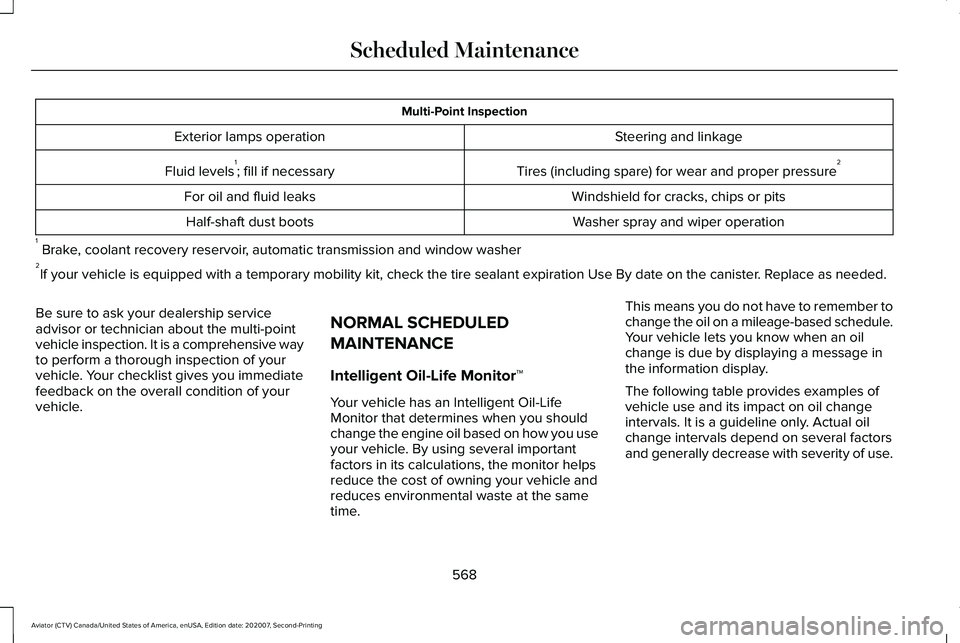
Multi-Point Inspection
Steering and linkage
Exterior lamps operation
Tires (including spare) for wear and proper pressure2
Fluid levels 1
; fill if necessary
Windshield for cracks, chips or pits
For oil and fluid leaks
Washer spray and wiper operation
Half-shaft dust boots
1 Brake, coolant recovery reservoir, automatic transmission and window washer
2 If your vehicle is equipped with a temporary mobility kit, check the tir\
e sealant expiration Use By date on the canister. Replace as needed.
Be sure to ask your dealership service
advisor or technician about the multi-point
vehicle inspection. It is a comprehensive way
to perform a thorough inspection of your
vehicle. Your checklist gives you immediate
feedback on the overall condition of your
vehicle. NORMAL SCHEDULED
MAINTENANCE
Intelligent Oil-Life Monitor™
Your vehicle has an Intelligent Oil-Life
Monitor that determines when you should
change the engine oil based on how you use
your vehicle. By using several important
factors in its calculations, the monitor helps
reduce the cost of owning your vehicle and
reduces environmental waste at the same
time.This means you do not have to remember to
change the oil on a mileage-based schedule.
Your vehicle lets you know when an oil
change is due by displaying a message in
the information display.
The following table provides examples of
vehicle use and its impact on oil change
intervals. It is a guideline only. Actual oil
change intervals depend on several factors
and generally decrease with severity of use.
568
Aviator (CTV) Canada/United States of America, enUSA, Edition date: 202007, Second-Printing Scheduled Maintenance
Page 573 of 667
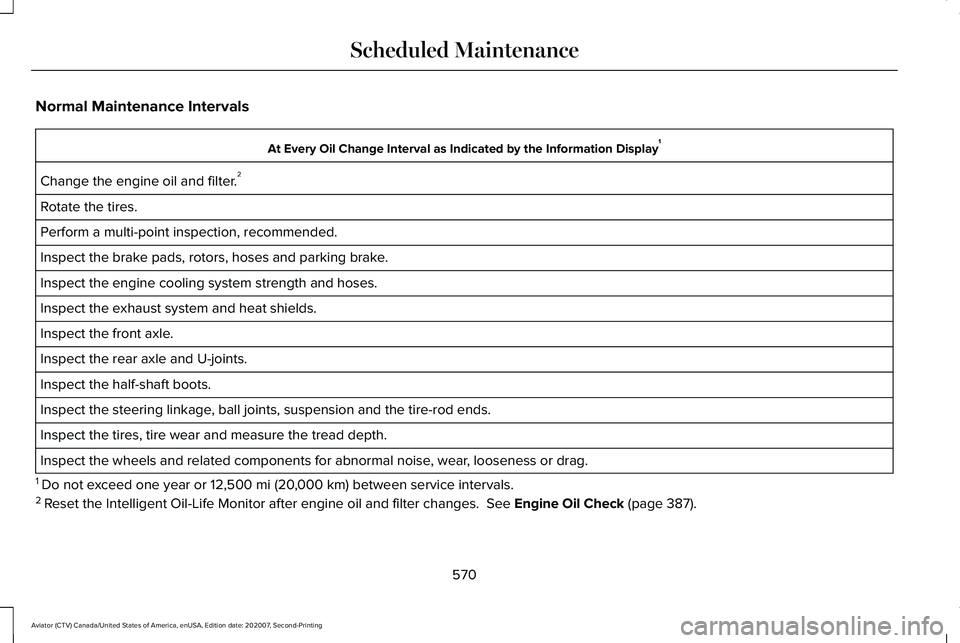
Normal Maintenance Intervals
At Every Oil Change Interval as Indicated by the Information Display
1
Change the engine oil and filter. 2
Rotate the tires.
Perform a multi-point inspection, recommended.
Inspect the brake pads, rotors, hoses and parking brake.
Inspect the engine cooling system strength and hoses.
Inspect the exhaust system and heat shields.
Inspect the front axle.
Inspect the rear axle and U-joints.
Inspect the half-shaft boots.
Inspect the steering linkage, ball joints, suspension and the tire-rod ends.
Inspect the tires, tire wear and measure the tread depth.
Inspect the wheels and related components for abnormal noise, wear, looseness or drag.
1 Do not exceed one year or 12,500 mi (20,000 km) between service intervals.
2 Reset the Intelligent Oil-Life Monitor after engine oil and filter change\
s.
See Engine Oil Check (page 387).
570
Aviator (CTV) Canada/United States of America, enUSA, Edition date: 202007, Second-Printing Scheduled Maintenance
Page 579 of 667
ROLLOVER WARNING
WARNING: Utility vehicles have a
significantly higher rollover rate than other
types of vehicles. WARNING:
Vehicles with a higher
center of gravity (utility and four-wheel
drive vehicles) handle differently than
vehicles with a lower center of gravity
(passenger cars). Avoid sharp turns,
excessive speed and abrupt steering in
these vehicles. Failure to drive cautiously
increases the risk of losing control of your
vehicle, vehicle rollover, personal injury
and death. WARNING:
In a rollover crash, an
unbelted person is significantly more likely
to die than a person wearing a seatbelt. WARNING:
Do not become
overconfident in the ability of four-wheel
drive vehicles. Although a four-wheel drive
vehicle may accelerate better than a
two-wheel drive vehicle in low traction
situations, it won't stop any faster than
two-wheel drive vehicles. Always drive at
a safe speed.
Utility vehicles and trucks handle differently
than passenger cars in the various driving
conditions that are encountered on streets,
highways and off-road. Utility vehicles and
trucks are not designed for cornering at
speeds as high as passenger cars any more
than low-slung sports cars are designed to
perform satisfactorily under off-road
conditions. RADIO FREQUENCY CERTIFICATION
LABELS
Blind Spot Information System Sensors
Argentina
576
Aviator (CTV) Canada/United States of America, enUSA, Edition date: 202007, Second-Printing Customer InformationE337180 E340516
Page 650 of 667
3
360 Degree Camera...................................286
Front Camera.......................................................287
Side Camera........................................................288
Using the System...............................................287
9
911 Assist...........................................................64
A
A/C See: Climate Control..........................................168
About This Manual............................................9
ABS See: Brakes..........................................................257
ABS driving hints See: Hints on Driving With Anti-Lock
Brakes...............................................................258
Accessories...................................................559
Accessories See: Replacement Parts Recommendation.....12
Active Park Assist.........................................278 Using Active Park Assist...................................279 Adaptive Cruise Control..............................291
Adaptive Cruise Control –
Troubleshooting.............................................302
Adaptive Cruise Control Indicators - Vehicles With: Adaptive Cruise Control
With Lane Centering.................................298
Adaptive Cruise Control Indicators - Vehicles With: Adaptive Cruise Control
With Stop and Go......................................299
Adaptive Cruise Control Indicators - Vehicles With: Intelligent Adaptive Cruise
Control.........................................................299
System Warnings................................................299
Adaptive Cruise Control Limitations - Vehicles With: Adaptive Cruise Control
With Lane Centering.................................293
Adaptive Cruise Control Limitations - Vehicles With: Adaptive Cruise Control
With Stop and Go......................................293
Sensor Limitations..............................................293
Adaptive Cruise Control Precautions - Vehicles With: Adaptive Cruise Control
With Lane Centering..................................291
Adaptive Cruise Control Precautions - Vehicles With: Adaptive Cruise Control
With Stop and Go......................................292
Hilly Condition Usage.......................................293
When Following a Vehicle...............................292 Adaptive Cruise Control –
Troubleshooting.........................................
302
Adaptive Cruise Control – Information
Messages .........................................................302
Adaptive Headlamps
.....................................112
About Adaptive Headlamps..............................112
Camera Detects Lane Markings.......................113
Camera Detects Traffic Signs............................114
Steering Around a Curve....................................
113
Switching Adaptive Headlamps On or Off........................................................................\
114
Adjusting the Headlamps
..........................399
Vertical Aim Adjustment...................................399
Adjusting the Set Speed Tolerance..........301
Adjusting the Steering Wheel - Vehicles With: Manual Adjustable Steering
Column..........................................................100
Adjusting the Steering Wheel - Vehicles With: Power Adjustable Steering
Column..........................................................100
End of Travel Position.........................................101
Memory Feature...................................................101
AFS See: Adaptive Headlamps.................................112
Airbag Disposal...............................................62
Air Conditioning See: Climate Control..........................................168
647
Aviator (CTV) Canada/United States of America, enUSA, Edition date: 202007, Second-Printing Index
Page 654 of 667
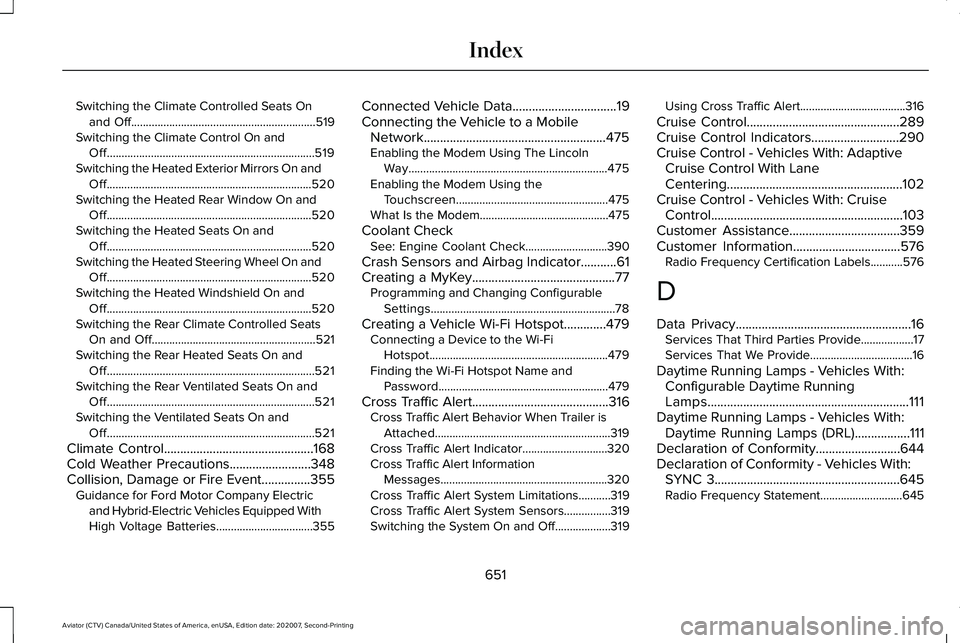
Switching the Climate Controlled Seats On
and Off...............................................................519
Switching the Climate Control On and Off.......................................................................519
Switching the Heated Exterior Mirrors On and Off......................................................................520
Switching the Heated Rear Window On and Off......................................................................520
Switching the Heated Seats On and Off......................................................................520
Switching the Heated Steering Wheel On and Off......................................................................520
Switching the Heated Windshield On and Off......................................................................520
Switching the Rear Climate Controlled Seats On and Off........................................................521
Switching the Rear Heated Seats On and Off.......................................................................521
Switching the Rear Ventilated Seats On and Off.......................................................................521
Switching the Ventilated Seats On and Off.......................................................................521
Climate Control..............................................168
Cold Weather Precautions.........................348
Collision, Damage or Fire Event...............355 Guidance for Ford Motor Company Electric
and Hybrid-Electric Vehicles Equipped With
High Voltage Batteries.................................355 Connected Vehicle Data................................19
Connecting the Vehicle to a Mobile Network........................................................475
Enabling the Modem Using The Lincoln Way....................................................................475
Enabling the Modem Using the Touchscreen....................................................475
What Is the Modem............................................475
Coolant Check See: Engine Coolant Check............................390
Crash Sensors and Airbag Indicator...........61
Creating a MyKey............................................77 Programming and Changing Configurable
Settings...............................................................78
Creating a Vehicle Wi-Fi Hotspot.............479 Connecting a Device to the Wi-Fi
Hotspot.............................................................479
Finding the Wi-Fi Hotspot Name and Password..........................................................479
Cross Traffic Alert
..........................................316
Cross Traffic Alert Behavior When Trailer is
Attached............................................................319
Cross Traffic Alert Indicator.............................320
Cross Traffic Alert Information Messages .........................................................320
Cross Traffic Alert System Limitations...........319
Cross Traffic Alert System Sensors................319
Switching the System On and Off...................319 Using Cross Traffic Alert....................................316
Cruise Control...............................................289
Cruise Control Indicators...........................290
Cruise Control - Vehicles With: Adaptive Cruise Control With Lane
Centering......................................................102
Cruise Control - Vehicles With: Cruise Control...........................................................103
Customer Assistance..................................359
Customer Information.................................576 Radio Frequency Certification Labels...........576
D
Data Privacy......................................................16 Services That Third Parties Provide..................17
Services That We Provide...................................
16
Daytime Running Lamps - Vehicles With: Configurable Daytime Running
Lamps..............................................................111
Daytime Running Lamps - Vehicles With: Daytime Running Lamps (DRL).................111
Declaration of Conformity..........................644
Declaration of Conformity - Vehicles With: SYNC 3
.........................................................645
Radio Frequency Statement............................645
651
Aviator (CTV) Canada/United States of America, enUSA, Edition date: 202007, Second-Printing Index
Page 657 of 667
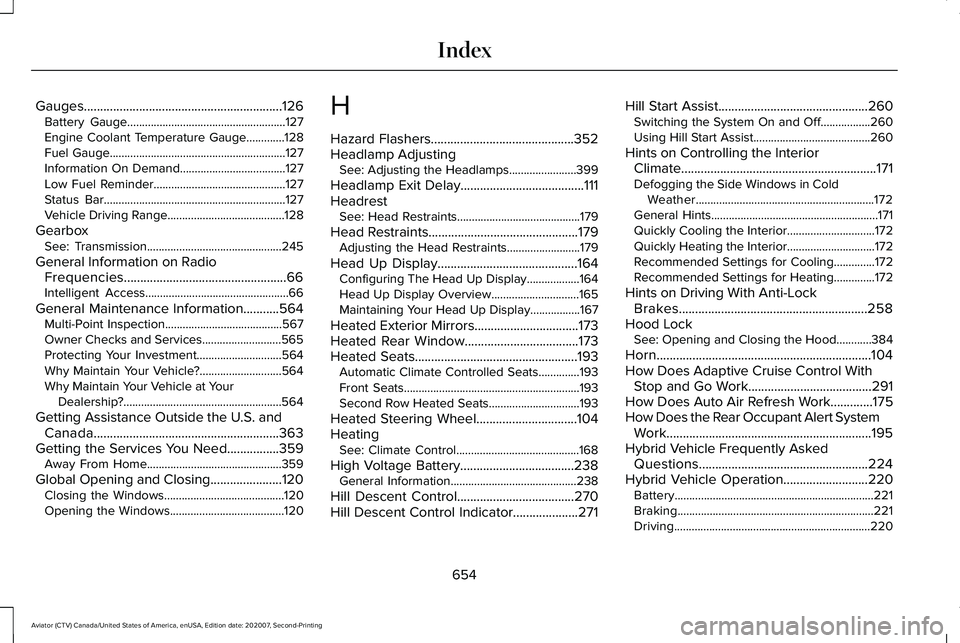
Gauges.............................................................126
Battery Gauge......................................................127
Engine Coolant Temperature Gauge.............128
Fuel Gauge............................................................127
Information On Demand....................................127
Low Fuel Reminder.............................................127
Status Bar..............................................................127
Vehicle Driving Range........................................128
Gearbox See: Transmission..............................................245
General Information on Radio Frequencies..................................................66
Intelligent Access.................................................66
General Maintenance Information...........564 Multi-Point Inspection........................................567
Owner Checks and Services...........................565
Protecting Your Investment.............................564
Why Maintain Your Vehicle?............................564
Why Maintain Your Vehicle at Your Dealership?......................................................564
Getting Assistance Outside the U.S. and Canada.........................................................363
Getting the Services You Need................359 Away From Home..............................................359
Global Opening and Closing ......................
120
Closing the Windows.........................................120
Opening the Windows.......................................120 H
Hazard Flashers
............................................352
Headlamp Adjusting See: Adjusting the Headlamps.......................
399
Headlamp Exit Delay......................................111
Headrest See: Head Restraints..........................................179
Head Restraints
..............................................179
Adjusting the Head Restraints.........................179
Head Up Display...........................................164 Configuring The Head Up Display..................164
Head Up Display Overview..............................165
Maintaining Your Head Up Display.................167
Heated Exterior Mirrors................................173
Heated Rear Window...................................173
Heated Seats..................................................193 Automatic Climate Controlled Seats..............193
Front Seats............................................................193
Second Row Heated Seats...............................
193
Heated Steering Wheel...............................104
Heating See: Climate Control..........................................168
High Voltage Battery
...................................238
General Information...........................................238
Hill Descent Control....................................270
Hill Descent Control Indicator
....................271 Hill Start Assist
..............................................260
Switching the System On and Off.................260
Using Hill Start Assist........................................260
Hints on Controlling the Interior Climate
............................................................171
Defogging the Side Windows in Cold
Weather.............................................................172
General Hints.........................................................171
Quickly Cooling the Interior..............................172
Quickly Heating the Interior..............................172
Recommended Settings for Cooling..............172
Recommended Settings for Heating..............
172
Hints on Driving With Anti-Lock Brakes..........................................................258
Hood Lock See: Opening and Closing the Hood............384
Horn..................................................................104
How Does Adaptive Cruise Control With Stop and Go Work......................................291
How Does Auto Air Refresh Work.............175
How Does the Rear Occupant Alert System Work...............................................................195
Hybrid Vehicle Frequently Asked Questions....................................................224
Hybrid Vehicle Operation
..........................220
Battery....................................................................221
Braking...................................................................221
Driving...................................................................220
654
Aviator (CTV) Canada/United States of America, enUSA, Edition date: 202007, Second-Printing Index
Page 658 of 667
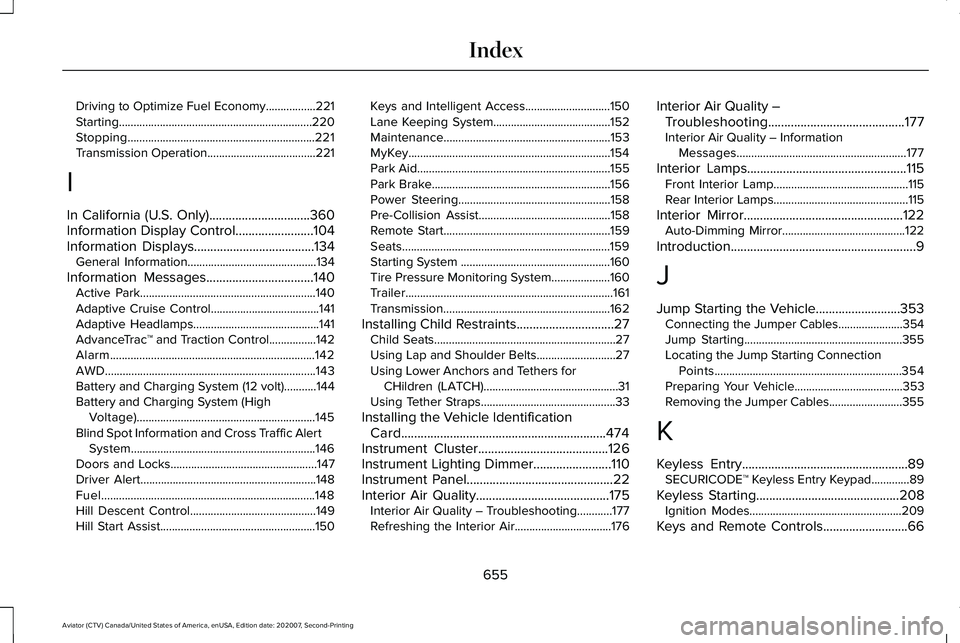
Driving to Optimize Fuel Economy.................221
Starting..................................................................220
Stopping................................................................221
Transmission Operation.....................................221
I
In California (U.S. Only)...............................360
Information Display Control........................104
Information Displays.....................................134
General Information............................................134
Information Messages
.................................140
Active Park............................................................140
Adaptive Cruise Control.....................................141
Adaptive Headlamps...........................................141
AdvanceTrac ™ and Traction Control................142
Alarm......................................................................142
AWD........................................................................\
143
Battery and Charging System (12 volt)...........144
Battery and Charging System (High Voltage).............................................................145
Blind Spot Information and Cross Traffic Alert System...............................................................146
Doors and Locks..................................................147
Driver Alert............................................................148
Fuel........................................................................\
.148
Hill Descent Control...........................................149
Hill Start Assist.....................................................150 Keys and Intelligent Access.............................150
Lane Keeping System........................................152
Maintenance.........................................................153
MyKey.....................................................................154
Park Aid..................................................................155
Park Brake.............................................................156
Power Steering....................................................158
Pre-Collision Assist.............................................158
Remote Start.........................................................159
Seats.......................................................................159
Starting System ...................................................160
Tire Pressure Monitoring System....................160
Trailer.......................................................................161
Transmission.........................................................162
Installing Child Restraints
..............................27
Child Seats..............................................................27
Using Lap and Shoulder Belts...........................27
Using Lower Anchors and Tethers for
CHildren (LATCH)..............................................31
Using Tether Straps..............................................33
Installing the Vehicle Identification Card...............................................................474
Instrument Cluster
........................................126
Instrument Lighting Dimmer........................110
Instrument Panel.............................................22
Interior Air Quality.........................................175 Interior Air Quality – Troubleshooting............
177
Refreshing the Interior Air.................................176 Interior Air Quality –
Troubleshooting..........................................177
Interior Air Quality – Information Messages..........................................................177
Interior Lamps
.................................................115
Front Interior Lamp..............................................115
Rear Interior Lamps..............................................115
Interior Mirror
.................................................122
Auto-Dimming Mirror..........................................122
Introduction.........................................................9
J
Jump Starting the Vehicle..........................353 Connecting the Jumper Cables......................354
Jump Starting......................................................355
Locating the Jump Starting Connection
Points................................................................354
Preparing Your Vehicle.....................................353
Removing the Jumper Cables.........................355
K
Keyless Entry...................................................89 SECURICODE™ Keyless Entry Keypad.............89
Keyless Starting
............................................208
Ignition Modes....................................................209
Keys and Remote Controls
..........................66
655
Aviator (CTV) Canada/United States of America, enUSA, Edition date: 202007, Second-Printing Index
Page 660 of 667
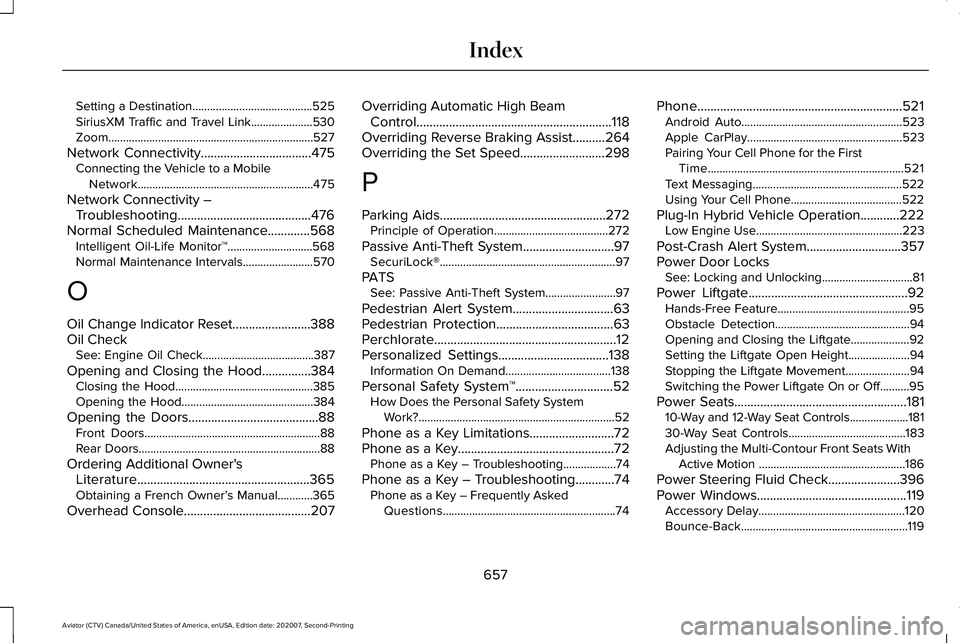
Setting a Destination.........................................525
SiriusXM Traffic and Travel Link.....................530
Zoom......................................................................527
Network Connectivity..................................475
Connecting the Vehicle to a Mobile
Network............................................................475
Network Connectivity – Troubleshooting.........................................476
Normal Scheduled Maintenance
.............568
Intelligent Oil-Life Monitor™.............................568
Normal Maintenance Intervals........................570
O
Oil Change Indicator Reset........................388
Oil Check See: Engine Oil Check......................................387
Opening and Closing the Hood...............384 Closing the Hood...............................................385
Opening the Hood.............................................384
Opening the Doors........................................88 Front Doors............................................................88
Rear Doors..............................................................88
Ordering Additional Owner's Literature.....................................................365
Obtaining a French Owner’ s Manual............365
Overhead Console.......................................207 Overriding Automatic High Beam
Control
............................................................118
Overriding Reverse Braking Assist..........264
Overriding the Set Speed..........................298
P
Parking Aids
...................................................272
Principle of Operation.......................................272
Passive Anti-Theft System............................97 SecuriLock®............................................................97
PATS See: Passive Anti-Theft System........................97
Pedestrian Alert System...............................63
Pedestrian Protection....................................63
Perchlorate........................................................12
Personalized Settings..................................138 Information On Demand....................................138
Personal Safety System ™
..............................52
How Does the Personal Safety System
Work?...................................................................52
Phone as a Key Limitations
..........................72
Phone as a Key................................................72 Phone as a Key – Troubleshooting..................74
Phone as a Key – Troubleshooting
............74
Phone as a Key – Frequently Asked
Questions...........................................................74 Phone
...............................................................521
Android Auto.......................................................523
Apple CarPlay.....................................................523
Pairing Your Cell Phone for the First
Time...................................................................521
Text Messaging...................................................522
Using Your Cell Phone......................................522
Plug-In Hybrid Vehicle Operation............222 Low Engine Use..................................................223
Post-Crash Alert System.............................357
Power Door Locks See: Locking and Unlocking...............................81
Power Liftgate.................................................92 Hands-Free Feature.............................................95
Obstacle Detection..............................................94
Opening and Closing the Liftgate....................92
Setting the Liftgate Open Height.....................94
Stopping the Liftgate Movement......................94
Switching the Power Liftgate On or Off..........95
Power Seats.....................................................181 10-Way and 12-Way Seat Controls....................181
30-Way Seat Controls........................................183
Adjusting the Multi-Contour Front Seats With
Active Motion ..................................................186
Power Steering Fluid Check
......................396
Power Windows..............................................119
Accessory Delay..................................................120
Bounce-Back.........................................................119
657
Aviator (CTV) Canada/United States of America, enUSA, Edition date: 202007, Second-Printing Index
Page 661 of 667
One-Touch Down.................................................119
One-Touch Up.......................................................119
Window Lock........................................................120
Pre-Collision Assist......................................323
Adjusting the Pre-Collision Assist
Settings............................................................326
Blocked Sensors................................................326
Distance Indication and Alert..........................
325
Evasive Steering Assist.....................................326
Using the Pre-Collision Assist System..........324
Programming Your Phone
.............................72
Resetting Phone as a Key...................................72
Protecting the Environment..........................21
Puncture See: Changing a Road Wheel.........................434
R
Radio Frequency Certification Labels...........................................................576
Blind Spot Information System Sensors.......576
Body Control Module.........................................581
Cruise Control Module......................................
584
Garage Door Opener........................................588
Keys and Remote Controls..............................588
Radio Transceiver Module...............................
592
Remote Function Actuator................................581
SYNC.....................................................................596 Telematics Control Unit.....................................601
Tire Pressure Monitoring System
Sensors.............................................................601
Wireless Accessory Charging Module.........608
Rear Occupant Alert System Audible Warnings.......................................................196
Rear Occupant Alert System Indicators......................................................196
Rear Occupant Alert System Limitations....................................................195
Rear Occupant Alert System Precautions..................................................195
Rear Occupant Alert System
......................195
Rear Parking Aid...........................................272 Object Distance Indicator.................................274
Rear Passenger Climate Controls.............172 Directing Air to the Overhead and Rear
Footwell Air Vents...........................................173
Rear Climate Control Lock Message..............
173
Rear Passenger Climate Control Screen.......172
Selecting a Row...................................................173
Setting the Rear Blower Motor Speed...........173
Setting the Rear Temperature..........................173
Switching Rear Auto Mode On and Off.........173
Switching the Rear Climate Control On and Off........................................................................\
173 Rear Seats.......................................................189
Adjusting the Second Row Outermost Seats
Backrest............................................................189
Adjusting the Second Row Seats for Easy Entry...................................................................190
Adjusting the Third Row Power Seats...........192
Folding the Second Row Outermost Seats Flat......................................................................190
Rear Under Floor Storage..........................332 Cargo Management System............................
332
Rear View Camera.......................................283 Camera Guidelines............................................284
Manual Zoom......................................................285
Object Distance Indicator................................285
Rear Camera Delay............................................286
Rear Camera On Demand...............................285
Using the Rear View Camera System...........283
Rear View Camera See: Rear View Camera....................................283
Rear Window Wiper and Washers............107 Rear Window Washer.........................................108
Rear Window Wiper............................................107
Rear Wiper Blades See: Changing the Rear Wiper Blades.........403
Recommended Towing Weights
................341
Reduced Engine Performance..................347
Refreshing the Interior Air
...........................176
Automatically Refreshing the Interior Air......176
658
Aviator (CTV) Canada/United States of America, enUSA, Edition date: 202007, Second-Printing Index