change wheel LINCOLN AVIATOR 2021 Owners Manual
[x] Cancel search | Manufacturer: LINCOLN, Model Year: 2021, Model line: AVIATOR, Model: LINCOLN AVIATOR 2021Pages: 667, PDF Size: 7.01 MB
Page 10 of 667
Utilizing the Mediation/Arbitration Program
(Canada Only) ..........................................362
Getting Assistance Outside the U.S. and Canada ......................................................
363
Ordering Additional Owner's Literature ......................................................................
365
Reporting Safety Defects (U.S. Only) ......
366
Reporting Safety Defects (Canada Only) ......................................................................
366
Fuses
Fuse Specification Chart ...........................
368
Changing a Fuse ..........................................
381
Maintenance
General Information ....................................
384
Opening and Closing the Hood ..............
384
Under Hood Overview ...............................
386
Engine Oil Dipstick ......................................
387
Engine Oil Check .........................................
387
Oil Change Indicator Reset ......................
388
Changing the Engine Air Filter ................
389
Engine Coolant Check ...............................
390
Automatic Transmission Fluid Check ......
395Brake Fluid Check
......................................
395
Power Steering Fluid Check ....................
396
Changing the 12V Battery .........................
397
Adjusting the Headlamps .........................
399
Washer Fluid Check ....................................
401
Fuel Filter .......................................................
401
Checking the Wiper Blades .......................
401
Changing the Front Wiper Blades - Vehicles Without: Heated Wiper Blades
.......................................................................
401
Changing the Front Wiper Blades - Vehicles With: Heated Wiper Blades
......................................................................
402
Changing the Rear Wiper Blades ...........
403
Changing a Bulb ..........................................
403
Vehicle Care
General Information ....................................
404
Cleaning Products ......................................
404
Cleaning the Exterior .................................
405
Waxing ...........................................................
406
Cleaning the Engine ...................................
407
Cleaning the Windows and Wiper Blades ......................................................................
407 Cleaning the Interior
..................................
408
Cleaning the Instrument Panel and Instrument Cluster Lens ........................
408
Cleaning Leather Seats .............................
409
Repairing Minor Paint Damage .................
410
Cleaning the Wheels ...................................
410
Vehicle Storage ............................................
410
Body Styling Kits ...........................................
412
Wheels and Tires
General Information .....................................
413
Tire Care .........................................................
415
Using Summer Tires ...................................
427
Using Snow Chains ....................................
428
Tire Pressure Monitoring System ...........
430
Changing a Road Wheel ............................
434
Technical Specifications ............................
442
Capacities and Specifications
Engine Specifications - Excluding: Plug-In Hybrid Electric Vehicle (PHEV) ............
444
Engine Specifications - Plug-In Hybrid Electric Vehicle (PHEV) ..........................
445
7
Aviator (CTV) Canada/United States of America, enUSA, Edition date: 202007, Second-Printing Table of Contents
Page 19 of 667
WARNING: Do not connect wireless
plug-in devices to the data link connector.
Unauthorized third parties could gain
access to vehicle data and impair the
performance of safety related systems.
Only allow repair facilities that follow our
service and repair instructions to connect
their equipment to the data link connector.
We respect your privacy and are committed
to protecting it. The information contained
in this manual was correct at the time of
publication but as technology rapidly
changes, we recommend that you visit the
local Lincoln website for the latest
information.
Your vehicle has electronic control units that
have data recording functionality and the
ability to permanently or temporarily store
data. This data could include information on
the condition and status of your vehicle,
vehicle maintenance requirements, events
and malfunctions. The types of data that can
be recorded are described in this section.
Some of the data recorded is stored in event
logs or error logs. Note:
Error logs are reset following a service
or repair.
Note: We may provide information in
response to requests from law enforcement,
other government authorities and third
parties acting with lawful authority or through
a legal process. Such information could be
used by them in legal proceedings.
Data recorded includes, for example:
• Operating states of system components,
for example fuel level, tire pressure and
battery charge level.
• Vehicle and component status, for
example wheel speed, deceleration,
lateral acceleration and seatbelt status.
• Events or errors in essential systems, for
example headlamps and brakes.
• System responses to driving situations,
for example airbag deployment and
stability control.
• Environmental conditions, for example
temperature. Some of this data, when used in combination
with other information, for example an
accident report, damage to a vehicle or
eyewitness statements, could be associated
with a specific person.
Services That We Provide
If you use our services, we collect and use
data, for example account information,
vehicle location and driving characteristics,
that could identify you. We transmit this data
through a dedicated, protected connection.
We only collect and use data to enable your
use of our services to which you have
subscribed, with your consent or where
permitted by law. For additional information,
see the terms and conditions of the services
to which you have subscribed.
For additional information about our privacy
policy, refer to the local Lincoln website.
16
Aviator (CTV) Canada/United States of America, enUSA, Edition date: 202007, Second-Printing Data Privacy
Page 105 of 667
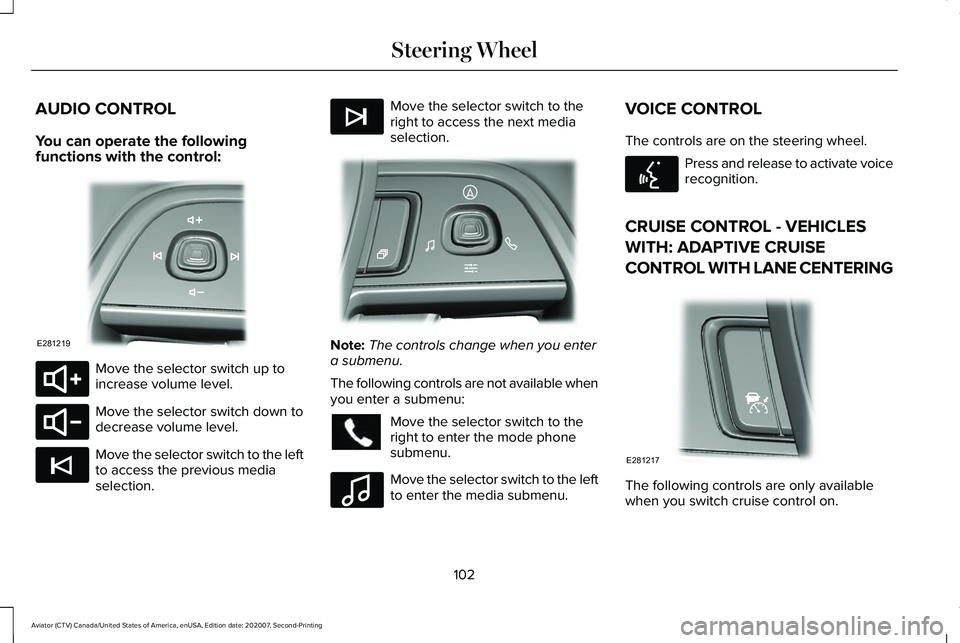
AUDIO CONTROL
You can operate the following
functions with the control:
Move the selector switch up to
increase volume level.
Move the selector switch down to
decrease volume level.
Move the selector switch to the left
to access the previous media
selection. Move the selector switch to the
right to access the next media
selection.
Note:
The controls change when you enter
a submenu.
The following controls are not available when
you enter a submenu: Move the selector switch to the
right to enter the mode phone
submenu.
Move the selector switch to the left
to enter the media submenu.VOICE CONTROL
The controls are on the steering wheel. Press and release to activate voice
recognition.
CRUISE CONTROL - VEHICLES
WITH: ADAPTIVE CRUISE
CONTROL WITH LANE CENTERING The following controls are only available
when you switch cruise control on.
102
Aviator (CTV) Canada/United States of America, enUSA, Edition date: 202007, Second-Printing Steering WheelE281219 E280803 E280802 E265045 E265044 E281220 E100027 E142599 E281217
Page 107 of 667
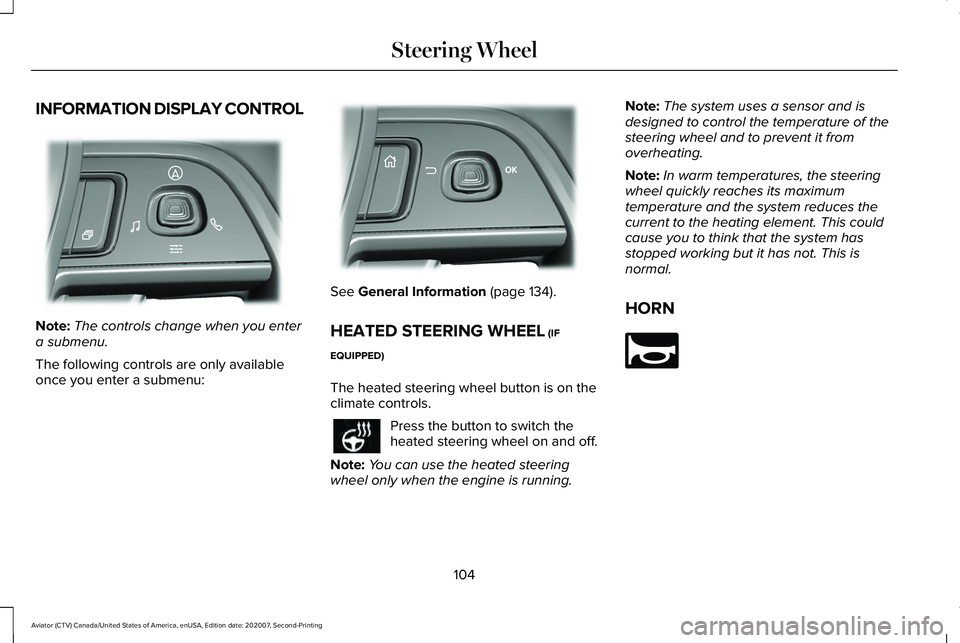
INFORMATION DISPLAY CONTROL
Note:
The controls change when you enter
a submenu.
The following controls are only available
once you enter a submenu: See General Information (page 134).
HEATED STEERING WHEEL
(IF
EQUIPPED)
The heated steering wheel button is on the
climate controls. Press the button to switch the
heated steering wheel on and off.
Note: You can use the heated steering
wheel only when the engine is running. Note:
The system uses a sensor and is
designed to control the temperature of the
steering wheel and to prevent it from
overheating.
Note: In warm temperatures, the steering
wheel quickly reaches its maximum
temperature and the system reduces the
current to the heating element. This could
cause you to think that the system has
stopped working but it has not. This is
normal.
HORN 104
Aviator (CTV) Canada/United States of America, enUSA, Edition date: 202007, Second-Printing Steering WheelE281220 E299701 E270945
Page 137 of 667
GENERAL INFORMATION
WARNING: Driving while distracted
can result in loss of vehicle control, crash
and injury. We strongly recommend that
you use extreme caution when using any
device that may take your focus off the
road. Your primary responsibility is the safe
operation of your vehicle. We recommend
against the use of any hand-held device
while driving and encourage the use of
voice-operated systems when possible.
Make sure you are aware of all applicable
local laws that may affect the use of
electronic devices while driving.
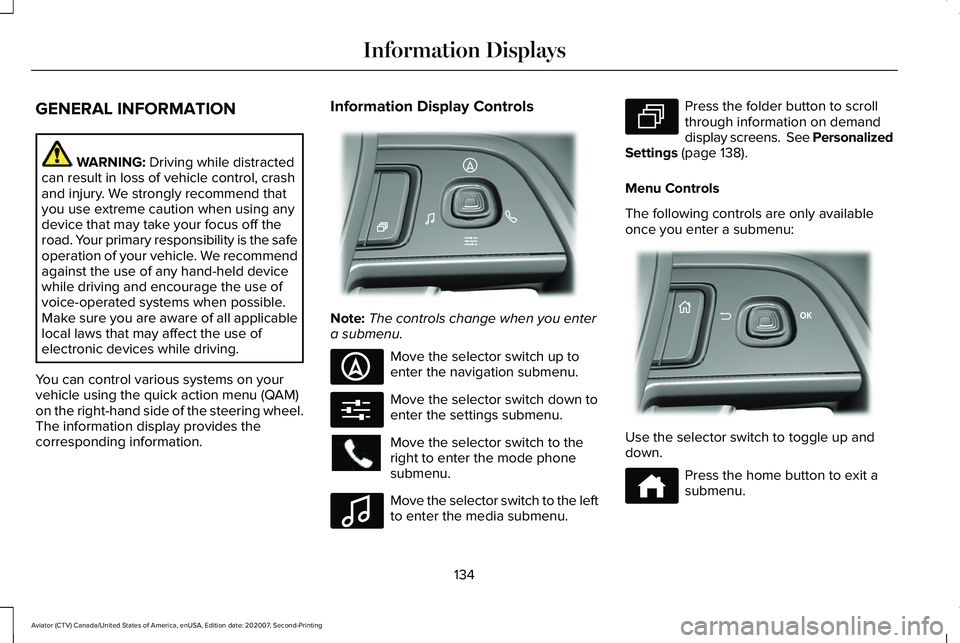
You can control various systems on your
vehicle using the quick action menu (QAM)
on the right-hand side of the steering wheel.
The information display provides the
corresponding information. Information Display Controls
Note:
The controls change when you enter
a submenu. Move the selector switch up to
enter the navigation submenu.
Move the selector switch down to
enter the settings submenu.
Move the selector switch to the
right to enter the mode phone
submenu.
Move the selector switch to the left
to enter the media submenu. Press the folder button to scroll
through information on demand
display screens. See Personalized
Settings (page 138).
Menu Controls
The following controls are only available
once you enter a submenu: Use the selector switch to toggle up and
down.
Press the home button to exit a
submenu.
134
Aviator (CTV) Canada/United States of America, enUSA, Edition date: 202007, Second-Printing Information DisplaysE281220 E281481 E280315 E100027 E281483 E299701 E272621
Page 146 of 667

AWD
Action
Message
The all-wheel drive system temporarily turns off to protect itself from \
overheating.
AWD Temporarily Disabled
The all-wheel drive system is locking up the torque transfer clutch to h\
elp reduce clutchtemperature.
AWD Temporarily Locked
The all-wheel drive system temporarily turns off to protect itself from \
overheating or if youare using the temporary spare tire.
AWD OFF
The all-wheel drive system will resume normal function and clear this me\
ssage after drivinga short distance with the road tire re-installed or after the system coo\
ls.
AWD Restored
The all-wheel drive system is not operating properly. If the warning stays on or continues tocome on, have the system checked as soon as possible.
AWD Fault Service Required
Displays when the transfer case fluid requires service.
Change AWD Power Transfer Unit Lube
Displays when the transfer case fluid has been changed and reset to new.
AWD Power Transfer Unit Lube Set to New
143
Aviator (CTV) Canada/United States of America, enUSA, Edition date: 202007, Second-Printing Information Displays
Page 250 of 667
1. Bring your vehicle to a complete stop.
2. Shift into neutral (N).
3. Press neutral (N) again within five
seconds after shifting to neutral (N).
Note: The Stay in Neutral mode confirmation
message appears in the information display
when your vehicle has entered Stay in
Neutral mode and the neutral (N) button on
the transmission selector slowly blinks.
To exit Stay in Neutral mode, press park (P)
at any time, or apply the brakes when the
engine is running, to shift into a different
driving position.
Note: You can select the (P) position with or
without brakes applied when the engine is
OFF.
SelectShift Automatic ™ Transmission
Your vehicle has a SelectShift Automatic
transmission. The SelectShift Automatic
transmission gives you the ability to change
gears up or down, without a clutch, as
preferred. To prevent the engine from running at too
low an RPM, which could cause it to stall,
SelectShift still makes some downshifts if it
determines that you have not downshifted
in time. Although SelectShift makes some
downshifts for you, it still allows you to
downshift at any time if the SelectShift
determines that damage to the engine from
over-revving cannot occur.
Note:
Engine damage could occur if you
maintain excessive engine revving without
shifting.
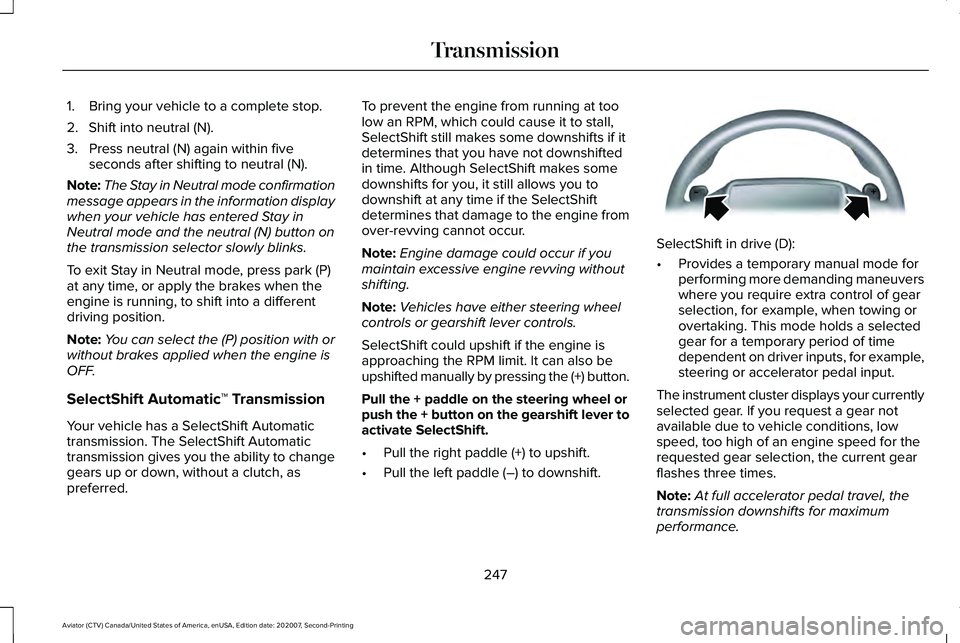
Note: Vehicles have either steering wheel
controls or gearshift lever controls.
SelectShift could upshift if the engine is
approaching the RPM limit. It can also be
upshifted manually by pressing the (+) button.
Pull the + paddle on the steering wheel or
push the + button on the gearshift lever to
activate SelectShift.
• Pull the right paddle (+) to upshift.
• Pull the left paddle (–) to downshift. SelectShift in drive (D):
•
Provides a temporary manual mode for
performing more demanding maneuvers
where you require extra control of gear
selection, for example, when towing or
overtaking. This mode holds a selected
gear for a temporary period of time
dependent on driver inputs, for example,
steering or accelerator pedal input.
The instrument cluster displays your currently
selected gear. If you request a gear not
available due to vehicle conditions, low
speed, too high of an engine speed for the
requested gear selection, the current gear
flashes three times.
Note: At full accelerator pedal travel, the
transmission downshifts for maximum
performance.
247
Aviator (CTV) Canada/United States of America, enUSA, Edition date: 202007, Second-Printing TransmissionE144821
Page 254 of 667
Operating ALL-Wheel drive (AWD)
Vehicles with Mismatched Tires
WARNING: Only use replacement
tires and wheels that are the same size,
load index, speed rating and type (such as
P-metric versus LT-metric or all-season
versus all-terrain) as those originally
provided by Ford. The recommended tire
and wheel size may be found on either the
Safety Compliance Certification Label
(affixed to either the door hinge pillar,
door-latch post, or the door edge that
meets the door-latch post, next to the
driver's seating position), or the Tire Label
which is located on the B-Pillar or edge of
the driver's door. If this information is not
found on these labels, then you should
contact your authorized dealer as soon as
possible. Use of any tire or wheel not
recommended by Ford can affect the
safety and performance of your vehicle,
which could result in an increased risk of
loss of vehicle control, vehicle rollover,
personal injury and death. Major dissimilar tire sizes between the front
and rear axles (for example, 17 inch low
profile tires on the front axle and 22 inch high
profile tires on the rear axle) could cause the
AWD system to stop functioning and default
to rear-wheel drive or damage the AWD
system.
For optimum AWD Performance, it is
recommended to follow the tire rotation
maintenance schedule. To avoid potential
AWD malfunction or AWD system damage,
it is recommended to replace all four tires
rather than mixing significantly worn tires
with new tires. For example, using 3 worn
tread tires and 1 new tread tire all of the same
original tire size/brand, can be tolerated by
the AWD system as long as the worn tires
still have usable tread depth.
How Your Vehicle Differs from Other
Vehicles
Truck and utility vehicles can differ from
some other vehicles. Your vehicle could be
higher to allow it to travel over rough terrain
without getting hung up or damaging
underbody components. The differences that make your vehicle so
versatile also make it handle differently than
an ordinary passenger car.
Maintain steering wheel control at all times,
especially in rough terrain. Since sudden
changes in terrain can result in abrupt
steering wheel motion, make sure you grip
the steering wheel from the outside. Do not
grip the spokes.
Drive cautiously to avoid vehicle damage
from concealed objects such as rocks and
stumps.
You should either know the terrain or
examine maps of the area before driving.
Map out your route before driving in the area.
To maintain steering and braking control of
your vehicle, you must have all four wheels
on the ground and they must be rolling, not
sliding or spinning.
251
Aviator (CTV) Canada/United States of America, enUSA, Edition date: 202007, Second-Printing All-Wheel Drive
(If Equipped)
Page 256 of 667
If your vehicle is equipped with
AdvanceTrac® with Roll Stability Control™, it
could be beneficial to disengage the
AdvanceTrac® with Roll Stability Control™
system while attempting to rock the vehicle.
Note:
Do not rock the vehicle if the engine
is not at normal operating temperature or
damage to the transmission could occur.
Note: Do not rock the vehicle for more than
a few minutes or damage to the transmission
and tires could occur or the engine could
overheat.
Emergency Maneuvers
• In an unavoidable emergency situation
where a sudden sharp turn must be
made, remember to avoid "over-driving"
your vehicle (i.e., turn the steering wheel
only as rapidly and as far as required to
avoid the emergency). Excessive steering
can result in less vehicle control, not
more. Additionally, smooth variations of
the accelerator and/or brake pedal
pressure should be utilized if changes in
vehicle speed are called for. Avoid abrupt steering, acceleration or braking which
could result in an increased risk of loss
of vehicle control, vehicle rollover and/or
personal injury. Use all available road
surface to return the vehicle to a safe
direction of travel.
• In the event of an emergency stop, avoid
skidding the tires and do not attempt any
sharp steering wheel movements.
• If the vehicle goes from one type of
surface to another (i.e., from concrete to
gravel) there is a change in the way the
vehicle responds to a maneuver
(steering, acceleration or braking). Again,
avoid these abrupt inputs.
Sand
When driving over sand, try to keep all four
wheels on the most solid area of the trail.
Avoid reducing the tire pressures but shift
to a lower gear and drive steadily through
the terrain. Apply the accelerator slowly and
avoid spinning the wheels. Avoid excessive speed because vehicle
momentum can work against you and cause
the vehicle to become stuck to the point that
assistance could be required from another
vehicle. Remember, you could be able to
back out the way you came if you proceed
with caution.
Mud and Water
If you must drive through high water, drive
slowly. Traction or brake capability could be
limited.
Note:
Driving through deep water could
damage your vehicle.
When driving through water, determine the
depth; avoid water higher than the bottom
of the hubs (if possible) and proceed slowly.
If the ignition system gets wet, the vehicle
could stall.
Once through water, always try the brakes.
Wet brakes do not stop the vehicle as
effectively as dry brakes. Drying can be
improved by moving your vehicle slowly
while applying light pressure on the brake
pedal.
253
Aviator (CTV) Canada/United States of America, enUSA, Edition date: 202007, Second-Printing All-Wheel Drive (If Equipped)
Page 257 of 667
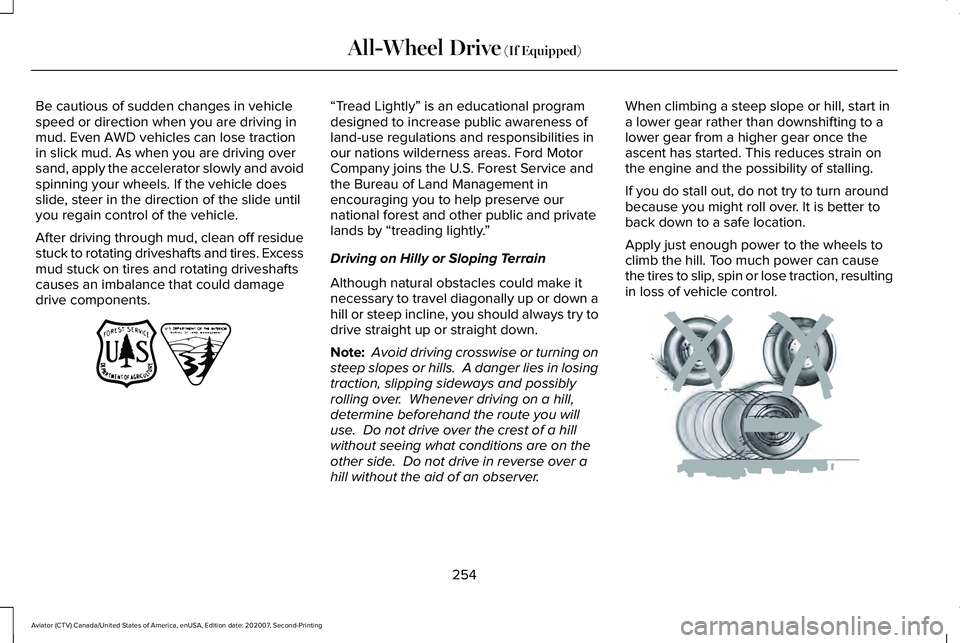
Be cautious of sudden changes in vehicle
speed or direction when you are driving in
mud. Even AWD vehicles can lose traction
in slick mud. As when you are driving over
sand, apply the accelerator slowly and avoid
spinning your wheels. If the vehicle does
slide, steer in the direction of the slide until
you regain control of the vehicle.
After driving through mud, clean off residue
stuck to rotating driveshafts and tires. Excess
mud stuck on tires and rotating driveshafts
causes an imbalance that could damage
drive components. “Tread Lightly” is an educational program
designed to increase public awareness of
land-use regulations and responsibilities in
our nations wilderness areas. Ford Motor
Company joins the U.S. Forest Service and
the Bureau of Land Management in
encouraging you to help preserve our
national forest and other public and private
lands by “treading lightly.
”
Driving on Hilly or Sloping Terrain
Although natural obstacles could make it
necessary to travel diagonally up or down a
hill or steep incline, you should always try to
drive straight up or straight down.
Note: Avoid driving crosswise or turning on
steep slopes or hills. A danger lies in losing
traction, slipping sideways and possibly
rolling over. Whenever driving on a hill,
determine beforehand the route you will
use. Do not drive over the crest of a hill
without seeing what conditions are on the
other side. Do not drive in reverse over a
hill without the aid of an observer. When climbing a steep slope or hill, start in
a lower gear rather than downshifting to a
lower gear from a higher gear once the
ascent has started. This reduces strain on
the engine and the possibility of stalling.
If you do stall out, do not try to turn around
because you might roll over. It is better to
back down to a safe location.
Apply just enough power to the wheels to
climb the hill. Too much power can cause
the tires to slip, spin or lose traction, resulting
in loss of vehicle control.
254
Aviator (CTV) Canada/United States of America, enUSA, Edition date: 202007, Second-Printing All-Wheel Drive (If Equipped)E143950 E143949