ECU LINCOLN AVIATOR 2023 Owner's Manual
[x] Cancel search | Manufacturer: LINCOLN, Model Year: 2023, Model line: AVIATOR, Model: LINCOLN AVIATOR 2023Pages: 681, PDF Size: 9.33 MB
Page 104 of 681
Disarming the Alarm
Disarm the alarm by any of the following
actions:
• Press the power door unlock button
within the 20-second pre-armed mode.
• Unlock the doors with the remote control
or keyless entry keypad. If equipped with
intelligent access, you can use the unlock
sensor on the exterior door handle. See
Locking and Unlocking (page 83).
• Switch the ignition on or start your
vehicle.
• Use a key in the driver door lock cylinder
to unlock your vehicle, then switch the
ignition on within 12 seconds.
Note:Pressing the panic button on the
remote control stops the horn and turn
signals, but does not disarm the system.
101
Security
Page 152 of 681
Doors and Locks
Action Message
The driver door is not completely closed. Driver Door Ajar
The passenger door is not completely closed. Passenger Door Ajar
The rear left-hand door is not completely closed. Rear Left Door Ajar
The rear right-hand door is not completely closed. Rear Right Door Ajar
The liftgate is not completely closed. Liftgate Ajar
The hood is not completely closed. Hood Ajar
The system has disabled the door switches. Switches Inhibited Security Mode
Displays when the door lock is turned on and you attempt to open the door. Doors Locked Unlock Before Opening
Indicates a driver door concern that requires manually opening the door by the override lever.
Have the system checked as soon as possible. Driver Door Fault Use Inside Override Lever
In Map Pocket
Indicates a concern with the electronic door system. Have the system checked as soon as
possible. Door Fault Service Required
Displays when the system requires service. Have the system checked as soon as possible. Child Lock Malfunction Service Required
149
Information Displays
Page 198 of 681
GARAGE DOOR OPENER
INTRODUCTION
HomeLink Wireless Control System
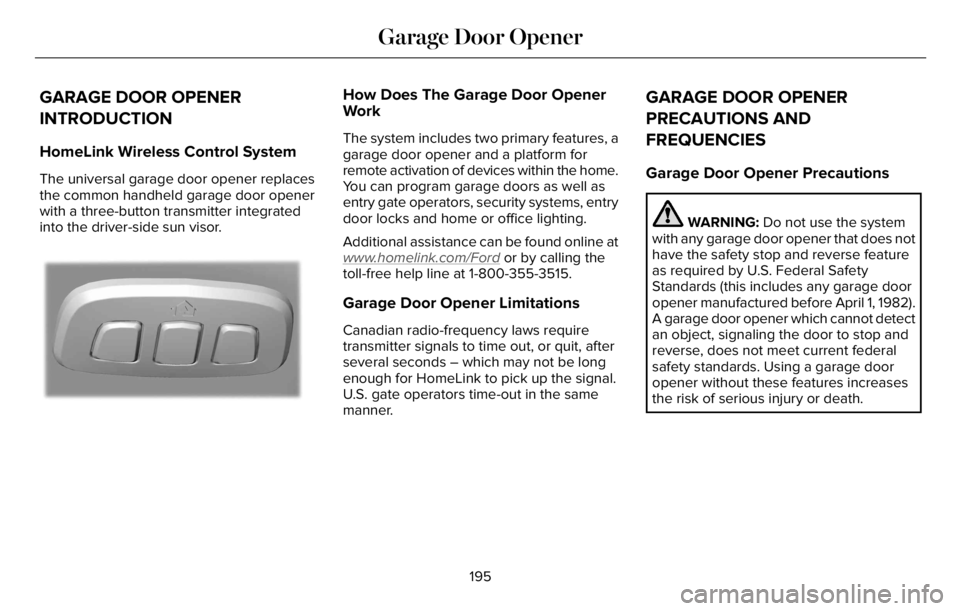
The universal garage door opener replaces
the common handheld garage door opener
with a three-button transmitter integrated
into the driver-side sun visor.
E18821E1882111
How Does The Garage Door Opener
Work
The system includes two primary features, a
garage door opener and a platform for
remote activation of devices within the home.
You can program garage doors as well as
entry gate operators, security systems, entry
door locks and home or office lighting.
Additional assistance can be found online at
www
.homelink.com/Ford or by calling the
toll-free help line at 1-800-355-3515.
Garage Door Opener Limitations
Canadian radio-frequency laws require
transmitter signals to time out, or quit, after
several seconds – which may not be long
enough for HomeLink to pick up the signal.
U.S. gate operators time-out in the same
manner.
GARAGE DOOR OPENER
PRECAUTIONS AND
FREQUENCIES
Garage Door Opener Precautions
WARNING: Do not use the system
with any garage door opener that does not
have the safety stop and reverse feature
as required by U.S. Federal Safety
Standards (this includes any garage door
opener manufactured before April 1, 1982).
A garage door opener which cannot detect
an object, signaling the door to stop and
reverse, does not meet current federal
safety standards. Using a garage door
opener without these features increases
the risk of serious injury or death.
195
Garage Door Opener
Page 199 of 681
FCC and RSS-210 Industry Canada
Compliance
WARNING: Changes or modifications
not expressively approved by the party
responsible for compliance could void the
user's authority to operate the equipment.
The term "IC:" before the radio certification
number only signifies that Industry Canada
technical specifications were met.
This device complies with Part 15 of the FCC
Rules and with RSS-210 of Industry Canada.
Operation is subject to the following two
conditions: (1) this device may not cause
harmful interference, and (2) this device must
accept any interference received, including
interference that may cause undesired
operation.This equipment complies with FCC radiation
exposure limits set forth for an uncontrolled
environment. End Users must follow the
specific operating instructions for satisfying
RF exposure compliance. This transmitter
must be at least 8 in (20 cm) from the user
and must not be co-located or operating in
conjunction with any other antenna or
transmitter.
PROGRAMMING THE GARAGE
DOOR OPENER
To clear all stored codes in the garage door
opener in your vehicle, use the clear
function. To override one button, use the
reprogram function.
Note:Make sure that the garage door and
security device are free from obstruction
when you are programming. Do not program
the system with the vehicle in the garage.
Clearing the Garage Door Opener
E188213E188213
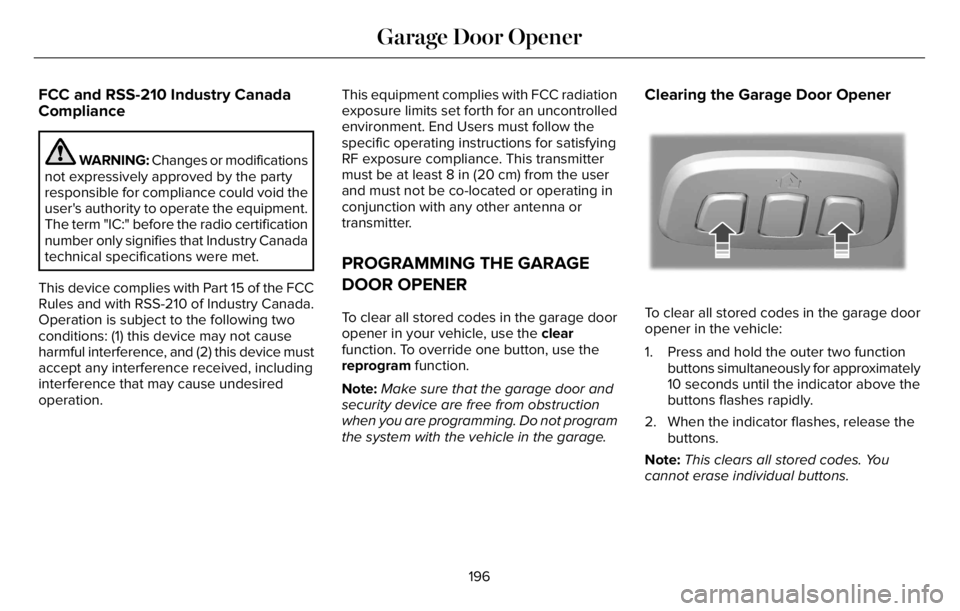
To clear all stored codes in the garage door
opener in the vehicle:
1. Press and hold the outer two function
buttons simultaneously for approximately
10 seconds until the indicator above the
buttons flashes rapidly.
2. When the indicator flashes, release the
buttons.
Note:This clears all stored codes. You
cannot erase individual buttons.
196
Garage Door Opener
Page 200 of 681
Note:You can program a maximum of three
devices. To change or replace any of the
three devices after they have been initially
programmed, you must either clear all codes,
or reprogram each individual button.
Note:We recommend that upon the sale or
lease termination of your vehicle, you erase
the programmed function buttons for security
reasons.
Reprogramming the Garage Door
Opener
If a button on your garage door opener has
already been programmed, you can override
it. To program a device to a previously
trained button:
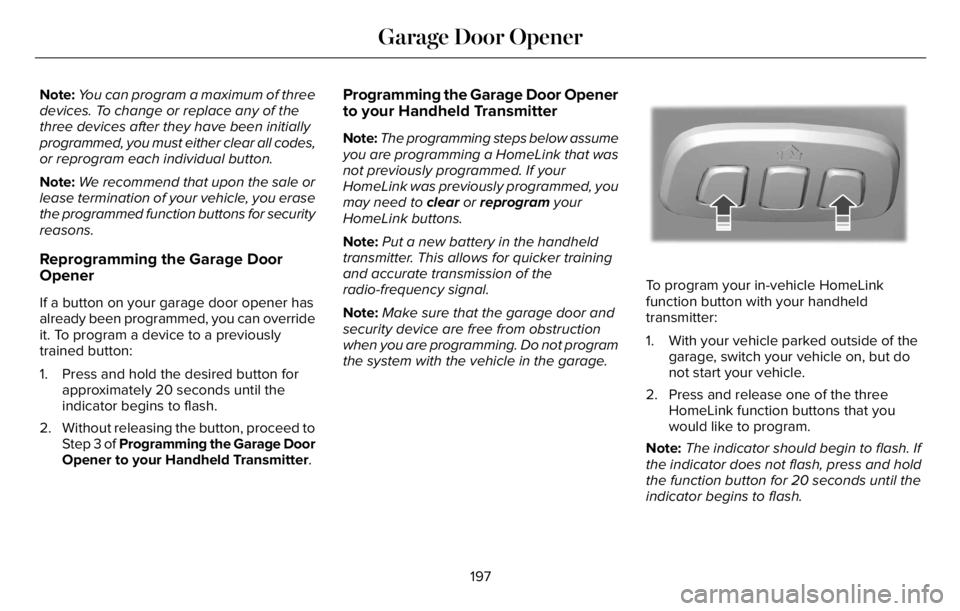
1. Press and hold the desired button for
approximately 20 seconds until the
indicator begins to flash.
2. Without releasing the button, proceed to
Step 3 of Programming the Garage Door
Opener to your Handheld Transmitter.
Programming the Garage Door Opener
to your Handheld Transmitter
Note:The programming steps below assume
you are programming a HomeLink that was
not previously programmed. If your
HomeLink was previously programmed, you
may need to clear or reprogram your
HomeLink buttons.
Note:Put a new battery in the handheld
transmitter. This allows for quicker training
and accurate transmission of the
radio-frequency signal.
Note:Make sure that the garage door and
security device are free from obstruction
when you are programming. Do not program
the system with the vehicle in the garage.
E188213E188213
To program your in-vehicle HomeLink
function button with your handheld
transmitter:
1. With your vehicle parked outside of the
garage, switch your vehicle on, but do
not start your vehicle.
2. Press and release one of the three
HomeLink function buttons that you
would like to program.
Note:The indicator should begin to flash. If
the indicator does not flash, press and hold
the function button for 20 seconds until the
indicator begins to flash.
197
Garage Door Opener
Page 201 of 681
3. Hold your handheld garage door
transmitter 1–3 in (2–8 cm) away from the
HomeLink button you want to program.
4. Press and hold the handheld transmitter
button you want to program while
watching the indicator on HomeLink.
Continue to hold the handheld button
until the HomeLink indicator flashes
rapidly or is continuously on.
Note:You may need to use a different
method if you live in Canada or have
difficulties programming your gate operator
or garage door opener.
5. Press and hold the HomeLink button you
programmed for two seconds, then
release. You may need to do this twice
to activate the door.
Note:If the indicator stays on, the
programming is complete.
Note:If the HomeLink indicator flashes
rapidly, repeat Step 5.
Note:If your device still does not operate,
you must program your garage door.
6. To program additional buttons, repeat
Steps 1–4.Note:Make sure you keep the original
remote control transmitter for use in other
vehicles as well as for future system
programming.
Programming the Garage Door Opener
to your Garage Door Opener Motor
Note:Make sure that the garage door and
security device are free from obstruction
when you are programming. Do not program
the system with the vehicle in the garage.
E142659
1. Press the learn button on the garage
door opener motor and then you have
30 seconds to complete the next two
steps.
2. Return to your vehicle.
E188212E188212
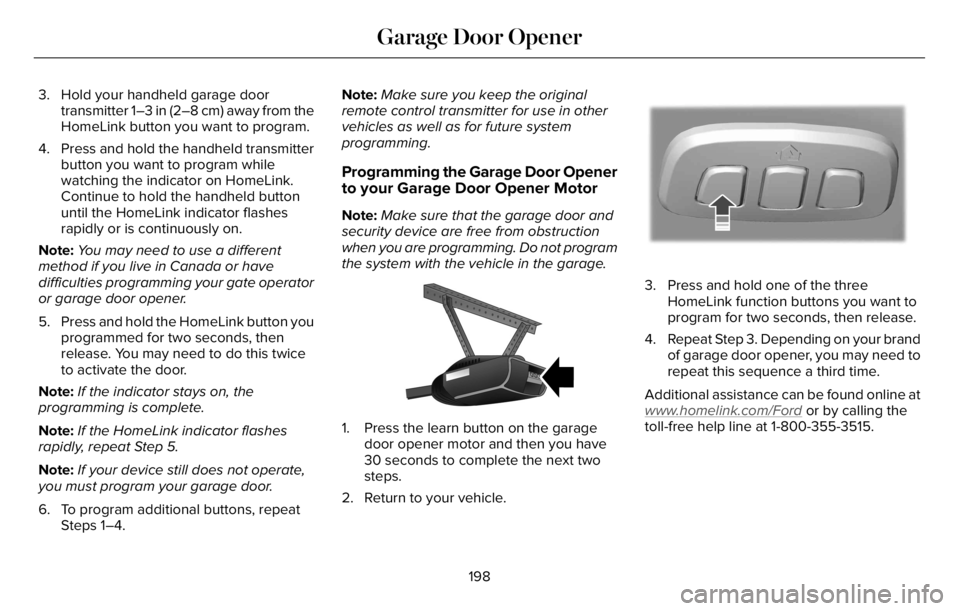
3. Press and hold one of the three
HomeLink function buttons you want to
program for two seconds, then release.
4. Repeat Step 3. Depending on your brand
of garage door opener, you may need to
repeat this sequence a third time.
Additional assistance can be found online at
www
.homelink.com/Ford or by calling the
toll-free help line at 1-800-355-3515.
198
Garage Door Opener
Page 275 of 681
E270480
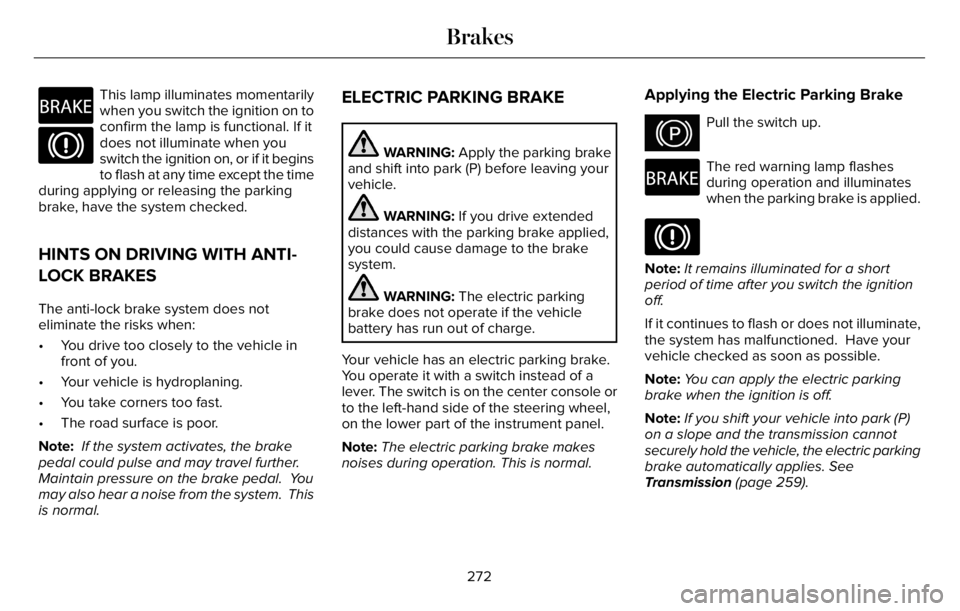
This lamp illuminates momentarily
when you switch the ignition on to
confirm the lamp is functional. If it
does not illuminate when you
switch the ignition on, or if it begins
to flash at any time except the time
during applying or releasing the parking
brake, have the system checked.
HINTS ON DRIVING WITH ANTI-
LOCK BRAKES
The anti-lock brake system does not
eliminate the risks when:
• You drive too closely to the vehicle in
front of you.
• Your vehicle is hydroplaning.
• You take corners too fast.
• The road surface is poor.
Note: If the system activates, the brake
pedal could pulse and may travel further.
Maintain pressure on the brake pedal. You
may also hear a noise from the system. This
is normal.
ELECTRIC PARKING BRAKE
WARNING: Apply the parking brake
and shift into park (P) before leaving your
vehicle.
WARNING: If you drive extended
distances with the parking brake applied,
you could cause damage to the brake
system.
WARNING: The electric parking
brake does not operate if the vehicle
battery has run out of charge.
Your vehicle has an electric parking brake.
You operate it with a switch instead of a
lever. The switch is on the center console or
to the left-hand side of the steering wheel,
on the lower part of the instrument panel.
Note:The electric parking brake makes
noises during operation. This is normal.
Applying the Electric Parking Brake
E267156Pull the switch up.
E270480
The red warning lamp flashes
during operation and illuminates
when the parking brake is applied.
Note:It remains illuminated for a short
period of time after you switch the ignition
off.
If it continues to flash or does not illuminate,
the system has malfunctioned. Have your
vehicle checked as soon as possible.
Note:You can apply the electric parking
brake when the ignition is off.
Note:If you shift your vehicle into park (P)
on a slope and the transmission cannot
securely hold the vehicle, the electric parking
brake automatically applies. See
Transmission (page 259).
272
Brakes
Page 349 of 681
REAR UNDER FLOOR STORAGE
Cargo Management System
E201720
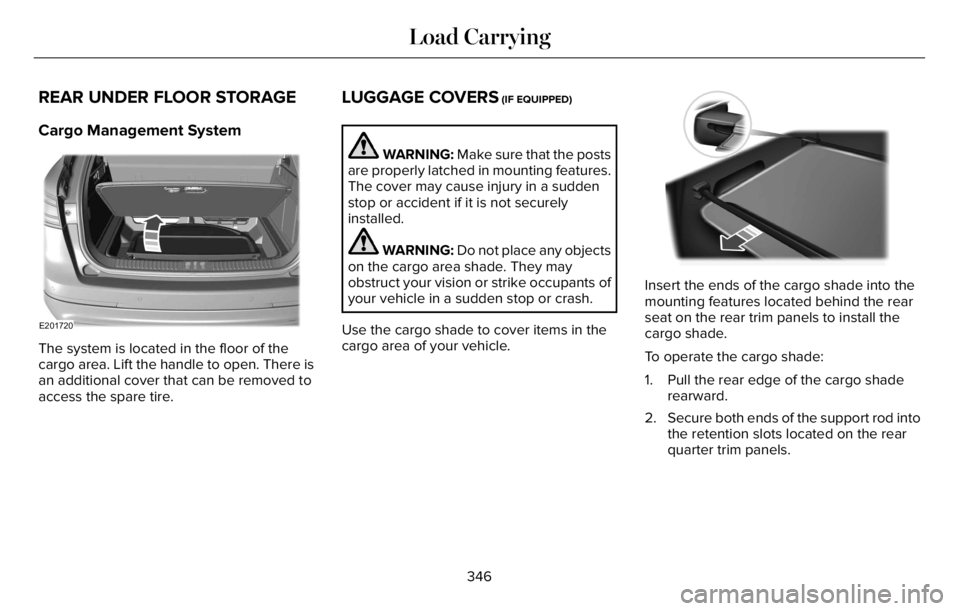
The system is located in the floor of the
cargo area. Lift the handle to open. There is
an additional cover that can be removed to
access the spare tire.
LUGGAGE COVERS (IF EQUIPPED)
WARNING: Make sure that the posts
are properly latched in mounting features.
The cover may cause injury in a sudden
stop or accident if it is not securely
installed.
WARNING: Do not place any objects
on the cargo area shade. They may
obstruct your vision or strike occupants of
your vehicle in a sudden stop or crash.
Use the cargo shade to cover items in the
cargo area of your vehicle.E14224477777777777777777
Insert the ends of the cargo shade into the
mounting features located behind the rear
seat on the rear trim panels to install the
cargo shade.
To operate the cargo shade:
1. Pull the rear edge of the cargo shade
rearward.
2. Secure both ends of the support rod into
the retention slots located on the rear
quarter trim panels.
346
Load Carrying
Page 350 of 681
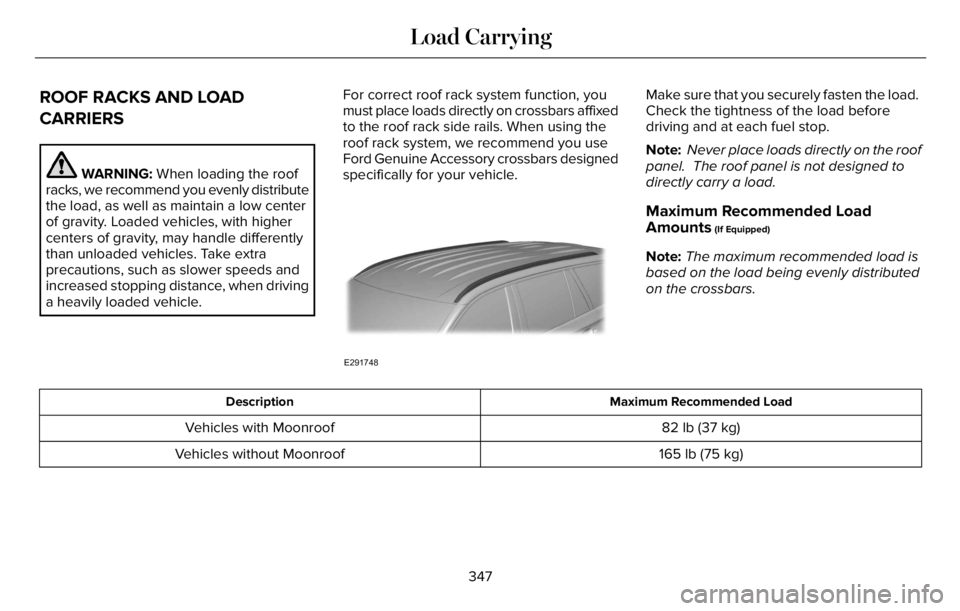
ROOF RACKS AND LOAD
CARRIERS
WARNING: When loading the roof
racks, we recommend you evenly distribute
the load, as well as maintain a low center
of gravity. Loaded vehicles, with higher
centers of gravity, may handle differently
than unloaded vehicles. Take extra
precautions, such as slower speeds and
increased stopping distance, when driving
a heavily loaded vehicle.For correct roof rack system function, you
must place loads directly on crossbars affixed
to the roof rack side rails. When using the
roof rack system, we recommend you use
Ford Genuine Accessory crossbars designed
specifically for your vehicle.
E291748
Make sure that you securely fasten the load.
Check the tightness of the load before
driving and at each fuel stop.
Note: Never place loads directly on the roof
panel. The roof panel is not designed to
directly carry a load.
Maximum Recommended Load
Amounts
(If Equipped)
Note:The maximum recommended load is
based on the load being evenly distributed
on the crossbars.
Maximum Recommended Load Description
82 lb (37 kg) Vehicles with Moonroof
165 lb (75 kg) Vehicles without Moonroof
347
Load Carrying
Page 366 of 681
WARNING: Secure the floor mat to
both retention devices so that it cannot slip
out of position and interfere with the
pedals. Failure to follow this instruction
could result in the loss of control of your
vehicle, personal injury or death.
WARNING: Do not place additional
floor mats or any other covering on top of
the original floor mats. This could result in
the floor mat interfering with the operation
of the pedals. Failure to follow this
instruction could result in the loss of
control of your vehicle, personal injury or
death.
WARNING: Always make sure that
objects cannot fall into the driver foot well
while your vehicle is moving. Objects that
are loose can become trapped under the
pedals causing a loss of vehicle control.
E14266626666666
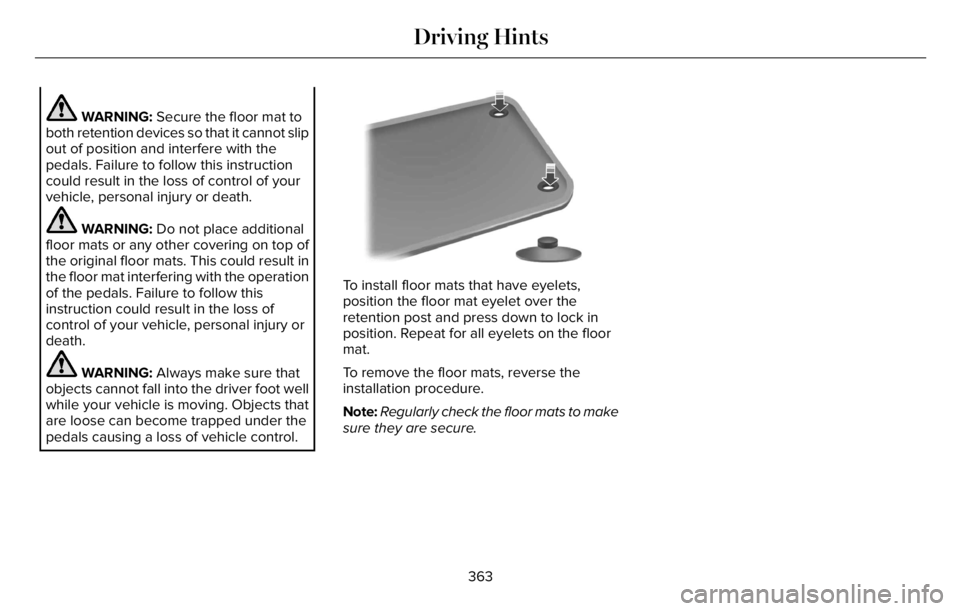
To install floor mats that have eyelets,
position the floor mat eyelet over the
retention post and press down to lock in
position. Repeat for all eyelets on the floor
mat.
To remove the floor mats, reverse the
installation procedure.
Note:Regularly check the floor mats to make
sure they are secure.
363
Driving Hints