buttons LINCOLN AVIATOR 2023 Owner's Manual
[x] Cancel search | Manufacturer: LINCOLN, Model Year: 2023, Model line: AVIATOR, Model: LINCOLN AVIATOR 2023Pages: 681, PDF Size: 9.33 MB
Page 527 of 681
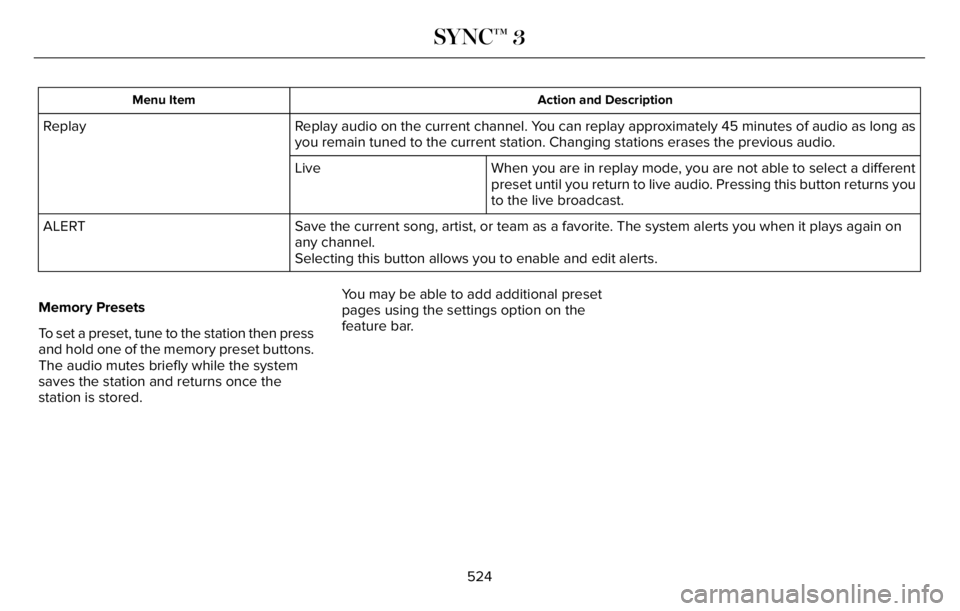
Action and Description Menu Item
Replay audio on the current channel. You can replay approximately 45 minutes of audio as long as
you remain tuned to the current station. Changing stations erases the previous audio. Replay
When you are in replay mode, you are not able to select a different
preset until you return to live audio. Pressing this button returns you
to the live broadcast. Live
Save the current song, artist, or team as a favorite. The system alerts you when it plays again on
any channel. ALERT
Selecting this button allows you to enable and edit alerts.
Memory Presets
To set a preset, tune to the station then press
and hold one of the memory preset buttons.
The audio mutes briefly while the system
saves the station and returns once the
station is stored.You may be able to add additional preset
pages using the settings option on the
feature bar.
524
SYNC™ 3
Page 533 of 681
Website
http://hdradio.com/stations/feedback
HD Radio Technology manufactured under
license from iBiquity Digital Corporation and
foreign patents. HD Radio and the HD and
HD Radio logos are proprietary trademarks
of DTS. The vehicle manufacturer and DTS
are not responsible for the content sent using
HD Radio technology. Content may be
changed, added or deleted at any time at
the station owner's discretion.
CD (If Equipped)
Once you select this option, the system
returns you to the main audio screen.
The current audio information appears on
the screen.
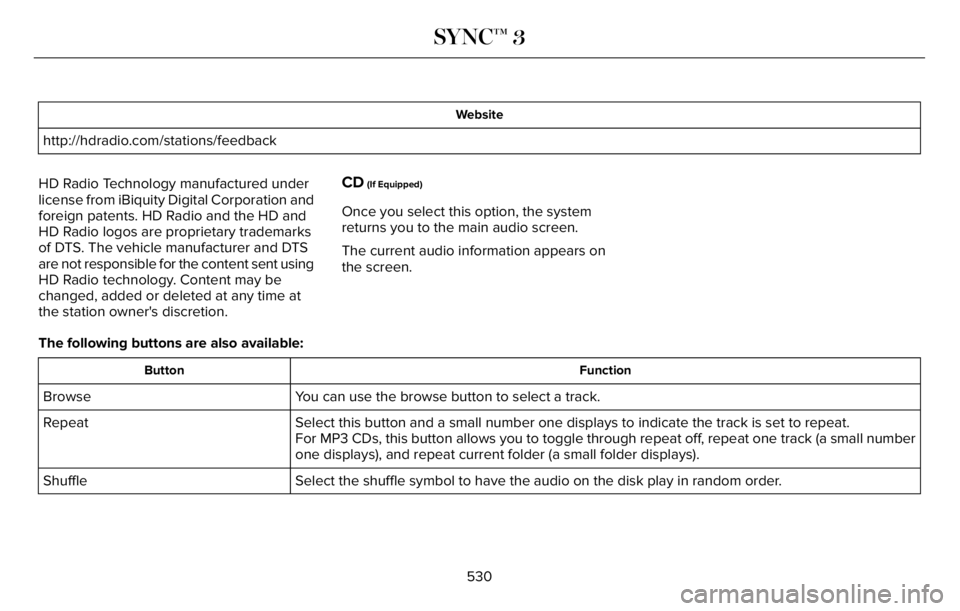
The following buttons are also available:
Function Button
You can use the browse button to select a track. Browse
Select this button and a small number one displays to indicate the track is set to repeat. Repeat
For MP3 CDs, this button allows you to toggle through repeat off, repeat one track (a small number
one displays), and repeat current folder (a small folder displays).
Select the shuffle symbol to have the audio on the disk play in random order. Shuffle
530
SYNC™ 3
Page 534 of 681
You can use the forward, reverse, pause or
play buttons to control the audio playback.Bluetooth® Stereo or USB
Bluetooth® Stereo and USB allow you to
access media that you store on your
Bluetooth® device or USB device such as
music, audio books or podcasts.
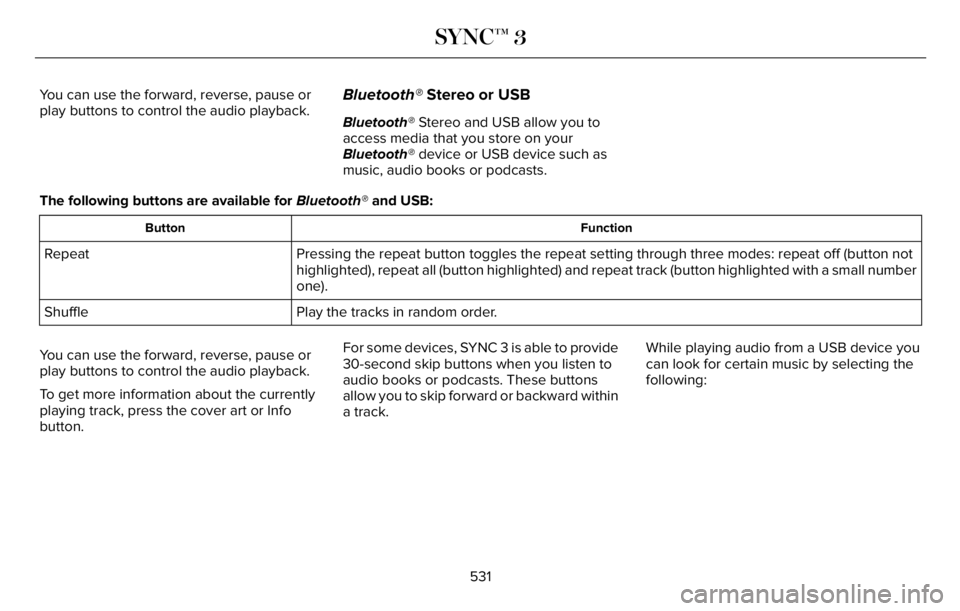
The following buttons are available for Bluetooth® and USB:
Function Button
Pressing the repeat button toggles the repeat setting through three modes: repeat off (button not
highlighted), repeat all (button highlighted) and repeat track (button highlighted with a small number
one). Repeat
Play the tracks in random order. Shuffle
You can use the forward, reverse, pause or
play buttons to control the audio playback.
To get more information about the currently
playing track, press the cover art or Info
button.For some devices, SYNC 3 is able to provide
30-second skip buttons when you listen to
audio books or podcasts. These buttons
allow you to skip forward or backward within
a track.While playing audio from a USB device you
can look for certain music by selecting the
following:
531
SYNC™ 3
Page 554 of 681
E304454
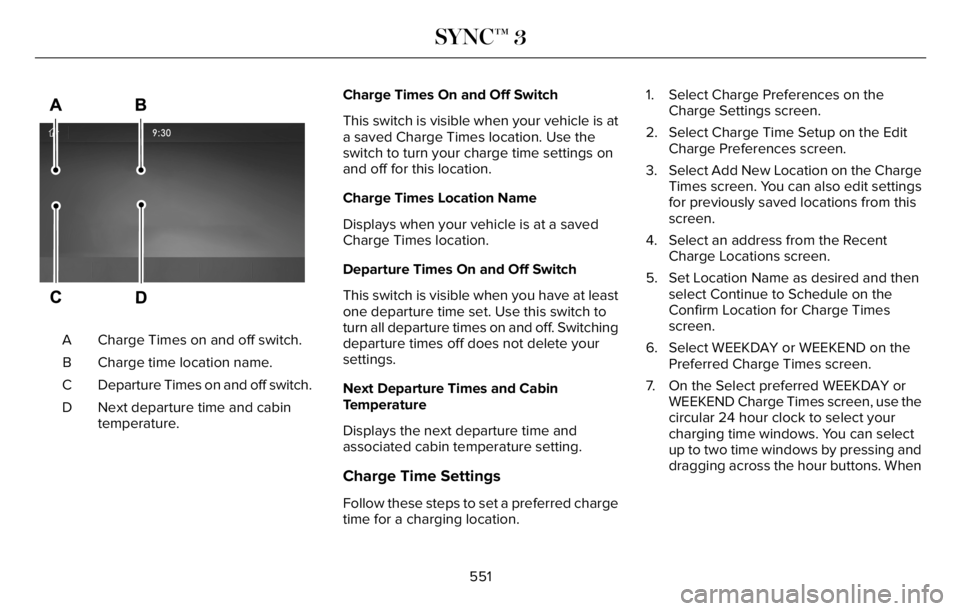
Charge Times on and off switch. A
Charge time location name. B
Departure Times on and off switch. C
Next departure time and cabin
temperature. DCharge Times On and Off Switch
This switch is visible when your vehicle is at
a saved Charge Times location. Use the
switch to turn your charge time settings on
and off for this location.
Charge Times Location Name
Displays when your vehicle is at a saved
Charge Times location.
Departure Times On and Off Switch
This switch is visible when you have at least
one departure time set. Use this switch to
turn all departure times on and off. Switching
departure times off does not delete your
settings.
Next Departure Times and Cabin
Temperature
Displays the next departure time and
associated cabin temperature setting.
Charge Time Settings
Follow these steps to set a preferred charge
time for a charging location.1. Select Charge Preferences on the
Charge Settings screen.
2. Select Charge Time Setup on the Edit
Charge Preferences screen.
3. Select Add New Location on the Charge
Times screen. You can also edit settings
for previously saved locations from this
screen.
4. Select an address from the Recent
Charge Locations screen.
5. Set Location Name as desired and then
select Continue to Schedule on the
Confirm Location for Charge Times
screen.
6. Select WEEKDAY or WEEKEND on the
Preferred Charge Times screen.
7. On the Select preferred WEEKDAY or
WEEKEND Charge Times screen, use the
circular 24 hour clock to select your
charging time windows. You can select
up to two time windows by pressing and
dragging across the hour buttons. When
551
SYNC™ 3
Page 555 of 681
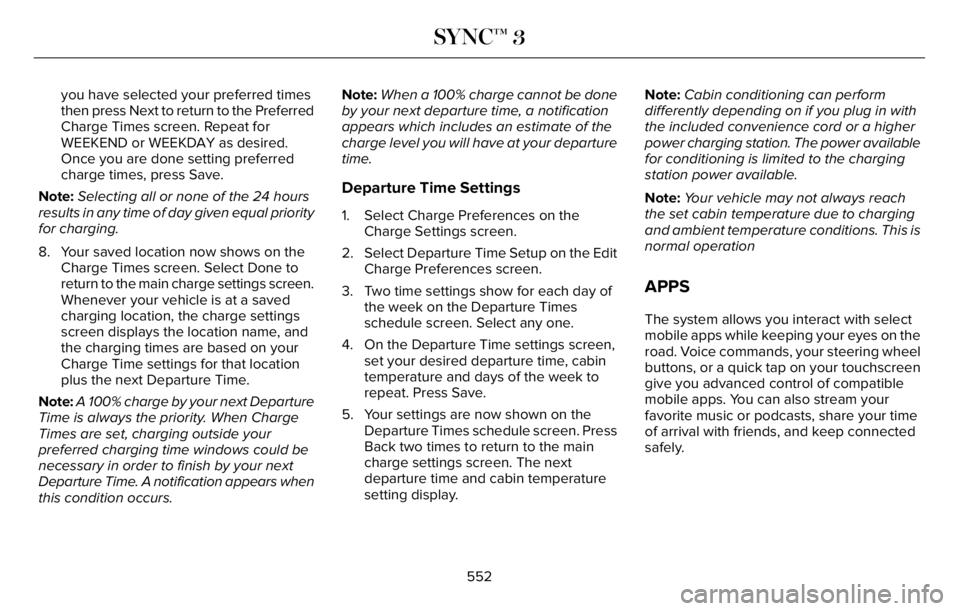
you have selected your preferred times
then press Next to return to the Preferred
Charge Times screen. Repeat for
WEEKEND or WEEKDAY as desired.
Once you are done setting preferred
charge times, press Save.
Note:Selecting all or none of the 24 hours
results in any time of day given equal priority
for charging.
8. Your saved location now shows on the
Charge Times screen. Select Done to
return to the main charge settings screen.
Whenever your vehicle is at a saved
charging location, the charge settings
screen displays the location name, and
the charging times are based on your
Charge Time settings for that location
plus the next Departure Time.
Note:A 100% charge by your next Departure
Time is always the priority. When Charge
Times are set, charging outside your
preferred charging time windows could be
necessary in order to finish by your next
Departure Time. A notification appears when
this condition occurs.Note:When a 100% charge cannot be done
by your next departure time, a notification
appears which includes an estimate of the
charge level you will have at your departure
time.
Departure Time Settings
1. Select Charge Preferences on the
Charge Settings screen.
2. Select Departure Time Setup on the Edit
Charge Preferences screen.
3. Two time settings show for each day of
the week on the Departure Times
schedule screen. Select any one.
4. On the Departure Time settings screen,
set your desired departure time, cabin
temperature and days of the week to
repeat. Press Save.
5. Your settings are now shown on the
Departure Times schedule screen. Press
Back two times to return to the main
charge settings screen. The next
departure time and cabin temperature
setting display.Note:Cabin conditioning can perform
differently depending on if you plug in with
the included convenience cord or a higher
power charging station. The power available
for conditioning is limited to the charging
station power available.
Note:Your vehicle may not always reach
the set cabin temperature due to charging
and ambient temperature conditions. This is
normal operation
APPS
The system allows you interact with select
mobile apps while keeping your eyes on the
road. Voice commands, your steering wheel
buttons, or a quick tap on your touchscreen
give you advanced control of compatible
mobile apps. You can also stream your
favorite music or podcasts, share your time
of arrival with friends, and keep connected
safely.
552
SYNC™ 3
Page 557 of 681
4. Select the apps option on the feature bar.
5. Select the navigation app that you want
to use on the touchscreen.
Note:When using a navigation app, keep
your device unlocked and the app open.
SiriusXM Traffic and Travel Link (If
Equipped)
WARNING: Driving while distracted
can result in loss of vehicle control, crash
and injury. We strongly recommend that
you use extreme caution when using any
device that may take your focus off the
road. Your primary responsibility is the safe
operation of your vehicle. We recommend
against the use of any hand-held device
while driving and encourage the use of
voice-operated systems when possible.
Make sure you are aware of all applicable
local laws that may affect the use of
electronic devices while driving.
Note:SiriusXM Traffic and Travel Link may
not be available in all markets.
Note:In order to use SiriusXM Traffic and
Travel Link, your vehicle must have
navigation.
Note:A paid subscription is required to
access and use these features. Go to
www.siriusxm.com/travellink for more
information.Note:Visit www.siriusxm.com/traffic and click
on Coverage map and details for a complete
listing of all traffic areas covered by SiriusXM
Traffic and Travel Link.
Note:Neither Sirius nor Ford is responsible
for any errors or inaccuracies in the SiriusXM
Traffic and Travel Link services or its use in
vehicles.
When you subscribe to SiriusXM Traffic and
Travel Link, it can help you locate the best
gas prices, find movie listings, get current
traffic alerts, view the current weather map,
get accurate ski conditions and see scores
to current sports games.
Action and Description Menu Item
Touch these buttons to identify traffic incidents on your route, near your vehicle’s current location
or near any of your favorite places, if programmed. Traffic on Route
Traffic Nearby
Touch this button to view fuel prices at stations close to your vehicle’s location or on an active
navigation route. Fuel Prices
554
SYNC™ 3
Page 576 of 681
Possible Cause and Resolution Symptom
Unlink and relink your remote control in the Personal Profiles menu. You may need to see
your authorized dealer. I lost a remote control.
You might have erased and reprogrammed the remote controls. This could happen if you
let a dealership add a new remote control to replace a lost one.
I lost all profiles.
Someone performed a master reset.
Resetting the System
1. Simultaneously press and hold the seek
up and the audio unit power buttons until
the screen goes black.
2. Wait three minutes to allow the system
to complete the reset.
3. Press the audio unit power button to
switch the system on.
Note:You can reset the system to restore
functionality that has stopped working. The
system reset is designed to restore
functionality and not delete any data that
you have stored.
Additional Information and Assistance
For additional information and assistance,
we recommend that you contact an
authorized dealer or refer to our website.
573
SYNC™ 3