airbag LINCOLN AVIATOR 2023 Owner's Guide
[x] Cancel search | Manufacturer: LINCOLN, Model Year: 2023, Model line: AVIATOR, Model: LINCOLN AVIATOR 2023Pages: 681, PDF Size: 9.33 MB
Page 428 of 681
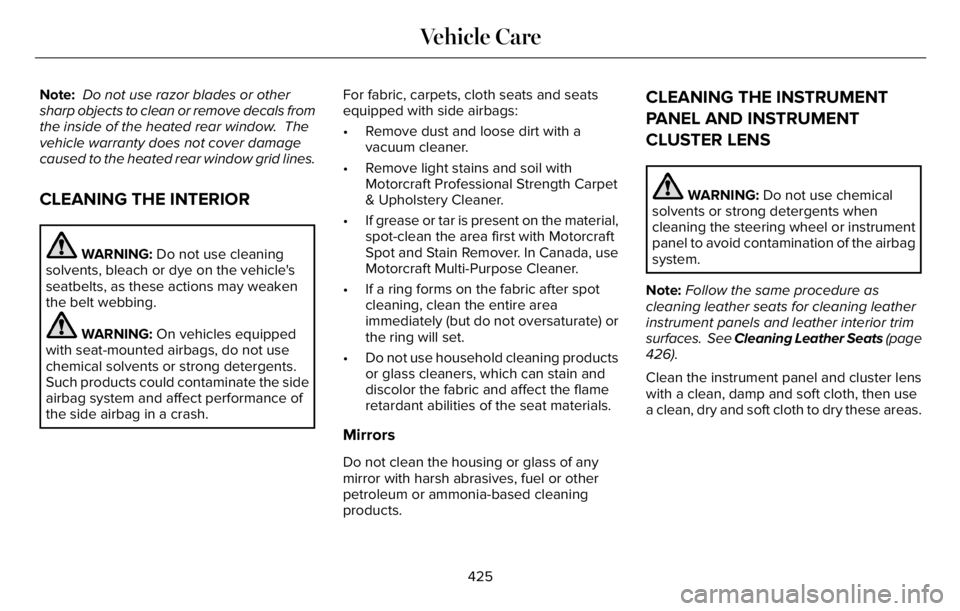
Note: Do not use razor blades or other
sharp objects to clean or remove decals from
the inside of the heated rear window. The
vehicle warranty does not cover damage
caused to the heated rear window grid lines.
CLEANING THE INTERIOR
WARNING: Do not use cleaning
solvents, bleach or dye on the vehicle's
seatbelts, as these actions may weaken
the belt webbing.
WARNING: On vehicles equipped
with seat-mounted airbags, do not use
chemical solvents or strong detergents.
Such products could contaminate the side
airbag system and affect performance of
the side airbag in a crash.For fabric, carpets, cloth seats and seats
equipped with side airbags:
• Remove dust and loose dirt with a
vacuum cleaner.
• Remove light stains and soil with
Motorcraft Professional Strength Carpet
& Upholstery Cleaner.
• If grease or tar is present on the material,
spot-clean the area first with Motorcraft
Spot and Stain Remover. In Canada, use
Motorcraft Multi-Purpose Cleaner.
• If a ring forms on the fabric after spot
cleaning, clean the entire area
immediately (but do not oversaturate) or
the ring will set.
• Do not use household cleaning products
or glass cleaners, which can stain and
discolor the fabric and affect the flame
retardant abilities of the seat materials.
Mirrors
Do not clean the housing or glass of any
mirror with harsh abrasives, fuel or other
petroleum or ammonia-based cleaning
products.
CLEANING THE INSTRUMENT
PANEL AND INSTRUMENT
CLUSTER LENS
WARNING: Do not use chemical
solvents or strong detergents when
cleaning the steering wheel or instrument
panel to avoid contamination of the airbag
system.
Note:Follow the same procedure as
cleaning leather seats for cleaning leather
instrument panels and leather interior trim
surfaces. See Cleaning Leather Seats (page
426).
Clean the instrument panel and cluster lens
with a clean, damp and soft cloth, then use
a clean, dry and soft cloth to dry these areas.
425
Vehicle Care
Page 585 of 681
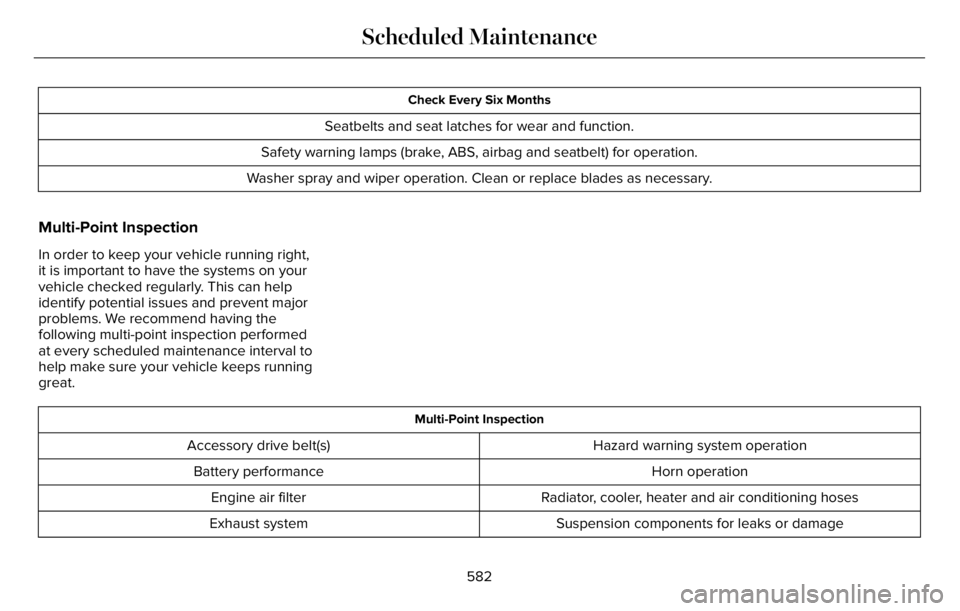
Check Every Six Months
Seatbelts and seat latches for wear and function.
Safety warning lamps (brake, ABS, airbag and seatbelt) for operation.
Washer spray and wiper operation. Clean or replace blades as necessary.
Multi-Point Inspection
In order to keep your vehicle running right,
it is important to have the systems on your
vehicle checked regularly. This can help
identify potential issues and prevent major
problems. We recommend having the
following multi-point inspection performed
at every scheduled maintenance interval to
help make sure your vehicle keeps running
great.
Multi-Point Inspection
Hazard warning system operation Accessory drive belt(s)
Horn operation Battery performance
Radiator, cooler, heater and air conditioning hoses Engine air filter
Suspension components for leaks or damage Exhaust system
582
Scheduled Maintenance
Page 633 of 681
ELECTROMAGNETIC
COMPATIBILITY
WARNING: Do not place objects or
mount equipment on or near the airbag
cover, on the side of the front or rear
seatbacks, or in areas that may come into
contact with a deploying airbag. Failure to
follow these instructions may increase the
risk of personal injury in the event of a
crash.
WARNING: Do not fasten antenna
cables to vehicle wiring, fuel pipes and
brake pipes.
WARNING: Keep antenna and power
cables at least 4 in (10 cm) from any
electronic modules and airbags.
Note:We test and certify your vehicle to
meet electromagnetic compatibility
legislation. It is your responsibility to make
sure that any equipment an authorized
dealer installs on your vehicle complies with
applicable local legislation and other
requirements. Installation of some
aftermarket electronic devices could
degrade the performance of vehicle
functions, which use radio frequency signals
such as broadcast radio receiver, tire
pressure monitoring system, push button
start, Bluetooth® connectivity or satellite
navigation.Note:Any radio frequency transmitter
equipment in your vehicle (such as cellular
telephones and amateur radio transmitters)
must keep to the parameters in the following
illustrations and table. We do not provide
any other special provisions or conditions
for installations or use.
630
Appendices
Page 649 of 681
(b) use your own personal judgment while
driving. If you feel that a route suggested by
the TeleNav Software instructs you to
perform an unsafe or illegal maneuver,
places you in an unsafe situation, or directs
you into an area that you consider to be
unsafe, do not follow such instructions;
(c) do not input destinations, or otherwise
manipulate the TeleNav Software, unless
your vehicle is stationary and parked;
(d) do not use the TeleNav Software for any
illegal, unauthorized, unintended, unsafe,
hazardous, or unlawful purposes, or in any
manner inconsistent with this Agreement;
(e) arrange all GPS and wireless devices and
cables necessary for use of the TeleNav
Software in a secure manner in your vehicle
so that they will not interfere with your
driving and will not prevent the operation of
any safety device (such as an airbag).
You agree to indemnify and hold TeleNav
harmless against all claims resulting from any
dangerous or otherwise inappropriate use
of the TeleNav Software in any moving
vehicle, including as a result of your failure
to comply with the directions above.2. Account Information
You agree: (a) when registering the TeleNav
Software, to provide TeleNav with true,
accurate, current, and complete information
about yourself, and (b) to inform TeleNav
promptly of any changes to such information,
and to keep it true, accurate, current and
complete.
3. Software License
• Subject to your compliance with the
terms of this Agreement, TeleNav hereby
grants to you a personal, non-exclusive,
non-transferable license (except as
expressly permitted below in connection
with your permanent transfer of the
TeleNav Software license), without the
right to sublicense, to use the TeleNav
Software (in object code form only) in
order to access and use the TeleNav
Software. This license shall terminate
upon any termination or expiration of this
Agreement. You agree that you will use
the TeleNav Software only for your
personal business or leisure purposes,
and not to provide commercial navigation
services to other parties.3.1 License Limitations
•(a) reverse engineer, decompile,
disassemble, translate, modify, alter or
otherwise change the TeleNav Software
or any part thereof; (b) attempt to derive
the source code, audio library or
structure of the TeleNav Software without
the prior express written consent of
TeleNav; (c) remove from the TeleNav
Software, or alter, any of TeleNav's or its
suppliers' trademarks, trade names,
logos, patent or copyright notices, or
other notices or markings; (d) distribute,
sublicense or otherwise transfer the
TeleNav Software to others, except as
part of your permanent transfer of the
TeleNav Software; or (e) use the TeleNav
Software in any manner that
I. infringes the intellectual property or
proprietary rights, rights of publicity or
privacy or other rights of any party,
ii. violates any law, statute, ordinance or
regulation, including but not limited to laws
and regulations related to spamming, privacy,
consumer and child protection, obscenity or
defamation, or
646
Appendices
Page 670 of 681
3
360 Degree Camera...................................300
9
911 Assist...........................................................66
A
A/CSee: Climate Control..........................................165
About This Manual...........................................11
ABS
See: Brakes...........................................................271
ABS driving hintsSee: Hints on Driving With Anti-Lock
Brakes...............................................................272
Accessories....................................................574
Accessories
See: Replacement Parts Recommendation.....14
Active Park Assist.........................................292
Adaptive Cruise Control.............................305
Adaptive Cruise Control –
Troubleshooting..............................................316
Adaptive Cruise Control Indicators -
Vehicles With: Adaptive Cruise Control
With Lane Centering..................................312Adaptive Cruise Control Indicators -
Vehicles With: Adaptive Cruise Control
With Stop and Go.......................................313
Adaptive Cruise Control Indicators -
Vehicles With: Intelligent Adaptive Cruise
Control...........................................................313
Adaptive Cruise Control Limitations -
Vehicles With: Adaptive Cruise Control
With Lane Centering.................................307
Adaptive Cruise Control Limitations -
Vehicles With: Adaptive Cruise Control
With Stop and Go......................................307
Adaptive Cruise Control Precautions -
Vehicles With: Adaptive Cruise Control
With Lane Centering.................................305
Adaptive Cruise Control Precautions -
Vehicles With: Adaptive Cruise Control
With Stop and Go......................................306
Adaptive Cruise Control –
Troubleshooting..........................................316
Adaptive Cruise Control – Information
Messages..........................................................316
Adaptive Headlamps.....................................114
Adjusting the Headlamps............................416
Adjusting the Set Speed Tolerance..........316
Adjusting the Steering Wheel - Vehicles
With: Manual Adjustable Steering
Column..........................................................102Adjusting the Steering Wheel - Vehicles
With: Power Adjustable Steering
Column..........................................................102
AFS
See: Adaptive Headlamps.................................114
Airbag Disposal...............................................64
Air Conditioning
See: Climate Control..........................................165
Air FilterSee: Changing the Engine Air Filter..............402
Air Suspension..............................................352
Alarm
See: Anti-Theft Alarm.........................................100
All-Wheel Drive.............................................264
Ambient Lighting............................................117
Anti-Theft Alarm............................................100
Appendices...................................................630
Apps................................................................552
At a Glance.......................................................24
Audible Warnings and Indicators..............135
Audio Control.................................................104
Audio System................................................496
General Information...........................................496
Audio Unit.......................................................497
Auto Air Refresh Hints..................................175
Auto Air Refresh Indicators.........................174
Auto Hold.......................................................275
Autolamps........................................................112
667
Index
Page 672 of 681
Clearing All MyKeys.......................................80
Climate............................................................533
Climate Control..............................................165
Cold Weather Precautions..........................361
Collision, Damage or Fire Event...............368
Connected Vehicle Data................................21
Connecting the Vehicle to a Mobile
Network.......................................................490
Enabling the Modem Using The Lincoln
Way....................................................................490
Enabling the Modem Using the
Touchscreen...................................................490
What Is the Modem............................................490
Coolant CheckSee: Engine Coolant Check............................404
Crash and Breakdown Information..........372Post Impact Braking...........................................372
Crash Sensors and Airbag Indicator..........63
Creating a MyKey............................................79
Creating a Vehicle Wi-Fi Hotspot.............494
Cross Traffic Alert.........................................330
Cruise Control...............................................303
Cruise Control Indicators...........................304
Cruise Control - Vehicles With: Adaptive
Cruise Control With Lane
Centering......................................................104
Cruise Control - Vehicles With: Cruise
Control..........................................................105Customer Assistance...................................373
Customer Information..................................591
Radio Frequency Certification Labels............591
D
Data Privacy......................................................18
Daytime Running Lamps - Vehicles With:
Configurable Daytime Running
Lamps.............................................................113
Daytime Running Lamps - Vehicles With:
Daytime Running Lamps (DRL).................113
Digital Radio..................................................499
Direction Indicators........................................116
Doors and Locks.............................................83
Drive Mode Control.....................................343
Drive Modes.........................................................343
Drive Modes...................................................343Conserve..............................................................343
Deep Conditions.................................................343
Deep Sand...........................................................344
Excite.....................................................................344
Normal...................................................................344
Preserve EV.........................................................344
Pure EV.................................................................344
Slippery.................................................................345
Driver Alert......................................................319
Driver and Passenger Airbags....................56Driver and Passenger Knee Airbags..........61
Driving Aids.....................................................319
Driving Economically....................................361
Driving Hints...................................................361
Driving Through Shallow Water...............362
DRL
See: Daytime Running Lamps - Vehicles With:
Configurable Daytime Running Lamps......113
See: Daytime Running Lamps - Vehicles With:
Daytime Running Lamps (DRL).....................113
E
Electric Parking Brake.................................272
Electric Vehicle Information.......................546
Electromagnetic Compatibility..................630
Emergency Call Limitations..........................67
Emergency Call Requirements...................66
Emergency Call System Data......................22
Emergency Door Release..............................91
Emission Law.................................................234
End User License Agreement...................635
Engine Block Heater....................................213
Engine Coolant Check................................404
Engine Emission Control............................234
Engine Immobilizer
See: Passive Anti-Theft System........................99
Engine Oil Check..........................................401
669
Index
Page 677 of 681
Settings...........................................................555
Setting the Adaptive Cruise Control
Gap..................................................................311
Setting the Adaptive Cruise Control
Speed............................................................310
Setting the Cruise Control Speed............303
Setting the Hill Descent Speed................284
Side Airbags.....................................................60
Side Sensing System..................................290
Sitting in the Correct Position....................176
Snow Chains
See: Using Snow Chains..................................445
Soft Closing Door............................................91
Spare Wheel
See: Changing a Road Wheel..........................451
Special Notices................................................15
Special Operating Conditions Scheduled
Maintenance...............................................587
Speed Control
See: Cruise Control............................................303
Speed Sign Recognition.............................335
Stability Control............................................282
Principle of Operation.......................................282
Starting a Gasoline Engine........................206
Starting a Hybrid Electric Vehicle
System...........................................................210
Starting and Stopping the Engine...........205
General Information..........................................205
Steering...........................................................336
Steering Wheel..............................................102
Storage Compartments..............................204
Sunroof
See: Moonroof.....................................................125
Sun Visors.......................................................125
Supplementary Restraints System.............55
Principle of Operation.........................................55
Switching Adaptive Cruise Control On and
Off..................................................................309
Switching Automatic High Beam Control
On and Off.....................................................119
Switching Cruise Control On and
Off..................................................................303
Switching From Adaptive Cruise Control
to Cruise Control.........................................313
Switching Hill Descent Control On and
Off..................................................................284
Switching Intelligent Mode On and
Off...................................................................315
Switching Lane Centering On and
Off...................................................................314
Switching Rear Occupant Alert System On
and Off...........................................................194
Switching Reverse Braking Assist On and
Off..................................................................278
Symbols Glossary.............................................11SYNC™ 3..........................................................507
General Information...........................................507
SYNC™ 3 Troubleshooting..........................557
T
Technical SpecificationsSee: Capacities and Specifications...............460
The Better Business Bureau (BBB) Auto
Line Program (U.S. Only)..........................375
Tire Care.........................................................432
Tire Pressure Monitoring System.............447
Tires
See: Wheels and Tires......................................430
Towing a Trailer.............................................354
Towing the Vehicle on Four Wheels.......359
Towing.............................................................354
Traction Control.............................................281
Principle of Operation........................................281
Trailer Sway Control....................................355
Transmission..................................................259
Transporting the Vehicle............................370
U
Under Hood Overview...............................400
Unique Driving Characteristics..................215
USB Port.........................................................505
674
Index