display LINCOLN CONTINENTAL 1997 Owner's Manual
[x] Cancel search | Manufacturer: LINCOLN, Model Year: 1997, Model line: CONTINENTAL, Model: LINCOLN CONTINENTAL 1997Pages: 321, PDF Size: 2.37 MB
Page 56 of 321

52PNL&FLR button
Push this button to get air from the floor and
instrument panel registers at the same time. The
display will show the set temperature and the
words PNL and FLR. Depending on the selected
temperature, the air will be automatically heated or
cooled.
FLOOR button
Airflow will be to the floor when the FLOOR
button is pressed. The display window will show
the set temperature and FLR to the left of the
temperature. The air cannot be cooled in the FLR
position, only heated. Fan speed will be automatic
unless manually controlled. If you override the fan
speed and wish to return to automatic fan control,
push AUTOMATIC. Then, again select FLOOR for
airflow to the floor.FLR&DEF button
Push this button to get air to the floor and
windshield defrosters at the same time. The display
will show the set temperature, FLR and the Defrost
symbol. If the outside temperature is about50ÊF
(10ÊC) andabove, the air will be dehumidified to
remove moisture. This will help to prevent fogging
in humid weather.
DEF button
Press the Defrost Button to obtain maximum airflow
to the windshield. Adjust the temperature setting as
required for defrosting. The Display window will
show the temperature setting with the Defrost
symbol to the left of the temperature. When the
outside temperature is about50ÊF(10ÊC) and
above, the air will be dehumidified to remove
moisture. This will help prevent fogging in humid
weather.
File:05fncfc.ex
Update:Fri Sep 6 14:53:57 1996
Page 57 of 321
53
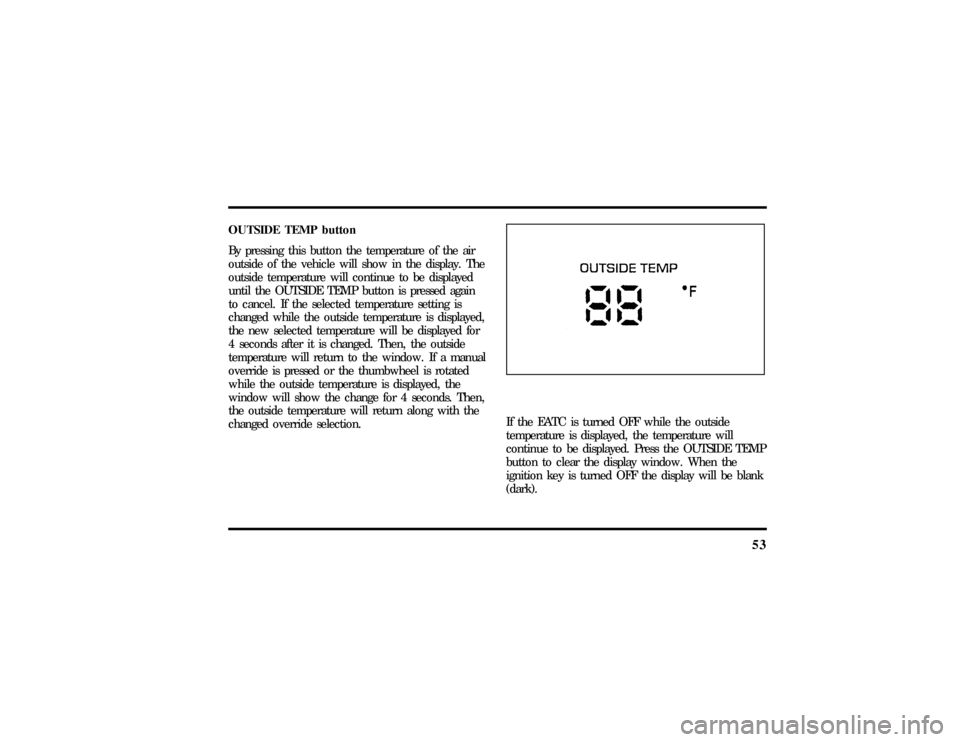
OUTSIDE TEMP button
By pressing this button the temperature of the air
outside of the vehicle will show in the display. The
outside temperature will continue to be displayed
until the OUTSIDE TEMP button is pressed again
to cancel. If the selected temperature setting is
changed while the outside temperature is displayed,
the new selected temperature will be displayed for
4 seconds after it is changed. Then, the outside
temperature will return to the window. If a manual
override is pressed or the thumbwheel is rotated
while the outside temperature is displayed, the
window will show the change for 4 seconds. Then,
the outside temperature will return along with the
changed override selection.
If the EATC is turned OFF while the outside
temperature is displayed, the temperature will
continue to be displayed. Press the OUTSIDE TEMP
button to clear the display window. When the
ignition key is turned OFF the display will be blank
(dark).
File:05fncfc.ex
Update:Fri Sep 6 14:53:57 1996
Page 62 of 321
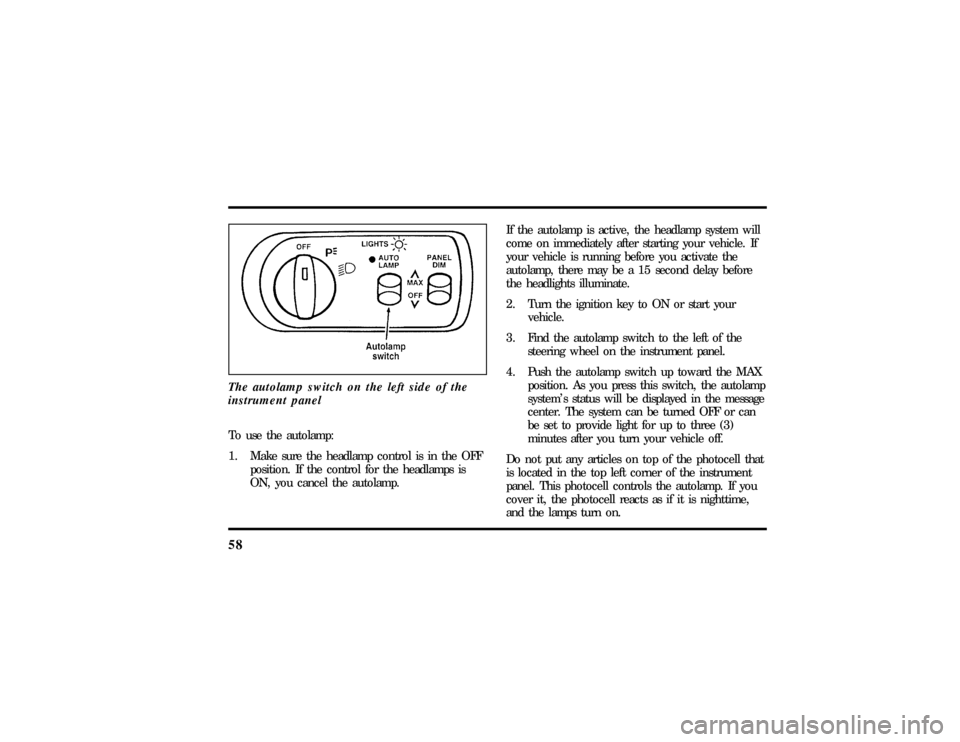
58The autolamp switch on the left side of the
instrument panelTo use the autolamp:
1. Make sure the headlamp control is in the OFF
position. If the control for the headlamps is
ON, you cancel the autolamp.If the autolamp is active, the headlamp system will
come on immediately after starting your vehicle. If
your vehicle is running before you activate the
autolamp, there may be a 15 second delay before
the headlights illuminate.
2. Turn the ignition key to ON or start your
vehicle.
3. Find the autolamp switch to the left of the
steering wheel on the instrument panel.
4. Push the autolamp switch up toward the MAX
position. As you press this switch, the autolamp
system's status will be displayed in the message
center. The system can be turned OFF or can
be set to provide light for up to three (3)
minutes after you turn your vehicle off.
Do not put any articles on top of the photocell that
is located in the top left corner of the instrument
panel. This photocell controls the autolamp. If you
cover it, the photocell reacts as if it is nighttime,
and the lamps turn on.
File:05fncfc.ex
Update:Fri Sep 6 14:53:57 1996
Page 63 of 321
59
To turn the autolamp off, push the switch down
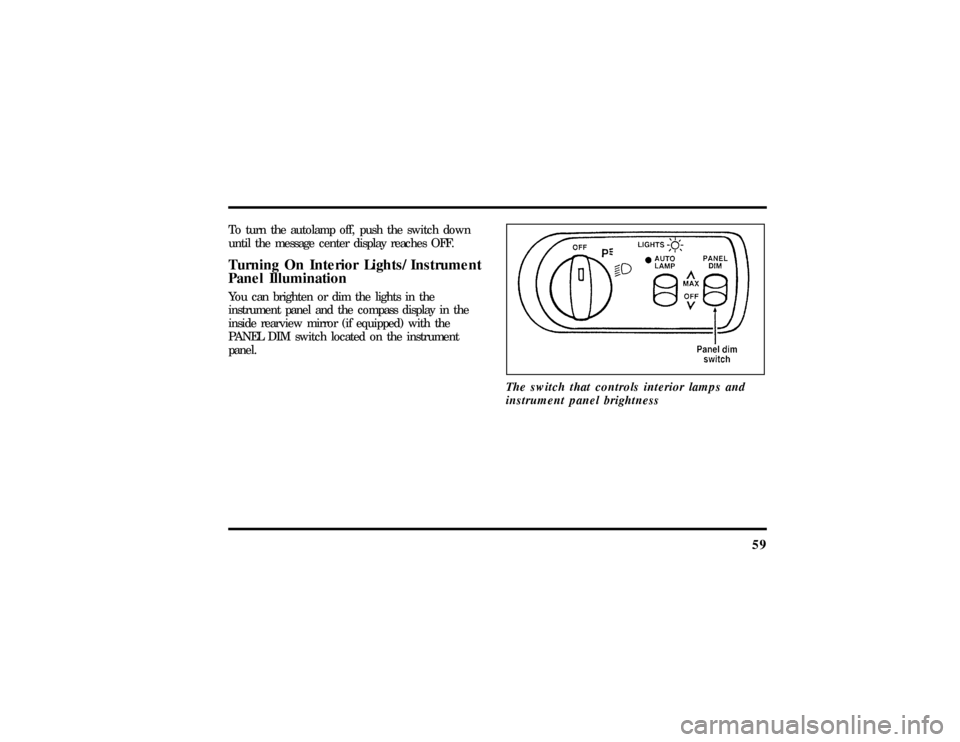
until the message center display reaches OFF.Turning On Interior Lights/Instrument
Panel IlluminationYou can brighten or dim the lights in the
instrument panel and the compass display in the
inside rearview mirror (if equipped) with the
PANEL DIM switch located on the instrument
panel.
The switch that controls interior lamps and
instrument panel brightness
File:05fncfc.ex
Update:Fri Sep 6 14:53:57 1996
Page 64 of 321
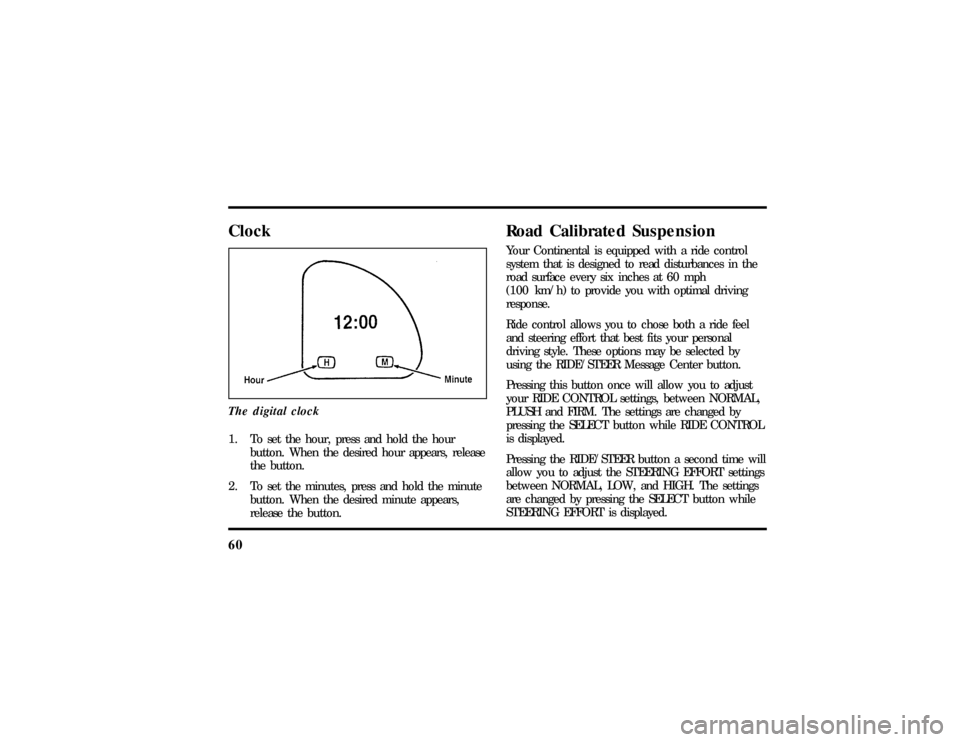
60ClockThe digital clock1. To set the hour, press and hold the hour
button. When the desired hour appears, release
the button.
2. To set the minutes, press and hold the minute
button. When the desired minute appears,
release the button.
Road Calibrated SuspensionYour Continental is equipped with a ride control
system that is designed to read disturbances in the
road surface every six inches at 60 mph
(100 km/h) to provide you with optimal driving
response.
Ride control allows you to chose both a ride feel
and steering effort that best fits your personal
driving style. These options may be selected by
using the RIDE/STEER Message Center button.
Pressing this button once will allow you to adjust
your RIDE CONTROL settings, between NORMAL,
PLUSH and FIRM. The settings are changed by
pressing the SELECT button while RIDE CONTROL
is displayed.
Pressing the RIDE/STEER button a second time will
allow you to adjust the STEERING EFFORT settings
between NORMAL, LOW, and HIGH. The settings
are changed by pressing the SELECT button while
STEERING EFFORT is displayed.
File:05fncfc.ex
Update:Fri Sep 6 14:53:57 1996
Page 78 of 321
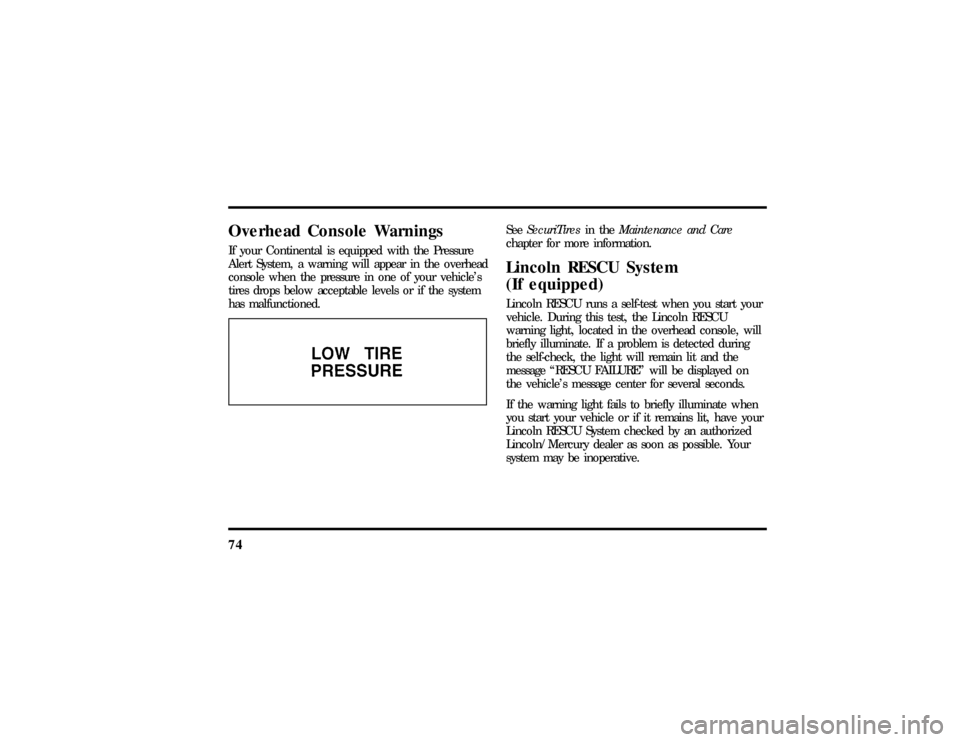
74Overhead Console WarningsIf your Continental is equipped with the Pressure
Alert System, a warning will appear in the overhead
console when the pressure in one of your vehicle's
tires drops below acceptable levels or if the system
has malfunctioned.
SeeSecuriTiresin theMaintenance and Care
chapter for more information.Lincoln RESCU System
(If equipped)Lincoln RESCU runs a self-test when you start your
vehicle. During this test, the Lincoln RESCU
warning light, located in the overhead console, will
briefly illuminate. If a problem is detected during
the self-check, the light will remain lit and the
message ªRESCU FAILUREº will be displayed on
the vehicle's message center for several seconds.
If the warning light fails to briefly illuminate when
you start your vehicle or if it remains lit, have your
Lincoln RESCU System checked by an authorized
Lincoln/Mercury dealer as soon as possible. Your
system may be inoperative.
File:05fncfc.ex
Update:Fri Sep 6 14:53:57 1996
Page 83 of 321

79
When this button is pressed, the Lincoln Security
Response Center relays details of your situation and
your location to local 911 or other emergency
services via a three-way phone call. The response
center/emergency services will:q
dispatch the appropriate emergency help to your
location
q
when appropriate, stay in direct phone contact
with you until emergency help arrives
q
notify pre-designated family contacts or friends
of the emergency situation, if requested, or if no
response is received from the vehicle.
NOTE:If you are certain of your location, a direct
phone call to 911 or other emergency services may
provide a faster response.
Activation and DeactivationWhen either of the two Lincoln RESCU buttons is
pressed, a warning light, located in the overhead
console, will begin to flash and status messages willbe displayed on the vehicle's message center,
confirming an assistance request has been made.
The warning light will continue to flash throughout
the activation.
The RESCU Warning light
The system can be activated whenever your ignition
key is in the RUN/START position and for two
minutes after your vehicle is turned off. Once a
RESCU button has been pressed, DO NOT
ATTEMPT TO CRANK THE ENGINE as this may
cancel the activation. In most situations, the
assistance request canONLYbe terminated and the
system reset when a special tone is sent to the
File:05fncfc.ex
Update:Fri Sep 6 14:53:57 1996
Page 84 of 321

80vehicle by the Lincoln Security Response Center.
(SeeAutomatic Rediallater in this chapter for
exceptions.) Operation will continue even if the
vehicle is turned off during an activation (although
visual feedback via the Message Center will not be
available in this situation).Cellular Phone InterfaceDuring an activation, Lincoln RESCU takes control
of the vehicle's cellular phone. If the phone is in
use, THE CALL WILL BE TERMINATED and the
Lincoln Security Response Center will automatically
be dialed. The cellular handset becomes inoperative
and all voice communication with the operator is
accomplished via the cellular phone's ªhands-freeº
microphone.
NOTE:When an activation is terminated, your
phone is left unlocked, in the ªONº state and may
not return to its previous call restriction or system
selection setting. It can be reprogrammed to your
previous setting as desired.
Message Center InterfaceDuring an activation, Lincoln RESCU communicates
with the vehicle's Message Center. Status messages
describing the sequence of steps being executed are
displayed, allowing you to visually follow the
activation process. The following messages are
typical of those displayed during an assistance
request. They are shown in the order in which they
would appear:q
ROADSIDE REQUEST or EMERGNCY
REQUEST
q
CALL IN PROGRESS
q
RINGING RESPONSE CENTER
q
SENDING LOCATION DATA
q
DATA RECEIVED
q
WAITING FOR OPERATOR
File:05fncfc.ex
Update:Fri Sep 6 14:53:57 1996
Page 85 of 321

81
Once an assistance request is made, it will typically
take less than one minute until contact is made
with an operator. During voice communication the
following messages will alternately toggle on the
display:q
CID XXXXXXXXXX
q
LAT XXXXXXXXXX
q
LON XXXXXXXXXX
q
HDG XX
These messages respectively are the customer
identification number, vehicle latitude, vehicle
longitude and heading. Under special circumstances,
the operator may ask you to read the information
being displayed on the Message Center.
If vehicle messages are being displayed on the
Message Center (low washer fluid, low oil, door
ajar, etc.), they must be cleared in order to view
the LINCOLN RESCU messages. To clear thevehicle messages, press the Message Center RESET
button, which is located to the right of the display.
Continue pressing the button until all vehicle
messages are cleared.
Automatic RedialAs described previously, when an assistance request
is made, the vehicle's cellular phone automatically
dials the Lincoln Security Response Center's central
computer and attempts to send an electronic data
message. Occasionally, it can be difficult for the
computer to recognize the message if the cellular
connection is weak or noisy. If the transmission of
the message is unsuccessful, the data call will be
terminated and the message ªREDIAL IN
PROGRESSº will be displayed on the Message
Center. A second call will automatically be placed
which bypasses the response center's computer and
is forwarded directly to an operator.
File:05fncfc.ex
Update:Fri Sep 6 14:53:57 1996
Page 86 of 321

82Similarly, if the cellular call is disconnected by the
network prior to receipt of the termination tone,
another call to the response center will also
automatically be dialed. The message ªREDIAL IN
PROGRESSº will be displayed on the Message
Center and voice communication with an operator
will be restored.
NOTE:During redial calls, full control of the
cellular phone is returned to you. Pressing either
the ªPWRº or ªENDº button on the cellular
handset will terminate the assistance request and
reset the system.Location Data Retransmit CapabilityDuring an activation, the Lincoln Security Response
Center operator has the capability to initiate a
retransmission of the electronic data message. This
may be necessary to ensure a more precise
determination of vehicle location or to track a
vehicle that is moving. To accomplish the
retransmit, a special tone is sent to the vehicle bythe response center. In this situation you will
temporarily lose voice contact with the operator and
the messages ªSENDING LOCATION DATAº and
ªDATA RECEIVEDº will respectively be displayed
on the Message Center. After the data
retransmission is complete, voice communication
will be restored and the CID, LAT, LON and HDG
message will again alternately toggle on the Message
Center display.
Global Positioning SystemVehicle location is continuously updated via Global
Positioning System (GPS) technology. GPS was
developed by the U.S. Department of Defense for
worldwide navigational and positioning purposes. It
utilizes a constellation of 24 orbiting satellites
located more than 20 thousand kilometers above
the earth. At any given time, several of the 24
satellites should be visible to the vehicle's GPS
receiver. Based on the time for signals emitted by
these satellites to reach the receiver, an on-board
computer will determine the vehicle's location,
File:05fncfc.ex
Update:Fri Sep 6 14:53:57 1996