display LINCOLN CONTINENTAL 1997 Owner's Guide
[x] Cancel search | Manufacturer: LINCOLN, Model Year: 1997, Model line: CONTINENTAL, Model: LINCOLN CONTINENTAL 1997Pages: 321, PDF Size: 2.37 MB
Page 88 of 321

84Positioning capability temporarily
degraded after battery reconnectWhen your vehicle is started, the Lincoln RESCU
GPS receiver begins the process of determining
vehicle location. The receiver will search the sky
and attempt to acquire signals from all visible
satellites. A real-time clock and an almanac
containing detailed information about the satellite
constellation are stored in the on-board computer's
memory and are used to expedite the search. If the
vehicle's battery is disconnected, the clock memory
is erased and time and date are lost. Once the
battery is reconnected, it could take approximately
15 minutes to reacquire the clock and for
positioning capability to be restored. During this
time, the system will operate but the response
center will not be able to identify your location. In
this situation, the operator will depend on you to
provide verbal information regarding vehicle
location.
Inoperative if cellular signal marginal or
unavailableSince the Lincoln RESCU System utilizes the
vehicle's cellular phone, it can only be operated in
geographical areas with cellular coverage. Although
approximately 90 percent of the U.S. population
lives and works in cellular coverage areas, there are
various rural or mountainous areas where coverage
is marginal or does not exist. If an activation occurs
in this situation, the messages ªNO CELLULAR
SIGNALº and ªWAITING TO ACQUIREº will
alternately be displayed on the Message Center. If
after several attempts cellular service cannot be
acquired, the message ªUNABLE TO PLACE CALLº
will be displayed, the assistance request will be
terminated and the phone will return to its normal
operating mode.
File:05fncfc.ex
Update:Fri Sep 6 14:53:57 1996
Page 89 of 321

85
Inoperative if cellular system busyIn a particular area, the local cellular system can
only handle a limited number of cellular calls at
one time. Once volume has reached the maximum
limit, additional callers are denied access. If an
activation occurs in this situation, the messages
ªCELLULAR SYSTEM BUSYº and ªPLEASE WAITº
will alternately be displayed on the message center.
If after several attempts a cellular channel cannot be
acquired, the message ªUNABLE TO PLACE CALLº
will be displayed, the assistance request will be
terminated and the phone will return to its normal
operating mode.Incompatible with cellular PIN featureSome cellular carriers offer custom phone numbers
that are assigned a personal identification number
(PIN). In this situation, the user is required to enter
the pin with any phone calls made over the
network. The Lincoln RESCU System is notcompatible with the PIN feature. At the time your
phone is activated, ask your carrier to assign you a
phone number that does not require a personal
identification number entry. If you have difficulty
obtaining a non-PIN number, contact your dealer or
call the Ford Cellular System Clearinghouse at
1-800-367-3357 for assistance.
Incompatible or performance limited with
certain cellular provider featuresSome cellular carriers offer customers various
optional features with their cellular service. Several
of these features are not compatible or could
potentially limit the performance of your Lincoln
RESCU System. No outgoing calls, hotline and NPA
restrictions are incompatible cellular features and
must be avoided. Operation is possible with no
incoming calls, call forwarding, busy/no answer
transfer and call waiting, but these features could
impact overall system performance. Because carriers
are regularly making new features available to
File:05fncfc.ex
Update:Fri Sep 6 14:53:57 1996
Page 104 of 321
100The Electronic Compass
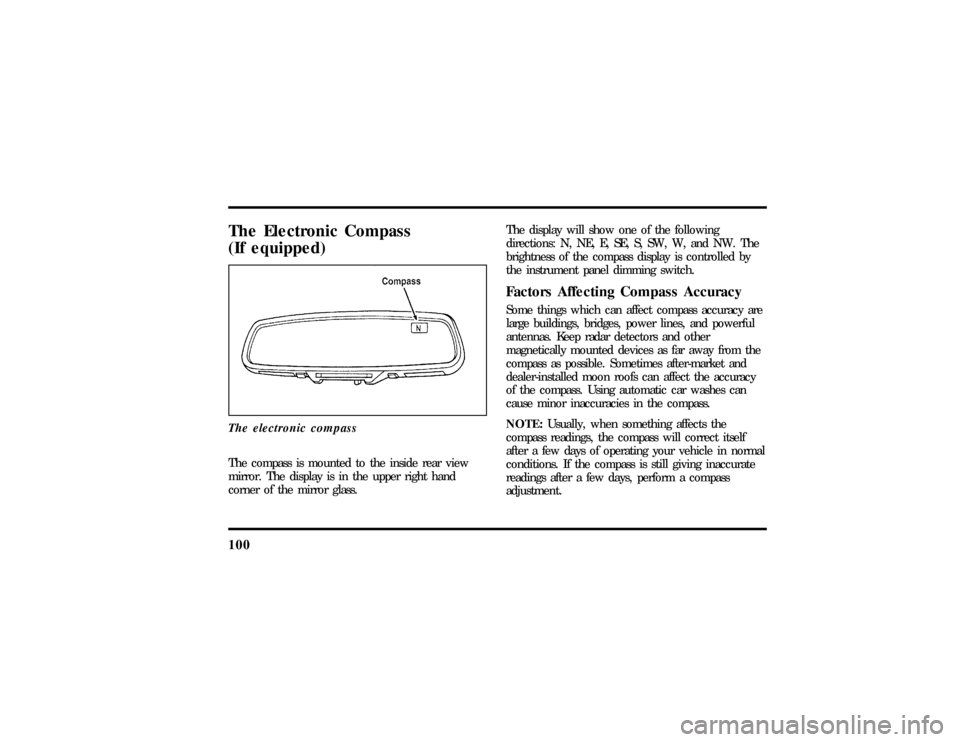
(If equipped)The electronic compassThe compass is mounted to the inside rear view
mirror. The display is in the upper right hand
corner of the mirror glass.The display will show one of the following
directions: N, NE, E, SE, S, SW, W, and NW. The
brightness of the compass display is controlled by
the instrument panel dimming switch.
Factors Affecting Compass AccuracySome things which can affect compass accuracy are
large buildings, bridges, power lines, and powerful
antennas. Keep radar detectors and other
magnetically mounted devices as far away from the
compass as possible. Sometimes after-market and
dealer-installed moon roofs can affect the accuracy
of the compass. Using automatic car washes can
cause minor inaccuracies in the compass.
NOTE:Usually, when something affects the
compass readings, the compass will correct itself
after a few days of operating your vehicle in normal
conditions. If the compass is still giving inaccurate
readings after a few days, perform a compass
adjustment.
File:05fncfc.ex
Update:Fri Sep 6 14:53:57 1996
Page 105 of 321

101
Compass-Calibration1. For optimum calibration, switch off all
non-essential electrical accessories (rear window
defrost, heater/air conditioning, map lamps,
wipers, etc.) and ensure all doors are shut.
2. Drive to an open, level area away from large
metallic objects or structures.
3. Insert an appropriate diameter rod (paper clip)
into the left switch access hole underneath the
compass module and press gently for 1-2
seconds until ªCALº and a direction appear on
the display.
4. Release the button and drive in a circle until
ªCALº disappears from the display (approx. 2-3
circles).
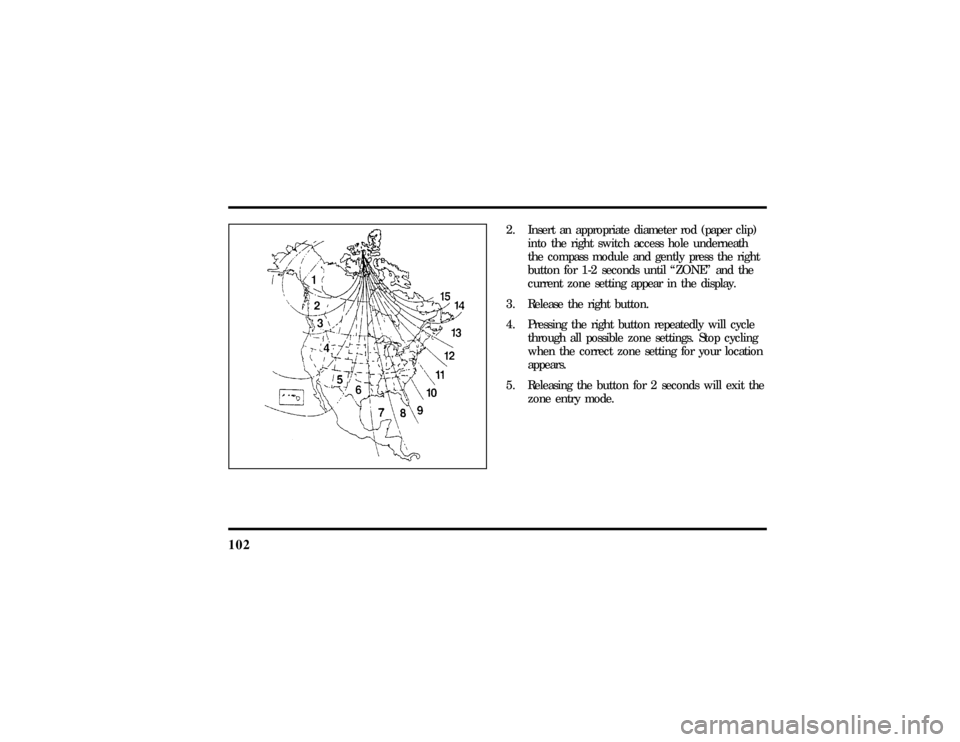
Compass-Zone Adjustment1. The zone setting is factory pre-set to Zone 8.
Refer to the Zone Map in this manual to verify
the correct compass zone setting for your
geographical location.
File:05fncfc.ex
Update:Fri Sep 6 14:53:57 1996
Page 106 of 321
102
2. Insert an appropriate diameter rod (paper clip)
into the right switch access hole underneath
the compass module and gently press the right
button for 1-2 seconds until ªZONEº and the
current zone setting appear in the display.
3. Release the right button.
4. Pressing the right button repeatedly will cycle
through all possible zone settings. Stop cycling
when the correct zone setting for your location
appears.
5. Releasing the button for 2 seconds will exit the
zone entry mode.
File:05fncfc.ex
Update:Fri Sep 6 14:53:57 1996
Page 111 of 321

107
The Ride/Steering menu is located in the Message
Center. The RIDE display allows you to adjust the
suspension feel to FIRM, NORMAL, or PLUSH.
Pressing the Ride/Steering menu switch again brings
the STEERING display. This allows you to adjust
steering effort to LOW, NORMAL, or HIGH.
For more information on ride/steering options, see
Road Calibrated Suspensionlater in this chapter.
Personality Memory also allows you to customize
settings from the Feature menu located in the
Message Center. The Feature menu contains five (5)
features that you can enable or disable. The features
are listed in the order they appear in the Feature
menu.
q
EXPRESS WINDOW - for one tap down
operation of the driver's window.
q
AUTO DOOR LOCKS - automatically locks all
doors when the driver shifts out of PARK, all
doors are closed, and the vehicle speed is at
least three mph (five km/h).
q
HORN CHIRP - sounds an audible ªchirpº
when you press the LOCK button on the
remote entry transmitter to verify that the doors
have been locked and the vehicle's anti-theft
system has been armed (if equipped).
q
SEAT ACCESS - moves the driver's seat back
two (2) inches or to the end of the seat track
when the vehicle is turned off and the ignition
key is removed. Upon the driver entering the
vehicle and closing the door, the seat will move
forward to its previous position.
File:05fncfc.ex
Update:Fri Sep 6 14:53:57 1996
Page 113 of 321

109
NOTE:Please note that even though the driver's
Personality Memory may be recalled using remote
or keyless entry, the seats and mirrors will not
move to the driver's set positions until the driver's
door is opened.Memory SwitchesPressing either the Memory 1 or Memory 2 switch
on the driver's door will also recall the Personality
Memory settings as selected, providing your vehicle
is in P (Park) or N (Neutral).Auto SaveAny change made by the driver to one of the above
Personality Memory settings will be updated and
saved automatically. The display, SAVED TO
DRIVER 1 or SAVED TO DRIVER 2, will appear on
the Message Center for five (5) seconds as a
confirmation of the update to Personality Memory.
If a radio preset is changed the radio display will
also show SAVED.If the driver does not use the remote entry
transmitter, or keyless entry keypad to unlock the
doors upon entering or does not press the Memory
1 or Memory 2 switch, then any change to one of
the Personality Memory settings (except radio
presets) will not be automatically saved. Instead the
driver will be prompted by the Message Center
whether to save the settings to Driver 1 or Driver
2.
Pressing the SELECT switch will toggle between 1,
2 or no choice. If DRIVER 1 or DRIVER 2 is
selected, the display, SAVED TO DRIVER 1 or
SAVED TO DRIVER 2, will appear on the Message
Center to confirm the change has been
automatically saved with the Personality Memory. If
no choice is made by the driver, then the change
will not be automatically saved and there is no
effect on the Personality Memory.
Once this screen has been displayed, the driver will
not be asked again for the remainder of the drive.
File:05fncfc.ex
Update:Fri Sep 6 14:53:57 1996
Page 114 of 321
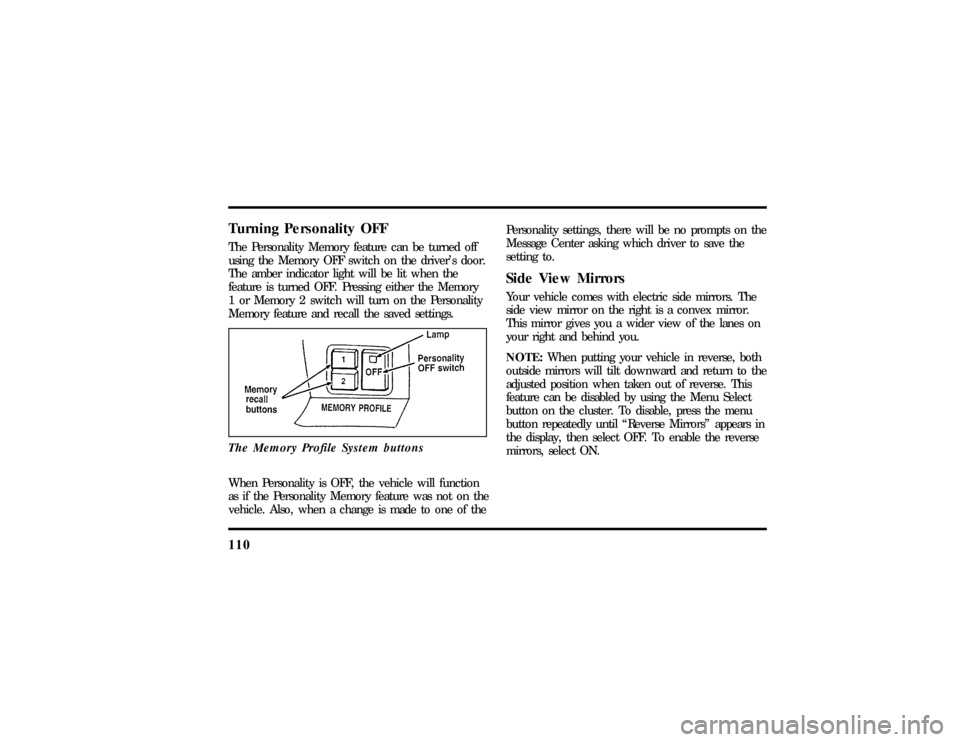
110Turning Personality OFFThe Personality Memory feature can be turned off
using the Memory OFF switch on the driver's door.
The amber indicator light will be lit when the
feature is turned OFF. Pressing either the Memory
1 or Memory 2 switch will turn on the Personality
Memory feature and recall the saved settings.
The Memory Profile System buttonsWhen Personality is OFF, the vehicle will function
as if the Personality Memory feature was not on the
vehicle. Also, when a change is made to one of thePersonality settings, there will be no prompts on the
Message Center asking which driver to save the
setting to.
Side View MirrorsYour vehicle comes with electric side mirrors. The
side view mirror on the right is a convex mirror.
This mirror gives you a wider view of the lanes on
your right and behind you.
NOTE:When putting your vehicle in reverse, both
outside mirrors will tilt downward and return to the
adjusted position when taken out of reverse. This
feature can be disabled by using the Menu Select
button on the cluster. To disable, press the menu
button repeatedly until ªReverse Mirrorsº appears in
the display, then select OFF. To enable the reverse
mirrors, select ON.
File:05fncfc.ex
Update:Fri Sep 6 14:53:57 1996
Page 227 of 321
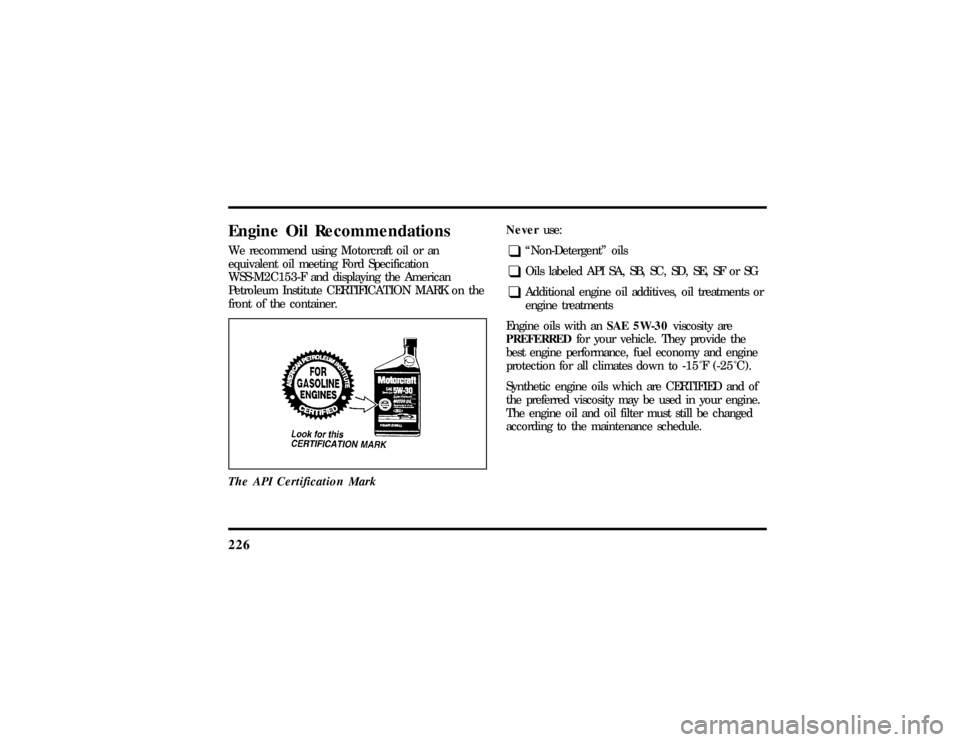
226Engine Oil RecommendationsWe recommend using Motorcraft oil or an
equivalent oil meeting Ford Specification
WSS-M2C153-F and displaying the American
Petroleum Institute CERTIFICATION MARK on the
front of the container.
The API Certification Mark
Neveruse:q
ªNon-Detergentº oils
q
Oils labeled API SA, SB, SC, SD, SE, SF or SG
q
Additional engine oil additives, oil treatments or
engine treatments
Engine oils with anSAE 5W-30viscosity are
PREFERREDfor your vehicle. They provide the
best engine performance, fuel economy and engine
protection for all climates down to-15ÊF (-25ÊC).
Synthetic engine oils which are CERTIFIED and of
the preferred viscosity may be used in your engine.
The engine oil and oil filter must still be changed
according to the maintenance schedule.
File:11fnmcc.ex
Update:Fri Sep 6 08:51:16 1996