instrument cluster LINCOLN CONTINENTAL 2017 Owner's Manual
[x] Cancel search | Manufacturer: LINCOLN, Model Year: 2017, Model line: CONTINENTAL, Model: LINCOLN CONTINENTAL 2017Pages: 584, PDF Size: 6.13 MB
Page 235 of 584
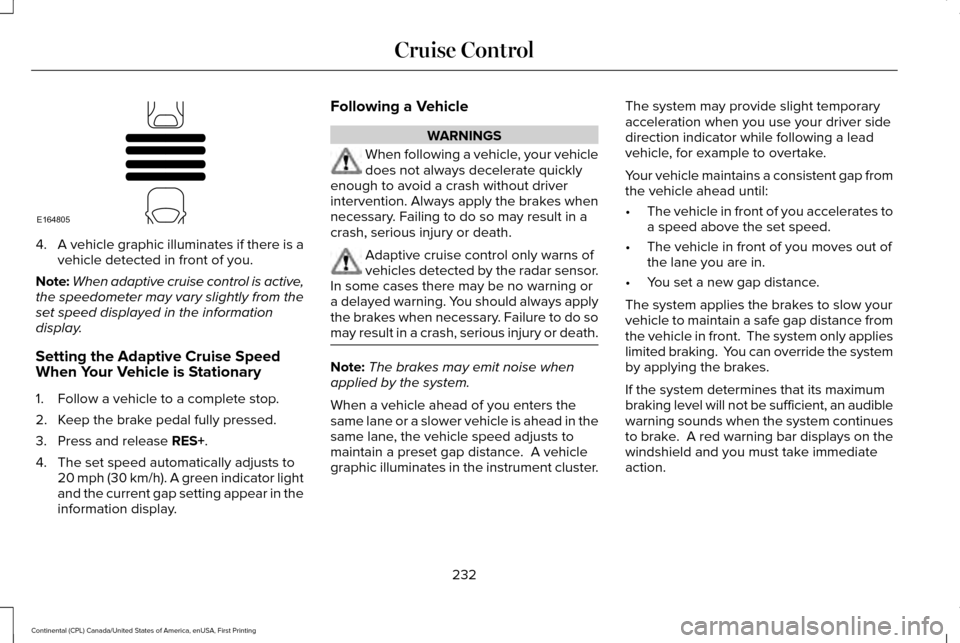
4.
A vehicle graphic illuminates if there is a
vehicle detected in front of you.
Note: When adaptive cruise control is active,
the speedometer may vary slightly from the
set speed displayed in the information
display.
Setting the Adaptive Cruise Speed
When Your Vehicle is Stationary
1. Follow a vehicle to a complete stop.
2. Keep the brake pedal fully pressed.
3. Press and release RES+.
4. The set speed automatically adjusts to 20 mph (30 km/h). A green indicator light
and the current gap setting appear in the
information display. Following a Vehicle WARNINGS
When following a vehicle, your vehicle
does not always decelerate quickly
enough to avoid a crash without driver
intervention. Always apply the brakes when
necessary. Failing to do so may result in a
crash, serious injury or death. Adaptive cruise control only warns of
vehicles detected by the radar sensor.
In some cases there may be no warning or
a delayed warning. You should always apply
the brakes when necessary. Failure to do so
may result in a crash, serious injury or death. Note:
The brakes may emit noise when
applied by the system.
When a vehicle ahead of you enters the
same lane or a slower vehicle is ahead in the
same lane, the vehicle speed adjusts to
maintain a preset gap distance. A vehicle
graphic illuminates in the instrument cluster. The system may provide slight temporary
acceleration when you use your driver side
direction indicator while following a lead
vehicle, for example to overtake.
Your vehicle maintains a consistent gap from
the vehicle ahead until:
•
The vehicle in front of you accelerates to
a speed above the set speed.
• The vehicle in front of you moves out of
the lane you are in.
• You set a new gap distance.
The system applies the brakes to slow your
vehicle to maintain a safe gap distance from
the vehicle in front. The system only applies
limited braking. You can override the system
by applying the brakes.
If the system determines that its maximum
braking level will not be sufficient, an audible
warning sounds when the system continues
to brake. A red warning bar displays on the
windshield and you must take immediate
action.
232
Continental (CPL) Canada/United States of America, enUSA, First Printing Cruise ControlE164805
Page 302 of 584
Protected components
Fuse amp rating
Fuse or relay number
Not used (spare).
5A 1
4
Subwoofer amplifier.
20A 1
5
Revel digital signal processing amplifier.
Not used.
—
6
Not used.
—
7
Security horn.
10A 1
8
Rear seat entertainment module.
10A 1
9
Telematics module.
5A 2
10
Power decklid module.
Keypad.
5A 2
11
Outside lock switch.
Combined security sensor module.
Front control interface module (climate control).
7.5A 2
12
Gear shift module.
Rear climate control module.
Instrument cluster.
7.5A 2
13
Smart data link.
Steering column control module.
299
Continental (CPL) Canada/United States of America, enUSA, First Printing Fuses
Page 317 of 584
3. Add engine oil that meets Ford
specifications. See Capacities and
Specifications (page 378). You may have
to use a funnel to pour the engine oil into
the opening.
4. Recheck the oil level.
5. If the oil level is correct, replace the dipstick and make sure it is fully seated.
6. Replace the engine oil filler cap. Turn it clockwise until you feel a strong
resistance.
Note: Do not add oil further than the
maximum mark. Oil levels above the
maximum mark may cause engine damage.
Note: Make sure you install the oil filler cap
correctly.
Note: Soak up any spillage with an
absorbent cloth immediately.
OIL CHANGE INDICATOR RESET
Use the information display controls on the
steering wheel to reset the oil change
indicator. From the main menu scroll to: Action and description
Message
Press the right arrow button,
then from this menu scroll to
the following message.
Settings
Press the right arrow button,
then from this menu scroll to
the following message.
Vehicle
Press the right arrow button,
then from this menu scroll to
the following message.
Oil Life
Press and hold the OK button
until the instrument cluster
displays the following
message.
Hold OK to
Reset
Reset Successful
When the oil change indicator
resets the instrument cluster
displays 100%.
Remaining Life
{00}% Action and description
Message
If the instrument cluster
displays one of the following
messages, repeat the
process.
Not Reset
Reset Cancelled
ENGINE COOLANT CHECK WARNINGS
Do not add engine coolant when the
engine is hot. Steam and scalding
liquids released from a hot cooling system
can burn you badly. Also, spilling coolant on
hot engine parts can burn you. Do not put engine coolant in the
windshield washer fluid container. If
sprayed on the windshield, engine coolant
could make it difficult to see through the
windshield.
314
Continental (CPL) Canada/United States of America, enUSA, First Printing Maintenance
Page 339 of 584
CLEANING THE WINDOWS AND
WIPER BLADES
Car wash chemicals and environmental
fallout can result in windshield and wiper
blade contamination. Dirty windshield and
wipers will result in poor windshield wiper
operation. Keep the windshield and wiper
blades clean to maintain windshield wiper
performance.
To clean the windshield and wiper blades:
•
Clean the windshield with a non-abrasive
glass cleaner. When cleaning the interior
of the windshield, avoid getting any glass
cleaner on the instrument panel or door
panels. Wipe any glass cleaner off these
surfaces immediately.
• For windshields contaminated with tree
sap, chemicals, wax or bugs, clean the
entire windshield using steel wool (no
greater than 0000 grade) in a circular
motion and rinse with water.
• Clean the wiper blades with isopropyl
rubbing alcohol or windshield washer
concentrate. Note:
Do not use razor blades or other
sharp objects to clean or remove decals from
the inside of the heated rear window. The
vehicle warranty does not cover damage
caused to the heated rear window grid lines.
CLEANING THE INTERIOR WARNINGS
Do not use cleaning solvents, bleach
or dye on the vehicle
’s safety belts, as
these actions may weaken the belt webbing. On vehicles equipped with
seat-mounted airbags, do not use
chemical solvents or strong detergents. Such
products could contaminate the side airbag
system and affect performance of the side
airbag in a collision. For fabric, carpets, cloth seats, safety belts
and seats equipped with side airbags:
•
Remove dust and loose dirt with a
vacuum cleaner.
• Remove light stains and soil with
Motorcraft Professional Strength Carpet
& Upholstery Cleaner. •
If grease or tar is present on the material,
spot-clean the area first with Motorcraft
Spot and Stain Remover. In Canada, use
Motorcraft Multi-Purpose Cleaner.
• If a ring forms on the fabric after spot
cleaning, clean the entire area
immediately (but do not oversaturate) or
the ring will set.
• Do not use household cleaning products
or glass cleaners, which can stain and
discolor the fabric and affect the flame
retardant abilities of the seat materials.
CLEANING THE INSTRUMENT
PANEL AND INSTRUMENT
CLUSTER LENS WARNING
Do not use chemical solvents or strong
detergents when cleaning the steering
wheel or instrument panel to avoid
contamination of the airbag system. 336
Continental (CPL) Canada/United States of America, enUSA, First Printing Vehicle Care
Page 340 of 584
Note:
Follow the same procedure as
cleaning leather seats for cleaning leather
instrument panels and leather interior trim
surfaces. See Cleaning Leather Seats (page
337).
Clean the instrument panel and cluster lens
with a clean, damp and soft cloth, then use
a clean, dry and soft cloth to dry these areas.
• Avoid cleaners or polishes that increase
the gloss of the upper portion of the
instrument panel. The dull finish in this
area helps protect you from undesirable
windshield reflection.
• Do not use any household cleaning
products or glass cleaners as these may
damage the finish of the instrument
panel, interior trim and cluster lens. •
Wash or wipe your hands clean if you
have been in contact with certain
products such as insect repellent and
suntan lotion to avoid possible damage
to the interior painted surfaces.
• Do not allow air fresheners and hand
sanitizers to spill onto interior surfaces.
If a spill occurs, wipe off immediately.
Your warranty may not cover these
damages.
If a staining liquid like coffee or juice has
been spilled on the instrument panel or on
interior trim surfaces:
1. Wipe up spilled liquid using a clean, soft
cloth as quickly as possible.
2. Use Motorcraft Premium Leather and Vinyl Cleaner or a commercially available
leather cleaning product for automotive
interiors. Test any cleaner or stain
remover on an inconspicuous area.
3. Alternatively, wipe the surface with a clean, soft cloth and a mild soap and
water solution. Dry the area with a clean,
soft cloth. 4.
If necessary, apply more soap and water
solution or cleaning product to a clean,
soft cloth and press it onto the soiled
area. Allow this to set at room
temperature for 30 minutes.
5. Remove the soaked cloth, then with a clean, damp cloth, use a rubbing motion
for 60 seconds on the soiled area.
6. Dry the area with a clean, soft cloth.
CLEANING LEATHER SEATS
(If
Equipped)
Note: Follow the same procedure as
cleaning leather seats for cleaning leather
instrument panels and leather interior trim
surfaces.
For routine cleaning, wipe the surface with
a soft, damp cloth and a mild soap and water
solution. Dry the area with a clean, soft cloth.
For cleaning and removing stains such as
dye transfer, use Motorcraft Premium Leather
and Vinyl Cleaner or a commercially available
leather cleaning product for automotive
interiors.
337
Continental (CPL) Canada/United States of America, enUSA, First Printing Vehicle Care
Page 504 of 584
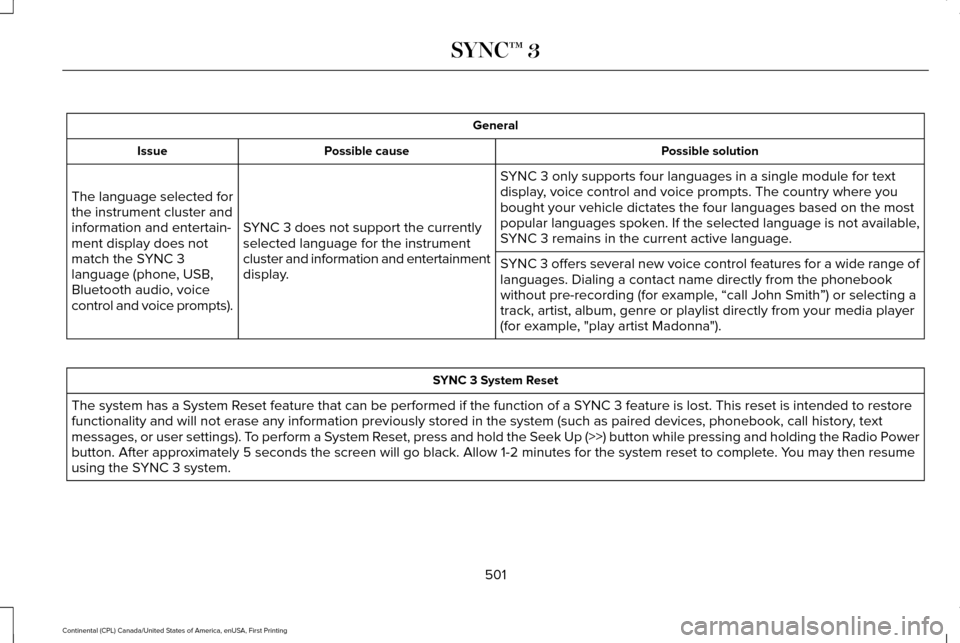
General
Possible solution
Possible cause
Issue
SYNC 3 only supports four languages in a single module for text
display, voice control and voice prompts. The country where you
bought your vehicle dictates the four languages based on the most
popular languages spoken. If the selected language is not available,
SYNC 3 remains in the current active language.
SYNC 3 does not support the currently
selected language for the instrument
cluster and information and entertainment
display.
The language selected for
the instrument cluster and
information and entertain-
ment display does not
match the SYNC 3
language (phone, USB,
Bluetooth audio, voice
control and voice prompts).
SYNC 3 offers several new voice control features for a wide range of
languages. Dialing a contact name directly from the phonebook
without pre-recording (for example, “call John Smith
”) or selecting a
track, artist, album, genre or playlist directly from your media player
(for example, "play artist Madonna"). SYNC 3 System Reset
The system has a System Reset feature that can be performed if the function of a SYNC 3 feature is lost. This reset is intended to restore
functionality and will not erase any information previously stored in th\
e system (such as paired devices, phonebook, call history , text
messages, or user settings). To perform a System Reset, press and hold the Seek Up (>>) button while pressing and holdin\
g the Radio Power
button. After approximately 5 seconds the screen will go black. Allow 1-2 minutes for the s\
ystem reset to complete. You may then resume
using the SYNC 3 system.
501
Continental (CPL) Canada/United States of America, enUSA, First Printing SYNC™ 3
Page 576 of 584
Cleaning Products........................................332
Cleaning the Engine....................................335
Cleaning the Exterior...................................333
Exterior Chrome Parts.......................................334
Exterior Plastic Parts..........................................334
Stripes or Graphics.............................................334
Underbody...........................................................334
Under Hood.........................................................335
Cleaning the Instrument Panel and Instrument Cluster Lens...........................336
Cleaning the Interior....................................336
Cleaning the Wheels...................................338
Cleaning the Windows and Wiper Blades...........................................................336
Clearing All MyKeys
.......................................62
Climate............................................................443
Climate Control
...............................................141
Climate Controlled Seats.............................161
Ventilated Seats...................................................162
Coolant Check See: Engine Coolant Check..............................314
Crash Sensors and Airbag Indicator
..........52
Creating a MyKey............................................61 Programming or Changing Configurable
Settings...............................................................62
Cross Traffic Alert
.........................................247
False Alerts...........................................................251
Switching the System Off and On...................251 System Errors.......................................................251
System Lights, Messages and Audible
Alerts.................................................................250
System Limitations.............................................250
Using the System................................................247
Cruise Control..................................................83 Principle of Operation.......................................229
Type One................................................................83
Type Two.................................................................84
Cruise control See: Using Cruise Control...............................
229
Customer Assistance..................................279
D
Data Recording
..................................................9
Event Data Recording...........................................10
Service Data Recording.........................................9
Daytime Running Lamps...............................90
Direction Indicators
........................................93
Lane Change..........................................................93
Doors and Locks.............................................65
Drive Control
.................................................256
LINCOLN DRIVE CONTROL............................256
Driver Alert.....................................................239 Using Driver Alert...............................................239
Driver and Passenger Airbags....................45 Children and Airbags...........................................46 Proper Driver and Front Passenger Seating
Adjustment.........................................................46
Driver and Passenger Knee Airbags.........50
Driving Aids
...................................................239
Driving Hints..................................................269
Driving Through Water...............................269
DRL See: Daytime Running Lamps...........................90
E
Economical Driving
......................................269
Electric Parking Brake.................................202 Applying the Electric Parking brake..............202
Battery With No Charge...................................204
Releasing the Electric Parking Brake............203
Emergency Door Release.............................72
Emission Control System
............................183
On-Board Diagnostics (OBD-II)........................184
Readiness for Inspection and Maintenance
(I/M) Testing......................................................185
End User License Agreement
....................541
VEHICLE SOFTWARE END USER LICENSE
AGREEMENT (EULA) .....................................541
Engine Block Heater
.....................................175
Using the Engine Block Heater.......................175
Engine Coolant Check.................................314 Adding Coolant....................................................315
573
Continental (CPL) Canada/United States of America, enUSA, First Printing Index
Page 579 of 584

AWD........................................................................\
122
Battery and Charging System..........................123
Blind Spot Information and Cross Traffic Alert
System...............................................................124
Doors and Locks..................................................124
Driver Alert............................................................125
Fuel........................................................................\
.126
Hill Start Assist.....................................................126
Keys and Intelligent Access.............................126
Lane Keeping System........................................128
Maintenance.........................................................128
MyKey.....................................................................130
Park Aid...................................................................131
Park Brake..............................................................131
Power Steering....................................................132
Pre-Collision Assist.............................................133
Remote Start.........................................................133
Seats.......................................................................133
Stability Control....................................................134
Starting System ...................................................134
Tire Pressure Monitoring System....................135
Transmission.........................................................135
Installing Child Restraints..............................19
Inflatable Seatbelts...............................................22
Standard Seatbelts...............................................20
Using Lap and Shoulder Belts............................19
Using Lower Anchors and Tethers for
CHildren (LATCH).............................................25 Using Tether Straps..............................................27
Instrument Cluster
.........................................103
Instrument Lighting Dimmer........................90
Interior Lamps
..................................................93
Front Interior Lamp...............................................93
Rear Interior Lamp................................................95
Interior Luggage Compartment Release............................................................77
Interior Mirror
.................................................100
Auto-Dimming Mirror..........................................100
Introduction
.........................................................7
J
Jump Starting the Vehicle..........................274 Connecting the Jumper Cables......................275
Jump Starting......................................................276
Preparing Your Vehicle......................................274
Removing the Jumper Cables.........................276
K
Keyless Entry
....................................................75
SECURICODE™ Keyless Entry Keypad.............75
Keyless Starting..............................................171 Ignition Modes.......................................................171
Keys and Remote Controls
...........................54 L
Lane Keeping System
.................................240
Switching the System On and Off..................240
Lighting Control...............................................88 Headlamp Flasher................................................89
Headlamp High Beam.........................................89
Lighting..............................................................88 General Information.............................................88
Lincoln Automotive Financial Services......12
Lincoln Protect
..............................................505
Lincoln Protect (CANADA ONLY)...................506
Lincoln Protect Extended Service Plans (U.S.
Only)..................................................................505
Load Carrying
................................................258
Load Limit.......................................................258 Special Loading Instructions for Owners of
Pick-up Trucks and Utility-type
Vehicles............................................................262
Vehicle Loading - with and without a Trailer................................................................258
Locking and Unlocking
.................................65
Activating Intelligent Access.............................65
Battery Saver..........................................................70
Door Lock Indicator..............................................65
Door Lock Switch Inhibitor.................................65
Emergency Locking.............................................68
Illuminated Entry...................................................70
576
Continental (CPL) Canada/United States of America, enUSA, First Printing Index