lock LINCOLN CONTINENTAL 2017 Repair Manual
[x] Cancel search | Manufacturer: LINCOLN, Model Year: 2017, Model line: CONTINENTAL, Model: LINCOLN CONTINENTAL 2017Pages: 584, PDF Size: 6.13 MB
Page 194 of 584
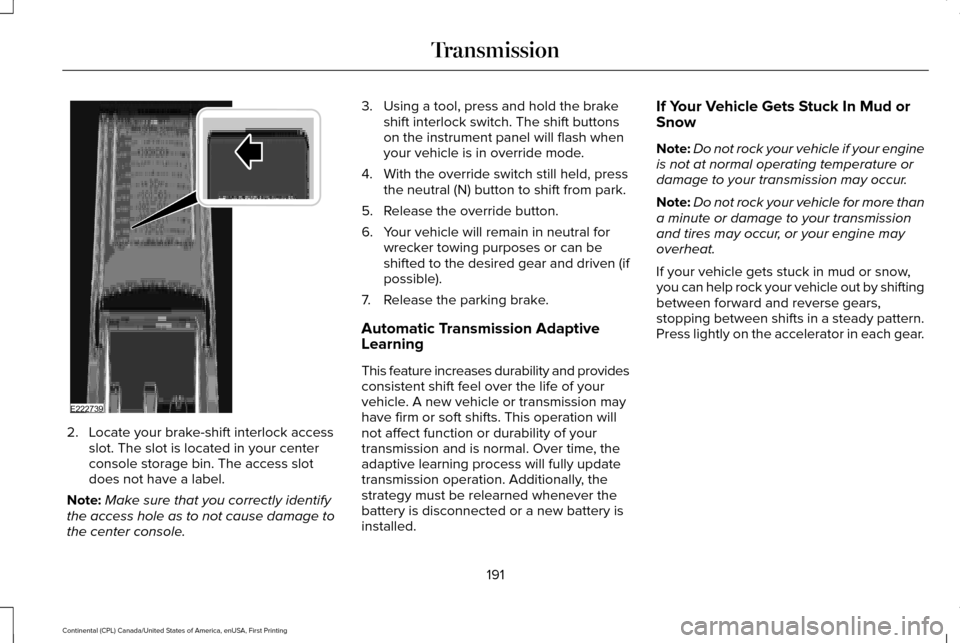
2. Locate your brake-shift interlock access
slot. The slot is located in your center
console storage bin. The access slot
does not have a label.
Note: Make sure that you correctly identify
the access hole as to not cause damage to
the center console. 3. Using a tool, press and hold the brake
shift interlock switch. The shift buttons
on the instrument panel will flash when
your vehicle is in override mode.
4. With the override switch still held, press the neutral (N) button to shift from park.
5. Release the override button.
6. Your vehicle will remain in neutral for wrecker towing purposes or can be
shifted to the desired gear and driven (if
possible).
7. Release the parking brake.
Automatic Transmission Adaptive
Learning
This feature increases durability and provides
consistent shift feel over the life of your
vehicle. A new vehicle or transmission may
have firm or soft shifts. This operation will
not affect function or durability of your
transmission and is normal. Over time, the
adaptive learning process will fully update
transmission operation. Additionally, the
strategy must be relearned whenever the
battery is disconnected or a new battery is
installed. If Your Vehicle Gets Stuck In Mud or
Snow
Note:
Do not rock your vehicle if your engine
is not at normal operating temperature or
damage to your transmission may occur.
Note: Do not rock your vehicle for more than
a minute or damage to your transmission
and tires may occur, or your engine may
overheat.
If your vehicle gets stuck in mud or snow,
you can help rock your vehicle out by shifting
between forward and reverse gears,
stopping between shifts in a steady pattern.
Press lightly on the accelerator in each gear.
191
Continental (CPL) Canada/United States of America, enUSA, First Printing TransmissionE222739
Page 201 of 584
Your vehicle has anti-lock brakes, therefore
apply the brakes steadily. Do not “pump
” the
brakes.
Driving on Snow and Ice WARNING
If you are driving in slippery conditions
that require tire chains or cables, then
it is critical that you drive cautiously. Keep
speeds down, allow for longer stopping
distances and avoid aggressive steering to
reduce the chances of a loss of vehicle
control which can lead to serious injury or
death. If the rear end of your vehicle slides
while cornering, steer in the direction of the
slide until you regain control of your vehicle. Note:
Your vehicle may have original
equipment tires designed to optimize the
performance of your vehicle in dry or wet
summer road conditions. If your vehicle is
equipped with such tires, we recommend
using a dedicated set (all 4 tires) of winter
tires in snow and ice conditions. Do not mix
winter tires and performance tires between
axles or degraded traction and handling
characteristics could result. Note:
Excessive tire slippage can cause
driveline damage.
AWD vehicles have advantages over
two-wheel drive (2WD) vehicles in snow and
ice but can skid like any other vehicle.
Should you start to slide while driving on
snowy or icy roads, turn the steering wheel
in the direction of the slide until you regain
control.
198
Continental (CPL) Canada/United States of America, enUSA, First Printing All-Wheel Drive (If Equipped)
Page 202 of 584
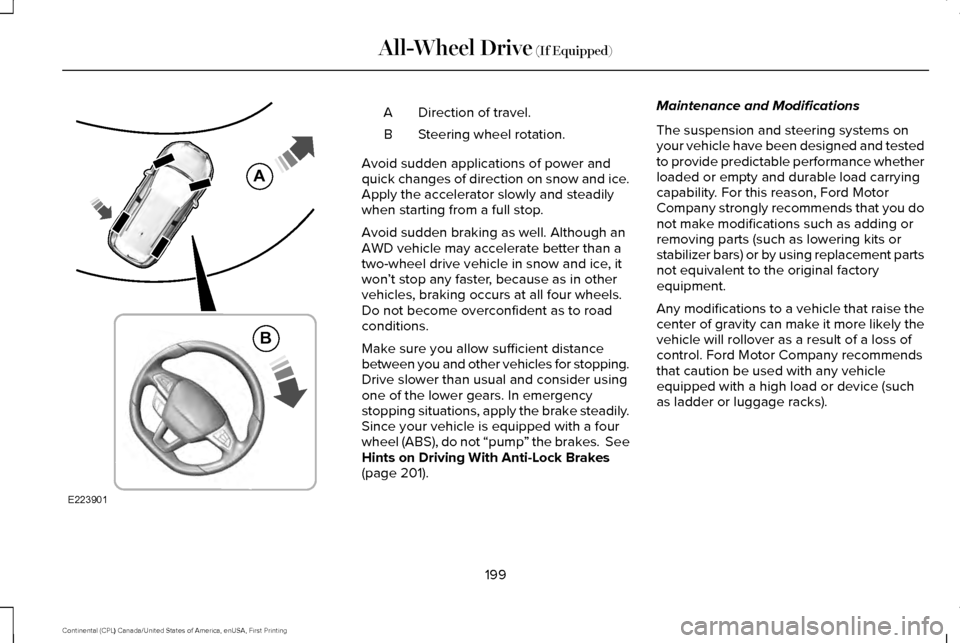
Direction of travel.
A
Steering wheel rotation.
B
Avoid sudden applications of power and
quick changes of direction on snow and ice.
Apply the accelerator slowly and steadily
when starting from a full stop.
Avoid sudden braking as well. Although an
AWD vehicle may accelerate better than a
two-wheel drive vehicle in snow and ice, it
won ’t stop any faster, because as in other
vehicles, braking occurs at all four wheels.
Do not become overconfident as to road
conditions.
Make sure you allow sufficient distance
between you and other vehicles for stopping.
Drive slower than usual and consider using
one of the lower gears. In emergency
stopping situations, apply the brake steadily.
Since your vehicle is equipped with a four
wheel (ABS), do not “pump ” the brakes. See
Hints on Driving With Anti-Lock Brakes
(page 201). Maintenance and Modifications
The suspension and steering systems on
your vehicle have been designed and tested
to provide predictable performance whether
loaded or empty and durable load carrying
capability. For this reason, Ford Motor
Company strongly recommends that you do
not make modifications such as adding or
removing parts (such as lowering kits or
stabilizer bars) or by using replacement parts
not equivalent to the original factory
equipment.
Any modifications to a vehicle that raise the
center of gravity can make it more likely the
vehicle will rollover as a result of a loss of
control. Ford Motor Company recommends
that caution be used with any vehicle
equipped with a high load or device (such
as ladder or luggage racks).
199
Continental (CPL) Canada/United States of America, enUSA, First Printing All-Wheel Drive
(If Equipped)E223901
A
B
Page 204 of 584
GENERAL INFORMATION
Note:
Occasional brake noise is normal. If a
metal-to-metal, continuous grinding or
continuous squeal sound is present, the
brake linings may be worn-out. Have the
system checked by an authorized dealer. If
your vehicle has continuous vibration or
shudder in the steering wheel while braking,
have it checked by an authorized dealer.
Note: Brake dust may accumulate on the
wheels, even under normal driving
conditions. Some dust is inevitable as the
brakes wear and does not contribute to
brake noise. See Cleaning the Wheels
(page 338).
Note: Depending on applicable laws and
regulations in the country for which your
vehicle was originally built, your brake lamps
may flash during heavy braking. Following
this, your hazard lights may also flash when
your vehicle comes to a stop. See
Warning Lamps and
Indicators (page 105). Wet brakes result in reduced braking
efficiency. Gently press the brake pedal a
few times when driving from a car wash or
standing water to dry the brakes.
Brake Over Accelerator
In the event the accelerator pedal becomes
stuck or entrapped, apply steady and firm
pressure to the brake pedal to slow the
vehicle and reduce engine power. If you
experience this condition, apply the brakes
and bring your vehicle to a safe stop. Move
the transmission to park (P), switch the
engine off and apply the parking brake.
Inspect the accelerator pedal for any
interference. If none are found and the
condition persists, have your vehicle towed
to the nearest authorized dealer.
Brake Assist
Brake assist detects when you brake rapidly
by measuring the rate at which you press the
brake pedal. It provides maximum braking
efficiency as long as you press the pedal,
and can reduce stopping distances in critical
situations. Anti-lock Brake System
This system helps you maintain steering
control during emergency stops by keeping
the brakes from locking. This lamp momentarily illuminates
when you turn the ignition on. If
the light does not illuminate during
start up, remains on or flashes, the system
may be disabled. Have the system checked
by an authorized dealer. If the anti-lock brake
system is disabled, normal braking is still
effective. If the brake warning lamp
illuminates when you release the
parking brake, have the system
checked by an authorized dealer.
HINTS ON DRIVING WITH ANTI-
LOCK BRAKES
Note: When the system is operating, the
brake pedal may pulse and may travel
further. Maintain pressure on the brake
pedal. You may also hear a noise from the
system. This is normal.
201
Continental (CPL) Canada/United States of America, enUSA, First Printing BrakesE144522 E144522
Page 205 of 584
The anti-lock braking system will not
eliminate the risks when:
•
You drive too closely to the vehicle in
front of you.
• Your vehicle is hydroplaning.
• You take corners too fast.
• The road surface is poor.
ELECTRIC PARKING BRAKE
The electric parking brake replaces the
conventional handbrake. The operating
switch is located in the instrument panel. WARNING
Always set the parking brake and leave
your vehicle with the transmission in
park (P). Failure to set the parking brake and
placing the transmission in park (P) could
result in vehicle roll-away, property damage
or bodily injury. Note:
When you apply the electric parking
brake in certain conditions, for example, on
a steep hill, the electric parking brake may
reapply the brakes within three to ten
minutes.
Note: You may notice various noises when
you apply and release the electric parking
brake. This is normal and no cause for
concern.
Note: After a determined period of time, the
parking brake will automatically re-calibrate.
This process is short and only performed
when the vehicle is turned off.
Applying the Electric Parking brake WARNING
The brake system warning lamp will
flash during an electric parking brake
apply. If the brake system warning lamp
continues to flash there could be a problem
with your electric parking brake. Note:
The brake system warning lamp will
illuminate for ten seconds, if the ignition is
turned off after the electric parking brake
has been applied, or the electric parking
brake has been applied after the ignition
has been turned off.
Note: The electric parking brake will not
automatically apply when you park the
vehicle. You must apply the electric parking
brake using the electric parking brake
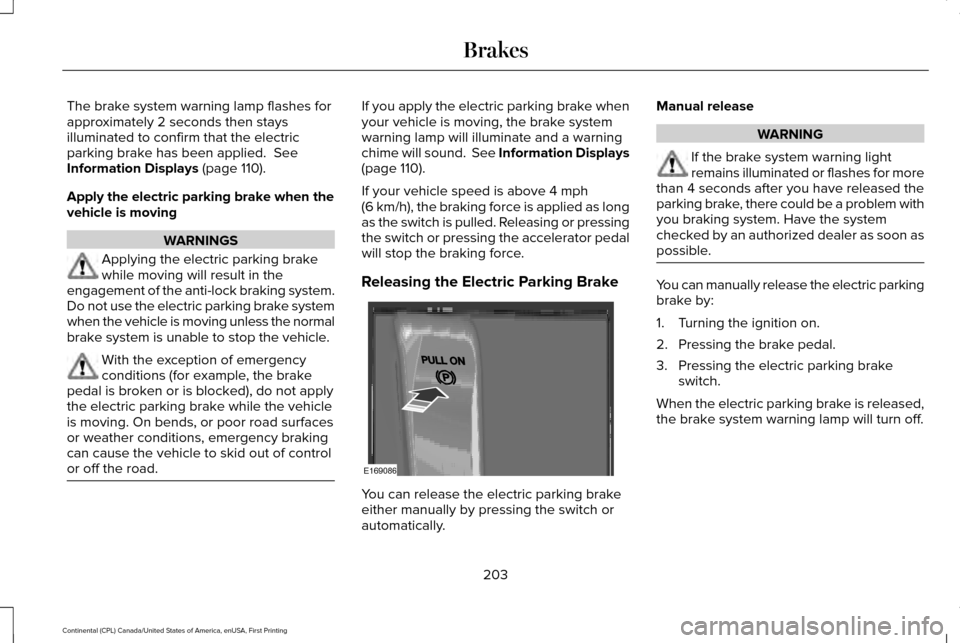
switch. Pull the switch up to apply the electric
parking brake.
202
Continental (CPL) Canada/United States of America, enUSA, First Printing BrakesE169085
Page 206 of 584
The brake system warning lamp flashes for
approximately 2 seconds then stays
illuminated to confirm that the electric
parking brake has been applied. See
Information Displays (page 110).
Apply the electric parking brake when the
vehicle is moving WARNINGS
Applying the electric parking brake
while moving will result in the
engagement of the anti-lock braking system.
Do not use the electric parking brake system
when the vehicle is moving unless the normal
brake system is unable to stop the vehicle. With the exception of emergency
conditions (for example, the brake
pedal is broken or is blocked), do not apply
the electric parking brake while the vehicle
is moving. On bends, or poor road surfaces
or weather conditions, emergency braking
can cause the vehicle to skid out of control
or off the road. If you apply the electric parking brake when
your vehicle is moving, the brake system
warning lamp will illuminate and a warning
chime will sound. See Information Displays
(page 110).
If your vehicle speed is above
4 mph
(6 km/h), the braking force is applied as long
as the switch is pulled. Releasing or pressing
the switch or pressing the accelerator pedal
will stop the braking force.
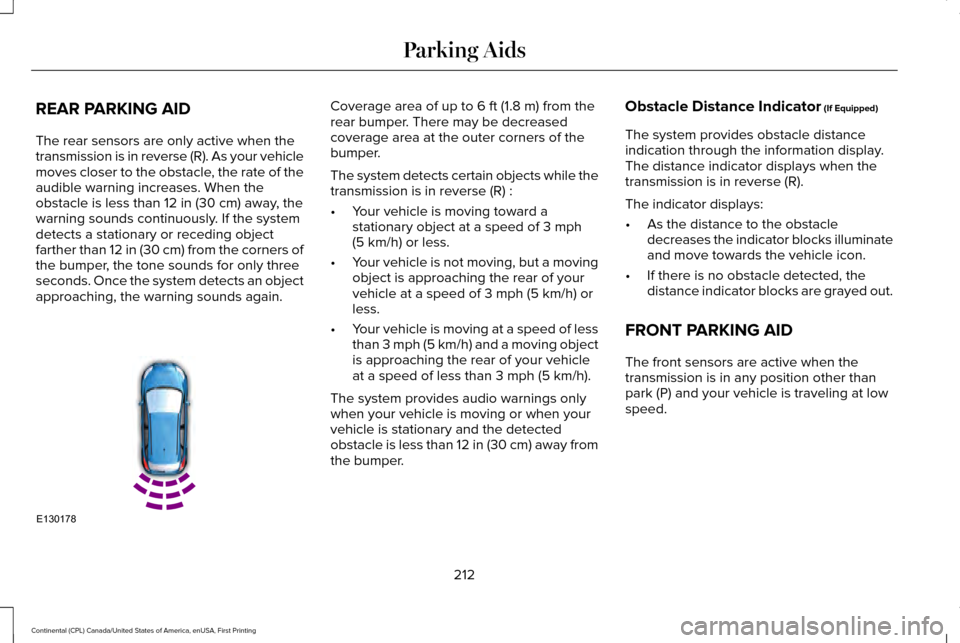
Releasing the Electric Parking Brake You can release the electric parking brake
either manually by pressing the switch or
automatically.Manual release WARNING
If the brake system warning light
remains illuminated or flashes for more
than 4 seconds after you have released the
parking brake, there could be a problem with
you braking system. Have the system
checked by an authorized dealer as soon as
possible. You can manually release the electric parking
brake by:
1. Turning the ignition on.
2. Pressing the brake pedal.
3. Pressing the electric parking brake
switch.
When the electric parking brake is released,
the brake system warning lamp will turn off.
203
Continental (CPL) Canada/United States of America, enUSA, First Printing BrakesE169086
Page 215 of 584
REAR PARKING AID
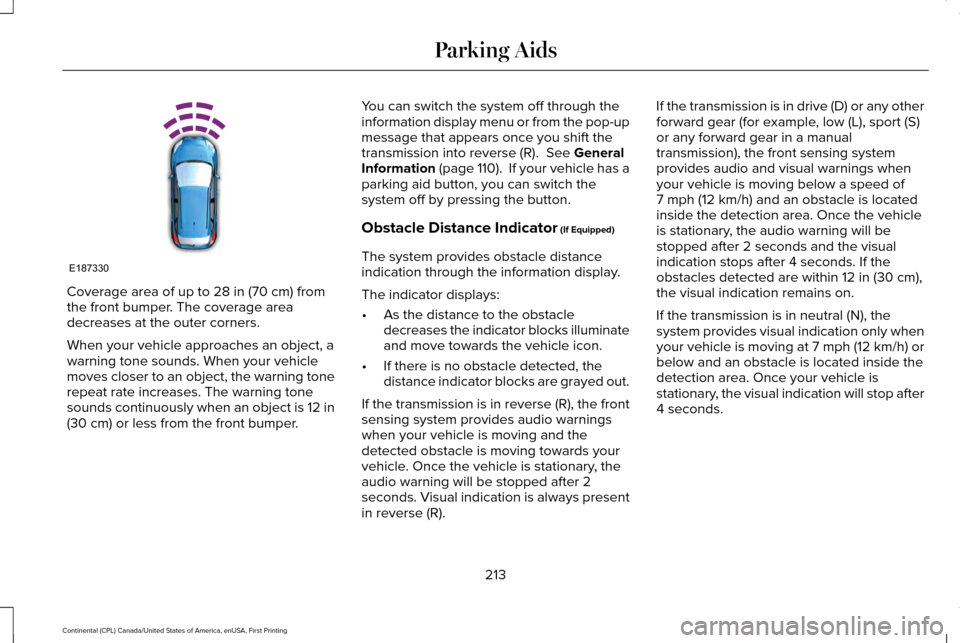
The rear sensors are only active when the
transmission is in reverse (R). As your vehicle
moves closer to the obstacle, the rate of the
audible warning increases. When the
obstacle is less than 12 in (30 cm) away, the
warning sounds continuously. If the system
detects a stationary or receding object
farther than
12 in (30 cm) from the corners of
the bumper, the tone sounds for only three
seconds. Once the system detects an object
approaching, the warning sounds again. Coverage area of up to
6 ft (1.8 m) from the
rear bumper. There may be decreased
coverage area at the outer corners of the
bumper.
The system detects certain objects while the
transmission is in reverse (R) :
• Your vehicle is moving toward a
stationary object at a speed of
3 mph
(5 km/h) or less.
• Your vehicle is not moving, but a moving
object is approaching the rear of your
vehicle at a speed of
3 mph (5 km/h) or
less.
• Your vehicle is moving at a speed of less
than 3 mph (5 km/h) and a moving object
is approaching the rear of your vehicle
at a speed of less than
3 mph (5 km/h).
The system provides audio warnings only
when your vehicle is moving or when your
vehicle is stationary and the detected
obstacle is less than 12 in (30 cm) away from
the bumper. Obstacle Distance Indicator
(If Equipped)
The system provides obstacle distance
indication through the information display.
The distance indicator displays when the
transmission is in reverse (R).
The indicator displays:
• As the distance to the obstacle
decreases the indicator blocks illuminate
and move towards the vehicle icon.
• If there is no obstacle detected, the
distance indicator blocks are grayed out.
FRONT PARKING AID
The front sensors are active when the
transmission is in any position other than
park (P) and your vehicle is traveling at low
speed.
212
Continental (CPL) Canada/United States of America, enUSA, First Printing Parking AidsE130178
Page 216 of 584
Coverage area of up to 28 in (70 cm) from
the front bumper. The coverage area
decreases at the outer corners.
When your vehicle approaches an object, a
warning tone sounds. When your vehicle
moves closer to an object, the warning tone
repeat rate increases. The warning tone
sounds continuously when an object is 12 in
(30 cm)
or less from the front bumper. You can switch the system off through the
information display menu or from the pop-up
message that appears once you shift the
transmission into reverse (R).
See General
Information (page 110). If your vehicle has a
parking aid button, you can switch the
system off by pressing the button.
Obstacle Distance Indicator
(If Equipped)
The system provides obstacle distance
indication through the information display.
The indicator displays:
• As the distance to the obstacle
decreases the indicator blocks illuminate
and move towards the vehicle icon.
• If there is no obstacle detected, the
distance indicator blocks are grayed out.
If the transmission is in reverse (R), the front
sensing system provides audio warnings
when your vehicle is moving and the
detected obstacle is moving towards your
vehicle. Once the vehicle is stationary, the
audio warning will be stopped after 2
seconds. Visual indication is always present
in reverse (R). If the transmission is in drive (D) or any other
forward gear (for example, low (L), sport (S)
or any forward gear in a manual
transmission), the front sensing system
provides audio and visual warnings when
your vehicle is moving below a speed of
7 mph (12 km/h)
and an obstacle is located
inside the detection area. Once the vehicle
is stationary, the audio warning will be
stopped after 2 seconds and the visual
indication stops after 4 seconds. If the
obstacles detected are within
12 in (30 cm),
the visual indication remains on.
If the transmission is in neutral (N), the
system provides visual indication only when
your vehicle is moving at 7 mph (12 km/h) or
below and an obstacle is located inside the
detection area. Once your vehicle is
stationary, the visual indication will stop after
4 seconds.
213
Continental (CPL) Canada/United States of America, enUSA, First Printing Parking AidsE187330
Page 217 of 584
SIDE SENSING SYSTEM (If Equipped)
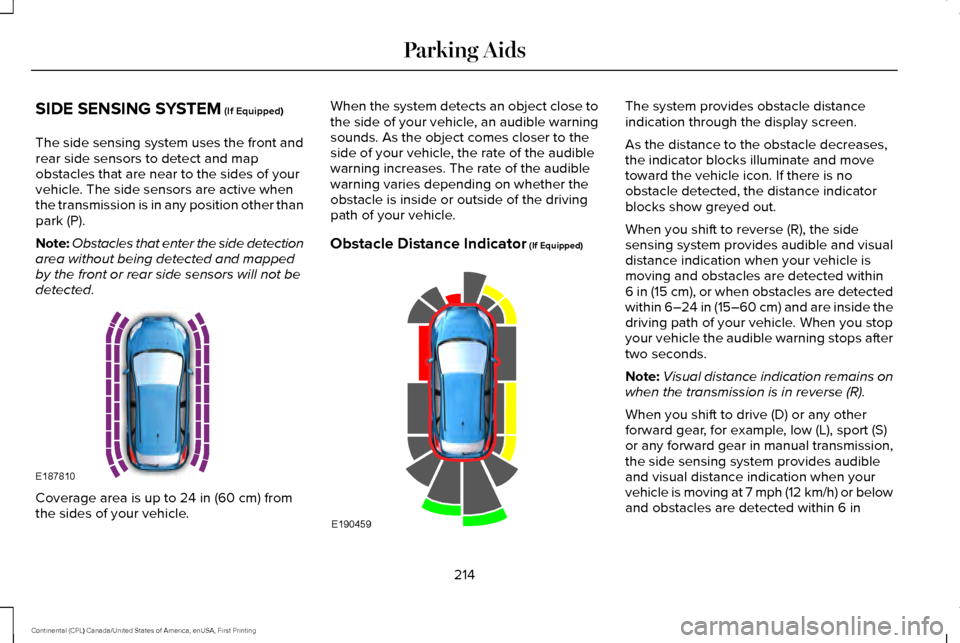
The side sensing system uses the front and
rear side sensors to detect and map
obstacles that are near to the sides of your
vehicle. The side sensors are active when
the transmission is in any position other than
park (P).
Note: Obstacles that enter the side detection
area without being detected and mapped
by the front or rear side sensors will not be
detected. Coverage area is up to
24 in (60 cm) from
the sides of your vehicle. When the system detects an object close to
the side of your vehicle, an audible warning
sounds. As the object comes closer to the
side of your vehicle, the rate of the audible
warning increases. The rate of the audible
warning varies depending on whether the
obstacle is inside or outside of the driving
path of your vehicle.
Obstacle Distance Indicator
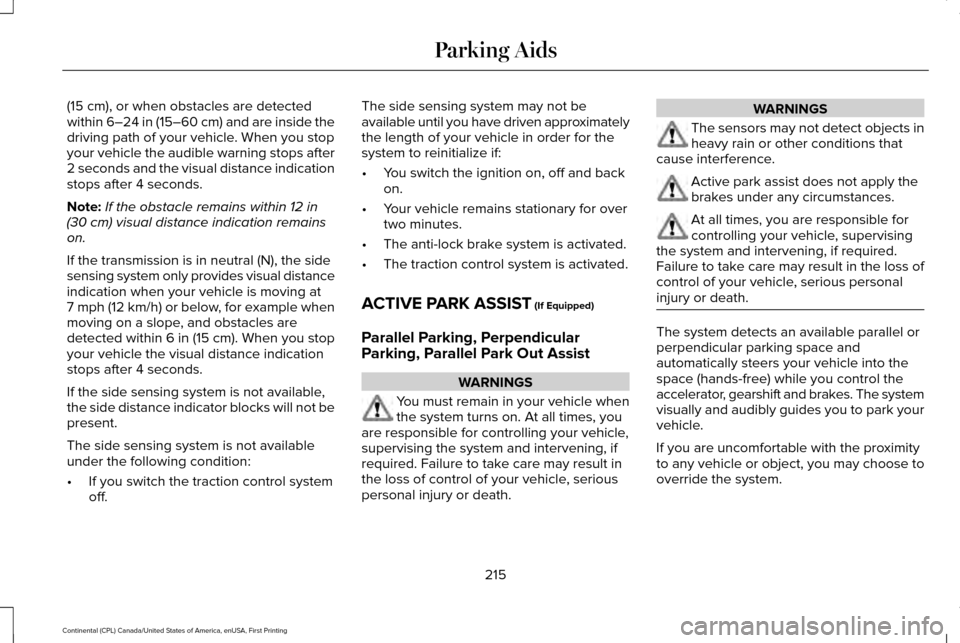
(If Equipped) The system provides obstacle distance
indication through the display screen.
As the distance to the obstacle decreases,
the indicator blocks illuminate and move
toward the vehicle icon. If there is no
obstacle detected, the distance indicator
blocks show greyed out.
When you shift to reverse (R), the side
sensing system provides audible and visual
distance indication when your vehicle is
moving and obstacles are detected within
6 in (15 cm)
, or when obstacles are detected
within 6–24 in (15–60 cm) and are inside the
driving path of your vehicle. When you stop
your vehicle the audible warning stops after
two seconds.
Note: Visual distance indication remains on
when the transmission is in reverse (R).
When you shift to drive (D) or any other
forward gear, for example, low (L), sport (S)
or any forward gear in manual transmission,
the side sensing system provides audible
and visual distance indication when your
vehicle is moving at 7 mph (12 km/h) or below
and obstacles are detected within
6 in
214
Continental (CPL) Canada/United States of America, enUSA, First Printing Parking AidsE187810 E190459
Page 218 of 584
(15 cm), or when obstacles are detected
within 6–24 in (15–60 cm) and are inside the
driving path of your vehicle. When you stop
your vehicle the audible warning stops after
2 seconds and the visual distance indication
stops after 4 seconds.
Note: If the obstacle remains within
12 in
(30 cm) visual distance indication remains
on.
If the transmission is in neutral (N), the side
sensing system only provides visual distance
indication when your vehicle is moving at
7 mph (12 km/h) or below, for example when
moving on a slope, and obstacles are
detected within
6 in (15 cm). When you stop
your vehicle the visual distance indication
stops after 4 seconds.
If the side sensing system is not available,
the side distance indicator blocks will not be
present.
The side sensing system is not available
under the following condition:
• If you switch the traction control system
off. The side sensing system may not be
available until you have driven approximately
the length of your vehicle in order for the
system to reinitialize if:
•
You switch the ignition on, off and back
on.
• Your vehicle remains stationary for over
two minutes.
• The anti-lock brake system is activated.
• The traction control system is activated.
ACTIVE PARK ASSIST
(If Equipped)
Parallel Parking, Perpendicular
Parking, Parallel Park Out Assist WARNINGS
You must remain in your vehicle when
the system turns on. At all times, you
are responsible for controlling your vehicle,
supervising the system and intervening, if
required. Failure to take care may result in
the loss of control of your vehicle, serious
personal injury or death. WARNINGS
The sensors may not detect objects in
heavy rain or other conditions that
cause interference. Active park assist does not apply the
brakes under any circumstances.
At all times, you are responsible for
controlling your vehicle, supervising
the system and intervening, if required.
Failure to take care may result in the loss of
control of your vehicle, serious personal
injury or death. The system detects an available parallel or
perpendicular parking space and
automatically steers your vehicle into the
space (hands-free) while you control the
accelerator, gearshift and brakes. The system
visually and audibly guides you to park your
vehicle.
If you are uncomfortable with the proximity
to any vehicle or object, you may choose to
override the system.
215
Continental (CPL) Canada/United States of America, enUSA, First Printing Parking Aids